"c68a05d5e51405b3"{"id":"1001858","slug":"advanced-hud-style-12","title":"Advanced HUD-Style 12","category":"UI Kits / HUDs","engine":"4.26+,5.0+","assetVersion":"","engineVersion":"Engine Version: 4.26+,5.0+","tag":"UI Kits / HUDs","accent":"blue","visual":"mech","summary":"An Action RPG interface system featuring level streaming across four maps, persistent settings, minimap pointers, and enhanced input updates.","platform":"Unreal Engine","publishedAt":"2026-10-22T10:52:37.375Z","updatedAt":"2026-10-22T10:52:37.375Z","sourceNotes":[],"fileContents":[],"compatibility":["Unreal Engine","Engine Version: 4.26+,5.0+"],"featuredImage":{"alt":"Advanced HUD-Style 12","src":"/wp-content/uploads/published/2026/10/6a724464fb23-fe0f8c74-09d6-42a7-acb0-add7cb7a8849-e91320c35a.webp"},"hasDownloadLink":true,"downloads":0,"terms":[{"taxonomy":"category","slug":"ui-kits-huds","name":"UI Kits / HUDs"}],"galleryImages":[{"src":"/wp-content/uploads/published/2026/10/04e1ee7adc6c-e34a67cf-6a3c-477a-9a08-392935d52cfd-9eb863988f.webp","alt":"Advanced HUD-Style 12"},{"src":"/wp-content/uploads/published/2026/10/60856aaa71db-c1667164-3470-4ed3-8252-f7dad2200b85-152bb02aa3.webp","alt":"Advanced HUD-Style 12"},{"src":"/wp-content/uploads/published/2026/10/2629462e7a4f-364a2b4c-a354-4a64-8313-835dd4ea5f3c-0ced1e068d.webp","alt":"Advanced HUD-Style 12"},{"src":"/wp-content/uploads/published/2026/10/93801ae965d5-84a1db27-fcbb-4af7-9251-6b8d997494be-cc55d9a3ee.webp","alt":"Advanced HUD-Style 12"},{"src":"/wp-content/uploads/published/2026/10/a19831182295-6949fb02-ac0d-4161-8067-e4e74f98a576-86584f3ba5.webp","alt":"Advanced HUD-Style 12"},{"src":"/wp-content/uploads/published/2026/10/25db7513dad7-4b090c57-6aa2-4232-af76-4a0896e643e1-d0bf0ea283.webp","alt":"Advanced HUD-Style 12"},{"src":"/wp-content/uploads/published/2026/10/a9d6df589cf9-bfecebb6-851c-438e-8c25-d6ae32cd6c64-10e8a5b225.webp","alt":"Advanced HUD-Style 12"}],"accessPanel":{"kind":"resource","title":"Download this resource","eyebrow":"Free Download","message":"Log in or create a free account to start your download.","fileName":"Content.7z","safetyNote":"Resources are manually reviewed before listing to improve quality and reduce obvious risks.","actionLabel":"Download Free","resourceType":"Resource archive"},"contentHtml":"\u003ch2\u003eProject Integration V2 and the Four-Map Setup Flow\u003c/h2\u003e\n\u003cp\u003eImplementing Advanced HUD-Style 12 starts within the Preview Project Integration V2 structure, which organizes project loading across dedicated level assets rather than forcing every menu element into a single persistent map. The layout separates presentation steps into four specific maps: the Splash Screen, the Loading Screen, the Main Menu, and the InGame Level. Establishing clean transitions between these phases ensures that frontend presentation remains isolated from combat logic, asset caching, and heavier game world dependencies.\u003c/p\u003e\n\u003cp\u003eEach map fulfills an exact role in the initialization sequence. The Splash Screen map handles initial brand or title presentation before passing execution to the Loading Screen map. The Main Menu map initializes user choices, profile configurations, and graphics settings before triggering the actual InGame Level map. By breaking the startup flow into four concrete maps, developers can configure visual elements, background scenes, and lighting environments specifically tailored for each stage without cluttering the primary play space.\u003c/p\u003e \u003ch2\u003eLevel Streaming for Map Loading and Unloading\u003c/h2\u003e\n\u003cp\u003eManaging the transitions among these distinct spaces relies on the level streaming method. Rather than relying entirely on hard map loads that freeze the frame and flush game memory indiscriminately, level streaming handles the loading and unloading of maps dynamically in the background. This Blueprint-driven streaming approach keeps transitions controlled and responsive as the game moves from the initial boot sequence into interactive menus and gameplay.\u003c/p\u003e\n\u003cp\u003eWhen moving from the Main Menu into the InGame Level, level streaming unloads the active menu assets and streams in the target gameplay environment. This architecture isolates runtime UI overhead during the active session. If an asset needs to transition back to the main menu or reload an environment after a session ends, the streaming logic unloads the InGame Level and re-streams the menu environment smoothly, preventing state collisions across session boundaries.\u003c/p\u003e \u003ch2\u003eAction RPG Style Gauges, Audio Feedback, and Minimap Tracking\u003c/h2\u003e\n\u003cp\u003eThe on-screen display inside the InGame Level map adopts an Action RPG style visual presentation intended for real-time combat and exploration. The visual layout establishes distinct resources for combat pacing, including a Health Bar and a Stamina Bar. These indicators allow players to monitor health pools and exertion costs directly during combat encounters without relying on third-party layout structures.\u003c/p\u003e\n\u003cp\u003eSpatial orientation is handled by a basic minimap system integrated directly into the HUD layout. The minimap includes dedicated tracking pointers that distinguish between two core entity types:\u003c/p\u003e\n\u003cul\u003e\n\u003cli\u003eA dedicated player pointer showing active positioning and facing orientation.\u003c/li\u003e\n\u003cli\u003eEnemy pointers indicating hostile positions across the immediate surrounding area.\u003c/li\u003e\n\u003c/ul\u003e\n\u003cp\u003eTo support tactile interface responses, clicking sounds accompany button presses and menu interactions. These audio cues provide immediate feedback during inventory navigation, menu selection, and setting adjustments, ensuring that every click register produces an audible confirmation.\u003c/p\u003e \u003ch2\u003eSettings Persistence and Pause Menu Configuration\u003c/h2\u003e\n\u003cp\u003eConfiguration management inside Advanced HUD-Style 12 focuses on state preservation between separate play sessions. The system can save the game settings locally and reload them automatically whenever the player returns to the game. Display options, audio levels, and gameplay configurations remain intact across map transitions and after fully closing and reopening the client.\u003c/p\u003e\n\u003cp\u003eSettings adjustments do not require dropping back to the Main Menu map. While running the InGame Level, players can pull up the pause menu to alter and apply settings in real time. The underlying Blueprint structure updates the active system parameters instantly, saves the modified variables to disk, and applies the adjustments to the current game session without forcing an engine restart or level reload.\u003c/p\u003e \u003ch2\u003eEnhanced Input Integration and Multi-Language Options\u003c/h2\u003e\n\u003cp\u003eThe December 2023 update introduced support for enhanced input and language options into the Advanced HUD Style 12 package. Integrating the enhanced input system standardizes controller and keyboard mappings across the menu navigation tree, the pause menu, and the in-game HUD widgets, replacing legacy input methods with modular mapping contexts. This allows interface controls to adapt smoothly across varied hardware setups.\u003c/p\u003e\n\u003cp\u003eThe update also incorporated dedicated language options into the configuration layer. Text elements within the splash sequences, main menu, pause menu, and on-screen HUD can swap strings based on the selected language setting. Because the settings subsystem automatically saves and reloads player preferences, the selected language remains persistent across restarts. Compatibility extends to integration alongside visual sets like the Animal VFX pack, ensuring the Blueprint interface functions properly when paired with external gameplay visual effects.\u003c/p\u003e\n\n\u003ch2\u003eRelated Resources Worth Checking\u003c/h2\u003e\n\u003cul\u003e\n\u003cli\u003e\u003ca href=\"https://3dcghub.com/pro-hud-navigation-tools-only/\" title=\"Pro HUD: Navigation Tools Only\"\u003ePro HUD: Navigation Tools Only\u003c/a\u003e\u003c/li\u003e\n\u003cli\u003e\u003ca href=\"https://3dcghub.com/gui-mono-round-2/\" title=\"GUI - Mono Round\"\u003eGUI - Mono Round\u003c/a\u003e\u003c/li\u003e\n\u003cli\u003e\u003ca href=\"https://3dcghub.com/gui-yellow-kid-2/\" title=\"GUI - Yellow Kid\"\u003eGUI - Yellow Kid\u003c/a\u003e\u003c/li\u003e\n\u003cli\u003e\u003ca href=\"https://3dcghub.com/gui-simple-round-2/\" title=\"GUI - Simple Round\"\u003eGUI - Simple Round\u003c/a\u003e\u003c/li\u003e\n\u003cli\u003e\u003ca href=\"https://3dcghub.com/easy-game-ui-ultimate/\" title=\"Easy Game UI Ultimate\"\u003eEasy Game UI Ultimate\u003c/a\u003e\u003c/li\u003e\n\u003c/ul\u003e","contentTextLength":5240,"navigation":{"current":67,"total":3860,"previous":{"id":"1001859","slug":"advanced-magic-fx-12","title":"Advanced Magic FX 12","category":"Spells \u0026 Combat","platform":"Unreal Engine","updatedAt":"2026-10-22T10:53:10.874Z"},"next":{"id":"1001857","slug":"advance-cover-animations","title":"Advance Cover Animations","category":"Variety","platform":"Unreal Engine","updatedAt":"2026-10-22T10:52:09.280Z"}},"relatedResources":[{"id":"1000870","slug":"pro-hud-navigation-tools-only","title":"Pro HUD: Navigation Tools Only","category":"UI Kits / HUDs","engine":"4.27,5.0+","assetVersion":"","engineVersion":"Engine Version: 4.27,5.0+","tag":"UI Kits / HUDs","accent":"blue","visual":"mech","summary":"Pro HUD: Navigation Tools Only provides easy-to-use HUD elements for navigation. Presets, a style guide, and runtime HUD nodes help guide players to objectives.","platform":"Unreal Engine","publishedAt":"2026-08-05T07:01:27.966Z","updatedAt":"2026-08-05T07:01:27.966Z","sourceNotes":[],"fileContents":[],"compatibility":["Unreal Engine","Engine Version: 4.27,5.0+"],"featuredImage":{"alt":"Pro HUD: Navigation Tools Only","src":"/wp-content/uploads/published/2026/08/fcc104e40615-be7b0a56-e52b-4af2-a9b4-3701ffaab3c5-7117c706ba.webp"},"hasDownloadLink":true,"downloads":0},{"id":"1000189","slug":"gui-mono-round-2","title":"GUI - Mono Round","category":"UI Kits / HUDs","engine":"4.26+,5.0+","assetVersion":"","engineVersion":"Engine Version: 4.26+,5.0+","tag":"UI Kits / HUDs","accent":"blue","visual":"mech","summary":"GUI - Mono Round delivers 1920x1080 interface graphics with 281+ PNG sources, 182 button icons, 28 PSD scenes, and editable UI parts for mobile-style HUD work.","platform":"Unreal Engine","publishedAt":"2026-06-22T15:39:25.216Z","updatedAt":"2026-06-22T15:39:25.216Z","sourceNotes":[],"fileContents":[],"compatibility":["Unreal Engine","Engine Version: 4.26+,5.0+"],"featuredImage":{"alt":"GUI - Mono Round","src":"/wp-content/uploads/published/2026/06/e1d93156b9a0-7aa27969-39db-4e8a-a680-62a704002f91-3c0ec24dca.webp"},"hasDownloadLink":true,"downloads":0},{"id":"1000191","slug":"gui-yellow-kid-2","title":"GUI - Yellow Kid","category":"UI Kits / HUDs","engine":"4.26+,5.0+","assetVersion":"","engineVersion":"Engine Version: 4.26+,5.0+","tag":"UI Kits / HUDs","accent":"blue","visual":"mech","summary":"GUI - Yellow Kid is a cute fantasy-style interface pack with 1920x1080 graphics, 400+ PNG sources, 72 button icons, and 72 pictogram icons.","platform":"Unreal Engine","publishedAt":"2026-06-22T16:35:55.071Z","updatedAt":"2026-06-22T16:35:55.071Z","sourceNotes":[],"fileContents":[],"compatibility":["Unreal Engine","Engine Version: 4.26+,5.0+"],"featuredImage":{"alt":"GUI - Yellow Kid","src":"/wp-content/uploads/published/2026/06/e3cc25c19c62-7619401d-2a3e-44a1-8f08-111901af2992-46a75e35eb.webp"},"hasDownloadLink":true,"downloads":0}]}
UI Kits / HUDs
Advanced HUD-Style 12
An Action RPG interface system featuring level streaming across four maps, persistent settings, minimap pointers, and enhanced input updates.
Project Integration V2 and the Four-Map Setup Flow
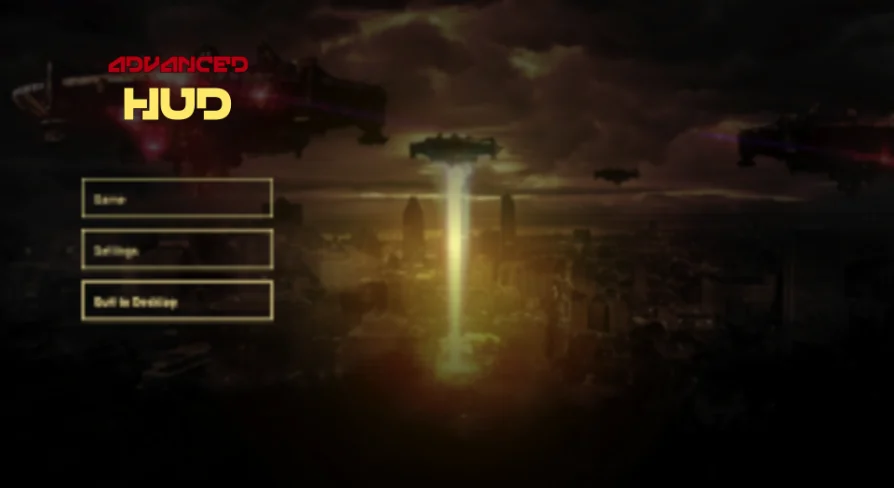
Implementing Advanced HUD-Style 12 starts within the Preview Project Integration V2 structure, which organizes project loading across dedicated level assets rather than forcing every menu element into a single persistent map. The layout separates presentation steps into four specific maps: the Splash Screen, the Loading Screen, the Main Menu, and the InGame Level. Establishing clean transitions between these phases ensures that frontend presentation remains isolated from combat logic, asset caching, and heavier game world dependencies.
Each map fulfills an exact role in the initialization sequence. The Splash Screen map handles initial brand or title presentation before passing execution to the Loading Screen map. The Main Menu map initializes user choices, profile configurations, and graphics settings before triggering the actual InGame Level map. By breaking the startup flow into four concrete maps, developers can configure visual elements, background scenes, and lighting environments specifically tailored for each stage without cluttering the primary play space.
Level Streaming for Map Loading and Unloading
Managing the transitions among these distinct spaces relies on the level streaming method. Rather than relying entirely on hard map loads that freeze the frame and flush game memory indiscriminately, level streaming handles the loading and unloading of maps dynamically in the background. This Blueprint-driven streaming approach keeps transitions controlled and responsive as the game moves from the initial boot sequence into interactive menus and gameplay.
When moving from the Main Menu into the InGame Level, level streaming unloads the active menu assets and streams in the target gameplay environment. This architecture isolates runtime UI overhead during the active session. If an asset needs to transition back to the main menu or reload an environment after a session ends, the streaming logic unloads the InGame Level and re-streams the menu environment smoothly, preventing state collisions across session boundaries.
Action RPG Style Gauges, Audio Feedback, and Minimap Tracking
The on-screen display inside the InGame Level map adopts an Action RPG style visual presentation intended for real-time combat and exploration. The visual layout establishes distinct resources for combat pacing, including a Health Bar and a Stamina Bar. These indicators allow players to monitor health pools and exertion costs directly during combat encounters without relying on third-party layout structures.
Spatial orientation is handled by a basic minimap system integrated directly into the HUD layout. The minimap includes dedicated tracking pointers that distinguish between two core entity types:
A dedicated player pointer showing active positioning and facing orientation.
Enemy pointers indicating hostile positions across the immediate surrounding area.
To support tactile interface responses, clicking sounds accompany button presses and menu interactions. These audio cues provide immediate feedback during inventory navigation, menu selection, and setting adjustments, ensuring that every click register produces an audible confirmation.
Settings Persistence and Pause Menu Configuration
Configuration management inside Advanced HUD-Style 12 focuses on state preservation between separate play sessions. The system can save the game settings locally and reload them automatically whenever the player returns to the game. Display options, audio levels, and gameplay configurations remain intact across map transitions and after fully closing and reopening the client.
Settings adjustments do not require dropping back to the Main Menu map. While running the InGame Level, players can pull up the pause menu to alter and apply settings in real time. The underlying Blueprint structure updates the active system parameters instantly, saves the modified variables to disk, and applies the adjustments to the current game session without forcing an engine restart or level reload.
Enhanced Input Integration and Multi-Language Options
The December 2023 update introduced support for enhanced input and language options into the Advanced HUD Style 12 package. Integrating the enhanced input system standardizes controller and keyboard mappings across the menu navigation tree, the pause menu, and the in-game HUD widgets, replacing legacy input methods with modular mapping contexts. This allows interface controls to adapt smoothly across varied hardware setups.
The update also incorporated dedicated language options into the configuration layer. Text elements within the splash sequences, main menu, pause menu, and on-screen HUD can swap strings based on the selected language setting. Because the settings subsystem automatically saves and reloads player preferences, the selected language remains persistent across restarts. Compatibility extends to integration alongside visual sets like the Animal VFX pack, ensuring the Blueprint interface functions properly when paired with external gameplay visual effects.
 UI Kits / HUDs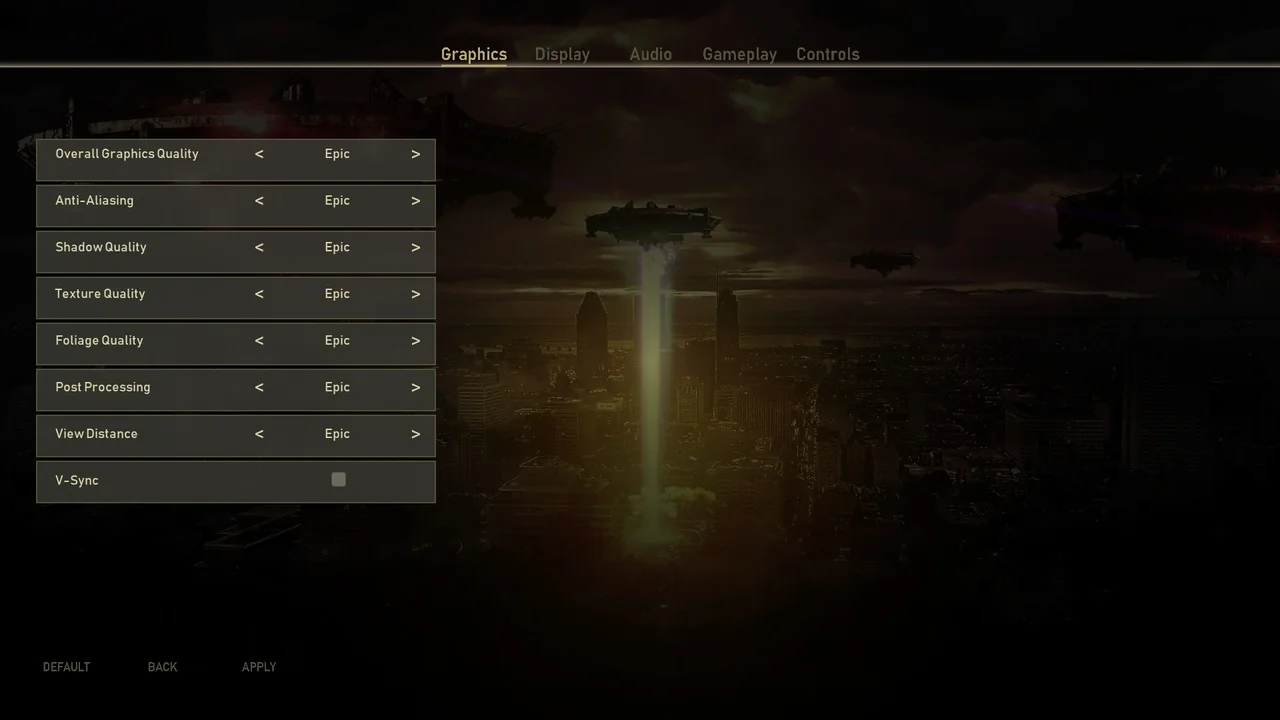
 UI Kits / HUDs
 UI Kits / HUDs
 UI Kits / HUDs