"6f9bd6df1f44a86f"{"id":"1002288","slug":"advanced-attachment-bundle","title":"Advanced Attachment Bundle","category":"Weapons \u0026 Combat","engine":"4.24+,5.0+","assetVersion":"","engineVersion":"Engine Version: 4.24+,5.0+","tag":"Weapons \u0026 Combat","accent":"blue","visual":"mech","summary":"Advanced Attachment Bundle adds a Thermal Scope, Laser, and Enemy Sensor to realistic weapon projects; Script and Blueprint tags apply to the set.","platform":"Unreal Engine","indexPolicy":"index","publishedAt":"2026-11-04T05:18:09.932Z","updatedAt":"2026-11-04T05:18:09.932Z","sourceNotes":[],"fileContents":[],"compatibility":["Unreal Engine","Engine Version: 4.24+,5.0+"],"featuredImage":{"alt":"Advanced Attachment Bundle","src":"/wp-content/uploads/published/2026/11/5e30949b9335-79e53120-c335-4c52-8082-602c49da2a1b-674e543392.webp"},"hasDownloadLink":true,"downloads":0,"terms":[{"taxonomy":"category","slug":"weapons-and-combat","name":"Weapons \u0026 Combat"}],"galleryImages":[{"src":"/wp-content/uploads/published/2026/11/884970ab96a1-abdfe83b-f364-4eff-ab38-898fa09d47a7-69eacc5235.webp","alt":"Advanced Attachment Bundle"},{"src":"/wp-content/uploads/published/2026/11/888f9f171a07-6c742a13-c40e-46d9-bd0e-c7acfe0c8aee-6a71915c52.webp","alt":"Advanced Attachment Bundle"},{"src":"/wp-content/uploads/published/2026/11/7f1da1802f44-5c5fa6e0-b491-431c-8d75-3faac521ad84-3aa7cb0d5d.webp","alt":"Advanced Attachment Bundle"},{"src":"/wp-content/uploads/published/2026/11/a5e3f1152f22-bd42eaba-57b8-4e36-ae21-25f6b9b95590-c00990fdc1.webp","alt":"Advanced Attachment Bundle"},{"src":"/wp-content/uploads/published/2026/11/d2fa89ca073b-7539082f-a090-46ab-aada-02d3ac070369-65342ce43b.webp","alt":"Advanced Attachment Bundle"}],"accessPanel":{"kind":"resource","title":"Download this resource","eyebrow":"Free Download","message":"Log in or create a free account to start your download.","fileName":"Advanced Attachment Bundle.7z","safetyNote":"Resources are manually reviewed before listing to improve quality and reduce obvious risks.","actionLabel":"Download Free","resourceType":"Resource archive"},"contentHtml":"\u003cp\u003eIn a realistic weapon project, an attachment layer often has to cover more than one role. A sight, a laser, and a sensor are separate pieces with separate jobs, and keeping them together in one set makes the attachment stack easier to manage. Advanced Attachment Bundle groups exactly those three pieces: a Thermal Scope, a Laser, and an Enemy Sensor. The set is tagged Script, Realistic, Weapon, and Blueprint, and it carries a compatibility note for Advanced Thermal Scope.\u003c/p\u003e \u003ch2\u003eThree weapon attachments in one set\u003c/h2\u003e\n\u003cp\u003eThe bundle groups three named attachments, and each name maps to a distinct part of a weapon setup. The Thermal Scope covers the sighting role. The Laser covers the laser role. The Enemy Sensor covers the sensor role. They are presented together as one bundle rather than as three disconnected products, which is the main structural fact about the set.\u003c/p\u003e\n\u003cp\u003eThe title places them in the attachment category. That matters for a project that is already organizing weapons around attachment slots or attachment layers. Instead of looking for a scope, a laser, and a sensor under different names, a team can pull the three pieces from a single bundle and know they share the same bundle context.\u003c/p\u003e\n\u003cp\u003eThe tags back up that reading. Weapon is the subject. Realistic is the visual and behavioral direction. Script and Blueprint describe how the pieces are put together. The set is therefore aimed at weapon work in a realistic style, with logic-bearing assets rather than a purely decorative prop drop.\u003c/p\u003e \u003ch2\u003eWhat Script, Realistic, Weapon, and Blueprint signal in practice\u003c/h2\u003e\n\u003cp\u003eThose four tags are short, but they answer different production questions. Script and Blueprint point to implementation. A team can expect the bundle to involve scripted or Blueprint-driven behavior, not just static meshes. Weapon narrows the subject to weapon attachments. Realistic sets the target look and feel.\u003c/p\u003e\n\u003cp\u003eFor a realistic weapon project, that combination is useful during setup and review. The attachment set can be evaluated as part of the weapon rather than as a standalone art object. The Thermal Scope, Laser, and Enemy Sensor are named parts, so they can be discussed in reviews by role: sighting, laser, and sensor. The tags make it clear that the bundle belongs in that conversation.\u003c/p\u003e\n\u003cp\u003eScript and Blueprint also mean the bundle is not limited to a single visual asset. The set has a behavioral side, which is consistent with attachments that need to do something in a weapon project. The realistic tag keeps that behavior tied to a grounded presentation rather than a stylized one.\u003c/p\u003e \u003ch2\u003eWhere the set fits in a realistic weapon workflow\u003c/h2\u003e\n\u003cp\u003eAttachment work usually happens after the base weapon is in place. That is the point where a scope, a laser, and a sensor need to be selected and checked together. Advanced Attachment Bundle fits that stage. It provides the three named attachments as a group, so the attachment pass can start with a complete set instead of one piece.\u003c/p\u003e\n\u003cp\u003eFor prototyping, the bundle gives a team one naming context for the three roles. The Thermal Scope, Laser, and Enemy Sensor can be tried in a weapon setup and reviewed as a group. For a project that already knows it needs all three, the bundle removes the step of assembling them from separate sources.\u003c/p\u003e\n\u003cp\u003eThe Realistic tag also gives the review a clear target. The attachments are meant to sit in a realistic weapon presentation. That makes the bundle a better fit for projects where the weapon layer is expected to look and behave like a grounded attachment set, not a loose collection of effects.\u003c/p\u003e\n\u003cp\u003eBecause the bundle is tagged Script and Blueprint, the attachment pass can include behavior checks as well as visual checks. The scope, laser, and sensor are not just names on a list. They are parts of a weapon setup that can be tested in context.\u003c/p\u003e \u003ch2\u003eThe Advanced Thermal Scope compatibility note\u003c/h2\u003e\n\u003cp\u003eCompatibility is the most specific connection for this set: Advanced Attachment Bundle is marked compatible with Advanced Thermal Scope. For a project that uses Advanced Thermal Scope, that note is the direct link to check. It tells the team that the bundle and that scope product belong in the same compatibility conversation.\u003c/p\u003e\n\u003cp\u003eThe note does not turn the bundle into a single-scope product. The bundle still contains its own Thermal Scope, Laser, and Enemy Sensor. The compatibility detail is simply the named scope product to match when the bundle is used alongside it. In a weapon setup where Advanced Thermal Scope is already the reference scope, the bundle's compatibility note is the relevant point to verify before mixing the sets.\u003c/p\u003e\n\u003cp\u003eThat is a narrow but useful fact. It keeps the bundle anchored to a specific scope name rather than a broad compatibility claim. A realistic weapon project can use that name to decide whether the bundle belongs in the same attachment stack.\u003c/p\u003e \u003ch2\u003eWho gets the most from Advanced Attachment Bundle\u003c/h2\u003e\n\u003cp\u003eThe bundle is most direct for weapon-focused projects that need a Thermal Scope, a Laser, and an Enemy Sensor in one set. It suits a realistic attachment layer where the three roles are part of the same weapon setup. Teams working with Script and Blueprint assets will find the tagging aligned with that kind of work.\u003c/p\u003e\n\u003cp\u003eIt is also the set to check when Advanced Thermal Scope is part of the project. The compatibility note gives that connection a concrete name. If the attachment plan already includes a scope, a laser, and a sensor, the bundle covers those three roles without splitting them across separate resources.\u003c/p\u003e\n\u003cp\u003eFor a team that only needs one of the three, the bundle still identifies the full set. The value is in the grouping: one bundle name, three named attachments, and a clear tag profile. That is the practical takeaway. Advanced Attachment Bundle is a compact attachment set for realistic weapon projects, and the first thing to verify is the Advanced Thermal Scope compatibility note.\u003c/p\u003e\n\n\u003ch2\u003eExplore Similar Assets\u003c/h2\u003e\n\u003cul\u003e\n\u003cli\u003e\u003ca href=\"https://3dcghub.com/fps-weapon-ak47-modular-customizable/\" rel=\"noopener noreferrer\"\u003eFPS Weapon AK47 (Modular, Customizable)\u003c/a\u003e\u003c/li\u003e\n\u003cli\u003e\u003ca href=\"https://3dcghub.com/weapon-kit/\" rel=\"noopener noreferrer\"\u003eWeapon Kit\u003c/a\u003e\u003c/li\u003e\n\u003cli\u003e\u003ca href=\"https://3dcghub.com/low-poly-animated-modern-guns-pack/\" rel=\"noopener noreferrer\"\u003eLow Poly Animated - Modern Guns Pack\u003c/a\u003e\u003c/li\u003e\n\u003cli\u003e\u003ca href=\"https://3dcghub.com/fps-weapon-loadout-system/\" rel=\"noopener noreferrer\"\u003eFPS Weapon Loadout System\u003c/a\u003e\u003c/li\u003e\n\u003cli\u003e\u003ca href=\"https://3dcghub.com/customizable-weapon-pack/\" rel=\"noopener noreferrer\"\u003eCustomizable Weapon Pack\u003c/a\u003e\u003c/li\u003e\n\u003c/ul\u003e","contentTextLength":6026,"navigation":{"current":8,"total":4218,"previous":{"id":"1002289","slug":"advanced-cel-shader-essentials","title":"Advanced Cel Shader Essentials","category":"Art \u0026 Traditional","platform":"Unreal Engine","updatedAt":"2026-11-04T05:19:07.844Z"},"next":{"id":"1002287","slug":"abandoned-unfinished-building","title":"Abandoned unfinished building","category":"Buildings \u0026 Architecture","platform":"Unreal Engine","updatedAt":"2026-11-04T05:17:48.029Z"}},"relatedResources":[{"id":"1000294","slug":"fps-weapon-ak47-modular-customizable","title":"FPS Weapon AK47 (Modular, Customizable)","category":"Weapons \u0026 Combat","engine":"4.26+,5.0+","assetVersion":"","engineVersion":"Engine Version: 4.26+,5.0+","tag":"Weapons \u0026 Combat","accent":"blue","visual":"mech","summary":"A high-fidelity, game-ready AK47 mesh featuring a Blueprint customization system, modular attachments, UI elements, and performance-scaling capabilities.","platform":"Unreal Engine","indexPolicy":"index","publishedAt":"2026-07-03T17:43:23.817Z","updatedAt":"2026-07-03T17:46:34.318Z","sourceNotes":[],"fileContents":[],"compatibility":["Unreal Engine","Engine Version: 4.26+,5.0+"],"featuredImage":{"alt":"FPS Weapon AK47 (Modular, Customizable)","src":"/wp-content/uploads/published/2026/07/f99d88c234c4-f98c833f-e34a-420a-9054-6283dd1cb7c5-22af1cba83.webp"},"hasDownloadLink":true,"downloads":2},{"id":"1000242","slug":"weapon-kit","title":"Weapon Kit","category":"Weapons \u0026 Combat","engine":"4.26+,5.0+","assetVersion":"","engineVersion":"Engine Version: 4.26+,5.0+","tag":"Weapons \u0026 Combat","accent":"blue","visual":"mech","summary":"A comprehensive framework for skeletal weapons featuring modular attachments, Blueprint ballistics, network replication, and VR hand tracking mechanics.","platform":"Unreal Engine","indexPolicy":"index","publishedAt":"2026-06-30T19:31:45.576Z","updatedAt":"2026-06-30T19:31:45.576Z","sourceNotes":[],"fileContents":[],"compatibility":["Unreal Engine","Engine Version: 4.26+,5.0+"],"featuredImage":{"alt":"Weapon Kit","src":"https://media.fab.com/image_previews/gallery_images/a00056a4-8cb5-4df3-86c2-6f7c4271afde/917a1d81-34e6-4783-b8b4-85cc010db98a.png"},"hasDownloadLink":true,"downloads":1},{"id":"1002093","slug":"low-poly-animated-modern-guns-pack","title":"Low Poly Animated - Modern Guns Pack","category":"Weapons \u0026 Combat","engine":"5.0+","assetVersion":"","engineVersion":"Engine Version: 5.0+","tag":"Weapons \u0026 Combat","accent":"blue","visual":"mech","summary":"Examine the technical rigging, skeletal meshes, weapon attachments, and animation sets included in the Low Poly Animated - Modern Guns Pack for Unreal Engine.","platform":"Unreal Engine","indexPolicy":"index","publishedAt":"2026-10-29T08:39:17.612Z","updatedAt":"2026-10-29T08:39:17.612Z","sourceNotes":[],"fileContents":[],"compatibility":["Unreal Engine","Engine Version: 5.0+"],"featuredImage":{"alt":"Low Poly Animated - Modern Guns Pack","src":"/wp-content/uploads/published/2026/10/d0c2a2843b4f-40a90657-e662-49d3-bc7e-72d7f5c27fd5-8d9826adf3.webp"},"hasDownloadLink":true,"downloads":2}]}
Weapons & Combat
Advanced Attachment Bundle
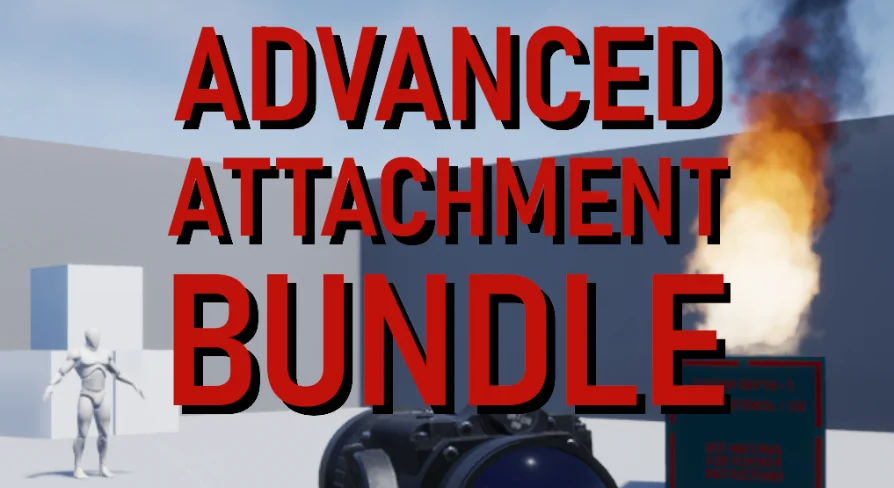
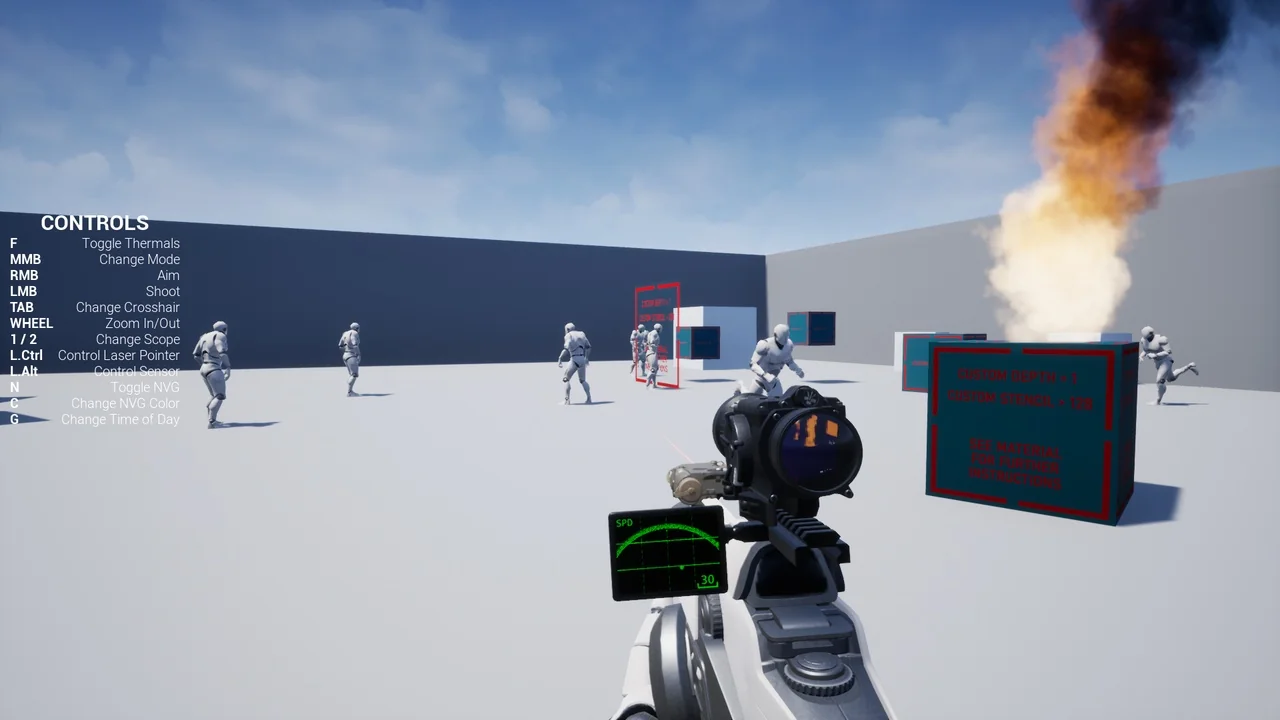
Advanced Attachment Bundle adds a Thermal Scope, Laser, and Enemy Sensor to realistic weapon projects; Script and Blueprint tags apply to the set.
In a realistic weapon project, an attachment layer often has to cover more than one role. A sight, a laser, and a sensor are separate pieces with separate jobs, and keeping them together in one set makes the attachment stack easier to manage. Advanced Attachment Bundle groups exactly those three pieces: a Thermal Scope, a Laser, and an Enemy Sensor. The set is tagged Script, Realistic, Weapon, and Blueprint, and it carries a compatibility note for Advanced Thermal Scope.
Three weapon attachments in one set
The bundle groups three named attachments, and each name maps to a distinct part of a weapon setup. The Thermal Scope covers the sighting role. The Laser covers the laser role. The Enemy Sensor covers the sensor role. They are presented together as one bundle rather than as three disconnected products, which is the main structural fact about the set.
The title places them in the attachment category. That matters for a project that is already organizing weapons around attachment slots or attachment layers. Instead of looking for a scope, a laser, and a sensor under different names, a team can pull the three pieces from a single bundle and know they share the same bundle context.
The tags back up that reading. Weapon is the subject. Realistic is the visual and behavioral direction. Script and Blueprint describe how the pieces are put together. The set is therefore aimed at weapon work in a realistic style, with logic-bearing assets rather than a purely decorative prop drop.
What Script, Realistic, Weapon, and Blueprint signal in practice
Those four tags are short, but they answer different production questions. Script and Blueprint point to implementation. A team can expect the bundle to involve scripted or Blueprint-driven behavior, not just static meshes. Weapon narrows the subject to weapon attachments. Realistic sets the target look and feel.
For a realistic weapon project, that combination is useful during setup and review. The attachment set can be evaluated as part of the weapon rather than as a standalone art object. The Thermal Scope, Laser, and Enemy Sensor are named parts, so they can be discussed in reviews by role: sighting, laser, and sensor. The tags make it clear that the bundle belongs in that conversation.
Script and Blueprint also mean the bundle is not limited to a single visual asset. The set has a behavioral side, which is consistent with attachments that need to do something in a weapon project. The realistic tag keeps that behavior tied to a grounded presentation rather than a stylized one.
Where the set fits in a realistic weapon workflow
Attachment work usually happens after the base weapon is in place. That is the point where a scope, a laser, and a sensor need to be selected and checked together. Advanced Attachment Bundle fits that stage. It provides the three named attachments as a group, so the attachment pass can start with a complete set instead of one piece.
For prototyping, the bundle gives a team one naming context for the three roles. The Thermal Scope, Laser, and Enemy Sensor can be tried in a weapon setup and reviewed as a group. For a project that already knows it needs all three, the bundle removes the step of assembling them from separate sources.
The Realistic tag also gives the review a clear target. The attachments are meant to sit in a realistic weapon presentation. That makes the bundle a better fit for projects where the weapon layer is expected to look and behave like a grounded attachment set, not a loose collection of effects.
Because the bundle is tagged Script and Blueprint, the attachment pass can include behavior checks as well as visual checks. The scope, laser, and sensor are not just names on a list. They are parts of a weapon setup that can be tested in context.
The Advanced Thermal Scope compatibility note
Compatibility is the most specific connection for this set: Advanced Attachment Bundle is marked compatible with Advanced Thermal Scope. For a project that uses Advanced Thermal Scope, that note is the direct link to check. It tells the team that the bundle and that scope product belong in the same compatibility conversation.
The note does not turn the bundle into a single-scope product. The bundle still contains its own Thermal Scope, Laser, and Enemy Sensor. The compatibility detail is simply the named scope product to match when the bundle is used alongside it. In a weapon setup where Advanced Thermal Scope is already the reference scope, the bundle's compatibility note is the relevant point to verify before mixing the sets.
That is a narrow but useful fact. It keeps the bundle anchored to a specific scope name rather than a broad compatibility claim. A realistic weapon project can use that name to decide whether the bundle belongs in the same attachment stack.
Who gets the most from Advanced Attachment Bundle
The bundle is most direct for weapon-focused projects that need a Thermal Scope, a Laser, and an Enemy Sensor in one set. It suits a realistic attachment layer where the three roles are part of the same weapon setup. Teams working with Script and Blueprint assets will find the tagging aligned with that kind of work.
It is also the set to check when Advanced Thermal Scope is part of the project. The compatibility note gives that connection a concrete name. If the attachment plan already includes a scope, a laser, and a sensor, the bundle covers those three roles without splitting them across separate resources.
For a team that only needs one of the three, the bundle still identifies the full set. The value is in the grouping: one bundle name, three named attachments, and a clear tag profile. That is the practical takeaway. Advanced Attachment Bundle is a compact attachment set for realistic weapon projects, and the first thing to verify is the Advanced Thermal Scope compatibility note.
 Weapons & Combat
 Weapons & Combat
 Weapons & Combat
 Weapons & Combat