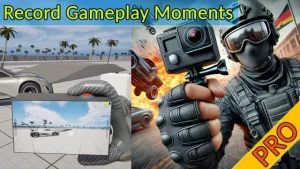

Real Action Camera PRO – Record and View Gameplay Moments
Overview The In-Game Video Recorder is a powerful tool designed for Unreal Engine developers. It allows for the recording of gameplay moments during both singleplayer and multiplayer sessions. This plugin is perfect for capturing chilling scenes, stunts, combat beats, or any scripted sequences. Key Features In-Game Capture: Record video directly
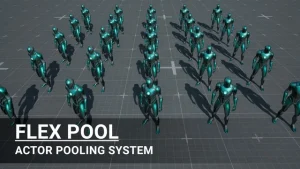
Flex Pool – Actor Pooling System
Overview Flex Pool is a revolutionary tool designed to enhance the performance of Unreal Engine games. By reusing actors instead of spawning and destroying them repeatedly, Flex Pool ensures smooth gameplay and scalability. Key Features On-Demand Actor Pooling: Spawn actors only when necessary and reuse them efficiently to reduce performance
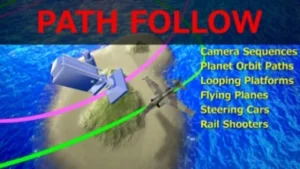
Path Follow
Overview The Path Follow plugin for Unreal Engine 4 is a powerful tool designed to allow any actor to follow any spline path, including relative and moving paths. This plugin provides direct control over location, rotation, and speed of following directly within the UE4 editor, enabling developers to trigger behaviors
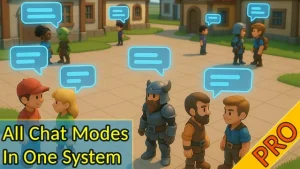
Fire Chat PRO – groups, pm and world chat with adjustable talk distance.
🔥Fire Chat PRO: Maximum Chat Capabilities with Minimal Effort! Enhance communication in your project with Fire Chat PRO — a powerful and intuitive solution for chat organization. Key Features: Advantages: Flexibility and Scalability: Suitable for projects of any size — from indie games to large multiplayer applications. Key implemented features:
Map System – WorldMap & Minimap
Building a robust, feature-rich map system is a huge technical hurdle that can consume weeks or even months of development time. What if you could add a fully featured, AAA-quality navigation system to your game in minutes? Introducing the Map System, your all-in-one solution for Unreal Engine. Designed with the scale
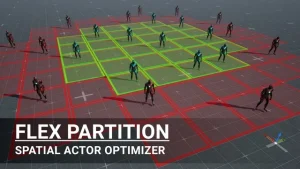
Flex Partition – Spatial-Based Optimization System
Flex Partition extends the concept of World Partition to runtime actors. It performs dynamic culling based on a spatial grid, allowing you to register and remove actors during gameplay. Built for open worlds and procedural systems, it keeps only relevant actors active, improving performance and scaling. Features Click here to
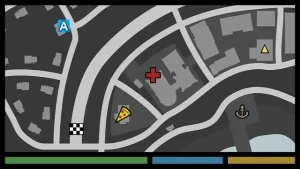
Tile Based Minimap
Tile Based Minimap (TBM) lets you: Click here to view the full details of the resource.:URL Click the button below to download. Download:
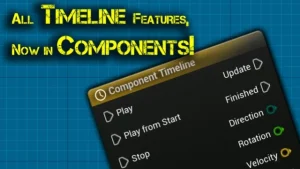
Component Timeline
100% of Blueprint Actor Timeline Features, Easy to Use! The Component Timeline plugin provides all the functionality of the Timeline node from the actor blueprint with the added convenience of placing timeline nodes directly in component blueprints. It’s easy to set up and use. With features such as editing of

Instance Damage System
A full fledged solution for interaction with Instanced Static Meshes in your open worlds with multiplayer support! Easy scripting in BP’s thanks to exposed functionalities. Built with UE5 World Partition system in mind. Instance Damage System lets you interact with instanced static meshes in an open world fashion! Click here
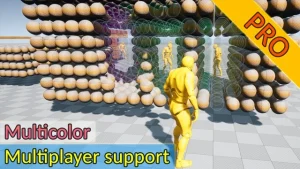
Advanced Fade Objects PRO – Multicolor
This system uses only one component to make objects transparent between the character and the camera. Objects can be of any complexity and with any number of materials. Click here to view the full details of the resource.:URL Click the button below to download. Download:
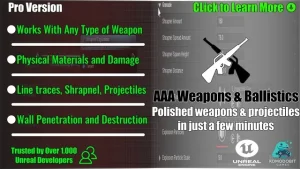
Weapon Ballistics System Pro
With the Weapon Shooting System Pro, you can quickly set up highly optimized shooting mechanics with multiple layers of polish in just minutes. Built-in C++ for fast performance, it’s designed for seamless integration with Blueprints. This system keeps your code clean by condensing complex, polished shooting mechanics into a set
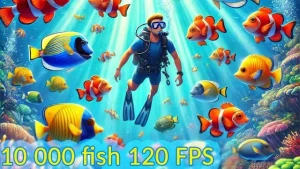
Advanced Flock System
Advanced Flock System: Realistic Fish School Simulation Made Easy and Efficient! This plugin is perfect for creating a realistic fish school simulation. It is easy to use and utilizes multithreading for high performance. Click here to view the full details of the resource.:URL Click the button below to download. Download: