"7066dd76da796369"{"id":"1001158","slug":"unreal-engine-5-multiplayer-prop-hunt-game-smartpoly","title":"Unreal Engine 5 Multiplayer Prop Hunt Game - SmartPoly","category":"Unreal Engine","engine":"File Content: video + English subtitles","assetVersion":"Video Language: English","engineVersion":"File Content: video + English subtitles","tag":"Unreal Engine","accent":"blue","visual":"mech","summary":"Build a cross-platform multiplayer Prop Hunt game for PC and Android in Unreal Engine using Blueprint Interfaces, replicated mechanics, and touch controls.","platform":"Unreal Engine","publishedAt":"2026-09-11T02:18:19.834Z","updatedAt":"2026-09-11T02:18:19.834Z","sourceNotes":[],"fileContents":[],"compatibility":["Unreal Engine","Video Language: English","File Content: video + English subtitles"],"featuredImage":{"alt":"Unreal Engine 5 Multiplayer Prop Hunt Game - SmartPoly","src":"/wp-content/uploads/published/2026/09/3fde1311282a-indrtgg7t1cqfhudrloy-coursebanner-ad218f1168.webp"},"hasDownloadLink":true,"downloads":1,"terms":[{"taxonomy":"category","slug":"tutoriallibrary-unrealengine","name":"Unreal Engine"}],"galleryImages":[{"src":"/wp-content/uploads/published/2026/09/b56552e88715-gu2wbl7pqpi2slsgjim7-background1-e0ea9d2e8f.webp","alt":"Unreal Engine 5 Multiplayer Prop Hunt Game - SmartPoly"},{"src":"/wp-content/uploads/published/2026/09/c449dd00920d-ii3wr0pxrkvbuohtktfa-screenshot1-78e174bf84.webp","alt":"Unreal Engine 5 Multiplayer Prop Hunt Game - SmartPoly"},{"src":"/wp-content/uploads/published/2026/09/08741e3cf513-sypguntfqg2ot8wvmfum-mainmenu-c99a0e31ba.webp","alt":"Unreal Engine 5 Multiplayer Prop Hunt Game - SmartPoly"},{"src":"/wp-content/uploads/published/2026/09/a7f7dc1ff082-cwlljeepsxwthfkzenfj-joingame-e88ce5a860.webp","alt":"Unreal Engine 5 Multiplayer Prop Hunt Game - SmartPoly"},{"src":"/wp-content/uploads/published/2026/09/363743c26acf-fpny3cz5tf6zadprk5ld-add-mobile-touch-21b6b100bd.webp","alt":"Unreal Engine 5 Multiplayer Prop Hunt Game - SmartPoly"},{"src":"/wp-content/uploads/published/2026/09/babe49c0ccb7-bzqkvvdkte638xrduwby-pcwindows-70a2db7076.webp","alt":"Unreal Engine 5 Multiplayer Prop Hunt Game - SmartPoly"},{"src":"/wp-content/uploads/published/2026/09/83797d680ffe-gwuccqi7suck5ig7kn4t-subtitles-91468abae6.webp","alt":"Unreal Engine 5 Multiplayer Prop Hunt Game - SmartPoly"},{"src":"/wp-content/uploads/published/2026/09/a97eadc9ed2e-quby4ogtpedl4eqeixha-interfaces-cebe134b9c.webp","alt":"Unreal Engine 5 Multiplayer Prop Hunt Game - SmartPoly"},{"src":"/wp-content/uploads/published/2026/09/d9f7fb1c6b45-lfhvgqhcqewptfaitpuk-crossplat-05817927b1.webp","alt":"Unreal Engine 5 Multiplayer Prop Hunt Game - SmartPoly"},{"src":"/wp-content/uploads/published/2026/09/7c010e7c6981-jx0dmvxnq7ysw54eccrw-multiplayer-2dcbf98c45.webp","alt":"Unreal Engine 5 Multiplayer Prop Hunt Game - SmartPoly"}],"accessPanel":{"kind":"resource","title":"Download this resource","eyebrow":"Free Download","message":"Log in or create a free account to start your download.","fileName":"Unreal Engine 5 Multiplayer Prop Hunt Game - SmartPoly.7z","safetyNote":"Resources are manually reviewed before listing to improve quality and reduce obvious risks.","actionLabel":"Download Free","resourceType":"Resource archive"},"contentHtml":"\u003ch2\u003eSoldier Character Setup and Rifle Fire Logic\u003c/h2\u003e\u003cp\u003eConstructing the hunter gameplay begins with configuring the soldier character, starting from base skeletal meshes, animation sets, and movement parameters. The soldier operates as the primary offensive class, requiring responsive handling and precise weapon handling across diverse camera perspectives. Adjusting character movement components ensures walk, sprint, and turning rates remain responsive under high-latency network conditions, while dedicated camera settings balance situational awareness with line-of-sight tracking.\u003c/p\u003e\u003cp\u003eWeapon mechanics center on attaching a rifle asset to the soldier mesh using socket binding. To ensure believable targeting, an aim offset blend space maps upper-body rotation directly to player look vectors. Firing functionality utilizes high-frequency line trace logic that originates from the weapon muzzle and camera center, assessing trajectory against environmental obstacles and hidden actors. Visual fire effects (VFX) trigger simultaneously at the muzzle socket to provide immediate audio-visual confirmation upon every trigger pull, laying the ground for synchronized combat interactions.\u003c/p\u003e\u003ch2\u003eProp Character Blueprint: Morphing and Spawning Fake Props\u003c/h2\u003e\u003cp\u003eThe opposing team controls the prop character, an entity engineered around camouflage and evasive deception. Central to this blueprint are two distinct gameplay abilities that allow the player to interact with level art dynamically:\u003c/p\u003e\u003cul\u003e\u003cli\u003e\u003cstrong\u003eProp Morph Ability:\u003c/strong\u003e Detects and acquires the static mesh, collision data, and material parameters of arbitrary props placed throughout the level, transforming the player's visible avatar instantly into the target object.\u003c/li\u003e\u003cli\u003e\u003cstrong\u003eSpawn Fake Prop Ability:\u003c/strong\u003e Instantiates physical decoy duplicates into the environment at the player's current location, creating spatial confusion for pursuing soldiers attempting to identify real players.\u003c/li\u003e\u003c/ul\u003e\u003cp\u003eBecause props take active damage when struck by soldier fire, a dedicated health component tracks incoming damage from rifle line traces. This setup keeps the prop player vulnerable to elimination until match timers expire, directly interfacing with round-management rules.\u003c/p\u003e\u003ch2\u003eBlueprint Interfaces and Replicated Multiplayer Architecture\u003c/h2\u003e\u003cp\u003eMultiplayer network performance relies on strict architectural separation. Many standard Unreal Engine projects lean heavily on Blueprint casting to pass variables and trigger events between actors. In multiplayer environments, direct casting generates hard reference chains, increases memory consumption, and introduces frame drops during intensive replication updates. This system avoids Blueprint casting entirely, structuring all communications through lightweight Blueprint Interfaces.\u003c/p\u003e\u003cp\u003eBlueprint Interfaces allow the soldier, rifle, prop character, and game managers to communicate across network boundaries without holding direct dependencies. Network replication adheres strictly to engine authority rules. Server-side validation handles trace hit verification, prop health subtraction, ability cooldowns, and position updates, which are subsequently replicated down to autonomous and simulated proxies. This prevents client-side desynchronization and maintains gameplay parity across platforms.\u003c/p\u003e\u003ch2\u003eGameMode Logic, Round Timers, and Combat Widgets\u003c/h2\u003e\u003cp\u003eRound flow is governed by a central Prop Hunt GameMode script that organizes match states from initial spawn to post-match cleanup. A networked countdown timer dictates match pace, imposing a strict duration within which soldiers must locate and eliminate all hidden props. If the timer depletes while any prop remains active, the prop team secures victory; if all props reach zero health, the soldier team wins.\u003c/p\u003e\u003cp\u003ePlayer interfaces dynamically reflect these real-time states through specialized widgets:\u003c/p\u003e\u003cul\u003e\u003cli\u003e\u003cstrong\u003eCrosshair and Hit Markers:\u003c/strong\u003e Displays an on-screen targeting reticle for the hunter class, accompanied by an animated hit marker widget that confirms registered damage against hidden props.\u003c/li\u003e\u003cli\u003e\u003cstrong\u003eProp Health Display:\u003c/strong\u003e Communicates remaining structural durability to the prop player.\u003c/li\u003e\u003cli\u003e\u003cstrong\u003eWin/Lose Screens and Game Reset:\u003c/strong\u003e Evaluates GameMode conditions to trigger outcome banners, followed by automated reset logic that restores character states and level layouts for subsequent rounds.\u003c/li\u003e\u003cli\u003e\u003cstrong\u003eSession and Settings Menus:\u003c/strong\u003e Features a dedicated main menu level equipped with host game widgets, join game widgets, and in-game settings interfaces to manage server connections and client configurations.\u003c/li\u003e\u003c/ul\u003e\u003ch2\u003eMobile Touch Input and Virtual Controls\u003c/h2\u003e\u003cp\u003eSupporting touch interfaces requires translating traditional mouse and keyboard inputs into dedicated on-screen touch widgets. Movement and perspective shifts on mobile are handled through a virtual joystick combined with a touch-drag camera look surface. Character-specific actions require customized touchscreen bindings tailored to the unique mechanics of both playable factions.\u003c/p\u003e\u003cp\u003eThe soldier class utilizes touch buttons for jumping alongside a dedicated rifle fire drag control, allowing players to aim and discharge weapons smoothly on glass displays. The prop character receives dedicated virtual touch buttons mapped directly to jumping, activating the morph ability, and deploying fake props. An integrated visibility management system dynamically queries the runtime platform type, hiding touch widgets automatically on desktop builds while presenting fully calibrated layouts on Android devices.\u003c/p\u003e\u003ch2\u003ePackaging and Cross-Platform Testing for Android and PC\u003c/h2\u003e\u003cp\u003eThe final phase transitions the unified codebase into standalone executables for both Windows PC and mobile hardware. Project settings require distinct platform configurations, including display scaling, rendering pathways, and texture compression formats compatible with Android runtimes alongside standard Windows desktop environments.\u003c/p\u003e\u003cp\u003ePackaging involves generating standalone Windows platform binaries alongside configured Android installation packages. Cross-platform testing validates network communication between hardware environments, confirming that a PC host can accept connections from Android clients. This testing verifies that touch inputs execute cleanly across network boundaries, Blueprint Interface messages replicate consistently, and round states synchronize across desktop and mobile form factors without platform-dependent desynchronization.\u003c/p\u003e\n\n\u003ch2\u003eExplore Similar Assets\u003c/h2\u003e\n\u003cul\u003e\n\u003cli\u003e\u003ca href=\"https://3dcghub.com/master-unreal-engine-5-build-any-game-with-blueprint-and-c/\" title=\"Master Unreal Engine 5: Build Any Game with Blueprint \u0026amp; C++\"\u003eMaster Unreal Engine 5: Build Any Game with Blueprint \u0026amp; C++\u003c/a\u003e\u003c/li\u003e\n\u003cli\u003e\u003ca href=\"https://3dcghub.com/unreal-engine-5-gameplay-ability-system-gas-crash-course/\" title=\"Unreal Engine 5 Gameplay Ability System (GAS) Crash Course\"\u003eUnreal Engine 5 Gameplay Ability System (GAS) Crash Course\u003c/a\u003e\u003c/li\u003e\n\u003cli\u003e\u003ca href=\"https://3dcghub.com/multiplayer-in-unreal-with-gas-and-aws-dedicated-servers/\" title=\"Multiplayer in Unreal with GAS and AWS Dedicated Servers\"\u003eMultiplayer in Unreal with GAS and AWS Dedicated Servers\u003c/a\u003e\u003c/li\u003e\n\u003cli\u003e\u003ca href=\"https://3dcghub.com/unreal-engine-5-c-multiplayer-crash-course/\" title=\"Unreal Engine 5 C++ Multiplayer CRASH COURSE\"\u003eUnreal Engine 5 C++ Multiplayer CRASH COURSE\u003c/a\u003e\u003c/li\u003e\n\u003cli\u003e\u003ca href=\"https://3dcghub.com/unreal-engine-5-blueprints-multiplayer-crash-course/\" title=\"Unreal Engine 5 Blueprints Multiplayer CRASH COURSE\"\u003eUnreal Engine 5 Blueprints Multiplayer CRASH COURSE\u003c/a\u003e\u003c/li\u003e\n\u003c/ul\u003e","contentTextLength":6625,"navigation":{"current":983,"total":4016,"previous":{"id":"1001159","slug":"unreal-engine-5-scenebuilding-crash-course-2","title":"Unreal Engine 5 Scenebuilding Crash Course","category":"Unreal Engine","platform":"Unreal Engine","updatedAt":"2026-09-11T02:22:26.965Z"},"next":{"id":"1001157","slug":"unreal-engine-5-create-and-publish-a-3d-action-mobile-game","title":"Unreal Engine 5: Create and Publish a 3D Action Mobile Game","category":"Unreal Engine","platform":"Unreal Engine","updatedAt":"2026-09-11T01:53:32.696Z"}},"relatedResources":[{"id":"1000556","slug":"master-unreal-engine-5-build-any-game-with-blueprint-and-c","title":"Master Unreal Engine 5: Build Any Game with Blueprint \u0026 C++","category":"Unreal Engine","engine":"File Content: video + English subtitles","assetVersion":"Video Language: English","engineVersion":"File Content: video + English subtitles","tag":"Unreal Engine","accent":"blue","visual":"mech","summary":"Build any game in Unreal Engine 5 using Blueprint and C++. Learn multiplayer networking, UMG UI, materials, modeling tools, and packaging across 13 hours.","platform":"Unreal Engine","publishedAt":"2026-07-15T16:49:38.751Z","updatedAt":"2026-07-15T16:49:38.751Z","sourceNotes":[],"fileContents":[],"compatibility":["Unreal Engine","Video Language: English","File Content: video + English subtitles"],"featuredImage":{"alt":"Master Unreal Engine 5: Build Any Game with Blueprint \u0026 C++","src":"/wp-content/uploads/published/2026/07/167dd95e84d7-6120743-8adb-4-ba02c71b99.webp"},"hasDownloadLink":true,"downloads":1},{"id":"1000619","slug":"multiplayer-in-unreal-with-gas-and-aws-dedicated-servers","title":"Multiplayer in Unreal with GAS and AWS Dedicated Servers","category":"Unreal Engine","engine":"File Content: video + English subtitles","assetVersion":"Video Language: English","engineVersion":"File Content: video + English subtitles","tag":"Unreal Engine","accent":"blue","visual":"mech","summary":"Build a MOBA in Unreal Engine using the Gameplay Ability System, AI behavior, inventory mechanics, and AWS-hosted dedicated servers across 62 hours of training.","platform":"Unreal Engine","publishedAt":"2026-07-21T02:25:55.632Z","updatedAt":"2026-07-21T02:25:55.632Z","sourceNotes":[],"fileContents":[],"compatibility":["Unreal Engine","Video Language: English","File Content: video + English subtitles"],"featuredImage":{"alt":"Multiplayer in Unreal with GAS and AWS Dedicated Servers","src":"/wp-content/uploads/published/2026/07/12409786a092-6659883-2e04-2-96e10435f1.webp"},"hasDownloadLink":true,"downloads":2},{"id":"1000696","slug":"unreal-engine-5-gameplay-ability-system-gas-crash-course","title":"Unreal Engine 5 Gameplay Ability System (GAS) Crash Course","category":"Unreal Engine","engine":"File Content: video + English subtitles","assetVersion":"Video Language: English","engineVersion":"File Content: video + English subtitles","tag":"Unreal Engine","accent":"blue","visual":"mech","summary":"An intermediate Unreal Engine 5 course teaching the Gameplay Ability System for multiplayer and single player games, covering attributes, combat, and effects.","platform":"Unreal Engine","publishedAt":"2026-07-23T15:15:12.089Z","updatedAt":"2026-07-23T15:15:12.089Z","sourceNotes":[],"fileContents":[],"compatibility":["Unreal Engine","Video Language: English","File Content: video + English subtitles"],"featuredImage":{"alt":"Unreal Engine 5 Gameplay Ability System (GAS) Crash Course","src":"/wp-content/uploads/published/2026/07/07e55957c115-6844963-5aba-2-e0a165ac1a.webp"},"hasDownloadLink":true,"downloads":0}]}
Unreal Engine
Unreal Engine 5 Multiplayer Prop Hunt Game - SmartPoly
Build a cross-platform multiplayer Prop Hunt game for PC and Android in Unreal Engine using Blueprint Interfaces, replicated mechanics, and touch controls.
Category:Unreal EnginePlatform: Unreal EngineVideo Language: EnglishFile Content: video + English subtitlesPublished: Sep 11, 2026
Unreal Engine
Resource overview
Soldier Character Setup and Rifle Fire Logic
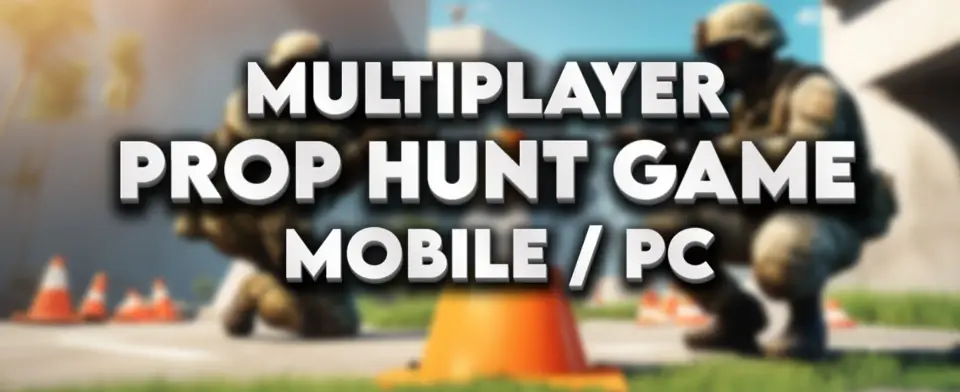
Constructing the hunter gameplay begins with configuring the soldier character, starting from base skeletal meshes, animation sets, and movement parameters. The soldier operates as the primary offensive class, requiring responsive handling and precise weapon handling across diverse camera perspectives. Adjusting character movement components ensures walk, sprint, and turning rates remain responsive under high-latency network conditions, while dedicated camera settings balance situational awareness with line-of-sight tracking.
Weapon mechanics center on attaching a rifle asset to the soldier mesh using socket binding. To ensure believable targeting, an aim offset blend space maps upper-body rotation directly to player look vectors. Firing functionality utilizes high-frequency line trace logic that originates from the weapon muzzle and camera center, assessing trajectory against environmental obstacles and hidden actors. Visual fire effects (VFX) trigger simultaneously at the muzzle socket to provide immediate audio-visual confirmation upon every trigger pull, laying the ground for synchronized combat interactions.
Prop Character Blueprint: Morphing and Spawning Fake Props
The opposing team controls the prop character, an entity engineered around camouflage and evasive deception. Central to this blueprint are two distinct gameplay abilities that allow the player to interact with level art dynamically:
Prop Morph Ability: Detects and acquires the static mesh, collision data, and material parameters of arbitrary props placed throughout the level, transforming the player's visible avatar instantly into the target object.
Spawn Fake Prop Ability: Instantiates physical decoy duplicates into the environment at the player's current location, creating spatial confusion for pursuing soldiers attempting to identify real players.
Because props take active damage when struck by soldier fire, a dedicated health component tracks incoming damage from rifle line traces. This setup keeps the prop player vulnerable to elimination until match timers expire, directly interfacing with round-management rules.
Blueprint Interfaces and Replicated Multiplayer Architecture
Multiplayer network performance relies on strict architectural separation. Many standard Unreal Engine projects lean heavily on Blueprint casting to pass variables and trigger events between actors. In multiplayer environments, direct casting generates hard reference chains, increases memory consumption, and introduces frame drops during intensive replication updates. This system avoids Blueprint casting entirely, structuring all communications through lightweight Blueprint Interfaces.
Blueprint Interfaces allow the soldier, rifle, prop character, and game managers to communicate across network boundaries without holding direct dependencies. Network replication adheres strictly to engine authority rules. Server-side validation handles trace hit verification, prop health subtraction, ability cooldowns, and position updates, which are subsequently replicated down to autonomous and simulated proxies. This prevents client-side desynchronization and maintains gameplay parity across platforms.
GameMode Logic, Round Timers, and Combat Widgets
Round flow is governed by a central Prop Hunt GameMode script that organizes match states from initial spawn to post-match cleanup. A networked countdown timer dictates match pace, imposing a strict duration within which soldiers must locate and eliminate all hidden props. If the timer depletes while any prop remains active, the prop team secures victory; if all props reach zero health, the soldier team wins.
Player interfaces dynamically reflect these real-time states through specialized widgets:
Crosshair and Hit Markers: Displays an on-screen targeting reticle for the hunter class, accompanied by an animated hit marker widget that confirms registered damage against hidden props.
Prop Health Display: Communicates remaining structural durability to the prop player.
Win/Lose Screens and Game Reset: Evaluates GameMode conditions to trigger outcome banners, followed by automated reset logic that restores character states and level layouts for subsequent rounds.
Session and Settings Menus: Features a dedicated main menu level equipped with host game widgets, join game widgets, and in-game settings interfaces to manage server connections and client configurations.
Mobile Touch Input and Virtual Controls
Supporting touch interfaces requires translating traditional mouse and keyboard inputs into dedicated on-screen touch widgets. Movement and perspective shifts on mobile are handled through a virtual joystick combined with a touch-drag camera look surface. Character-specific actions require customized touchscreen bindings tailored to the unique mechanics of both playable factions.
The soldier class utilizes touch buttons for jumping alongside a dedicated rifle fire drag control, allowing players to aim and discharge weapons smoothly on glass displays. The prop character receives dedicated virtual touch buttons mapped directly to jumping, activating the morph ability, and deploying fake props. An integrated visibility management system dynamically queries the runtime platform type, hiding touch widgets automatically on desktop builds while presenting fully calibrated layouts on Android devices.
Packaging and Cross-Platform Testing for Android and PC
The final phase transitions the unified codebase into standalone executables for both Windows PC and mobile hardware. Project settings require distinct platform configurations, including display scaling, rendering pathways, and texture compression formats compatible with Android runtimes alongside standard Windows desktop environments.
Packaging involves generating standalone Windows platform binaries alongside configured Android installation packages. Cross-platform testing validates network communication between hardware environments, confirming that a PC host can accept connections from Android clients. This testing verifies that touch inputs execute cleanly across network boundaries, Blueprint Interface messages replicate consistently, and round states synchronize across desktop and mobile form factors without platform-dependent desynchronization.
 Unreal Engine
 Unreal Engine
 Unreal Engine
 Unreal Engine