"c14ff6bd758dadb1"{"id":"1000596","slug":"unreal-engine-5-all-in-one-ue5-master-blueprint","title":"Unreal Engine 5 : All in one UE5 master Blueprint","category":"Unreal Engine","engine":"File Content: video + English subtitles","assetVersion":"Video Language: English","engineVersion":"File Content: video + English subtitles","tag":"Unreal Engine","accent":"blue","visual":"mech","summary":"A beginner-level Unreal Engine 5 course covering Niagara, Control Rig, AI, animation, materials, landscape, and Blueprints across 42 hours of structured learnin","platform":"Unreal Engine","publishedAt":"2026-07-17T17:35:41.823Z","updatedAt":"2026-07-17T17:35:41.823Z","sourceNotes":[],"fileContents":[],"compatibility":["Unreal Engine","Video Language: English","File Content: video + English subtitles"],"featuredImage":{"alt":"Unreal Engine 5 : All in one UE5 master Blueprint","src":"/wp-content/uploads/published/2026/07/6c6d072cba24-4953792-d34a-5-60c376937e.webp"},"hasDownloadLink":true,"downloads":1,"terms":[{"taxonomy":"category","slug":"tutoriallibrary-unrealengine","name":"Unreal Engine"}],"galleryImages":[],"accessPanel":{"kind":"video-resource","title":"Download this video resource","eyebrow":"Free Download","message":"Log in or create a free account to start your download.","fileName":"Unreal Engine 5 All in one UE5 master Blueprint.7z","safetyNote":"Resources are manually reviewed before listing to improve quality and reduce obvious risks.","actionLabel":"Download Free","resourceType":"Video download"},"contentHtml":"\u003cp\u003eStarting with the fundamentals and moving all the way through Niagara particle systems, Control Rig, AI behavior, and animation, this course sits at the intersection of several distinct Unreal Engine 5 disciplines. Rather than isolating each subject into its own separate track, the curriculum threads them together so that a beginner can see how materials, Blueprints, sound, and environment design feed into one another. At 42 hours and 27 minutes of recorded content, the scope is wide enough to cover the engine's core systems while still walking through a single connected project.\u003c/p\u003e \u003ch2\u003eHow the Curriculum Moves from Imports to Niagara\u003c/h2\u003e \u003cp\u003eThe opening sections ground the learner in engine basics before any visual work begins. The course starts with foundational concepts, then moves into imports and materials. This sequence establishes how external assets enter the engine and how surface properties are defined before more complex logic is introduced. From there, the curriculum shifts to Game Mode and the Character class, which sets the structural backbone for how a player interacts with the scene.\u003c/p\u003e \u003cp\u003eNiagara appears as a dedicated module. The course covers the Niagara system as a standalone topic, then immediately applies it in a course project focused on Niagara. This pairing means the learner encounters the particle system's mechanics and then puts those mechanics into practice without leaving the section. The same pattern repeats with collisions and physics: a general module on collision and physics is followed by a Course Project Physics Bullet segment, which ties the abstract rules of physical interaction to a concrete gameplay element.\u003c/p\u003e \u003ch3\u003eMaterials, Sound, and the Resident Evil Crosshair\u003c/h3\u003e \u003cp\u003eAudio receives two distinct treatments. Sound CUE and Meta Sound are each covered as their own modules, and the curriculum then folds that knowledge into a Course Project Audio section. This structure mirrors how audio logic is built in a real pipeline—learning the tool, then integrating it.\u003c/p\u003e \u003cp\u003eThe User Interface modules are anchored by a Resident Evil CrossHair project. Crosshair Part01 and Crosshair Part02 sit on either side of an Unreal Engine 5.1 update module, which means the course accounts for engine version changes mid-curriculum rather than assuming a static environment. For a developer building a survival horror or tension-driven project, the crosshair-focused UI work offers a direct reference for implementing aiming interfaces.\u003c/p\u003e \u003cp\u003eThe material section returns later in the curriculum, separate from the early material basics, reinforcing the topic at a deeper level once the learner has more engine context.\u003c/p\u003e \u003ch2\u003eAnimation, Blueprints, and Enhanced Input\u003c/h2\u003e \u003cp\u003eAnimation is split across two parts. Animation Part 01 appears early, right after Enhanced Input Basics, while Animation Part 02 comes later, paired with a section called Lets learn more about Blueprint. This spacing means animation is not treated as a single isolated block. Instead, the learner returns to it after accumulating more Blueprint knowledge, which reflects how animation logic in Unreal Engine 5 depends on event graphs, variables, and control flow.\u003c/p\u003e \u003cp\u003eEnhanced Input is covered twice. It appears early as Enhanced Input Basics and returns near the end in a dedicated Enhanced Input Course Project segment. The engine's input system is a critical layer for any character-driven project, and revisiting it after the learner has worked through character setup, animation, and AI provides a more informed context than a single early introduction could offer.\u003c/p\u003e \u003cp\u003eBlueprint, as a core system, is woven throughout. The course explicitly lists learning Blueprints among its primary outcomes, and the curriculum structure treats Blueprint not as a standalone module but as connective tissue linking character classes, animation, UI, and AI logic.\u003c/p\u003e \u003ch2\u003eEnvironment Design: Landscape, Foliage, Lights, and Fog\u003c/h2\u003e \u003cp\u003eThe environment modules are structured with the same learn-then-apply rhythm found elsewhere in the course. Lights and Fog and Environment Design are covered as distinct concepts. Landscape is introduced, then immediately followed by a Course Project Landscape section and a Landscape Material module, which itself is paired with a Course Project Landscape Material segment. Foliage is covered as its own module, extending the landscape work into organic surface detail.\u003c/p\u003e \u003cp\u003eFor teams or solo developers building outdoor scenes, this section provides a direct workflow: sculpt or arrange a landscape, author a material for it, and populate it with foliage. The inclusion of fog alongside lighting means atmospheric considerations are not separated from the geometry work—they arrive together.\u003c/p\u003e \u003ch2\u003eControl Rig and AI: Zombie Character and Player Setup\u003c/h2\u003e \u003cp\u003eControl Rig gets a dedicated module, placed after the Player Character and Zombie Character sections. This placement is significant because Control Rig is a system for directly manipulating skeletal bones within the engine, and the learner arrives at it only after the characters that will use those rigs have already been introduced. Simple AI and Zombie AI are listed as separate stages, suggesting a progression from basic AI concepts to a specific enemy implementation.\u003c/p\u003e \u003cp\u003eThe character pipeline as presented reads as follows: Player Character, then Zombie Character, then Zombie AI, then Control Rig. A developer working through this sequence finishes with an AI-driven enemy and a player character, both of which can be refined through rig-based animation.\u003c/p\u003e \u003ch2\u003eCourse Project Structure and the Bonus Loading Screen\u003c/h2\u003e \u003cp\u003eA recurring pattern throughout the curriculum is the pairing of a topic module with a course project module. Course Project Audio follows the sound modules. Course Project Niagara follows the Niagara system module. Course Project Physics Bullet follows collision and physics. Course Project Landscape and Course Project Landscape Material follow their respective parent topics. This structure means the course is not purely theoretical—it expects the learner to produce assets and logic at each stage.\u003c/p\u003e \u003cp\u003eThe curriculum closes with a Main Menu section and a Bonus Section covering a Loading Screen, followed by the Enhanced Input Course Project. The main menu provides a front-end framework for the project the learner has been building, while the loading screen addresses a common transitional element between menus and gameplay. Ending on the Enhanced Input Course Project ties the input system back into the final playable state of the project.\u003c/p\u003e \u003cp\u003ePublished on August 11, 2024, and structured at the beginner level, the course totals 42 hours and 27 minutes of content. The instructor is listed as Unreal Magic. The target audience is explicitly stated as individuals who want to learn game design with Unreal Engine 5, and the learning outcomes span Niagara, Materials, Animations, Blueprint, AI, User Interfaces, Landscape, and Environment. The course workload and curriculum depth suggest a learner finishing the material will have touched nearly every major system required to assemble a small playable game.\u003c/p\u003e\n\n\u003ch2\u003eRelated Resources Worth Checking\u003c/h2\u003e\n\u003cul\u003e\n\u003cli\u003e\u003ca href=\"https://3dcghub.com/master-unreal-engine-5-build-any-game-with-blueprint-and-c/\" title=\"Master Unreal Engine 5: Build Any Game with Blueprint \u0026amp; C++\"\u003eMaster Unreal Engine 5: Build Any Game with Blueprint \u0026amp; C++\u003c/a\u003e\u003c/li\u003e\n\u003cli\u003e\u003ca href=\"https://3dcghub.com/unreal-engine-5-one-course-solution-for-niagara-vfx/\" title=\"Unreal Engine 5: One Course Solution For Niagara VFX\"\u003eUnreal Engine 5: One Course Solution For Niagara VFX\u003c/a\u003e\u003c/li\u003e\n\u003cli\u003e\u003ca href=\"https://3dcghub.com/unreal-engine-5-one-course-solution-for-material/\" title=\"Unreal Engine 5: One Course Solution For Material\"\u003eUnreal Engine 5: One Course Solution For Material\u003c/a\u003e\u003c/li\u003e\n\u003cli\u003e\u003ca href=\"https://3dcghub.com/unreal-engine-5-blueprint-scripting-101/\" title=\"Unreal Engine 5 - Blueprint Scripting 101\"\u003eUnreal Engine 5 - Blueprint Scripting 101\u003c/a\u003e\u003c/li\u003e\n\u003cli\u003e\u003ca href=\"https://3dcghub.com/the-ultimate-guide-to-unreal-engine-5-for-complete-beginners/\" title=\"The Ultimate Guide to Unreal Engine 5 For Complete Beginners\"\u003eThe Ultimate Guide to Unreal Engine 5 For Complete Beginners\u003c/a\u003e\u003c/li\u003e\n\u003c/ul\u003e","contentTextLength":7341,"navigation":{"current":1266,"total":3719,"previous":{"id":"13913","slug":"easy-multi-save","title":"Easy Multi Save","category":"Engine Tools","platform":"Unreal Engine","updatedAt":"2026-07-18T09:48:15.051Z"},"next":{"id":"1000595","slug":"energy-weapon-vfx-pack","title":"Energy weapon VFX Pack","category":"Variety","platform":"Unreal Engine","updatedAt":"2026-07-17T01:27:32.833Z"}},"relatedResources":[{"id":"1000556","slug":"master-unreal-engine-5-build-any-game-with-blueprint-and-c","title":"Master Unreal Engine 5: Build Any Game with Blueprint \u0026 C++","category":"Unreal Engine","engine":"File Content: video + English subtitles","assetVersion":"Video Language: English","engineVersion":"File Content: video + English subtitles","tag":"Unreal Engine","accent":"blue","visual":"mech","summary":"Build any game in Unreal Engine 5 using Blueprint and C++. Learn multiplayer networking, UMG UI, materials, modeling tools, and packaging across 13 hours.","platform":"Unreal Engine","publishedAt":"2026-07-15T16:49:38.751Z","updatedAt":"2026-07-15T16:49:38.751Z","sourceNotes":[],"fileContents":[],"compatibility":["Unreal Engine","Video Language: English","File Content: video + English subtitles"],"featuredImage":{"alt":"Master Unreal Engine 5: Build Any Game with Blueprint \u0026 C++","src":"/wp-content/uploads/published/2026/07/167dd95e84d7-6120743-8adb-4-ba02c71b99.webp"},"hasDownloadLink":true,"downloads":1},{"id":"24557","slug":"unreal-engine-5-one-course-solution-for-niagara-vfx","title":"Unreal Engine 5: One Course Solution For Niagara VFX","category":"Unreal Engine","engine":"Video language: English","assetVersion":"Video language: English","engineVersion":"File content: video + supporting files + English subtitles","tag":"Unreal Engine","accent":"blue","visual":"luts","summary":"This course moves through Niagara in a practical order, starting with basic usage and continuing into custom modules and blueprint-driven behavior. It also covers VFX materials, noise texture baking in Unreal, and examples such as rain, waterfalls, lightnin...","platform":"Unreal Engine","publishedAt":"2026-04-15T13:06:55.000Z","updatedAt":"2026-04-20T06:12:45.000Z","sourceNotes":[],"fileContents":[],"compatibility":["Unreal Engine","Video language: English","File content: video + supporting files + English subtitles"],"featuredImage":{"alt":"Unreal Engine 5: One Course Solution For Niagara VFX","src":"https://3dcghub.com/wp-content/uploads/2026/04/233a8c785bc3_4915192_86f5_8.webp"},"hasDownloadLink":true,"downloads":1},{"id":"24563","slug":"unreal-engine-5-one-course-solution-for-material","title":"Unreal Engine 5: One Course Solution For Material","category":"Unreal Engine","engine":"Video language: English","assetVersion":"Video language: English","engineVersion":"File content: video + supporting files + English subtitles","tag":"Unreal Engine","accent":"blue","visual":"luts","summary":"This course follows Unreal Engine 5 material creation through a node-by-node workflow. It moves from graph basics into master materials, scene setup, and landscape work.","platform":"Unreal Engine","publishedAt":"2026-04-15T13:26:37.000Z","updatedAt":"2026-04-20T06:12:44.000Z","sourceNotes":[],"fileContents":[],"compatibility":["Unreal Engine","Video language: English","File content: video + supporting files + English subtitles"],"featuredImage":{"alt":"Unreal Engine 5: One Course Solution For Material","src":"https://3dcghub.com/wp-content/uploads/2026/04/7b04eadd4d0a_4685938_b991_7.webp"},"hasDownloadLink":true,"downloads":0}]}
Unreal Engine
Unreal Engine 5 : All in one UE5 master Blueprint
A beginner-level Unreal Engine 5 course covering Niagara, Control Rig, AI, animation, materials, landscape, and Blueprints across 42 hours of structured learnin
Category:Unreal EnginePlatform: Unreal EngineVideo Language: EnglishFile Content: video + English subtitlesPublished: Jul 17, 2026
Unreal Engine
Resource overview
Starting with the fundamentals and moving all the way through Niagara particle systems, Control Rig, AI behavior, and animation, this course sits at the intersection of several distinct Unreal Engine 5 disciplines. Rather than isolating each subject into its own separate track, the curriculum threads them together so that a beginner can see how materials, Blueprints, sound, and environment design feed into one another. At 42 hours and 27 minutes of recorded content, the scope is wide enough to cover the engine's core systems while still walking through a single connected project.
How the Curriculum Moves from Imports to Niagara
The opening sections ground the learner in engine basics before any visual work begins. The course starts with foundational concepts, then moves into imports and materials. This sequence establishes how external assets enter the engine and how surface properties are defined before more complex logic is introduced. From there, the curriculum shifts to Game Mode and the Character class, which sets the structural backbone for how a player interacts with the scene.
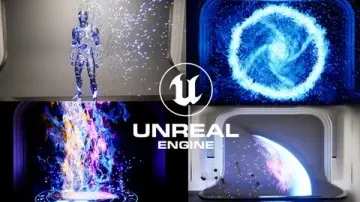
Niagara appears as a dedicated module. The course covers the Niagara system as a standalone topic, then immediately applies it in a course project focused on Niagara. This pairing means the learner encounters the particle system's mechanics and then puts those mechanics into practice without leaving the section. The same pattern repeats with collisions and physics: a general module on collision and physics is followed by a Course Project Physics Bullet segment, which ties the abstract rules of physical interaction to a concrete gameplay element.
Materials, Sound, and the Resident Evil Crosshair
Audio receives two distinct treatments. Sound CUE and Meta Sound are each covered as their own modules, and the curriculum then folds that knowledge into a Course Project Audio section. This structure mirrors how audio logic is built in a real pipeline—learning the tool, then integrating it.
The User Interface modules are anchored by a Resident Evil CrossHair project. Crosshair Part01 and Crosshair Part02 sit on either side of an Unreal Engine 5.1 update module, which means the course accounts for engine version changes mid-curriculum rather than assuming a static environment. For a developer building a survival horror or tension-driven project, the crosshair-focused UI work offers a direct reference for implementing aiming interfaces.
The material section returns later in the curriculum, separate from the early material basics, reinforcing the topic at a deeper level once the learner has more engine context.
Animation, Blueprints, and Enhanced Input
Animation is split across two parts. Animation Part 01 appears early, right after Enhanced Input Basics, while Animation Part 02 comes later, paired with a section called Lets learn more about Blueprint. This spacing means animation is not treated as a single isolated block. Instead, the learner returns to it after accumulating more Blueprint knowledge, which reflects how animation logic in Unreal Engine 5 depends on event graphs, variables, and control flow.
Enhanced Input is covered twice. It appears early as Enhanced Input Basics and returns near the end in a dedicated Enhanced Input Course Project segment. The engine's input system is a critical layer for any character-driven project, and revisiting it after the learner has worked through character setup, animation, and AI provides a more informed context than a single early introduction could offer.
Blueprint, as a core system, is woven throughout. The course explicitly lists learning Blueprints among its primary outcomes, and the curriculum structure treats Blueprint not as a standalone module but as connective tissue linking character classes, animation, UI, and AI logic.
Environment Design: Landscape, Foliage, Lights, and Fog
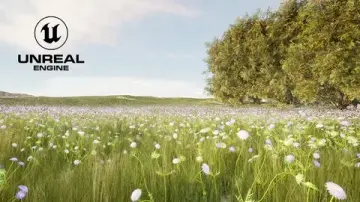
The environment modules are structured with the same learn-then-apply rhythm found elsewhere in the course. Lights and Fog and Environment Design are covered as distinct concepts. Landscape is introduced, then immediately followed by a Course Project Landscape section and a Landscape Material module, which itself is paired with a Course Project Landscape Material segment. Foliage is covered as its own module, extending the landscape work into organic surface detail.
For teams or solo developers building outdoor scenes, this section provides a direct workflow: sculpt or arrange a landscape, author a material for it, and populate it with foliage. The inclusion of fog alongside lighting means atmospheric considerations are not separated from the geometry work—they arrive together.
Control Rig and AI: Zombie Character and Player Setup
Control Rig gets a dedicated module, placed after the Player Character and Zombie Character sections. This placement is significant because Control Rig is a system for directly manipulating skeletal bones within the engine, and the learner arrives at it only after the characters that will use those rigs have already been introduced. Simple AI and Zombie AI are listed as separate stages, suggesting a progression from basic AI concepts to a specific enemy implementation.
The character pipeline as presented reads as follows: Player Character, then Zombie Character, then Zombie AI, then Control Rig. A developer working through this sequence finishes with an AI-driven enemy and a player character, both of which can be refined through rig-based animation.
Course Project Structure and the Bonus Loading Screen
A recurring pattern throughout the curriculum is the pairing of a topic module with a course project module. Course Project Audio follows the sound modules. Course Project Niagara follows the Niagara system module. Course Project Physics Bullet follows collision and physics. Course Project Landscape and Course Project Landscape Material follow their respective parent topics. This structure means the course is not purely theoretical—it expects the learner to produce assets and logic at each stage.
The curriculum closes with a Main Menu section and a Bonus Section covering a Loading Screen, followed by the Enhanced Input Course Project. The main menu provides a front-end framework for the project the learner has been building, while the loading screen addresses a common transitional element between menus and gameplay. Ending on the Enhanced Input Course Project ties the input system back into the final playable state of the project.
Published on August 11, 2024, and structured at the beginner level, the course totals 42 hours and 27 minutes of content. The instructor is listed as Unreal Magic. The target audience is explicitly stated as individuals who want to learn game design with Unreal Engine 5, and the learning outcomes span Niagara, Materials, Animations, Blueprint, AI, User Interfaces, Landscape, and Environment. The course workload and curriculum depth suggest a learner finishing the material will have touched nearly every major system required to assemble a small playable game.
 Unreal Engine
 Unreal Engine
 Unreal Engine
 Unreal Engine