"7e6fc58c410f2894"{"id":"1000516","slug":"unreal-engine-5-advanced-lobby-system","title":"Unreal Engine 5: Advanced Lobby System","category":"Unreal Engine","engine":"File Content: video + English subtitles","assetVersion":"Video Language: English","engineVersion":"File Content: video + English subtitles","tag":"Unreal Engine","accent":"blue","visual":"mech","summary":"An intermediate Udemy course on Unreal Engine 5 multiplayer networking, covering Blueprints, RPCs, replication, and building a lobby system from scratch.","platform":"Unreal Engine","publishedAt":"2026-07-14T07:48:05.673Z","updatedAt":"2026-07-14T07:48:05.673Z","sourceNotes":[],"fileContents":[],"compatibility":["Unreal Engine","Video Language: English","File Content: video + English subtitles"],"featuredImage":{"alt":"Unreal Engine 5: Advanced Lobby System","src":"/wp-content/uploads/published/2026/07/aca9293917fb-6118937-71f9-2-d42567f732.webp"},"hasDownloadLink":true,"downloads":0,"terms":[{"taxonomy":"category","slug":"tutoriallibrary-unrealengine","name":"Unreal Engine"}],"galleryImages":[],"accessPanel":{"kind":"video-resource","title":"Download this video resource","eyebrow":"Free Download","message":"Log in or create a free account to start your download.","fileName":"Unreal Engine 5 Advanced Lobby System.7z","safetyNote":"Resources are manually reviewed before listing to improve quality and reduce obvious risks.","actionLabel":"Download Free","resourceType":"Video download"},"contentHtml":"\u003cp\u003eBuilding a multiplayer game in Unreal Engine often runs into a wall long before core gameplay takes shape. Getting players into a shared environment requires handling connections over the network. An intermediate developer usually hits this friction when moving from single-player mechanics to online sessions. The Unreal Engine 5: Advanced Lobby System Udemy course steps in right at this point. The 14-hour training walks through building a lobby system from scratch using Blueprints.\u003c/p\u003e \u003ch2\u003eFrom Project Creation to a Functional Game Instance\u003c/h2\u003e\n\u003cp\u003eThe training begins with project creation and basic networking concepts before moving into the practical setup. One of the first functional pieces built is the game instance. In an Unreal Engine multiplayer environment, data often needs to persist between different maps and levels. A game instance serves as the foundation for storing this persistent data.\u003c/p\u003e\n\u003cp\u003eFrom here, the course establishes a client-server list. Building this structure in Blueprints teaches how to manage connections and handle the initial communication between a player's client and the host server. It sets the stage for routing players into the correct session.\u003c/p\u003e \u003ch2\u003eConstructing the Lobby Environment and Player Elements\u003c/h2\u003e\n\u003cp\u003eWith the game instance and list fundamentals established, the curriculum moves into assembling the environment. Developers build the physical lobby space itself, along with the player platforms. The lessons cover dynamic platform spawning, meaning the environment will adjust to accommodate the number of players joining a session.\u003c/p\u003e\n\u003cp\u003eA lobby is only useful if players can interact with it. The course dedicates multiple sections to coding the lobby menu and the lobby players list. This includes creating the message widget, a necessary tool for players to communicate before a match starts. Interactive elements are wired up using Blueprint events.\u003c/p\u003e \u003ch2\u003eCharacter Selection and Map Voting\u003c/h2\u003e\n\u003cp\u003eOnce players are in the lobby, they need options. The training demonstrates how to implement a screenshot camera setup, which acts as the visual backdrop for choosing a character. The blueprint logic handles changing the chosen character, allowing players to pick their preferred avatar before spawning into the actual match.\u003c/p\u003e\n\u003cp\u003eMap selection is another core feature built during the 14 hours of content. Developers learn to construct a voting or selection interface for the lobby map. The system tracks the chosen map and passes that data through the game instance once the match begins.\u003c/p\u003e \u003ch2\u003eBlueprints, Data Tables, and RPCs\u003c/h2\u003e\n\u003cp\u003eUnder the hood, this system relies on robust Blueprint coding. The curriculum covers advanced multiplayer concepts like replication, RepNotify, and multicasts. In a networked setting, replication ensures that changes on the server update across all connected clients. Multicasts broadcast specific events to every player simultaneously, while RPCs (Remote Procedure Calls) execute code across the server-client boundary.\u003c/p\u003e\n\u003cp\u003eThe course also introduces Data Tables as part of the lobby map selection process. Data Tables allow designers to store structured information, keeping the character selection and map details organized as scalable data rather than hard-coded variables.\u003c/p\u003e \u003ch2\u003eTransitioning to the Match and In-Game HUD\u003c/h2\u003e\n\u003cp\u003eThe lobby portion of the workflow concludes with player ready statuses. The system must check if all participants are prepared before moving forward. Once the logic confirms that players are ready, the framework initiates traveling to the match.\u003c/p\u003e\n\u003cp\u003eHowever, training does not stop when the players leave the lobby. The workflow guides developers through building the in-game HUD that appears during the match. Final sections ensure the UI elements, overhead widgets, and player data established in the lobby correctly transition into the live gameplay environment. A final summary ties the 14 hours and 4 minutes of content together.\u003c/p\u003e \u003ch2\u003eWhere the Advanced Lobby System Fits in a Production\u003c/h2\u003e\n\u003cp\u003ePublished in late August 2024, this curriculum is tailored for developers looking to move their Unreal Engine skills to the next level. It serves intermediate users who already understand the engine's interface but need structured guidance on networking. By avoiding C++ and using Blueprints alone, the developer focuses heavily on the visual scripting logic required to manage state, handle UI inputs, and route server communications. This makes it a practical resource for solo creators or small teams attempting to build an online multiplayer framework without hiring a dedicated network programmer.\u003c/p\u003e\n\n\u003ch2\u003eContinue Browsing Similar Packs\u003c/h2\u003e\n\u003cul\u003e\n\u003cli\u003e\u003ca href=\"https://3dcghub.com/unreal-engine-5-c-multiplayer-crash-course/\" title=\"Unreal Engine 5 C++ Multiplayer CRASH COURSE\"\u003eUnreal Engine 5 C++ Multiplayer CRASH COURSE\u003c/a\u003e\u003c/li\u003e\n\u003cli\u003e\u003ca href=\"https://3dcghub.com/advanced-unreal-engine-5-multiplayer-gameplay-programming/\" title=\"Advanced Unreal Engine 5 Multiplayer Gameplay Programming\"\u003eAdvanced Unreal Engine 5 Multiplayer Gameplay Programming\u003c/a\u003e\u003c/li\u003e\n\u003cli\u003e\u003ca href=\"https://3dcghub.com/unreal-engine-5-blueprints-multiplayer-crash-course/\" title=\"Unreal Engine 5 Blueprints Multiplayer CRASH COURSE\"\u003eUnreal Engine 5 Blueprints Multiplayer CRASH COURSE\u003c/a\u003e\u003c/li\u003e\n\u003cli\u003e\u003ca href=\"https://3dcghub.com/unreal-engine-5-5-the-ultimate-cinematic-masterclass/\" title=\"Unreal Engine 5.5 - The Ultimate Cinematic Masterclass\"\u003eUnreal Engine 5.5 - The Ultimate Cinematic Masterclass\u003c/a\u003e\u003c/li\u003e\n\u003cli\u003e\u003ca href=\"https://3dcghub.com/unreal-engine-blueprints-kickstart-gameplay-made-simple/\" title=\"Unreal Engine Blueprints Kickstart: Gameplay made simple\"\u003eUnreal Engine Blueprints Kickstart: Gameplay made simple\u003c/a\u003e\u003c/li\u003e\n\u003c/ul\u003e","contentTextLength":4833,"navigation":{"current":1242,"total":3618,"previous":{"id":"1000517","slug":"unreal-engine-5-crowd-creation-in-the-niagara-and-blueprint","title":"Unreal Engine 5: Crowd creation in the Niagara and Blueprint","category":"Unreal Engine","platform":"Unreal Engine","updatedAt":"2026-07-14T08:37:52.185Z"},"next":{"id":"1000515","slug":"soviet-post-soviet-abandoned-world","title":"Soviet/Post Soviet Abandoned World.","category":"Apocalyptic / Post-apocalyptic","platform":"Unreal Engine","updatedAt":"2026-07-14T07:16:34.254Z"}},"relatedResources":[{"id":"1001158","slug":"unreal-engine-5-multiplayer-prop-hunt-game-smartpoly","title":"Unreal Engine 5 Multiplayer Prop Hunt Game - SmartPoly","category":"Unreal Engine","engine":"File Content: video + English subtitles","assetVersion":"Video Language: English","engineVersion":"File Content: video + English subtitles","tag":"Unreal Engine","accent":"blue","visual":"mech","summary":"Build a cross-platform multiplayer Prop Hunt game for PC and Android in Unreal Engine using Blueprint Interfaces, replicated mechanics, and touch controls.","platform":"Unreal Engine","publishedAt":"2026-09-11T02:18:19.834Z","updatedAt":"2026-09-11T02:18:19.834Z","sourceNotes":[],"fileContents":[],"compatibility":["Unreal Engine","Video Language: English","File Content: video + English subtitles"],"featuredImage":{"alt":"Unreal Engine 5 Multiplayer Prop Hunt Game - SmartPoly","src":"/wp-content/uploads/published/2026/09/3fde1311282a-indrtgg7t1cqfhudrloy-coursebanner-ad218f1168.webp"},"hasDownloadLink":true,"downloads":1},{"id":"1000556","slug":"master-unreal-engine-5-build-any-game-with-blueprint-and-c","title":"Master Unreal Engine 5: Build Any Game with Blueprint \u0026 C++","category":"Unreal Engine","engine":"File Content: video + English subtitles","assetVersion":"Video Language: English","engineVersion":"File Content: video + English subtitles","tag":"Unreal Engine","accent":"blue","visual":"mech","summary":"Build any game in Unreal Engine 5 using Blueprint and C++. Learn multiplayer networking, UMG UI, materials, modeling tools, and packaging across 13 hours.","platform":"Unreal Engine","publishedAt":"2026-07-15T16:49:38.751Z","updatedAt":"2026-07-15T16:49:38.751Z","sourceNotes":[],"fileContents":[],"compatibility":["Unreal Engine","Video Language: English","File Content: video + English subtitles"],"featuredImage":{"alt":"Master Unreal Engine 5: Build Any Game with Blueprint \u0026 C++","src":"/wp-content/uploads/published/2026/07/167dd95e84d7-6120743-8adb-4-ba02c71b99.webp"},"hasDownloadLink":true,"downloads":1},{"id":"1000696","slug":"unreal-engine-5-gameplay-ability-system-gas-crash-course","title":"Unreal Engine 5 Gameplay Ability System (GAS) Crash Course","category":"Unreal Engine","engine":"File Content: video + English subtitles","assetVersion":"Video Language: English","engineVersion":"File Content: video + English subtitles","tag":"Unreal Engine","accent":"blue","visual":"mech","summary":"An intermediate Unreal Engine 5 course teaching the Gameplay Ability System for multiplayer and single player games, covering attributes, combat, and effects.","platform":"Unreal Engine","publishedAt":"2026-07-23T15:15:12.089Z","updatedAt":"2026-07-23T15:15:12.089Z","sourceNotes":[],"fileContents":[],"compatibility":["Unreal Engine","Video Language: English","File Content: video + English subtitles"],"featuredImage":{"alt":"Unreal Engine 5 Gameplay Ability System (GAS) Crash Course","src":"/wp-content/uploads/published/2026/07/07e55957c115-6844963-5aba-2-e0a165ac1a.webp"},"hasDownloadLink":true,"downloads":0}]}
Unreal Engine
Unreal Engine 5: Advanced Lobby System
An intermediate Udemy course on Unreal Engine 5 multiplayer networking, covering Blueprints, RPCs, replication, and building a lobby system from scratch.
Category:Unreal EnginePlatform: Unreal EngineVideo Language: EnglishFile Content: video + English subtitlesPublished: Jul 14, 2026
Unreal Engine
Resource overview
Building a multiplayer game in Unreal Engine often runs into a wall long before core gameplay takes shape. Getting players into a shared environment requires handling connections over the network. An intermediate developer usually hits this friction when moving from single-player mechanics to online sessions. The Unreal Engine 5: Advanced Lobby System Udemy course steps in right at this point. The 14-hour training walks through building a lobby system from scratch using Blueprints.
From Project Creation to a Functional Game Instance
The training begins with project creation and basic networking concepts before moving into the practical setup. One of the first functional pieces built is the game instance. In an Unreal Engine multiplayer environment, data often needs to persist between different maps and levels. A game instance serves as the foundation for storing this persistent data.
From here, the course establishes a client-server list. Building this structure in Blueprints teaches how to manage connections and handle the initial communication between a player's client and the host server. It sets the stage for routing players into the correct session.
Constructing the Lobby Environment and Player Elements
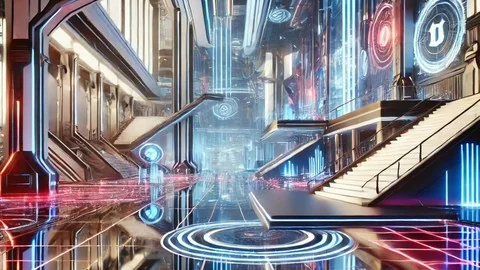
With the game instance and list fundamentals established, the curriculum moves into assembling the environment. Developers build the physical lobby space itself, along with the player platforms. The lessons cover dynamic platform spawning, meaning the environment will adjust to accommodate the number of players joining a session.
A lobby is only useful if players can interact with it. The course dedicates multiple sections to coding the lobby menu and the lobby players list. This includes creating the message widget, a necessary tool for players to communicate before a match starts. Interactive elements are wired up using Blueprint events.
Character Selection and Map Voting
Once players are in the lobby, they need options. The training demonstrates how to implement a screenshot camera setup, which acts as the visual backdrop for choosing a character. The blueprint logic handles changing the chosen character, allowing players to pick their preferred avatar before spawning into the actual match.
Map selection is another core feature built during the 14 hours of content. Developers learn to construct a voting or selection interface for the lobby map. The system tracks the chosen map and passes that data through the game instance once the match begins.
Blueprints, Data Tables, and RPCs
Under the hood, this system relies on robust Blueprint coding. The curriculum covers advanced multiplayer concepts like replication, RepNotify, and multicasts. In a networked setting, replication ensures that changes on the server update across all connected clients. Multicasts broadcast specific events to every player simultaneously, while RPCs (Remote Procedure Calls) execute code across the server-client boundary.
The course also introduces Data Tables as part of the lobby map selection process. Data Tables allow designers to store structured information, keeping the character selection and map details organized as scalable data rather than hard-coded variables.
Transitioning to the Match and In-Game HUD
The lobby portion of the workflow concludes with player ready statuses. The system must check if all participants are prepared before moving forward. Once the logic confirms that players are ready, the framework initiates traveling to the match.
However, training does not stop when the players leave the lobby. The workflow guides developers through building the in-game HUD that appears during the match. Final sections ensure the UI elements, overhead widgets, and player data established in the lobby correctly transition into the live gameplay environment. A final summary ties the 14 hours and 4 minutes of content together.
Where the Advanced Lobby System Fits in a Production
Published in late August 2024, this curriculum is tailored for developers looking to move their Unreal Engine skills to the next level. It serves intermediate users who already understand the engine's interface but need structured guidance on networking. By avoiding C++ and using Blueprints alone, the developer focuses heavily on the visual scripting logic required to manage state, handle UI inputs, and route server communications. This makes it a practical resource for solo creators or small teams attempting to build an online multiplayer framework without hiring a dedicated network programmer.
 Unreal Engine
 Unreal Engine
 Unreal Engine
 Unreal Engine