"6ac84fdb0bd06614"{"id":"1000910","slug":"unreal-blueprints-create-games-with-visual-scripting-in-unreal-5-6","title":"Unreal Blueprints: Create Games with Visual Scripting in Unreal 5.6","category":"Unreal Engine","engine":"File Content: video + English subtitles","assetVersion":"Video Language: English","engineVersion":"File Content: video + English subtitles","tag":"Unreal Engine","accent":"blue","visual":"mech","summary":"Build three complete games—Marble Run, Crystal Caverns, and Mars Marine—using Unreal 5.6's Blueprint visual scripting. A beginner-friendly course from GameDev.t","platform":"Unreal Engine","publishedAt":"2026-08-06T13:20:33.760Z","updatedAt":"2026-08-06T13:20:33.760Z","sourceNotes":[],"fileContents":[],"compatibility":["Unreal Engine","Video Language: English","File Content: video + English subtitles"],"featuredImage":{"alt":"Unreal Blueprints: Create Games with Visual Scripting in Unreal 5.6","src":"/wp-content/uploads/published/2026/08/8a135189a0df-ragzbmpcjb5j-2f97113de1.webp"},"hasDownloadLink":true,"downloads":3,"terms":[{"taxonomy":"category","slug":"tutoriallibrary-unrealengine","name":"Unreal Engine"}],"galleryImages":[],"accessPanel":{"kind":"video-resource","title":"Download this video resource","eyebrow":"Free Download","message":"Log in or create a free account to start your download.","fileName":"Unreal Blueprints Create Games with Visual Scripting in Unreal 5.6.7z","safetyNote":"Resources are manually reviewed before listing to improve quality and reduce obvious risks.","actionLabel":"Download Free","resourceType":"Video download"},"contentHtml":"\u003cp\u003eMake your 1st 3 video games in Unreal Engine 5.6 (UE5.6) without writing a line of code. That is the promise of this beginner-friendly Blueprint course, built in collaboration with Epic Games and designed as the perfect starting point for UE5.6. Instead of isolated tutorials, you'll work through 3 complete projects that teach the core logic, design principles, and workflows that make Unreal Engine tick.\u003c/p\u003e\n\n\u003ch2\u003e\u003cem\u003eMarble Run\u003c/em\u003e: Your 1st Blueprint Logic\u003c/h2\u003e\n\n\u003cp\u003eThe fastest way to learn a new engine is to build something in it, and this course starts with a rolling start. \u003cem\u003eMarble Run\u003c/em\u003e is the 1st project, and it's designed to get you comfortable with Blueprint logic by the time you reach the finish line. You'll create a marble that rolls through a course, which means connecting events to movement and testing the result in the \u003ccode\u003eViewport\u003c/code\u003e. It's a small game, but it forces you to think about how an object behaves and how that behavior is defined visually.\u003c/p\u003e\n\n\u003cp\u003eFor someone who has never opened Unreal Engine, this is the moment when the Editor stops feeling like a collection of mysterious panels. You'll learn to place \u003ccode\u003eActors\u003c/code\u003e, wire up a \u003ccode\u003eBlueprint Graph\u003c/code\u003e, and see the connection between your logic and the game world. The point isn't to build a complicated system; it's to build a solid foundation that the next 2 projects will expand.\u003c/p\u003e\n\n\u003ch2\u003e\u003cem\u003eCrystal Caverns\u003c/em\u003e: Tank-Style Controls and Dynamic Lighting\u003c/h2\u003e\n\n\u003cp\u003eThe 2nd project, \u003cem\u003eCrystal Caverns\u003c/em\u003e, takes you from 1 single rolling object to a complete 3D collectathon. Here you'll set up tank-style controls, which give the player a distinct movement feel that works well for collecting items across a Level. You'll also place pickups that the player can gather, which means handling Overlap Events and keeping track of what's been collected. The addition of dynamic lighting makes the caverns feel alive and gives you practice with lighting that changes as you play.\u003c/p\u003e\n\n\u003cp\u003eThis project is where Blueprint logic starts to branch out. You're not just moving a marble; you're creating an interactive environment with goals, feedback, and a win condition. The collectathon structure is a natural fit for learning because the mechanics are straightforward, but the implementation still involves real game design decisions.\u003c/p\u003e\n\n\u003ch2\u003e\u003cem\u003eMars Marine\u003c/em\u003e: Lumen and Reusable Level Design\u003c/h2\u003e\n\n\u003cp\u003e\u003cem\u003eMars Marine\u003c/em\u003e is the final project, and it's the most ambitious of the 3. It's a fast-paced arcade shooter that uses Unreal Engine's \u003ccode\u003eLumen\u003c/code\u003e System to light the martian setting. \u003ccode\u003eLumen\u003c/code\u003e is Unreal Engine's cutting-edge lighting technology, and using it in \u003cem\u003eMars Marine\u003c/em\u003e means you're working with the same lighting that makes UE5.6 stand out visually. Rather than relying on static lights, you'll see how \u003ccode\u003eLumen\u003c/code\u003e can make a shooter environment feel more reactive and polished.\u003c/p\u003e\n\n\u003cp\u003eReusable Level Design also comes into play here. Instead of manually placing every asset for each combat encounter, you'll build the Level with reusable pieces that can be dropped in wherever needed. That approach speeds up development and reduces the amount of repetitive work. \u003cem\u003eMars Marine\u003c/em\u003e ties together the Blueprint logic from \u003cem\u003eMarble Run\u003c/em\u003e and the interaction systems from \u003cem\u003eCrystal Caverns\u003c/em\u003e, then layers on shooting mechanics and a faster pace.\u003c/p\u003e\n\n\u003ch2\u003eWhat the Lectures Actually Teach\u003c/h2\u003e\n\n\u003cp\u003eBeyond the 3 games, the course covers a set of practical skills that apply to any Unreal Engine project. You'll master Unreal Engine's Visual Scripting system, which means learning how to think in terms of events, functions, and variables rather than lines of text. You'll also create and import assets, giving you a workflow for getting art and audio into the engine.\u003c/p\u003e\n\n\u003cp\u003eLighting is a specific focus, especially \u003ccode\u003eLumen\u003c/code\u003e technology. Sound, interaction, and polish are also part of the curriculum, so you'll learn how to add audio cues and make the game feel satisfying to play. Another major theme is building smart, reusable components. The idea is to write Blueprint logic once and then use it across multiple objects or Levels, which is a key practice for making game development more efficient.\u003c/p\u003e\n\n\u003ch2\u003eThe C++ Companion Course\u003c/h2\u003e\n\n\u003cp\u003eThis course is designed as a companion to the \u003cem\u003eComplete Unreal C++ Developer\u003c/em\u003e course, which is described as 1 of the most popular Unreal Engine courses on the web. The 2 courses represent 2 different routes into Unreal Engine: 1 goes all-in on Visual Scripting, and the other goes deeper into C++. The Blueprint course is perfect for learners who want to focus on game logic without dealing with syntax issues. On the other hand, C++ developers can use Blueprints as a faster way to prototype ideas before committing to code.\u003c/p\u003e\n\n\u003cp\u003eThe course doesn't force you to pick a side. It recognizes that a game developer can benefit from both approaches. By learning Blueprints 1st, you'll gain a mental model for how Unreal Engine works, which makes learning C++ later a lot easier. And if you already know C++, the Blueprint course shows you a visual layer that can accelerate your workflow.\u003c/p\u003e\n\n\u003ch2\u003eWho This Unreal Engine 5.6 Course Is For\u003c/h2\u003e\n\n\u003cp\u003eThis course is positioned as the perfect starting point for Unreal Engine 5.6 (UE5.6), especially if you're brand new to game development. It's a beginner-level video course with 87 lectures and 11.5 hours of content. Because it's built in collaboration with Epic Games, the lessons align with current Unreal Engine workflows. The instructor is Mitchell Theriault, and the course is hosted on GameDev.tv.\u003c/p\u003e\n\n\u003cp\u003eThe larger point is that you don't have to learn Unreal Engine alone. The GameDev.tv community is there to support you as you work through the projects. By the end, you'll have 3 polished games and a solid understanding of UE5.6. You'll have the skills and confidence to branch out on your own, whether that means refining 1 of the 3 games or building something completely new.\u003c/p\u003e\n\n\u003ch2\u003eRelated Resources Worth Checking\u003c/h2\u003e\n\u003cul\u003e\n\u003cli\u003e\u003ca href=\"https://3dcghub.com/unreal-engine-5-6-build-an-action-rpg-using-lyra-framework/\" title=\"Unreal Engine 5.6 - Build an Action RPG using Lyra Framework\"\u003eUnreal Engine 5.6 - Build an Action RPG using Lyra Framework\u003c/a\u003e\u003c/li\u003e\n\u003cli\u003e\u003ca href=\"https://3dcghub.com/unreal-engine-5-blueprint-scripting-101/\" title=\"Unreal Engine 5 - Blueprint Scripting 101\"\u003eUnreal Engine 5 - Blueprint Scripting 101\u003c/a\u003e\u003c/li\u003e\n\u003cli\u003e\u003ca href=\"https://3dcghub.com/unreal-engine-5-create-a-top-down-2d-survivors-style-game/\" title=\"Unreal Engine 5: Create a top-down 2D survivors style game\"\u003eUnreal Engine 5: Create a top-down 2D survivors style game\u003c/a\u003e\u003c/li\u003e\n\u003cli\u003e\u003ca href=\"https://3dcghub.com/how-to-create-a-weapon-customization-system-in-ue5/\" title=\"How To Create a Weapon Customization System in UE5\"\u003eHow To Create a Weapon Customization System in UE5\u003c/a\u003e\u003c/li\u003e\n\u003cli\u003e\u003ca href=\"https://3dcghub.com/the-ultimate-guide-to-unreal-engine-5-for-complete-beginners/\" title=\"The Ultimate Guide to Unreal Engine 5 For Complete Beginners\"\u003eThe Ultimate Guide to Unreal Engine 5 For Complete Beginners\u003c/a\u003e\u003c/li\u003e\n\u003c/ul\u003e","contentTextLength":6041,"navigation":{"current":351,"total":3181,"previous":{"id":"1000911","slug":"unreal-engine-5-for-beginners-learn-the-basics-of-virtual-production","title":"Unreal Engine 5 For Beginners: Learn The Basics Of Virtual Production","category":"Unreal Engine","platform":"Unreal Engine","updatedAt":"2026-08-06T13:46:18.693Z"},"next":{"id":"14243","slug":"multi-window","title":"Multi window","category":"Engine Tools","platform":"Unreal Engine","updatedAt":"2026-08-06T12:55:43.741Z"}},"relatedResources":[{"id":"1001155","slug":"unreal-engine-5-blueprint-fundamentals","title":"Unreal Engine 5 Blueprint Fundamentals","category":"Unreal Engine","engine":"File Content: video + English subtitles","assetVersion":"Video Language: English","engineVersion":"File Content: video + English subtitles","tag":"Unreal Engine","accent":"blue","visual":"mech","summary":"Master Unreal Engine 5 visual scripting, editor navigation, Actors, Components, variables, and player input with Ian Bradley's hands-on fundamentals course.","platform":"Unreal Engine","publishedAt":"2026-09-11T00:33:21.500Z","updatedAt":"2026-09-11T00:33:21.500Z","sourceNotes":[],"fileContents":[],"compatibility":["Unreal Engine","Video Language: English","File Content: video + English subtitles"],"featuredImage":{"alt":"Unreal Engine 5 Blueprint Fundamentals","src":"/wp-content/uploads/published/2026/09/f9681cb67c9c-6362431-6459-17b3522341.webp"},"hasDownloadLink":true,"downloads":1},{"id":"1000557","slug":"unreal-engine-5-blueprint-scripting-101","title":"Unreal Engine 5 - Blueprint Scripting 101","category":"Unreal Engine","engine":"File Content: video + English subtitles","assetVersion":"Video Language: English","engineVersion":"File Content: video + English subtitles","tag":"Unreal Engine","accent":"blue","visual":"mech","summary":"Master Unreal Engine 5 Blueprint Scripting through a 20-hour course covering project setup, variables, events, flow control, inheritance, and debugging techniqu","platform":"Unreal Engine","publishedAt":"2026-07-15T17:08:10.823Z","updatedAt":"2026-07-15T17:08:10.823Z","sourceNotes":[],"fileContents":[],"compatibility":["Unreal Engine","Video Language: English","File Content: video + English subtitles"],"featuredImage":{"alt":"Unreal Engine 5 - Blueprint Scripting 101","src":"/wp-content/uploads/published/2026/07/4a645ef0c9e2-1790974-edc1-3-d13d407438.webp"},"hasDownloadLink":true,"downloads":1},{"id":"1000749","slug":"unreal-engine-5-6-build-an-action-rpg-using-lyra-framework","title":"Unreal Engine 5.6 - Build an Action RPG using Lyra Framework","category":"Unreal Engine","engine":"File Content: video + English subtitles","assetVersion":"Video Language: English","engineVersion":"File Content: video + English subtitles","tag":"Unreal Engine","accent":"blue","visual":"mech","summary":"Build a complete Action RPG in Unreal Engine 5.6 using the Lyra Framework. Create melee, archer, and magic abilities, enemy AI with State Trees, and automated l","platform":"Unreal Engine","publishedAt":"2026-07-27T13:40:29.223Z","updatedAt":"2026-07-27T13:40:29.223Z","sourceNotes":[],"fileContents":[],"compatibility":["Unreal Engine","Video Language: English","File Content: video + English subtitles"],"featuredImage":{"alt":"Unreal Engine 5.6 - Build an Action RPG using Lyra Framework","src":"/wp-content/uploads/published/2026/07/be02053c81e1-6801271-d252-3-f82b10130c.webp"},"hasDownloadLink":true,"downloads":0}]}
Unreal Engine
Unreal Blueprints: Create Games with Visual Scripting in Unreal 5.6
Build three complete games—Marble Run, Crystal Caverns, and Mars Marine—using Unreal 5.6's Blueprint visual scripting. A beginner-friendly course from GameDev.t
Category:Unreal Engine, Unreal EnginePlatform: Unreal EngineVideo Language: EnglishFile Content: video + English subtitlesPublished: Aug 6, 2026
Unreal Engine
Resource overview
Make your 1st 3 video games in Unreal Engine 5.6 (UE5.6) without writing a line of code. That is the promise of this beginner-friendly Blueprint course, built in collaboration with Epic Games and designed as the perfect starting point for UE5.6. Instead of isolated tutorials, you'll work through 3 complete projects that teach the core logic, design principles, and workflows that make Unreal Engine tick.
Marble Run: Your 1st Blueprint Logic
The fastest way to learn a new engine is to build something in it, and this course starts with a rolling start. Marble Run is the 1st project, and it's designed to get you comfortable with Blueprint logic by the time you reach the finish line. You'll create a marble that rolls through a course, which means connecting events to movement and testing the result in the Viewport. It's a small game, but it forces you to think about how an object behaves and how that behavior is defined visually.
For someone who has never opened Unreal Engine, this is the moment when the Editor stops feeling like a collection of mysterious panels. You'll learn to place Actors, wire up a Blueprint Graph, and see the connection between your logic and the game world. The point isn't to build a complicated system; it's to build a solid foundation that the next 2 projects will expand.
Crystal Caverns: Tank-Style Controls and Dynamic Lighting
The 2nd project, Crystal Caverns, takes you from 1 single rolling object to a complete 3D collectathon. Here you'll set up tank-style controls, which give the player a distinct movement feel that works well for collecting items across a Level. You'll also place pickups that the player can gather, which means handling Overlap Events and keeping track of what's been collected. The addition of dynamic lighting makes the caverns feel alive and gives you practice with lighting that changes as you play.
This project is where Blueprint logic starts to branch out. You're not just moving a marble; you're creating an interactive environment with goals, feedback, and a win condition. The collectathon structure is a natural fit for learning because the mechanics are straightforward, but the implementation still involves real game design decisions.
Mars Marine: Lumen and Reusable Level Design
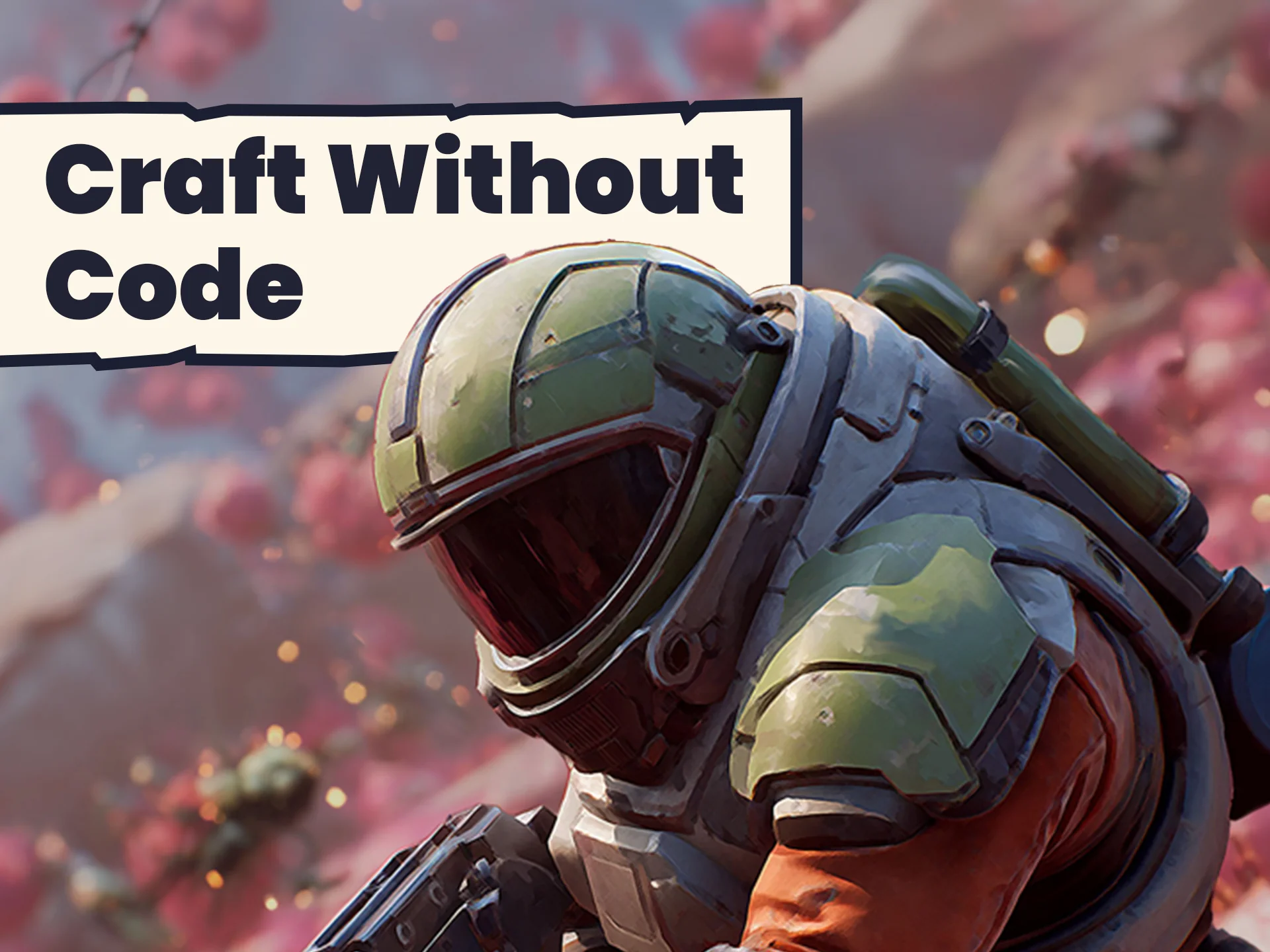
Mars Marine is the final project, and it's the most ambitious of the 3. It's a fast-paced arcade shooter that uses Unreal Engine's Lumen System to light the martian setting. Lumen is Unreal Engine's cutting-edge lighting technology, and using it in Mars Marine means you're working with the same lighting that makes UE5.6 stand out visually. Rather than relying on static lights, you'll see how Lumen can make a shooter environment feel more reactive and polished.
Reusable Level Design also comes into play here. Instead of manually placing every asset for each combat encounter, you'll build the Level with reusable pieces that can be dropped in wherever needed. That approach speeds up development and reduces the amount of repetitive work. Mars Marine ties together the Blueprint logic from Marble Run and the interaction systems from Crystal Caverns, then layers on shooting mechanics and a faster pace.
What the Lectures Actually Teach
Beyond the 3 games, the course covers a set of practical skills that apply to any Unreal Engine project. You'll master Unreal Engine's Visual Scripting system, which means learning how to think in terms of events, functions, and variables rather than lines of text. You'll also create and import assets, giving you a workflow for getting art and audio into the engine.
Lighting is a specific focus, especially Lumen technology. Sound, interaction, and polish are also part of the curriculum, so you'll learn how to add audio cues and make the game feel satisfying to play. Another major theme is building smart, reusable components. The idea is to write Blueprint logic once and then use it across multiple objects or Levels, which is a key practice for making game development more efficient.
The C++ Companion Course
This course is designed as a companion to the Complete Unreal C++ Developer course, which is described as 1 of the most popular Unreal Engine courses on the web. The 2 courses represent 2 different routes into Unreal Engine: 1 goes all-in on Visual Scripting, and the other goes deeper into C++. The Blueprint course is perfect for learners who want to focus on game logic without dealing with syntax issues. On the other hand, C++ developers can use Blueprints as a faster way to prototype ideas before committing to code.
The course doesn't force you to pick a side. It recognizes that a game developer can benefit from both approaches. By learning Blueprints 1st, you'll gain a mental model for how Unreal Engine works, which makes learning C++ later a lot easier. And if you already know C++, the Blueprint course shows you a visual layer that can accelerate your workflow.
Who This Unreal Engine 5.6 Course Is For
This course is positioned as the perfect starting point for Unreal Engine 5.6 (UE5.6), especially if you're brand new to game development. It's a beginner-level video course with 87 lectures and 11.5 hours of content. Because it's built in collaboration with Epic Games, the lessons align with current Unreal Engine workflows. The instructor is Mitchell Theriault, and the course is hosted on GameDev.tv.
The larger point is that you don't have to learn Unreal Engine alone. The GameDev.tv community is there to support you as you work through the projects. By the end, you'll have 3 polished games and a solid understanding of UE5.6. You'll have the skills and confidence to branch out on your own, whether that means refining 1 of the 3 games or building something completely new.
 Unreal Engine
 Unreal Engine
 Unreal Engine
 Unreal Engine