Introduction to Runtime Level Editing
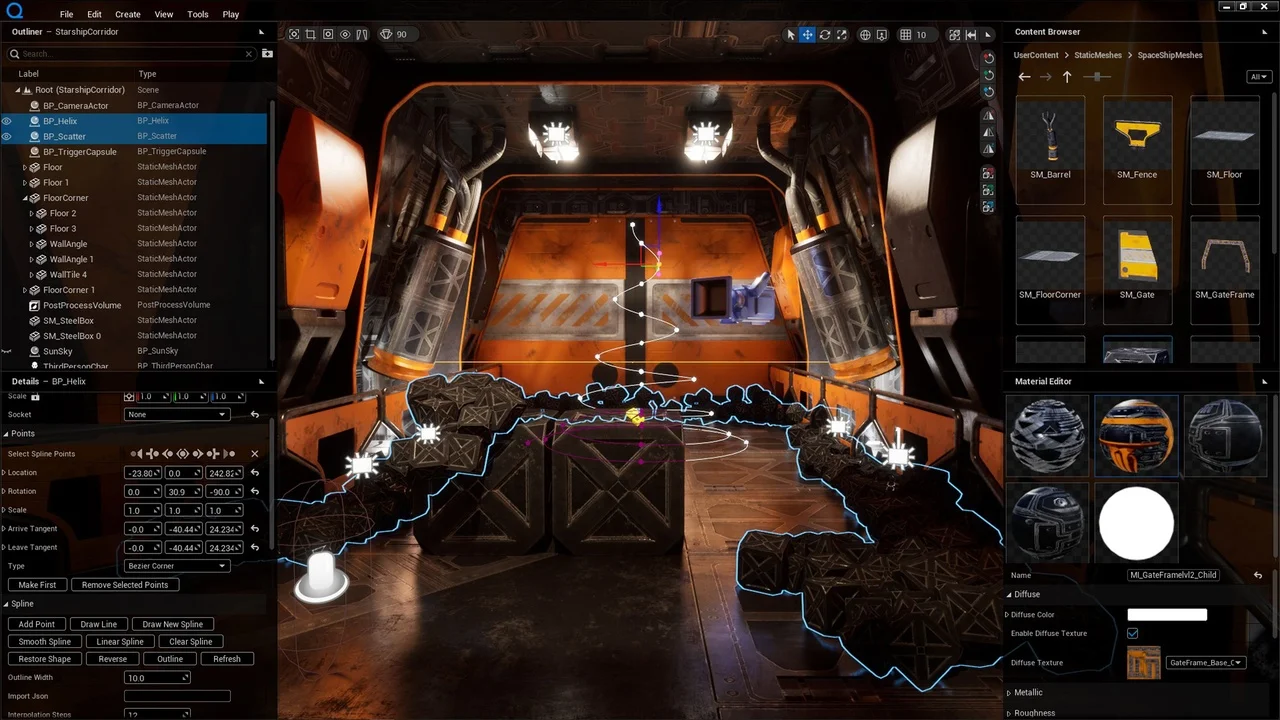
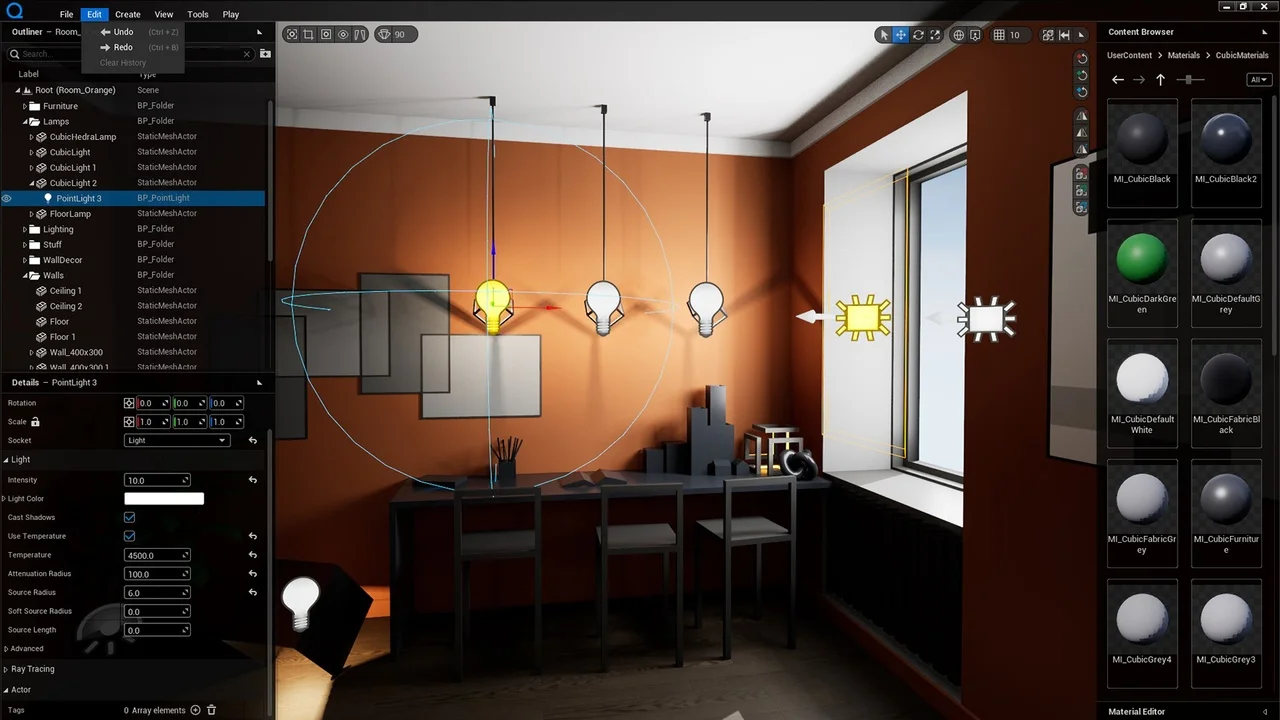
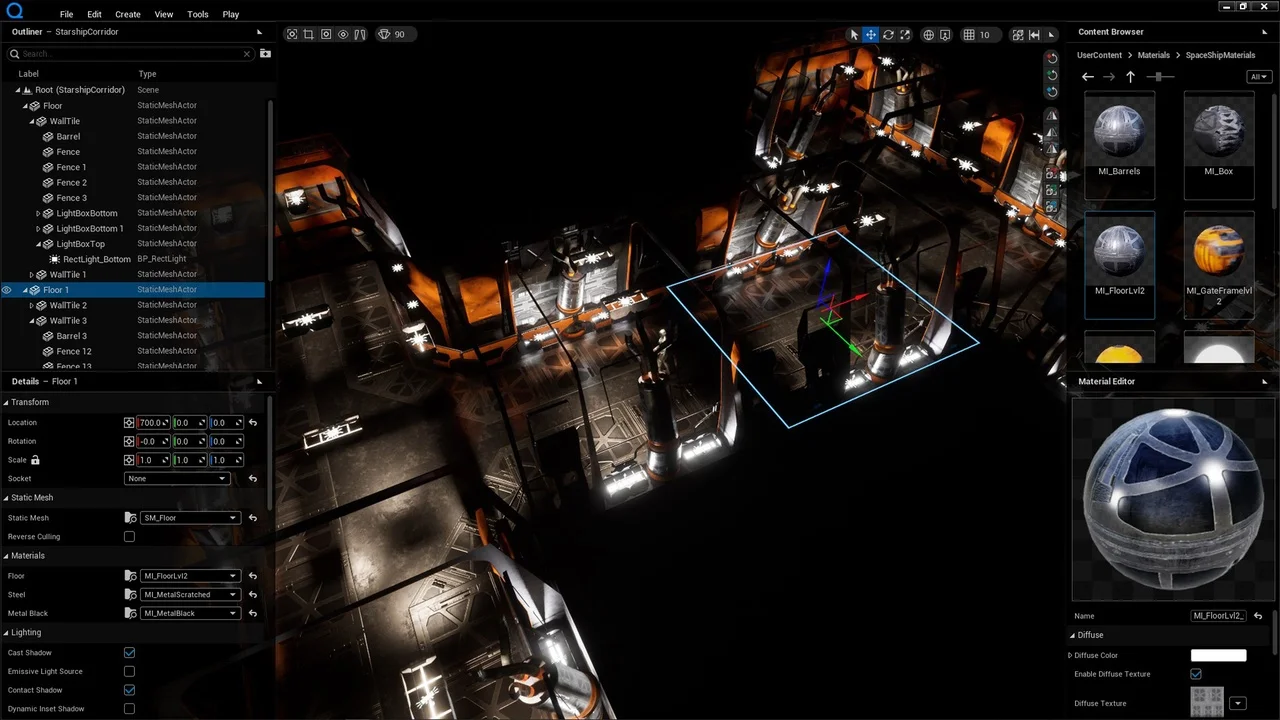
The Quiet Runtime Editor is a framework project designed for comprehensive level creation and management. It provides a suite of runtime features that allow users to create, save, load, and edit levels dynamically. Therefore, developers can build complex environments without relying solely on the standard editor interface. The system functions through two primary modes: Edit Mode for designing scenes and Play Mode for testing those designs with a player character.
Core Architecture and World Management
The foundation of this framework is the Runtime World Outliner. In the current version, the system relies on the BP_QuietTreeManager actor. This manager must be placed within the level to initialize the system at startup. Moreover, the manager stores the world tree, manages action history, and generates the user interface. It acts as a central hub, connecting every feature into a single working environment through its SerializerComponent, HistoryComponent, and Router.
Advanced Serialization and Communication
The Quiet Runtime Editor is built upon the ability to serialize objects to JSON. This functionality allows for property editing, copying, and saving data directly to the disk. Furthermore, the serialization pipeline supports a robust undo-redo system by keeping a history of user actions. Developers can also manually serialize desired classes using the provided tools.
Communication between different editor components is handled by an intermediary object-router. This router registers objects using Gameplay Tags. Consequently, system parts can communicate independently without direct access to one another. Users can also wrap data or objects in JSON format to send them through this router effectively.
Key Features for Scene Development
The framework includes several specialized widgets and tools to streamline the design process:
- Scene Save and Load: Managed by the WBP_SceneManager, this system saves scenes as JSON files in a dedicated local folder.
- Runtime Content Browser: The WBP_QuietContentBrowser allows users to add assets to a scene from the UserContent folder.
- Runtime Material Editor: Using the WBP_QuietMaterialEditor, users can create and edit dynamic materials by dragging constants from the browser.
- Actor Details: The WBP_DetailsWidget enables the direct editing of serialized actor properties.
Importing and Transforming Assets
For external assets, the Quiet Runtime Editor supports Runtime Datasmith Import. This allows for the runtime integration of udatasmith, gltf, and glb files. To manipulate these objects, the system provides a Runtime Transformation Gizmo for real-time transform edits. Additionally, the framework includes tools to align and populate actors across the scene. A dedicated Color Wheel widget, WBP_ColorPickerWindow, is also available for precise color selection.
Conclusion
By integrating powerful JSON serialization with a modular communication system, the Quiet Runtime Editor offers a complete solution for in-game level design. It provides the necessary tools for importing, transforming, and saving complex scenes. Thus, it serves as a versatile framework for developers looking to implement runtime editing capabilities in their projects.