Dynamic and Hand-Written Quest Logic
Quest Machine is a comprehensive quest management framework designed for Unity developers who need to implement complex narrative structures and objective-based gameplay. The system is built to accommodate two distinct approaches to quest design: hand-written narratives and procedurally-generated objectives. This flexibility allows developers to maintain tight control over main story arcs while populating their game worlds with dynamic, repeatable content that responds to the player’s actions.
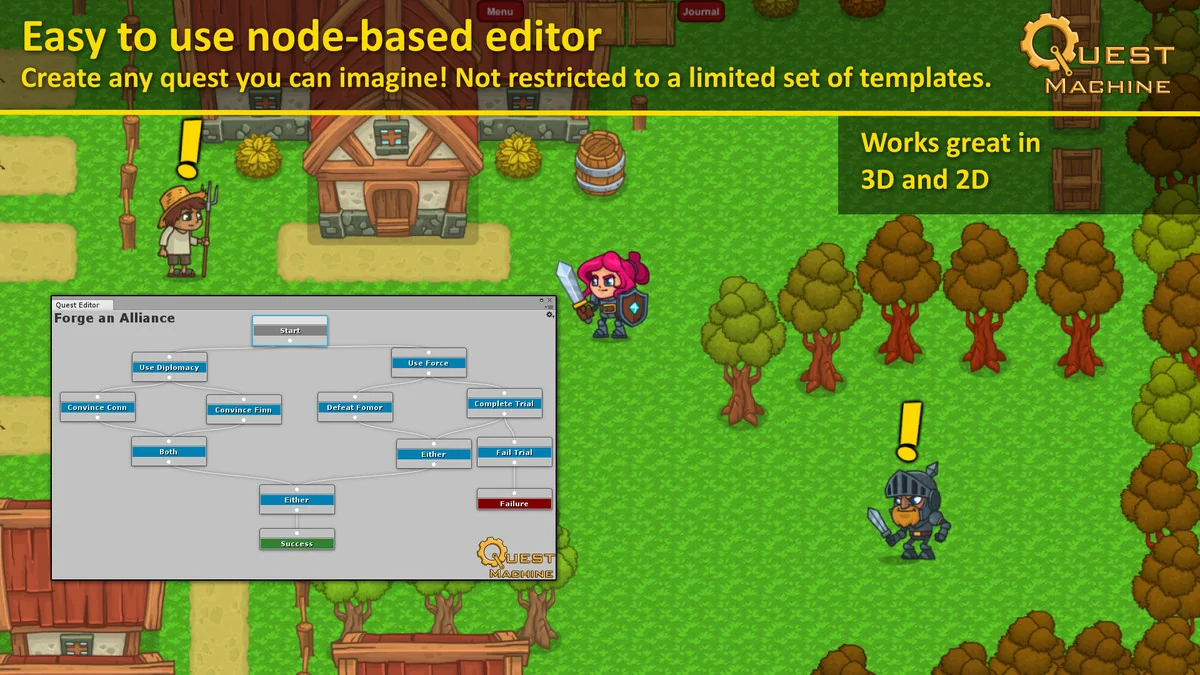
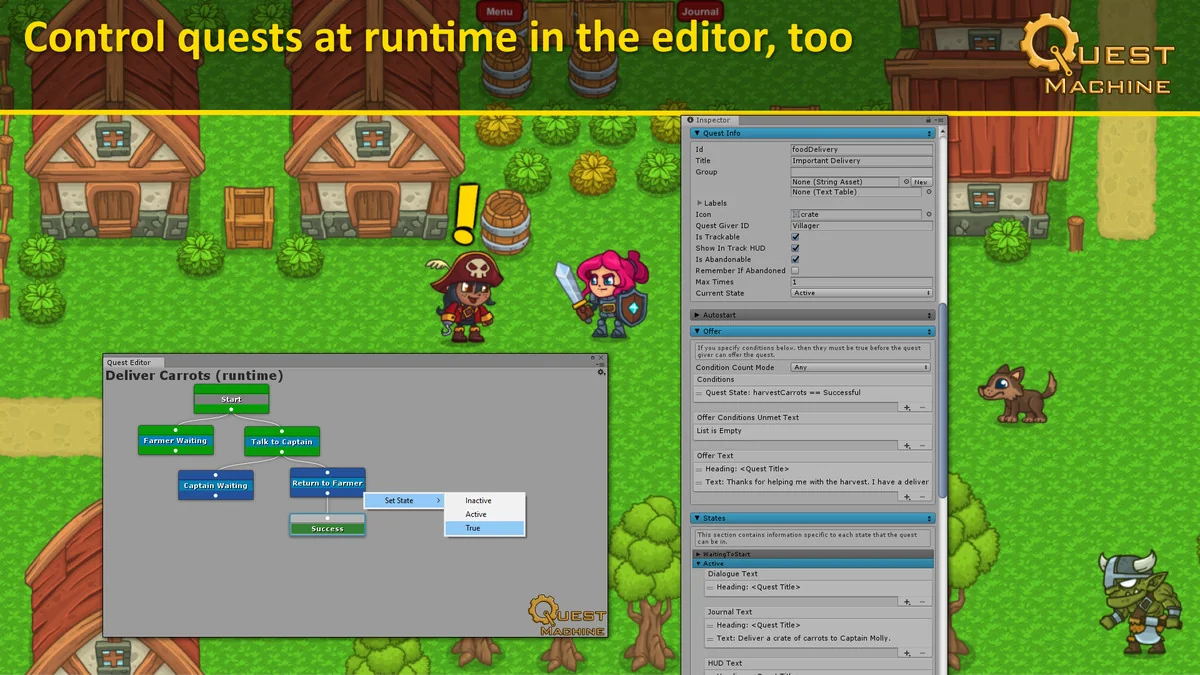
For hand-written content, the system utilizes a node-based editor. This visual approach moves quest creation away from traditional coding and into a designer-friendly interface. Because the editor is not locked into specific quest archetypes, it allows for the creation of unique mission structures that go beyond simple ‘fetch’ or ‘kill’ tasks. Designers can define complex branching logic and dependencies between different quest stages directly within the node graph.
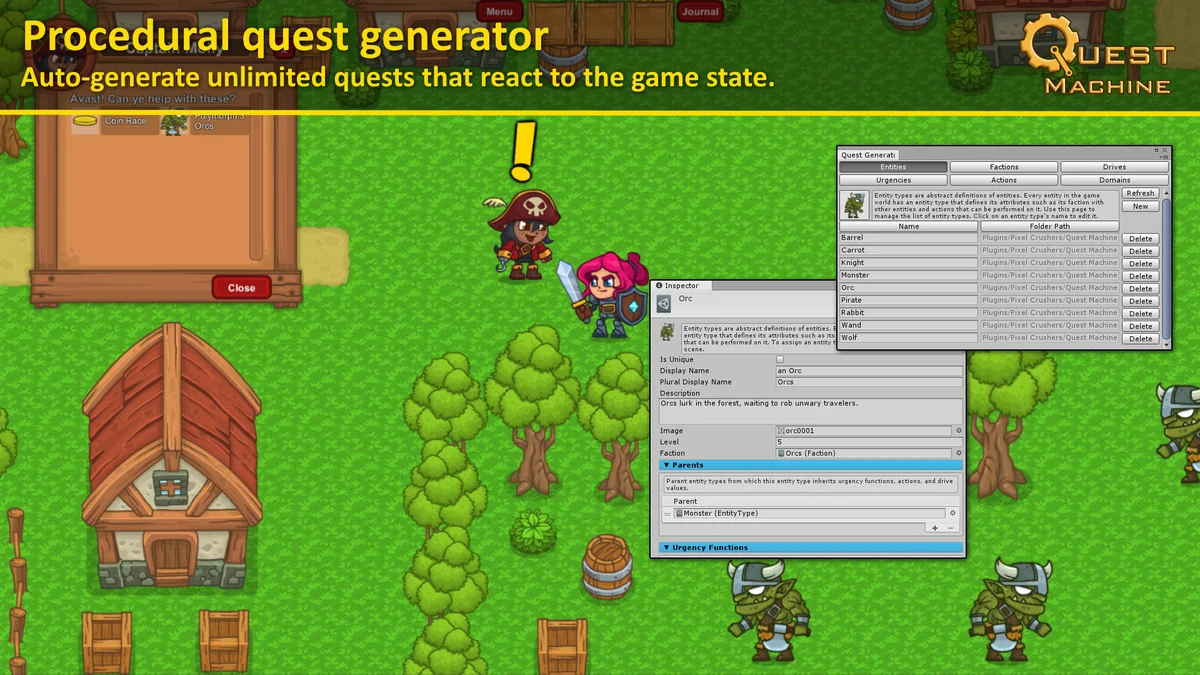
The procedural generation aspect of the system offers a different utility. It analyzes the current state of the game world to generate unlimited quests at runtime. This ensures that the game world remains active and provides the player with ongoing tasks based on the specific context of their environment. This dual-track capability makes the tool suitable for both linear, story-driven RPGs and open-ended sandbox titles where world-state consistency is vital.
Integrated UI and Feedback Components
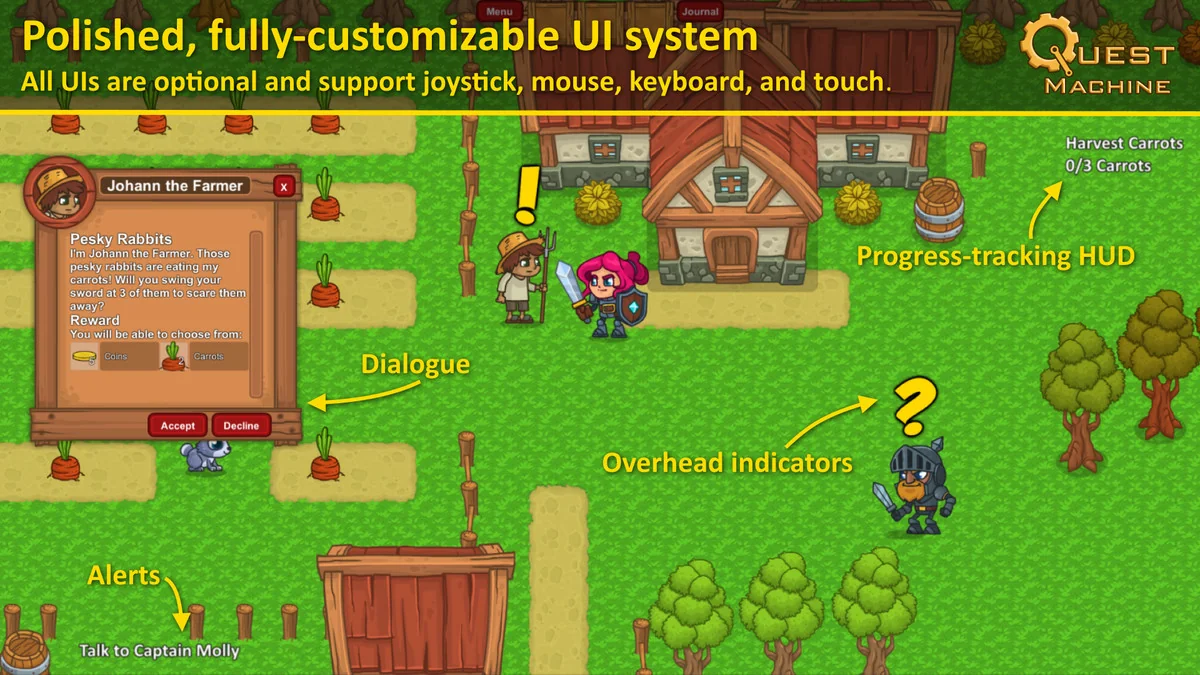
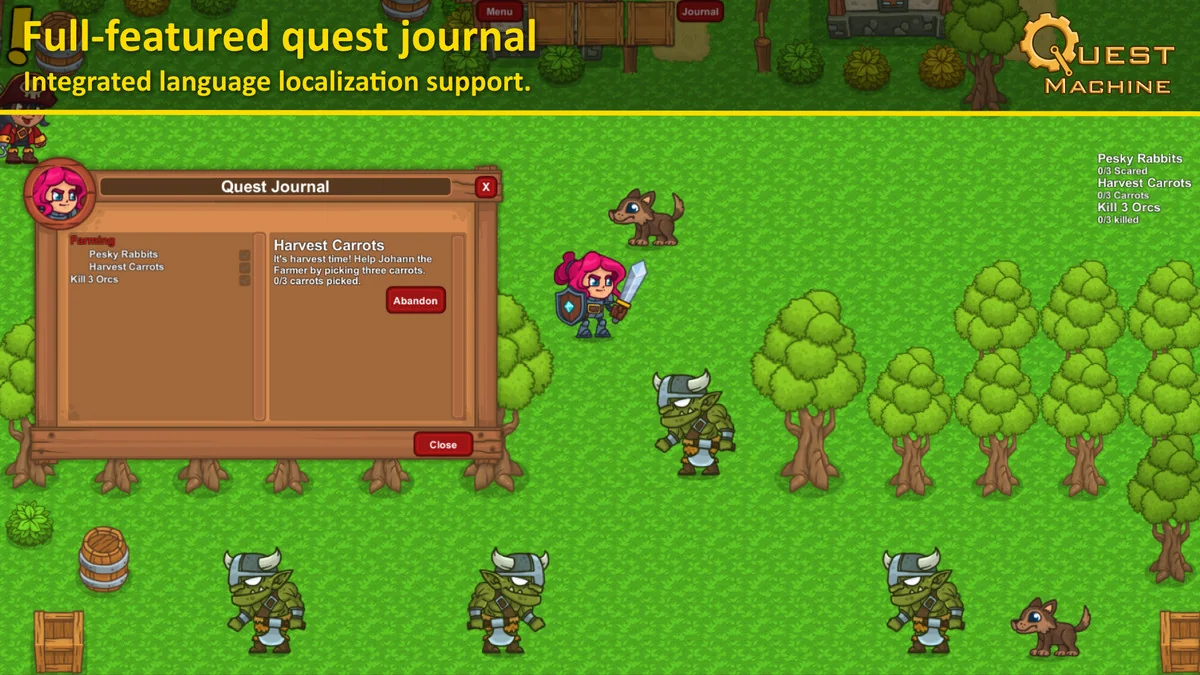
A significant portion of quest management involves communicating progress and availability to the player. Quest Machine includes a suite of UI components that handle these interactions out of the box. The system features a dedicated Quest Journal where players can review their active and completed objectives, alongside a Tracking HUD for real-time progress updates. For immediate feedback, an Alert HUD displays messages regarding quest state changes, such as when an objective is completed or a new task is accepted.
Interaction within the game world is facilitated through overhead indicators. These visual cues inform the player when a non-player character (NPC) has quest-related dialogue available, streamlining the discovery process. The UI system is built to be versatile, supporting various input methods including mouse, keyboard, joystick, and touch. This makes the tool adaptable for projects targeting different hardware, from desktop and consoles to mobile and VR devices.
Workflow Integration and Extension
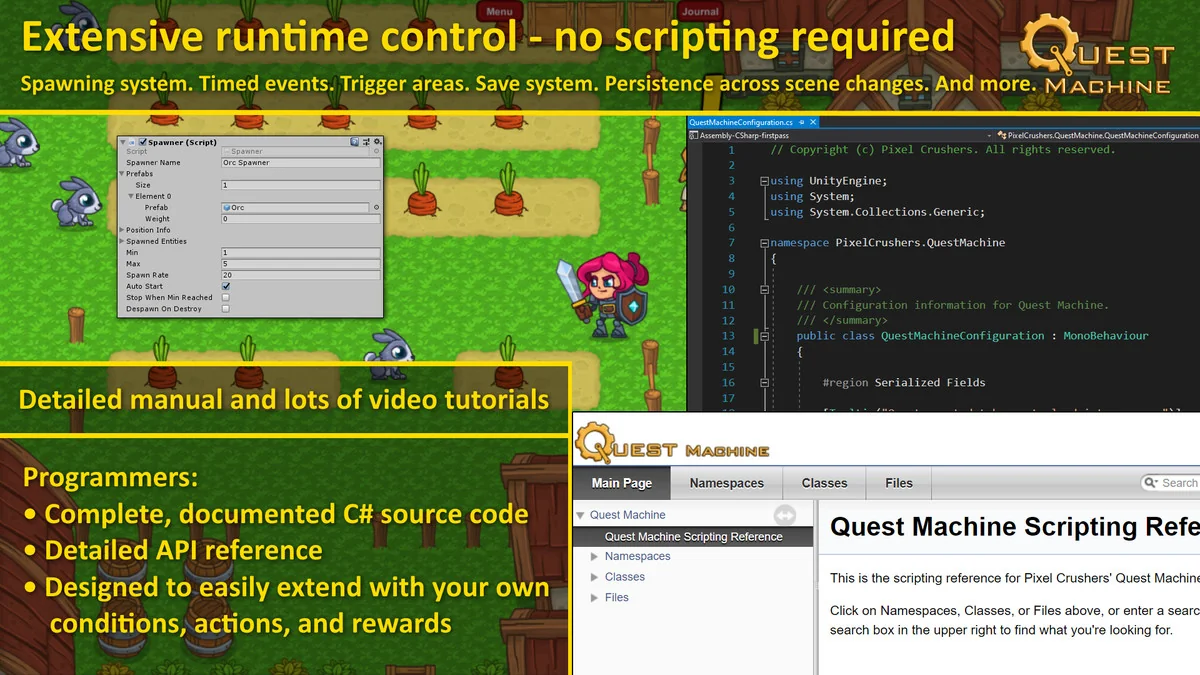
Quest Machine fits into a production workflow as a bridge between narrative design and technical implementation. It uses an event-based system to control object spawning and state changes, allowing developers to trigger world events based on quest progress without writing custom scripts for every interaction. For projects requiring deep customization, the system includes thoroughly documented source code and an extensive scripting API.
Data management is handled through advanced text handling features. Developers can give specific characters unique dialects and localize quest content to reach different markets. The system also supports the import and export of quest data via CSV formats, making it compatible with external tools like Excel or Google Sheets for large-scale narrative editing. Additionally, the framework includes built-in save and load functionality, ensuring that quest states and player progress persist across scene changes and game sessions.
Broad Compatibility and Asset Interoperability
The system is designed to work within a wide range of project types, supporting 2D, 3D, AR, and VR environments. It is compatible with Unity versions from 2019 through Unity 6, making it a stable choice for both legacy projects and those utilizing the latest engine updates. It also includes support for multiplayer game architectures.
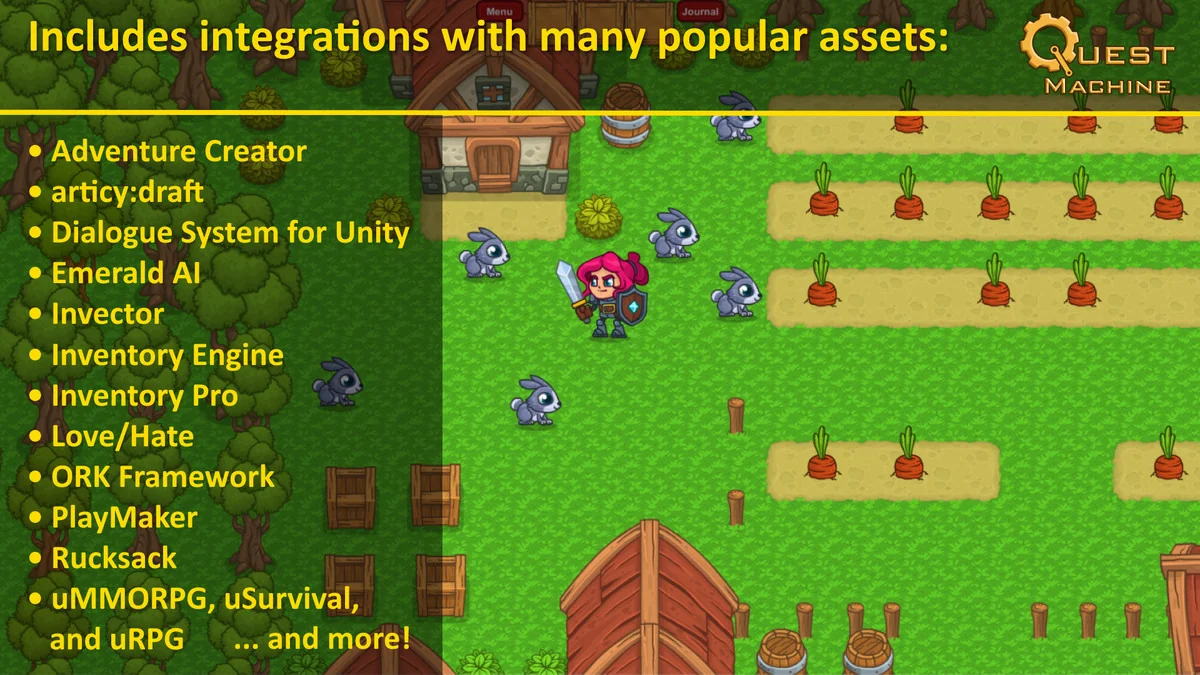
One of the primary strengths of the system is its extensive integration list with other popular Unity tools. It is built to work alongside various character controllers, inventory systems, and AI frameworks. Supported integrations include:
- Character Controllers: Invector Controllers, Opsive Character Controllers, and TopDown Engine.
- Inventory Systems: Inventory Engine, Inventory Pro, and Opsive Ultimate Inventory System.
- AI and Behavior Tools: Behavior Designer and Emerald AI.
- Narrative and Logic Tools: Dialogue System for Unity, PlayMaker, and articy:draft.
- Frameworks: ORK Framework, RPG Builder, and uMMORPG.
This level of interoperability allows developers to build a cohesive production pipeline where the quest system communicates directly with the player’s inventory, the AI’s behavior, and the overarching dialogue logic.
Practical Workflow Takeaway
Quest Machine functions as a centralized hub for all objective-related logic in a Unity project. By utilizing the node-based editor for core story beats and the procedural engine for world-filling content, developers can reduce the time spent on manual quest scripting. The inclusion of ready-to-use UI components and broad third-party asset support ensures that the quest system can be integrated into existing project architectures with minimal friction, supporting a wide array of genres from platformers to complex RPGs.
Preview Images
Protected download
Access this resource
All resources are 100% manually reviewed to eliminate all risks.