"c14ff6bd758dadb1"{"id":"1001063","slug":"physics-collision-sound","title":"Physics Collision Sound","category":"Gameplay Features","engine":"5.3+","assetVersion":"","engineVersion":"Engine Version: 5.3+","tag":"Gameplay Features","accent":"blue","visual":"mech","summary":"Physics Collision Sound adds material-aware hit, slide, roll, and water audio to any Unreal mesh with a simple drag-and-drop Blueprint workflow.","platform":"Unreal Engine","publishedAt":"2026-09-03T13:17:54.533Z","updatedAt":"2026-09-03T13:17:54.533Z","sourceNotes":[],"fileContents":[],"compatibility":["Audio","Engine Version: 5.3+"],"featuredImage":{"alt":"Physics Collision Sound","src":"/wp-content/uploads/published/2026/09/05c916db7e98-eff97865-a529-4495-b2bb-27b0ce374707-e1e1376bbe.webp"},"hasDownloadLink":true,"downloads":1,"terms":[{"taxonomy":"category","slug":"gameplay-features","name":"Gameplay Features"}],"galleryImages":[{"src":"/wp-content/uploads/published/2026/09/90f5352396e4-d577f050-a5f1-45c4-9bbb-425b6f63fac5-d608fba6ce.webp","alt":"Physics Collision Sound"},{"src":"/wp-content/uploads/published/2026/09/133ca667184b-69806357-ae31-46c7-bafb-9eb98060d1e8-418a308838.webp","alt":"Physics Collision Sound"},{"src":"/wp-content/uploads/published/2026/09/68ec8637b0d2-a8d6dadf-4071-425a-ae52-fcd4529792b3-f46ed8beec.webp","alt":"Physics Collision Sound"},{"src":"/wp-content/uploads/published/2026/09/8fbc8a88a974-43393269-ac74-4c20-b1e7-de11bc6e4c3a-981ca56eaa.webp","alt":"Physics Collision Sound"},{"src":"/wp-content/uploads/published/2026/09/909c72e710cd-1769338d-a6db-4457-86b6-a391d7958b29-487e374a6a.webp","alt":"Physics Collision Sound"},{"src":"/wp-content/uploads/published/2026/09/c032fd94e689-228de406-c1aa-4b2e-bc5d-7020da099890-198fcefb18.webp","alt":"Physics Collision Sound"},{"src":"/wp-content/uploads/published/2026/09/0923d2b78f95-ca4832a9-c9a0-431e-bc1a-eeb8fe1b5264-ac52a59c8f.webp","alt":"Physics Collision Sound"},{"src":"/wp-content/uploads/published/2026/09/59121add469f-47b11da0-689b-4f1f-8fcc-2d5b3e77ad98-803f61a435.webp","alt":"Physics Collision Sound"},{"src":"/wp-content/uploads/published/2026/09/60543d4318c6-24ef0306-5448-4863-aa0e-31213f4fdd00-7199ef801d.webp","alt":"Physics Collision Sound"},{"src":"/wp-content/uploads/published/2026/09/babbda9ec2e3-333cf8be-f498-4074-b1ba-dd7995f7e8d5-b9ac8ce64d.webp","alt":"Physics Collision Sound"}],"accessPanel":{"kind":"resource","title":"Download this resource","eyebrow":"Free Download","message":"Log in or create a free account to start your download.","fileName":"Content.7z","safetyNote":"Resources are manually reviewed before listing to improve quality and reduce obvious risks.","actionLabel":"Download Free","resourceType":"Resource archive"},"contentHtml":"\u003cp\u003eWhen a stone rolls over gravel, a metal prop clatters onto a concrete floor, or a character's ragdoll body tumbles down stairs, the right audio separates a believable physical interaction from a flat one. Physics Collision Sound targets exactly those moments in Unreal scenes, covering hitting, sliding, rolling, and water contact with a system that can be attached to any mesh component.\u003c/p\u003e\u003ch2\u003eFrom One Mesh Component to a Full Collision Audio Setup\u003c/h2\u003e\u003cp\u003eA striking fact about the package is how little setup it asks for. The main actor is \u003cstrong\u003eBP_PhysicsCollisionSound\u003c/strong\u003e, and it works as a simple drag-and-drop. When you place it onto a mesh component and select the sounds you want to use, the rest of the behavior is handled by Blueprints. No Blueprint knowledge is required, which makes it accessible to level designers, tech artists, or anyone working with physics assets who would rather avoid building an audio logic graph from scratch.\u003c/p\u003e\u003cp\u003eAccompanying the asset is an example map structured through the core functionality. The map includes example models that demonstrate the collision sound behavior in a directly playable space, letting you hear the difference between materials and movement types before wiring it into your own levels.\u003c/p\u003e\u003ch2\u003e214 Hit, Sliding, Rolling, and Water Sounds Across Materials\u003c/h2\u003e\u003cp\u003eThe sound library sits at 214 sounds, grouped by four interaction categories: hitting, sliding, rolling, and water. Within those categories, the system responds to the material it is touching. The same object can produce different results on stone, wood, metal, and a variety of other materials. Even terrain receives dedicated handling, so objects making contact with the ground do not all default to the same generic impact.\u003c/p\u003e\u003cp\u003eRather than playing a simple one-shot-per-impact, the system also mixes sounds together. That leaves that when a physics object sweeps across a boundary between materials, or when consecutive impacts land in quick succession, every hit retains its own character instead of sounding like a recycled sample. This mixing helps avoid the repetitive audio feeling that can emerge when the same object bounces around a busy scene.\u003c/p\u003e\u003cp\u003eThe Blueprint layout mirrors that role separation. There is one Blueprint for the physics object itself, one for the surface it is hitting, one for the distinct sound behavior when colliding with different materials, and one that handles liquid and tree rustling sounds. By keeping these responsibilities separate, the asset can react to more complex interactions without dumping everything into a single monolithic event.\u003c/p\u003e\u003ch2\u003eVelocity Response and a No-Tick Design\u003c/h2\u003e\u003cp\u003eCollision audio in real life is shaped by speed and by what stands between the listener and the source. Physics Collision Sound follows that same logic by making both volume and pitch relative to an object's velocity. A slow slide reads as low, subtle friction, while a fast strike sounds heavier and brighter. That velocity mapping makes the audio feel physically tied to the object's motion.\u003c/p\u003e\u003cp\u003eAn additional sound occlusion system accounts for obstacles and geometry that muffle or block the sound as it travels. This prevents collision noise from reading as if it is happening right next to the camera when the actual contact is hidden behind a wall.\u003c/p\u003e\u003cp\u003eOn the performance side, the Blueprint uses no Tick Events. Rather than performing a continuous per-frame update, it runs from discrete collision events. That makes it noticeably lighter for scenes filled with physics objects that rapidly come to rest.\u003c/p\u003e\u003ch2\u003eRagdoll, Skeletal Mesh, and AI-Perceived Collision Sounds\u003c/h2\u003e\u003cp\u003ePhysics interaction is not limited to static props. The system extends to ragdolls and skeletal meshes, and it supports bone-specific sounds. That means a character falling on their head can sound different from one who lands on a hand or a leg. It is a useful tool for death animations, hard knockdowns, and scatter sequences where the character body is driven by physics.\u003c/p\u003e\u003cp\u003eIntegration with the Advanced Locomotion System (ALS) is also noted, so projects that rely on ALS for movement can keep the collision audio layer aligned with their existing character setup. For AI-driven scenes, NPCs that carry an AIPerception Component can actually hear the collision sounds generated by the system. For production work, a guard can register when a heavy prop crashes nearby or when a ragdoll tumbles into a tight corridor, turning an audio event into a gameplay trigger.\u003c/p\u003e\u003ch2\u003eGuided Implementation Through Map, Documentation, and Video Playlist\u003c/h2\u003e\u003cp\u003eA package of this depth would be hard to tune by ear alone. The asset addresses that with a documentation PDF hosted on Google Drive and a set of videos that demonstrate each part of the system. An overview video walks through the included example level, while separate tutorials explain how to attach the asset to a mesh, add sound to ragdolls, make use of sound occlusion, and set up shake-style sounds. One dedicated tutorial covers the updated water and bush rustling behavior, which can be applied to characters passing through undergrowth or objects splashing into liquid.\u003c/p\u003e\u003cp\u003eWith these references, implementation is less about reverse-engineering the Blueprint graph and more about picking the right sounds for each material, then dropping the collision sound actor where the object behaves.\u003c/p\u003e\u003cp\u003eFor artists, game designers, and developers who work with physics-heavy Unreal scenes, Physics Collision Sound offers an efficient path to collision audio that reacts to material, velocity, and environment. The drag-and-drop setup also makes it suitable for prototyping or for polish passes on commercial projects, where there is often no time to write a custom material-sound response system from scratch.\u003c/p\u003e\n\n\u003ch2\u003eRelated Resources Worth Checking\u003c/h2\u003e\n\u003cul\u003e\n\u003cli\u003e\u003ca href=\"https://3dcghub.com/open-world-audio-system/\" title=\"Open World Audio System\"\u003eOpen World Audio System\u003c/a\u003e\u003c/li\u003e\n\u003cli\u003e\u003ca href=\"https://3dcghub.com/next-gen-destruction-toolkit/\" title=\"Next Gen Destruction Toolkit\"\u003eNext Gen Destruction Toolkit\u003c/a\u003e\u003c/li\u003e\n\u003cli\u003e\u003ca href=\"https://3dcghub.com/water-sound-samples/\" title=\"Water Sound Samples\"\u003eWater Sound Samples\u003c/a\u003e\u003c/li\u003e\n\u003cli\u003e\u003ca href=\"https://3dcghub.com/powerline-generator/\" title=\"Powerline Generator\"\u003ePowerline Generator\u003c/a\u003e\u003c/li\u003e\n\u003cli\u003e\u003ca href=\"https://3dcghub.com/interactive-water-ocean-and-swim-systems/\" title=\"Interactive Water, Ocean and Swim Systems\"\u003eInteractive Water, Ocean and Swim Systems\u003c/a\u003e\u003c/li\u003e\n\u003c/ul\u003e","contentTextLength":5870,"navigation":{"current":767,"total":3719,"previous":{"id":"1001064","slug":"post-apocalyptic-desert","title":"Post Apocalyptic Desert","category":"Apocalyptic / Post-apocalyptic","platform":"Unreal Engine","updatedAt":"2026-09-03T15:10:50.530Z"},"next":{"id":"1001062","slug":"neptune-s-roman-bath-roman-roman-baths-neptune-roman-medieval-greek-bath-3d","title":"Neptune's Roman Bath ( Roman Roman Baths Neptune Roman Medieval Greek Bath 3D )","category":"Historical","platform":"Unreal Engine","updatedAt":"2026-09-03T13:12:39.407Z"}},"relatedResources":[{"id":"1001004","slug":"next-gen-destruction-toolkit","title":"Next Gen Destruction Toolkit","category":"Gameplay Features","engine":"5.3+","assetVersion":"","engineVersion":"Engine Version: 5.3+","tag":"Gameplay Features","accent":"blue","visual":"mech","summary":"A UE5 Chaos Destruction framework using data assets, surface-driven VFX and sound, with 15 Blueprints and 14 Niagara systems. Built for Nanite/Lumen.","platform":"Unreal Engine","publishedAt":"2026-08-22T10:54:47.045Z","updatedAt":"2026-08-22T10:54:47.045Z","sourceNotes":[],"fileContents":[],"compatibility":["Unreal Engine","Engine Version: 5.3+"],"featuredImage":{"alt":"Next Gen Destruction Toolkit","src":"/wp-content/uploads/published/2026/08/ae98b282cc03-ed3bc7a2-1533-4764-9cea-bf9d64a790d8-8eb923473f.webp"},"hasDownloadLink":true,"downloads":5},{"id":"1000437","slug":"powerline-generator","title":"Powerline Generator","category":"Gameplay Features","engine":"5.1+","assetVersion":"","engineVersion":"Engine Version: 5.1+","tag":"Gameplay Features","accent":"blue","visual":"mech","summary":"Unreal Engine 5 blueprint tool for generating powerline networks with spline controls, dynamic pole materials, cable physics, wind effects, and electric box bra","platform":"Unreal Engine","publishedAt":"2026-07-10T22:27:14.786Z","updatedAt":"2026-07-10T22:27:14.786Z","sourceNotes":[],"fileContents":[],"compatibility":["Unreal Engine","Engine Version: 5.1+"],"featuredImage":{"alt":"Powerline Generator","src":"/wp-content/uploads/published/2026/07/e62e48e2d844-a38d6222-1e25-420d-ac8a-30e5a3852fed-e38e3054db.webp"},"hasDownloadLink":true,"downloads":0},{"id":"10993","slug":"interactive-water-ocean-and-swim-systems","title":"Interactive Water, Ocean and Swim Systems","category":"Gameplay Features","engine":"5.4+","assetVersion":"Engine version: 5.4+","engineVersion":"5.3","tag":"Gameplay Features","accent":"blue","visual":"animation","summary":"Discover a robust 3-in-1 solution for creating interactive aquatic environments. This system features advanced shaders, realistic buoyancy, and complete multiplayer support for swimming above and below the surface.","platform":"Unreal Engine","publishedAt":"2026-03-03T16:40:07.000Z","updatedAt":"2026-04-19T15:49:53.000Z","sourceNotes":[],"fileContents":[],"compatibility":["Unreal Engine","Engine version: 5.4+"],"featuredImage":{"alt":"Interactive Water, Ocean and Swim Systems","src":"https://3dcghub.com/wp-content/uploads/2026/03/5bc7b9ab-1622-4a70-a72e-efdf2f38bc9a.webp"},"hasDownloadLink":true,"downloads":2}]}
Gameplay Features
Physics Collision Sound
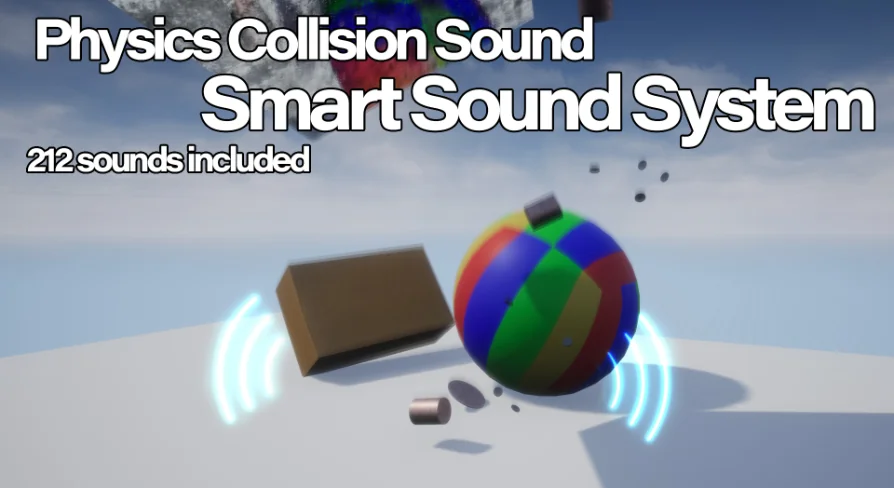
Physics Collision Sound adds material-aware hit, slide, roll, and water audio to any Unreal mesh with a simple drag-and-drop Blueprint workflow.
When a stone rolls over gravel, a metal prop clatters onto a concrete floor, or a character's ragdoll body tumbles down stairs, the right audio separates a believable physical interaction from a flat one. Physics Collision Sound targets exactly those moments in Unreal scenes, covering hitting, sliding, rolling, and water contact with a system that can be attached to any mesh component.
From One Mesh Component to a Full Collision Audio Setup
A striking fact about the package is how little setup it asks for. The main actor is BP_PhysicsCollisionSound, and it works as a simple drag-and-drop. When you place it onto a mesh component and select the sounds you want to use, the rest of the behavior is handled by Blueprints. No Blueprint knowledge is required, which makes it accessible to level designers, tech artists, or anyone working with physics assets who would rather avoid building an audio logic graph from scratch.
Accompanying the asset is an example map structured through the core functionality. The map includes example models that demonstrate the collision sound behavior in a directly playable space, letting you hear the difference between materials and movement types before wiring it into your own levels.
214 Hit, Sliding, Rolling, and Water Sounds Across Materials
The sound library sits at 214 sounds, grouped by four interaction categories: hitting, sliding, rolling, and water. Within those categories, the system responds to the material it is touching. The same object can produce different results on stone, wood, metal, and a variety of other materials. Even terrain receives dedicated handling, so objects making contact with the ground do not all default to the same generic impact.
Rather than playing a simple one-shot-per-impact, the system also mixes sounds together. That leaves that when a physics object sweeps across a boundary between materials, or when consecutive impacts land in quick succession, every hit retains its own character instead of sounding like a recycled sample. This mixing helps avoid the repetitive audio feeling that can emerge when the same object bounces around a busy scene.
The Blueprint layout mirrors that role separation. There is one Blueprint for the physics object itself, one for the surface it is hitting, one for the distinct sound behavior when colliding with different materials, and one that handles liquid and tree rustling sounds. By keeping these responsibilities separate, the asset can react to more complex interactions without dumping everything into a single monolithic event.
Velocity Response and a No-Tick Design
Collision audio in real life is shaped by speed and by what stands between the listener and the source. Physics Collision Sound follows that same logic by making both volume and pitch relative to an object's velocity. A slow slide reads as low, subtle friction, while a fast strike sounds heavier and brighter. That velocity mapping makes the audio feel physically tied to the object's motion.
An additional sound occlusion system accounts for obstacles and geometry that muffle or block the sound as it travels. This prevents collision noise from reading as if it is happening right next to the camera when the actual contact is hidden behind a wall.
On the performance side, the Blueprint uses no Tick Events. Rather than performing a continuous per-frame update, it runs from discrete collision events. That makes it noticeably lighter for scenes filled with physics objects that rapidly come to rest.
Ragdoll, Skeletal Mesh, and AI-Perceived Collision Sounds
Physics interaction is not limited to static props. The system extends to ragdolls and skeletal meshes, and it supports bone-specific sounds. That means a character falling on their head can sound different from one who lands on a hand or a leg. It is a useful tool for death animations, hard knockdowns, and scatter sequences where the character body is driven by physics.
Integration with the Advanced Locomotion System (ALS) is also noted, so projects that rely on ALS for movement can keep the collision audio layer aligned with their existing character setup. For AI-driven scenes, NPCs that carry an AIPerception Component can actually hear the collision sounds generated by the system. For production work, a guard can register when a heavy prop crashes nearby or when a ragdoll tumbles into a tight corridor, turning an audio event into a gameplay trigger.
Guided Implementation Through Map, Documentation, and Video Playlist
A package of this depth would be hard to tune by ear alone. The asset addresses that with a documentation PDF hosted on Google Drive and a set of videos that demonstrate each part of the system. An overview video walks through the included example level, while separate tutorials explain how to attach the asset to a mesh, add sound to ragdolls, make use of sound occlusion, and set up shake-style sounds. One dedicated tutorial covers the updated water and bush rustling behavior, which can be applied to characters passing through undergrowth or objects splashing into liquid.
With these references, implementation is less about reverse-engineering the Blueprint graph and more about picking the right sounds for each material, then dropping the collision sound actor where the object behaves.
For artists, game designers, and developers who work with physics-heavy Unreal scenes, Physics Collision Sound offers an efficient path to collision audio that reacts to material, velocity, and environment. The drag-and-drop setup also makes it suitable for prototyping or for polish passes on commercial projects, where there is often no time to write a custom material-sound response system from scratch.
 Gameplay Features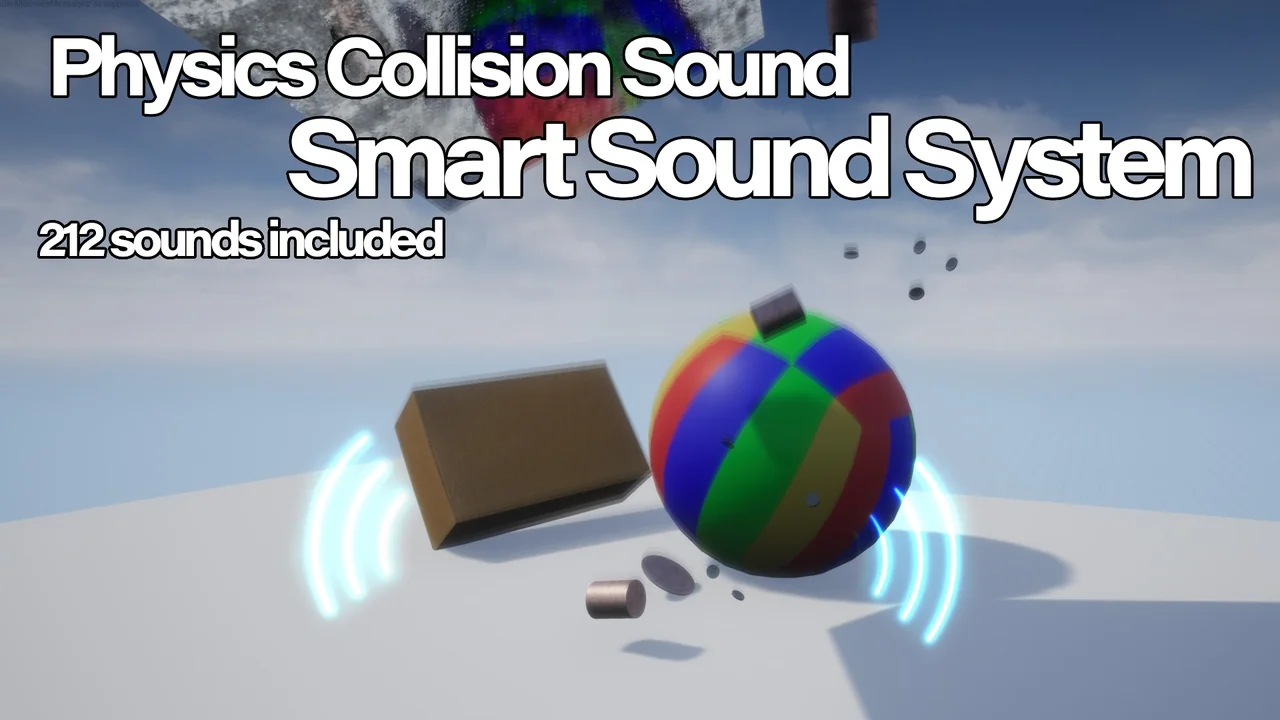
 Gameplay Features
 Gameplay Features
 Gameplay Features