"c68a05d5e51405b3"{"id":"27100","slug":"ogs-dialogue-quest-master","title":"OGS - Dialogue \u0026 Quest Master","category":"Dialog Systems","engine":"5.5 - 5.6","assetVersion":"Engine version: 5.5 - 5.6","engineVersion":"Asset Version:2.1.3","tag":"Dialog Systems","accent":"blue","visual":"mech","summary":"Dialogue \u0026 Quest Master turns Unreal Engine 5 into a structured workspace for interactive stories, quests, and cinematic conversations. It brings dialogue editing, quest logic, statistics, and save handling into one extensible framework built with C++ and B...","platform":"Unreal Engine","publishedAt":"2026-04-21T10:12:23.000Z","updatedAt":"2026-04-21T10:12:25.000Z","sourceNotes":[],"fileContents":[],"compatibility":["Unreal Engine","Engine version: 5.5 - 5.6","Asset Version: 2.1.3"],"featuredImage":{"alt":"OGS - Dialogue \u0026 Quest Master","src":"https://3dcghub.com/wp-content/uploads/2026/04/48a41fb58a32_582b3097-a5c8-4066-8891-d6d8924e4ecc-4.webp"},"hasDownloadLink":true,"downloads":1,"terms":[{"taxonomy":"category","slug":"dialog-systems-tools-and-plugins","name":"Dialog Systems"},{"taxonomy":"post_tag","slug":"game-systems","name":"Game Systems"},{"taxonomy":"post_tag","slug":"tools","name":"Tools"},{"taxonomy":"post_tag","slug":"unreal-engine","name":"Unreal Engine"}],"galleryImages":[{"src":"https://3dcghub.com/wp-content/uploads/2026/04/99a0a7794c83_777398bd-185c-4698-8504-af6c555f7749-4.webp","alt":"OGS - Dialogue \u0026 Quest Master"},{"src":"https://3dcghub.com/wp-content/uploads/2026/04/702b4ee01be4_fb5a51c2-15a4-4165-9e8a-f50fb2bb73b7-4.webp","alt":"OGS - Dialogue \u0026 Quest Master"},{"src":"https://3dcghub.com/wp-content/uploads/2026/04/669cb1c07e31_435925a4-bc65-4743-8dac-50ee8ac464c3-4.webp","alt":"OGS - Dialogue \u0026 Quest Master"},{"src":"https://3dcghub.com/wp-content/uploads/2026/04/3d5c9512a2c5_bfdfb431-9710-4445-a4e0-cb8efb3ef374-4.webp","alt":"OGS - Dialogue \u0026 Quest Master"},{"src":"https://3dcghub.com/wp-content/uploads/2026/04/7ed99c852cdf_3e75bc49-bc85-475c-8ddb-1cc0f7844184-4.webp","alt":"OGS - Dialogue \u0026 Quest Master"},{"src":"https://3dcghub.com/wp-content/uploads/2026/04/6c3666a8efbc_651cd862-bda4-4f46-8059-460dee512335-4.webp","alt":"OGS - Dialogue \u0026 Quest Master"},{"src":"https://3dcghub.com/wp-content/uploads/2026/04/3e355fde3212_eb0aff31-cae9-410a-a5f4-26b2f201a927-3.webp","alt":"OGS - Dialogue \u0026 Quest Master"},{"src":"https://3dcghub.com/wp-content/uploads/2026/04/4ecc588a4368_27e5dc16-853f-4719-a220-3ead14ef5a28-2.webp","alt":"OGS - Dialogue \u0026 Quest Master"},{"src":"https://3dcghub.com/wp-content/uploads/2026/04/1ef88958547d_e49e60bf-0917-481d-910c-3b8b32f55f37-4.webp","alt":"OGS - Dialogue \u0026 Quest Master"},{"src":"https://3dcghub.com/wp-content/uploads/2026/04/25f1f020a583_0b590c3f-8724-45e2-8ee3-c470d025059a-4.webp","alt":"OGS - Dialogue \u0026 Quest Master"}],"accessPanel":{"kind":"resource","title":"Access this resource","eyebrow":"Free Download","message":"Log in or create a free account to start your download.","fileName":"OGS - Dialogue \u0026 Quest Master 5.5 - 5.6,v2.1.3.7z","safetyNote":"All resources are 100% manually reviewed to eliminate all risks.","actionLabel":"Download Free","resourceType":"Resource archive"},"contentHtml":"\u003ch2\u003eInteractive scenes that move from dialogue to gameplay\u003c/h2\u003e\u003cp\u003eDialogue \u0026amp; Quest Master is built for projects where conversations, objectives, and cinematics need to stay connected. It brings Unreal Engine 5 into a workflow for interactive stories, combining a dialogue editor, a quest framework, automation tools, and cinematic integration in one system. The result is a setup where plain text can become playable dialogue sequences without forcing a project into a rigid structure.\u003c/p\u003e\u003cp\u003eThe framework is built entirely in C++ and Blueprints, and it is fully extensible. That makes it suitable for small prototypes as well as larger RPG-style projects. It is also part of the OGS ecosystem and integrates with Interaction Master, while OGS Core is required as the base framework.\u003c/p\u003e\u003cp\u003eWhat stands out immediately is how much of the narrative pipeline is already tied together. Dialogue, quests, statistics, and save state are all treated as connected parts of the same gameplay layer instead of separate systems that need to be stitched together later.\u003c/p\u003e\u003ch2\u003eDialogue creation with branching, conditions, and cinematic timing\u003c/h2\u003e\u003cp\u003eThe dialogue side uses a dedicated graph-based editor to help structure conversations visually. Conditions, actions, branching paths, skippable lines, character tags, and sub-graphs are all included, giving designers room to shape reactive dialogue without touching C++ code for every conversation change.\u003c/p\u003e\u003cp\u003eCinematic support is built directly into the workflow. Body animations, MetaHuman facial animation, spatialized audio, and subtitles are supported natively. Subtitles can also be placed directly in Sequencer so they line up with level cinematics. That makes the system useful for scenes where dialogue is meant to land in sync with camera movement and performance timing.\u003c/p\u003e\u003cp\u003eSeveral workflow tools are included for faster iteration. Raw text can be pasted in to auto-generate nodes, voice lines can be generated through an ElevenLabs API key, facial animations can be linked automatically, and ARKit curves can be converted for custom facial rigs. The framework also adds a Random Branch Node for dynamic dialogue branching, which helps conversations feel less predictable when a scene needs variation.\u003c/p\u003e\u003cp\u003eVersion 3.0 also brings broader improvements to the dialogue workflow: full network replication for dialogues, quests, and statistics, a refactored save system, massively improved graph editors, blueprint-style comments, multi-node edition, copy and paste, undo and redo, customizable fonts and colors, improved cinematic workflow and editor stability, and an improved camera system with bone tracking.\u003c/p\u003e\u003ch2\u003eQuest logic, reminders, and tracked progress\u003c/h2\u003e\u003cp\u003eQuests are handled in their own node-based editor, following the same visual approach as the dialogue tools. That makes it easier to design branching flows, completion logic, alternative paths, and dependencies without switching to a different style of workflow.\u003c/p\u003e\u003cp\u003eThe quest layer includes a customizable Quest Journal, a tracked quest widget, and a notification system. Built-in tasks cover common structures such as talking to an NPC, reaching a location, or completing stat and achievement objectives, so projects can get started quickly while still keeping the logic open for extension in Blueprint or C++.\u003c/p\u003e\u003cp\u003eA quest reminder system was added in Version 3.0. When a task is active, an optional dialogue can be configured to play at random intervals and remind the player what to do. That small feature supports games where objectives need to stay clear without breaking the narrative tone.\u003c/p\u003e\u003ch2\u003eStatistics, saving, and networked narrative state\u003c/h2\u003e\u003cp\u003eThe statistics system tracks gameplay events such as kills, items collected, interactions, and other events. These values are not isolated counters; they can drive dialogue conditions and quest objectives, which makes the narrative layer reactive to what the player has actually done.\u003c/p\u003e\u003cp\u003eAll statistics are replicated and saved as part of the global narrative state. Version 3.0 extends that idea with full network replication for dialogues, quests, and statistics, so the state can move cleanly from server to clients.\u003c/p\u003e\u003cp\u003eThe save architecture was redesigned as well. The entire narrative state, including dialogues, quests, progress, and stats, can be saved, loaded, replicated, and replaced with a different backend if needed. The system can work with Unreal’s SaveGame system, a custom database, or an external service by overriding a few functions. That flexibility is useful when a project needs to keep its narrative state inside an existing pipeline rather than adapting the pipeline to the plugin.\u003c/p\u003e\u003ch2\u003eBuilt for production work and project-specific UI\u003c/h2\u003e\u003cp\u003eEvery interface is customizable, including the dialogue UI, quest journal, quest notifications, and tracked quest list. A centralized configuration asset lets teams change fonts, colors, backgrounds, icons, and layout to match the game’s identity. Controller-aware UI logic is included out of the box.\u003c/p\u003e\u003cp\u003eThe framework is built for real production use, with all features accessible in Blueprints, full source code included, and a clean, documented architecture. It is positioned to work across FPS, RPG, survival, action-adventure, open-world, and similar project types without locking the project into a single genre structure.\u003c/p\u003e\u003cp\u003eWritten documentation, video tutorials, and an active Discord community are available, along with a public roadmap. The community already includes 100+ developers using the framework, and the overall package is aimed at teams that want narrative tools, quest logic, statistics, and cinematic presentation to live in the same setup. For projects that need dialogue and objectives to respond to gameplay state while staying editable in both Blueprint and C++, that combination is the central advantage.\u003c/p\u003e\n\n\u003ch2\u003eExplore Similar Assets\u003c/h2\u003e\n\u003cul\u003e\n\u003cli\u003e\u003ca href=\"https://3dcghub.com/shootlikeme-unreal-engine-third-person-shooter-template/\" title=\"ShootLikeMe – Unreal Engine Third Person Shooter Template\"\u003eShootLikeMe – Unreal Engine Third Person Shooter Template\u003c/a\u003e\u003c/li\u003e\n\u003cli\u003e\u003ca href=\"https://3dcghub.com/advanced-unreal-engine-5-multiplayer-gameplay-programming/\" title=\"Advanced Unreal Engine 5 Multiplayer Gameplay Programming\"\u003eAdvanced Unreal Engine 5 Multiplayer Gameplay Programming\u003c/a\u003e\u003c/li\u003e\n\u003cli\u003e\u003ca href=\"https://3dcghub.com/niagara-beginners-to-advanced-in-unreal-engine-5/\" title=\"Niagara Beginners to advanced in Unreal Engine 5\"\u003eNiagara Beginners to advanced in Unreal Engine 5\u003c/a\u003e\u003c/li\u003e\n\u003cli\u003e\u003ca href=\"https://3dcghub.com/create-zelda-like-skills-with-c-in-unreal-engine-5-2/\" title=\"Create Zelda-like skills with C++ in unreal engine 5\"\u003eCreate Zelda-like skills with C++ in unreal engine 5\u003c/a\u003e\u003c/li\u003e\n\u003cli\u003e\u003ca href=\"https://3dcghub.com/main-menus-beginner-class-unreal-engine-5/\" title=\"Main Menus Beginner Class – Unreal Engine 5\"\u003eMain Menus Beginner Class – Unreal Engine 5\u003c/a\u003e\u003c/li\u003e\n\u003c/ul\u003e","contentTextLength":6098,"navigation":{"current":2124,"total":3860,"previous":{"id":"27114","slug":"driveable-steampunk-car-vehicle-steampunk-car-retro-futuristic-victorian","title":"Driveable SteamPunk Car / Vehicle ( SteamPunk Car Retro Futuristic Victorian)","category":"Vehicles \u0026 Transportation","platform":"Unreal Engine","updatedAt":"2026-04-21T10:30:11.000Z"},"next":{"id":"27084","slug":"defender-top-down-shooter-v3-3","title":"Defender: Top-Down Shooter v3.3","category":"Shooter","platform":"Unreal Engine","updatedAt":"2026-04-21T08:45:52.000Z"}},"relatedResources":[{"id":"13636","slug":"dialogue-plugin","title":"Dialogue Plugin","category":"Dialog Systems","engine":"1.5","assetVersion":"Engine version: 5.2 - 5.3,5.6","engineVersion":"Asset Version:1.5","tag":"Dialog Systems","accent":"blue","visual":"mech","summary":"The Dialogue Plugin is a robust tool for Unreal Engine 5 that simplifies the creation of branching conversations. With a custom node-based editor and optional AI integration, it provides a professional solution for narrative-driven games.","platform":"Unreal Engine","publishedAt":"2026-03-11T09:23:26.000Z","updatedAt":"2026-06-18T22:58:59.169Z","sourceNotes":[],"fileContents":[],"compatibility":["Unreal Engine","Engine version: 5.2 - 5.3,5.6","Asset Version:1.5"],"featuredImage":{"alt":"Dialogue Plugin","src":"https://3dcghub.com/wp-content/uploads/2026/03/936120c3-4bdc-4cff-88bf-810e4facaedd.webp"},"hasDownloadLink":true,"downloads":0},{"id":"14282","slug":"narrative-tales-node-based-quests-and-dialogue","title":"Narrative Tales - Node Based Quests and Dialogue","category":"Engine Tools","engine":"5.4 - 5.5","assetVersion":"Engine version: 5.4 - 5.5","engineVersion":"Asset Version:3.5 - 3.6","tag":"Engine Tools","accent":"blue","visual":"animation","summary":"Narrative Tales - Node Based Quests and Dialogue provides a professional, node-based solution for building complex story systems and cinematic interactions in Unreal Engine.","platform":"Unreal Engine","publishedAt":"2026-03-11T17:18:03.000Z","updatedAt":"2026-04-19T15:45:49.000Z","sourceNotes":[],"fileContents":[],"compatibility":["Unreal Engine","Engine version: 5.4 - 5.5","Asset Version: 3.5 - 3.6"],"featuredImage":{"alt":"Narrative Tales - Node Based Quests and Dialogue","src":"https://3dcghub.com/wp-content/uploads/2026/03/4704c395-9d69-4f9e-bb63-fc67d2198758.webp"},"hasDownloadLink":true,"downloads":2},{"id":"15157","slug":"quest-editor-plugin","title":"Quest Editor Plugin","category":"Network \u0026 Multiplayer","engine":"4.25 - 5.7","assetVersion":"Asset Version:8.0 - 10.14","engineVersion":"Engine version: 4.25 - 5.7","tag":"Network","accent":"blue","visual":"audio","summary":"Enhance your game development workflow with the Quest Editor Plugin. This modular system allows for customizable quests and dialogue with full multiplayer support for various project types.","platform":"Unreal Engine","publishedAt":"2026-03-12T08:06:14.000Z","updatedAt":"2026-09-30T04:38:07.422Z","sourceNotes":[],"fileContents":[],"compatibility":["Unreal Engine","Asset Version:8.0 - 10.14","Engine version: 4.25 - 5.7"],"featuredImage":{"alt":"Quest Editor Plugin","src":"https://3dcghub.com/wp-content/uploads/2026/03/8ecd90ae-2d23-4d68-850e-88eeca768f45.webp"},"hasDownloadLink":true,"downloads":0}]}
Dialog Systems
OGS - Dialogue & Quest Master
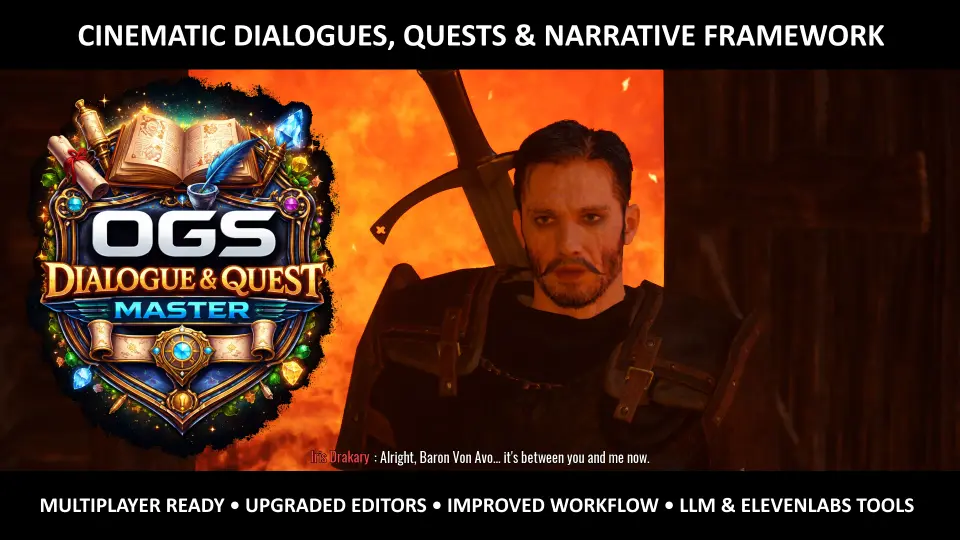
Dialogue & Quest Master turns Unreal Engine 5 into a structured workspace for interactive stories, quests, and cinematic conversations. It brings dialogue editing, quest logic, statistics, and save handling into one extensible framework built with C++ and B...
Interactive scenes that move from dialogue to gameplay
Dialogue & Quest Master is built for projects where conversations, objectives, and cinematics need to stay connected. It brings Unreal Engine 5 into a workflow for interactive stories, combining a dialogue editor, a quest framework, automation tools, and cinematic integration in one system. The result is a setup where plain text can become playable dialogue sequences without forcing a project into a rigid structure.
The framework is built entirely in C++ and Blueprints, and it is fully extensible. That makes it suitable for small prototypes as well as larger RPG-style projects. It is also part of the OGS ecosystem and integrates with Interaction Master, while OGS Core is required as the base framework.
What stands out immediately is how much of the narrative pipeline is already tied together. Dialogue, quests, statistics, and save state are all treated as connected parts of the same gameplay layer instead of separate systems that need to be stitched together later.
Dialogue creation with branching, conditions, and cinematic timing
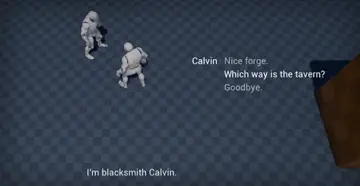
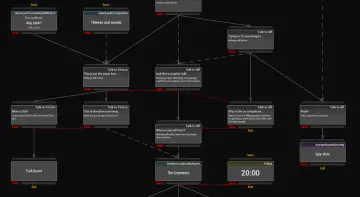
The dialogue side uses a dedicated graph-based editor to help structure conversations visually. Conditions, actions, branching paths, skippable lines, character tags, and sub-graphs are all included, giving designers room to shape reactive dialogue without touching C++ code for every conversation change.
Cinematic support is built directly into the workflow. Body animations, MetaHuman facial animation, spatialized audio, and subtitles are supported natively. Subtitles can also be placed directly in Sequencer so they line up with level cinematics. That makes the system useful for scenes where dialogue is meant to land in sync with camera movement and performance timing.
Several workflow tools are included for faster iteration. Raw text can be pasted in to auto-generate nodes, voice lines can be generated through an ElevenLabs API key, facial animations can be linked automatically, and ARKit curves can be converted for custom facial rigs. The framework also adds a Random Branch Node for dynamic dialogue branching, which helps conversations feel less predictable when a scene needs variation.
Version 3.0 also brings broader improvements to the dialogue workflow: full network replication for dialogues, quests, and statistics, a refactored save system, massively improved graph editors, blueprint-style comments, multi-node edition, copy and paste, undo and redo, customizable fonts and colors, improved cinematic workflow and editor stability, and an improved camera system with bone tracking.
Quest logic, reminders, and tracked progress
Quests are handled in their own node-based editor, following the same visual approach as the dialogue tools. That makes it easier to design branching flows, completion logic, alternative paths, and dependencies without switching to a different style of workflow.
The quest layer includes a customizable Quest Journal, a tracked quest widget, and a notification system. Built-in tasks cover common structures such as talking to an NPC, reaching a location, or completing stat and achievement objectives, so projects can get started quickly while still keeping the logic open for extension in Blueprint or C++.
A quest reminder system was added in Version 3.0. When a task is active, an optional dialogue can be configured to play at random intervals and remind the player what to do. That small feature supports games where objectives need to stay clear without breaking the narrative tone.
Statistics, saving, and networked narrative state
The statistics system tracks gameplay events such as kills, items collected, interactions, and other events. These values are not isolated counters; they can drive dialogue conditions and quest objectives, which makes the narrative layer reactive to what the player has actually done.
All statistics are replicated and saved as part of the global narrative state. Version 3.0 extends that idea with full network replication for dialogues, quests, and statistics, so the state can move cleanly from server to clients.
The save architecture was redesigned as well. The entire narrative state, including dialogues, quests, progress, and stats, can be saved, loaded, replicated, and replaced with a different backend if needed. The system can work with Unreal’s SaveGame system, a custom database, or an external service by overriding a few functions. That flexibility is useful when a project needs to keep its narrative state inside an existing pipeline rather than adapting the pipeline to the plugin.
Built for production work and project-specific UI
Every interface is customizable, including the dialogue UI, quest journal, quest notifications, and tracked quest list. A centralized configuration asset lets teams change fonts, colors, backgrounds, icons, and layout to match the game’s identity. Controller-aware UI logic is included out of the box.
The framework is built for real production use, with all features accessible in Blueprints, full source code included, and a clean, documented architecture. It is positioned to work across FPS, RPG, survival, action-adventure, open-world, and similar project types without locking the project into a single genre structure.
Written documentation, video tutorials, and an active Discord community are available, along with a public roadmap. The community already includes 100+ developers using the framework, and the overall package is aimed at teams that want narrative tools, quest logic, statistics, and cinematic presentation to live in the same setup. For projects that need dialogue and objectives to respond to gameplay state while staying editable in both Blueprint and C++, that combination is the central advantage.
 Dialog Systems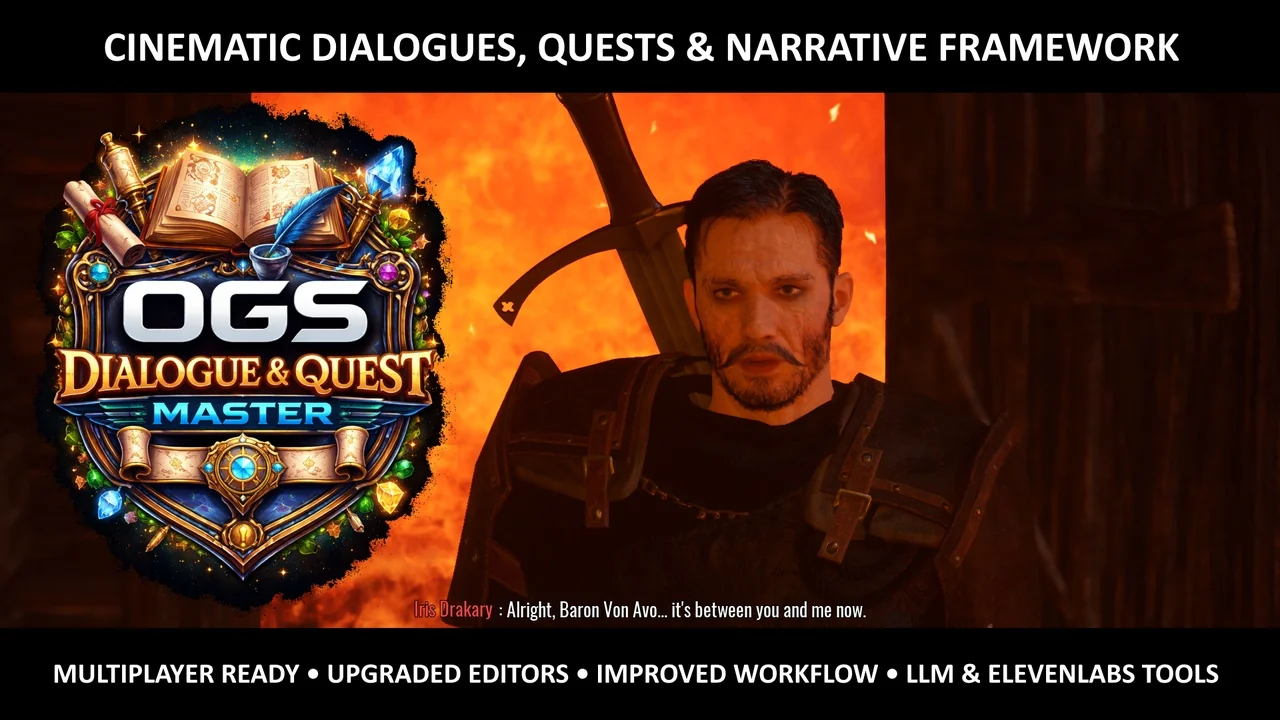
 Dialog Systems
 Engine Tools
 Network