"a338a1d501976271"{"id":"1000017","slug":"multiplayer-top-down-shooter-template","title":"Multiplayer Top Down Shooter Template","category":"Shooter","engine":"5.6+","assetVersion":"","engineVersion":"5.6+","tag":"Shooter","accent":"blue","visual":"mech","summary":"A fully replicated Unreal Engine top-down shooter template with CommonUI menus, Blueprint systems, Data Asset weapons, AI, inventory, and extraction flow.","platform":"Unreal Engine","publishedAt":"2026-05-20T05:15:14.777Z","updatedAt":"2026-05-20T05:16:19.037Z","sourceNotes":[],"fileContents":[],"compatibility":["Unreal Engine","Engine version: 5.6+"],"featuredImage":{"alt":"Multiplayer Top Down Shooter Template","src":"/wp-content/uploads/published/2026/05/628e19ac7f6c-f5f74f7a-553a-4b1b-a68f-c192a9f2c3b9-16d99edf05.webp"},"hasDownloadLink":true,"downloads":4,"terms":[{"taxonomy":"category","slug":"shooter","name":"Shooter"}],"galleryImages":[{"src":"/wp-content/uploads/published/2026/05/2b2d6b0b9ff9-02eaa452-9a53-4f83-902f-c4a6808730b5-e9990c11b6.webp","alt":"Multiplayer Top Down Shooter Template"},{"src":"/wp-content/uploads/published/2026/05/dd9f9295c67f-15c9c797-61a9-45ad-9a39-539bf5e658b2-344e93377a.webp","alt":"Multiplayer Top Down Shooter Template"},{"src":"/wp-content/uploads/published/2026/05/67d749710185-465b5633-49ce-4c11-a846-807685082d60-b55bb73a91.webp","alt":"Multiplayer Top Down Shooter Template"},{"src":"/wp-content/uploads/published/2026/05/2bf6edbb0da3-e37f8127-2ce0-4ba7-9726-8b9d2ea08434-10e7e9a46d.webp","alt":"Multiplayer Top Down Shooter Template"},{"src":"/wp-content/uploads/published/2026/05/6199b8809dae-30a2de6d-8220-4831-8c21-8e86049d78ee-79a154e0ae.webp","alt":"Multiplayer Top Down Shooter Template"},{"src":"/wp-content/uploads/published/2026/05/c4ff0960fcd9-3f0970d3-bf88-4cbf-8531-33f0480c61a8-2b9a599f43.webp","alt":"Multiplayer Top Down Shooter Template"},{"src":"/wp-content/uploads/published/2026/05/fd2633dc8118-70d081db-549d-4615-b118-97f7d9aa541e-4800924df7.webp","alt":"Multiplayer Top Down Shooter Template"},{"src":"/wp-content/uploads/published/2026/05/2461dcdaa3fe-21927192-9eb8-49f1-bfe3-65f1eb2cc0d0-7d02dcd761.webp","alt":"Multiplayer Top Down Shooter Template"},{"src":"/wp-content/uploads/published/2026/05/60d81847925b-78937119-dacf-4d6a-829d-44fcc9d33f4a-00b0c71840.webp","alt":"Multiplayer Top Down Shooter Template"}],"accessPanel":{"kind":"resource","title":"Access this resource","eyebrow":"Free Download","message":"Log in or create a free account to start your download.","fileName":"MPTDShooterTemplate.7z","safetyNote":"Resources are manually reviewed before listing to improve quality and reduce obvious risks.","actionLabel":"Download Free","resourceType":"Resource archive"},"contentHtml":"\u003cp\u003eMovement, aiming, looting, and match flow are already connected here in a way that feels like a playable game structure rather than a loose set of sample features. Characters follow the mouse cursor through a directional locomotion system, pickup items carry configurable rarity widgets, enemy behavior is split across multiple behavior trees, and teams can move from a lobby into a match and then either extract together or continue to the next level.\u003c/p\u003e\u003cp\u003eThat makes this package easy to place in a real production pipeline as a starting point for an online top-down shooter or co-op action project. It is presented as a completely overhauled Multiplayer Top Down Template, rebuilt from the ground up, with a strong emphasis on updated systems rather than a minor revision. The newest version centers on a redesigned interface, a new inventory framework, and a Data Asset-based approach to weapons that aims to make expansion easier as a project grows.\u003c/p\u003e\u003ch2\u003eHow Multiplayer Top Down Shooter Template behaves in play\u003c/h2\u003e\u003cp\u003eThe template is fully replicated and built on a server-authoritative architecture. Inside a project, that places networking at the center of the project instead of treating multiplayer as an afterthought. For teams building online combat, this matters most in the everyday systems that players constantly touch: movement, combat, interactions, item collection, and match transitions.\u003c/p\u003e\u003cp\u003eThe character movement setup is described through a directional locomotion system where the character follows the mouse cursor. That gives the template a clear top-down control identity. It is not just a generic character controller dropped into an overhead camera view; it is structured around the behavior expected from a top-down or isometric shooter where facing direction and player input need to stay readable during combat.\u003c/p\u003e\u003cp\u003ePlay also extends beyond firing weapons at AI. There is an advanced interaction system with different interaction methods, including instant, hold, and tap interactions. Loot boxes can be placed around maps with configurable or randomized loot, and item drops are physically animated. Pickup items also use configurable rarity widgets that present the necessary information directly in the scene. A notification system rounds out the loop by surfacing important events without requiring players to dig through menus.\u003c/p\u003e\u003cp\u003eThe match structure goes further than a basic spawn-and-fight setup. ReadyUp and Extraction Zones allow teams to gather in the lobby, start the match, and then either extract together back to the lobby or continue seamlessly to the next level. For a co-op or online session-based project, that gives the template a clear place in workflows that need more than a combat sandbox. It already addresses how a round begins, how it ends, and how players move between spaces.\u003c/p\u003e\u003ch2\u003eCommonUI and 100% controller support\u003c/h2\u003e\u003cp\u003eOne of the headline changes is the full user interface redesign with CommonUI. The menu system is built on CommonUI and is paired with seamless, reliable 100% controller support. That is a practical production detail, not just a cosmetic one. Interface work often becomes a major source of rework in multiplayer projects, especially when mouse-and-keyboard assumptions have to be retrofitted for controllers later. Here, controller support is part of the stated design from the start.\u003c/p\u003e\u003cp\u003eThe menu layer is described as complete, which suggests the UI effort covers the broader structure rather than only a few isolated widgets. For developers evaluating templates based on how much foundational work still needs to be done, this is one of the clearer strengths. The interface is not framed as a placeholder. It is one of the major rebuilt areas in the current update.\u003c/p\u003e\u003cp\u003eCommonUI also aligns with the package’s broader focus on dependable framework choices. The template is not presented as a purely visual prototype. Its interface, inputs, and gameplay systems are tied together in a way that supports actual iteration. Technical requirements include the Common UI plugin alongside Animation Warping and Enhanced Input, which places the project within an Unreal workflow that expects modern input and UI handling rather than older ad hoc setups.\u003c/p\u003e\u003ch2\u003eDestiny-style inventory and Data Asset weapons\u003c/h2\u003e\u003cp\u003eThe inventory and weapon systems are where the new version seems most focused on long-term project growth. The inventory system is described as inspired by Destiny, with flexibility that remains easy to expand and customize. The wording matters because it points to two priorities at once: handling more complex item logic while keeping the system approachable when a team needs to modify it for its own rules and progression structure.\u003c/p\u003e\u003cp\u003eWeapons follow a separate but complementary path. The advanced weapon system is built on Data Assets and includes extensive configuration options. The practical advantage here is scale. A shooter project can accumulate a wide weapon roster quickly, and complexity often spikes when every weapon starts requiring unique handling. The template positions its Data Asset-based structure as a way to manage and scale that arsenal without turning the system into a maintenance problem.\u003c/p\u003e\u003cp\u003eInventory, weapons, and interactions also support one another naturally in a top-down shooter workflow. Items can be picked up with visible rarity information. Weapons can be broadened through configuration rather than deep rewrites. Interaction modes can vary depending on the object or gameplay event. This kind of modular relationship is often what separates a useful production template from a short-lived demo: the systems are not only present, they are arranged so they can keep absorbing more content.\u003c/p\u003e\u003ch2\u003eBlueprint structure, AI behavior trees, and modular project growth\u003c/h2\u003e\u003cp\u003eEverything in the template is built entirely in Blueprints, with documentation and clear, well-structured comments. For teams that prefer Blueprint-first development, that lowers the barrier to inspection and modification. It also shapes where the template fits best in a workflow. This is not positioned as a black-box framework that demands immediate low-level code work before the project becomes understandable.\u003c/p\u003e\u003cp\u003eThe component-based design strengthens that accessibility. Most functionality is modularized into components so features can be added or removed as needed. That is especially useful when a team wants to adapt the project instead of adopting every included system wholesale. A studio might keep the inventory and weapon architecture but replace specific AI encounters, or preserve the menu and controller support while changing the match structure. The package appears prepared for that kind of selective integration.\u003c/p\u003e\u003cp\u003eEnemy support is split across different AI behavior trees, including melee, melee with weapon, and bomber variants. This gives the template a practical baseline for encounter variety. It does not stop at one generic hostile unit. Combined with the interaction systems, loot boxes, notifications, and kill cam, the project has enough moving parts to function as more than a technical networking exercise.\u003c/p\u003e\u003cp\u003eThe kill cam is an optional feature that triggers a slow-motion effect when a teammate is eliminated. It is a small detail compared with the larger architecture, yet it says something important about the template’s intent. The package is not only concerned with systemic correctness. It also includes presentation touches that shape the moment-to-moment feel of co-op and team play.\u003c/p\u003e\u003ch2\u003eVersioning, migration, and where it fits in production\u003c/h2\u003e\u003cp\u003eThere are two active points to keep in mind when planning adoption. Version 2 is for Unreal Engine 5.7 and higher, while version 1.3 is for Unreal Engine 5.4 through 5.6. The earlier 1.3 version remains available, but it is no longer being actively developed. For teams already locked to a particular engine range, that version split is one of the most concrete planning details attached to the template.\u003c/p\u003e\u003cp\u003eMigration is also addressed directly. The package includes guidance for easy migration into existing projects through the documentation. That places it in a useful middle ground between a pure starter template and a system library. A team can evaluate it as a foundation for a new multiplayer shooter, but it can also be approached as a source of structured subsystems for a project that is already underway.\u003c/p\u003e\u003cp\u003eThe technical requirements are clearly named: Common UI, Animation Warping, and Enhanced Input. Those are not incidental add-ons here. They support the interface overhaul, movement behavior, and control setup that define the current version.\u003c/p\u003e\u003cp\u003eFor demonstration purposes, the project uses free assets from Lyra, Infinity Blade: Weapons, and UIMaterialLab. The demo scene visuals also include CC0 contributions credited to outside creators. That is worth noting mainly to separate the showcased presentation from the underlying framework. The enduring value of the template is in its replicated Blueprint architecture, modular gameplay systems, UI rebuild, and the match flow connecting lobby, combat, loot, and extraction.\u003c/p\u003e\u003cp\u003eIf a team is evaluating this package for production, the strongest takeaway is simple: it is not just a top-down shooter sample with networking added on. It is a multiplayer framework with controller-ready menus, expandable inventory and weapon systems, modular Blueprint components, AI variations, and a session flow that already reaches from ready-up to extraction.\u003c/p\u003e\n\n\u003ch2\u003eRelated Resources Worth Checking\u003c/h2\u003e\n\u003cul\u003e\n\u003cli\u003e\u003ca href=\"https://3dcghub.com/fps-multiplayer-template-6/\" title=\"FPS Multiplayer Template 6\"\u003eFPS Multiplayer Template 6\u003c/a\u003e\u003c/li\u003e\n\u003cli\u003e\u003ca href=\"https://3dcghub.com/battle-of-drones-multiplayer/\" title=\"Battle of Drones Multiplayer\"\u003eBattle of Drones Multiplayer\u003c/a\u003e\u003c/li\u003e\n\u003cli\u003e\u003ca href=\"https://3dcghub.com/definitive-fps-kit/\" title=\"DEFINITIVE FPS KIT\"\u003eDEFINITIVE FPS KIT\u003c/a\u003e\u003c/li\u003e\n\u003cli\u003e\u003ca href=\"https://3dcghub.com/multiplayer-bodycam/\" title=\"MULTIPLAYER BODYCAM\"\u003eMULTIPLAYER BODYCAM\u003c/a\u003e\u003c/li\u003e\n\u003cli\u003e\u003ca href=\"https://3dcghub.com/defender-top-down-shooter-v3-3/\" title=\"Defender: Top-Down Shooter v3.3\"\u003eDefender: Top-Down Shooter v3.3\u003c/a\u003e\u003c/li\u003e\n\u003c/ul\u003e","contentTextLength":9564,"navigation":{"current":1457,"total":3338,"previous":{"id":"1000018","slug":"playground-equipment-vol-2-playground-equipment-swings-slides-climbing-3d","title":"Playground Equipment VOL.2 ( Playground Equipment Swings Slides Climbing 3D )","category":"Outdoors","platform":"Unreal Engine","updatedAt":"2026-05-20T08:50:10.492Z"},"next":{"id":"1000016","slug":"modular-human-skeleton","title":"Modular Human Skeleton","category":"Characters \u0026 Creatures","platform":"Unreal Engine","updatedAt":"2026-05-20T05:09:24.230Z"}},"relatedResources":[{"id":"1001127","slug":"ultimate-shooter-kit","title":"Ultimate Shooter Kit","category":"Shooter","engine":"5.3+","assetVersion":"Asset Version: v2","engineVersion":"Engine Version: 5.3+","tag":"Shooter","accent":"blue","visual":"mech","summary":"Ultimate Shooter Kit is a multiplayer-ready shooter template with menu, quest, inventory/weapon systems, and respawn support for Blueprint users.","platform":"Unreal Engine","publishedAt":"2026-09-07T13:39:36.666Z","updatedAt":"2026-09-07T13:39:36.666Z","sourceNotes":[],"fileContents":[],"compatibility":["Unreal Engine","Asset Version: v2","Engine Version: 5.3+"],"featuredImage":{"alt":"Ultimate Shooter Kit","src":"/wp-content/uploads/published/2026/09/f05ddf518181-a408d89b-9e9a-4002-9eec-3901d33e8fc9-157b96f106.webp"},"hasDownloadLink":true,"downloads":1},{"id":"12044","slug":"fps-multiplayer-template-6","title":"FPS Multiplayer Template 6","category":"Shooter","engine":"5.5+","assetVersion":"Engine version: 5.5+","engineVersion":"4.21","tag":"Shooter","accent":"blue","visual":"city","summary":"Accelerate your development with the FPS Multiplayer Template 6. This 100% Blueprint project includes replicated game modes, a deep weapon loadout system, and professional HUD elements.","platform":"Unreal Engine","publishedAt":"2026-03-06T16:43:10.000Z","updatedAt":"2026-04-19T15:48:04.000Z","sourceNotes":[],"fileContents":[],"compatibility":["Unreal Engine","Engine version: 5.5+"],"featuredImage":{"alt":"FPS Multiplayer Template 6","src":"https://3dcghub.com/wp-content/uploads/2026/03/9cca2b10-3e51-4f10-8307-90f55801dd96.webp"},"hasDownloadLink":true,"downloads":6},{"id":"27431","slug":"battle-of-drones-multiplayer","title":"Battle of Drones Multiplayer","category":"Shooter","engine":"5.0+","assetVersion":"Engine version: 5.0+","engineVersion":"","tag":"Shooter","accent":"blue","visual":"audio","summary":"Battle of Drones Multiplayer gives a drone combat project a ready-made multiplayer structure in Blueprints. It combines five drones, team-based deathmatch, pickups, chat, and several player-facing menus and indicators.","platform":"Unreal Engine","publishedAt":"2026-04-25T10:58:11.000Z","updatedAt":"2026-04-25T10:58:13.000Z","sourceNotes":[],"fileContents":[],"compatibility":["Unreal Engine","Engine version: 5.0+"],"featuredImage":{"alt":"Battle of Drones Multiplayer","src":"https://3dcghub.com/wp-content/uploads/2026/04/8de989f6c933_4cc08247-2ec8-4392-ac36-869c8a308d9a.webp"},"hasDownloadLink":true,"downloads":2}]}
Shooter
Multiplayer Top Down Shooter Template
A fully replicated Unreal Engine top-down shooter template with CommonUI menus, Blueprint systems, Data Asset weapons, AI, inventory, and extraction flow.
Category:Unreal Engine,ShooterPlatform: Unreal EngineEngine version: 5.6+Published: May 20, 2026
Shooter
Resource overview
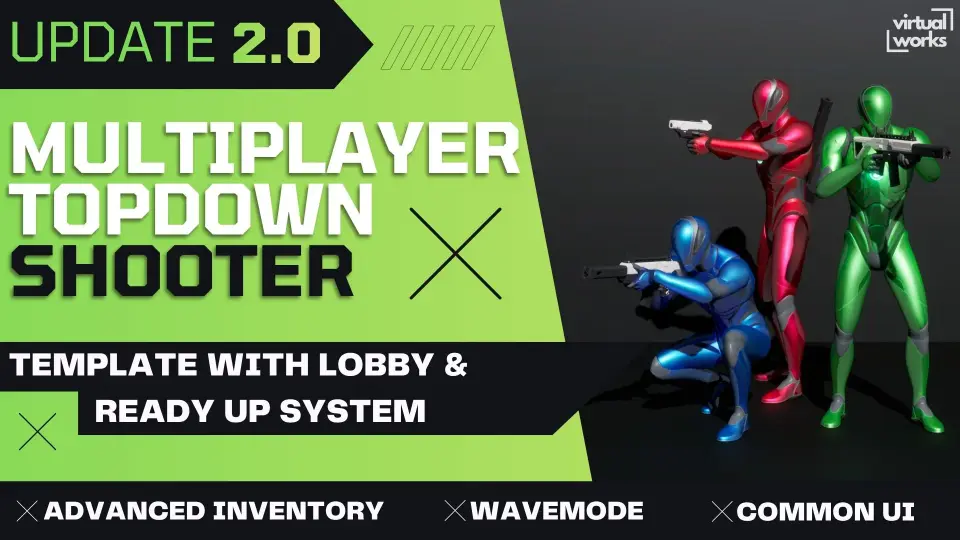
Movement, aiming, looting, and match flow are already connected here in a way that feels like a playable game structure rather than a loose set of sample features. Characters follow the mouse cursor through a directional locomotion system, pickup items carry configurable rarity widgets, enemy behavior is split across multiple behavior trees, and teams can move from a lobby into a match and then either extract together or continue to the next level.
That makes this package easy to place in a real production pipeline as a starting point for an online top-down shooter or co-op action project. It is presented as a completely overhauled Multiplayer Top Down Template, rebuilt from the ground up, with a strong emphasis on updated systems rather than a minor revision. The newest version centers on a redesigned interface, a new inventory framework, and a Data Asset-based approach to weapons that aims to make expansion easier as a project grows.
How Multiplayer Top Down Shooter Template behaves in play
The template is fully replicated and built on a server-authoritative architecture. Inside a project, that places networking at the center of the project instead of treating multiplayer as an afterthought. For teams building online combat, this matters most in the everyday systems that players constantly touch: movement, combat, interactions, item collection, and match transitions.
The character movement setup is described through a directional locomotion system where the character follows the mouse cursor. That gives the template a clear top-down control identity. It is not just a generic character controller dropped into an overhead camera view; it is structured around the behavior expected from a top-down or isometric shooter where facing direction and player input need to stay readable during combat.
Play also extends beyond firing weapons at AI. There is an advanced interaction system with different interaction methods, including instant, hold, and tap interactions. Loot boxes can be placed around maps with configurable or randomized loot, and item drops are physically animated. Pickup items also use configurable rarity widgets that present the necessary information directly in the scene. A notification system rounds out the loop by surfacing important events without requiring players to dig through menus.
The match structure goes further than a basic spawn-and-fight setup. ReadyUp and Extraction Zones allow teams to gather in the lobby, start the match, and then either extract together back to the lobby or continue seamlessly to the next level. For a co-op or online session-based project, that gives the template a clear place in workflows that need more than a combat sandbox. It already addresses how a round begins, how it ends, and how players move between spaces.
CommonUI and 100% controller support
One of the headline changes is the full user interface redesign with CommonUI. The menu system is built on CommonUI and is paired with seamless, reliable 100% controller support. That is a practical production detail, not just a cosmetic one. Interface work often becomes a major source of rework in multiplayer projects, especially when mouse-and-keyboard assumptions have to be retrofitted for controllers later. Here, controller support is part of the stated design from the start.
The menu layer is described as complete, which suggests the UI effort covers the broader structure rather than only a few isolated widgets. For developers evaluating templates based on how much foundational work still needs to be done, this is one of the clearer strengths. The interface is not framed as a placeholder. It is one of the major rebuilt areas in the current update.
CommonUI also aligns with the package’s broader focus on dependable framework choices. The template is not presented as a purely visual prototype. Its interface, inputs, and gameplay systems are tied together in a way that supports actual iteration. Technical requirements include the Common UI plugin alongside Animation Warping and Enhanced Input, which places the project within an Unreal workflow that expects modern input and UI handling rather than older ad hoc setups.
Destiny-style inventory and Data Asset weapons
The inventory and weapon systems are where the new version seems most focused on long-term project growth. The inventory system is described as inspired by Destiny, with flexibility that remains easy to expand and customize. The wording matters because it points to two priorities at once: handling more complex item logic while keeping the system approachable when a team needs to modify it for its own rules and progression structure.
Weapons follow a separate but complementary path. The advanced weapon system is built on Data Assets and includes extensive configuration options. The practical advantage here is scale. A shooter project can accumulate a wide weapon roster quickly, and complexity often spikes when every weapon starts requiring unique handling. The template positions its Data Asset-based structure as a way to manage and scale that arsenal without turning the system into a maintenance problem.
Inventory, weapons, and interactions also support one another naturally in a top-down shooter workflow. Items can be picked up with visible rarity information. Weapons can be broadened through configuration rather than deep rewrites. Interaction modes can vary depending on the object or gameplay event. This kind of modular relationship is often what separates a useful production template from a short-lived demo: the systems are not only present, they are arranged so they can keep absorbing more content.
Blueprint structure, AI behavior trees, and modular project growth
Everything in the template is built entirely in Blueprints, with documentation and clear, well-structured comments. For teams that prefer Blueprint-first development, that lowers the barrier to inspection and modification. It also shapes where the template fits best in a workflow. This is not positioned as a black-box framework that demands immediate low-level code work before the project becomes understandable.
The component-based design strengthens that accessibility. Most functionality is modularized into components so features can be added or removed as needed. That is especially useful when a team wants to adapt the project instead of adopting every included system wholesale. A studio might keep the inventory and weapon architecture but replace specific AI encounters, or preserve the menu and controller support while changing the match structure. The package appears prepared for that kind of selective integration.
Enemy support is split across different AI behavior trees, including melee, melee with weapon, and bomber variants. This gives the template a practical baseline for encounter variety. It does not stop at one generic hostile unit. Combined with the interaction systems, loot boxes, notifications, and kill cam, the project has enough moving parts to function as more than a technical networking exercise.
The kill cam is an optional feature that triggers a slow-motion effect when a teammate is eliminated. It is a small detail compared with the larger architecture, yet it says something important about the template’s intent. The package is not only concerned with systemic correctness. It also includes presentation touches that shape the moment-to-moment feel of co-op and team play.
Versioning, migration, and where it fits in production
There are two active points to keep in mind when planning adoption. Version 2 is for Unreal Engine 5.7 and higher, while version 1.3 is for Unreal Engine 5.4 through 5.6. The earlier 1.3 version remains available, but it is no longer being actively developed. For teams already locked to a particular engine range, that version split is one of the most concrete planning details attached to the template.
Migration is also addressed directly. The package includes guidance for easy migration into existing projects through the documentation. That places it in a useful middle ground between a pure starter template and a system library. A team can evaluate it as a foundation for a new multiplayer shooter, but it can also be approached as a source of structured subsystems for a project that is already underway.
The technical requirements are clearly named: Common UI, Animation Warping, and Enhanced Input. Those are not incidental add-ons here. They support the interface overhaul, movement behavior, and control setup that define the current version.
For demonstration purposes, the project uses free assets from Lyra, Infinity Blade: Weapons, and UIMaterialLab. The demo scene visuals also include CC0 contributions credited to outside creators. That is worth noting mainly to separate the showcased presentation from the underlying framework. The enduring value of the template is in its replicated Blueprint architecture, modular gameplay systems, UI rebuild, and the match flow connecting lobby, combat, loot, and extraction.
If a team is evaluating this package for production, the strongest takeaway is simple: it is not just a top-down shooter sample with networking added on. It is a multiplayer framework with controller-ready menus, expandable inventory and weapon systems, modular Blueprint components, AI variations, and a session flow that already reaches from ready-up to extraction.
 Shooter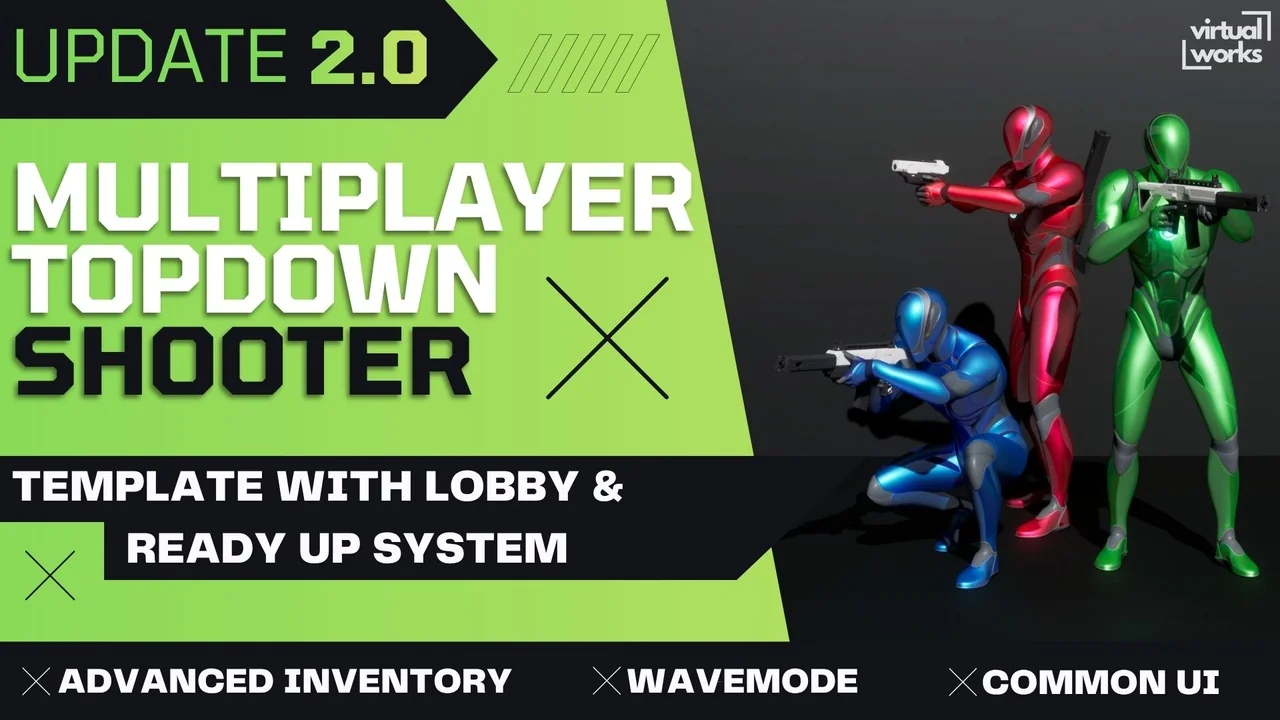
 Shooter
 Shooter
 Shooter