"efaa631e936fd3ee"{"id":"1002124","slug":"multiplayer-fps-procedural-animation-toolkit","title":"Multiplayer FPS Procedural Animation Toolkit","category":"Network \u0026 Multiplayer","engine":"5.0","assetVersion":"Asset Version: 1.0","engineVersion":"Engine Version: 5.0","tag":"Network","accent":"blue","visual":"animation","summary":"Examine the Multiplayer FPS Procedural Animation Toolkit, covering C++ procedural recoil, socket-based aiming, character component setup, and multiplayer replic","platform":"Unreal Engine","publishedAt":"2026-10-29T09:04:51.154Z","updatedAt":"2026-10-29T09:04:51.154Z","sourceNotes":[],"fileContents":[],"compatibility":["Unreal Engine","Asset Version: 1.0","Engine Version: 5.0"],"featuredImage":{"alt":"Multiplayer FPS Procedural Animation Toolkit","src":"/wp-content/uploads/published/2026/10/2fcdafd7f87f-817ca7b9-9cb8-4982-9a44-338089bb88d1-a98b77170d.webp"},"hasDownloadLink":true,"downloads":0,"terms":[{"taxonomy":"category","slug":"network-and-multiplayer-tools-and-plugins","name":"Network \u0026 Multiplayer"}],"galleryImages":[{"src":"/wp-content/uploads/published/2026/10/6ff294cce8c5-4d251de3-5e0d-4016-8c40-78159d9cf391-91e88ddc1a.webp","alt":"Multiplayer FPS Procedural Animation Toolkit"},{"src":"/wp-content/uploads/published/2026/10/f31d092868f6-5f02b5bf-ca95-4c12-ae6d-59d69201608b-b8b698069e.webp","alt":"Multiplayer FPS Procedural Animation Toolkit"},{"src":"/wp-content/uploads/published/2026/10/5647dc3f2e85-cf9ec436-47f3-4445-af0a-1d4267818020-e779e75dc8.webp","alt":"Multiplayer FPS Procedural Animation Toolkit"},{"src":"/wp-content/uploads/published/2026/10/4b40bc423c83-4f994724-4c05-4574-b10e-de719f0f6795-3b1be786f6.webp","alt":"Multiplayer FPS Procedural Animation Toolkit"},{"src":"/wp-content/uploads/published/2026/10/e29f2bdfe105-8a87c933-5a72-4113-a2f8-7c0a7bfba1a3-9c0053a1be.webp","alt":"Multiplayer FPS Procedural Animation Toolkit"},{"src":"/wp-content/uploads/published/2026/10/534c0367085d-9f5d3e83-41aa-49fe-98f2-5bef55f3dfac-dd70ec2a12.webp","alt":"Multiplayer FPS Procedural Animation Toolkit"},{"src":"/wp-content/uploads/published/2026/10/ced9d83e9f20-f55f6889-7fbf-4c99-8ec5-ea40e0de5dba-54384da63c.webp","alt":"Multiplayer FPS Procedural Animation Toolkit"},{"src":"/wp-content/uploads/published/2026/10/867e7f003840-16885577-22cb-4c38-b55d-eaefb1b5e171-f22c2f6b86.webp","alt":"Multiplayer FPS Procedural Animation Toolkit"},{"src":"/wp-content/uploads/published/2026/10/6185d8bcb2ff-c3735468-9302-464a-812f-3c86b9e9300e-517869368c.webp","alt":"Multiplayer FPS Procedural Animation Toolkit"}],"accessPanel":{"kind":"resource","title":"Download this resource","eyebrow":"Free Download","message":"Log in or create a free account to start your download.","fileName":"Multiplayer FPS Procedural Animation Toolkit.7z","safetyNote":"Resources are manually reviewed before listing to improve quality and reduce obvious risks.","actionLabel":"Download Free","resourceType":"Resource archive"},"contentHtml":"\u003cp\u003eIn first-person multiplayer shooters, hand-crafting individual keyframed animations for every stance, lean angle, attachment configuration, and recoil impulse quickly becomes a bottleneck. When a player peeks past a concrete barrier, drops from a sprint into a low crouch, or fires a high-caliber rifle in short bursts, the camera and weapon mesh must react fluidly without requiring dozens of custom animation sequences. The Multiplayer FPS Procedural Animation Toolkit addresses this challenge by shifting common first-person weapon and body mechanics into a procedural, networked C++ pipeline exposed directly to Blueprints.\u003c/p\u003e \u003ch2\u003eTactical Firefights and Dynamic First-Person Stances\u003c/h2\u003e\n\u003cp\u003eCombat environments in competitive shooters rely heavily on responsive body manipulation. When clearing tight corridors or holding defensive angles across open sightlines, players expect fine control over their character's profile. The toolkit structures these physical behaviors through procedural calculations rather than static montage playback. Instead of locking a character into baked leaning animations that might clip into geometry or mismatch differing weapon offsets, movement actions like leaning to either side adjust dynamically during play.\u003c/p\u003e\n\u003cp\u003eBecause actions like stance changes alter how a weapon behaves under stress, the procedural logic links weapon movement directly to posture. In a prolonged firefight, firing while standing demands significantly more compensation than firing from a steady crouch or a prone position. The underlying system incorporates these mechanical shifts directly into the weapon transform calculations, delivering tactile, dynamic feedback across diverse combat scenarios without forcing animators to author unique animation sets for each firing stance.\u003c/p\u003e \u003ch2\u003eThe Character Component Architecture and Network Replication\u003c/h2\u003e\n\u003cp\u003eAt the architectural core of the toolkit is complete character independence. Rather than forcing projects to inherit from a rigid, monolithic character class, the system operates through an isolated character component. This component can be dropped directly onto any custom character mesh or skeletal hierarchy without tearing down existing project code.\u003c/p\u003e\n\u003cp\u003eSetting up the interface requires minimal initial wiring. Once the component is attached to the character actor, calling its Init function inside the BeginPlay event initializes the internal animation pipelines. From that moment forward, the component serves as the central command hub for procedural interactions. When gameplay events trigger actions—such as a player pressing an input to tilt around cover—the game simply executes LeanLeft or LeanRight through the component.\u003c/p\u003e\n\u003cp\u003eBehind the scenes, the mechanics are written natively in C++ for maximum processing efficiency, leaving the game's frame budget focused on rendering and world simulation. Despite the performance-focused C++ foundation, every critical variable, hook, and event is exposed to Unreal Engine's Blueprint visual scripting system. Furthermore, network synchronization is handled out of the box. Procedural offsets, leaning angles, and firearm positioning calculate with full network replication, ensuring that what the local client sees aligns precisely with the third-person poses visible to other players on a dedicated or listen server.\u003c/p\u003e \u003ch2\u003eGraph-Driven Procedural Recoil and Stance Scaling\u003c/h2\u003e\n\u003cp\u003eRecoil in the Multiplayer FPS Procedural Animation Toolkit abandons fixed, repetitive muzzle kicks in favor of parametric, graph-based curve control. Each firearm relies on two separate graphs to dictate the kickback motion of each shot: one graph governs the location displacement along three axes, while the second governs rotation.\u003c/p\u003e\n\u003cp\u003eTo avoid a robotic, perfectly identical pattern on every trigger pull, the system applies a series of exposed variables that inject controlled randomization into the trajectory. This setup allows technical designers to shape a weapon's behavioral personality—such as sharp upward snaps, gentle side-to-side drift, or heavy rearward bucking—while keeping every single discharge visually distinct. Triggering the recoil effect is handled cleanly through code or visual script by invoking the PerformProceduralRecoil function, which can be called directly on either the firearm actor or the animation blueprint.\u003c/p\u003e\n\u003cp\u003eTo handle realistic tactical mechanics, PerformProceduralRecoil accepts a numeric multiplier parameter. This input allows developers to dynamically scale recoil severity based on character movement and physical posture:\u003c/p\u003e\n\u003cul\u003e\n\u003cli\u003e\u003cstrong\u003eStanding:\u003c/strong\u003e Applies a default baseline multiplier where full recoil impulse moves the sight picture.\u003c/li\u003e\n\u003cli\u003e\u003cstrong\u003eCrouching:\u003c/strong\u003e Feeds a reduced multiplier into the function to reflect increased physical stabilization.\u003c/li\u003e\n\u003cli\u003e\u003cstrong\u003eProne:\u003c/strong\u003e Minimizes positional and rotational displacement to reward settled, stationary shooting.\u003c/li\u003e\n\u003c/ul\u003e \u003ch2\u003eSockets, Component Tags, and Aim Point Flexibility\u003c/h2\u003e\n\u003cp\u003eWeapon customization presents another classic hurdle in first-person development. Swapping between iron sights, high-magnification glass, offset micro red dots, or tactical accessories often requires recalibrating weapon offsets manually. The toolkit solves this through a straightforward tagging and socket convention managed by a specialized firearm base class.\u003c/p\u003e\n\u003cp\u003eThe firearm base class houses all the baseline parameters and customization data needed for procedural weapon management. When adding an optic or any aimable component, the developer attaches a static or skeletal mesh component to the weapon and flags it with the component tag \u003ccode\u003eFPSAnim\u003c/code\u003e. Within that mesh, a socket named \u003ccode\u003eS_Aim\u003c/code\u003e Marks the precise eye-relief point where the camera should align during target acquisition. While \u003ccode\u003eS_Aim\u003c/code\u003e Is the default socket name, it can be renamed within the firearm class settings to suit bespoke naming conventions.\u003c/p\u003e\n\u003cp\u003eThis design makes the system agnostic to what is actually mounted on the rail. Sights, magnified optics, flashlights, laser housings, or even unusual points of reference like the top edge of a magazine well can serve as functional aiming references simply by placing the socket and applying the \u003ccode\u003eFPSAnim\u003c/code\u003e Tag. Existing weapon inventories can also be ported into the system without rebuilding assets from scratch. A developer needs only to reparent their current weapon classes to the toolkit's firearm base class and add the component tag \u003ccode\u003eFPSAnimFirearm\u003c/code\u003e Directly to the primary weapon mesh.\u003c/p\u003e \u003ch2\u003eBlueprint Retargeting and Ecosystem Integration\u003c/h2\u003e\n\u003cp\u003eGetting started with procedural systems can often be stalled by missing dependencies, so the package comes equipped with functional working examples for all necessary parts. Included with the toolkit are an example character, a preconfigured firearm actor, and an animation blueprint that demonstrates how procedural nodes feed into character pose graphs. Because the system is decoupled from specific skeletal proportions, the sample animation blueprint is designed to retarget smoothly to custom character skeletons.\u003c/p\u003e\n\u003cp\u003eThe toolkit, currently at version 1.2, is documented via dedicated Google Docs and backed by support via Discord. It also features out-of-the-box compatibility with the FPS First Person Shooter Framework (SKG Shooter Framework V2), enabling teams already utilizing that framework to incorporate procedural weapon dynamics without structural rework.\u003c/p\u003e \u003ch2\u003eProject Suitability\u003c/h2\u003e\n\u003cp\u003eThe Multiplayer FPS Procedural Animation Toolkit is geared toward technical designers, solo developers, and gameplay programmers building multiplayer first-person shooters where weapon responsiveness and variable stance combat are foundational. Teams aiming to implement deep weapon attachment customization, tactical leaning, and distinct, curve-driven weapon handling without hand-animating hundreds of mechanical transitions will find the toolkit's C++ component structure, socket-driven aiming, and built-in replication well aligned with production demands.\u003c/p\u003e\n\n\u003ch2\u003eExplore Similar Assets\u003c/h2\u003e\n\u003cul\u003e\n\u003cli\u003e\u003ca href=\"https://3dcghub.com/fps-first-person-shooter-framework-skg-shooter-framework-v2/\" title=\"FPS First Person Shooter Framework (SKG Shooter Framework V2)\"\u003eFPS First Person Shooter Framework (SKG Shooter Framework V2)\u003c/a\u003e\u003c/li\u003e\n\u003cli\u003e\u003ca href=\"https://3dcghub.com/definitive-fps-kit/\" title=\"DEFINITIVE FPS KIT\"\u003eDEFINITIVE FPS KIT\u003c/a\u003e\u003c/li\u003e\n\u003cli\u003e\u003ca href=\"https://3dcghub.com/fps-multiplayer-controller/\" title=\"FPS Multiplayer Controller\"\u003eFPS Multiplayer Controller\u003c/a\u003e\u003c/li\u003e\n\u003cli\u003e\u003ca href=\"https://3dcghub.com/ultimate-gameplay-camera/\" title=\"Ultimate Gameplay Camera\"\u003eUltimate Gameplay Camera\u003c/a\u003e\u003c/li\u003e\n\u003cli\u003e\u003ca href=\"https://3dcghub.com/fps-multiplayer-template-3-5/\" title=\"FPS Multiplayer Template 3.5\"\u003eFPS Multiplayer Template 3.5\u003c/a\u003e\u003c/li\u003e\n\u003c/ul\u003e","contentTextLength":8050,"navigation":{"current":160,"total":4209,"previous":{"id":"1002125","slug":"multiplayer-gravity-gun","title":"Multiplayer Gravity Gun","category":"Gameplay Features","platform":"Unreal Engine","updatedAt":"2026-10-29T09:05:24.427Z"},"next":{"id":"1002123","slug":"multi-seated-vehicles-multiplayer-ready","title":"Multi-Seated Vehicles (Multiplayer Ready)","category":"Vehicles \u0026 Transportation","platform":"Unreal Engine","updatedAt":"2026-10-29T09:03:54.419Z"}},"relatedResources":[{"id":"15136","slug":"fps-first-person-shooter-framework-skg-shooter-framework-v2","title":"FPS First Person Shooter Framework (SKG Shooter Framework V2)","category":"Network \u0026 Multiplayer","engine":"5.5 - 5.7","assetVersion":"Engine version: 5.5 - 5.7","engineVersion":"Asset Version:1.4.1 - 1.4.3","tag":"Network","accent":"blue","visual":"city","summary":"The SKG Shooter Framework V2 is a performant, modular, component-based solution for building realistic first-person shooters in Unreal Engine 5.3 and beyond.","platform":"Unreal Engine","publishedAt":"2026-03-12T08:01:31.000Z","updatedAt":"2026-04-19T15:44:53.000Z","sourceNotes":[],"fileContents":[],"compatibility":["Unreal Engine","Engine version: 5.5 - 5.7","Asset Version: 1.4.1 - 1.4.3"],"featuredImage":{"alt":"FPS First Person Shooter Framework (SKG Shooter Framework V2)","src":"https://3dcghub.com/wp-content/uploads/2026/03/1ef8f873-5cad-4190-b092-53ba5e385464.webp"},"hasDownloadLink":true,"downloads":14},{"id":"11974","slug":"definitive-fps-kit","title":"DEFINITIVE FPS KIT","category":"Shooter","engine":"5.5+","assetVersion":"Asset Version: 0.0.3","engineVersion":"Engine version: 5.5+","tag":"Shooter","accent":"blue","visual":"luts","summary":"The DEFINITIVE FPS KIT provides a solid foundation for creating professional first-person shooters. It features high-quality animations, customizable loadouts, and diverse game modes like round-based zombies and multiplayer.","platform":"Unreal Engine","publishedAt":"2026-03-06T16:27:47.000Z","updatedAt":"2026-10-16T06:54:06.998Z","sourceNotes":[],"fileContents":[],"compatibility":["Unreal Engine","Asset Version: 0.0.3","Engine version: 5.5+"],"featuredImage":{"alt":"DEFINITIVE FPS KIT","src":"https://3dcghub.com/wp-content/uploads/2026/03/6ad028e1-885c-4980-aa89-7ecea094d867.webp"},"hasDownloadLink":true,"downloads":24},{"id":"1001436","slug":"fps-multiplayer-controller","title":"FPS Multiplayer Controller","category":"Shooter","engine":"5.4+","assetVersion":"","engineVersion":"Engine Version: 5.4+","tag":"Shooter","accent":"blue","visual":"mech","summary":"Build networked first-person shooters in Unreal Engine 5 with replicated weapons, MetaHuman animation support, dynamic gun handling, and loadout benches.","platform":"Unreal Engine","publishedAt":"2026-10-07T08:29:53.920Z","updatedAt":"2026-10-07T08:29:53.920Z","sourceNotes":[],"fileContents":[],"compatibility":["Unreal Engine","Engine Version: 5.4+"],"featuredImage":{"alt":"FPS Multiplayer Controller","src":"/wp-content/uploads/published/2026/10/541757ac162a-b8b106b4-85dc-43f2-b340-a4517862fe57-13e6e45d73.webp"},"hasDownloadLink":true,"downloads":3}]}
Network
Multiplayer FPS Procedural Animation Toolkit
Examine the Multiplayer FPS Procedural Animation Toolkit, covering C++ procedural recoil, socket-based aiming, character component setup, and multiplayer replic
In first-person multiplayer shooters, hand-crafting individual keyframed animations for every stance, lean angle, attachment configuration, and recoil impulse quickly becomes a bottleneck. When a player peeks past a concrete barrier, drops from a sprint into a low crouch, or fires a high-caliber rifle in short bursts, the camera and weapon mesh must react fluidly without requiring dozens of custom animation sequences. The Multiplayer FPS Procedural Animation Toolkit addresses this challenge by shifting common first-person weapon and body mechanics into a procedural, networked C++ pipeline exposed directly to Blueprints.
Tactical Firefights and Dynamic First-Person Stances
Combat environments in competitive shooters rely heavily on responsive body manipulation. When clearing tight corridors or holding defensive angles across open sightlines, players expect fine control over their character's profile. The toolkit structures these physical behaviors through procedural calculations rather than static montage playback. Instead of locking a character into baked leaning animations that might clip into geometry or mismatch differing weapon offsets, movement actions like leaning to either side adjust dynamically during play.
Because actions like stance changes alter how a weapon behaves under stress, the procedural logic links weapon movement directly to posture. In a prolonged firefight, firing while standing demands significantly more compensation than firing from a steady crouch or a prone position. The underlying system incorporates these mechanical shifts directly into the weapon transform calculations, delivering tactile, dynamic feedback across diverse combat scenarios without forcing animators to author unique animation sets for each firing stance.
The Character Component Architecture and Network Replication
At the architectural core of the toolkit is complete character independence. Rather than forcing projects to inherit from a rigid, monolithic character class, the system operates through an isolated character component. This component can be dropped directly onto any custom character mesh or skeletal hierarchy without tearing down existing project code.
Setting up the interface requires minimal initial wiring. Once the component is attached to the character actor, calling its Init function inside the BeginPlay event initializes the internal animation pipelines. From that moment forward, the component serves as the central command hub for procedural interactions. When gameplay events trigger actions—such as a player pressing an input to tilt around cover—the game simply executes LeanLeft or LeanRight through the component.
Behind the scenes, the mechanics are written natively in C++ for maximum processing efficiency, leaving the game's frame budget focused on rendering and world simulation. Despite the performance-focused C++ foundation, every critical variable, hook, and event is exposed to Unreal Engine's Blueprint visual scripting system. Furthermore, network synchronization is handled out of the box. Procedural offsets, leaning angles, and firearm positioning calculate with full network replication, ensuring that what the local client sees aligns precisely with the third-person poses visible to other players on a dedicated or listen server.
Graph-Driven Procedural Recoil and Stance Scaling
Recoil in the Multiplayer FPS Procedural Animation Toolkit abandons fixed, repetitive muzzle kicks in favor of parametric, graph-based curve control. Each firearm relies on two separate graphs to dictate the kickback motion of each shot: one graph governs the location displacement along three axes, while the second governs rotation.
To avoid a robotic, perfectly identical pattern on every trigger pull, the system applies a series of exposed variables that inject controlled randomization into the trajectory. This setup allows technical designers to shape a weapon's behavioral personality—such as sharp upward snaps, gentle side-to-side drift, or heavy rearward bucking—while keeping every single discharge visually distinct. Triggering the recoil effect is handled cleanly through code or visual script by invoking the PerformProceduralRecoil function, which can be called directly on either the firearm actor or the animation blueprint.
To handle realistic tactical mechanics, PerformProceduralRecoil accepts a numeric multiplier parameter. This input allows developers to dynamically scale recoil severity based on character movement and physical posture:
Standing: Applies a default baseline multiplier where full recoil impulse moves the sight picture.
Crouching: Feeds a reduced multiplier into the function to reflect increased physical stabilization.
Prone: Minimizes positional and rotational displacement to reward settled, stationary shooting.
Sockets, Component Tags, and Aim Point Flexibility
Weapon customization presents another classic hurdle in first-person development. Swapping between iron sights, high-magnification glass, offset micro red dots, or tactical accessories often requires recalibrating weapon offsets manually. The toolkit solves this through a straightforward tagging and socket convention managed by a specialized firearm base class.
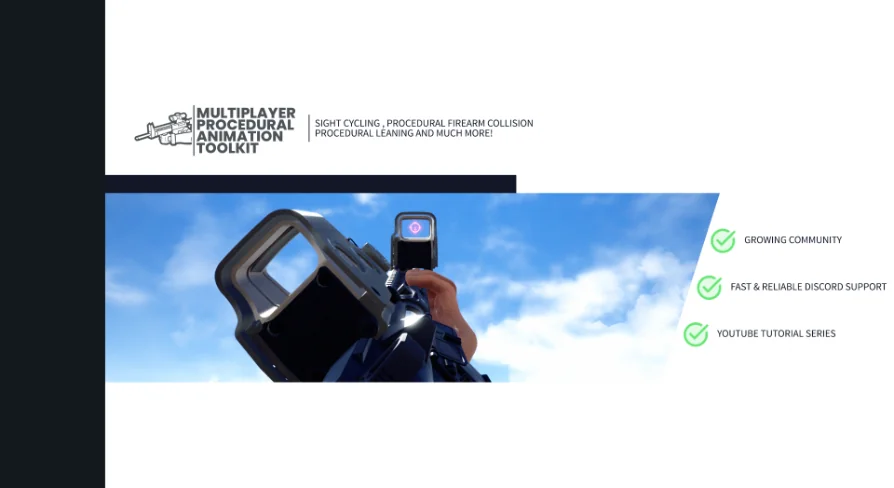
The firearm base class houses all the baseline parameters and customization data needed for procedural weapon management. When adding an optic or any aimable component, the developer attaches a static or skeletal mesh component to the weapon and flags it with the component tag FPSAnim. Within that mesh, a socket named S_Aim Marks the precise eye-relief point where the camera should align during target acquisition. While S_Aim Is the default socket name, it can be renamed within the firearm class settings to suit bespoke naming conventions.
This design makes the system agnostic to what is actually mounted on the rail. Sights, magnified optics, flashlights, laser housings, or even unusual points of reference like the top edge of a magazine well can serve as functional aiming references simply by placing the socket and applying the FPSAnim Tag. Existing weapon inventories can also be ported into the system without rebuilding assets from scratch. A developer needs only to reparent their current weapon classes to the toolkit's firearm base class and add the component tag FPSAnimFirearm Directly to the primary weapon mesh.
Blueprint Retargeting and Ecosystem Integration
Getting started with procedural systems can often be stalled by missing dependencies, so the package comes equipped with functional working examples for all necessary parts. Included with the toolkit are an example character, a preconfigured firearm actor, and an animation blueprint that demonstrates how procedural nodes feed into character pose graphs. Because the system is decoupled from specific skeletal proportions, the sample animation blueprint is designed to retarget smoothly to custom character skeletons.
The toolkit, currently at version 1.2, is documented via dedicated Google Docs and backed by support via Discord. It also features out-of-the-box compatibility with the FPS First Person Shooter Framework (SKG Shooter Framework V2), enabling teams already utilizing that framework to incorporate procedural weapon dynamics without structural rework.
Project Suitability
The Multiplayer FPS Procedural Animation Toolkit is geared toward technical designers, solo developers, and gameplay programmers building multiplayer first-person shooters where weapon responsiveness and variable stance combat are foundational. Teams aiming to implement deep weapon attachment customization, tactical leaning, and distinct, curve-driven weapon handling without hand-animating hundreds of mechanical transitions will find the toolkit's C++ component structure, socket-driven aiming, and built-in replication well aligned with production demands.
 Network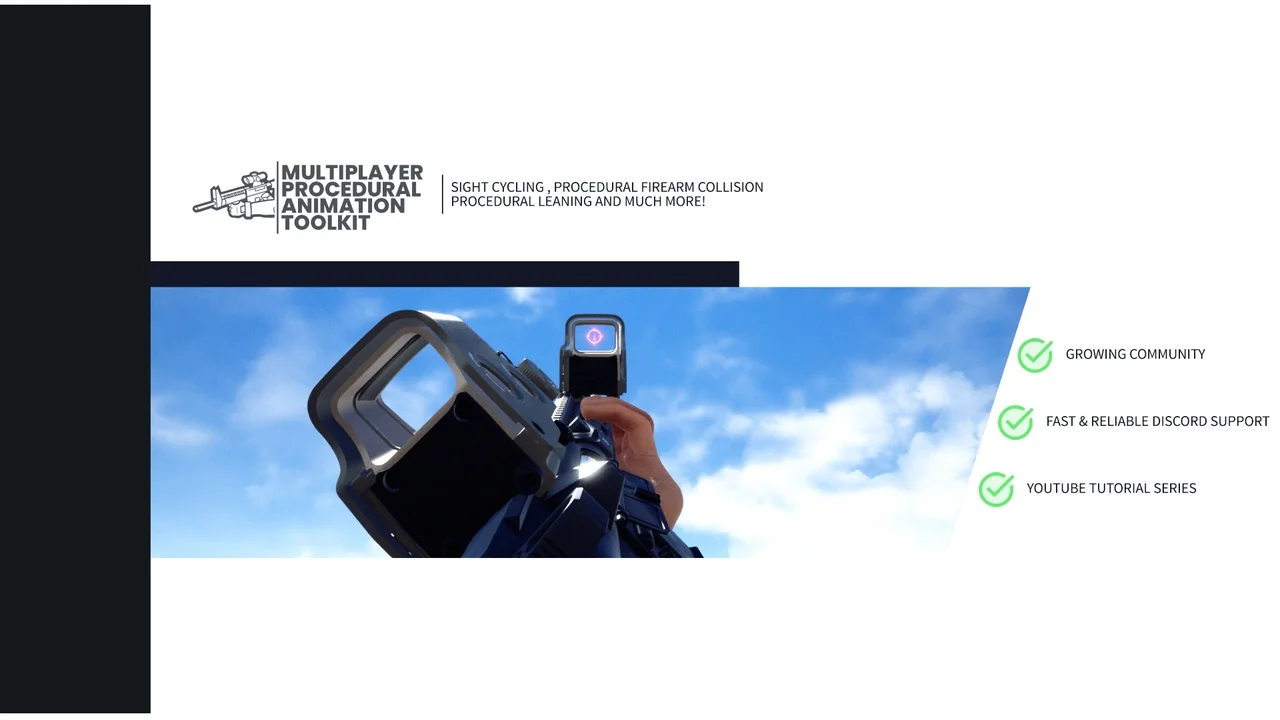
 Network
 Shooter
 Shooter