"95fdaf16012263fa"{"id":"1002328","slug":"mobile-swipe-solution-for-android-and-ios","title":"Mobile Swipe Solution for Android and iOS","category":"Gameplay Features","engine":"4.23+,5.0+","assetVersion":"","engineVersion":"Engine Version: 4.23+,5.0+","tag":"Gameplay Features","accent":"blue","visual":"luts","summary":"A Blueprint swipe input solution for Unreal Engine mobile projects, covering 4-way, diagonal, and 8-way gestures plus the settings needed before Android and iOS","platform":"Unreal Engine","indexPolicy":"index","publishedAt":"2026-11-06T06:33:26.197Z","updatedAt":"2026-11-06T06:33:26.197Z","sourceNotes":[],"fileContents":[],"compatibility":["Unreal Engine","Engine Version: 4.23+,5.0+"],"featuredImage":{"alt":"Mobile Swipe Solution for Android and iOS","src":"/wp-content/uploads/published/2026/11/3204971faae6-e82cdf98-1b30-4ded-9007-97adc75b47b6-1af30d8522.webp"},"hasDownloadLink":true,"downloads":0,"terms":[{"taxonomy":"category","slug":"gameplay-features","name":"Gameplay Features"}],"galleryImages":[{"src":"/wp-content/uploads/published/2026/11/f9a6e6a747a7-0dad9407-a8eb-4c6c-84aa-832142ad55fe-8ef2e58516.webp","alt":"Mobile Swipe Solution for Android and iOS"},{"src":"/wp-content/uploads/published/2026/11/88f014425370-b4c1defe-703b-4937-9ca0-5447a5d4ed88-2254dbaf1f.webp","alt":"Mobile Swipe Solution for Android and iOS"}],"accessPanel":{"kind":"resource","title":"Get this resource","eyebrow":"Free resource","message":"3DCGHUB is the service provider for this listing. Access is fulfilled through the official publisher channel.","fileName":"Mobile Swipe Solution for Android and iOS.7z","safetyNote":"Resources are manually reviewed before listing to improve quality and reduce obvious risks.","actionLabel":"Get this resource","resourceType":"Resource archive","versions":[]},"contentHtml":"\u003cp\u003eUnreal Engine does not ship with swipe input implemented by default. That gap is easy to underestimate on a mobile project: touch input exists, but a swipe gesture still needs to be read and turned into a direction the project can act on. Mobile Swipe Solution for Android and iOS addresses that specific layer with a Blueprint-based input setup for Android and iOS.\u003c/p\u003e\u003cp\u003eThe resource sits in Blueprint and Event input work for mobile projects. Its scope is the swipe itself: recognizing a direction and passing that recognition into the rest of the project through events. That narrow focus is the point. The asset does not try to be a full mobile controller, a UI framework, or a puzzle template.\u003c/p\u003e\u003ch2\u003eWhy Mobile Swipe Solution Exists in Unreal Engine\u003c/h2\u003e\u003cp\u003eDefault Unreal Engine input handles touch, but swipe input is not implemented by default. A team starting a mobile project can spend time building the same directional recognition logic before gameplay work begins. Mobile Swipe Solution is presented as the Blueprint answer to that missing piece.\u003c/p\u003e\u003cp\u003eThe value is in the boundary it draws. It supplies the part that turns a gesture into a direction the rest of the project can use. That scope is useful when the surrounding gameplay already exists and only the swipe layer needs to be added. A project can keep its camera, board, menu, or character logic separate and let the swipe solution handle directional recognition.\u003c/p\u003e\u003ch2\u003e4-Way Simple, 4-Way Diagonal, and 8-Way Complex\u003c/h2\u003e\u003cp\u003eMobile Swipe Solution supports three swipe input types. The names map to directional sets directly: 4-Way Simple, 4-Way Diagonal, and 8-Way Complex. The 8-Way Complex mode combines Simple and Diagonal, so it covers the smaller sets together.\u003c/p\u003e\u003cp\u003eChoosing between them is a design decision, not a technical extra. A project that only needs four basic directions can use 4-Way Simple. A project that needs diagonal gestures can use 4-Way Diagonal. When both basic and diagonal swipes belong in the same interaction, 8-Way Complex covers the combined range. Each mode changes what counts as a recognized swipe, and the Blueprint logic does not have to be rebuilt around a different input concept.\u003c/p\u003e\u003ch2\u003eProject Settings Before Mobile Swipe Solution Reaches a Device\u003c/h2\u003e\u003cp\u003eFour settings steps are required before launch. They are part of the setup, not optional polish.\u003c/p\u003e\u003col\u003e\u003cli\u003eDisable “Always Show Touch Interface” in Project Settings.\u003c/li\u003e\u003cli\u003eSet “Default Touch Interface” to None in Project Settings.\u003c/li\u003e\u003cli\u003eEnable “Use Mouse for Touch” in Project Settings.\u003c/li\u003e\u003cli\u003eLaunch to the device.\u003c/li\u003e\u003c/ol\u003e\u003cp\u003eThe first two changes deal with the default touch interface. Disabling Always Show Touch Interface and setting Default Touch Interface to None clears the standard touch controls out of the way so the swipe solution can own the input path. Those settings are separate, and both are needed. One controls whether the touch interface is always shown; the other controls the default touch interface itself.\u003c/p\u003e\u003cp\u003eThe third setting switches on mouse-for-touch behavior, and the fourth step is the device launch itself. After those changes, the project is ready to launch to a device. The list is short, but it belongs before device testing, not after. A project that skips these steps may still have the default touch interface active, which is exactly what the setup is trying to avoid.\u003c/p\u003e\u003ch2\u003eBlueprint Events and the Android/iOS Input Layer\u003c/h2\u003e\u003cp\u003eBlueprint and event input are the connection point between swipe recognition and the rest of the project. That fits the way many mobile projects are assembled: input logic lives in Blueprint, and gameplay responses are wired to the events that input produces. Swipe directions become events that other Blueprints can respond to.\u003c/p\u003e\u003cp\u003eAndroid and iOS are both named in the resource title, and the Mobile tag reinforces the target. The settings around touch interface and mouse-for-touch testing are mobile-facing, so the setup assumes a device launch rather than a desktop-only input scheme. The Blueprint event layer is the stable part; the platform-specific work is in preparing the project settings and testing on the target device.\u003c/p\u003e\u003cp\u003eFor a production team, the useful question is where the swipe event lands. Mobile Swipe Solution handles the gesture-to-direction step. The project then decides what that direction does, whether it moves a camera, shifts a board, changes a selection, or feeds another Blueprint system. Keeping that separation makes the input asset easier to drop into an existing mobile project without rewriting the gameplay behind it.\u003c/p\u003e\u003ch2\u003e2048 Puzzle Game Template Compatibility and Production Fit\u003c/h2\u003e\u003cp\u003eMobile Swipe Solution is compatible with the 2048 Puzzle Game Template. That compatibility note gives the asset a concrete context: it can sit alongside a puzzle project that already has its own board and gameplay structure. The swipe layer supplies the directional input; the template supplies the surrounding game.\u003c/p\u003e\u003cp\u003eThat does not limit the asset to one template. The supported 4-Way Simple, 4-Way Diagonal, and 8-Way Complex modes are general swipe input types, and the Blueprint event structure is not tied to a single scene. The 2048 connection is simply the clearest stated compatibility point, useful when evaluating how the input solution fits into an existing mobile puzzle project.\u003c/p\u003e\u003cp\u003eIn production, the asset belongs early in the mobile input pass. The project settings need to be changed, the swipe type needs to be chosen, and the resulting Blueprint events need to be connected to gameplay. Once that is done, the swipe solution stays behind the scenes: a small input layer that lets Android and iOS builds respond to directional gestures without the project having to implement swipe recognition from scratch.\u003c/p\u003e\n\n\u003ch2\u003eExplore Similar Assets\u003c/h2\u003e\n\u003cul\u003e\n\u003cli\u003e\u003ca href=\"https://3dcghub.com/2048-puzzle-game-template/\" rel=\"noopener noreferrer\"\u003e2048 Puzzle Game Template\u003c/a\u003e\u003c/li\u003e\n\u003cli\u003e\u003ca href=\"https://3dcghub.com/path-tracer-toolkit/\" rel=\"noopener noreferrer\"\u003ePath Tracer Toolkit\u003c/a\u003e\u003c/li\u003e\n\u003cli\u003e\u003ca href=\"https://3dcghub.com/android-native-goodies/\" rel=\"noopener noreferrer\"\u003eAndroid Native Goodies\u003c/a\u003e\u003c/li\u003e\n\u003cli\u003e\u003ca href=\"https://3dcghub.com/tile-based-minimap/\" rel=\"noopener noreferrer\"\u003eTile Based Minimap\u003c/a\u003e\u003c/li\u003e\n\u003cli\u003e\u003ca href=\"https://3dcghub.com/dismemberment-kit-v2/\" rel=\"noopener noreferrer\"\u003eDismemberment Kit V2\u003c/a\u003e\u003c/li\u003e\n\u003c/ul\u003e","contentTextLength":5787,"navigation":{"current":40,"total":4291,"previous":{"id":"1002329","slug":"modular-wood-pack","title":"Modular Wood Pack","category":"Furniture \u0026 Fixtures","platform":"Unreal Engine","updatedAt":"2026-11-06T06:34:28.335Z"},"next":{"id":"1002327","slug":"mixed-vfx-pack-4-niagara","title":"Mixed Vfx Pack 4 (Niagara)","category":"Variety","platform":"Unreal Engine","updatedAt":"2026-11-06T06:32:51.943Z"}},"relatedResources":[{"id":"10464","slug":"2048-puzzle-game-template","title":"2048 Puzzle Game Template","category":"Gameplay Features","engine":"5.3+","assetVersion":"Engine version: 5.3+","engineVersion":"4.23","tag":"Gameplay Features","accent":"blue","visual":"animation","summary":"Build your own tile-matching experience with the 2048 Puzzle Game Template. This fully commented Blueprint system is ready for deployment on Mobile, Android, and PC platforms.","platform":"Unreal Engine","indexPolicy":"index","publishedAt":"2026-03-03T15:27:48.000Z","updatedAt":"2026-04-19T15:50:01.000Z","sourceNotes":[],"fileContents":[],"compatibility":["Unreal Engine"],"featuredImage":{"alt":"2048 Puzzle Game Template","src":"https://3dcghub.com/wp-content/uploads/2026/03/018c8fd7-f45c-4d90-b831-7c8cda5a2b63.webp"},"hasDownloadLink":true,"downloads":0},{"id":"11043","slug":"path-tracer-toolkit","title":"Path Tracer Toolkit","category":"Gameplay Features","engine":"4.27,5.0+","assetVersion":"Engine version: 4.27,5.0+","engineVersion":"4.27","tag":"Gameplay Features","accent":"blue","visual":"city","summary":"The Path Tracer Toolkit provides a comprehensive Blueprint solution for generating paths and borders manually or via runtime point arrays. It includes advanced customization, procedural materials, and performance-optimizing texture baking.","platform":"Unreal Engine","indexPolicy":"index","publishedAt":"2026-03-03T16:47:08.000Z","updatedAt":"2026-04-19T15:49:51.000Z","sourceNotes":[],"fileContents":[],"compatibility":["Unreal Engine","Engine version: 4.27,5.0+"],"featuredImage":{"alt":"Path Tracer Toolkit","src":"https://3dcghub.com/wp-content/uploads/2026/03/fd42f630-b95d-4396-bf4a-af676428ed24.webp"},"hasDownloadLink":true,"downloads":1},{"id":"13676","slug":"android-native-goodies","title":"Android Native Goodies","category":"Engine Tools","engine":"4.26 - 5.7","assetVersion":"Engine version: 4.26 - 5.7","engineVersion":"Asset Version:1.90 - 2.3.1","tag":"Engine Tools","accent":"blue","visual":"audio","summary":"Android Native Goodies is a comprehensive solution for developers looking to integrate native Android functionality into their projects. It exposes a wide range of system features directly to Blueprints.","platform":"Unreal Engine","indexPolicy":"index","publishedAt":"2026-03-11T09:33:07.000Z","updatedAt":"2026-04-19T15:46:24.000Z","sourceNotes":[],"fileContents":[],"compatibility":["Unreal Engine","Engine version: 4.26 - 5.7","Asset Version: 1.90 - 2.3.1"],"featuredImage":{"alt":"Android Native Goodies","src":"https://3dcghub.com/wp-content/uploads/2026/03/d138243a-33f9-4c4b-ace3-f6ba2091f8a3.webp"},"hasDownloadLink":true,"downloads":0}]}
Gameplay Features
Mobile Swipe Solution for Android and iOS
A Blueprint swipe input solution for Unreal Engine mobile projects, covering 4-way, diagonal, and 8-way gestures plus the settings needed before Android and iOS
Unreal Engine does not ship with swipe input implemented by default. That gap is easy to underestimate on a mobile project: touch input exists, but a swipe gesture still needs to be read and turned into a direction the project can act on. Mobile Swipe Solution for Android and iOS addresses that specific layer with a Blueprint-based input setup for Android and iOS.
The resource sits in Blueprint and Event input work for mobile projects. Its scope is the swipe itself: recognizing a direction and passing that recognition into the rest of the project through events. That narrow focus is the point. The asset does not try to be a full mobile controller, a UI framework, or a puzzle template.
Why Mobile Swipe Solution Exists in Unreal Engine
Default Unreal Engine input handles touch, but swipe input is not implemented by default. A team starting a mobile project can spend time building the same directional recognition logic before gameplay work begins. Mobile Swipe Solution is presented as the Blueprint answer to that missing piece.
The value is in the boundary it draws. It supplies the part that turns a gesture into a direction the rest of the project can use. That scope is useful when the surrounding gameplay already exists and only the swipe layer needs to be added. A project can keep its camera, board, menu, or character logic separate and let the swipe solution handle directional recognition.
4-Way Simple, 4-Way Diagonal, and 8-Way Complex
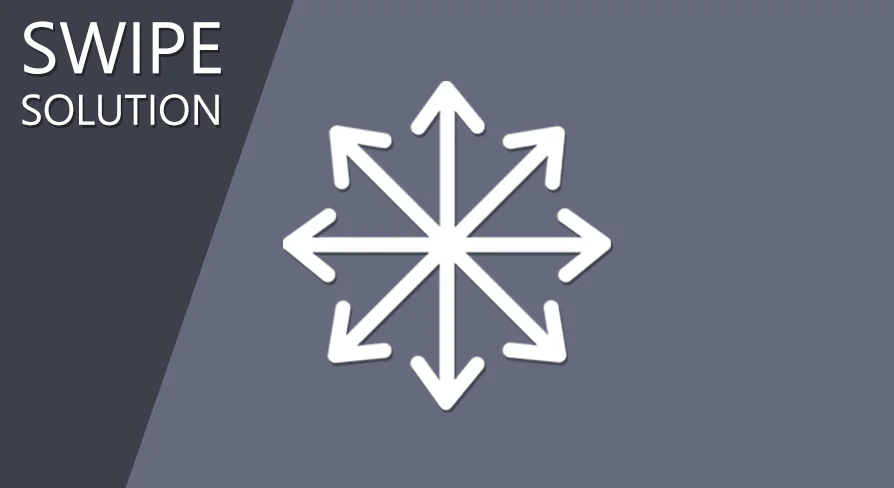
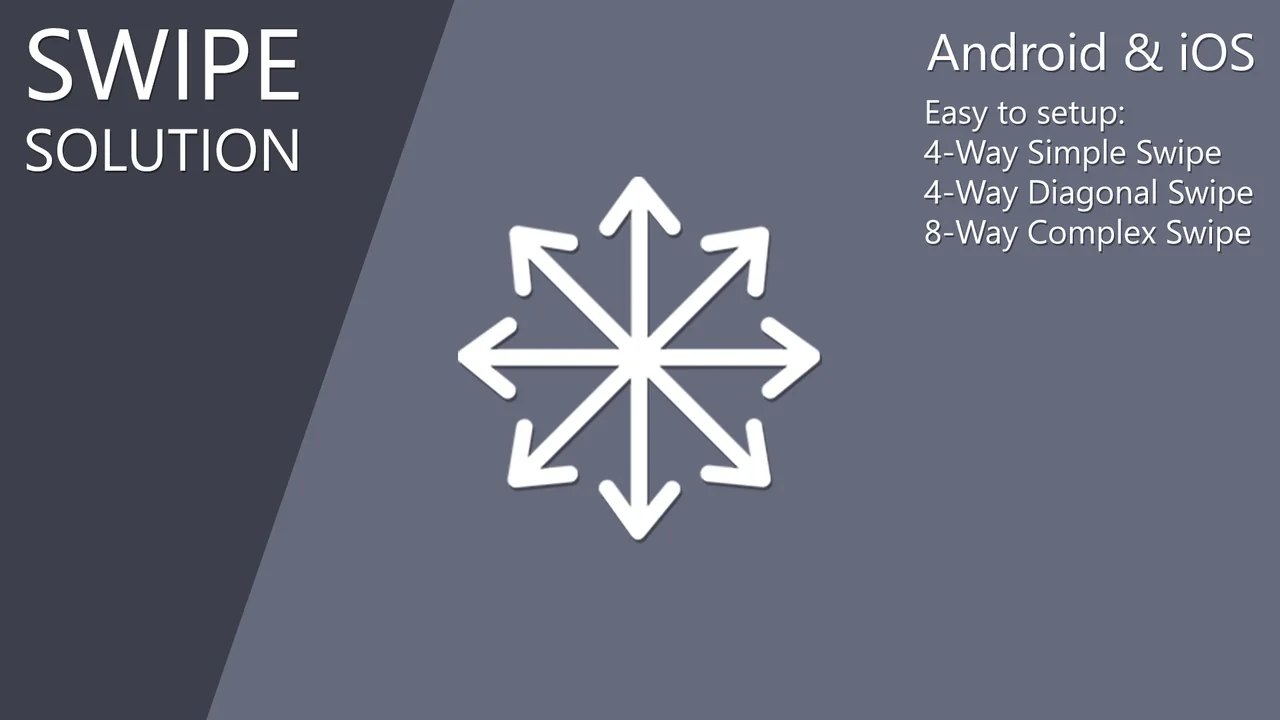
Mobile Swipe Solution supports three swipe input types. The names map to directional sets directly: 4-Way Simple, 4-Way Diagonal, and 8-Way Complex. The 8-Way Complex mode combines Simple and Diagonal, so it covers the smaller sets together.
Choosing between them is a design decision, not a technical extra. A project that only needs four basic directions can use 4-Way Simple. A project that needs diagonal gestures can use 4-Way Diagonal. When both basic and diagonal swipes belong in the same interaction, 8-Way Complex covers the combined range. Each mode changes what counts as a recognized swipe, and the Blueprint logic does not have to be rebuilt around a different input concept.
Project Settings Before Mobile Swipe Solution Reaches a Device
Four settings steps are required before launch. They are part of the setup, not optional polish.
Disable “Always Show Touch Interface” in Project Settings.
Set “Default Touch Interface” to None in Project Settings.
Enable “Use Mouse for Touch” in Project Settings.
Launch to the device.
The first two changes deal with the default touch interface. Disabling Always Show Touch Interface and setting Default Touch Interface to None clears the standard touch controls out of the way so the swipe solution can own the input path. Those settings are separate, and both are needed. One controls whether the touch interface is always shown; the other controls the default touch interface itself.
The third setting switches on mouse-for-touch behavior, and the fourth step is the device launch itself. After those changes, the project is ready to launch to a device. The list is short, but it belongs before device testing, not after. A project that skips these steps may still have the default touch interface active, which is exactly what the setup is trying to avoid.
Blueprint Events and the Android/iOS Input Layer
Blueprint and event input are the connection point between swipe recognition and the rest of the project. That fits the way many mobile projects are assembled: input logic lives in Blueprint, and gameplay responses are wired to the events that input produces. Swipe directions become events that other Blueprints can respond to.
Android and iOS are both named in the resource title, and the Mobile tag reinforces the target. The settings around touch interface and mouse-for-touch testing are mobile-facing, so the setup assumes a device launch rather than a desktop-only input scheme. The Blueprint event layer is the stable part; the platform-specific work is in preparing the project settings and testing on the target device.
For a production team, the useful question is where the swipe event lands. Mobile Swipe Solution handles the gesture-to-direction step. The project then decides what that direction does, whether it moves a camera, shifts a board, changes a selection, or feeds another Blueprint system. Keeping that separation makes the input asset easier to drop into an existing mobile project without rewriting the gameplay behind it.
2048 Puzzle Game Template Compatibility and Production Fit
Mobile Swipe Solution is compatible with the 2048 Puzzle Game Template. That compatibility note gives the asset a concrete context: it can sit alongside a puzzle project that already has its own board and gameplay structure. The swipe layer supplies the directional input; the template supplies the surrounding game.
That does not limit the asset to one template. The supported 4-Way Simple, 4-Way Diagonal, and 8-Way Complex modes are general swipe input types, and the Blueprint event structure is not tied to a single scene. The 2048 connection is simply the clearest stated compatibility point, useful when evaluating how the input solution fits into an existing mobile puzzle project.
In production, the asset belongs early in the mobile input pass. The project settings need to be changed, the swipe type needs to be chosen, and the resulting Blueprint events need to be connected to gameplay. Once that is done, the swipe solution stays behind the scenes: a small input layer that lets Android and iOS builds respond to directional gestures without the project having to implement swipe recognition from scratch.
 Gameplay Features
 Gameplay Features
 Gameplay Features
 Engine Tools