When a terrain needs to stay editable
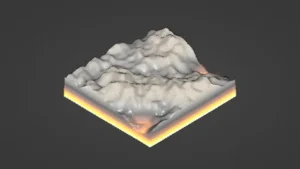
Unity scenes that are still changing tend to need the same things again and again: terrain shaping, texture passes, vegetation placement, and paths that cut through the landscape. MicroVerse – Core Collection fits that kind of work because it keeps the scene live while those pieces are being built. There is no baking step, no waiting around for updates, and no preview window separating the work from the result. Everything stays visible and editable in real time.
That makes the package relevant for outdoor environments where mountains, forests, grasslands, and path networks are being assembled piece by piece. The focus is not on locking a scene down early. It is on letting the terrain keep changing without interrupting the workflow.
What the Core Collection brings together
The Core Collection gathers the main MicroVerse module along with MicroVerse-Ambiance, MicroVerse-Objects, MicroVerse-Splines, and MicroVerse-Vegetation. A demo is included as well, showing those assets used together. Rather than acting like a single isolated tool, it forms a small group of connected modules around the same live environment workflow.
MicroVerse itself is the central piece. It is a non-destructive, real-time environment creation system for Unity, built so updates happen immediately and changes remain open for revision. That structure is what gives the collection its practical value in an active scene-building process.
How the stamp system shapes the scene
MicroVerse uses a stamp-based approach. In this system, everything is a stamp, and each stamp can affect the terrain in a different way. A stamp can modify terrain heights, procedurally texture the terrain, add trees, add grass, place prefabs in an area, or even add music and sound to a scene.
Areas can be defined in several ways: through shapes, textures, splines, or by painting directly in the scene. That gives a flexible way to control where each effect applies and how it influences the final result. Because every operation is real time and non-destructive, the scene can be adjusted at any point without having to rebuild the whole workflow from scratch.
MicroVerse also supports Copy/Paste stamp workflows, so captured areas of existing terrain can be moved around without damaging the original setup. There is also a “Create from existing scene” workflow, which captures existing terrain into stamps and lets the work continue non-destructively from there.
Since the scene is reconstructed from the beginning on every edit, changing the terrain resolution does not require a separate cleanup pass. The system simply reconstructs the terrain with the updated settings.
Multiple tiles, biome transitions, and repeatable layouts
The package is written to work with multiple terrain tiles, which matters when a scene covers a larger area than one terrain piece. It is also intrinsically biome capable through its area falloff system, allowing terrain changes to blend across space rather than stopping at a hard edge.
That structure supports scenes where different landscape types need to sit next to each other: textured mountains, forests, grasslands, and paths moving through them. Because the system updates live, the results can be pushed further or pulled back without losing the underlying setup.
Stamps can also be grouped into prefabs and reused on new areas. Those prefab collections can be added to the Content Browser for quick access, which makes it easier to reuse the same stamped environment patterns across a project.
With the MicroVerse Content Browser, fully textured and populated biomes can be created with a single drag and drop. Presets are available for these assets:
- Castle Valley Collection
- Crest Ocean System
- DreamScape Nature – Meadows
- DreamScape Nature – Mountains
- Landscape Ground Pack 2
- Meadow Environment – Dynamic Nature
- Mountain Trees – Dynamic Nature
- StampIt – Collection, plus all individual StampIt packs
- Synty – Meadow Forest
- Tropical Forest Pack
Where it fits in production
MicroVerse – Core Collection sits well in a Unity workflow where terrain, vegetation, and layout still need room to change. It is especially practical for scenes that rely on terrain tiles, biome transitions, spline-defined areas, and repeatable stamp setups that need to be moved or reused without losing flexibility.
The demo, the stamp-based editing model, the multi-tile support, and the Content Browser all point to the same kind of workflow: building environments while keeping them live. For projects that need that kind of ongoing control, the collection offers a direct way to keep the scene editable right through production.
Protected download
Access this resource
All resources are 100% manually reviewed to eliminate all risks.