"1c2c8b66743036b4"{"id":"1001689","slug":"miami-vice-city","title":"Miami Vice City","category":"Cities","engine":"5.0+","assetVersion":"","engineVersion":"Engine Version: 5.0+","tag":"Cities","accent":"blue","visual":"city","summary":"Explore the Miami Vice City environment for Unreal Engine 5.0.3, featuring 188 unique meshes, Lumen support, and the Ultimate Level Art Tool.","platform":"Unreal Engine","publishedAt":"2026-10-14T09:07:36.834Z","updatedAt":"2026-10-14T09:07:36.834Z","sourceNotes":[],"fileContents":[],"compatibility":["Unreal Engine","Engine Version: 5.0+"],"featuredImage":{"alt":"Miami Vice City","src":"/wp-content/uploads/published/2026/10/0f94c568ebef-40cbe6cc-8208-4027-80ce-47b0a324fd90-708e644dea.webp"},"hasDownloadLink":true,"downloads":0,"terms":[{"taxonomy":"category","slug":"cities","name":"Cities"}],"galleryImages":[{"src":"/wp-content/uploads/published/2026/10/274e9eabfdfd-ee068906-fa9b-434f-8c29-45586b93f638-5209663543.webp","alt":"Miami Vice City"},{"src":"/wp-content/uploads/published/2026/10/12520cf31dc2-773d9217-49dc-4a2c-bcf0-99dadbf37b2d-0f9433f86e.webp","alt":"Miami Vice City"},{"src":"/wp-content/uploads/published/2026/10/24a89ed096ad-6c1c320e-a523-4a2d-8f83-518d4a661ccb-798ecff376.webp","alt":"Miami Vice City"},{"src":"/wp-content/uploads/published/2026/10/4c103973b918-72e36c58-c865-4cbd-a836-c76bc957ab60-cb37dc3b83.webp","alt":"Miami Vice City"},{"src":"/wp-content/uploads/published/2026/10/5c5acd6f7495-7ec7aa29-cf7a-4e61-8203-45b3e241690a-12933af6c7.webp","alt":"Miami Vice City"},{"src":"/wp-content/uploads/published/2026/10/c5f700dced27-85b38837-7ac8-4fc1-836a-4dfb2f735217-ff97e55687.webp","alt":"Miami Vice City"},{"src":"/wp-content/uploads/published/2026/10/26c0ef91bb5c-ae20809d-4268-4529-88b7-fc84fe6e37a7-d1e7767797.webp","alt":"Miami Vice City"},{"src":"/wp-content/uploads/published/2026/10/3acc7c2b53d9-f988bde4-f621-41e2-9664-b38c1661ce46-4458beef9e.webp","alt":"Miami Vice City"},{"src":"/wp-content/uploads/published/2026/10/81fc81fd602d-338924df-58ce-4228-b618-2a5bd4ea3a6c-99bdeb83b7.webp","alt":"Miami Vice City"},{"src":"/wp-content/uploads/published/2026/10/98d76ff6535a-3fa78d59-a68f-468d-953e-eadc5e06bbcd-d1ed496148.webp","alt":"Miami Vice City"}],"accessPanel":{"kind":"resource","title":"Download this resource","eyebrow":"Free Download","message":"Log in or create a free account to start your download.","fileName":"Content.7z","safetyNote":"Resources are manually reviewed before listing to improve quality and reduce obvious risks.","actionLabel":"Download Free","resourceType":"Resource archive"},"contentHtml":"\u003ch2\u003eEngine Configuration and Miami Vice City Setup Requirements\u003c/h2\u003e\n\u003cp\u003eDeploying the Miami Vice City project requires specific engine configurations to ensure lighting and rendering fidelity match the intended art direction. Built to support Unreal Engine 5.0.3, the environment relies directly on Lumen for dynamic global illumination and reflections. Before opening the included preassembled level, verify that Lumen is fully enabled within the project settings under the rendering category. This ensures dynamic bounced lighting and ambient shadowing react correctly across all urban facades and street-level assets.\u003c/p\u003e\n\u003cp\u003eA second essential requirement is the activation of the built-in HDRI plugin. Without the HDRI backdrop system enabled, the skybox, environmental reflections, and natural atmospheric lighting will fail to display properly. The balance of ambient light against direct sun exposure is tied to this plugin, making it a prerequisite step before running any sequence checks or baking passes.\u003c/p\u003e\n\u003cp\u003eOnce plugins and global illumination systems are toggled on, the included preassembled scene can be loaded directly. This scene serves as a complete reference layout, showing how the primary structural elements, street alignments, and lighting components are intended to interact in a real-time production context.\u003c/p\u003e \u003ch2\u003eStructuring Scenes with 188 Unique Meshes\u003c/h2\u003e\n\u003cp\u003eThe library provides 188 unique meshes created to assemble a cohesive coastal urban layout. Each piece is constructed with an emphasis on balancing high-fidelity surface detail with real-time performance, ensuring the environment remains responsive when navigated at ground level or viewed from broader cinematic vantage points.\u003c/p\u003e\n\u003cp\u003eMesh organization centers on modularity and scene assembly. With 188 assets covering structural elements, exterior architecture, and perimeter staging, developers can build distinct street blocks without relying on repetitive silhouette shapes. Assets are built with consistent scaling metrics, allowing walls, entryways, rooftops, and urban trim to snap together reliably during layout phases.\u003c/p\u003e\n\u003cp\u003eThe models are prepared with optimized levels of detail (LODs) to prevent geometry bottlenecks during dense population sweeps. Because the asset pool focuses on game-ready readiness, draw calls and polygon budgets are monitored across the modular kit, preventing unneeded overhead when multiple architectural pieces share the same view frustum.\u003c/p\u003e \u003ch2\u003eModular Architecture via the Ultimate Level Art Tool\u003c/h2\u003e\n\u003cp\u003eTo accelerate level dressing and eliminate tedious manual snapping, the package integrates the Ultimate Level Art Tool (ULAT). Originating as a modular design development tool created for web-based and mobile systems, ULAT has been tailored to streamline real-time level design within the engine environment. The tool enables technical artists and level designers to assemble custom modular buildings quickly while keeping geometric alignments precise.\u003c/p\u003e\n\u003cp\u003eWorking with ULAT inside the Miami Vice City framework allows developers to populate scenes organically rather than hand-placing every individual facade piece. The tool provides procedural and semi-automated methods to distribute assets across specified footprints, generating variations in architectural heights, window arrangements, and street layouts. This modular approach ensures that even large city sections can be drafted without breaking architectural continuity.\u003c/p\u003e\n\u003cp\u003eBecause the 188 unique meshes are natively compatible with the tool, components interface cleanly with the tool’s placement algorithms. Designers can shift building perimeters, change structural density, or swap surface components in a non-destructive manner, dramatically cutting down the iteration time needed to build out an entire city precinct.\u003c/p\u003e \u003ch2\u003eReal-Time Pipelines for Virtual Production and Game Environments\u003c/h2\u003e\n\u003cp\u003eThe environment is designed to address two distinct real-time pipelines: game-ready level production and virtual production stages. For game development, maintaining consistent frame pacing across complex vistas is critical. The mesh optimization, efficient UV layouts, and level-of-detail management ensure smooth runtime execution even in heavily decorated sections of the map.\u003c/p\u003e\n\u003cp\u003eIn virtual production settings, the emphasis shifts toward visual fidelity, realistic surface lighting, and dynamic camera response. The environment handles these demands through its native Lumen implementation. As physical cameras track across virtual sets or LED volumes, the dynamic lighting and real-time reflections calculate instantly without requiring pre-computed lightmaps. This capability provides virtual production teams with instant feedback when adjusting lighting angles or camera exposure on set.\u003c/p\u003e\n\u003cp\u003eThe included preassembled scene functions as a turn-key staging area for both workflows. For game developers, it establishes a functional baseline for collision, scale, and sightlines. For virtual production supervisors, it offers an immediate cinematic backdrop ready for shot composition, background projection, or live composite passes.\u003c/p\u003e \u003ch2\u003eIntegration Frameworks and Toolkit Interoperability\u003c/h2\u003e\n\u003cp\u003eBeyond traditional level design, the environment is compatible with advanced development frameworks, including the NWIRO AI Integration Kit. This ecosystem supports integration across tools such as Unreal Copilot, Model Context Protocol (MCP) workflows, inverse kinematics (IK) setups, and the Ultimate AI Bridge MCP. Connecting the environment to these systems allows technical teams to leverage automation scripts and artificial intelligence toolsets for spatial layout, scene analysis, and procedural dressing.\u003c/p\u003e\n\u003cp\u003eThe structured nature of the 188 unique meshes makes them suitable for automated level generation pipelines. When tied into external scripting bridges or AI copilot systems, the asset naming conventions and modular grid alignments give automated systems clear boundary data for generating procedural city segments or dynamically spawning props relative to architectural bounding boxes.\u003c/p\u003e \u003ch2\u003eProduction Validation and Project Implementation\u003c/h2\u003e\n\u003cp\u003eTo verify the assets in an active engine viewport before deployment, technical artists can examine the preassembled scene alongside the showcase and walkthrough demonstrations. This reference material illustrates the intended atmospheric density, camera paths, and lighting balances tuned specifically for Unreal Engine 5.0.3.\u003c/p\u003e\n\u003cp\u003eLong-term project maintenance is backed by dedicated support channels where technical inquiries, procedural suggestions, and environment integration requests can be handled via ticketing systems. Whether applied to interactive titles requiring optimized urban streetscapes or film-grade virtual production sets needing realistic coastal city staging, the combination of 188 game-ready assets and modular tooling offers an efficient, production-tested foundation.\u003c/p\u003e\n\n\u003ch2\u003eRelated Resources Worth Checking\u003c/h2\u003e\n\u003cul\u003e\n\u003cli\u003e\u003ca href=\"https://3dcghub.com/miami-club-megapack-miami-miami-club-club/\" title=\"Miami Club Megapack ( Miami Miami Club Club )\"\u003eMiami Club Megapack ( Miami Miami Club Club )\u003c/a\u003e\u003c/li\u003e\n\u003cli\u003e\u003ca href=\"https://3dcghub.com/synthwave-city-kit/\" title=\"Synthwave City Kit\"\u003eSynthwave City Kit\u003c/a\u003e\u003c/li\u003e\n\u003cli\u003e\u003ca href=\"https://3dcghub.com/post-apocalypse-city-2/\" title=\"Post Apocalypse City\"\u003ePost Apocalypse City\u003c/a\u003e\u003c/li\u003e\n\u003cli\u003e\u003ca href=\"https://3dcghub.com/downtown-city-pack/\" title=\"Downtown - City Pack\"\u003eDowntown - City Pack\u003c/a\u003e\u003c/li\u003e\n\u003cli\u003e\u003ca href=\"https://3dcghub.com/modern-city-environment/\" title=\"Modern City Environment\"\u003eModern City Environment\u003c/a\u003e\u003c/li\u003e\n\u003c/ul\u003e","contentTextLength":7003,"navigation":{"current":26,"total":3651,"previous":{"id":"1001690","slug":"neon-led-generator","title":"Neon Led Generator","category":"Building \u0026 Human-made","platform":"Unreal Engine","updatedAt":"2026-10-14T09:08:09.069Z"},"next":{"id":"1001688","slug":"jobsite-vol-13-farm-hay-nanite-and-low-poly","title":"Jobsite VOL.13 - Farm Hay (Nanite \u0026 Low Poly)","category":"Debris","platform":"Unreal Engine","updatedAt":"2026-10-14T09:06:27.057Z"}},"relatedResources":[{"id":"27211","slug":"miami-club-megapack-miami-miami-club-club","title":"Miami Club Megapack ( Miami Miami Club Club )","category":"Cities","engine":"5.0+","assetVersion":"Engine version: 5.0+","engineVersion":"5.0","tag":"Cities","accent":"blue","visual":"city","summary":"The Miami Club Megapack starts with a preassembled nightclub scene built from over 784 unique meshes, merged assets, and Blueprints for easier use. It uses Real-time Lumen lighting and supports Nanite and Lumen in Unreal Engine 5.0+, with ULAT included for...","platform":"Unreal Engine","publishedAt":"2026-04-21T17:01:25.000Z","updatedAt":"2026-04-21T17:01:27.000Z","sourceNotes":[],"fileContents":[],"compatibility":["Unreal Engine","Engine version: 5.0+"],"featuredImage":{"alt":"Miami Club Megapack ( Miami Miami Club Club )","src":"https://3dcghub.com/wp-content/uploads/2026/04/146e2f2b5063_33695d1e-a487-4469-8050-c5bb59b89f28.webp"},"hasDownloadLink":true,"downloads":0},{"id":"1001712","slug":"visus-city-vol-2","title":"Visus City Vol 2","category":"Cities","engine":"5.4+","assetVersion":"","engineVersion":"Engine Version: 5.4+","tag":"Cities","accent":"blue","visual":"city","summary":"Visus City Vol 2 delivers procedural urban generation, 127 road templates, Packed Level Actors, and interactive setups for Unreal Engine 5.","platform":"Unreal Engine","publishedAt":"2026-10-14T17:16:38.123Z","updatedAt":"2026-10-14T17:16:38.123Z","sourceNotes":[],"fileContents":[],"compatibility":["Unreal Engine","Engine Version: 5.4+"],"featuredImage":{"alt":"Visus City Vol 2","src":"/wp-content/uploads/published/2026/10/fe41f104ad5d-84c79a54-ecf4-4369-a8c8-b49678f2e637-d208d2da2a.webp"},"hasDownloadLink":true,"downloads":0},{"id":"1001701","slug":"modular-amsterdam-city-street-with-canal","title":"Modular Amsterdam City Street with Canal","category":"Cities","engine":"5.4+","assetVersion":"","engineVersion":"Engine Version: 5.4+","tag":"Cities","accent":"blue","visual":"city","summary":"Build authentic Dutch urban scenes with modular canal-side architecture, street props, Nanite-ready meshes, and 4K PBR textures in Unreal Engine.","platform":"Unreal Engine","publishedAt":"2026-10-14T13:30:10.202Z","updatedAt":"2026-10-14T13:30:10.202Z","sourceNotes":[],"fileContents":[],"compatibility":["Unreal Engine","Engine Version: 5.4+"],"featuredImage":{"alt":"Modular Amsterdam City Street with Canal","src":"/wp-content/uploads/published/2026/10/23e966ee0759-1a53411b-9b5a-4e48-86dc-fc10e925d417-6eb4ff8a13.webp"},"hasDownloadLink":true,"downloads":0}]}
Cities
Miami Vice City
Explore the Miami Vice City environment for Unreal Engine 5.0.3, featuring 188 unique meshes, Lumen support, and the Ultimate Level Art Tool.
Category:Unreal Engine,CitiesPlatform: Unreal EngineEngine Version: 5.0+Published: Oct 14, 2026
Cities
Resource overview
Engine Configuration and Miami Vice City Setup Requirements
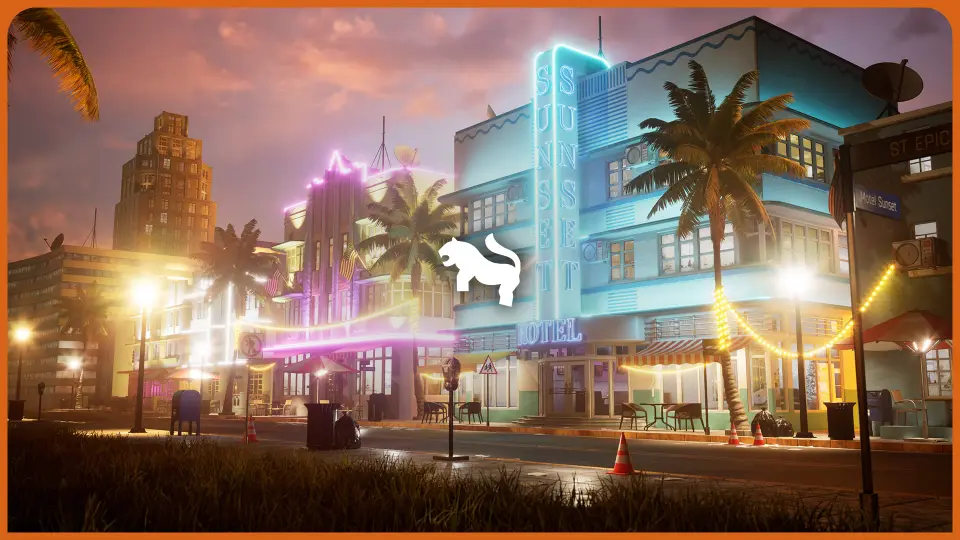
Deploying the Miami Vice City project requires specific engine configurations to ensure lighting and rendering fidelity match the intended art direction. Built to support Unreal Engine 5.0.3, the environment relies directly on Lumen for dynamic global illumination and reflections. Before opening the included preassembled level, verify that Lumen is fully enabled within the project settings under the rendering category. This ensures dynamic bounced lighting and ambient shadowing react correctly across all urban facades and street-level assets.
A second essential requirement is the activation of the built-in HDRI plugin. Without the HDRI backdrop system enabled, the skybox, environmental reflections, and natural atmospheric lighting will fail to display properly. The balance of ambient light against direct sun exposure is tied to this plugin, making it a prerequisite step before running any sequence checks or baking passes.
Once plugins and global illumination systems are toggled on, the included preassembled scene can be loaded directly. This scene serves as a complete reference layout, showing how the primary structural elements, street alignments, and lighting components are intended to interact in a real-time production context.
Structuring Scenes with 188 Unique Meshes
The library provides 188 unique meshes created to assemble a cohesive coastal urban layout. Each piece is constructed with an emphasis on balancing high-fidelity surface detail with real-time performance, ensuring the environment remains responsive when navigated at ground level or viewed from broader cinematic vantage points.
Mesh organization centers on modularity and scene assembly. With 188 assets covering structural elements, exterior architecture, and perimeter staging, developers can build distinct street blocks without relying on repetitive silhouette shapes. Assets are built with consistent scaling metrics, allowing walls, entryways, rooftops, and urban trim to snap together reliably during layout phases.
The models are prepared with optimized levels of detail (LODs) to prevent geometry bottlenecks during dense population sweeps. Because the asset pool focuses on game-ready readiness, draw calls and polygon budgets are monitored across the modular kit, preventing unneeded overhead when multiple architectural pieces share the same view frustum.
Modular Architecture via the Ultimate Level Art Tool
To accelerate level dressing and eliminate tedious manual snapping, the package integrates the Ultimate Level Art Tool (ULAT). Originating as a modular design development tool created for web-based and mobile systems, ULAT has been tailored to streamline real-time level design within the engine environment. The tool enables technical artists and level designers to assemble custom modular buildings quickly while keeping geometric alignments precise.
Working with ULAT inside the Miami Vice City framework allows developers to populate scenes organically rather than hand-placing every individual facade piece. The tool provides procedural and semi-automated methods to distribute assets across specified footprints, generating variations in architectural heights, window arrangements, and street layouts. This modular approach ensures that even large city sections can be drafted without breaking architectural continuity.
Because the 188 unique meshes are natively compatible with the tool, components interface cleanly with the tool’s placement algorithms. Designers can shift building perimeters, change structural density, or swap surface components in a non-destructive manner, dramatically cutting down the iteration time needed to build out an entire city precinct.
Real-Time Pipelines for Virtual Production and Game Environments
The environment is designed to address two distinct real-time pipelines: game-ready level production and virtual production stages. For game development, maintaining consistent frame pacing across complex vistas is critical. The mesh optimization, efficient UV layouts, and level-of-detail management ensure smooth runtime execution even in heavily decorated sections of the map.
In virtual production settings, the emphasis shifts toward visual fidelity, realistic surface lighting, and dynamic camera response. The environment handles these demands through its native Lumen implementation. As physical cameras track across virtual sets or LED volumes, the dynamic lighting and real-time reflections calculate instantly without requiring pre-computed lightmaps. This capability provides virtual production teams with instant feedback when adjusting lighting angles or camera exposure on set.
The included preassembled scene functions as a turn-key staging area for both workflows. For game developers, it establishes a functional baseline for collision, scale, and sightlines. For virtual production supervisors, it offers an immediate cinematic backdrop ready for shot composition, background projection, or live composite passes.
Integration Frameworks and Toolkit Interoperability
Beyond traditional level design, the environment is compatible with advanced development frameworks, including the NWIRO AI Integration Kit. This ecosystem supports integration across tools such as Unreal Copilot, Model Context Protocol (MCP) workflows, inverse kinematics (IK) setups, and the Ultimate AI Bridge MCP. Connecting the environment to these systems allows technical teams to leverage automation scripts and artificial intelligence toolsets for spatial layout, scene analysis, and procedural dressing.
The structured nature of the 188 unique meshes makes them suitable for automated level generation pipelines. When tied into external scripting bridges or AI copilot systems, the asset naming conventions and modular grid alignments give automated systems clear boundary data for generating procedural city segments or dynamically spawning props relative to architectural bounding boxes.
Production Validation and Project Implementation
To verify the assets in an active engine viewport before deployment, technical artists can examine the preassembled scene alongside the showcase and walkthrough demonstrations. This reference material illustrates the intended atmospheric density, camera paths, and lighting balances tuned specifically for Unreal Engine 5.0.3.
Long-term project maintenance is backed by dedicated support channels where technical inquiries, procedural suggestions, and environment integration requests can be handled via ticketing systems. Whether applied to interactive titles requiring optimized urban streetscapes or film-grade virtual production sets needing realistic coastal city staging, the combination of 188 game-ready assets and modular tooling offers an efficient, production-tested foundation.
 Cities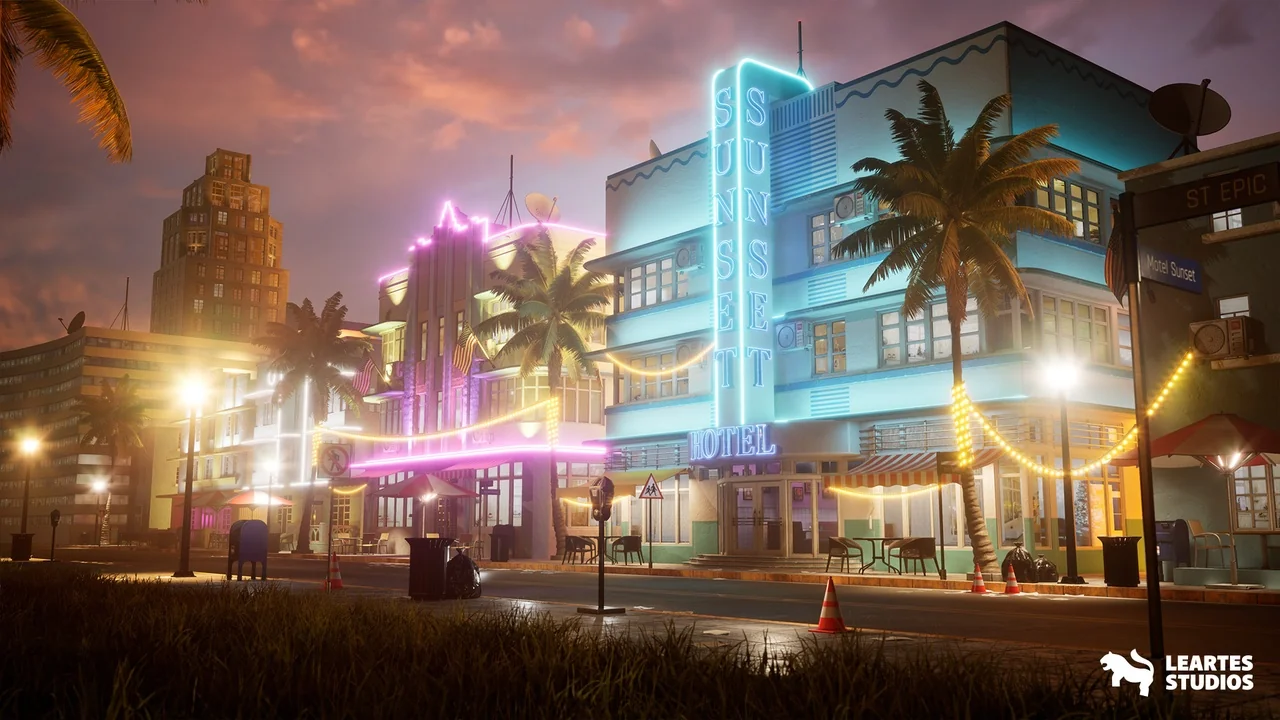
 Cities
 Cities
 Cities