"6ac84fdb0bd06614"{"id":"28356","slug":"ledge-animation-set","title":"Ledge Animation Set","category":"Locomotion / Gaits","engine":"4.26+,5.0+","assetVersion":"Engine version: 4.26+,5.0+","engineVersion":"","tag":"Locomotion / Gaits","accent":"blue","visual":"animation","summary":"Ledge Animation Set focuses on the kind of movement that shapes climbing routes, narrow escapes, and suspended traversal in third-person scenes. Its 38 hand-crafted animations cover ledge runs, grabs, jumps, corners, and transitions, with both in-place and...","platform":"Unreal Engine","publishedAt":"2026-05-07T10:03:31.000Z","updatedAt":"2026-05-07T10:03:32.000Z","sourceNotes":[],"fileContents":[],"compatibility":["Unreal Engine","Engine version: 4.26+,5.0+"],"featuredImage":{"alt":"Ledge Animation Set","src":"https://3dcghub.com/wp-content/uploads/2026/05/9a645c93da4a_f3d3efdb-cbbd-4a8a-91e6-b48e79dafdc4.webp"},"hasDownloadLink":true,"downloads":0,"terms":[{"taxonomy":"category","slug":"locomotion-gaits","name":"Locomotion / Gaits"},{"taxonomy":"post_tag","slug":"animation","name":"Animation"},{"taxonomy":"post_tag","slug":"characters","name":"Characters"},{"taxonomy":"post_tag","slug":"unreal-engine-5","name":"Unreal Engine 5"}],"galleryImages":[{"src":"https://3dcghub.com/wp-content/uploads/2026/05/c7115410df09_07940eca-243c-48cf-b4fc-7c899441ecf2.webp","alt":"Ledge Animation Set"},{"src":"https://3dcghub.com/wp-content/uploads/2026/05/248128d11cf8_49bb99c0-9634-4ec0-8cd9-36ae199930e0.webp","alt":"Ledge Animation Set"},{"src":"https://3dcghub.com/wp-content/uploads/2026/05/6de8b83a39c4_9ed6f91a-c349-4eed-817d-aefa69ed0778.webp","alt":"Ledge Animation Set"},{"src":"https://3dcghub.com/wp-content/uploads/2026/05/aa4e0c07296b_8545ff8b-23c4-4d97-b964-fd73dc97c9f8.webp","alt":"Ledge Animation Set"},{"src":"https://3dcghub.com/wp-content/uploads/2026/05/5ce8436bb81a_f18b7ede-d2e6-4fbd-a707-cadd30c0b85b.webp","alt":"Ledge Animation Set"}],"accessPanel":{"kind":"resource","title":"Access this resource","eyebrow":"Free Download","message":"Log in or create a free account to start your download.","fileName":"Content.7z","safetyNote":"All resources are 100% manually reviewed to eliminate all risks.","actionLabel":"Download Free","resourceType":"Resource archive"},"contentHtml":"\u003cp\u003eCliff faces, ruined buildings, industrial shafts, and suspended pathways all depend on one thing to feel playable: movement across edges that reads quickly and clearly. Ledge Animation Set addresses that specific part of third-person traversal with 38 hand-crafted animations centered on hanging, shifting, grabbing, and moving along ledges.\u003c/p\u003e\u003cp\u003eThe set is not motion capture. Its movement style intentionally trades realism for speed and fluidity, which makes the pack especially focused on responsive-looking traversal rather than heavy, grounded motion. It is also strictly an animation collection. No Blueprints are included.\u003c/p\u003e\u003ch2\u003eLedge Animation Set and the shape of ledge traversal\u003c/h2\u003e\u003cp\u003eThis set covers the actions that define a ledge system once a character is already interacting with a surface or moving into one. That includes leaning and jumping in each direction, turning corners on both inside and outside angles, and grabbing ledges while airborne from multiple approach directions.\u003c/p\u003e\u003cp\u003eThe airborne grab coverage is one of the more practical details here. The set includes grabs from forward, left, or right of the player, which supports scenes where a character reaches a ledge from different sides instead of only from a straight-on jump. For traversal sequences with changing camera angles or more dynamic level geometry, that kind of directional support can make a ledge route feel less locked to one approach.\u003c/p\u003e\u003cp\u003eStart and stop transitions are included for each state, which helps break traversal into readable phases rather than a string of isolated poses. That matters most in systems where the character needs to move from idle hanging into lateral movement, directional leaning, or an exit action without abrupt switches.\u003c/p\u003e\u003ch2\u003eWhat is included in the 38 hand-crafted animations\u003c/h2\u003e\u003cp\u003eThe pack’s animation list is specific and easy to map to traversal behaviors:\u003c/p\u003e\u003cul\u003e\u003cli\u003eLedge_Idle\u003c/li\u003e\u003cli\u003eLedge_Run_L_Start, Ledge_Run_L, Ledge_Run_L_Stop\u003c/li\u003e\u003cli\u003eLedge_Run_R_Start, Ledge_Run_R, Ledge_Run_R_Stop\u003c/li\u003e\u003cli\u003eLedge_Climb_Up, Ledge_Climb_Down, Ledge_Drop\u003c/li\u003e\u003cli\u003eLedge_Grab, Ledge_Grab_L, Ledge_Grab_R\u003c/li\u003e\u003cli\u003eLedge_Jump_L, Ledge_Jump_R, Ledge_Jump_Up, Ledge_Jump_Down, Ledge_Jump_Out\u003c/li\u003e\u003cli\u003eLedge_Lean_L_Start, Ledge_Lean_L, Ledge_Lean_L_Stop\u003c/li\u003e\u003cli\u003eLedge_Lean_R_Start, Ledge_Lean_R, Ledge_Lean_R_Stop\u003c/li\u003e\u003cli\u003eLedge_Lean_Up_Start, Ledge_Lean_Up, Ledge_Lean_Up_Stop\u003c/li\u003e\u003cli\u003eLedge_Lean_Down_Start, Ledge_Lean_Down, Ledge_Lean_Down_Stop\u003c/li\u003e\u003cli\u003eLedge_Lean_Out_Start, Ledge_Lean_Out, Ledge_Lean_Out_Stop\u003c/li\u003e\u003cli\u003eLedge_Corner_Outside_L, Ledge_Corner_Outside_R\u003c/li\u003e\u003cli\u003eLedge_Corner_Inside_L, Ledge_Corner_Inside_R\u003c/li\u003e\u003cli\u003eFalling\u003c/li\u003e\u003c/ul\u003e\u003cp\u003eRead together, these names show a pack that is concerned with the full feel of edge navigation rather than only a few headline moves. There is an idle state, lateral travel, vertical choices, outward movement, directional jumps, and corner handling. That gives a traversal setup room to support simple ledge hanging as well as more active movement across connected surfaces.\u003c/p\u003e\u003ch2\u003eIn-place and root motion variants in actual setup\u003c/h2\u003e\u003cp\u003eEach animation includes both in-place and root motion variants. That is one of the key implementation details in the set because it affects how the animations can be integrated into a movement system.\u003c/p\u003e\u003cp\u003eIn-place variants are useful when ledge positioning is being managed externally and the animation needs to stay visually synced while the movement logic handles character placement. Root motion variants give an alternative where the motion itself carries the character through the action. Since the set includes both, there is flexibility in how ledge traversal is assembled and tested.\u003c/p\u003e\u003cp\u003eThe absence of Blueprints is equally important when planning setup. This is not a ready-made traversal framework. It provides the motion assets only, so the ledge detection, state handling, and animation logic need to be assembled separately. For teams or developers who already have their own character controller or traversal logic, that keeps the asset focused. It does not prescribe a system around the animations.\u003c/p\u003e\u003ch2\u003eLedge_Grab, Ledge_Corner, and directional movement in scene building\u003c/h2\u003e\u003cp\u003eThe most interesting creative value in the pack comes from its directional coverage. Ledge grabs are not limited to one generic catch. There are separate grab animations, including left and right variants, and the set also supports airborne grabs from different approach sides. In practice, that helps when building spaces where the player can miss slightly, approach from an angle, or move through a route that bends around architecture instead of staying flat.\u003c/p\u003e\u003cp\u003eThe corner animations add another layer. Inside and outside turns to both left and right make it easier to represent ledges that wrap around geometry. A route across a collapsed facade or a narrow exterior wall can shift from one face to another without reducing the motion to a simple teleport between states.\u003c/p\u003e\u003cp\u003eLeaning is also covered in multiple directions: left, right, up, down, and out, each with start, loop, and stop phases. That set of motions supports more than locomotion alone. It can also shape anticipation and exploration along a ledge, letting a character visibly check a path or prepare for the next jump or climb move before committing to it.\u003c/p\u003e\u003ch2\u003eWhere this set fits best\u003c/h2\u003e\u003cp\u003eLedge Animation Set fits projects that want fast, fluid third-person traversal across hanging routes, corners, and directional jumps. Its hand-crafted style does not aim for strict realism, and the animation list reflects a clear focus on responsive edge movement. If the project already has its own traversal logic or needs animation assets without bundled Blueprints, this set stays narrowly focused on the motions themselves.\u003c/p\u003e\n\n\u003ch2\u003eContinue Browsing Similar Packs\u003c/h2\u003e\n\u003cul\u003e\n\u003cli\u003e\u003ca href=\"https://3dcghub.com/1950s-characters-bundle-1950s-characters-bundle-1950-character-gangster-3d/\" title=\"1950s Characters Bundle ( 1950s Characters Bundle 1950 Character Gangster 3D )\"\u003e1950s Characters Bundle ( 1950s Characters Bundle 1950 Character Gangster 3D )\u003c/a\u003e\u003c/li\u003e\n\u003cli\u003e\u003ca href=\"https://3dcghub.com/character-rigged-npc-character-rigged-npc-rig-characters-animated-3d/\" title=\"Character / Rigged / NPC ( Character Rigged NPC Rig Characters Animated 3D )\"\u003eCharacter / Rigged / NPC ( Character Rigged NPC Rig Characters Animated 3D )\u003c/a\u003e\u003c/li\u003e\n\u003cli\u003e\u003ca href=\"https://3dcghub.com/military-animation-pack-i-unarmed/\" title=\"Military Animation Pack I (Unarmed)\"\u003eMilitary Animation Pack I (Unarmed)\u003c/a\u003e\u003c/li\u003e\n\u003cli\u003e\u003ca href=\"https://3dcghub.com/mixamo-animation-retargeting-2/\" title=\"Mixamo Animation Retargeting 2\"\u003eMixamo Animation Retargeting 2\u003c/a\u003e\u003c/li\u003e\n\u003cli\u003e\u003ca href=\"https://3dcghub.com/r-tune-vehicle-physics-2-0-vehicle-system-for-games-animation/\" title=\"R-Tune Vehicle Physics 2.0 – Vehicle System for Games \u0026amp;amp; Animation\"\u003eR-Tune Vehicle Physics 2.0 – Vehicle System for Games \u0026amp; Animation\u003c/a\u003e\u003c/li\u003e\n\u003c/ul\u003e","contentTextLength":5935,"navigation":{"current":1310,"total":3181,"previous":{"id":"28369","slug":"maniac-towing-modular-5in1","title":"Maniac Towing Modular 5in1","category":"Characters \u0026 Creatures","platform":"Unreal Engine","updatedAt":"2026-05-07T10:11:08.000Z"},"next":{"id":"28348","slug":"landscaping-vines-1-2","title":"Landscaping Vines 1","category":"Climber","platform":"Unreal Engine","updatedAt":"2026-05-07T10:00:11.000Z"}},"relatedResources":[{"id":"6099","slug":"climbing-animation-set","title":"Climbing Animation Set","category":"Locomotion / Gaits","engine":"4.26+,5.0+","assetVersion":"Engine version: 4.26+,5.0+","engineVersion":"4.17","tag":"Locomotion / Gaits","accent":"blue","visual":"animation","summary":"Boost your game's realism with this 29-piece climbing animation set. Includes root motion and in-place variants for fluid third-person character movement.","platform":"Unreal Engine","publishedAt":"2026-02-18T16:51:49.000Z","updatedAt":"2026-04-19T15:56:31.000Z","sourceNotes":[],"fileContents":[],"compatibility":["Unreal Engine","Engine version: 4.26+,5.0+"],"featuredImage":{"alt":"Climbing Animation Set","src":"https://3dcghub.com/wp-content/uploads/2026/02/350995d0-35aa-4dba-9cf0-4aa6ba0f56c2.webp"},"hasDownloadLink":true,"downloads":2},{"id":"1000438","slug":"roll-and-dash-animation","title":"Roll and Dash Animation","category":"Locomotion / Gaits","engine":"5.2+","assetVersion":"","engineVersion":"Engine Version: 5.2+","tag":"Locomotion / Gaits","accent":"blue","visual":"animation","summary":"Roll and Dash Animation is a 46-clip motion set covering directional dashes and rolling sequences for action, adventure, and combat character movement.","platform":"Unreal Engine","publishedAt":"2026-07-10T22:31:05.674Z","updatedAt":"2026-07-10T22:31:05.674Z","sourceNotes":[],"fileContents":[],"compatibility":["Unreal Engine","Engine Version: 5.2+"],"featuredImage":{"alt":"Roll and Dash Animation","src":"/wp-content/uploads/published/2026/07/6ebbafb6a8cf-3d976af6-d628-42be-a3ed-7923d6f223f1-55d887989f.webp"},"hasDownloadLink":true,"downloads":3},{"id":"1000889","slug":"stairs-set","title":"Stairs Set","category":"Locomotion / Gaits","engine":"5.0+","assetVersion":"","engineVersion":"Engine Version: 5.0+","tag":"Locomotion / Gaits","accent":"blue","visual":"animation","summary":"Walk and jog stair climbing animations for UE5 Male Mannequin, with Root Motion and In-Place variants, FBX and MotionBuilder source files, and IK bones. 40 file","platform":"Unreal Engine","publishedAt":"2026-08-05T18:23:59.885Z","updatedAt":"2026-08-05T18:23:59.885Z","sourceNotes":[],"fileContents":[],"compatibility":["Unreal Engine","Engine Version: 5.0+"],"featuredImage":{"alt":"Stairs Set","src":"/wp-content/uploads/published/2026/08/1b482e4877cc-cc7bdabb-dd65-4265-9310-b44696bd6e43-2a288748c7.webp"},"hasDownloadLink":true,"downloads":2}]}
Locomotion / Gaits
Ledge Animation Set
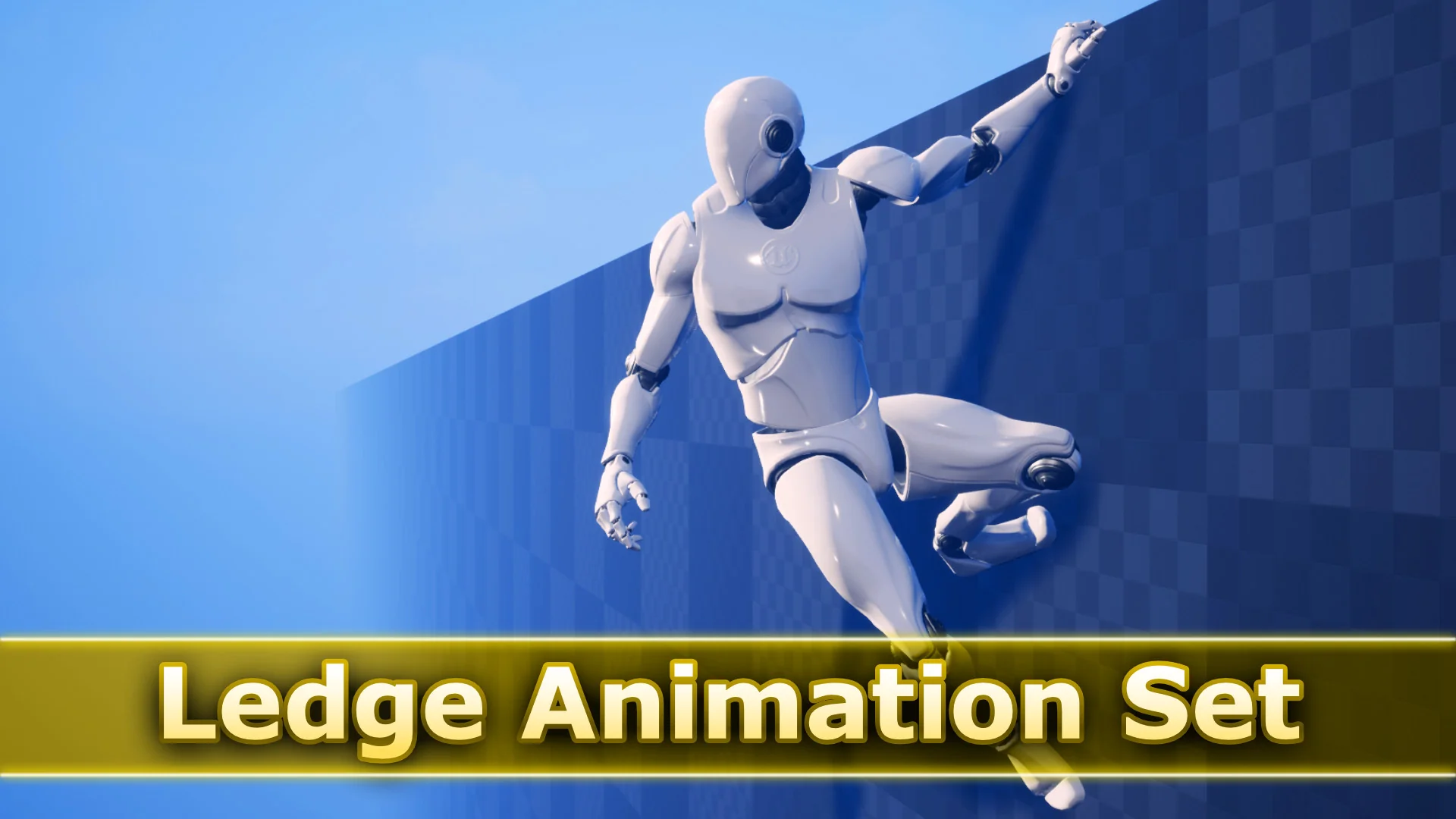
Ledge Animation Set focuses on the kind of movement that shapes climbing routes, narrow escapes, and suspended traversal in third-person scenes. Its 38 hand-crafted animations cover ledge runs, grabs, jumps, corners, and transitions, with both in-place and...
Cliff faces, ruined buildings, industrial shafts, and suspended pathways all depend on one thing to feel playable: movement across edges that reads quickly and clearly. Ledge Animation Set addresses that specific part of third-person traversal with 38 hand-crafted animations centered on hanging, shifting, grabbing, and moving along ledges.
The set is not motion capture. Its movement style intentionally trades realism for speed and fluidity, which makes the pack especially focused on responsive-looking traversal rather than heavy, grounded motion. It is also strictly an animation collection. No Blueprints are included.
Ledge Animation Set and the shape of ledge traversal
This set covers the actions that define a ledge system once a character is already interacting with a surface or moving into one. That includes leaning and jumping in each direction, turning corners on both inside and outside angles, and grabbing ledges while airborne from multiple approach directions.
The airborne grab coverage is one of the more practical details here. The set includes grabs from forward, left, or right of the player, which supports scenes where a character reaches a ledge from different sides instead of only from a straight-on jump. For traversal sequences with changing camera angles or more dynamic level geometry, that kind of directional support can make a ledge route feel less locked to one approach.
Start and stop transitions are included for each state, which helps break traversal into readable phases rather than a string of isolated poses. That matters most in systems where the character needs to move from idle hanging into lateral movement, directional leaning, or an exit action without abrupt switches.
What is included in the 38 hand-crafted animations
The pack’s animation list is specific and easy to map to traversal behaviors:
Read together, these names show a pack that is concerned with the full feel of edge navigation rather than only a few headline moves. There is an idle state, lateral travel, vertical choices, outward movement, directional jumps, and corner handling. That gives a traversal setup room to support simple ledge hanging as well as more active movement across connected surfaces.
In-place and root motion variants in actual setup
Each animation includes both in-place and root motion variants. That is one of the key implementation details in the set because it affects how the animations can be integrated into a movement system.
In-place variants are useful when ledge positioning is being managed externally and the animation needs to stay visually synced while the movement logic handles character placement. Root motion variants give an alternative where the motion itself carries the character through the action. Since the set includes both, there is flexibility in how ledge traversal is assembled and tested.
The absence of Blueprints is equally important when planning setup. This is not a ready-made traversal framework. It provides the motion assets only, so the ledge detection, state handling, and animation logic need to be assembled separately. For teams or developers who already have their own character controller or traversal logic, that keeps the asset focused. It does not prescribe a system around the animations.
Ledge_Grab, Ledge_Corner, and directional movement in scene building
The most interesting creative value in the pack comes from its directional coverage. Ledge grabs are not limited to one generic catch. There are separate grab animations, including left and right variants, and the set also supports airborne grabs from different approach sides. In practice, that helps when building spaces where the player can miss slightly, approach from an angle, or move through a route that bends around architecture instead of staying flat.
The corner animations add another layer. Inside and outside turns to both left and right make it easier to represent ledges that wrap around geometry. A route across a collapsed facade or a narrow exterior wall can shift from one face to another without reducing the motion to a simple teleport between states.
Leaning is also covered in multiple directions: left, right, up, down, and out, each with start, loop, and stop phases. That set of motions supports more than locomotion alone. It can also shape anticipation and exploration along a ledge, letting a character visibly check a path or prepare for the next jump or climb move before committing to it.
Where this set fits best
Ledge Animation Set fits projects that want fast, fluid third-person traversal across hanging routes, corners, and directional jumps. Its hand-crafted style does not aim for strict realism, and the animation list reflects a clear focus on responsive edge movement. If the project already has its own traversal logic or needs animation assets without bundled Blueprints, this set stays narrowly focused on the motions themselves.
 Locomotion / Gaits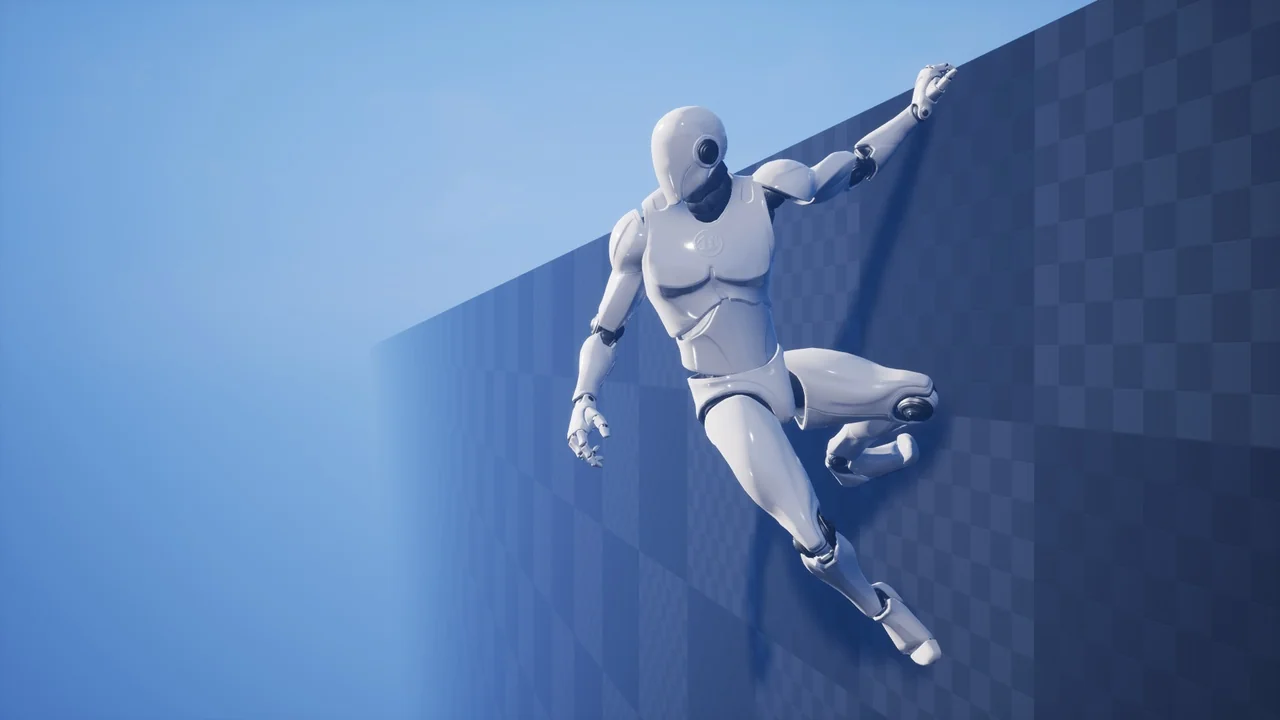
 Locomotion / Gaits
 Locomotion / Gaits
 Locomotion / Gaits