Professional Navigation with Journeyman’s Minimap
Journeyman’s Minimap is a comprehensive navigation solution designed for Unreal Engine developers. This plugin allows creators to integrate highly customizable maps into their projects with ease. Whether you are building a multiplayer battle royale or a single-player RPG, this tool provides the necessary infrastructure for clear player orientation.
The system is designed to be versatile and user-friendly. It supports multiple Unreal Engine versions, including 4.25, 4.27, 5.3, and 5.4. Consequently, developers can implement these features across various project types and engine iterations.
Versatile Map Customization
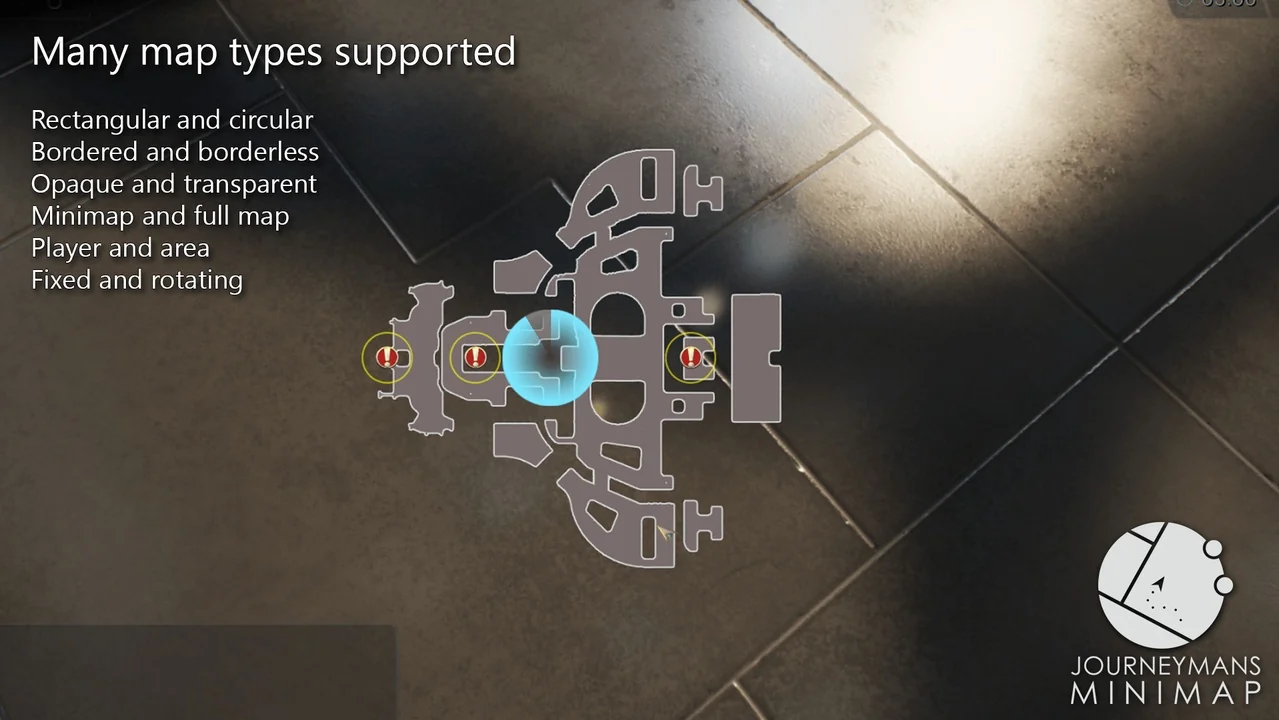
The core of the Journeyman’s Minimap system lies in its flexibility. Developers can add one or multiple maps to their game interface. These maps support custom borders, various shapes, and adjustable transparency levels to fit any UI aesthetic.
Moreover, the plugin is fully compatible with both C++ and Blueprints. This accessibility allows developers to hook gameplay logic directly to minimap UI events. Therefore, the map becomes a dynamic part of the user experience rather than a static element.
Advanced Icon Management
Icons are a critical part of any navigation system. Journeyman’s Minimap offers deep customization for these elements. You can adjust textures, rotation, and size in either screen or world units. Furthermore, the system supports animated materials driven by gameplay logic.
If an icon moves outside the map area, it can automatically appear as an arrow at the edge. This ensures players never lose track of important objectives. Developers can also change any aspect of an icon’s appearance during active gameplay via C++ or Blueprints.
Dynamic Background Rendering
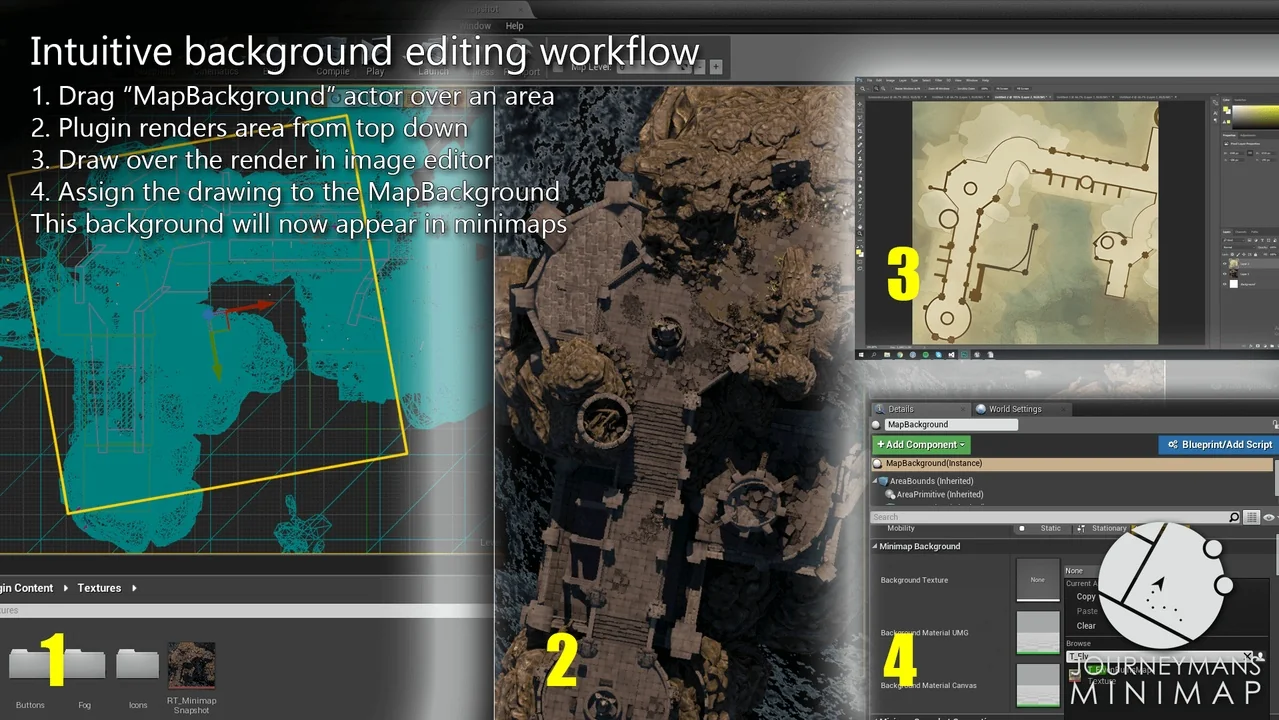
Preparing map backgrounds is intuitive with this plugin. The creator included a volume-based system that generates top-down renders of the game world. Consequently, you can simply drag a volume into the scene to create a background texture. This process can even include the navigation mesh for added detail.
The system is particularly powerful for complex environments. It supports automatic background switching for multi-floor dungeons. Additionally, it handles transitions between indoor and outdoor areas seamlessly to maintain player immersion.
Immersive Fog of War
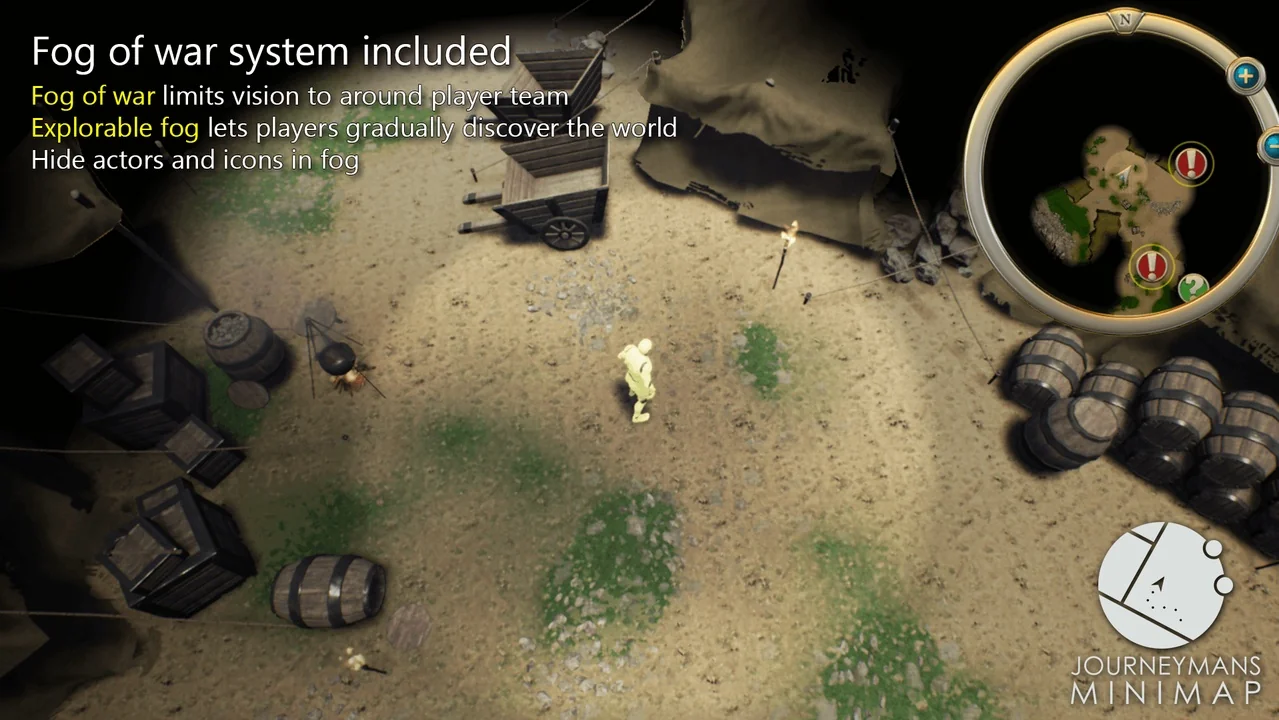
To add suspense and strategy, Journeyman’s Minimap includes a robust Fog of War feature. This system allows the map to start blacked out, requiring players to explore to reveal the terrain. It supports two primary modes:
- Team Vision: Actors reveal areas temporarily, ideal for MOBA or RTS style gameplay.
- Permanent Discovery: Visited areas remain revealed, which is perfect for Action RPG exploration.
Icons can be configured to show or hide based on the current fog status. Furthermore, developers can query fog values for specific gameplay purposes. A post-process effect is also included to render the fog directly within the game world.
Ready for Production
The developer has ensured that Journeyman’s Minimap is ready for professional use. It is fully multiplayer compatible and has been featured in shipped titles. To assist with implementation, the plugin comes with a comprehensive PDF guide and a series of video tutorials covering basics, Fog of War, and advanced backgrounds.
In conclusion, Journeyman’s Minimap provides a high-quality, feature-rich toolkit for any project requiring sophisticated navigation. Its combination of ease of use and deep technical customization makes it a valuable asset for Unreal Engine developers.
Screenshots & Gallery