"1a0e4ac4dc71d030"{"id":"1000192","slug":"hud-and-gui-medieval-art-bundle","title":"HUD and GUI Medieval Art Bundle","category":"Tools, Objects \u0026 Decor","engine":"4.26+,5.0+","assetVersion":"","engineVersion":"Engine Version: 4.26+,5.0+","tag":"Tools","accent":"blue","visual":"mech","summary":"A medieval HUD and GUI collection with more than 600 assets, including buttons, windows, icons, bars, ornaments, and 50 UI and spell sound effects.","platform":"Unreal Engine","publishedAt":"2026-06-22T17:21:47.836Z","updatedAt":"2026-06-22T17:21:47.836Z","sourceNotes":[],"fileContents":[],"compatibility":["Unreal Engine","Engine Version: 4.26+,5.0+"],"featuredImage":{"alt":"HUD and GUI Medieval Art Bundle","src":"/wp-content/uploads/published/2026/06/4acfb5e0883c-13e46cad-b5b1-4958-980f-fb5583511a8b-255e34272f.webp"},"hasDownloadLink":true,"downloads":1,"terms":[{"taxonomy":"category","slug":"tools-objects-and-decor-sprites-and-flipbooks","name":"Tools, Objects \u0026 Decor"}],"galleryImages":[{"src":"/wp-content/uploads/published/2026/06/4f114fb4a8f2-b8c499b2-fecf-4974-83fb-005454e5622f-e6b4ae3060.webp","alt":"HUD and GUI Medieval Art Bundle"},{"src":"/wp-content/uploads/published/2026/06/1b4563f2a4c0-1b30c0cd-0cf2-4a22-aa7b-3d7bd3be9e56-361e543126.webp","alt":"HUD and GUI Medieval Art Bundle"},{"src":"/wp-content/uploads/published/2026/06/4bcc162139ba-317fe15c-c40c-4bb0-baec-a69f923b9381-85eb01f587.webp","alt":"HUD and GUI Medieval Art Bundle"},{"src":"/wp-content/uploads/published/2026/06/661e74f23061-f76b1b71-fac1-46bf-bf6f-57a2c162aba9-4d3b475116.webp","alt":"HUD and GUI Medieval Art Bundle"}],"accessPanel":{"kind":"resource","title":"Download this resource","eyebrow":"Free Download","message":"Log in or create a free account to start your download.","fileName":"Content.7z","safetyNote":"Resources are manually reviewed before listing to improve quality and reduce obvious risks.","actionLabel":"Download Free","resourceType":"Resource archive"},"contentHtml":"\u003cp\u003eMedieval towns, dungeon menus, fantasy inventories, spell books, and character screens all depend on interface art that feels consistent with the world around them. HUD and GUI Medieval Art Bundle is aimed squarely at that kind of project, collecting more than 600 assets for a medieval-style user interface and pairing them with extra UI and spell sound effects. The package is positioned as a ready-to-use set of high quality interface elements, with multiple color treatments so the same overall style can be adapted to different parts of a game.\u003c/p\u003e\n\u003cp\u003eThe bundle covers the pieces that usually define the look of a fantasy interface at first glance: buttons, bars, windows, icons, and decorative details. It also leans heavily into inventory and spell presentation, which gives it a clear role in RPG-style menus and other systems where the player is expected to interact with equipment, abilities, and resources on screen.\u003c/p\u003e \u003ch2\u003eMedieval HUD scenes need more than a single menu skin\u003c/h2\u003e\n\u003cp\u003eOne of the strongest practical points here is variety inside a single visual theme. The pack includes six different color versions for its UI elements: Red, Green, Blue, Golden, Blue, and Brown. That gives room to separate menu states, faction styles, character classes, or different interface contexts without leaving the medieval look behind. A project could keep one color range for inventory windows, another for combat or spell systems, and another for premium or ceremonial screens while still preserving a unified art direction.\u003c/p\u003e\n\u003cp\u003eThe bundle also pushes beyond a small set of reusable controls. It includes more than 200 graphic icons and 86 elements dedicated to window decoration and presentation. That matters most in projects where the interface is expected to carry atmosphere rather than simply display information. Ornamental window art, themed bars, and icon sets help menus feel like part of the same world as castles, taverns, relics, and magic systems instead of looking like detached overlays.\u003c/p\u003e\n\u003cp\u003eBecause the contents span both functional UI parts and decorative pieces, the bundle is useful for scenes such as inventory screens, skill or spell selection panels, shop menus, quest interfaces, character sheets, and in-game HUD displays for health, mana, and currency. Those uses come directly from the kinds of elements included rather than from any extra system-specific framework.\u003c/p\u003e \u003ch2\u003eButtons, sliders, and text controls in the HUD and GUI Medieval Art Bundle\u003c/h2\u003e\n\u003cp\u003eThe core control set is broad enough to support a full menu structure. There are 132 round buttons with icons and 132 square buttons with icons, giving two distinct shape languages for navigation and action prompts. Round buttons can suit radial or ability-oriented layouts, while square buttons are a natural fit for denser inventory, settings, or menu grids. Since both types include icons, they can carry visual meaning immediately instead of relying only on text labels.\u003c/p\u003e\n\u003cp\u003eBeyond the standard button sets, the pack includes 30 special buttons, specifically sliders and check buttons. Those additions broaden the interface coverage from simple navigation into settings, toggles, and adjustable values. A medieval GUI often needs those less glamorous controls as much as it needs decorative frames, especially in options menus, character setup, or systems where players tune sound, graphics, or gameplay preferences.\u003c/p\u003e\n\u003cp\u003eThere are also 12 buttons for text. That gives the bundle a direct place for labels, menu entries, or call-to-action text without forcing every interaction into icon-only presentation. In practice, that mix of icon buttons, special controls, and text buttons makes the bundle feel suited to both HUD elements and fuller menu screens.\u003c/p\u003e \u003ch2\u003eMore than 200 icons for inventory, spells, and resources\u003c/h2\u003e\n\u003cp\u003eThe icon section is where the fantasy and RPG angle becomes especially clear. The set includes 9 health and mana bar designs, which immediately covers one of the most visible parts of any HUD. Different bar designs can support different interface layouts or different characters while staying within the same medieval visual language.\u003c/p\u003e\n\u003cp\u003eFor inventory and resource presentation, the pack includes 2 jewel icons or illustrations, 9 money icons or illustrations, 8 potion icons or illustrations, and 1 scroll icon or illustration. These are not abstract placeholders. They point toward concrete menu functions: treasure, currency, consumables, and readable or collectible items. Even in games that are not full RPGs, those categories appear frequently in fantasy interfaces.\u003c/p\u003e\n\u003cp\u003eSpell presentation receives a particularly large share of attention. There are 60 round spell icons or illustrations and 60 square spell icons or illustrations, each with activated and deactivated versions. That means the bundle supports not only spell identity but also spell state. Activated and deactivated artwork is useful for cooldowns, locked abilities, unavailable actions, or passive and active UI states. Having both round and square spell icon sets also creates flexibility for different layouts, whether a project uses compact hotbars, spell books, or larger menu tiles.\u003c/p\u003e\n\u003cp\u003eThe weapon icon set adds another layer to equipment-heavy interfaces. There are 51 weapon icons in gold, silver, and bronze versions. Those material variations can help distinguish rank, rarity, progression, or category groupings visually. Even without attaching extra rules to them, the presence of three versions suggests a practical way to separate related items while maintaining a consistent icon family.\u003c/p\u003e \u003ch2\u003eGUI Windows, ornaments, and the decorative layer\u003c/h2\u003e\n\u003cp\u003eMany interface packs provide controls and icons but leave the framing of menus thin or repetitive. This bundle puts a lot of weight on window presentation. It includes 42 GUI windows, made up of 7 designs in 6 different colours. That creates a substantial base for building screens that do not all look identical. A quest panel, inventory chest, merchant screen, spell archive, and pause menu can all draw from the same medieval art direction while still using distinct window treatments.\u003c/p\u003e\n\u003cp\u003eThe 44 ornaments and decorations for windows reinforce that idea. These details are the eye candy of the interface: the trims, accents, and visual flourishes that stop a screen from feeling flat. In a medieval fantasy context, ornamental framing can do much of the atmosphere work that modern minimalist UI intentionally avoids. Here, those decorative elements appear to be an important part of the bundle rather than an afterthought.\u003c/p\u003e\n\u003cp\u003eTogether, the windows and ornaments make the pack especially relevant for projects that want their menus to feel layered and embellished. This is less about a bare-bones utility HUD and more about a presentation style where windows, borders, and icon treatments all contribute to the tone of the game.\u003c/p\u003e \u003ch2\u003e50 bonus sound effects push the interface past static art\u003c/h2\u003e\n\u003cp\u003eThe bundle also includes 50 bonus sound effects: 20 GUI sound effects and 30 spell sound effects. That addition gives the interface audiovisual support instead of limiting the package to visual art alone. GUI sound effects can help confirm navigation, clicks, selections, and menu changes, while spell sound effects fit naturally with ability buttons, activated spell icons, or magic-oriented interface feedback.\u003c/p\u003e\n\u003cp\u003eFor projects that already rely on spell systems and inventory interaction, this makes the collection more cohesive. Menu art, spell icon states, and related sound cues all point in the same direction: an interface with a fantasy identity rather than a plain utility layer pasted on top of the game.\u003c/p\u003e\n\u003cp\u003eOne note attached to the pack is that the recommended fonts are not included. The named recommendations are Augusta, Centabel, Germania, Sherwood, and Vinque. That keeps the bundle focused on interface art, icons, windows, and sound effects rather than presenting itself as a complete typography package.\u003c/p\u003e \u003ch2\u003eWhere this medieval GUI bundle fits best\u003c/h2\u003e\n\u003cp\u003eThis collection makes the most sense in games and scenes where medieval fantasy presentation is visible across multiple interface layers. Its strongest fit is for projects that need a substantial amount of themed UI rather than a handful of isolated icons: RPG inventories, spell menus, health and mana displays, equipment screens, currency readouts, and decorative window systems. The larger counts in buttons, spell icons, and GUI windows support that kind of broad menu coverage.\u003c/p\u003e\n\u003cp\u003eTeams or creators who need matching control art, status bars, item and spell imagery, window frames, and extra UI audio in one medieval style will get the clearest benefit from it. Projects looking for a stripped-down modern HUD are not the obvious match. Projects that want menus to look like part of a fantasy world, especially where spells, weapons, potions, and inventory matter on screen, are the natural home for this bundle.\u003c/p\u003e\n\n\u003ch2\u003eContinue Browsing Similar Packs\u003c/h2\u003e\n\u003cul\u003e\n\u003cli\u003e\u003ca href=\"https://3dcghub.com/gui-simple-round-2/\" title=\"GUI - Simple Round\"\u003eGUI - Simple Round\u003c/a\u003e\u003c/li\u003e\n\u003cli\u003e\u003ca href=\"https://3dcghub.com/gui-mono-round-2/\" title=\"GUI - Mono Round\"\u003eGUI - Mono Round\u003c/a\u003e\u003c/li\u003e\n\u003cli\u003e\u003ca href=\"https://3dcghub.com/fantasy-rpg-icons-500-fantasy-fantasy-rpg-icon-icon-symbol-symbol-rpg/\" title=\"Fantasy RPG Icons (500+) ( Fantasy Fantasy Rpg Icon Icon Symbol Symbol Rpg )\"\u003eFantasy RPG Icons (500+) ( Fantasy Fantasy Rpg Icon Icon Symbol Symbol Rpg )\u003c/a\u003e\u003c/li\u003e\n\u003cli\u003e\u003ca href=\"https://3dcghub.com/demonic-village-environment-demonic-medieval-village-village-medieval-3d-art/\" title=\"Demonic Village Environment ( Demonic Medieval Village Village Medieval 3D Art )\"\u003eDemonic Village Environment ( Demonic Medieval Village Village Medieval 3D Art )\u003c/a\u003e\u003c/li\u003e\n\u003cli\u003e\u003ca href=\"https://3dcghub.com/spanish-cottage-spanish-cottage-spanish-cottage-3d-art-nature-tree-medieval/\" title=\"Spanish Cottage ( Spanish Cottage Spanish Cottage 3D Art Nature Tree Medieval )\"\u003eSpanish Cottage ( Spanish Cottage Spanish Cottage 3D Art Nature Tree Medieval )\u003c/a\u003e\u003c/li\u003e\n\u003c/ul\u003e","contentTextLength":9130,"navigation":{"current":1110,"total":3200,"previous":{"id":"1000193","slug":"moba-fight-multiplayer-project","title":"MOBA Fight MultiPlayer Project","category":"Weapons \u0026 Combat","platform":"Unreal Engine","updatedAt":"2026-06-22T17:24:49.917Z"},"next":{"id":"1000191","slug":"gui-yellow-kid-2","title":"GUI - Yellow Kid","category":"UI Kits / HUDs","platform":"Unreal Engine","updatedAt":"2026-06-22T16:35:55.071Z"}},"relatedResources":[{"id":"1000347","slug":"sundries-icon-pack","title":"Sundries - Icon Pack","category":"Tools, Objects \u0026 Decor","engine":"4.27,5.0+","assetVersion":"","engineVersion":"Engine Version: 4.27,5.0+","tag":"Tools","accent":"blue","visual":"mech","summary":"Enhance your RPG interfaces with the Sundries - Icon Pack, featuring 190 realistic medieval fantasy icons in 256, 512, and 1024 resolutions.","platform":"Unreal Engine","publishedAt":"2026-07-05T09:10:30.353Z","updatedAt":"2026-07-05T09:10:30.353Z","sourceNotes":[],"fileContents":[],"compatibility":["Unreal Engine","Engine Version: 4.27,5.0+"],"featuredImage":{"alt":"Sundries - Icon Pack","src":"/wp-content/uploads/published/2026/07/57f47cf48a5d-32231bde-1634-4b2f-833f-977d14a01593-010abb7043.webp"},"hasDownloadLink":true,"downloads":0},{"id":"1000190","slug":"gui-simple-round-2","title":"GUI - Simple Round","category":"UI Kits / HUDs","engine":"4.26+,5.0+","assetVersion":"","engineVersion":"Engine Version: 4.26+,5.0+","tag":"UI Kits / HUDs","accent":"blue","visual":"mech","summary":"GUI - Simple Round is a UI graphics pack with 1280x800 artwork, 467 PNG sources, 288 button icons, and 13 PSD files for menu and HUD production.","platform":"Unreal Engine","publishedAt":"2026-06-22T16:07:55.150Z","updatedAt":"2026-06-22T16:07:55.150Z","sourceNotes":[],"fileContents":[],"compatibility":["Unreal Engine","Engine Version: 4.26+,5.0+"],"featuredImage":{"alt":"GUI - Simple Round","src":"/wp-content/uploads/published/2026/06/ee6bec8b27c7-27292e13-678b-4e0d-9dac-0be0580c5e54-0c44dcf7b5.webp"},"hasDownloadLink":true,"downloads":0},{"id":"1000189","slug":"gui-mono-round-2","title":"GUI - Mono Round","category":"UI Kits / HUDs","engine":"4.26+,5.0+","assetVersion":"","engineVersion":"Engine Version: 4.26+,5.0+","tag":"UI Kits / HUDs","accent":"blue","visual":"mech","summary":"GUI - Mono Round delivers 1920x1080 interface graphics with 281+ PNG sources, 182 button icons, 28 PSD scenes, and editable UI parts for mobile-style HUD work.","platform":"Unreal Engine","publishedAt":"2026-06-22T15:39:25.216Z","updatedAt":"2026-06-22T15:39:25.216Z","sourceNotes":[],"fileContents":[],"compatibility":["Unreal Engine","Engine Version: 4.26+,5.0+"],"featuredImage":{"alt":"GUI - Mono Round","src":"/wp-content/uploads/published/2026/06/e1d93156b9a0-7aa27969-39db-4e8a-a680-62a704002f91-3c0ec24dca.webp"},"hasDownloadLink":true,"downloads":0}]}
Tools
HUD and GUI Medieval Art Bundle
A medieval HUD and GUI collection with more than 600 assets, including buttons, windows, icons, bars, ornaments, and 50 UI and spell sound effects.
Medieval towns, dungeon menus, fantasy inventories, spell books, and character screens all depend on interface art that feels consistent with the world around them. HUD and GUI Medieval Art Bundle is aimed squarely at that kind of project, collecting more than 600 assets for a medieval-style user interface and pairing them with extra UI and spell sound effects. The package is positioned as a ready-to-use set of high quality interface elements, with multiple color treatments so the same overall style can be adapted to different parts of a game.
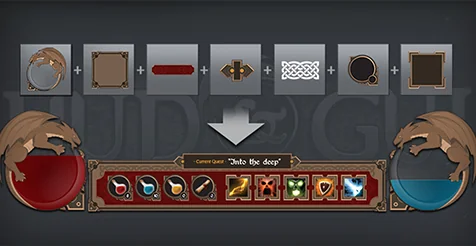
The bundle covers the pieces that usually define the look of a fantasy interface at first glance: buttons, bars, windows, icons, and decorative details. It also leans heavily into inventory and spell presentation, which gives it a clear role in RPG-style menus and other systems where the player is expected to interact with equipment, abilities, and resources on screen.
Medieval HUD scenes need more than a single menu skin
One of the strongest practical points here is variety inside a single visual theme. The pack includes six different color versions for its UI elements: Red, Green, Blue, Golden, Blue, and Brown. That gives room to separate menu states, faction styles, character classes, or different interface contexts without leaving the medieval look behind. A project could keep one color range for inventory windows, another for combat or spell systems, and another for premium or ceremonial screens while still preserving a unified art direction.
The bundle also pushes beyond a small set of reusable controls. It includes more than 200 graphic icons and 86 elements dedicated to window decoration and presentation. That matters most in projects where the interface is expected to carry atmosphere rather than simply display information. Ornamental window art, themed bars, and icon sets help menus feel like part of the same world as castles, taverns, relics, and magic systems instead of looking like detached overlays.
Because the contents span both functional UI parts and decorative pieces, the bundle is useful for scenes such as inventory screens, skill or spell selection panels, shop menus, quest interfaces, character sheets, and in-game HUD displays for health, mana, and currency. Those uses come directly from the kinds of elements included rather than from any extra system-specific framework.
Buttons, sliders, and text controls in the HUD and GUI Medieval Art Bundle
The core control set is broad enough to support a full menu structure. There are 132 round buttons with icons and 132 square buttons with icons, giving two distinct shape languages for navigation and action prompts. Round buttons can suit radial or ability-oriented layouts, while square buttons are a natural fit for denser inventory, settings, or menu grids. Since both types include icons, they can carry visual meaning immediately instead of relying only on text labels.
Beyond the standard button sets, the pack includes 30 special buttons, specifically sliders and check buttons. Those additions broaden the interface coverage from simple navigation into settings, toggles, and adjustable values. A medieval GUI often needs those less glamorous controls as much as it needs decorative frames, especially in options menus, character setup, or systems where players tune sound, graphics, or gameplay preferences.
There are also 12 buttons for text. That gives the bundle a direct place for labels, menu entries, or call-to-action text without forcing every interaction into icon-only presentation. In practice, that mix of icon buttons, special controls, and text buttons makes the bundle feel suited to both HUD elements and fuller menu screens.
More than 200 icons for inventory, spells, and resources
The icon section is where the fantasy and RPG angle becomes especially clear. The set includes 9 health and mana bar designs, which immediately covers one of the most visible parts of any HUD. Different bar designs can support different interface layouts or different characters while staying within the same medieval visual language.
For inventory and resource presentation, the pack includes 2 jewel icons or illustrations, 9 money icons or illustrations, 8 potion icons or illustrations, and 1 scroll icon or illustration. These are not abstract placeholders. They point toward concrete menu functions: treasure, currency, consumables, and readable or collectible items. Even in games that are not full RPGs, those categories appear frequently in fantasy interfaces.
Spell presentation receives a particularly large share of attention. There are 60 round spell icons or illustrations and 60 square spell icons or illustrations, each with activated and deactivated versions. That means the bundle supports not only spell identity but also spell state. Activated and deactivated artwork is useful for cooldowns, locked abilities, unavailable actions, or passive and active UI states. Having both round and square spell icon sets also creates flexibility for different layouts, whether a project uses compact hotbars, spell books, or larger menu tiles.
The weapon icon set adds another layer to equipment-heavy interfaces. There are 51 weapon icons in gold, silver, and bronze versions. Those material variations can help distinguish rank, rarity, progression, or category groupings visually. Even without attaching extra rules to them, the presence of three versions suggests a practical way to separate related items while maintaining a consistent icon family.
GUI Windows, ornaments, and the decorative layer
Many interface packs provide controls and icons but leave the framing of menus thin or repetitive. This bundle puts a lot of weight on window presentation. It includes 42 GUI windows, made up of 7 designs in 6 different colours. That creates a substantial base for building screens that do not all look identical. A quest panel, inventory chest, merchant screen, spell archive, and pause menu can all draw from the same medieval art direction while still using distinct window treatments.
The 44 ornaments and decorations for windows reinforce that idea. These details are the eye candy of the interface: the trims, accents, and visual flourishes that stop a screen from feeling flat. In a medieval fantasy context, ornamental framing can do much of the atmosphere work that modern minimalist UI intentionally avoids. Here, those decorative elements appear to be an important part of the bundle rather than an afterthought.
Together, the windows and ornaments make the pack especially relevant for projects that want their menus to feel layered and embellished. This is less about a bare-bones utility HUD and more about a presentation style where windows, borders, and icon treatments all contribute to the tone of the game.
50 bonus sound effects push the interface past static art
The bundle also includes 50 bonus sound effects: 20 GUI sound effects and 30 spell sound effects. That addition gives the interface audiovisual support instead of limiting the package to visual art alone. GUI sound effects can help confirm navigation, clicks, selections, and menu changes, while spell sound effects fit naturally with ability buttons, activated spell icons, or magic-oriented interface feedback.
For projects that already rely on spell systems and inventory interaction, this makes the collection more cohesive. Menu art, spell icon states, and related sound cues all point in the same direction: an interface with a fantasy identity rather than a plain utility layer pasted on top of the game.
One note attached to the pack is that the recommended fonts are not included. The named recommendations are Augusta, Centabel, Germania, Sherwood, and Vinque. That keeps the bundle focused on interface art, icons, windows, and sound effects rather than presenting itself as a complete typography package.
Where this medieval GUI bundle fits best
This collection makes the most sense in games and scenes where medieval fantasy presentation is visible across multiple interface layers. Its strongest fit is for projects that need a substantial amount of themed UI rather than a handful of isolated icons: RPG inventories, spell menus, health and mana displays, equipment screens, currency readouts, and decorative window systems. The larger counts in buttons, spell icons, and GUI windows support that kind of broad menu coverage.
Teams or creators who need matching control art, status bars, item and spell imagery, window frames, and extra UI audio in one medieval style will get the clearest benefit from it. Projects looking for a stripped-down modern HUD are not the obvious match. Projects that want menus to look like part of a fantasy world, especially where spells, weapons, potions, and inventory matter on screen, are the natural home for this bundle.
 Tools
Tools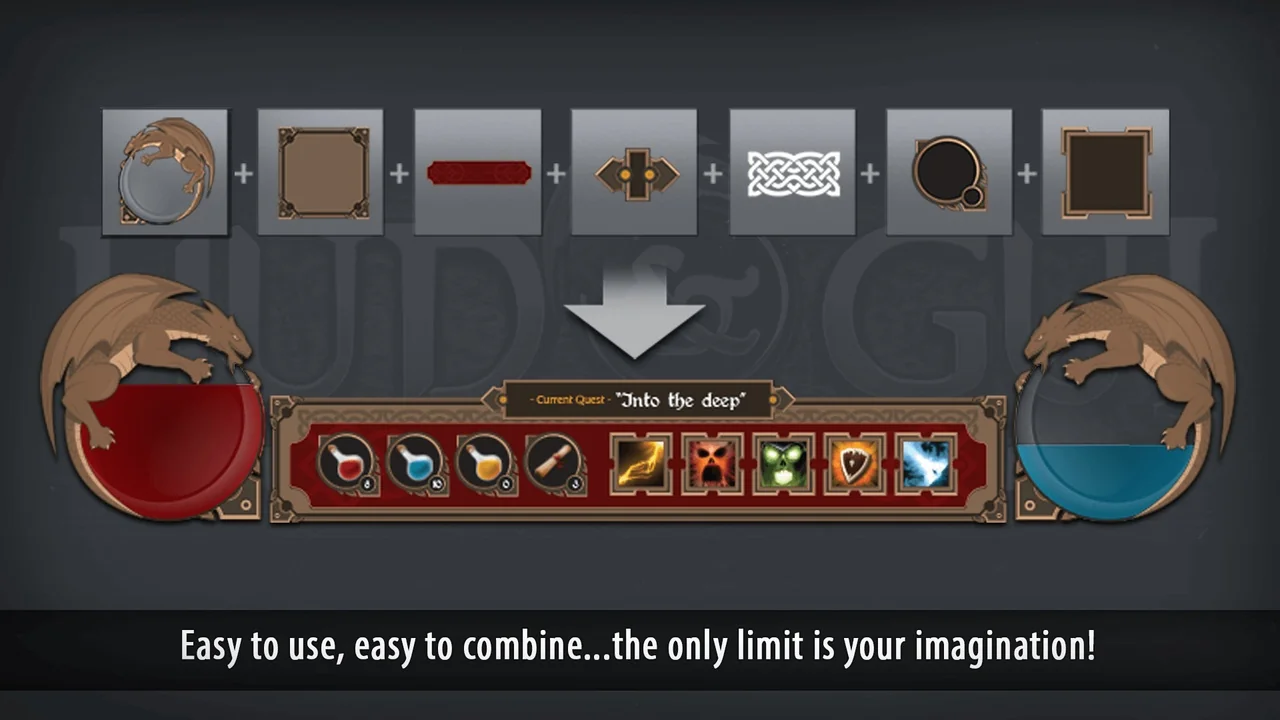
 Tools
Tools UI Kits / HUDs
 UI Kits / HUDs