Streamline Your Visual Scripting Logic
Electronic Nodes is an essential tool for developers looking to enhance their visual scripting environment. It allows users to better visualize logic by modifying the appearance of wires in various editors. Instead of dealing with messy “spaghetti” connections, you can implement straight lines with precise angles. This modification creates a layout similar to a professional circuit board.
Professional Wire Layout Styles
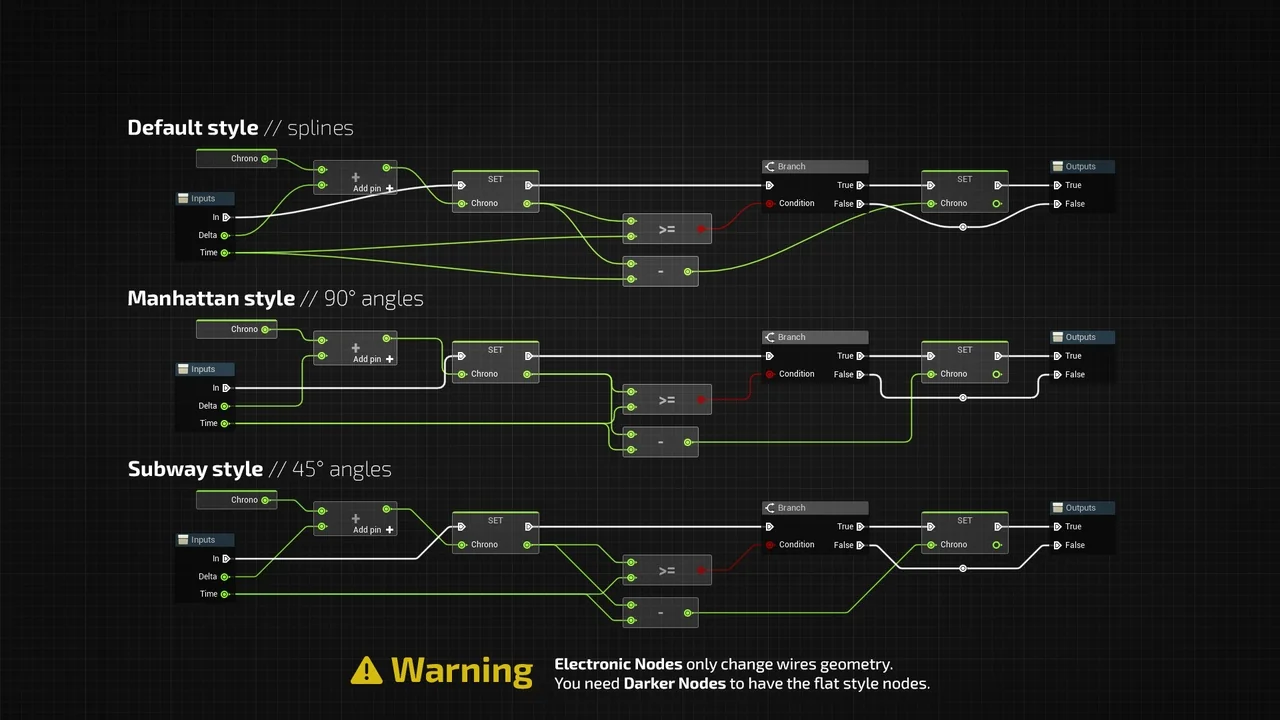
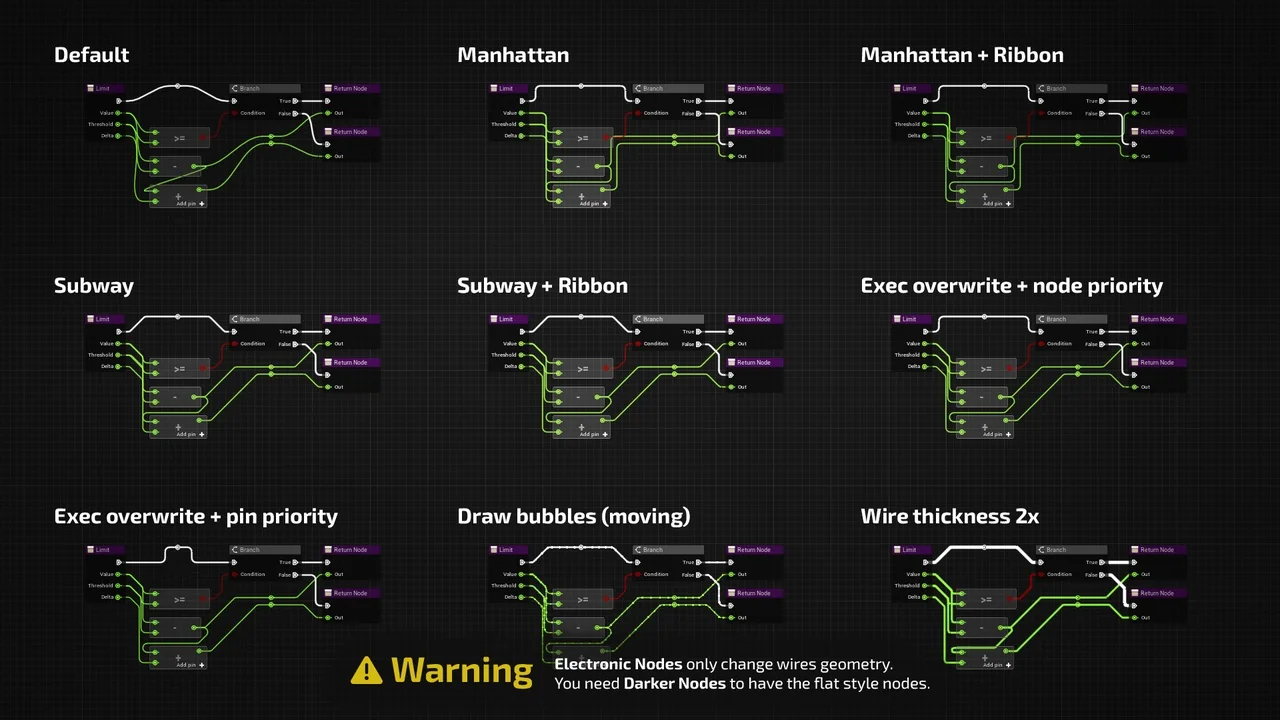
The primary benefit of Electronic Nodes is the ability to change wire shapes to 45-degree or 90-degree angles. Users can select the “Manhattan style” for rigid 90-degree turns. Alternatively, the “Subway style” provides a clean 45-degree aesthetic. These styles help developers better picture their logic flow. Consequently, complex graphs become much easier to read and maintain.
Universal Compatibility Across Graphs
This tool is designed to be highly versatile. It works across a wide range of graph editors within your development environment. Specifically, you can use it in Blueprints, Materials, and Niagara. It also supports Behavior Trees, PCG, and other graph types. Therefore, your entire project can maintain a consistent and organized visual style.
Deep Customization Options
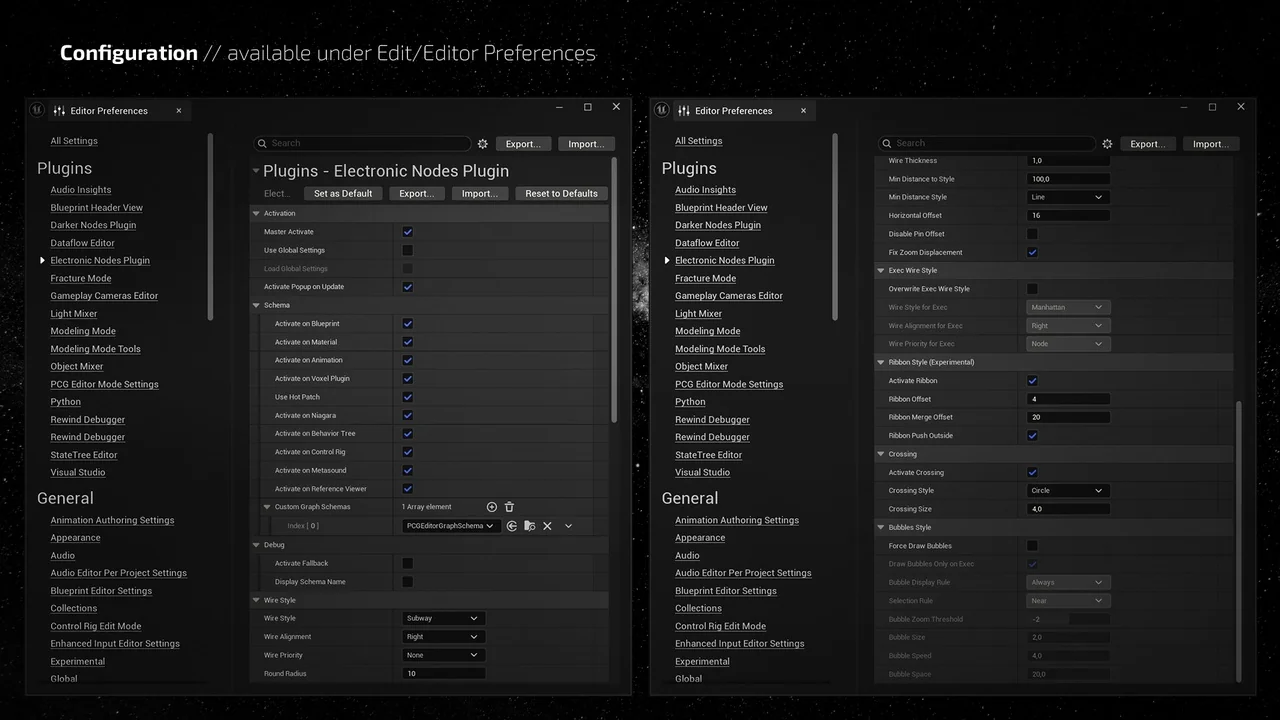
Electronic Nodes provides a high level of customization to suit your specific needs. You can adjust the radius, thickness, and offset of every wire. Furthermore, the developer included alignment preferences for both right and left orientations. You can also change the priority settings for nodes or reroutes. These options ensure that your workspace looks exactly how you want it.
Managing Complex Connections
For busy graphs with many connections, the plugin offers wire stacking. This feature allows you to display ribbons that merge multiple wires together. You can also control the specific offset between these stacked wires. Consequently, even the most complex logic remains readable without overlapping clutter.
Visual Enhancements and Symbols
When wires cross, Electronic Nodes can display special crossing symbols. You can choose between a Gap, Arc, or Circle to represent these intersections. Moreover, you can adjust the size of these symbols to fit your preference. The tool also features moving bubbles to visualize data flow. These bubbles can be drawn on all nodes or only on selected ones. Users can easily modify the size, speed, and spacing of these visual indicators.
Important Considerations
It is important to note that Electronic Nodes focuses specifically on wire appearance. The developer clarifies that the custom theme seen in some screenshots is not included. That specific look comes from another plugin called Darker Nodes. This resource only modifies the wires between your nodes to improve organization.
Conclusion
Overall, Electronic Nodes is a powerful organizational tool for any visual scripting workflow. It helps developers maintain clean and professional scripts by replacing messy curves with structured angles. By using features like wire stacking and crossing symbols, you ensure that your project logic remains clear and easy to navigate.
Screenshots & Gallery