"6ac84fdb0bd06614"{"id":"1001232","slug":"dynamic-orbs-system","title":"Dynamic Orbs System","category":"Weapons \u0026 Combat","engine":"5.0+","assetVersion":"","engineVersion":"Engine Version: 5.0+","tag":"Weapons \u0026 Combat","accent":"blue","visual":"mech","summary":"A modular Unreal Engine component designed to visually transfer numeric values, buffs, and stats between actors using customizable particle orbs.","platform":"Unreal Engine","publishedAt":"2026-09-21T03:37:02.772Z","updatedAt":"2026-09-21T03:37:02.772Z","sourceNotes":[],"fileContents":[],"compatibility":["Unreal Engine","Engine Version: 5.0+"],"featuredImage":{"alt":"Dynamic Orbs System","src":"/wp-content/uploads/published/2026/09/d323897cab65-e4e32857-a652-4a6e-af7f-4d402c634d60-3369cec34f.webp"},"hasDownloadLink":true,"downloads":0,"terms":[{"taxonomy":"category","slug":"weapons-and-combat","name":"Weapons \u0026 Combat"}],"galleryImages":[{"src":"/wp-content/uploads/published/2026/09/a7a55816d710-c9c24927-0499-47f1-802f-5f4faaca9dbe-bc07721137.webp","alt":"Dynamic Orbs System"},{"src":"/wp-content/uploads/published/2026/09/07b1e6cc1e1d-5fc26f40-287e-4c32-8e19-0c432268cb9e-f26e23e876.webp","alt":"Dynamic Orbs System"},{"src":"/wp-content/uploads/published/2026/09/5d9ed3f53799-99c9eaf1-40c6-4c6a-ac77-be48becd2f4a-ba3e7d7369.webp","alt":"Dynamic Orbs System"}],"accessPanel":{"kind":"resource","title":"Download this resource","eyebrow":"Free Download","message":"Log in or create a free account to start your download.","fileName":"Content.7z","safetyNote":"Resources are manually reviewed before listing to improve quality and reduce obvious risks.","actionLabel":"Download Free","resourceType":"Resource archive"},"contentHtml":"\u003ch2\u003eAttaching the Dynamic Orbs System Component to Actors\u003c/h2\u003e\u003cp\u003eIntegrating gameplay feedback often requires coupling mechanical stat changes with clear visual cues. Dynamic Orbs System handles this relationship by packaging its functionality into a single actor component. Rather than requiring developers to rewrite core character hierarchies, rebuild game modes, or restructure existing class architectures, the system attaches directly to any target actor inside Unreal Engine. This modular approach allows characters, combat targets, loot containers, or interactive environmental props to send and receive game data right away.\u003c/p\u003e\u003cp\u003eBecause the logic resides within an isolated component, it avoids hard dependencies that would otherwise complicate multi-class projects. An enemy actor can host the component to emit rewards upon defeat, while player pawns or companion entities host the component to catch incoming values. The setup eliminates the need for bespoke event wiring for every individual actor type, allowing teams working on action titles, role-playing games, or real-time strategy projects to deploy value-driven visual effects across varied entity classes rapidly.\u003c/p\u003e\u003ch2\u003eDirect Value and Percentage Transfer Configuration\u003c/h2\u003e\u003cp\u003eGameplay systems frequently rely on disparate methods for distributing attributes. Dynamic Orbs System accommodates these variations by supporting both direct numeric values and percentage-based distribution models. When an event fires—such as an entity taking damage, yielding experience, or conferring a status enhancement—the system can compute how many orbs to cast based on a fixed integer value or a calculated proportion of an actor's total pool.\u003c/p\u003e\u003cp\u003eDevelopers can explicitly define the total count and physical scale of the emitted orbs to reflect the scale of the transfer. Collecting a minor health boost can be tuned to release a modest cluster of small particles, whereas absorbing major upgrade points, substantial healing pools, or powerful combat buffs can launch high-volume, larger-scale particle clusters. This flexibility ensures that the visual feedback matches the statistical impact of the underlying transaction across any genre scenario.\u003c/p\u003e\u003ch2\u003eQueueing Mechanics for Performance Optimization\u003c/h2\u003e\u003cp\u003eRapid gameplay scenarios, such as defeating dense groups of adversaries or triggering multi-hit combo abilities, frequently cause simultaneous stat transfers. If a system attempts to spawn and track dozens of independent visual objects within the exact same frame, frame rates can drop sharply. Dynamic Orbs System addresses this potential bottleneck through specialized queueing logic built directly into its execution flow.\u003c/p\u003e\u003cp\u003eInstead of overwhelming the render pipeline with uncontrolled bursts, the system regulates the flow of emitted orbs by sequencing their departure. This queueing behavior smooths out particle density over time while preserving the intended quantity of transferred points. That leaves consistent visual fidelity and steady frametimes during intensive combat sequences or mass entity interactions, keeping the visual presentation fluid regardless of how many value transfers trigger concurrently.\u003c/p\u003e\u003ch2\u003eCustomizing Particle Visuals and Scale\u003c/h2\u003e\u003cp\u003eVisual cohesion requires effects to match a project's art direction, whether stylized, realistic, or dark fantasy. Dynamic Orbs System separates its underlying blueprint data-handling routines from the visual renderer, permitting developers to swap out the default particle assets for any custom visual effect created in the engine. While the package includes example particle effects ready for immediate testing and prototyping, these templates can be replaced entirely to fit specific thematic needs.\u003c/p\u003e\u003cp\u003eBy swapping particle templates, teams can repurpose the system for entirely distinct gameplay concepts. A vibrant, glowing sphere can represent health recovery or mana restoration, a shimmering trail can designate currency or crafting point collection, and a darker, distorted particle emitter can indicate stat drains or offensive debuffs. Because scale parameters remain exposed within the component, these custom assets can be enlarged or minimized per event without opening external DCC tools or modifying base textures.\u003c/p\u003e\u003ch2\u003eBlueprint Structure and Unreal Engine Compatibility\u003c/h2\u003e\u003cp\u003eThe system is authored entirely through clean, thoroughly commented Blueprints. This readable code layout allows technical designers and programmers to trace execution graphs, expose new variables, or inject bespoke gameplay logic without having to untangle obfuscated graphs. Basic familiarity with Unreal Engine Blueprints is recommended to navigate the component graphs, tailor specific actor interactions, or integrate proprietary gameplay frameworks.\u003c/p\u003e\u003cp\u003eThe package was built across Unreal Engine versions 4.19.2 through 4.24 and above. Projects created in these earlier engine releases typically migrate into newer iterations of Unreal Engine without extensive manual rework. When core engine updates modify underlying Blueprint nodes or API functions, standard migration procedures apply: review the clean Blueprint graphs, identify any altered function signatures, and update the node connections to maintain continuity across evolving engine versions.\u003c/p\u003e\n\n\u003ch2\u003eExplore Similar Assets\u003c/h2\u003e\n\u003cul\u003e\n\u003cli\u003e\u003ca href=\"https://3dcghub.com/customizable-weapon-pack/\" title=\"Customizable Weapon Pack\"\u003eCustomizable Weapon Pack\u003c/a\u003e\u003c/li\u003e\n\u003cli\u003e\u003ca href=\"https://3dcghub.com/multiplayer-shooter-template-with-ai/\" title=\"Multiplayer Shooter Template With AI\"\u003eMultiplayer Shooter Template With AI\u003c/a\u003e\u003c/li\u003e\n\u003cli\u003e\u003ca href=\"https://3dcghub.com/mg-15-with-accessories-wwii-german-lmg/\" title=\"MG-15 with Accessories (WWII German LMG)\"\u003eMG-15 with Accessories (WWII German LMG)\u003c/a\u003e\u003c/li\u003e\n\u003cli\u003e\u003ca href=\"https://3dcghub.com/world-war-ii-vol-1/\" title=\"World War II - VOL.1\"\u003eWorld War II - VOL.1\u003c/a\u003e\u003c/li\u003e\n\u003cli\u003e\u003ca href=\"https://3dcghub.com/death-from-above-gunship-mini-game/\" title=\"Death From Above - Gunship Mini-Game\"\u003eDeath From Above - Gunship Mini-Game\u003c/a\u003e\u003c/li\u003e\n\u003c/ul\u003e","contentTextLength":5408,"navigation":{"current":7,"total":3181,"previous":{"id":"1001233","slug":"dynamic-qte-system","title":"Dynamic QTE System","category":"Action-Adventure","platform":"Unreal Engine","updatedAt":"2026-09-21T03:40:52.960Z"},"next":{"id":"1001231","slug":"demonstrating-animation-blueprints-and-ai-for-gameplay-designers","title":"Demonstrating Animation Blueprints and AI for Gameplay Designers","category":"Action-Adventure","platform":"Unreal Engine","updatedAt":"2026-09-21T03:35:26.508Z"}},"relatedResources":[{"id":"1000985","slug":"customizable-weapon-pack","title":"Customizable Weapon Pack","category":"Weapons \u0026 Combat","engine":"5.0+","assetVersion":"","engineVersion":"Engine Version: 5.0+","tag":"Weapons \u0026 Combat","accent":"blue","visual":"mech","summary":"A ready-to-use weapon kit for game projects: 16 guns, 3 knives, 15 attachments, bullet shells, attachment control, and a dynamic skin system.","platform":"Unreal Engine","publishedAt":"2026-08-18T06:18:19.762Z","updatedAt":"2026-08-18T06:18:19.762Z","sourceNotes":[],"fileContents":[],"compatibility":["Unreal Engine","Engine Version: 5.0+"],"featuredImage":{"alt":"Customizable Weapon Pack","src":"/wp-content/uploads/published/2026/08/89074aea7f72-b60fa695-2cd6-45da-ad40-6d14d32744ef-31f176f09a.webp"},"hasDownloadLink":true,"downloads":2},{"id":"1001143","slug":"multiplayer-shooter-template-with-ai","title":"Multiplayer Shooter Template With AI","category":"Weapons \u0026 Combat","engine":"5.0+","assetVersion":"","engineVersion":"Engine Version: 5.0+","tag":"Weapons \u0026 Combat","accent":"blue","visual":"mech","summary":"Multiplayer Shooter Template With AI delivers full network replication, custom sensory AI, dynamic radar capture, and direct MetaHuman skeleton compatibility.","platform":"Unreal Engine","publishedAt":"2026-09-09T05:42:58.481Z","updatedAt":"2026-09-09T05:42:58.481Z","sourceNotes":[],"fileContents":[],"compatibility":["Unreal Engine","Engine Version: 5.0+"],"featuredImage":{"alt":"Multiplayer Shooter Template With AI","src":"/wp-content/uploads/published/2026/09/f9ce64bcb73f-d891bb99-f96d-4bc3-b423-edb9bcc0bf46-4cce92b723.webp"},"hasDownloadLink":true,"downloads":0},{"id":"1001058","slug":"mg-15-with-accessories-wwii-german-lmg","title":"MG-15 with Accessories (WWII German LMG)","category":"Weapons \u0026 Combat","engine":"5.1+","assetVersion":"","engineVersion":"Engine Version: 5.1+","tag":"Weapons \u0026 Combat","accent":"blue","visual":"mech","summary":"A WWII Luftwaffe LMG pack with skeletal mesh props for FPS/TPS weapons, separated static meshes for environment props, and segmented trigger animations.","platform":"Unreal Engine","publishedAt":"2026-08-30T14:54:50.549Z","updatedAt":"2026-08-30T14:54:50.549Z","sourceNotes":[],"fileContents":[],"compatibility":["Unreal Engine","Engine Version: 5.1+"],"featuredImage":{"alt":"MG-15 with Accessories (WWII German LMG)","src":"/wp-content/uploads/published/2026/08/d88930631972-9d89ccf9-c759-4420-a226-d409c29aefac-b4dfe6a9f3.webp"},"hasDownloadLink":true,"downloads":0}]}
Weapons & Combat
Dynamic Orbs System
A modular Unreal Engine component designed to visually transfer numeric values, buffs, and stats between actors using customizable particle orbs.
Attaching the Dynamic Orbs System Component to Actors
Integrating gameplay feedback often requires coupling mechanical stat changes with clear visual cues. Dynamic Orbs System handles this relationship by packaging its functionality into a single actor component. Rather than requiring developers to rewrite core character hierarchies, rebuild game modes, or restructure existing class architectures, the system attaches directly to any target actor inside Unreal Engine. This modular approach allows characters, combat targets, loot containers, or interactive environmental props to send and receive game data right away.
Because the logic resides within an isolated component, it avoids hard dependencies that would otherwise complicate multi-class projects. An enemy actor can host the component to emit rewards upon defeat, while player pawns or companion entities host the component to catch incoming values. The setup eliminates the need for bespoke event wiring for every individual actor type, allowing teams working on action titles, role-playing games, or real-time strategy projects to deploy value-driven visual effects across varied entity classes rapidly.
Direct Value and Percentage Transfer Configuration
Gameplay systems frequently rely on disparate methods for distributing attributes. Dynamic Orbs System accommodates these variations by supporting both direct numeric values and percentage-based distribution models. When an event fires—such as an entity taking damage, yielding experience, or conferring a status enhancement—the system can compute how many orbs to cast based on a fixed integer value or a calculated proportion of an actor's total pool.
Developers can explicitly define the total count and physical scale of the emitted orbs to reflect the scale of the transfer. Collecting a minor health boost can be tuned to release a modest cluster of small particles, whereas absorbing major upgrade points, substantial healing pools, or powerful combat buffs can launch high-volume, larger-scale particle clusters. This flexibility ensures that the visual feedback matches the statistical impact of the underlying transaction across any genre scenario.
Queueing Mechanics for Performance Optimization
Rapid gameplay scenarios, such as defeating dense groups of adversaries or triggering multi-hit combo abilities, frequently cause simultaneous stat transfers. If a system attempts to spawn and track dozens of independent visual objects within the exact same frame, frame rates can drop sharply. Dynamic Orbs System addresses this potential bottleneck through specialized queueing logic built directly into its execution flow.
Instead of overwhelming the render pipeline with uncontrolled bursts, the system regulates the flow of emitted orbs by sequencing their departure. This queueing behavior smooths out particle density over time while preserving the intended quantity of transferred points. That leaves consistent visual fidelity and steady frametimes during intensive combat sequences or mass entity interactions, keeping the visual presentation fluid regardless of how many value transfers trigger concurrently.
Customizing Particle Visuals and Scale
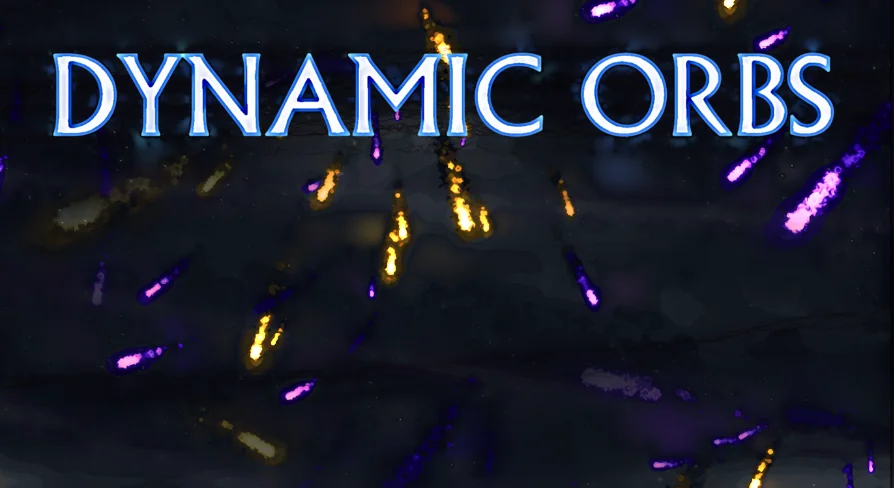
Visual cohesion requires effects to match a project's art direction, whether stylized, realistic, or dark fantasy. Dynamic Orbs System separates its underlying blueprint data-handling routines from the visual renderer, permitting developers to swap out the default particle assets for any custom visual effect created in the engine. While the package includes example particle effects ready for immediate testing and prototyping, these templates can be replaced entirely to fit specific thematic needs.
By swapping particle templates, teams can repurpose the system for entirely distinct gameplay concepts. A vibrant, glowing sphere can represent health recovery or mana restoration, a shimmering trail can designate currency or crafting point collection, and a darker, distorted particle emitter can indicate stat drains or offensive debuffs. Because scale parameters remain exposed within the component, these custom assets can be enlarged or minimized per event without opening external DCC tools or modifying base textures.
Blueprint Structure and Unreal Engine Compatibility
The system is authored entirely through clean, thoroughly commented Blueprints. This readable code layout allows technical designers and programmers to trace execution graphs, expose new variables, or inject bespoke gameplay logic without having to untangle obfuscated graphs. Basic familiarity with Unreal Engine Blueprints is recommended to navigate the component graphs, tailor specific actor interactions, or integrate proprietary gameplay frameworks.
The package was built across Unreal Engine versions 4.19.2 through 4.24 and above. Projects created in these earlier engine releases typically migrate into newer iterations of Unreal Engine without extensive manual rework. When core engine updates modify underlying Blueprint nodes or API functions, standard migration procedures apply: review the clean Blueprint graphs, identify any altered function signatures, and update the node connections to maintain continuity across evolving engine versions.
 Weapons & Combat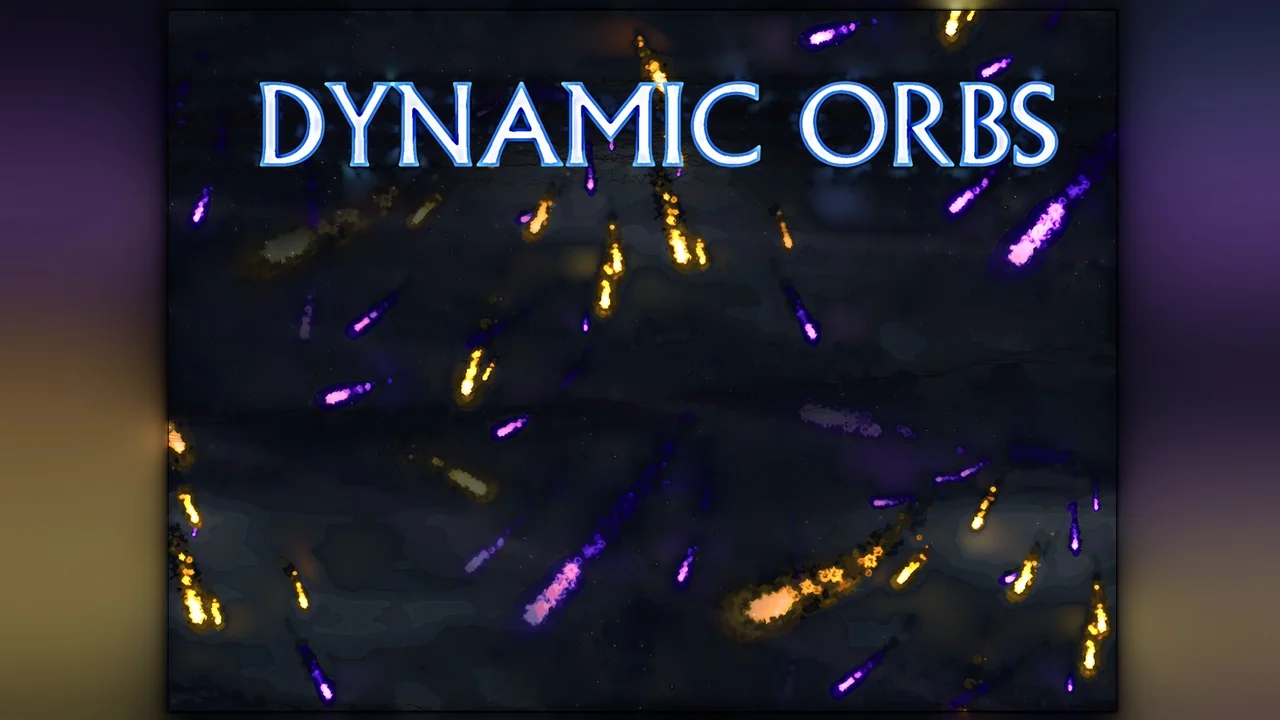
 Weapons & Combat
 Weapons & Combat
 Weapons & Combat