High-Performance Mesh Fragmentation
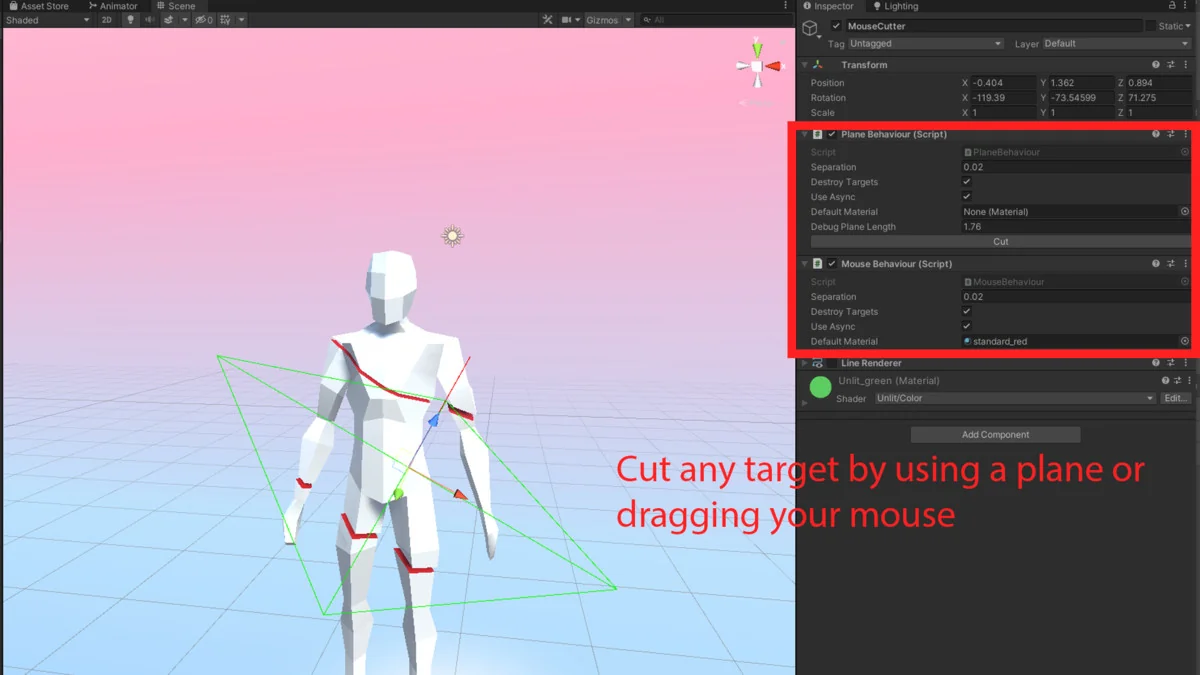
Dynamic Mesh Cutter is designed to address the complex requirement of splitting 3D geometry during runtime. Unlike simple slicing tools that only divide a mesh into a binary “left” and “right” side, this algorithm is capable of separating a single mesh into multiple disjoint pieces based on plane intersection. This behavior is particularly useful for complex geometry where a single cut might pass through various concave sections, resulting in more than two independent physical fragments.
The core of the system is built for performance, utilizing a multithreaded approach to handle the heavy lifting of mesh calculation. By processing these cuts asynchronously, the tool avoids blocking the main thread, which is essential for maintaining a steady frame rate during gameplay. In recent updates, the creator has added further control over this process, allowing users to manually select the number of threads used for asynchronous cutting. This level of control helps developers balance CPU load, especially on hardware with limited resources where thread management is critical to stability.
Skinned Meshes and Animated Geometry
One of the more technically demanding aspects of the Dynamic Mesh Cutter is its ability to handle Skinned Mesh Renderers. When a mesh that is bound to a skeleton is cut, the tool respects the existing bone weights. This means that even as a mesh is fragmented, the resulting pieces maintain their relationship with the underlying animation data. Developers can cut through characters or creatures while they are in motion, and the algorithm will calculate how the vertices of the newly created meshes should continue to deform relative to the skeleton.
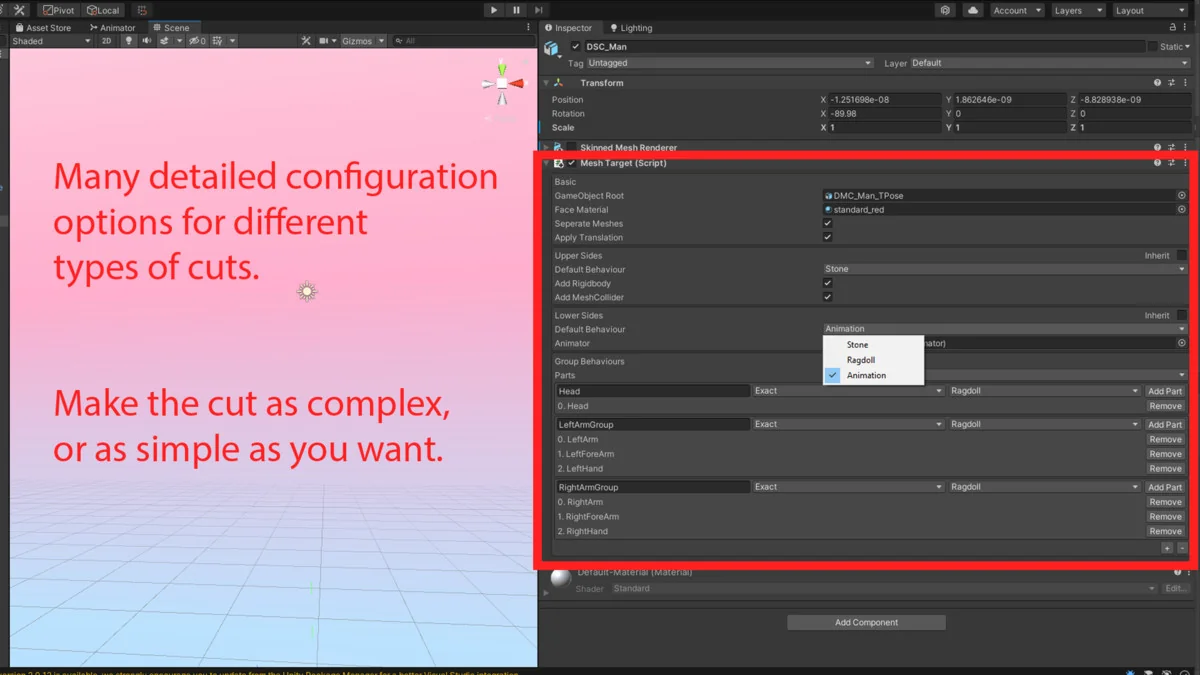
This functionality extends to the procedural generation of geometry. When a cut occurs, the system creates new faces at the intersection plane. The creator has included options to carry over specific data, such as “tags” for stone cuts, ensuring that the visual and logic-based properties of the original mesh are preserved in the fragments. To prevent the overhead of managing tiny, insignificant fragments, the tool includes a setting to prevent the creation of new meshes if the resulting cut has fewer than a specified number of vertices.
Automated Ragdoll and Physics Separation
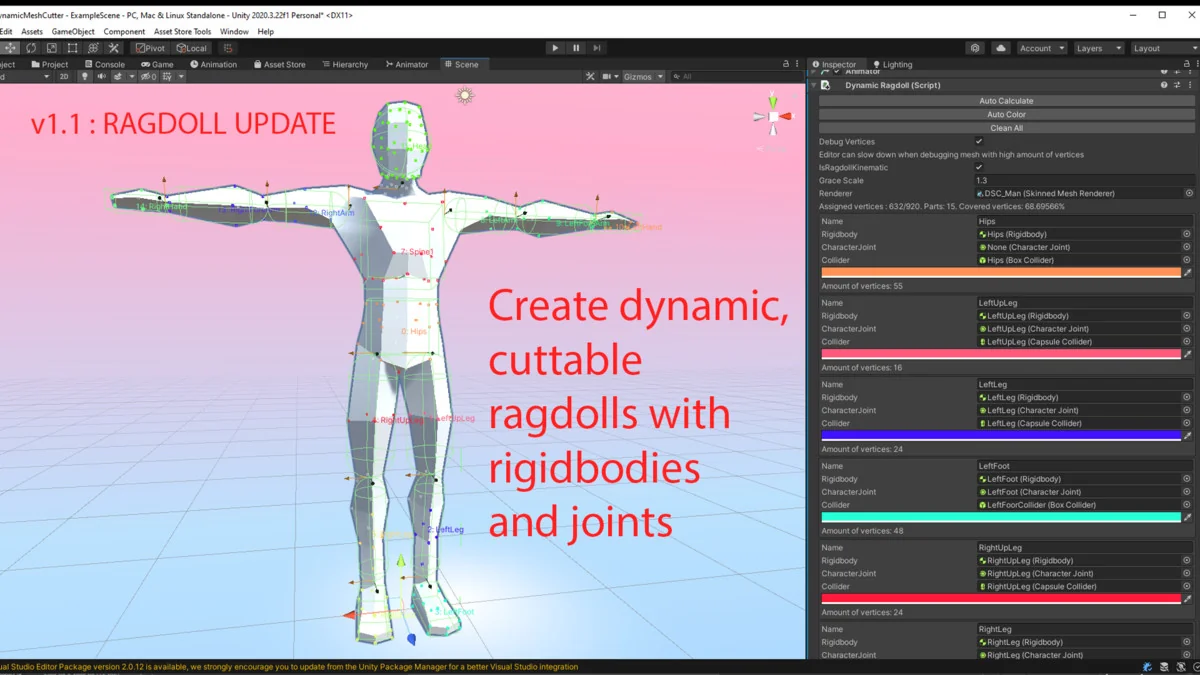
In the V1.1 update, the tool’s capabilities were expanded to include dynamic ragdoll support. This feature automates the complex task of reconfiguring physics components during a cut. When a character or object is sliced, the system automatically separates joints, rigidbodies, and colliders. This ensures that the physical behavior of the object matches the new visual state of the mesh immediately.
The system is optimized to handle these physics updates on mobile and VR devices, where physics calculations are often a bottleneck. The creator has also refined how colliders scale within example scenes to ensure that the physical bounds of the fragmented pieces remain accurate to their new visual dimensions. This automation reduces the need for manual physics recalibration when implementing destructible characters or complex environmental props.
Optimization and Performance Tuning
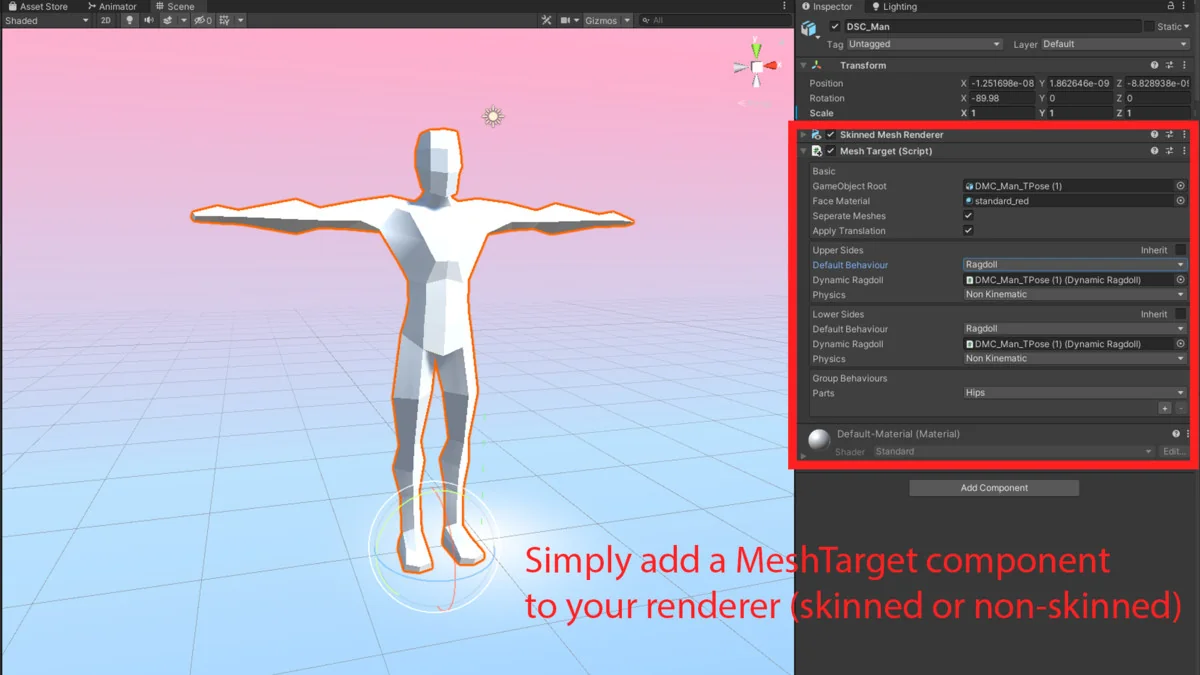
The package provides several settings that allow developers to prioritize either mesh quality or system performance. This flexibility is vital for projects targeting different hardware tiers. For instance, developers can disable MeshTarget components on specific objects to ensure they are ignored by the cutting algorithm, which can save processing time in scenes with high object density. In version 1.2.2, the creator specifically improved this logic so that disabled components no longer trigger cut calculations.
Recent refinements have also addressed race conditions that previously impacted performance when asynchronous cutting was active. These optimizations, combined with the small file size of 1.1 MB and an asset count of 34, make it a lightweight addition to a project’s codebase. The tool is compatible with the Built-in Render Pipeline for Unity versions 2020.3.33 and 2022.3.53, ensuring stability for developers working within those specific Long-Term Support (LTS) environments.
Workflow Integration and Technical Stability
The tool includes a variety of maintenance-focused features intended to streamline the development pipeline. This includes improved code readability through namespace updates and updated materials that ensure fragments look consistent with the original source geometry. To aid in troubleshooting and implementation, the package provides a manual and a demonstration scene that showcases the scaling of colliders and the application of cutting logic in real-time. For projects involving frequent geometry changes, such as those with destructible environments or high-action combat, the ability to selectively cut based on vertex count and component status allows for a highly tailored integration.
Asset Gallery
Protected download
Access this resource
All resources are 100% manually reviewed to eliminate all risks.