Streamline Your Development with Compiler Booster
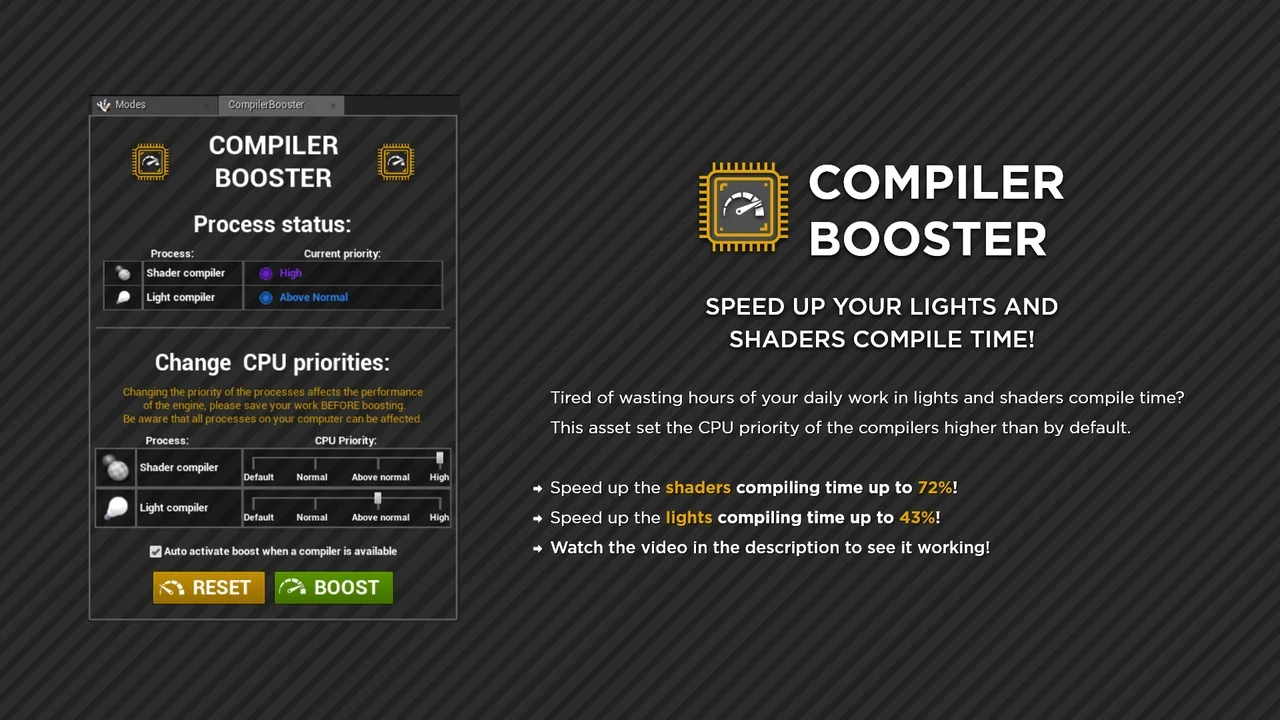
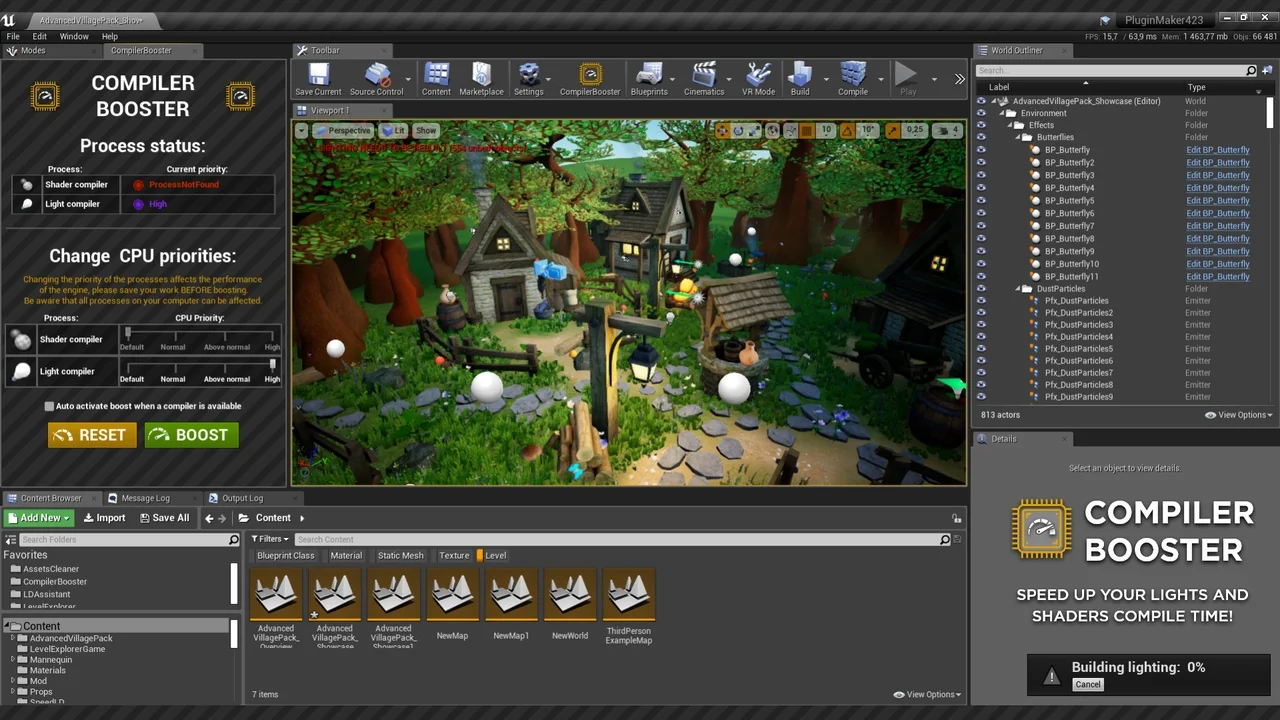
Compiler Booster is a high-performance asset designed to streamline your development workflow by reducing long wait times. Many developers lose hours to shader and light compiling during a project. This tool addresses that bottleneck by adjusting how your system handles these intensive tasks. Specifically, it sets the compilers’ CPU priority higher than the default Windows settings.
Consequently, your hardware focuses its power on the most demanding background processes. This shift allows you to transform your daily routine into more productive work sessions. Moreover, the asset functions as a dedicated editor plugin. Therefore, the editor must be fully launched for the optimization to take effect.
Quantifiable Performance Gains
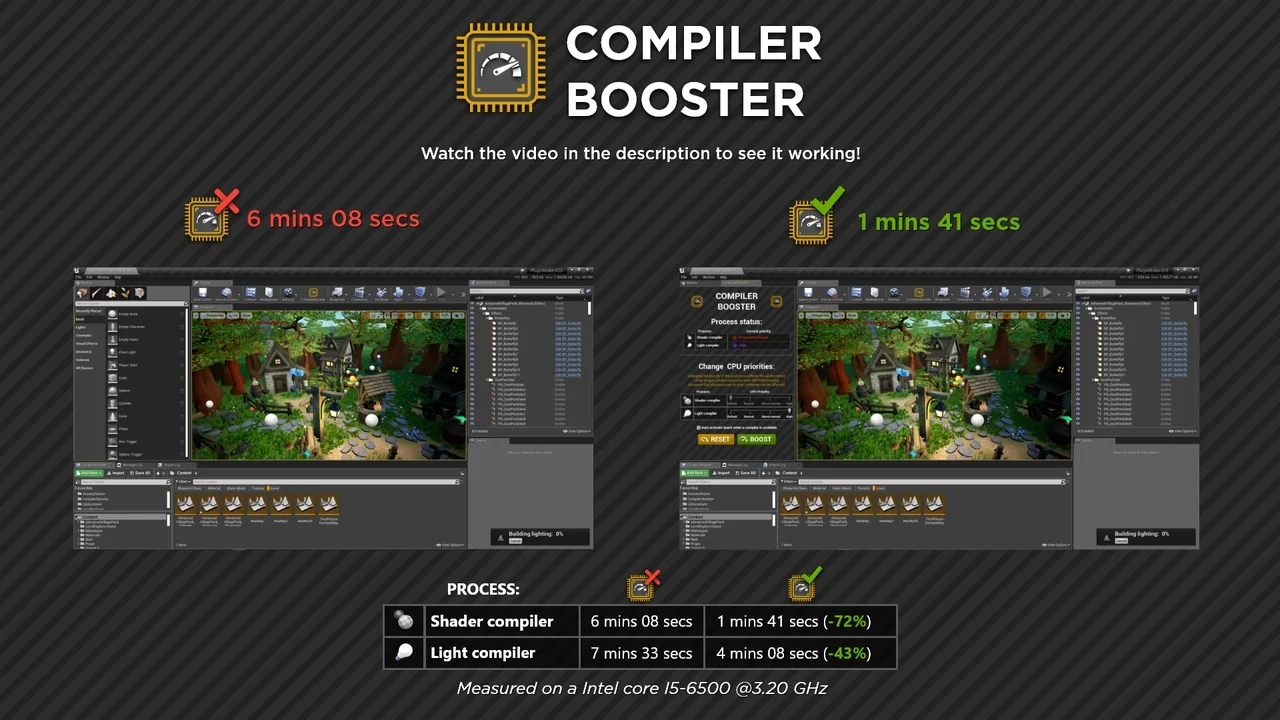
The primary benefit of using Compiler Booster is the significant reduction in processing time. According to testing data, users can achieve up to 72% faster shader compile times. Furthermore, light build times can see improvements of up to 43%. These benchmarks demonstrate how effectively the tool reallocates system resources.
The creator tested these performance gains on an Intel Core i5-6500 @3.20 GHz. While these specific figures are impressive, the tool is compatible with both Intel and AMD CPUs. However, results for landscape compilation may vary. This variation occurs because landscape tasks often involve multiple concurrent processes.
Compatibility and Technical Details
This asset is built for modern development environments. It currently works with UE4 and UE5 on Windows systems only. It is important to note that the tool is not compatible with task distribution systems like Unreal Swarm. If your workflow relies on external task distribution, this plugin may not be suitable for your setup.
Additionally, the developer has included helpful resources for further optimization. If you are looking to speed up editor launch times, the official documentation provides a handy workaround. This ensures that every aspect of your project interaction is as fast as possible.
Best Practices for Peak Efficiency
To get the best results from Compiler Booster, certain operational steps should be followed. First, you should always save your work before boosting. This is because changing CPU priority impacts engine performance and system stability. Consequently, securing your data is a vital safety measure.
Second, you should close other resource-intensive programs during the compilation process. Applications like web browsers can consume significant CPU cycles. By closing these programs, you provide the compiler with more headroom to operate. Notably, these simple steps ensure you get the maximum benefit from the increased priority levels.
Conclusion
Compiler Booster offers a practical solution for developers tired of waiting for slow builds. By optimizing CPU priority, it delivers substantial time savings for both shaders and lighting. Whether you are working on a small scene or a complex environment, this tool helps you maintain your creative momentum. Transform your workflow today by focusing more on design and less on waiting.
Screenshots & Gallery