"6f9bd6df1f44a86f"{"id":"1000799","slug":"caustics-texture","title":"Caustics Texture","category":"Water","engine":"4.26+,5.0+","assetVersion":"","engineVersion":"Engine Version: 4.26+,5.0+","tag":"Water","accent":"blue","visual":"luts","summary":"Caustics Texture asset pack for Unreal Engine projects with JPG format textures compatible across Unity, Blender, Godot, Maya, and 3DS Max for realistic light s","platform":"Unreal Engine","indexPolicy":"index","publishedAt":"2026-07-30T22:47:36.563Z","updatedAt":"2026-07-30T22:47:36.563Z","sourceNotes":[],"fileContents":[],"compatibility":["Unreal Engine","Engine Version: 4.26+,5.0+"],"featuredImage":{"alt":"Caustics Texture","src":"/wp-content/uploads/published/2026/07/137dedd6356a-aaec527f-c44a-447a-9c34-85b393151839-ce0b488039.webp"},"hasDownloadLink":true,"downloads":1,"terms":[{"taxonomy":"category","slug":"water","name":"Water"}],"galleryImages":[{"src":"/wp-content/uploads/published/2026/07/3b33410d414a-4987124f-3781-42bd-a4a9-29266b3d0f11-7ea0cf534b.webp","alt":"Caustics Texture"},{"src":"/wp-content/uploads/published/2026/07/86c2ad3a5bda-fd88d288-2728-44ef-b6dc-ed2b7e08d760-a90ba65b80.webp","alt":"Caustics Texture"},{"src":"/wp-content/uploads/published/2026/07/ea07d86e6b32-10ffd4e0-4416-4a5c-a864-a21c8f97ad62-d07f884179.webp","alt":"Caustics Texture"},{"src":"/wp-content/uploads/published/2026/07/f033c6687948-8e15e850-0d3d-4d9d-beb5-95601d82c2f7-ec10e8d0f2.webp","alt":"Caustics Texture"}],"accessPanel":{"kind":"resource","title":"Download this resource","eyebrow":"Free Download","message":"Log in or create a free account to start your download.","fileName":"Content.7z","safetyNote":"Resources are manually reviewed before listing to improve quality and reduce obvious risks.","actionLabel":"Download Free","resourceType":"Resource archive"},"contentHtml":"\u003cp\u003eUnderwater corridors dappled with shifting light, sunlit shallows where sparkles dance across the seabed, and glass-paneled sci-fi interiors lit by intricate refractive patterns—all of these environments depend on caustics to sell their atmosphere. The \u003cem\u003eCaustics Texture Pack\u003c/em\u003e exists precisely for these moments, giving artists a library of ready-made light patterns that can be mapped onto surfaces to simulate the way light bends, focuses, and ripples through transparent and translucent materials.\u003c/p\u003e\n\n\u003cp\u003eCaustics are notoriously difficult to fake in real-time engines. They are the result of light passing through a refractive surface—water, glass, crystalline structures—and converging into shifting, luminous shapes on whatever that light lands on. Rather than relying on physically accurate simulation, which can be expensive in a game scene, most projects use tiled or animated textures to approximate the effect. This pack provides a curated set of those textures, built and optimized for direct integration into Unreal Engine projects with attention to both performance and visual fidelity.\u003c/p\u003e\n\n\u003ch2\u003ePattern Variety Inside the \u003cem\u003eCaustics Texture Pack\u003c/em\u003e\u003c/h2\u003e\n\u003cp\u003eThe pack covers a range of caustic behavior, not just one look. Identifiable categories include subtle ripples, dancing sparkles, and intricate light formations. Each of these serves a different visual purpose. Subtle ripples work well for calm, shallow water where the light interaction is gentle and continuous. Dancing sparkles suit brighter, more dynamic surfaces—think sunlight hitting a pool floor or light filtering through a disturbed surface. The more intricate light formations lend themselves to complex refractive setups, where glass or advanced materials split light into elaborate webs.\u003c/p\u003e\n\n\u003cp\u003eHaving multiple pattern types in one pack means a developer can mix and match across a project without each scene feeling like it borrowed the same texture. An underwater adventure level might call for soft, wide ripples in one area and tighter sparkle patterns in another, depending on depth and surface conditions. A sci-fi environment with futuristic light sources could lean heavily on the intricate formations, treating them as projected light through energy fields or transparent architecture. The variety gives scenes room to breathe.\u003c/p\u003e\n\n\u003ch2\u003eUnreal Engine Integration and Rendering Behavior\u003c/h2\u003e\n\u003cp\u003eEach texture in the pack has been carefully created and optimized for Unreal Engine, and the collection is compatible with the engine's advanced rendering features. This matters because caustics in Unreal are not just a matter of applying a flat image to a surface. To look convincing, the textures need to interact with the Material System—driving Emissive values, Opacity, or refractive properties—and respond to lighting conditions in the scene.\u003c/p\u003e\n\n\u003cp\u003eThe pack is positioned to support refractions, reflections, and light interactions. In practice, an artist can use these textures as masks within Material Graphs, as Emissive overlays for bloom-driven highlights, or as part of a more complex shader setup that combines depth-based color shifts with moving caustic patterns. Because the textures are optimized for the engine, the goal is to achieve these effects with strong visual fidelity while keeping performance overhead manageable—critical for real-time projects where every additional texture sample and material instruction costs frames.\u003c/p\u003e\n\n\u003ch2\u003eJPG Format and Cross-Engine Compatibility\u003c/h2\u003e\n\u003cp\u003eBeyond its primary focus on Unreal Engine, the pack makes its textures available in JPG format. This is a practical decision that widens the pipeline considerably. JPG is a universally supported format across game engines and digital content creation (DCC) tools, meaning the same texture set can move between software without conversion.\u003c/p\u003e\n\n\u003cp\u003eThe textures are explicitly compatible with Unity, Blender, Godot, Maya, and 3ds Max, alongside Unreal Engine. For developers working in multi-engine studios or for artists who prototype in one tool and final-render in another, this matters. A texture used as a caustic overlay in an Unreal Engine underwater scene can be pulled into Blender for a still render, dropped into Godot for an indie project, or loaded into Maya and 3ds Max for pre-visualization and look development. The format ensures the pack is not locked to a single ecosystem.\u003c/p\u003e\n\n\u003ch2\u003eScene-Building Applications Across Genres\u003c/h2\u003e\n\u003cp\u003eThe pack's core use cases span several environment types. Underwater adventures are the most obvious fit—any scene featuring submerged terrain, coral, wreckage, or swaying vegetation benefits from the addition of moving caustic light to simulate the boundary between water surface and the floor below. Sun-drenched beach settings use these textures to recreate the shimmer of light through shallow water on sand, rocks, and structures near the shoreline.\u003c/p\u003e\n\n\u003cp\u003eSci-fi worlds with futuristic light sources are another direction. Caustics generated by energy fields, force fields, or transparent screens can use the more complex light formations in the pack to imply refractive materials that do not exist in nature. The same pack that serves a realistic ocean scene can serve a stylized or hard-surface environment, provided the artist treats the textures as a starting point and integrates them into the scene's lighting logic.\u003c/p\u003e\n\n\u003cp\u003eTags associated with the resource—\u003cem\u003eAquatic\u003c/em\u003e, \u003cem\u003eTexture\u003c/em\u003e, \u003cem\u003eReflection\u003c/em\u003e, \u003cem\u003eWater\u003c/em\u003e, and \u003cem\u003eRealistic\u003c/em\u003e—point clearly toward its strongest applications. Water-adjacent scenes, reflective surface work, and any project leaning into realistic light behavior are where this collection will have the most immediate impact.\u003c/p\u003e\n\n\u003ch2\u003ePutting the \u003cem\u003eCaustics Texture Pack\u003c/em\u003e to Work\u003c/h2\u003e\n\u003cp\u003eThe most effective way to use these textures is as part of a layered material setup, not just a single-surface application. In Unreal Engine, an artist might drive a caustic texture's brightness through an Emissive channel, mask it by depth to fade the effect at greater underwater distances, and pan the texture coordinates over time to simulate surface movement. The intricate light formations can be projected onto geometry through a Light Function or Decal, creating the illusion that an unseen refractive surface is casting patterns into the room.\u003c/p\u003e\n\n\u003cp\u003eIn other engines and DCC tools, the approach shifts based on available features. Unity developers can use the same JPG textures within Shader Graph setups. Blender artists can map them onto planes or use them as displacement and roughness modifiers, along with refraction to simulate glass. Maya and 3ds Max users working in offline rendering pipelines can treat them as projection maps or layered textures within standard material networks. The workflow flexibility comes from the format and the self-contained nature of the content—each texture is a reusable light pattern that can be applied wherever refractive optics need to be implied.\u003c/p\u003e\n\n\u003cp\u003eFor any project where light passing through water, glass, or other refractive materials needs to read convincingly to the viewer, this pack provides the raw patterns to make that happen. The combination of pattern variety, engine-native optimization for Unreal, and cross-tool JPG support makes it a practical addition to environment art pipelines dealing with aquatic or refractive light themes.\u003c/p\u003e\n\n\u003ch2\u003eContinue Browsing Similar Packs\u003c/h2\u003e\n\u003cul\u003e\n\u003cli\u003e\u003ca href=\"https://3dcghub.com/waterstamp-water-decals/\" rel=\"noopener noreferrer\"\u003eWaterstamp - Water Decals\u003c/a\u003e\u003c/li\u003e\n\u003cli\u003e\u003ca href=\"https://3dcghub.com/realistic-materials-vol-7-water-ice-25-materials/\" rel=\"noopener noreferrer\"\u003eRealistic Materials Vol. 7 - Water \u0026amp; Ice (25+ Materials)\u003c/a\u003e\u003c/li\u003e\n\u003cli\u003e\u003ca href=\"https://3dcghub.com/stylized-water/\" rel=\"noopener noreferrer\"\u003eStylized Water\u003c/a\u003e\u003c/li\u003e\n\u003cli\u003e\u003ca href=\"https://3dcghub.com/moving-water-material-pack/\" rel=\"noopener noreferrer\"\u003eMoving Water Material Pack\u003c/a\u003e\u003c/li\u003e\n\u003cli\u003e\u003ca href=\"https://3dcghub.com/uiws-unified-interactive-water-system/\" rel=\"noopener noreferrer\"\u003eUIWS - Unified Interactive Water System\u003c/a\u003e\u003c/li\u003e\n\u003c/ul\u003e","contentTextLength":7405,"navigation":{"current":1565,"total":4218,"previous":{"id":"1000800","slug":"cgr-basnpr","title":"CGr BASnpR","category":"Guns","platform":"Unreal Engine","updatedAt":"2026-07-30T22:59:50.063Z"},"next":{"id":"1000798","slug":"car-interact-animations-vol-1","title":"Car Interact Animations VOL. 1","category":"Variety","platform":"Unreal Engine","updatedAt":"2026-07-30T15:30:22.531Z"}},"relatedResources":[{"id":"1002284","slug":"stylized-water-material-pack-1","title":"Stylized Water Material Pack 1","category":"Water","engine":"4.26+,5.0+","assetVersion":"","engineVersion":"Engine Version: 4.26+,5.0+","tag":"Water","accent":"blue","visual":"luts","summary":"Configure 7 unique stylized water materials featuring 4K textures, tiling, color tinting, and normal map detail controls for fantasy environments.","platform":"Unreal Engine","indexPolicy":"index","publishedAt":"2026-10-29T17:07:41.013Z","updatedAt":"2026-10-29T17:07:41.013Z","sourceNotes":[],"fileContents":[],"compatibility":["Unreal Engine","Engine Version: 4.26+,5.0+"],"featuredImage":{"alt":"Stylized Water Material Pack 1","src":"/wp-content/uploads/published/2026/10/d00c968e7d9b-5b7fbe2d-6c5f-4267-a49f-0e1d2618eca5-c0d2e6720d.webp"},"hasDownloadLink":true,"downloads":2},{"id":"14724","slug":"uiws-unified-interactive-water-system","title":"UIWS - Unified Interactive Water System","category":"Engine Tools","engine":"4.25 - 4.27,5.0 - 5.7","assetVersion":"Engine version: 4.25 - 4.27,5.0 - 5.7","engineVersion":"Asset Version:1.11 - 1.18","tag":"Engine Tools","accent":"blue","visual":"character","summary":"Enhance your Unreal Engine 4 projects with UIWS - Unified Interactive Water System. This powerful plugin offers real-time fluid interaction, caustic reflections, and easy setup for beautiful, dynamic water bodies.","platform":"Unreal Engine","indexPolicy":"index","publishedAt":"2026-03-11T19:07:27.000Z","updatedAt":"2026-04-19T15:45:41.000Z","sourceNotes":[],"fileContents":[],"compatibility":["Unreal Engine","Engine version: 4.25 - 4.27,5.0 - 5.7","Asset Version: 1.11 - 1.18"],"featuredImage":{"alt":"UIWS - Unified Interactive Water System","src":"https://3dcghub.com/wp-content/uploads/2026/03/89d02958-c237-4e09-b3ae-50ccff59c316.webp"},"hasDownloadLink":true,"downloads":1},{"id":"1000142","slug":"waterstamp-water-decals","title":"Waterstamp - Water Decals","category":"Water","engine":"4.26+,5.0+","assetVersion":"","engineVersion":"Engine Version: 4.26+,5.0+","tag":"Water","accent":"blue","visual":"mech","summary":"WaterStamp adds textures and shaders for decal-like detail on water, underwater terrain, and foam, with translucent mapping and UE5 updates.","platform":"Unreal Engine","indexPolicy":"index","publishedAt":"2026-06-12T16:55:21.280Z","updatedAt":"2026-06-12T16:55:21.280Z","sourceNotes":[],"fileContents":[],"compatibility":["Unreal Engine","Engine Version: 4.26+,5.0+"],"featuredImage":{"alt":"Waterstamp - Water Decals","src":"/wp-content/uploads/published/2026/06/168dfdb28437-252d0a00-9241-4200-b374-698feb3fef57-4c0fa39d8a.webp"},"hasDownloadLink":true,"downloads":1}]}
Water
Caustics Texture
Caustics Texture asset pack for Unreal Engine projects with JPG format textures compatible across Unity, Blender, Godot, Maya, and 3DS Max for realistic light s
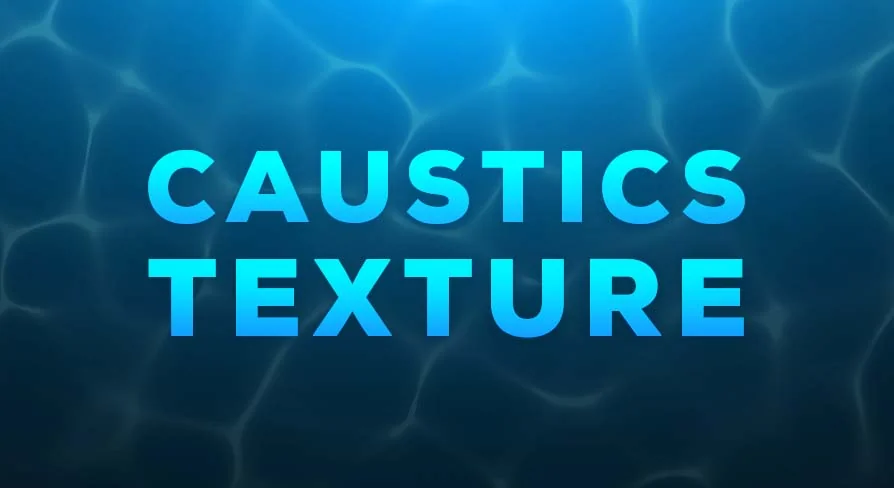
Underwater corridors dappled with shifting light, sunlit shallows where sparkles dance across the seabed, and glass-paneled sci-fi interiors lit by intricate refractive patterns—all of these environments depend on caustics to sell their atmosphere. The Caustics Texture Pack exists precisely for these moments, giving artists a library of ready-made light patterns that can be mapped onto surfaces to simulate the way light bends, focuses, and ripples through transparent and translucent materials.
Caustics are notoriously difficult to fake in real-time engines. They are the result of light passing through a refractive surface—water, glass, crystalline structures—and converging into shifting, luminous shapes on whatever that light lands on. Rather than relying on physically accurate simulation, which can be expensive in a game scene, most projects use tiled or animated textures to approximate the effect. This pack provides a curated set of those textures, built and optimized for direct integration into Unreal Engine projects with attention to both performance and visual fidelity.
Pattern Variety Inside the Caustics Texture Pack
The pack covers a range of caustic behavior, not just one look. Identifiable categories include subtle ripples, dancing sparkles, and intricate light formations. Each of these serves a different visual purpose. Subtle ripples work well for calm, shallow water where the light interaction is gentle and continuous. Dancing sparkles suit brighter, more dynamic surfaces—think sunlight hitting a pool floor or light filtering through a disturbed surface. The more intricate light formations lend themselves to complex refractive setups, where glass or advanced materials split light into elaborate webs.
Having multiple pattern types in one pack means a developer can mix and match across a project without each scene feeling like it borrowed the same texture. An underwater adventure level might call for soft, wide ripples in one area and tighter sparkle patterns in another, depending on depth and surface conditions. A sci-fi environment with futuristic light sources could lean heavily on the intricate formations, treating them as projected light through energy fields or transparent architecture. The variety gives scenes room to breathe.
Unreal Engine Integration and Rendering Behavior
Each texture in the pack has been carefully created and optimized for Unreal Engine, and the collection is compatible with the engine's advanced rendering features. This matters because caustics in Unreal are not just a matter of applying a flat image to a surface. To look convincing, the textures need to interact with the Material System—driving Emissive values, Opacity, or refractive properties—and respond to lighting conditions in the scene.
The pack is positioned to support refractions, reflections, and light interactions. In practice, an artist can use these textures as masks within Material Graphs, as Emissive overlays for bloom-driven highlights, or as part of a more complex shader setup that combines depth-based color shifts with moving caustic patterns. Because the textures are optimized for the engine, the goal is to achieve these effects with strong visual fidelity while keeping performance overhead manageable—critical for real-time projects where every additional texture sample and material instruction costs frames.
JPG Format and Cross-Engine Compatibility
Beyond its primary focus on Unreal Engine, the pack makes its textures available in JPG format. This is a practical decision that widens the pipeline considerably. JPG is a universally supported format across game engines and digital content creation (DCC) tools, meaning the same texture set can move between software without conversion.
The textures are explicitly compatible with Unity, Blender, Godot, Maya, and 3ds Max, alongside Unreal Engine. For developers working in multi-engine studios or for artists who prototype in one tool and final-render in another, this matters. A texture used as a caustic overlay in an Unreal Engine underwater scene can be pulled into Blender for a still render, dropped into Godot for an indie project, or loaded into Maya and 3ds Max for pre-visualization and look development. The format ensures the pack is not locked to a single ecosystem.
Scene-Building Applications Across Genres
The pack's core use cases span several environment types. Underwater adventures are the most obvious fit—any scene featuring submerged terrain, coral, wreckage, or swaying vegetation benefits from the addition of moving caustic light to simulate the boundary between water surface and the floor below. Sun-drenched beach settings use these textures to recreate the shimmer of light through shallow water on sand, rocks, and structures near the shoreline.
Sci-fi worlds with futuristic light sources are another direction. Caustics generated by energy fields, force fields, or transparent screens can use the more complex light formations in the pack to imply refractive materials that do not exist in nature. The same pack that serves a realistic ocean scene can serve a stylized or hard-surface environment, provided the artist treats the textures as a starting point and integrates them into the scene's lighting logic.
Tags associated with the resource—Aquatic, Texture, Reflection, Water, and Realistic—point clearly toward its strongest applications. Water-adjacent scenes, reflective surface work, and any project leaning into realistic light behavior are where this collection will have the most immediate impact.
Putting the Caustics Texture Pack to Work
The most effective way to use these textures is as part of a layered material setup, not just a single-surface application. In Unreal Engine, an artist might drive a caustic texture's brightness through an Emissive channel, mask it by depth to fade the effect at greater underwater distances, and pan the texture coordinates over time to simulate surface movement. The intricate light formations can be projected onto geometry through a Light Function or Decal, creating the illusion that an unseen refractive surface is casting patterns into the room.
In other engines and DCC tools, the approach shifts based on available features. Unity developers can use the same JPG textures within Shader Graph setups. Blender artists can map them onto planes or use them as displacement and roughness modifiers, along with refraction to simulate glass. Maya and 3ds Max users working in offline rendering pipelines can treat them as projection maps or layered textures within standard material networks. The workflow flexibility comes from the format and the self-contained nature of the content—each texture is a reusable light pattern that can be applied wherever refractive optics need to be implied.
For any project where light passing through water, glass, or other refractive materials needs to read convincingly to the viewer, this pack provides the raw patterns to make that happen. The combination of pattern variety, engine-native optimization for Unreal, and cross-tool JPG support makes it a practical addition to environment art pipelines dealing with aquatic or refractive light themes.
 Water
Water
 Water
Water Engine Tools
 Water
Water