"0341a2901a4ae9aa"{"id":"1000142","slug":"waterstamp-water-decals","title":"Waterstamp - Water Decals","category":"Water","engine":"4.26+,5.0+","assetVersion":"","engineVersion":"Engine Version: 4.26+,5.0+","tag":"Water","accent":"blue","visual":"mech","summary":"WaterStamp adds textures and shaders for decal-like detail on water, underwater terrain, and foam, with translucent mapping and UE5 updates.","platform":"Unreal Engine","publishedAt":"2026-06-12T16:55:21.280Z","updatedAt":"2026-06-12T16:55:21.280Z","sourceNotes":[],"fileContents":[],"compatibility":["Unreal Engine","Engine Version: 4.26+,5.0+"],"featuredImage":{"alt":"Waterstamp - Water Decals","src":"/wp-content/uploads/published/2026/06/168dfdb28437-252d0a00-9241-4200-b374-698feb3fef57-4c0fa39d8a.webp"},"hasDownloadLink":true,"downloads":1,"terms":[{"taxonomy":"category","slug":"water","name":"Water"}],"galleryImages":[{"src":"/wp-content/uploads/published/2026/06/dad48524233d-e633ee21-b48d-40ed-9b0c-bb51cb7e9fdb-4be00c89bf.webp","alt":"Waterstamp - Water Decals"},{"src":"/wp-content/uploads/published/2026/06/4c314da455e7-8b756b07-bfc8-4a5e-b61a-8da92eac2ae7-5e04ba793f.webp","alt":"Waterstamp - Water Decals"},{"src":"/wp-content/uploads/published/2026/06/ec2fab69cda3-22dd92f4-f59b-4281-bce8-c36c1035bd6b-cf06ed13d5.webp","alt":"Waterstamp - Water Decals"},{"src":"/wp-content/uploads/published/2026/06/80f848a9db40-23e8427e-4e30-4095-8b73-038542f1f0e2-78a6e082fb.webp","alt":"Waterstamp - Water Decals"},{"src":"/wp-content/uploads/published/2026/06/b3e3d6b18003-6b31e2f1-2391-43ef-8576-92331054ac52-f09d1f762e.webp","alt":"Waterstamp - Water Decals"},{"src":"/wp-content/uploads/published/2026/06/6d965be6c719-8752df1c-3f7c-48dd-8b44-d47b96bc5c3b-15694b7668.webp","alt":"Waterstamp - Water Decals"},{"src":"/wp-content/uploads/published/2026/06/cf2f7b9f7b2c-d046680a-d682-4936-9e7d-587d1250e3e1-bdfe281d5a.webp","alt":"Waterstamp - Water Decals"},{"src":"/wp-content/uploads/published/2026/06/404d1d023cb9-ccb98abf-c682-4c21-8daa-95016030c427-2003f0b597.webp","alt":"Waterstamp - Water Decals"},{"src":"/wp-content/uploads/published/2026/06/766f9c50091e-765685fa-c01e-4416-ab59-9902596cd682-0f26cbb3ad.webp","alt":"Waterstamp - Water Decals"},{"src":"/wp-content/uploads/published/2026/06/11e297d6776b-69d47a26-babe-4838-9879-4930dcc3f784-725ab53286.webp","alt":"Waterstamp - Water Decals"}],"accessPanel":{"kind":"resource","title":"Download this resource","eyebrow":"Free Download","message":"Log in or create a free account to start your download.","fileName":"Content.7z","safetyNote":"Resources are manually reviewed before listing to improve quality and reduce obvious risks.","actionLabel":"Download Free","resourceType":"Resource archive"},"contentHtml":"\u003cp\u003eGetting WaterStamp into a scene starts with its central idea rather than a broad material overhaul. Instead of pushing every visual change through one fully complex water shader, this pack introduces a way to place decal-like detail directly onto water surfaces through a translucent mapping function. That setup changes how water detailing can be approached, especially when only certain areas need extra breakup, foam treatment, or underwater accents.\u003c/p\u003e \u003cp\u003eWaterStamp is a content pack with a large number of textures and shaders focused on decal-like details for water surfaces, underwater terrain, and foam effects. The defining feature is its ability to project a texture onto a translucent material. In practice, that means decal-like shaders can be used on water surfaces, which is the core identity of the pack and the reason it stands apart from a standard decal-only workflow.\u003c/p\u003e \u003ch2\u003eProjecting WaterStamp onto translucent water\u003c/h2\u003e\n\u003cp\u003eThe translucent mapping function is the feature that shapes how this pack can be used creatively. Water surfaces often sit in a separate rendering space from ordinary opaque geometry, and WaterStamp addresses that by making texture projection possible on translucent materials. For artists and developers, that creates a more direct way to add controlled detail where the eye actually needs it.\u003c/p\u003e \u003cp\u003eBecause the pack centers on water surfaces, underwater terrain, and foam effects, the most obvious uses are localized patches of visual variation. A broad water body does not always need uniform treatment across its entire surface. Some areas may call for stronger breakup, some may need additional foam presence, and some underwater zones may benefit from extra material definition. WaterStamp supports that narrower, more selective approach.\u003c/p\u003e \u003cp\u003eThis selective projection is especially useful when the goal is to create complexity in small regions rather than across an entire level. A water plane can remain structurally simple while still receiving concentrated visual events in chosen spots. That keeps the focus on placement and effect shaping rather than turning the whole water material into a single heavy solution for every possible case.\u003c/p\u003e \u003ch2\u003eCustom Depth and the horizontal-surface requirement\u003c/h2\u003e\n\u003cp\u003eThe mapping function works on any translucent material that writes a Custom Depth. That is the key technical condition behind the workflow. It does not present itself as a universal projection system for every translucent scenario; it is tied to this specific requirement, and that makes the setup expectation very clear.\u003c/p\u003e \u003cp\u003eOnce that condition is met, the projected object can be handled in a familiar way. It can be shifted, scaled, and rotated much like a standard decal actor. That is useful because placement control is a major part of making water detail feel intentional. Subtle movement in position, variations in size, and rotation changes can all affect how a texture reads once it sits on a surface. WaterStamp keeps those controls close to the sort of manipulation artists already expect from decal placement.\u003c/p\u003e \u003cp\u003eThere is also an important boundary to the system. Both the surface and the decal need to be horizontal. The current focus is water surfaces, so the limitation is not hidden or dressed up as a minor note. It defines the pack's intended use. WaterStamp is not trying to be a general-purpose projection tool for arbitrary angles and vertical materials. Its strengths are tied to horizontal translucent surfaces where water treatment is the priority.\u003c/p\u003e \u003cp\u003eThat limitation also helps frame how to use the pack well. When the target is a lake, river section, flooded plane, or other horizontal water area, the system aligns with that task. The pack becomes less about all-surface flexibility and more about reliable placement inside a specific water-focused visual workflow.\u003c/p\u003e \u003ch2\u003eWater surfaces, underwater terrain, and foam effects in smaller zones\u003c/h2\u003e\n\u003cp\u003eOne of the most practical ideas in WaterStamp is that complex translucent effects can be localized to small areas where they are needed. This avoids complicating the entire water shader. That single point has wide creative implications, even though the pack keeps its scope focused.\u003c/p\u003e \u003cp\u003eWater often needs variation, but that variation is not always scene-wide. A specific patch might need a foam treatment. A part of the underwater terrain might need a detail pass that helps it read more clearly beneath the surface. Another area may need a texture-driven visual mark that suggests motion, disturbance, or concentration of surface change. WaterStamp allows those effects to be placed where they matter instead of forcing them into a global material behavior.\u003c/p\u003e \u003cp\u003eThis localized approach is useful for both visual control and scene planning. Rather than treating every water surface as equally complex from edge to edge, the pack makes room for targeted emphasis. A calmer base treatment can coexist with more detailed regions, and that separation helps effects stay intentional. WaterStamp's content pack structure, with its large number of textures and shaders, supports this kind of selective layering across water-related elements.\u003c/p\u003e \u003cp\u003eThe same logic extends below the surface. Since the pack also centers on underwater terrain, projected detail is not limited to the top face of water alone as a visual idea. It supports the broader look of water spaces where what sits beneath the surface contributes to the result. Foam effects complete that picture by adding another water-specific detail category that can be treated as a placed effect rather than only a global material property.\u003c/p\u003e \u003ch2\u003eWaterStamp v2.0 features in UE5.0\u003c/h2\u003e\n\u003cp\u003eAs of UE5.0, WaterStamp v2.0 features are available. The update brings better shadow support, Vanilla Unreal water support, and better deformations. Those three points help define how the pack has been pushed forward for current Unreal workflows without changing its core identity.\u003c/p\u003e \u003cp\u003eBetter shadow support affects how these water-applied details sit inside lit scenes. Since the pack deals with translucent materials and projected effects, shadow behavior has a direct impact on whether those additions feel settled into the render. The note about better shadow support signals refinement in that area.\u003c/p\u003e \u003cp\u003eVanilla Unreal water support is another notable point because it ties WaterStamp more directly to default engine water workflows. That does not broaden the pack into unrelated territory; it strengthens its fit with Unreal's own water setup. For teams or solo creators already working within standard Unreal water systems, this is one of the clearest compatibility-facing details available.\u003c/p\u003e \u003cp\u003eBetter deformations round out the UE5.0-era additions. Since the pack is concerned with projected and localized effects on water-related surfaces, deformation quality can influence how convincingly those details interact with the shape and feel of the target area. The update indicates that this part of the system has seen improvement as well.\u003c/p\u003e \u003ch2\u003eUE5.3 visual artifact note and keeping WaterStamp stable\u003c/h2\u003e\n\u003cp\u003eThere is one production note that deserves direct attention. When using the pack with UE5.3 and above, older GPU drivers can produce visual artifacts under certain lighting conditions and with some third-party plugin combinations. The recommended step is to use the latest GPU drivers.\u003c/p\u003e \u003cp\u003eThat note is specific enough to matter. It is not a vague suggestion about general maintenance. It points to a real rendering concern that can appear only in certain circumstances, which makes it easy to overlook during setup if a project seems fine at first glance. For anyone evaluating WaterStamp in a larger Unreal environment, especially one with additional plugins or scene-specific lighting setups, this is an important stability checkpoint.\u003c/p\u003e \u003cp\u003eUsed within its intended boundaries, WaterStamp offers a focused way to add realistic decal-like water detail without turning a full water material into the solution for every localized effect. Its strongest fit is for horizontal translucent surfaces that write Custom Depth, where projected textures, foam treatment, and underwater detail can be placed, transformed, and refined in smaller areas. With UE5.0 feature support and a clear UE5.3 driver warning, it reads as a specialized water tool that is most effective when handled as a precise scene-detailing system rather than a catch-all water framework.\u003c/p\u003e\n\n\u003ch2\u003eMore From The Same Workflow\u003c/h2\u003e\n\u003cul\u003e\n\u003cli\u003e\u003ca href=\"https://3dcghub.com/stylized-water/\" title=\"Stylized Water\"\u003eStylized Water\u003c/a\u003e\u003c/li\u003e\n\u003cli\u003e\u003ca href=\"https://3dcghub.com/realistic-materials-vol-7-water-ice-25-materials/\" title=\"Realistic Materials Vol. 7 - Water \u0026amp; Ice (25+ Materials)\"\u003eRealistic Materials Vol. 7 - Water \u0026amp; Ice (25+ Materials)\u003c/a\u003e\u003c/li\u003e\n\u003cli\u003e\u003ca href=\"https://3dcghub.com/moving-water-material-pack/\" title=\"Moving Water Material Pack\"\u003eMoving Water Material Pack\u003c/a\u003e\u003c/li\u003e\n\u003cli\u003e\u003ca href=\"https://3dcghub.com/advanced-water-material/\" title=\"Advanced Water Material\"\u003eAdvanced Water Material\u003c/a\u003e\u003c/li\u003e\n\u003cli\u003e\u003ca href=\"https://3dcghub.com/water-fountain/\" title=\"Water Fountain\"\u003eWater Fountain\u003c/a\u003e\u003c/li\u003e\n\u003c/ul\u003e","contentTextLength":8491,"navigation":{"current":2026,"total":4017,"previous":{"id":"1000143","slug":"zombie-starved-male","title":"Zombie - Starved Male","category":"Characters \u0026 Creatures","platform":"Unreal Engine","updatedAt":"2026-06-12T17:25:33.387Z"},"next":{"id":"1000141","slug":"virtual-joystick-minimalist-pack","title":"Virtual Joystick Minimalist Pack","category":"UI Kits / HUDs","platform":"Unreal Engine","updatedAt":"2026-06-12T16:49:41.086Z"}},"relatedResources":[{"id":"1001214","slug":"water-materials","title":"Water Materials","category":"Water","engine":"5.0+","assetVersion":"","engineVersion":"Engine Version: 5.0+","tag":"Water","accent":"blue","visual":"luts","summary":"A breakdown of the Water Materials collection for Unreal Engine, featuring 12 core materials, 8 lighter variations, and vertex paint controls.","platform":"Unreal Engine","publishedAt":"2026-09-19T08:52:56.340Z","updatedAt":"2026-09-19T08:52:56.340Z","sourceNotes":[],"fileContents":[],"compatibility":["Unreal Engine","Engine Version: 5.0+"],"featuredImage":{"alt":"Water Materials","src":"/wp-content/uploads/published/2026/09/1db7cdb9038c-ce6ac2e6-47aa-4af3-bbad-d40516237245-8ecc62b00e.webp"},"hasDownloadLink":true,"downloads":1},{"id":"1001213","slug":"cartoon-water-shader","title":"Cartoon Water Shader","category":"Water","engine":"5.0+","assetVersion":"","engineVersion":"Engine Version: 5.0+","tag":"Water","accent":"blue","visual":"mech","summary":"Explore Cartoon Water Shader, featuring stylized water materials, river and waterfall tools, buoyancy, underwater effects, and tile solver systems.","platform":"Unreal Engine","publishedAt":"2026-09-19T08:51:37.588Z","updatedAt":"2026-09-19T08:51:37.588Z","sourceNotes":[],"fileContents":[],"compatibility":["Unreal Engine","Engine Version: 5.0+"],"featuredImage":{"alt":"Cartoon Water Shader","src":"/wp-content/uploads/published/2026/09/65dfc8ccd016-ae677613-d823-407e-8397-e6f92539e22a-1bb83d5d29.webp"},"hasDownloadLink":true,"downloads":1},{"id":"1000799","slug":"caustics-texture","title":"Caustics Texture","category":"Water","engine":"4.26+,5.0+","assetVersion":"","engineVersion":"Engine Version: 4.26+,5.0+","tag":"Water","accent":"blue","visual":"luts","summary":"Caustics Texture asset pack for Unreal Engine projects with JPG format textures compatible across Unity, Blender, Godot, Maya, and 3DS Max for realistic light s","platform":"Unreal Engine","publishedAt":"2026-07-30T22:47:36.563Z","updatedAt":"2026-07-30T22:47:36.563Z","sourceNotes":[],"fileContents":[],"compatibility":["Unreal Engine","Engine Version: 4.26+,5.0+"],"featuredImage":{"alt":"Caustics Texture","src":"/wp-content/uploads/published/2026/07/137dedd6356a-aaec527f-c44a-447a-9c34-85b393151839-ce0b488039.webp"},"hasDownloadLink":true,"downloads":1}]}
Water
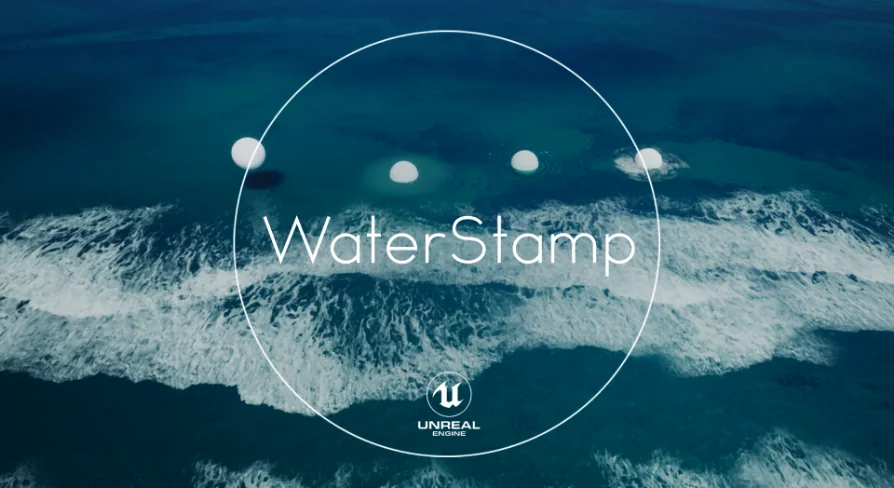
Waterstamp - Water Decals
WaterStamp adds textures and shaders for decal-like detail on water, underwater terrain, and foam, with translucent mapping and UE5 updates.
Category:Unreal Engine,WaterPlatform: Unreal EngineEngine Version: 4.26+,5.0+Published: Jun 12, 2026
Water
Resource overview
Getting WaterStamp into a scene starts with its central idea rather than a broad material overhaul. Instead of pushing every visual change through one fully complex water shader, this pack introduces a way to place decal-like detail directly onto water surfaces through a translucent mapping function. That setup changes how water detailing can be approached, especially when only certain areas need extra breakup, foam treatment, or underwater accents.
WaterStamp is a content pack with a large number of textures and shaders focused on decal-like details for water surfaces, underwater terrain, and foam effects. The defining feature is its ability to project a texture onto a translucent material. In practice, that means decal-like shaders can be used on water surfaces, which is the core identity of the pack and the reason it stands apart from a standard decal-only workflow.
Projecting WaterStamp onto translucent water
The translucent mapping function is the feature that shapes how this pack can be used creatively. Water surfaces often sit in a separate rendering space from ordinary opaque geometry, and WaterStamp addresses that by making texture projection possible on translucent materials. For artists and developers, that creates a more direct way to add controlled detail where the eye actually needs it.
Because the pack centers on water surfaces, underwater terrain, and foam effects, the most obvious uses are localized patches of visual variation. A broad water body does not always need uniform treatment across its entire surface. Some areas may call for stronger breakup, some may need additional foam presence, and some underwater zones may benefit from extra material definition. WaterStamp supports that narrower, more selective approach.
This selective projection is especially useful when the goal is to create complexity in small regions rather than across an entire level. A water plane can remain structurally simple while still receiving concentrated visual events in chosen spots. That keeps the focus on placement and effect shaping rather than turning the whole water material into a single heavy solution for every possible case.
Custom Depth and the horizontal-surface requirement
The mapping function works on any translucent material that writes a Custom Depth. That is the key technical condition behind the workflow. It does not present itself as a universal projection system for every translucent scenario; it is tied to this specific requirement, and that makes the setup expectation very clear.
Once that condition is met, the projected object can be handled in a familiar way. It can be shifted, scaled, and rotated much like a standard decal actor. That is useful because placement control is a major part of making water detail feel intentional. Subtle movement in position, variations in size, and rotation changes can all affect how a texture reads once it sits on a surface. WaterStamp keeps those controls close to the sort of manipulation artists already expect from decal placement.
There is also an important boundary to the system. Both the surface and the decal need to be horizontal. The current focus is water surfaces, so the limitation is not hidden or dressed up as a minor note. It defines the pack's intended use. WaterStamp is not trying to be a general-purpose projection tool for arbitrary angles and vertical materials. Its strengths are tied to horizontal translucent surfaces where water treatment is the priority.
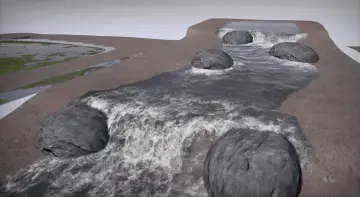
That limitation also helps frame how to use the pack well. When the target is a lake, river section, flooded plane, or other horizontal water area, the system aligns with that task. The pack becomes less about all-surface flexibility and more about reliable placement inside a specific water-focused visual workflow.
Water surfaces, underwater terrain, and foam effects in smaller zones
One of the most practical ideas in WaterStamp is that complex translucent effects can be localized to small areas where they are needed. This avoids complicating the entire water shader. That single point has wide creative implications, even though the pack keeps its scope focused.
Water often needs variation, but that variation is not always scene-wide. A specific patch might need a foam treatment. A part of the underwater terrain might need a detail pass that helps it read more clearly beneath the surface. Another area may need a texture-driven visual mark that suggests motion, disturbance, or concentration of surface change. WaterStamp allows those effects to be placed where they matter instead of forcing them into a global material behavior.
This localized approach is useful for both visual control and scene planning. Rather than treating every water surface as equally complex from edge to edge, the pack makes room for targeted emphasis. A calmer base treatment can coexist with more detailed regions, and that separation helps effects stay intentional. WaterStamp's content pack structure, with its large number of textures and shaders, supports this kind of selective layering across water-related elements.
The same logic extends below the surface. Since the pack also centers on underwater terrain, projected detail is not limited to the top face of water alone as a visual idea. It supports the broader look of water spaces where what sits beneath the surface contributes to the result. Foam effects complete that picture by adding another water-specific detail category that can be treated as a placed effect rather than only a global material property.
WaterStamp v2.0 features in UE5.0
As of UE5.0, WaterStamp v2.0 features are available. The update brings better shadow support, Vanilla Unreal water support, and better deformations. Those three points help define how the pack has been pushed forward for current Unreal workflows without changing its core identity.
Better shadow support affects how these water-applied details sit inside lit scenes. Since the pack deals with translucent materials and projected effects, shadow behavior has a direct impact on whether those additions feel settled into the render. The note about better shadow support signals refinement in that area.
Vanilla Unreal water support is another notable point because it ties WaterStamp more directly to default engine water workflows. That does not broaden the pack into unrelated territory; it strengthens its fit with Unreal's own water setup. For teams or solo creators already working within standard Unreal water systems, this is one of the clearest compatibility-facing details available.
Better deformations round out the UE5.0-era additions. Since the pack is concerned with projected and localized effects on water-related surfaces, deformation quality can influence how convincingly those details interact with the shape and feel of the target area. The update indicates that this part of the system has seen improvement as well.
UE5.3 visual artifact note and keeping WaterStamp stable
There is one production note that deserves direct attention. When using the pack with UE5.3 and above, older GPU drivers can produce visual artifacts under certain lighting conditions and with some third-party plugin combinations. The recommended step is to use the latest GPU drivers.
That note is specific enough to matter. It is not a vague suggestion about general maintenance. It points to a real rendering concern that can appear only in certain circumstances, which makes it easy to overlook during setup if a project seems fine at first glance. For anyone evaluating WaterStamp in a larger Unreal environment, especially one with additional plugins or scene-specific lighting setups, this is an important stability checkpoint.
Used within its intended boundaries, WaterStamp offers a focused way to add realistic decal-like water detail without turning a full water material into the solution for every localized effect. Its strongest fit is for horizontal translucent surfaces that write Custom Depth, where projected textures, foam treatment, and underwater detail can be placed, transformed, and refined in smaller areas. With UE5.0 feature support and a clear UE5.3 driver warning, it reads as a specialized water tool that is most effective when handled as a precise scene-detailing system rather than a catch-all water framework.
 Water
Water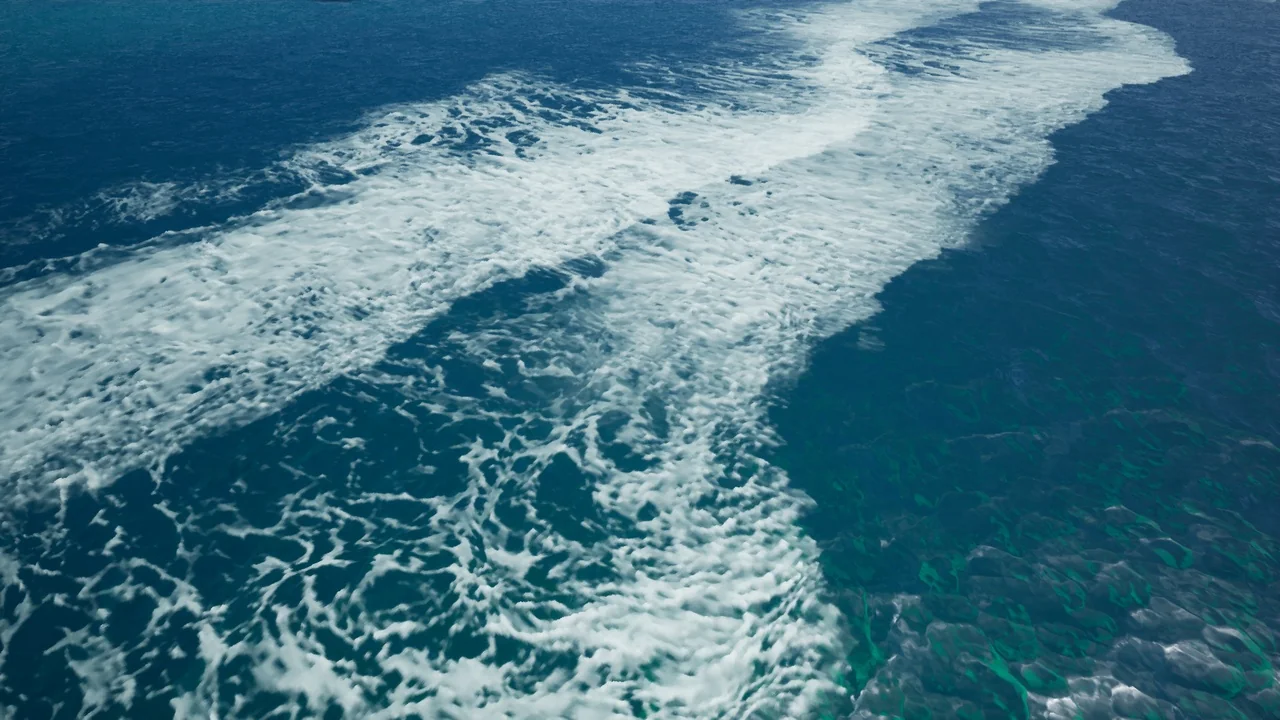
 Water
Water Water
Water Water
Water