"1f00f67f9253451b"{"id":"1000940","slug":"brushify-cliffs-pack","title":"Brushify - Cliffs Pack","category":"Mountain","engine":"4.26+,5.0+","assetVersion":"","engineVersion":"Engine Version: 4.26+,5.0+","tag":"Mountain","accent":"blue","visual":"mech","summary":"Modular cliff meshes, a ready-made UE5 level, and a landscape auto material with 11 biomes. Nanite and Lumen compatible, updated for UE 5.4.","platform":"Unreal Engine","publishedAt":"2026-08-10T03:37:26.959Z","updatedAt":"2026-08-10T03:37:26.959Z","sourceNotes":[],"fileContents":[],"compatibility":["Unreal Engine","Engine Version: 4.26+,5.0+"],"featuredImage":{"alt":"Brushify - Cliffs Pack","src":"/wp-content/uploads/published/2026/08/fe870353c1f3-7dce15fb-52a6-4abc-b664-addba31eee03-1f036ffba2.webp"},"hasDownloadLink":true,"downloads":1,"terms":[{"taxonomy":"category","slug":"mountain","name":"Mountain"}],"galleryImages":[{"src":"/wp-content/uploads/published/2026/08/bc32073192d0-b9d7f674-eb3d-4c56-8e24-df504a14370f-792837bf41.webp","alt":"Brushify - Cliffs Pack"},{"src":"/wp-content/uploads/published/2026/08/4b98b1fe4da4-730c0d5c-b0af-4091-ba92-852685123e4b-c5bb251fc3.webp","alt":"Brushify - Cliffs Pack"},{"src":"/wp-content/uploads/published/2026/08/8cf4061e3e17-9459bc35-6d90-4633-adf8-e91602f3db4d-4441c33ec0.webp","alt":"Brushify - Cliffs Pack"},{"src":"/wp-content/uploads/published/2026/08/b0c233cbe6c0-9fa07f81-a055-4c09-b693-560b4d5efe9d-3bac057c9d.webp","alt":"Brushify - Cliffs Pack"},{"src":"/wp-content/uploads/published/2026/08/aae6ed1999c7-feef62b2-d96a-4308-a3ee-222db890649e-f8358db76f.webp","alt":"Brushify - Cliffs Pack"},{"src":"/wp-content/uploads/published/2026/08/93acba876b6f-48b48465-61cb-4844-ade5-79fb22f32193-4bafcfb76b.webp","alt":"Brushify - Cliffs Pack"},{"src":"/wp-content/uploads/published/2026/08/77b4f0a08204-eab3b825-3625-4a23-af79-fa34634a5870-12ade07f99.webp","alt":"Brushify - Cliffs Pack"}],"accessPanel":{"kind":"resource","title":"Download this resource","eyebrow":"Free Download","message":"Log in or create a free account to start your download.","fileName":"Content.7z","safetyNote":"Resources are manually reviewed before listing to improve quality and reduce obvious risks.","actionLabel":"Download Free","resourceType":"Resource archive"},"contentHtml":"\u003cp\u003ePopulating a rocky mountainside usually means juggling dozens of hand-placed meshes, worrying about silhouette repetition, and fighting shader cost. The Brushify - Cliffs Pack starts from the opposite angle: a compact set of modular cliff pieces, a ready-made level, and a landscape material that handles biome blending on its own. The 2024 update brings the whole system up to Unreal Engine 5.4 and beyond.\u003c/p\u003e \u003ch2\u003eLarge-Scale Cliff Meshes That Sit Where You Drop Them\u003c/h2\u003e\n\u003cp\u003eThe pack contains three huge modular cliff meshes, two large ones, and four smaller cliff pieces. Every asset is encapsulated, meaning it reads as a complete form from any viewing angle. You can place them by hand or feed them into a procedural spawning system without worrying about hidden faces or open edges.\u003c/p\u003e\n\u003cp\u003eThat 360-degree closure is the key to the set's versatility. A huge cliff mesh can anchor a ridgeline, a large mesh can fill the mid-ground, and the smaller pieces work as capstones or scatter along a slope. None of them depend on a specific level layout, so rotating and layering them into new silhouettes does not break the logic of the pack.\u003c/p\u003e \u003ch2\u003eThe Landscape Auto Material and Its Eleven Biomes\u003c/h2\u003e\n\u003cp\u003eApply the Brushify landscape auto material to any terrain and it gets automatically textured with matching rock and grass layers. There are 11 landscape layers to choose from, including Grass, Desert, Forest, Snow, Beach, Dunes, Mud, and Craters. Each biome functions as its own automatic paint layer, which means a single landscape can transition from snow-covered peaks to bare desert without manually blending weights.\u003c/p\u003e\n\u003cp\u003eThe material stack supports Runtime Virtual Texturing (RVT), Parallax Occlusion Mapping (POM), tri-planar mapping, and tessellation/height output. A reduced-distance tiling feature cuts down visible repetition on large terrains, while a three-stage LOD system (far, medium, and near) keeps the shader cost stable from far views to close-ups. Flow mapping and optimized shader overdraw are also included. Because the entire shader is modular, functions can be removed or customized to streamline it for a specific project.\u003c/p\u003e\n\u003cp\u003eThe cliff shader itself adds detail mapping, so extra surface detail appears when players get close to the face. That close-up detail works with the LOD system to keep distant cliffs inexpensive while still surprising the player at interaction distance.\u003c/p\u003e \u003ch2\u003eNanite and Lumen Without Extra Setup\u003c/h2\u003e\n\u003cp\u003eThe pack is fully compatible with Nanite and Lumen. Lumen is enabled by default, so global illumination reacts dynamically to the cliff geometry. For Nanite, open any static mesh and tick the Nanite checkbox to convert it to UE5's virtualized geometry system. The assets are structured to work with that toggle, not against it.\u003c/p\u003e\n\u003cp\u003eThe included scene is also optimized for consoles and VR. That optimization matters because cliff-heavy environments often have dense vertex counts. With vertex counts ranging from 1,000 to 80,000 and five LODs on every mesh, the pack is built to keep the frame budget in check even when the camera sweeps across a full mountainside.\u003c/p\u003e \u003ch2\u003eThe Cliffs Level You Can Open and Run\u003c/h2\u003e\n\u003cp\u003eInstead of assembling everything from scratch, you can load the ready-made Cliffs level. It is complete and optimized, built entirely with the Brushify assets. The level allows you to immediately start testing gameplay, creating cinematics, or studying how the modular pieces fit into a real environment.\u003c/p\u003e\n\u003cp\u003eA separate showcase level focuses specifically on the cliff assets. This is useful for evaluating how a particular mesh reads in different lighting or for pulling out layout ideas. The main level also includes optimized grass and a procedural spawn setup that automatically covers terrain slopes with rocks. That means hillsides are filled with debris without a multi-hour scattering session.\u003c/p\u003e\n\u003cp\u003eFour distance landscape meshes come with the pack: Desert mountain 01, Mountain Generic 03, Mountain Generic 04, and Volcano 02. These sit in the far background, adding scale and silhouette interest without loading high-poly geometry near the camera. A bonus Alpha brush from the Grasslands pack is also included, giving you an erosion brush for landscape sculpting.\u003c/p\u003e \u003ch2\u003eMerging Brushify Packs Without Hitting Texture Conflicts\u003c/h2\u003e\n\u003cp\u003eIf you already use other Brushify environment packs, merging them into the same project is straightforward. In the Epic launcher, choose 'Add to project' and then select 'Overwrite files'. This step is required because Brushify packs share some generic objects, textures, and shaders. Overwriting ensures the common assets stay consistent across all packs.\u003c/p\u003e\n\u003cp\u003eThe Cliffs Pack also includes all shaders from the Brushify Environment Shaders pack, so you are not locked into a single cliff material. The full shader set can be reused across different surfaces, and the modular design of the material means you can strip out components that do not apply to the current scene.\u003c/p\u003e \u003ch2\u003eSpecs to Know Before You Place the First Rock\u003c/h2\u003e\n\u003cp\u003eAll rock and cliff textures are 4K resolution, and distant terrain textures are also up to 4K. The vertex count per mesh ranges from 1,000 to 80,000, with five LODs per mesh. The optimized scene keeps the density where it is visible, and the detail mapping on the cliff shader adds micro-surface variation without pushing vertex counts higher.\u003c/p\u003e\n\u003cp\u003eFor level designers and environment artists working in UE5, the Cliffs Pack is a direct way to get from an empty terrain to a believable rock face. The modular assets and auto material cover the repetitive parts of landscape work, while the ready-made level shows exactly how the pieces are meant to be composed. With Nanite and Lumen already supported in the 2024 update, the main task left is deciding which biome to paint first.\u003c/p\u003e\n\n\u003ch2\u003eContinue Browsing Similar Packs\u003c/h2\u003e\n\u003cul\u003e\n\u003cli\u003e\u003ca href=\"https://3dcghub.com/brushify-volcano-pack/\" title=\"Brushify Volcano Pack\"\u003eBrushify Volcano Pack\u003c/a\u003e\u003c/li\u003e\n\u003cli\u003e\u003ca href=\"https://3dcghub.com/brushify-moorlands-pack/\" title=\"Brushify - Moorlands Pack\"\u003eBrushify - Moorlands Pack\u003c/a\u003e\u003c/li\u003e\n\u003cli\u003e\u003ca href=\"https://3dcghub.com/brushify-arctic-pack/\" title=\"Brushify - Arctic Pack\"\u003eBrushify - Arctic Pack\u003c/a\u003e\u003c/li\u003e\n\u003cli\u003e\u003ca href=\"https://3dcghub.com/natural-wonders-mojave/\" title=\"Natural Wonders - Mojave\"\u003eNatural Wonders - Mojave\u003c/a\u003e\u003c/li\u003e\n\u003cli\u003e\u003ca href=\"https://3dcghub.com/arctic-base/\" title=\"Arctic Base\"\u003eArctic Base\u003c/a\u003e\u003c/li\u003e\n\u003c/ul\u003e","contentTextLength":5857,"navigation":{"current":389,"total":3222,"previous":{"id":"1000941","slug":"brushify-country-roads-pack","title":"Brushify - Country Roads Pack","category":"Streets \u0026 Construction","platform":"Unreal Engine","updatedAt":"2026-08-10T04:31:02.697Z"},"next":{"id":"1000939","slug":"atmospheric-horror-music","title":"Atmospheric Horror Music","category":"Music","platform":"Unreal Engine","updatedAt":"2026-08-10T02:59:50.290Z"}},"relatedResources":[{"id":"1001077","slug":"brushify-beach-pack","title":"Brushify - Beach Pack","category":"Mountain","engine":"5.0+","assetVersion":"","engineVersion":"Engine Version: 5.0+","tag":"Mountain","accent":"blue","visual":"mech","summary":"Brushify - Beach Pack for Unreal Engine includes a ready-made beach level, 8K drone scans of cliffs, photoscanned Whitby coast assets, and an 11-biome Landscape","platform":"Unreal Engine","publishedAt":"2026-09-04T15:48:57.154Z","updatedAt":"2026-09-04T15:48:57.154Z","sourceNotes":[],"fileContents":[],"compatibility":["Unreal Engine","Engine Version: 5.0+"],"featuredImage":{"alt":"Brushify - Beach Pack","src":"/wp-content/uploads/published/2026/09/d223fe94eabd-2a63debb-356e-4470-9fb5-f70a98f30265-a5a96ee900.webp"},"hasDownloadLink":true,"downloads":0},{"id":"9369","slug":"brushify-volcano-pack","title":"Brushify Volcano Pack","category":"Mountain","engine":"4.26+,5.0+","assetVersion":"Engine version: 4.26+,5.0+","engineVersion":"","tag":"Mountain","accent":"blue","visual":"city","summary":"Build massive volcanic landscapes effortlessly with the Brushify Volcano Pack, featuring high-resolution alpha brushes, optimized distance meshes, and a powerful landscape auto material.","platform":"Unreal Engine","publishedAt":"2026-03-01T16:42:16.000Z","updatedAt":"2026-05-15T09:57:00.000Z","sourceNotes":[],"fileContents":[],"compatibility":["Unreal Engine","Engine version: 4.26+,5.0+"],"featuredImage":{"alt":"Brushify Volcano Pack","src":"https://3dcghub.com/wp-content/uploads/2026/03/9a1da26f-eaeb-427b-a054-3b92fed8acf8.webp"},"hasDownloadLink":true,"downloads":0},{"id":"9366","slug":"brushify-moorlands-pack","title":"Brushify - Moorlands Pack","category":"Mountain","engine":"4.26+,5.0+","assetVersion":"Engine version: 4.26+,5.0+","engineVersion":"4.24","tag":"Mountain","accent":"blue","visual":"city","summary":"The Brushify - Moorlands Pack is a modular toolkit designed for building expansive Moorland environments in Unreal Engine 5.4. It features a ready-made playable level, Nanite and Lumen compatibility, and advanced landscape materials.","platform":"Unreal Engine","publishedAt":"2026-03-01T16:41:11.000Z","updatedAt":"2026-04-19T15:51:14.000Z","sourceNotes":[],"fileContents":[],"compatibility":["Unreal Engine","Engine version: 4.26+,5.0+"],"featuredImage":{"alt":"Brushify - Moorlands Pack","src":"https://3dcghub.com/wp-content/uploads/2026/03/c56cb057-066f-4ce0-bc58-f5bbd24bdfb8.webp"},"hasDownloadLink":true,"downloads":1}]}
Mountain
Brushify - Cliffs Pack
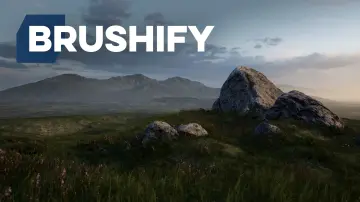
Modular cliff meshes, a ready-made UE5 level, and a landscape auto material with 11 biomes. Nanite and Lumen compatible, updated for UE 5.4.
Category:Unreal Engine,MountainPlatform: Unreal EngineEngine Version: 4.26+,5.0+Published: Aug 10, 2026
Mountain
Resource overview
Populating a rocky mountainside usually means juggling dozens of hand-placed meshes, worrying about silhouette repetition, and fighting shader cost. The Brushify - Cliffs Pack starts from the opposite angle: a compact set of modular cliff pieces, a ready-made level, and a landscape material that handles biome blending on its own. The 2024 update brings the whole system up to Unreal Engine 5.4 and beyond.
Large-Scale Cliff Meshes That Sit Where You Drop Them
The pack contains three huge modular cliff meshes, two large ones, and four smaller cliff pieces. Every asset is encapsulated, meaning it reads as a complete form from any viewing angle. You can place them by hand or feed them into a procedural spawning system without worrying about hidden faces or open edges.
That 360-degree closure is the key to the set's versatility. A huge cliff mesh can anchor a ridgeline, a large mesh can fill the mid-ground, and the smaller pieces work as capstones or scatter along a slope. None of them depend on a specific level layout, so rotating and layering them into new silhouettes does not break the logic of the pack.
The Landscape Auto Material and Its Eleven Biomes
Apply the Brushify landscape auto material to any terrain and it gets automatically textured with matching rock and grass layers. There are 11 landscape layers to choose from, including Grass, Desert, Forest, Snow, Beach, Dunes, Mud, and Craters. Each biome functions as its own automatic paint layer, which means a single landscape can transition from snow-covered peaks to bare desert without manually blending weights.
The material stack supports Runtime Virtual Texturing (RVT), Parallax Occlusion Mapping (POM), tri-planar mapping, and tessellation/height output. A reduced-distance tiling feature cuts down visible repetition on large terrains, while a three-stage LOD system (far, medium, and near) keeps the shader cost stable from far views to close-ups. Flow mapping and optimized shader overdraw are also included. Because the entire shader is modular, functions can be removed or customized to streamline it for a specific project.
The cliff shader itself adds detail mapping, so extra surface detail appears when players get close to the face. That close-up detail works with the LOD system to keep distant cliffs inexpensive while still surprising the player at interaction distance.
Nanite and Lumen Without Extra Setup
The pack is fully compatible with Nanite and Lumen. Lumen is enabled by default, so global illumination reacts dynamically to the cliff geometry. For Nanite, open any static mesh and tick the Nanite checkbox to convert it to UE5's virtualized geometry system. The assets are structured to work with that toggle, not against it.
The included scene is also optimized for consoles and VR. That optimization matters because cliff-heavy environments often have dense vertex counts. With vertex counts ranging from 1,000 to 80,000 and five LODs on every mesh, the pack is built to keep the frame budget in check even when the camera sweeps across a full mountainside.
The Cliffs Level You Can Open and Run
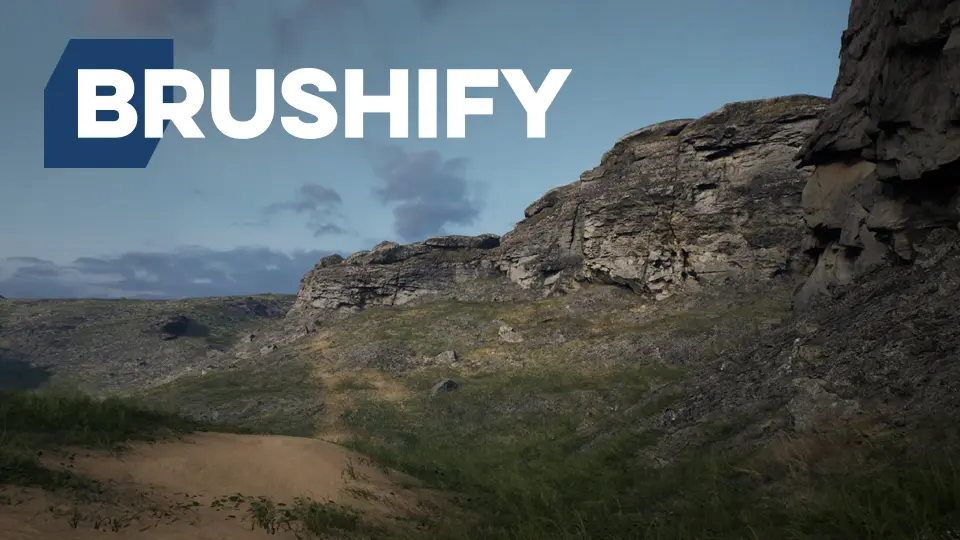
Instead of assembling everything from scratch, you can load the ready-made Cliffs level. It is complete and optimized, built entirely with the Brushify assets. The level allows you to immediately start testing gameplay, creating cinematics, or studying how the modular pieces fit into a real environment.
A separate showcase level focuses specifically on the cliff assets. This is useful for evaluating how a particular mesh reads in different lighting or for pulling out layout ideas. The main level also includes optimized grass and a procedural spawn setup that automatically covers terrain slopes with rocks. That means hillsides are filled with debris without a multi-hour scattering session.
Four distance landscape meshes come with the pack: Desert mountain 01, Mountain Generic 03, Mountain Generic 04, and Volcano 02. These sit in the far background, adding scale and silhouette interest without loading high-poly geometry near the camera. A bonus Alpha brush from the Grasslands pack is also included, giving you an erosion brush for landscape sculpting.
Merging Brushify Packs Without Hitting Texture Conflicts
If you already use other Brushify environment packs, merging them into the same project is straightforward. In the Epic launcher, choose 'Add to project' and then select 'Overwrite files'. This step is required because Brushify packs share some generic objects, textures, and shaders. Overwriting ensures the common assets stay consistent across all packs.
The Cliffs Pack also includes all shaders from the Brushify Environment Shaders pack, so you are not locked into a single cliff material. The full shader set can be reused across different surfaces, and the modular design of the material means you can strip out components that do not apply to the current scene.
Specs to Know Before You Place the First Rock
All rock and cliff textures are 4K resolution, and distant terrain textures are also up to 4K. The vertex count per mesh ranges from 1,000 to 80,000, with five LODs per mesh. The optimized scene keeps the density where it is visible, and the detail mapping on the cliff shader adds micro-surface variation without pushing vertex counts higher.
For level designers and environment artists working in UE5, the Cliffs Pack is a direct way to get from an empty terrain to a believable rock face. The modular assets and auto material cover the repetitive parts of landscape work, while the ready-made level shows exactly how the pieces are meant to be composed. With Nanite and Lumen already supported in the 2024 update, the main task left is deciding which biome to paint first.
 Mountain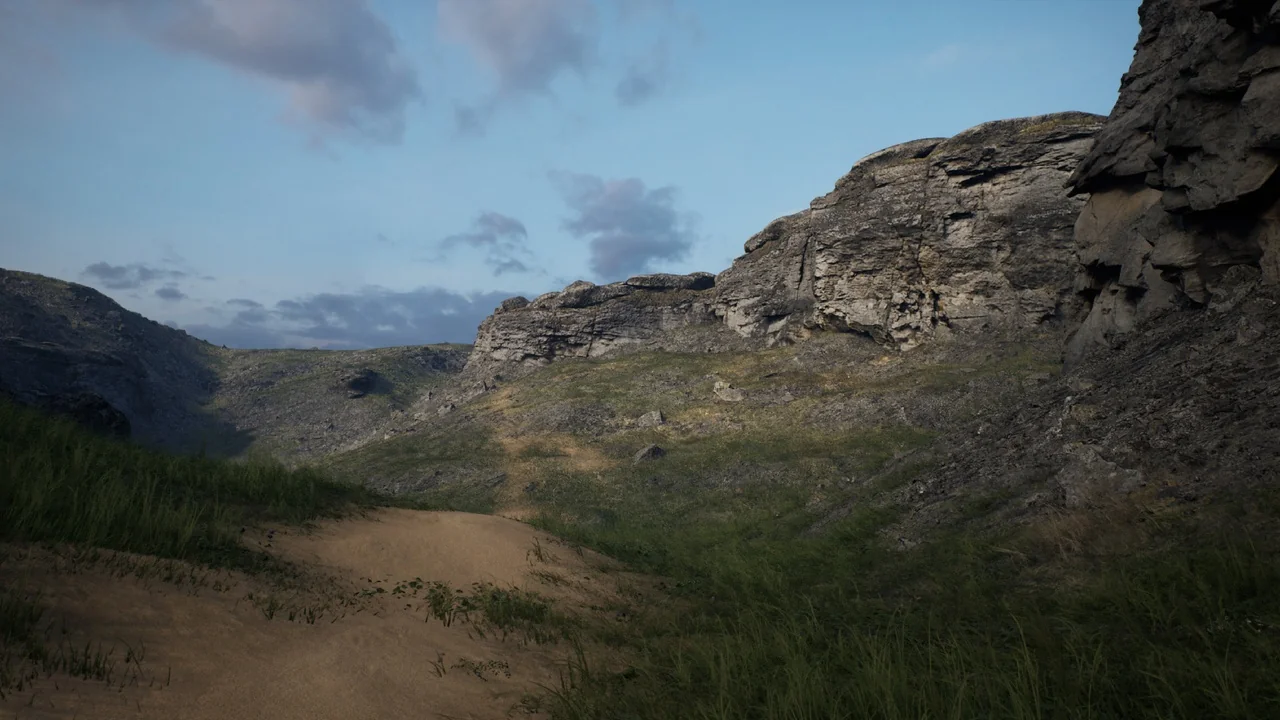
 Mountain
 Mountain
 Mountain