"7b46a695175d8694"{"id":"1001503","slug":"audio-analyzer","title":"Audio Analyzer","category":"Engine Tools","engine":"5.1","assetVersion":"Asset Version: 3.05","engineVersion":"Engine Version: 5.1","tag":"Engine Tools","accent":"blue","visual":"audio","summary":"Analyze real-time audio waveforms, frequency spectrums, and BPM in Unreal Engine 5 with the Audio Analyzer C++ plugin for interactive music experiences.","platform":"Unreal Engine","publishedAt":"2026-10-09T07:31:16.197Z","updatedAt":"2026-10-09T07:31:16.197Z","sourceNotes":[],"fileContents":[],"compatibility":["Unreal Engine","Asset Version: 3.05","Engine Version: 5.1"],"featuredImage":{"alt":"Audio Analyzer","src":"/wp-content/uploads/published/2026/10/dd69ed7e45a7-f97fdbda-e17b-4f41-819d-5b91e6de92e9-ec51c2fb01.webp"},"hasDownloadLink":true,"downloads":0,"terms":[{"taxonomy":"category","slug":"engine-tools-tools-and-plugins","name":"Engine Tools"}],"galleryImages":[{"src":"/wp-content/uploads/published/2026/10/ae20174ba6ce-4c4ee65a-8c24-4fe7-856a-a8348a31d9c7-daf60cf0f6.webp","alt":"Audio Analyzer"},{"src":"/wp-content/uploads/published/2026/10/23001b1cb4cf-d6a93e56-8655-41bb-a82c-1603e6d97ead-778f9f9775.webp","alt":"Audio Analyzer"},{"src":"/wp-content/uploads/published/2026/10/38fb3d454f00-ab1f1edd-cd71-43b7-81fb-3eef2659cb37-278521465a.webp","alt":"Audio Analyzer"},{"src":"/wp-content/uploads/published/2026/10/6f90ec6579ea-307bb7c7-06b6-4f4e-9691-275fbfed92d9-f5bde92add.webp","alt":"Audio Analyzer"},{"src":"/wp-content/uploads/published/2026/10/e863d456d2da-9e857e7a-206d-4583-9973-12018353104a-6427068db7.webp","alt":"Audio Analyzer"},{"src":"/wp-content/uploads/published/2026/10/17fa949a48db-aefd1156-bcbf-4f3e-8f0a-be8a9ec73256-e595c2756c.webp","alt":"Audio Analyzer"},{"src":"/wp-content/uploads/published/2026/10/dd5b16525b4a-7477543c-a682-40db-8021-4aa097eeaaa7-be62c36ed2.webp","alt":"Audio Analyzer"},{"src":"/wp-content/uploads/published/2026/10/3070a40d0bfe-c4bafe6e-b725-4fbb-8fa1-7ada1b519c5d-1e3614a858.webp","alt":"Audio Analyzer"},{"src":"/wp-content/uploads/published/2026/10/3d08863344b7-d1a2163f-dcb7-44b6-ab4a-b3ffca563fce-70bfca3774.webp","alt":"Audio Analyzer"},{"src":"/wp-content/uploads/published/2026/10/184dbb1e2146-931acb9e-c39d-47da-a7be-b9e1c59f9322-338273594b.webp","alt":"Audio Analyzer"}],"accessPanel":{"kind":"resource","title":"Download this resource","eyebrow":"Free Download","message":"Log in or create a free account to start your download.","fileName":"Audio Analyzer.7z","safetyNote":"Resources are manually reviewed before listing to improve quality and reduce obvious risks.","actionLabel":"Download Free","resourceType":"Resource archive"},"contentHtml":"\u003ch2\u003eInteractive Environments Driven by Real-Time Sound\u003c/h2\u003e\n\u003cp\u003eVirtual concert stages, dynamic rhythm titles, and interactive gallery spaces often depend on visual elements that pulse, shift, and respond directly to music. Audio Analyzer provides the bridge between incoming sound signals and real-time engine behaviors within Unreal Engine. By extracting data from audio files and live streams as they play, the plugin allows creators to synchronize environment lighting, material shader parameters, particle bursts, and camera shake with acoustic spikes and rhythmic pulses.\u003c/p\u003e\n\u003cp\u003eThe core functionality relies on reading the waveform and frequency spectrum of an audio signal in real time. Rather than relying on manually keyed visual sequences or static animation tracks, scenes can adapt dynamically to tempo fluctuations, sudden instrumental drops, or subtle pitch shifts. Because the system calculates these metrics on the fly, background ambient tracks or player-selected music can drive the visual identity of a level without requiring pre-authored animation curves for every individual song.\u003c/p\u003e \u003ch2\u003eFrequency Spectrum Analysis and FFT Beat Tracking\u003c/h2\u003e\n\u003cp\u003eAt the center of the plugin's analytical capability is Fast Fourier Transform (FFT) frequency spectrum analysis. This mathematical process splits raw audio feeds into distinct frequency bands, exposing sub-bass rumbles, mid-range vocals, and crisp high-end percussion as measurable data points. By monitoring distinct bands, developers can link deep sub-bass hits exclusively to heavy physical impulses or floor tremors while binding high-frequency hats and cymbals to delicate particle flares.\u003c/p\u003e\n\u003cp\u003eAlongside raw spectrum data, the toolset includes dedicated tracking modules:\u003c/p\u003e\n\u003cul\u003e \u003cli\u003e\u003cstrong\u003eAmplitude Analysis:\u003c/strong\u003e Evaluates total loudness and volume dynamics across the playback timeline.\u003c/li\u003e \u003cli\u003e\u003cstrong\u003eBasic Beat Tracking:\u003c/strong\u003e Identifies rhythmic transients instantly to drive pulse-based scene animations.\u003c/li\u003e \u003cli\u003e\u003cstrong\u003eBPM Tracking:\u003c/strong\u003e Calculates beats per minute dynamically to keep gameplay mechanics in time with continuous music tracks.\u003c/li\u003e \u003cli\u003e\u003cstrong\u003ePitch Tracking:\u003c/strong\u003e Detects changes in fundamental musical pitch, creating opportunities for pitch-responsive mechanics or melodic visualizations.\u003c/li\u003e\n\u003c/ul\u003e\n\u003cp\u003eFor workflows that do not require live computation during runtime playback, the tool also offers offline analysis with amplitude sections. This allows projects to evaluate sound files ahead of time, processing volume segments in advance to stage choreographed visual setups.\u003c/p\u003e \u003ch2\u003eFlexible Audio Ingestion and Format Support\u003c/h2\u003e\n\u003cp\u003eA reactive audio setup requires flexible input pathways, whether working with packaged game assets or external player streams. Audio Analyzer interfaces directly with standard engine audio components, offering native compatibility with both Soundwave assets and AudioComponent actors. When integrated into level actors or character blueprints, existing Unreal Engine sound setups can be monitored without rebuilding audio playback logic from scratch.\u003c/p\u003e\n\u003cp\u003eThe system is not restricted to pre-packaged project content. It includes support for runtime audio importing across multiple industry-standard file formats:\u003c/p\u003e\n\u003cul\u003e \u003cli\u003eWAV\u003c/li\u003e \u003cli\u003eMP3\u003c/li\u003e \u003cli\u003eOGG\u003c/li\u003e \u003cli\u003eFLAC\u003c/li\u003e\n\u003c/ul\u003e\n\u003cp\u003eLive signals can be routed through physical microphone inputs, allowing for voice-reactive mechanics or live performance installations. On Windows platforms, the plugin features loopback recording, often referred to as \"what-you-hear\" capture. This mode listens directly to the operating system's primary audio output stream, enabling developers to build desktop visualizers that react to third-party media players, web streams, or background software audio without importing the tracks directly into the engine.\u003c/p\u003e \u003ch2\u003eAudio Analyzer Core Architecture and C++ Implementation\u003c/h2\u003e\n\u003cp\u003ePerformance overhead is a critical consideration when calculating audio math alongside game rendering loops. Audio Analyzer is constructed around 18 native C++ classes and contains zero Blueprints in its core logic, keeping the processing pipeline lean and responsive. Full C++ source code is provided, giving development teams direct access to inspect, optimize, or extend the underlying analytical structures to meet custom project demands.\u003c/p\u003e\n\u003cp\u003eThe code is prepared for production deployment and supports cooked builds across a broad selection of deployment environments. It is mobile-friendly for Android targets and handles cross-platform workflows cleanly across desktop and portable hardware:\u003c/p\u003e\n\u003cul\u003e \u003cli\u003e\u003cstrong\u003eDevelopment Platforms:\u003c/strong\u003e Windows, Linux, and Mac.\u003c/li\u003e \u003cli\u003e\u003cstrong\u003eTarget Build Platforms:\u003c/strong\u003e Windows (64-bit), Android, Linux, Mac, and iOS.\u003c/li\u003e\n\u003c/ul\u003e\n\u003cp\u003eEngine compatibility spans Unreal Engine 5.7 and older releases out of the box, with manual installation paths supporting legacy workflows down to Unreal Engine 4.27 and older. Network replication is not included natively within the classes, meaning multi-client multiplayer setups must manage analytical synchronization or trigger states across the network layer independently.\u003c/p\u003e \u003ch2\u003eDeployment Considerations for Reactive Projects\u003c/h2\u003e\n\u003cp\u003eAudio Analyzer fits naturally into projects where sound acts as a functional driver rather than a passive backdrop. Rhythm action games benefit from the integrated BPM and beat detection to time gameplay obstacles and scoring windows accurately. Live performance setups, VJ software, and museum installations can leverage the Windows loopback mode or microphone feeds to drive large-scale visual projections in real time.\u003c/p\u003e\n\u003cp\u003eBecause the system processes standard compressed and uncompressed formats at runtime, it accommodates community-driven games where players load their own MP3 or FLAC libraries into custom levels. Teams targeting mobile platforms on Android and iOS can deploy the native C++ tracking algorithms knowing the builds are tested for mobile packaging, while desktop developers retain the freedom to run high-fidelity real-time FFT spectrum visualizers alongside complex scene shaders.\u003c/p\u003e\n\n\u003ch2\u003eMore From The Same Workflow\u003c/h2\u003e\n\u003cul\u003e\n\u003cli\u003e\u003ca href=\"https://3dcghub.com/audio-analysis-tools-beat-detection/\" title=\"Audio Analysis Tools (Beat Detection)\"\u003eAudio Analysis Tools (Beat Detection)\u003c/a\u003e\u003c/li\u003e\n\u003cli\u003e\u003ca href=\"https://3dcghub.com/runtime-audio-importer/\" title=\"Runtime Audio Importer\"\u003eRuntime Audio Importer\u003c/a\u003e\u003c/li\u003e\n\u003cli\u003e\u003ca href=\"https://3dcghub.com/shadersource-waterfall-tool-2/\" title=\"SHADERSOURCE - Waterfall Tool 2\"\u003eSHADERSOURCE - Waterfall Tool 2\u003c/a\u003e\u003c/li\u003e\n\u003cli\u003e\u003ca href=\"https://3dcghub.com/steamcore-pro/\" title=\"SteamCore PRO\"\u003eSteamCore PRO\u003c/a\u003e\u003c/li\u003e\n\u003cli\u003e\u003ca href=\"https://3dcghub.com/uasset-browser/\" title=\"UAsset Browser\"\u003eUAsset Browser\u003c/a\u003e\u003c/li\u003e\n\u003c/ul\u003e","contentTextLength":5971,"navigation":{"current":42,"total":3481,"previous":{"id":"1001504","slug":"backpacks-system-models","title":"BackPacks - System + Models","category":"Clothing \u0026 Accessories","platform":"Unreal Engine","updatedAt":"2026-10-09T07:32:01.344Z"},"next":{"id":"1001502","slug":"asian-cave","title":"ASIAN - Cave","category":"Island","platform":"Unreal Engine","updatedAt":"2026-10-09T07:29:55.965Z"}},"relatedResources":[{"id":"1001263","slug":"audio-analysis-tools-beat-detection","title":"Audio Analysis Tools (Beat Detection)","category":"Engine Tools","engine":"4.26 - 5.8","assetVersion":"Asset Version: 1.0","engineVersion":"Engine Version: 4.26 - 5.8","tag":"Engine Tools","accent":"blue","visual":"audio","summary":"Run real-time FFT audio analysis, beat tracking, and spectral evaluation across all Unreal Engine platforms with Audio Analysis Tools.","platform":"Unreal Engine","publishedAt":"2026-09-30T05:40:53.094Z","updatedAt":"2026-09-30T05:40:53.094Z","sourceNotes":[],"fileContents":[],"compatibility":["Unreal Engine","Asset Version: 1.0","Engine Version: 4.26 - 5.8"],"featuredImage":{"alt":"Audio Analysis Tools (Beat Detection)","src":"/wp-content/uploads/published/2026/09/c0fd3709a5eb-9fa60615-c929-4bd5-96ce-ce1efad85174-5b1eb79cba.webp"},"hasDownloadLink":true,"downloads":0},{"id":"1001270","slug":"runtime-audio-importer","title":"Runtime Audio Importer","category":"Engine Tools","engine":"4.25 - 5.4","assetVersion":"Asset Version:1.0","engineVersion":"Engine Version:4.25 - 5.4","tag":"Engine Tools","accent":"blue","visual":"audio","summary":"Import, stream, transcode, and capture audio dynamically in Unreal Engine with Silero VAD, WebRTC AEC3, and MetaSounds support.","platform":"Unreal Engine","publishedAt":"2026-09-30T05:55:43.013Z","updatedAt":"2026-09-30T05:55:43.013Z","sourceNotes":[],"fileContents":[],"compatibility":["Unreal Engine","Asset Version:1.0","Engine Version:4.25 - 5.4"],"featuredImage":{"alt":"Runtime Audio Importer","src":"/wp-content/uploads/published/2026/09/8cf4c02a40c0-2a686112-515f-40d0-adc2-99fad2dbe78f-771eb1241f.webp"},"hasDownloadLink":true,"downloads":0},{"id":"14592","slug":"shadersource-waterfall-tool-2","title":"SHADERSOURCE - Waterfall Tool 2","category":"Engine Tools","engine":"5.2 - 5.7","assetVersion":"Asset Version: 1.0a - 1.0d","engineVersion":"Engine Version: 5.2 - 5.7","tag":"Engine Tools","accent":"blue","visual":"animation","summary":"The SHADERSOURCE - Waterfall Tool 2 introduces a specialized Editor Mode for generating realistic waterfalls through dynamic meshes and spline paths. This tool offers both Simple and Advanced modes to provide full control over fluid paths and VFX generation.","platform":"Unreal Engine","publishedAt":"2026-03-11T18:36:22.000Z","updatedAt":"2026-10-04T08:27:42.401Z","sourceNotes":[],"fileContents":[],"compatibility":["Unreal Engine","Asset Version: 1.0a - 1.0d","Engine Version: 5.2 - 5.7"],"featuredImage":{"alt":"SHADERSOURCE - Waterfall Tool 2","src":"https://3dcghub.com/wp-content/uploads/2026/03/79d82bd8-c7cf-4877-9519-16f36c4a03c4.webp"},"hasDownloadLink":true,"downloads":1}]}
Engine Tools
Audio Analyzer
Analyze real-time audio waveforms, frequency spectrums, and BPM in Unreal Engine 5 with the Audio Analyzer C++ plugin for interactive music experiences.
Interactive Environments Driven by Real-Time Sound
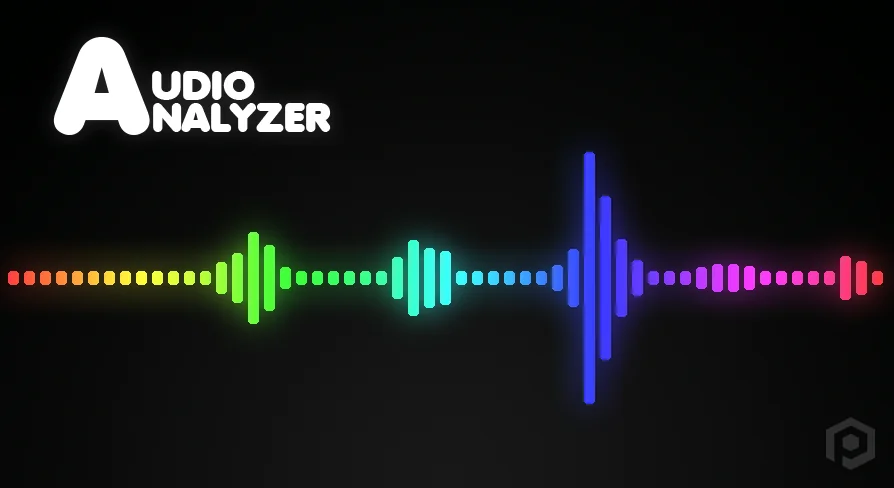
Virtual concert stages, dynamic rhythm titles, and interactive gallery spaces often depend on visual elements that pulse, shift, and respond directly to music. Audio Analyzer provides the bridge between incoming sound signals and real-time engine behaviors within Unreal Engine. By extracting data from audio files and live streams as they play, the plugin allows creators to synchronize environment lighting, material shader parameters, particle bursts, and camera shake with acoustic spikes and rhythmic pulses.
The core functionality relies on reading the waveform and frequency spectrum of an audio signal in real time. Rather than relying on manually keyed visual sequences or static animation tracks, scenes can adapt dynamically to tempo fluctuations, sudden instrumental drops, or subtle pitch shifts. Because the system calculates these metrics on the fly, background ambient tracks or player-selected music can drive the visual identity of a level without requiring pre-authored animation curves for every individual song.
Frequency Spectrum Analysis and FFT Beat Tracking
At the center of the plugin's analytical capability is Fast Fourier Transform (FFT) frequency spectrum analysis. This mathematical process splits raw audio feeds into distinct frequency bands, exposing sub-bass rumbles, mid-range vocals, and crisp high-end percussion as measurable data points. By monitoring distinct bands, developers can link deep sub-bass hits exclusively to heavy physical impulses or floor tremors while binding high-frequency hats and cymbals to delicate particle flares.
Alongside raw spectrum data, the toolset includes dedicated tracking modules:
Amplitude Analysis: Evaluates total loudness and volume dynamics across the playback timeline.
Basic Beat Tracking: Identifies rhythmic transients instantly to drive pulse-based scene animations.
BPM Tracking: Calculates beats per minute dynamically to keep gameplay mechanics in time with continuous music tracks.
Pitch Tracking: Detects changes in fundamental musical pitch, creating opportunities for pitch-responsive mechanics or melodic visualizations.
For workflows that do not require live computation during runtime playback, the tool also offers offline analysis with amplitude sections. This allows projects to evaluate sound files ahead of time, processing volume segments in advance to stage choreographed visual setups.
Flexible Audio Ingestion and Format Support
A reactive audio setup requires flexible input pathways, whether working with packaged game assets or external player streams. Audio Analyzer interfaces directly with standard engine audio components, offering native compatibility with both Soundwave assets and AudioComponent actors. When integrated into level actors or character blueprints, existing Unreal Engine sound setups can be monitored without rebuilding audio playback logic from scratch.
The system is not restricted to pre-packaged project content. It includes support for runtime audio importing across multiple industry-standard file formats:
WAV
MP3
OGG
FLAC
Live signals can be routed through physical microphone inputs, allowing for voice-reactive mechanics or live performance installations. On Windows platforms, the plugin features loopback recording, often referred to as "what-you-hear" capture. This mode listens directly to the operating system's primary audio output stream, enabling developers to build desktop visualizers that react to third-party media players, web streams, or background software audio without importing the tracks directly into the engine.
Audio Analyzer Core Architecture and C++ Implementation
Performance overhead is a critical consideration when calculating audio math alongside game rendering loops. Audio Analyzer is constructed around 18 native C++ classes and contains zero Blueprints in its core logic, keeping the processing pipeline lean and responsive. Full C++ source code is provided, giving development teams direct access to inspect, optimize, or extend the underlying analytical structures to meet custom project demands.
The code is prepared for production deployment and supports cooked builds across a broad selection of deployment environments. It is mobile-friendly for Android targets and handles cross-platform workflows cleanly across desktop and portable hardware:
Development Platforms: Windows, Linux, and Mac.
Target Build Platforms: Windows (64-bit), Android, Linux, Mac, and iOS.
Engine compatibility spans Unreal Engine 5.7 and older releases out of the box, with manual installation paths supporting legacy workflows down to Unreal Engine 4.27 and older. Network replication is not included natively within the classes, meaning multi-client multiplayer setups must manage analytical synchronization or trigger states across the network layer independently.
Deployment Considerations for Reactive Projects
Audio Analyzer fits naturally into projects where sound acts as a functional driver rather than a passive backdrop. Rhythm action games benefit from the integrated BPM and beat detection to time gameplay obstacles and scoring windows accurately. Live performance setups, VJ software, and museum installations can leverage the Windows loopback mode or microphone feeds to drive large-scale visual projections in real time.
Because the system processes standard compressed and uncompressed formats at runtime, it accommodates community-driven games where players load their own MP3 or FLAC libraries into custom levels. Teams targeting mobile platforms on Android and iOS can deploy the native C++ tracking algorithms knowing the builds are tested for mobile packaging, while desktop developers retain the freedom to run high-fidelity real-time FFT spectrum visualizers alongside complex scene shaders.
 Engine Tools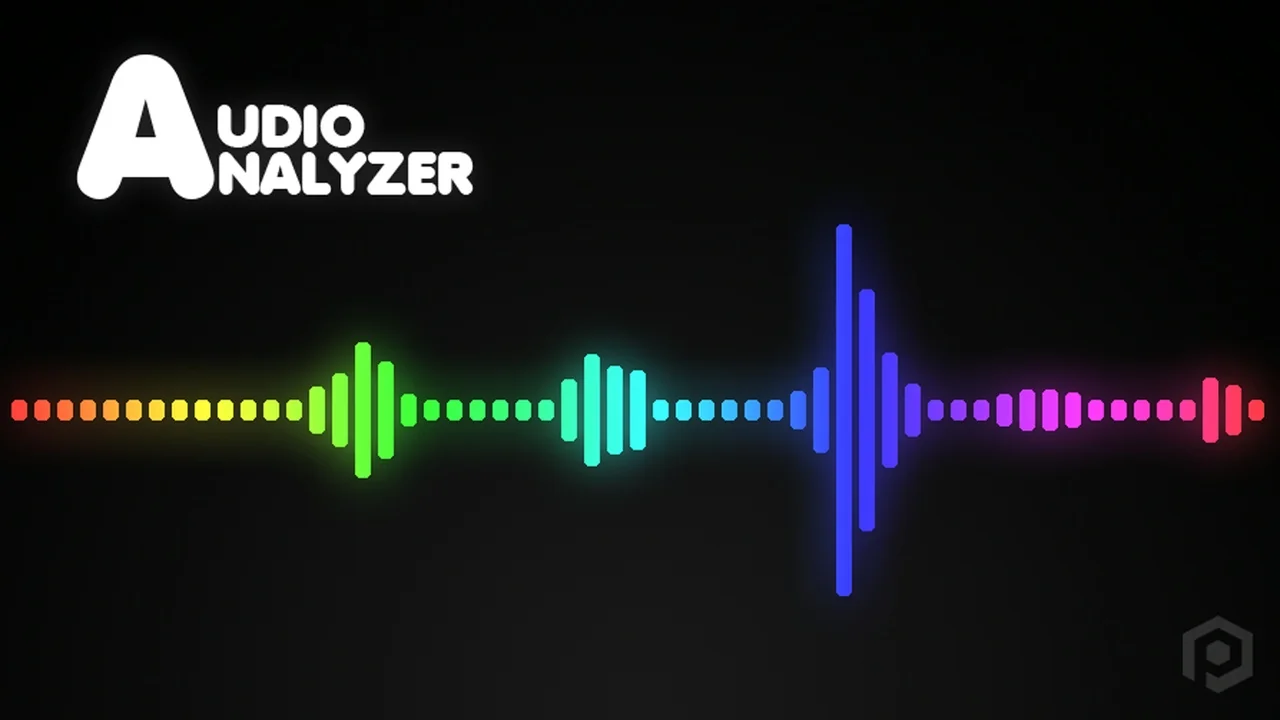
 Engine Tools
 Engine Tools
 Engine Tools