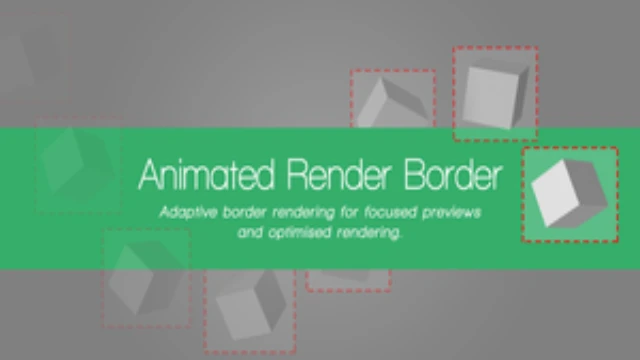
Are you wasting valuable time rendering empty space? In animation and compositing, every second of processing counts. The Animated Render Border add-on is an essential utility for Blender users who want to maximize efficiency by focusing their render power exactly where it is needed.
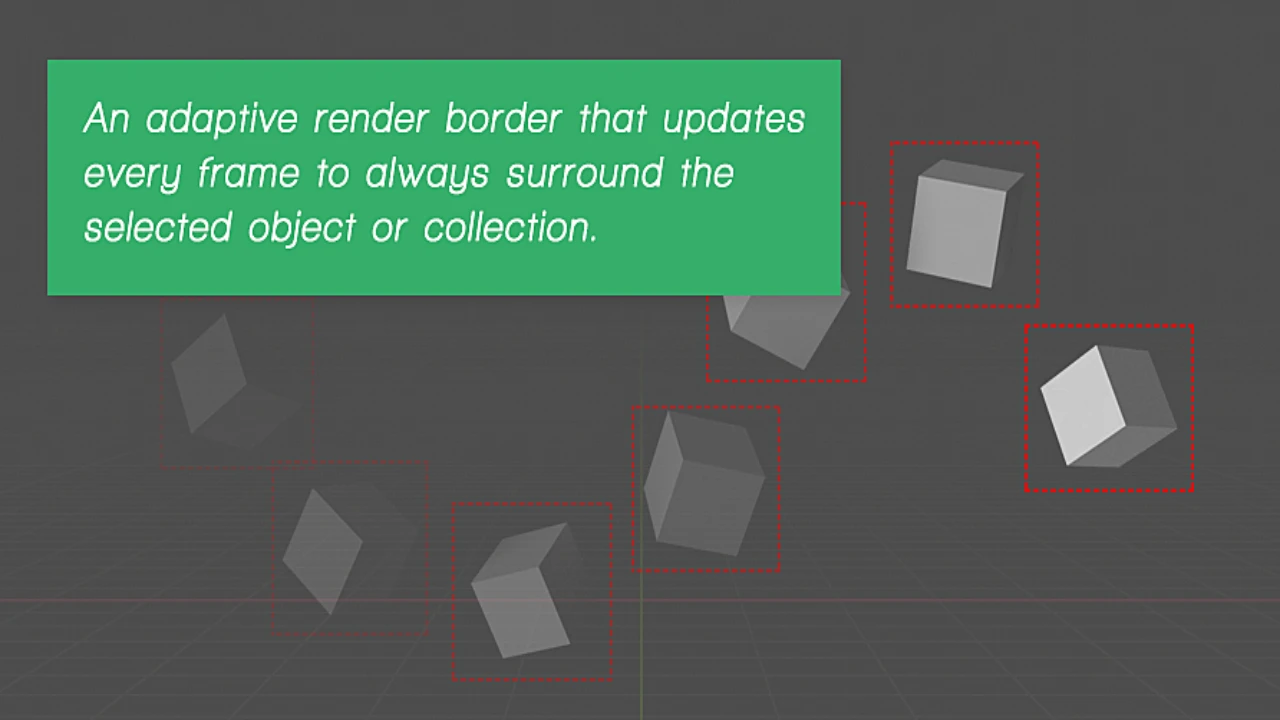
Standard render regions in Blender are static, making them useless for moving subjects. This add-on changes the game by creating an adaptive render region that automatically follows your selected objects, collections, or characters frame-by-frame. Whether you are doing quick preview renders or finalizing assets for compositing, this tool ensures you never waste a single cycle calculating transparent backgrounds again.
Key Features & Benefits
Streamline your workflow with features designed to cut the “fat” out of your rendering process:
- Automatic Object Tracking:
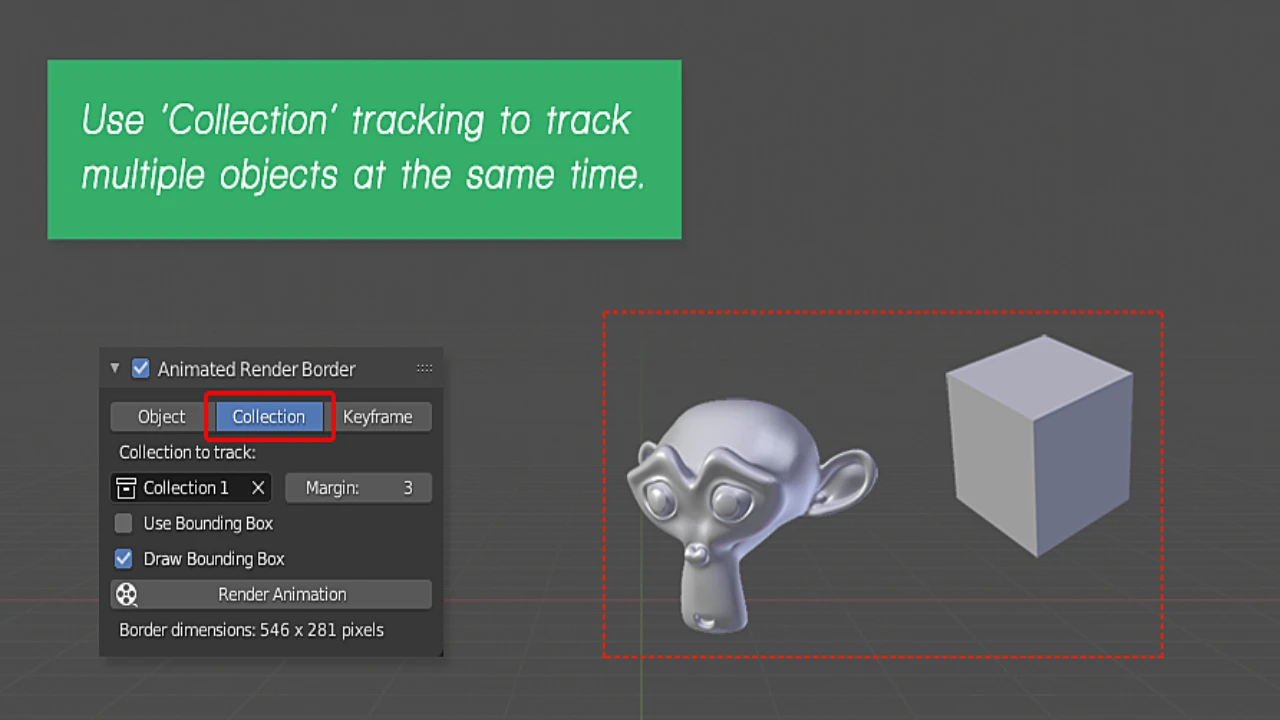
Simply select an object, collection, or character, and the add-on will animate the render border to surround it automatically. As your object moves, the border moves with it. - Massive Time Savings:
By skipping the rendering of empty or transparent areas outside the border, you can drastically reduce render times—perfect for character animation previews and compositing workflows. - Versatile Object Support:
The tool is highly compatible, supporting tracking for Meshes, Text, Curves, Lattices, Armatures, Bones, and even geometry generated by modifiers. - Precision Control:
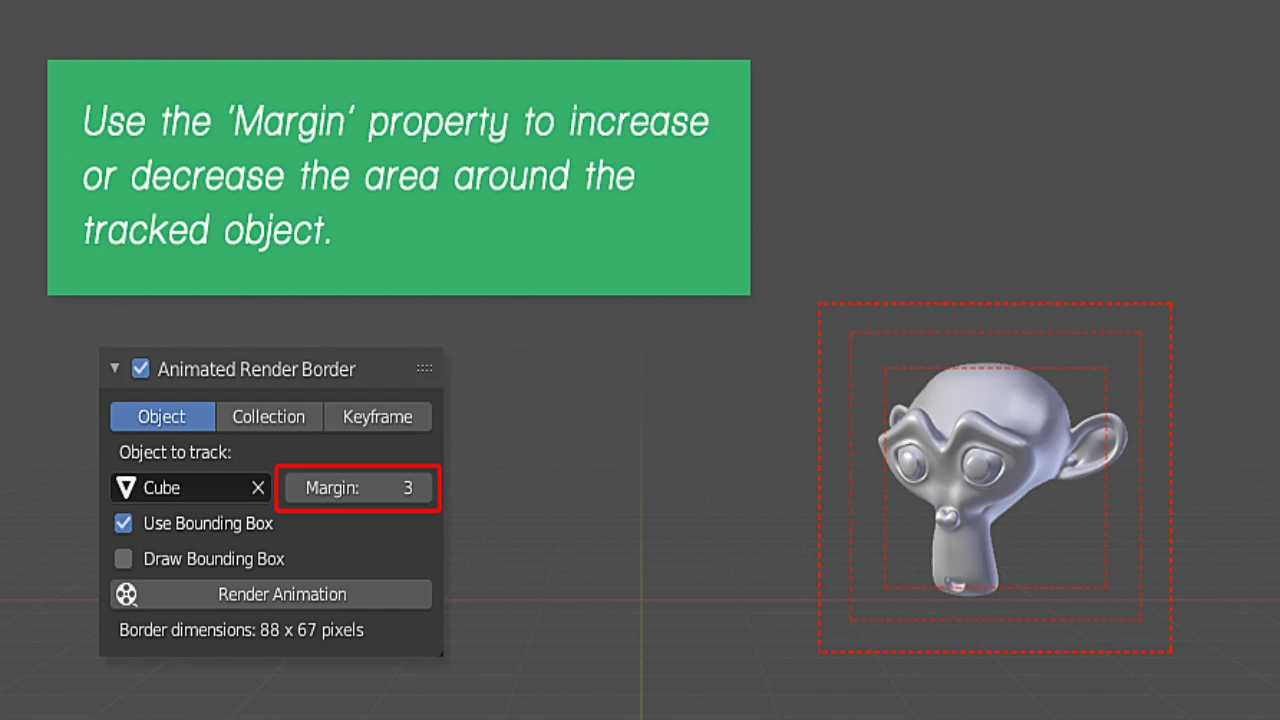
- Smart Margins: Add adjustable “padding” around your object to ensure nothing gets cut off during fast movements.
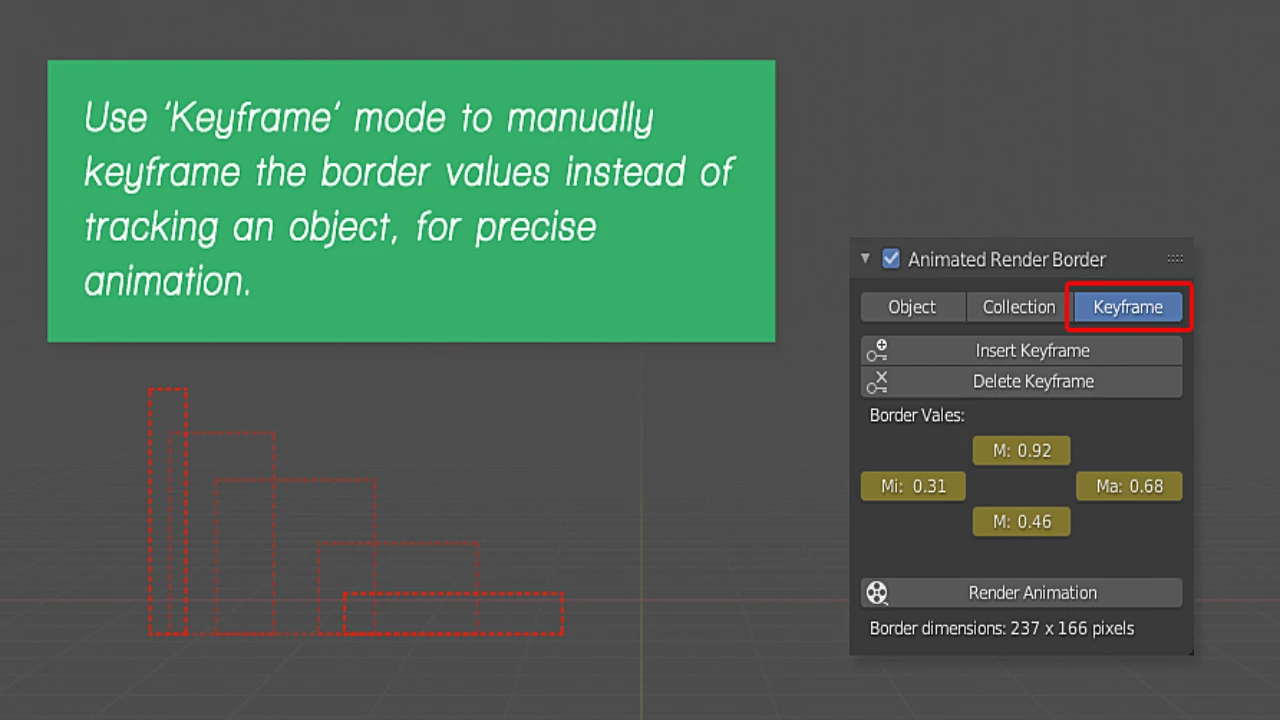
- Manual Keyframing: Need total artistic control? Switch to Keyframe Mode to manually animate the region’s position and size without relying on automated tracking.
- Dual Tracking Modes:
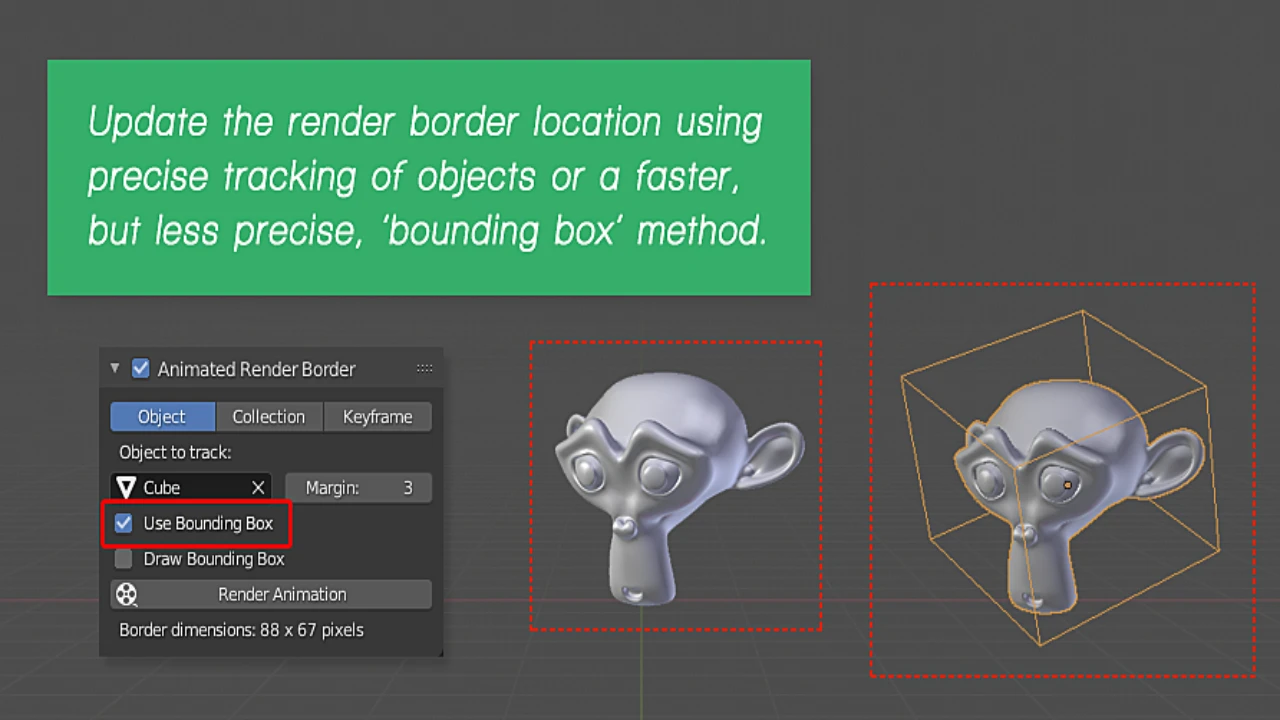
Choose Bounding Box mode for lightning-fast calculations, or Precise Tracking (analyzing vertices and inner points) for complex shapes that require a tighter fit.
Why You Need This Add-on
1. For Compositing & VFX
If you frequently render assets with transparent backgrounds, you know that Blender still takes time to process “empty” pixels. Animated Render Border eliminates this waste. By isolating the object, you produce the same result in a fraction of the time.
2. For Animation Previews
When iterating on character movements, you often need to see the rendered result, but you don’t need the surrounding environment. This tool allows you to “spotlight” your character, giving you high-quality feedback on textures and lighting without waiting for the full frame to render.
How It Works
The add-on intelligently analyzes the scene to determine the best render region for every single frame:
- Setup is Simple: Select your target object and enable the add-on.
- Visual Feedback: Scroll through your timeline, and watch the render box update in real-time within the viewport.
- Flexible Logic: It calculates the boundary based on the object’s geometry. If you need speed, it uses the bounding box. If you need accuracy, it scans the mesh data.
Conclusion
The Animated Render Border was born out of the frustration of watching a render engine process blank screen space. It solves a specific, painful problem with an elegant, automated solution.
Don’t let static tools slow down your dynamic animations. Download Animated Render Border today and start rendering the parts of your image that actually matter!
Click here to view the full details of the resource.:URL
Related Articles:
Lazy Shapekeys [Shape Keys Folder & Utility]
Click the button below to download.
Download: