"c14ff6bd758dadb1"{"id":"1000561","slug":"animated-low-poly-weapons-v1-0","title":"Animated Low Poly Weapons v1.0","category":"Combat","engine":"5.0+","assetVersion":"","engineVersion":"Engine Version: 5.0+","tag":"Combat","accent":"blue","visual":"mech","summary":"Animated low-poly weapon models for Unreal Engine rapid prototyping with first and third person character animations and blueprint examples included.","platform":"Unreal Engine","publishedAt":"2026-07-16T04:51:47.005Z","updatedAt":"2026-07-16T04:51:47.005Z","sourceNotes":[],"fileContents":[],"compatibility":["Unreal Engine","Engine Version: 5.0+"],"featuredImage":{"alt":"Animated Low Poly Weapons v1.0","src":"/wp-content/uploads/published/2026/07/507e79b03596-coverimagetemplate-1920x1080-5023db897b15244a57950-76570b0d34.webp"},"hasDownloadLink":true,"downloads":1,"terms":[{"taxonomy":"category","slug":"combat","name":"Combat"}],"galleryImages":[{"src":"/wp-content/uploads/published/2026/07/4e778a1ffee8-gallerytemplate022-1920x1080-3c21c757156e83f2cc2a6-8b8805dc4d.webp","alt":"Animated Low Poly Weapons v1.0"},{"src":"/wp-content/uploads/published/2026/07/b35d7eac42c3-gallerytemplate011-1920x1080-e4fd54a615676f72193c4-10c63c0f68.webp","alt":"Animated Low Poly Weapons v1.0"},{"src":"/wp-content/uploads/published/2026/07/4bbf9a6fe6b5-gallerytemplate005-1920x1080-0d568b93da6bbf4b682b6-c7bc442305.webp","alt":"Animated Low Poly Weapons v1.0"},{"src":"/wp-content/uploads/published/2026/07/f753a0991de5-gallerytemplate014-1920x1080-fe16124ba2c089885ff0e-704bbcfc5e.webp","alt":"Animated Low Poly Weapons v1.0"},{"src":"/wp-content/uploads/published/2026/07/a57f58d3ac17-gallerytemplate012-1920x1080-bb5696e3804b18c29fd8f-ad3f24e77f.webp","alt":"Animated Low Poly Weapons v1.0"},{"src":"/wp-content/uploads/published/2026/07/fb06f12808c7-gallerytemplate013-1920x1080-8dfd93154553e4dd5cdaf-c355b5d554.webp","alt":"Animated Low Poly Weapons v1.0"},{"src":"/wp-content/uploads/published/2026/07/4b40cc76f747-gallerytemplate018-1920x1080-9d116f7274bacfa390358-24787ecd08.webp","alt":"Animated Low Poly Weapons v1.0"},{"src":"/wp-content/uploads/published/2026/07/9c19795af6bd-gallerytemplate021-1920x1080-82d3f432a1b9a3c6373d4-3f80969c23.webp","alt":"Animated Low Poly Weapons v1.0"},{"src":"/wp-content/uploads/published/2026/07/644cc8dfc6d3-gallerytemplate006-1920x1080-28955cb21149e2de88c74-221a513fc8.webp","alt":"Animated Low Poly Weapons v1.0"},{"src":"/wp-content/uploads/published/2026/07/6d84386cbb81-gallerytemplate009-1920x1080-9d6bea52142695c5cf8c8-1a461dc811.webp","alt":"Animated Low Poly Weapons v1.0"}],"accessPanel":{"kind":"resource","title":"Download this resource","eyebrow":"Free Download","message":"Log in or create a free account to start your download.","fileName":"AnimatedLP.7z","safetyNote":"Resources are manually reviewed before listing to improve quality and reduce obvious risks.","actionLabel":"Download Free","resourceType":"Resource archive"},"contentHtml":"\u003cp\u003eRapid prototyping in game development often stalls when art assets are not ready for immediate integration. Characters need weapons, weapons need motion, and the whole setup requires a functioning visual logic before gameplay decisions can be validated. Animated Low Poly Weapons v1.0 is a resource built to support this exact stage of production, providing weapon models that already carry animation data and come packaged with examples showing how they function in a scene.\u003c/p\u003e \u003ch2\u003eRapid Prototyping With Animated Low Poly Weapons\u003c/h2\u003e \u003cp\u003eThe core purpose of this asset collection is to accelerate the prototyping phase. When testing mechanics such as combat timing, weapon feedback, or camera behavior, developers need assets that can be dropped into a scene and viewed in motion without requiring custom rigging or animation setup from scratch. The low-poly visual style serves this workflow well, keeping the visual footprint small while ensuring the focus remains on functional testing rather than presentation polish.\u003c/p\u003e \u003cp\u003eBecause the weapons are animated, they bypass one of the most common bottlenecks in early development. A static weapon model still requires an animator or a separate animation set before it can be evaluated in context. By providing weapons that already include motion, the asset allows a prototype to reach a playable, visually coherent state much earlier. The low-poly aesthetic also means the models are lightweight by nature, which aligns with the needs of iterative development where scenes are rebuilt and tested frequently.\u003c/p\u003e \u003ch2\u003eCombining Low Poly Weapons With Existing Asset Sets\u003c/h2\u003e \u003cp\u003eOne of the explicit strengths of this package is its compatibility with other low-poly art assets. Prototyping environments are often assembled from mixed sources, and a cohesive visual language helps maintain clarity during testing. The low-poly style of these weapons makes them straightforward to combine with other assets that share a similar geometric simplicity and aesthetic approach.\u003c/p\u003e \u003cp\u003eThis matters for developers who are building out a prototype scene and need props, environments, and equipment to read as part of the same world. When art assets share a stylistic baseline, the prototype feels more cohesive, which can be important when showing work to collaborators or stakeholders. The weapons are not locked into a highly specific visual theme that would clash with surrounding props; instead, their low-poly construction is inherently modular in appearance, allowing them to fit into scenes that rely on the same design language.\u003c/p\u003e \u003ch2\u003eFirst and Third Person Animation Support\u003c/h2\u003e \u003cp\u003eThe package includes character animations covering both first person and third person perspectives. This is a practical implementation detail that directly affects how the weapons can be used in a prototype. First person animations focus on the weapon and the arms, which are the elements closest to the camera. Third person animations address the broader body motion, showing how a character holds, fires, or interacts with the weapon from an external viewpoint.\u003c/p\u003e \u003cp\u003eHaving both perspectives covered means the same asset package can serve two different camera setups without requiring additional animation work. A developer testing a first person shooter mechanic can use the first person animation set, while someone building a third person action prototype can rely on the third person animations. The presence of both animation types within a single package streamlines the workflow For teams that might be experimenting with camera perspectives or building a project that switches between them.\u003c/p\u003e \u003cp\u003eThe animations provided extend beyond the weapons themselves. Because character animations are included, the package addresses the full visual sequence that a weapon requires during gameplay. A weapon needs to be held, presented, and operated in a way that looks believable within the chosen perspective. The inclusion of character animation data means the setup process is focused on integration rather than on creating the underlying motion data.\u003c/p\u003e \u003ch3\u003eHow Blueprint Examples Bring the Weapons Into Context\u003c/h3\u003e \u003cp\u003eBeyond models and animations, the package provides blueprint examples. Blueprints in Unreal Engine are visual scripting systems that define behavior and logic. The inclusion of blueprint examples means the assets are not delivered as raw components alone; they come with functional demonstrations that show how the weapons, animations, and logic interact within the engine.\u003c/p\u003e \u003cp\u003eFor implementation, this is a significant detail. Blueprint examples provide a reference for how to structure the connection between animation states, weapon behavior, and player input. A developer working with this package can examine the provided examples to understand the intended setup flow, then adapt that structure for their own project needs. Rather than starting from an empty blueprint and building the logic from nothing, the examples offer a baseline that can be modified, expanded, or used as a learning reference for how animated weapons are implemented in Unreal Engine.\u003c/p\u003e \u003cp\u003eThe examples also serve a validation purpose during setup. When integrating new assets, being able to observe them functioning within a prebuilt logic structure helps confirm that the animations are triggering correctly, that the weapon is registering in the right position relative to the character, and that the overall scene behavior matches what the assets are designed to produce. This can reduce troubleshooting time and make the integration process more direct.\u003c/p\u003e \u003ch2\u003eImplementation Flow From Setup to Scene\u003c/h2\u003e \u003cp\u003eLooking at the components together, the implementation flow moves from visual assets to functional examples. The weapon models and their associated animations provide the visual and motion layer. The first and third person coverage ensures that the animations apply to different camera and gameplay contexts. The blueprint examples then provide the structural layer, presenting a working setup that integrates these elements within Unreal Engine.\u003c/p\u003e \u003cp\u003eThe low-poly style further assists during this phase because it keeps the visual evaluation focused on motion and behavior rather than on surface detail. When testing how a weapon feels in a scene, the simplicity of the model allows the developer to judge spacing, timing, and animation flow without being distracted by high-resolution textures or complex shading. The package situates itself as a tool for building functional, readable prototypes where the verification of mechanic behavior is the primary goal.\u003c/p\u003e \u003cp\u003eThis collection occupies a specific place in the production pipeline. It is a rapid prototyping instrument that pairs visual assets with functional examples, allowing developers to test gameplay concepts with animated weapons across multiple perspectives while maintaining a cohesive low-poly aesthetic that blends with other assets in the same style family.\u003c/p\u003e\n\n\u003ch2\u003eMore From The Same Workflow\u003c/h2\u003e\n\u003cul\u003e\n\u003cli\u003e\u003ca href=\"https://3dcghub.com/fps-automatic-rifle-02-animations/\" title=\"FPS Automatic Rifle 02 (Animations)\"\u003eFPS Automatic Rifle 02 (Animations)\u003c/a\u003e\u003c/li\u003e\n\u003cli\u003e\u003ca href=\"https://3dcghub.com/low-poly-bird-mallard-duck/\" title=\"Low Poly Bird: Mallard Duck\"\u003eLow Poly Bird: Mallard Duck\u003c/a\u003e\u003c/li\u003e\n\u003cli\u003e\u003ca href=\"https://3dcghub.com/redshank/\" title=\"Redshank\"\u003eRedshank\u003c/a\u003e\u003c/li\u003e\n\u003cli\u003e\u003ca href=\"https://3dcghub.com/common-pipistrelle-bat/\" title=\"Common Pipistrelle Bat\"\u003eCommon Pipistrelle Bat\u003c/a\u003e\u003c/li\u003e\n\u003cli\u003e\u003ca href=\"https://3dcghub.com/2handed-hammer-animset/\" title=\"2Handed Hammer AnimSet\"\u003e2Handed Hammer AnimSet\u003c/a\u003e\u003c/li\u003e\n\u003c/ul\u003e","contentTextLength":7008,"navigation":{"current":1302,"total":3719,"previous":{"id":"1000562","slug":"arctic-base","title":"Arctic Base","category":"Mountain","platform":"Unreal Engine","updatedAt":"2026-07-16T05:00:29.747Z"},"next":{"id":"1000560","slug":"alien-planet-pack","title":"Alien Planet Pack","category":"Fantasy","platform":"Unreal Engine","updatedAt":"2026-07-16T04:43:47.861Z"}},"relatedResources":[{"id":"1001171","slug":"fps-automatic-rifle-01-animations","title":"FPS Automatic Rifle 01 Animations","category":"Combat","engine":"5.0+","assetVersion":"","engineVersion":"Engine Version: 5.0+","tag":"Combat","accent":"blue","visual":"animation","summary":"First-person automatic rifle animation set featuring animated FPS hands with multiple skins, weapon reloading, firing, and detailed cartridge handling.","platform":"Unreal Engine","publishedAt":"2026-09-17T03:34:03.784Z","updatedAt":"2026-09-17T03:34:03.784Z","sourceNotes":[],"fileContents":[],"compatibility":["Unreal Engine","Engine Version: 5.0+"],"featuredImage":{"alt":"FPS Automatic Rifle 01 Animations","src":"/wp-content/uploads/published/2026/09/43275608c235-74b1eabb-34f4-459a-9724-3c909661891a-c49bdcd627.webp"},"hasDownloadLink":true,"downloads":4},{"id":"1001345","slug":"fps-rocket-launcher-animations","title":"FPS Rocket Launcher Animations","category":"Combat","engine":"5.1+","assetVersion":"","engineVersion":"Engine Version: 5.1+","tag":"Combat","accent":"blue","visual":"animation","summary":"Low-poly first-person rocket launcher animation set featuring multiple hand skins, traversal cycles, aiming stances, and dedicated firing actions.","platform":"Unreal Engine","publishedAt":"2026-10-04T10:08:57.563Z","updatedAt":"2026-10-04T10:08:57.563Z","sourceNotes":[],"fileContents":[],"compatibility":["Unreal Engine","Engine Version: 5.1+"],"featuredImage":{"alt":"FPS Rocket Launcher Animations","src":"/wp-content/uploads/published/2026/10/190e171ddcf1-168a517a-0e43-433b-80bd-4f62dd1dd1aa-86574c97c5.webp"},"hasDownloadLink":true,"downloads":0},{"id":"5660","slug":"fps-automatic-rifle-02-animations","title":"FPS Automatic Rifle 02 (Animations)","category":"Combat","engine":"4.26+,5.0+","assetVersion":"Engine version: 4.26+,5.0+","engineVersion":"4.18","tag":"Combat","accent":"blue","visual":"animation","summary":"Enhance your first-person shooter with professional Automatic Rifle 02 animations. Includes hand skins and a comprehensive list of combat and movement actions.","platform":"Unreal Engine","publishedAt":"2026-02-17T16:25:18.000Z","updatedAt":"2026-04-19T15:56:42.000Z","sourceNotes":[],"fileContents":[],"compatibility":["Unreal Engine","Engine version: 4.26+,5.0+"],"featuredImage":{"alt":"FPS Automatic Rifle 02 (Animations)","src":"https://3dcghub.com/wp-content/uploads/2026/02/438a14f5-402d-48e8-a696-3b093c45a21a.webp"},"hasDownloadLink":true,"downloads":0}]}
Combat
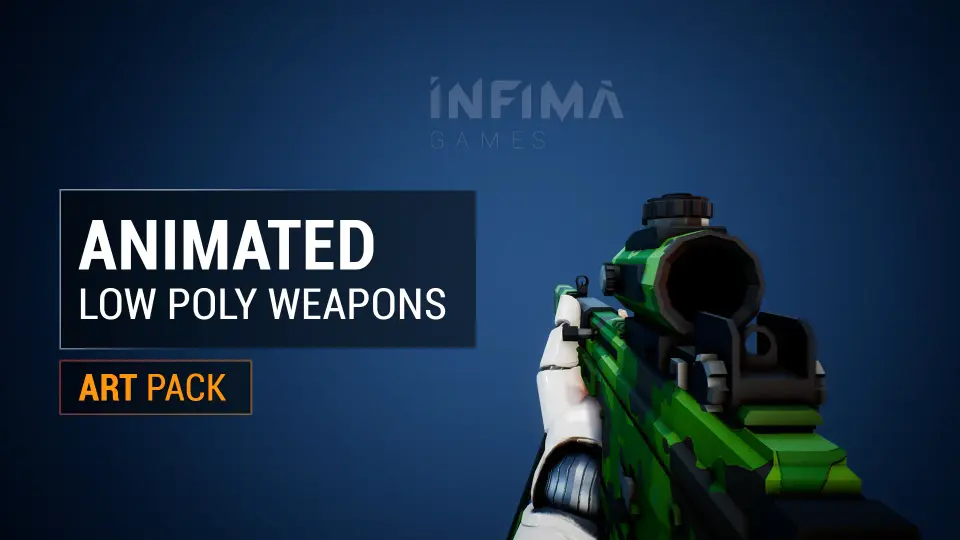
Animated Low Poly Weapons v1.0
Animated low-poly weapon models for Unreal Engine rapid prototyping with first and third person character animations and blueprint examples included.
Rapid prototyping in game development often stalls when art assets are not ready for immediate integration. Characters need weapons, weapons need motion, and the whole setup requires a functioning visual logic before gameplay decisions can be validated. Animated Low Poly Weapons v1.0 is a resource built to support this exact stage of production, providing weapon models that already carry animation data and come packaged with examples showing how they function in a scene.
Rapid Prototyping With Animated Low Poly Weapons
The core purpose of this asset collection is to accelerate the prototyping phase. When testing mechanics such as combat timing, weapon feedback, or camera behavior, developers need assets that can be dropped into a scene and viewed in motion without requiring custom rigging or animation setup from scratch. The low-poly visual style serves this workflow well, keeping the visual footprint small while ensuring the focus remains on functional testing rather than presentation polish.
Because the weapons are animated, they bypass one of the most common bottlenecks in early development. A static weapon model still requires an animator or a separate animation set before it can be evaluated in context. By providing weapons that already include motion, the asset allows a prototype to reach a playable, visually coherent state much earlier. The low-poly aesthetic also means the models are lightweight by nature, which aligns with the needs of iterative development where scenes are rebuilt and tested frequently.
Combining Low Poly Weapons With Existing Asset Sets
One of the explicit strengths of this package is its compatibility with other low-poly art assets. Prototyping environments are often assembled from mixed sources, and a cohesive visual language helps maintain clarity during testing. The low-poly style of these weapons makes them straightforward to combine with other assets that share a similar geometric simplicity and aesthetic approach.
This matters for developers who are building out a prototype scene and need props, environments, and equipment to read as part of the same world. When art assets share a stylistic baseline, the prototype feels more cohesive, which can be important when showing work to collaborators or stakeholders. The weapons are not locked into a highly specific visual theme that would clash with surrounding props; instead, their low-poly construction is inherently modular in appearance, allowing them to fit into scenes that rely on the same design language.
First and Third Person Animation Support
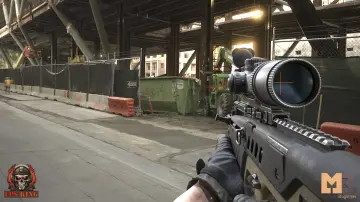
The package includes character animations covering both first person and third person perspectives. This is a practical implementation detail that directly affects how the weapons can be used in a prototype. First person animations focus on the weapon and the arms, which are the elements closest to the camera. Third person animations address the broader body motion, showing how a character holds, fires, or interacts with the weapon from an external viewpoint.
Having both perspectives covered means the same asset package can serve two different camera setups without requiring additional animation work. A developer testing a first person shooter mechanic can use the first person animation set, while someone building a third person action prototype can rely on the third person animations. The presence of both animation types within a single package streamlines the workflow For teams that might be experimenting with camera perspectives or building a project that switches between them.
The animations provided extend beyond the weapons themselves. Because character animations are included, the package addresses the full visual sequence that a weapon requires during gameplay. A weapon needs to be held, presented, and operated in a way that looks believable within the chosen perspective. The inclusion of character animation data means the setup process is focused on integration rather than on creating the underlying motion data.
How Blueprint Examples Bring the Weapons Into Context
Beyond models and animations, the package provides blueprint examples. Blueprints in Unreal Engine are visual scripting systems that define behavior and logic. The inclusion of blueprint examples means the assets are not delivered as raw components alone; they come with functional demonstrations that show how the weapons, animations, and logic interact within the engine.
For implementation, this is a significant detail. Blueprint examples provide a reference for how to structure the connection between animation states, weapon behavior, and player input. A developer working with this package can examine the provided examples to understand the intended setup flow, then adapt that structure for their own project needs. Rather than starting from an empty blueprint and building the logic from nothing, the examples offer a baseline that can be modified, expanded, or used as a learning reference for how animated weapons are implemented in Unreal Engine.
The examples also serve a validation purpose during setup. When integrating new assets, being able to observe them functioning within a prebuilt logic structure helps confirm that the animations are triggering correctly, that the weapon is registering in the right position relative to the character, and that the overall scene behavior matches what the assets are designed to produce. This can reduce troubleshooting time and make the integration process more direct.
Implementation Flow From Setup to Scene
Looking at the components together, the implementation flow moves from visual assets to functional examples. The weapon models and their associated animations provide the visual and motion layer. The first and third person coverage ensures that the animations apply to different camera and gameplay contexts. The blueprint examples then provide the structural layer, presenting a working setup that integrates these elements within Unreal Engine.
The low-poly style further assists during this phase because it keeps the visual evaluation focused on motion and behavior rather than on surface detail. When testing how a weapon feels in a scene, the simplicity of the model allows the developer to judge spacing, timing, and animation flow without being distracted by high-resolution textures or complex shading. The package situates itself as a tool for building functional, readable prototypes where the verification of mechanic behavior is the primary goal.
This collection occupies a specific place in the production pipeline. It is a rapid prototyping instrument that pairs visual assets with functional examples, allowing developers to test gameplay concepts with animated weapons across multiple perspectives while maintaining a cohesive low-poly aesthetic that blends with other assets in the same style family.
 Combat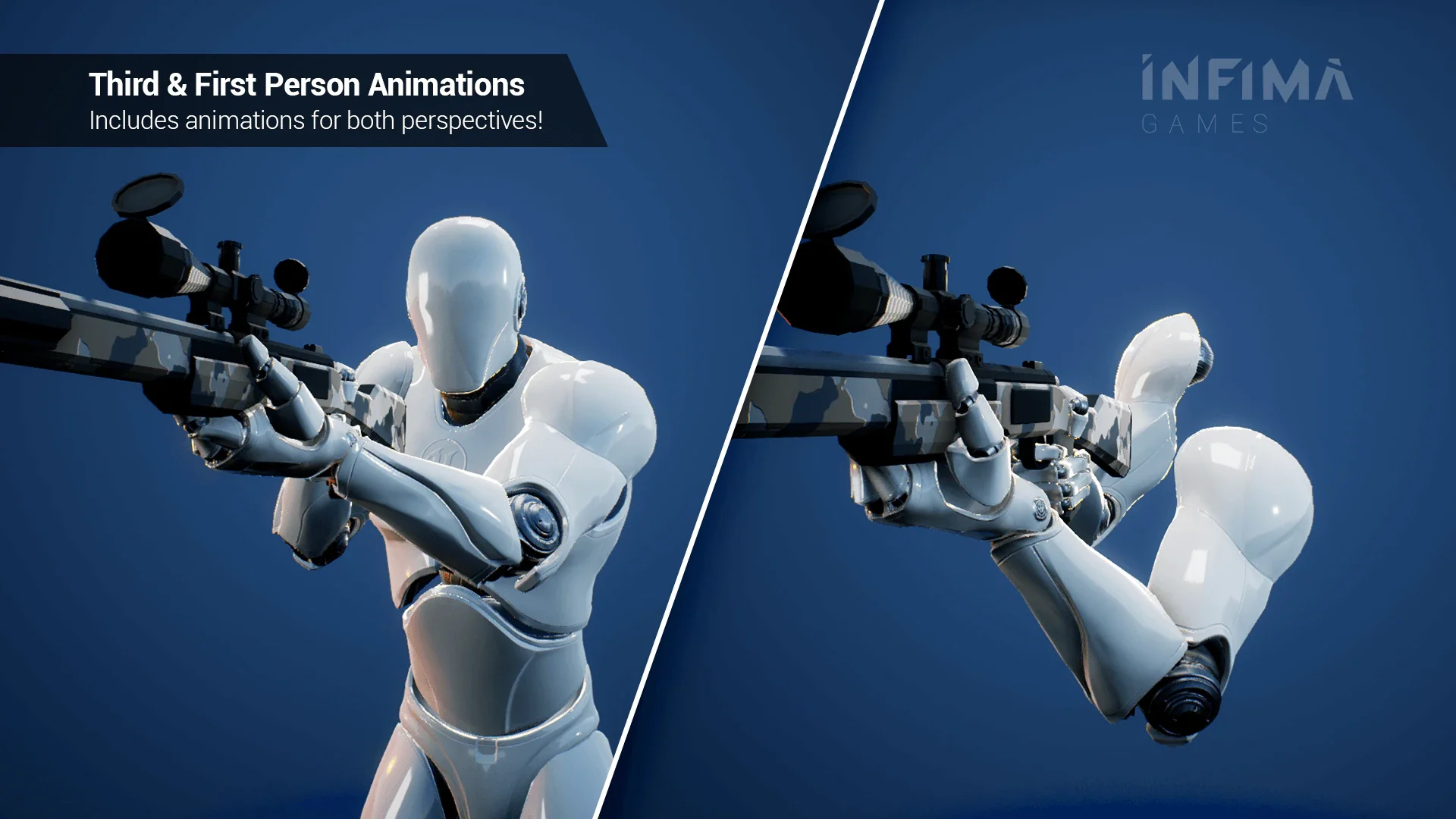
 Combat
 Combat
 Combat