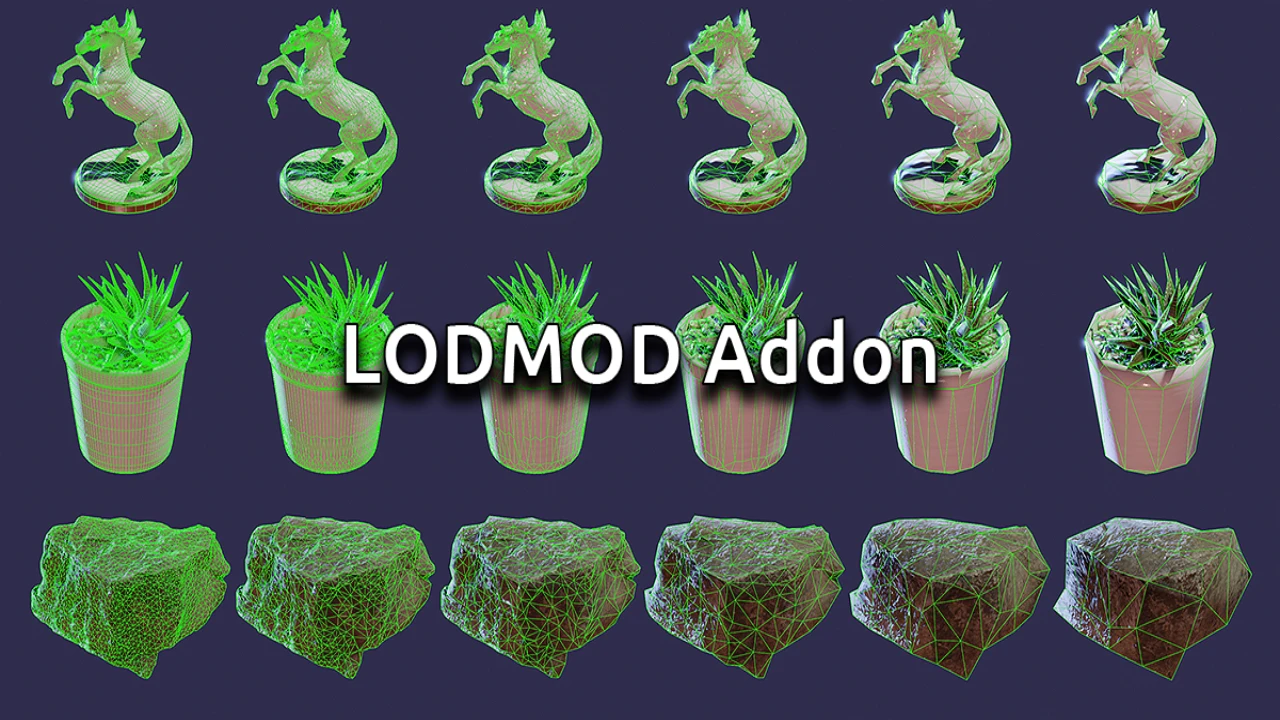
Creating Levels of Detail (LODs) is a non-negotiable requirement for modern game development, but let’s face it: it is also one of the most tedious, repetitive tasks in a 3D artist’s pipeline. Manually collapsing vertices, renaming files, and organizing hierarchies can drain the creativity out of any project.
Lodmod is the simple yet powerful solution designed to eliminate this frustration. By automating the Decimate modifier workflow, Lodmod allows you to generate optimized, game-ready LODs for multiple objects in a single click. Whether you are an indie developer or part of a AAA studio, this add-on ensures you spend less time counting vertices and more time creating art.
Key Features & Benefits
Lodmod takes the manual labor out of optimization with a suite of features tailored for game workflows:
- One-Click Automation:
Select your objects, hit “Create LODs,” and watch the magic happen. The add-on automatically duplicates your meshes and applies the Decimate modifier based on your settings, saving you hours of repetitive work. - Precise Decimation Control:
You have full control over the optimization curve. Set the Decimation Ratio (default 0.5) to determine how aggressively the vertex count is reduced for each subsequent LOD step. - Visual Lineup for Quality Check:
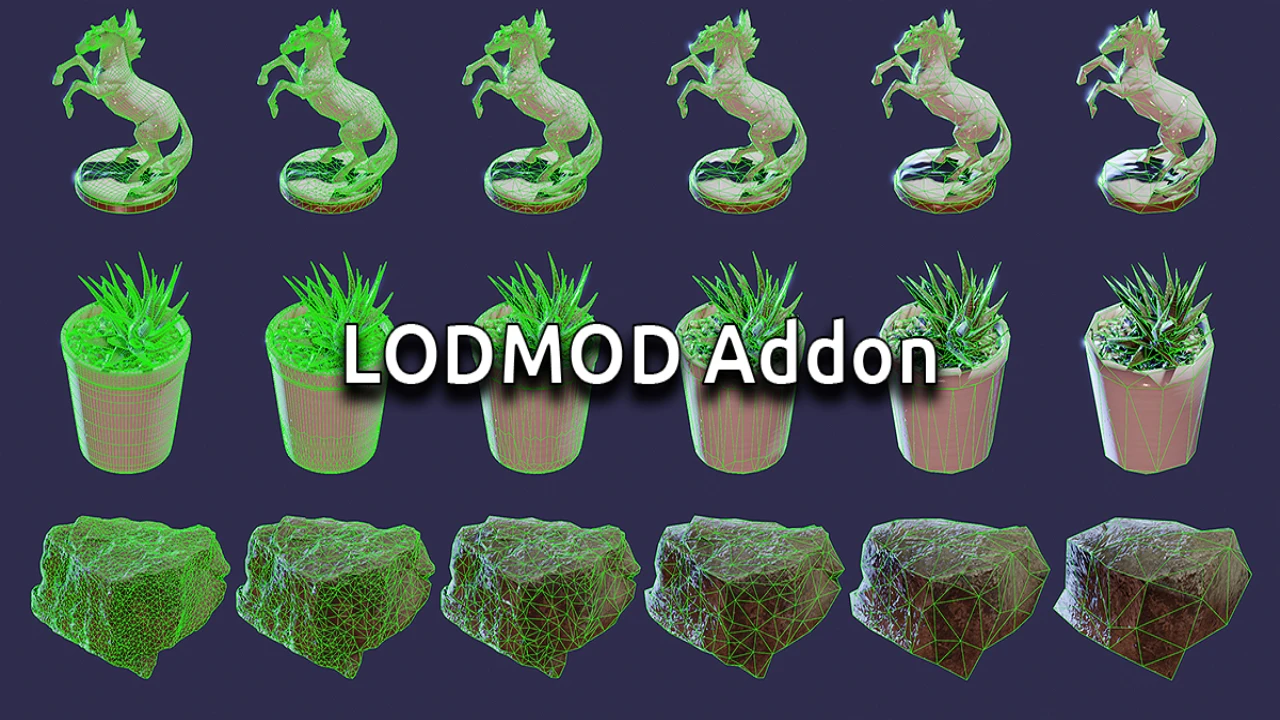
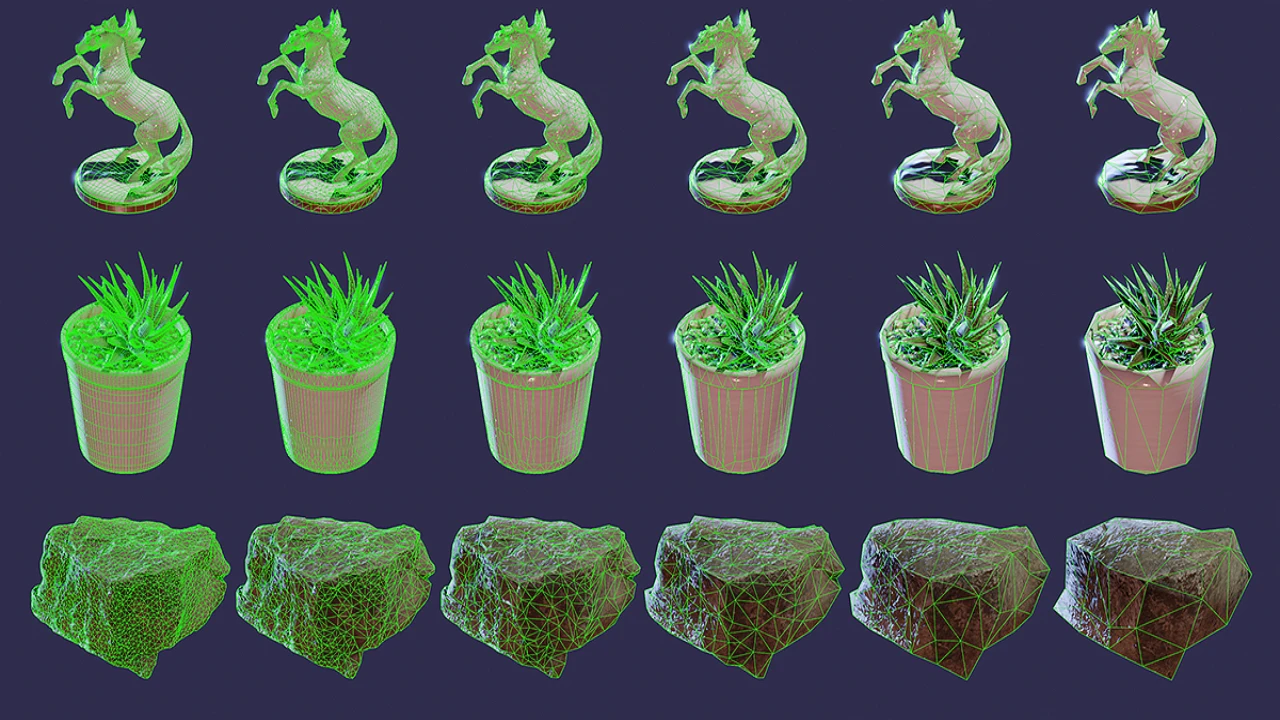
With the Lineup Offset feature, Lodmod can space out your generated LODs in the viewport. This allows you to instantly visually inspect the silhouette and quality of every LOD side-by-side before finalizing them. - Automatic Organization & Naming:
- Smart Renaming: The add-on handles the naming conventions for you, appending correct suffixes (e.g., _LOD1, _LOD2) essential for game engines like Unreal Engine and Unity.
- Collection Grouping: Keep your Outliner clean. The Make Collections option packs original meshes and their LODs into neat, organized collections, preventing scene clutter.
- Flexible Workflow:
Choose between a non-destructive workflow or use Apply Modifiers to bake the geometry changes immediately. You can also toggle the _LOD0 suffix for the base mesh depending on your engine’s import requirements.
Why Use Lodmod?
Born from Experience
Lodmod wasn’t just built for artists; it was built by an artist. It was born out of the specific frustration of having to manually collapse and count vertices for hundreds of props. It addresses the real-world needs of game optimization by turning a boring, multi-step process into a “set it and forget it” action.
Speed Without Sacrifice
While the process is automated, the control remains in your hands. You can generate the LODs fast, tweak the ratios if necessary, and regenerate them in seconds. This rapid iteration capability ensures your game runs smoothly without sacrificing the visual fidelity of your assets.
Conclusion
Optimization is crucial for performance, but it shouldn’t be a bottleneck for your creativity. Lodmod transforms a tedious chore into a streamlined, efficient part of your pipeline.
Stop manually decimating meshes one by one. Download Lodmod today, clean up your workflow, and get your assets game-ready in seconds!
Click the button below to download.
Download:

![Lazy Shapekeys [Shape Keys Folder & Utility]](https://3dcghub.com/wp-content/uploads/2025/11/c2ce39237c0551cd180db085554320c2-1-300x169.webp)