"120d4d938bde251c"{"id":"22041","slug":"2d-action-rpg-engine-mythril2d","title":"2D Action RPG Engine: Mythril2D","category":"Systems","engine":"Original Unity version: 6000.3.10","assetVersion":"Asset Version:1.4.1 - 3.2","engineVersion":"Original Unity version: 6000.3.10","tag":"Systems","accent":"cyan","visual":"animation","summary":"Mythril2D is a versatile engine for Unity designed to facilitate the creation of 2D Action RPGs through a modular, no-code workflow.","platform":"Unity","publishedAt":"2026-03-28T06:03:41.000Z","updatedAt":"2026-07-29T16:30:08.036Z","sourceNotes":[],"fileContents":[],"compatibility":["Unity","Asset Version:1.4.1 - 3.2","Original Unity version: 6000.3.10"],"featuredImage":{"alt":"2D Action RPG Engine: Mythril2D","src":"https://3dcghub.com/wp-content/uploads/2026/03/d149e469edde_5392e957-e417-4b9e-9efa-ca53c8fa3275_1280x720_stretch.webp"},"hasDownloadLink":true,"downloads":2,"terms":[{"taxonomy":"category","slug":"systems","name":"Systems"},{"taxonomy":"post_tag","slug":"characters","name":"Characters"},{"taxonomy":"post_tag","slug":"game-systems","name":"Game Systems"},{"taxonomy":"post_tag","slug":"unity","name":"Unity"}],"galleryImages":[{"src":"https://3dcghub.com/wp-content/uploads/2026/03/ba2fa1a8cfb0_9cbbe013-cb29-4645-ab02-ab247b2ab90f_scaled.webp","alt":"2D Action RPG Engine: Mythril2D"},{"src":"https://3dcghub.com/wp-content/uploads/2026/03/b8e34b0d2df2_4ec0c166-88a1-4b2e-910a-996794e47f0b_scaled.webp","alt":"2D Action RPG Engine: Mythril2D"},{"src":"https://3dcghub.com/wp-content/uploads/2026/03/5eae199080ef_5096c477-e693-4fab-aa17-565ab83a9a72_scaled.webp","alt":"2D Action RPG Engine: Mythril2D"},{"src":"https://3dcghub.com/wp-content/uploads/2026/03/972b800f1b8d_64f19c8e-b976-40f2-9dc6-3e69ff65c072_scaled.webp","alt":"2D Action RPG Engine: Mythril2D"},{"src":"https://3dcghub.com/wp-content/uploads/2026/03/71f51ec9b016_155dff3e-347a-451e-b47a-3aad40a61f86_scaled.webp","alt":"2D Action RPG Engine: Mythril2D"},{"src":"https://3dcghub.com/wp-content/uploads/2026/03/091fe8a86b14_1ee5bfb4-4364-4aa7-9fbe-ac9d26f87d58_scaled.webp","alt":"2D Action RPG Engine: Mythril2D"},{"src":"https://3dcghub.com/wp-content/uploads/2026/03/fbd747e710dc_37e97aae-0a7e-4ce8-8a28-4d21240e834a_scaled.webp","alt":"2D Action RPG Engine: Mythril2D"},{"src":"https://3dcghub.com/wp-content/uploads/2026/03/b12370b51a29_1b14ee7c-f8d0-414f-8d0d-7b746db4a8b8_scaled.webp","alt":"2D Action RPG Engine: Mythril2D"},{"src":"https://3dcghub.com/wp-content/uploads/2026/03/b0b06a3e41e2_a8d45cc1-57b2-447a-bf9e-76617d400a12_scaled.webp","alt":"2D Action RPG Engine: Mythril2D"},{"src":"https://3dcghub.com/wp-content/uploads/2026/03/14c462a94185_195e3a0d-03ff-4cba-b4c4-38ba6bc16daf_scaled.webp","alt":"2D Action RPG Engine: Mythril2D"}],"accessPanel":{"kind":"resource","title":"Download this resource","eyebrow":"Free Download","message":"Log in or create a free account to start your download.","fileName":"2D Action RPG Engine Mythril2D;2021.3.18 or higher.7z","safetyNote":"Resources are manually reviewed before listing to improve quality and reduce obvious risks.","actionLabel":"Download Free","resourceType":"Resource archive"},"contentHtml":"\u003cp\u003e\u003cem\u003e2D Action RPG Engine: Mythril2D\u003c/em\u003e ships with a wide collection of interconnected gameplay components designed to cover the structural needs of a top-down action role-playing game. The package includes systems for items, crafting, quests, dialogues, inns, shops, abilities, heroes, monsters, NPCs, chests, audio, and save/load functionality. Each module is intended to work without requiring the developer to write code, placing the focus on assembling commands and conditions directly inside the Unity editor.\u003c/p\u003e\n\n\u003ch2\u003eHow Mythril2D Structures Gameplay Without Code\u003c/h2\u003e\n\u003cp\u003eThe core workflow of \u003cem\u003eMythril2D\u003c/em\u003e centers on a no-code editor that handles gameplay events through an assembly of commands and conditions. Rather than writing custom scripts for each interaction, developers configure behavior by combining logic blocks within the editor interface. This approach makes it possible to build unique gameplay events by assembling modular pieces, similar to fitting elements together in a building-block system. The engine is positioned as both approachable for rapid prototyping and versatile enough for production-scale projects.\u003c/p\u003e\n\n\u003cp\u003eThis no-code methodology extends across the major systems. Quests can be authored with branching stories, dialogues can be attached to memorable characters, and abilities can be customized with dozens of effects for both heroes and monsters. The system supports creating unique classes and allowing players to choose their progression path, all driven by editor-based configuration rather than programming.\u003c/p\u003e\n\n\u003ch2\u003eBuilding the World: Items, Crafting, and Economy\u003c/h2\u003e\n\u003cp\u003e\u003cem\u003eMythril2D\u003c/em\u003e provides a set of tools for defining the items, equipment, and economic interactions that populate the game world. Developers can design unique items and equipment for players to collect, and set up crafting recipes that allow players to transform resources into new gear. The economy is reinforced through merchant NPCs that allow players to trade goods, and inns where adventurers can rest to restore their health and mana. Chests can be scattered throughout environments to reward players with items and gold, adding another layer of resource distribution.\u003c/p\u003e\n\n\u003cp\u003ePopulating the world extends to the characters and creatures that inhabit it. Developers can populate their game with custom monsters and unique NPCs for player interaction. The audio system is integrated directly into this environment setup, allowing sounds to be played through multiple channels. A centralized management feature means a music track or sound effect used across dozens of locations can be updated with a single click.\u003c/p\u003e\n\n\u003ch2\u003eAbilities, Heroes, and Enemy Design\u003c/h2\u003e\n\u003cp\u003eCombat and character progression are handled through dedicated modules. The abilities system lets developers design unique skills with dozens of customizable effects that apply to both monsters and heroes. Players choose their path through unique classes created within the hero system, defining how they engage with the combat mechanics and progression structure.\u003c/p\u003e\n\n\u003cp\u003eOn the enemy side, custom monsters of the developer's own creation can be integrated into the game world. The interaction between monster abilities and hero abilities uses the same underlying customizable effects framework, keeping combat behavior consistent across different entity types. The engine also includes a built-in save and load system to manage the progress of these characters, handling elements such as equipped bonus abilities without warning errors.\u003c/p\u003e\n\n\u003ch2\u003eUnity Pipeline and Input Compatibility\u003c/h2\u003e\n\u003cp\u003e\u003cem\u003eMythril2D\u003c/em\u003e relies on specific Unity package dependencies to function, requiring \u003ccode\u003ecom.unity.feature.2d\u003c/code\u003e and \u003ccode\u003ecom.unity.inputsystem\u003c/code\u003e. The original Unity version for the asset is 6000.3.10, and the project has been updated to this version in release 3.4. The engine is compatible with most Unity versions preceding Unity 6 out of the box. Regarding rendering, the asset supports the Built-in Render Pipeline, the High Definition Render Pipeline (HDRP), the Universal Render Pipeline (URP), and Custom Scriptable Render Pipelines at the 6000.3.10f1 version mark.\u003c/p\u003e\n\n\u003cp\u003eInput handling covers keyboard and mouse setups alongside gamepad controls, with Xbox and PlayStation controller icons included in the package. The demo does not include touch or XR input support, but the use of Unity's new Input System means developers can add their own control schemes if touch or XR functionality is needed. The package contains 1,257 assets in total and has a file size of 87.5 MB.\u003c/p\u003e\n\n\u003ch3\u003eRelease Fixes and Package Updates\u003c/h3\u003e\n\u003cp\u003eVersion 3.4 introduced several fixes alongside the project version update to 6000.3.10f1. The \u003cem\u003eSpore\u003c/em\u003e ability name and description were corrected. An issue that caused device icons to reset to mouse and keyboard after changing scenes was resolved. The script \u003ccode\u003eMakeQuestAvailable.cs\u003c/code\u003e was renamed to \u003ccode\u003eUnlockQuest.cs\u003c/code\u003e to match the class name, and a warning that appeared when loading a save file with a bonus ability equipped was fixed.\u003c/p\u003e\n\n\u003ch3\u003eIncluded Third-Party Content\u003c/h3\u003e\n\u003cp\u003eThe asset incorporates several third-party resources distributed under various licenses. Sprite contributions include assets from \u003ccode\u003eanalogStudios_\u003c/code\u003e under CC0, \u003ccode\u003eMatheusFrantz\u003c/code\u003e under a custom license, and \u003ccode\u003ePaperHatLizard\u003c/code\u003e under a custom license. Audio contributions come from \u003ccode\u003eHolizna\u003c/code\u003e, \u003ccode\u003epmiller\u003c/code\u003e, \u003ccode\u003eSubspaceAudio\u003c/code\u003e, \u003ccode\u003eSygilBatBoi\u003c/code\u003e, and \u003ccode\u003eWolfgang_\u003c/code\u003e, all provided under CC0 licenses. Utility scripts from \u003ccode\u003eazixMcAze\u003c/code\u003e and \u003ccode\u003eMackySoft\u003c/code\u003e are included under MIT licenses. Full details are available in the Third-Party Notices file within the package.\u003c/p\u003e\n\n\u003ch2\u003eWhat Mythril2D Is Set Up to Handle\u003c/h2\u003e\n\u003cp\u003eThe package provides the structural systems needed to assemble a 2D action role-playing game within Unity. By combining the quest authoring tools, no-code event logic, customizable combat abilities, and built-in save management, developers have a framework for top-down RPG creation that spans environmental interaction, character progression, and economy simulation without leaving the editor-driven workflow.\u003c/p\u003e","contentTextLength":5897,"navigation":{"current":558,"total":3225,"previous":{"id":"1000781","slug":"advanced-vehicle-system-replicated-modular-vehicle-physics","title":"Advanced Vehicle System - [Replicated Modular Vehicle Physics]","category":"Engine Tools","platform":"Unreal Engine","updatedAt":"2026-07-30T10:29:04.441Z"},"next":{"id":"13742","slug":"blockout-tools-plugin","title":"Blockout Tools Plugin","category":"Engine Tools","platform":"Unreal Engine","updatedAt":"2026-07-29T16:09:39.794Z"}},"relatedResources":[{"id":"22324","slug":"topdown-engine","title":"TopDown Engine","category":"Systems","engine":"Original Unity version: 2019.4.40","assetVersion":"Original Unity version: 2019.4.40","engineVersion":"Asset Version:4.3","tag":"Systems","accent":"cyan","visual":"mech","summary":"The TopDown Engine provides a modular foundation for creating action-oriented games in Unity, supporting both 2D and 3D perspectives with a focus on polished game feel and optimized performance.","platform":"Unity","publishedAt":"2026-04-06T07:41:27.000Z","updatedAt":"2026-04-19T15:37:22.000Z","sourceNotes":[],"fileContents":[],"compatibility":["Unity","Original Unity version: 2019.4.40","Asset Version: 4.3"],"featuredImage":{"alt":"TopDown Engine","src":"https://3dcghub.com/wp-content/uploads/2026/04/00f90958ad13_afb00994-47cd-4a6f-a043-d678d45a42f2_1280x720_stretch.webp"},"hasDownloadLink":true,"downloads":3},{"id":"22788","slug":"rpg-cameras-controllers","title":"RPG Cameras \u0026 Controllers","category":"Game Toolkits","engine":"Original Unity version: 6000.0.58","assetVersion":"Original Unity version: 6000.0.58","engineVersion":"Asset Version:6.1.2","tag":"Game Toolkits","accent":"cyan","visual":"city","summary":"A feature-rich framework for Unity projects inspired by classic MMO and Action RPG movement, offering extensive parameter control over character locomotion and camera behavior.","platform":"Unity","publishedAt":"2026-04-06T14:03:24.000Z","updatedAt":"2026-04-19T15:37:02.000Z","sourceNotes":[],"fileContents":[],"compatibility":["Unity","Original Unity version: 6000.0.58","Asset Version: 6.1.2"],"featuredImage":{"alt":"RPG Cameras \u0026 Controllers","src":"https://3dcghub.com/wp-content/uploads/2026/04/d0f12e9a1591_65125db3-921b-49b9-8026-8a8c0e28fdef_1280x720_stretch.webp"},"hasDownloadLink":true,"downloads":1},{"id":"24480","slug":"learn-to-create-a-2d-action-zombie-game-in-unity","title":"Learn to create a 2D Action Zombie Game in Unity","category":"Unity","engine":"Video language: English","assetVersion":"Video language: English","engineVersion":"File content: video + supporting files + English subtitles","tag":"Unity","accent":"cyan","visual":"character","summary":"This beginner Unity course walks through the main parts of a 2D action zombie game: player setup, enemies, health, portals between levels, and level design. It is built for learners who want a guided path through a playable game project rather than disconne...","platform":"Unity","publishedAt":"2026-04-14T13:06:41.000Z","updatedAt":"2026-04-20T06:12:47.000Z","sourceNotes":[],"fileContents":[],"compatibility":["Unity","Video language: English","File content: video + supporting files + English subtitles"],"featuredImage":{"alt":"Learn to create a 2D Action Zombie Game in Unity","src":"https://3dcghub.com/wp-content/uploads/2026/04/4aae367ee741_5884848_cdbb_2.webp"},"hasDownloadLink":true,"downloads":0}]}
Systems
2D Action RPG Engine: Mythril2D
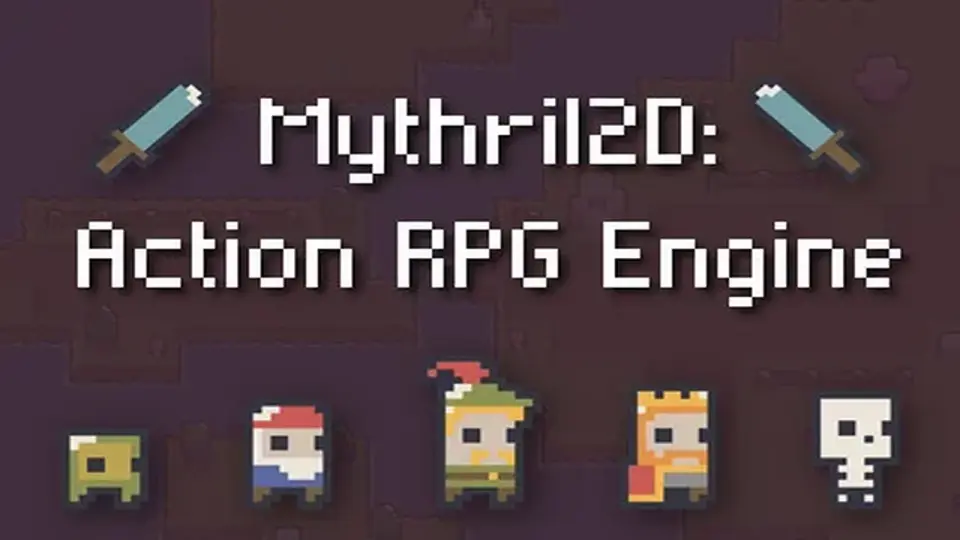
Mythril2D is a versatile engine for Unity designed to facilitate the creation of 2D Action RPGs through a modular, no-code workflow.
2D Action RPG Engine: Mythril2D ships with a wide collection of interconnected gameplay components designed to cover the structural needs of a top-down action role-playing game. The package includes systems for items, crafting, quests, dialogues, inns, shops, abilities, heroes, monsters, NPCs, chests, audio, and save/load functionality. Each module is intended to work without requiring the developer to write code, placing the focus on assembling commands and conditions directly inside the Unity editor.
How Mythril2D Structures Gameplay Without Code
The core workflow of Mythril2D centers on a no-code editor that handles gameplay events through an assembly of commands and conditions. Rather than writing custom scripts for each interaction, developers configure behavior by combining logic blocks within the editor interface. This approach makes it possible to build unique gameplay events by assembling modular pieces, similar to fitting elements together in a building-block system. The engine is positioned as both approachable for rapid prototyping and versatile enough for production-scale projects.
This no-code methodology extends across the major systems. Quests can be authored with branching stories, dialogues can be attached to memorable characters, and abilities can be customized with dozens of effects for both heroes and monsters. The system supports creating unique classes and allowing players to choose their progression path, all driven by editor-based configuration rather than programming.
Building the World: Items, Crafting, and Economy
Mythril2D provides a set of tools for defining the items, equipment, and economic interactions that populate the game world. Developers can design unique items and equipment for players to collect, and set up crafting recipes that allow players to transform resources into new gear. The economy is reinforced through merchant NPCs that allow players to trade goods, and inns where adventurers can rest to restore their health and mana. Chests can be scattered throughout environments to reward players with items and gold, adding another layer of resource distribution.
Populating the world extends to the characters and creatures that inhabit it. Developers can populate their game with custom monsters and unique NPCs for player interaction. The audio system is integrated directly into this environment setup, allowing sounds to be played through multiple channels. A centralized management feature means a music track or sound effect used across dozens of locations can be updated with a single click.
Abilities, Heroes, and Enemy Design
Combat and character progression are handled through dedicated modules. The abilities system lets developers design unique skills with dozens of customizable effects that apply to both monsters and heroes. Players choose their path through unique classes created within the hero system, defining how they engage with the combat mechanics and progression structure.
On the enemy side, custom monsters of the developer's own creation can be integrated into the game world. The interaction between monster abilities and hero abilities uses the same underlying customizable effects framework, keeping combat behavior consistent across different entity types. The engine also includes a built-in save and load system to manage the progress of these characters, handling elements such as equipped bonus abilities without warning errors.
Unity Pipeline and Input Compatibility
Mythril2D relies on specific Unity package dependencies to function, requiring com.unity.feature.2d and com.unity.inputsystem. The original Unity version for the asset is 6000.3.10, and the project has been updated to this version in release 3.4. The engine is compatible with most Unity versions preceding Unity 6 out of the box. Regarding rendering, the asset supports the Built-in Render Pipeline, the High Definition Render Pipeline (HDRP), the Universal Render Pipeline (URP), and Custom Scriptable Render Pipelines at the 6000.3.10f1 version mark.
Input handling covers keyboard and mouse setups alongside gamepad controls, with Xbox and PlayStation controller icons included in the package. The demo does not include touch or XR input support, but the use of Unity's new Input System means developers can add their own control schemes if touch or XR functionality is needed. The package contains 1,257 assets in total and has a file size of 87.5 MB.
Release Fixes and Package Updates
Version 3.4 introduced several fixes alongside the project version update to 6000.3.10f1. The Spore ability name and description were corrected. An issue that caused device icons to reset to mouse and keyboard after changing scenes was resolved. The script MakeQuestAvailable.cs was renamed to UnlockQuest.cs to match the class name, and a warning that appeared when loading a save file with a bonus ability equipped was fixed.
Included Third-Party Content
The asset incorporates several third-party resources distributed under various licenses. Sprite contributions include assets from analogStudios_ under CC0, MatheusFrantz under a custom license, and PaperHatLizard under a custom license. Audio contributions come from Holizna, pmiller, SubspaceAudio, SygilBatBoi, and Wolfgang_, all provided under CC0 licenses. Utility scripts from azixMcAze and MackySoft are included under MIT licenses. Full details are available in the Third-Party Notices file within the package.
What Mythril2D Is Set Up to Handle
The package provides the structural systems needed to assemble a 2D action role-playing game within Unity. By combining the quest authoring tools, no-code event logic, customizable combat abilities, and built-in save management, developers have a framework for top-down RPG creation that spans environmental interaction, character progression, and economy simulation without leaving the editor-driven workflow.
Preview Gallery
Resource screenshots
10 curated preview images
1 / 10
Free Download
Download this resource
Log in or create a free account to start your download.
Resources are manually reviewed before listing to improve quality and reduce obvious risks.
Resource archive2D Action RPG Engine Mythril2D;2021.3.18 or higher.7z
 Systems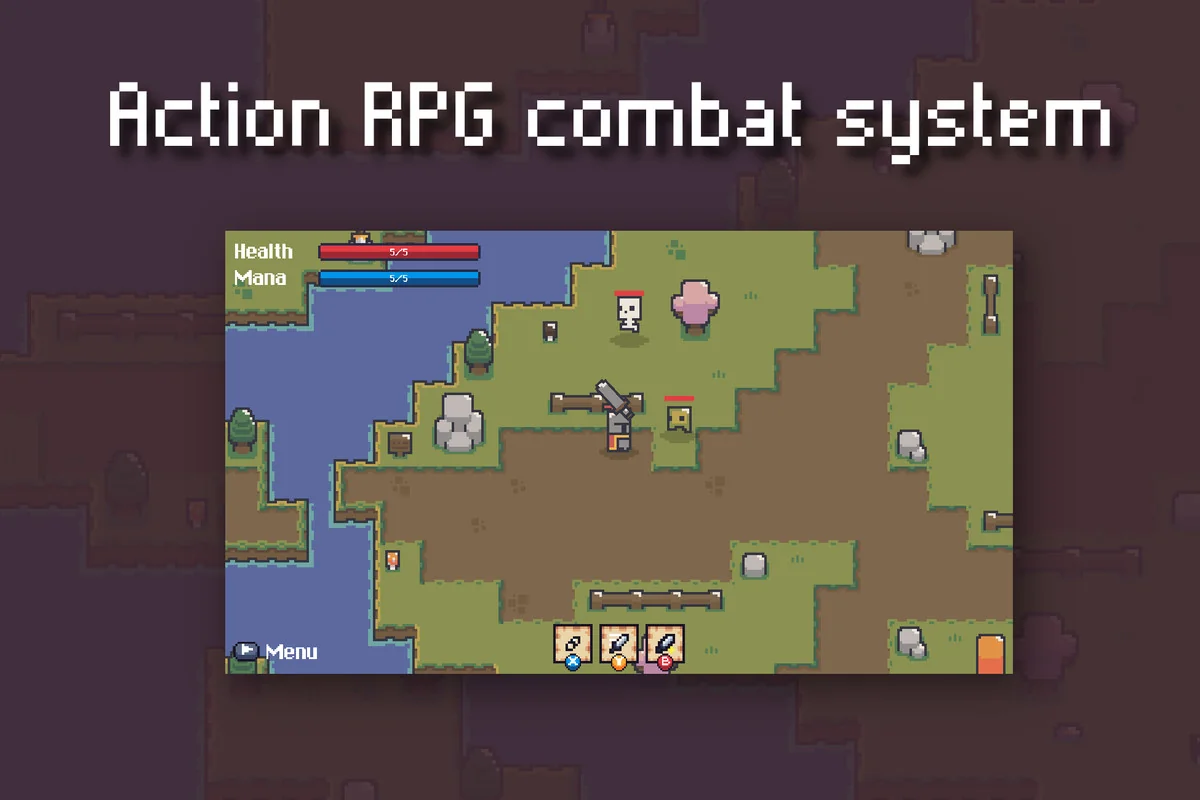
 Systems
 Game Toolkits
 Unity
Unity