"c68a05d5e51405b3"{"id":"1001919","slug":"warp-effect","title":"Warp Effect","category":"Transition","engine":"4.26+,5.0+","assetVersion":"","engineVersion":"Engine Version: 4.26+,5.0+","tag":"Transition","accent":"blue","visual":"mech","summary":"Explore Warp Effect, featuring multiple warp variations, Blueprint and Material Instance parameter controls, and character dissolve compatibility.","platform":"Unreal Engine","publishedAt":"2026-10-22T11:55:24.907Z","updatedAt":"2026-10-22T11:55:24.907Z","sourceNotes":[],"fileContents":[],"compatibility":["Unreal Engine","Engine Version: 4.26+,5.0+"],"featuredImage":{"alt":"Warp Effect","src":"/wp-content/uploads/published/2026/10/3a45b7f97112-74a0ee6d-01c0-4ee7-9e3b-cc16a623cf17-83e934184e.webp"},"hasDownloadLink":true,"downloads":0,"terms":[{"taxonomy":"category","slug":"transition","name":"Transition"}],"galleryImages":[{"src":"/wp-content/uploads/published/2026/10/373d1568f962-8919f511-27a8-47d4-a2a1-cb21760fa237-42f4c311e9.webp","alt":"Warp Effect"},{"src":"/wp-content/uploads/published/2026/10/bac74e830beb-45304d18-a432-46bc-a7ba-5034afc860ed-02e93e99e6.webp","alt":"Warp Effect"},{"src":"/wp-content/uploads/published/2026/10/071de3871580-a1fd0dd9-7809-4954-82a6-54de423eb07d-5f7a918c48.webp","alt":"Warp Effect"},{"src":"/wp-content/uploads/published/2026/10/94fad949835c-e028d103-c40c-47ce-9b75-35e5e2425f86-5aae7c5f9a.webp","alt":"Warp Effect"},{"src":"/wp-content/uploads/published/2026/10/d2763b534ee6-66ba14fd-90a1-4a3d-bb2e-fda62679d885-d541d61729.webp","alt":"Warp Effect"},{"src":"/wp-content/uploads/published/2026/10/b3fb161fbd65-ac4cea6d-8594-4958-aaf9-7af23729ed12-a29bcb23c9.webp","alt":"Warp Effect"},{"src":"/wp-content/uploads/published/2026/10/f0c1adbaf14d-b39847bb-8930-47ea-b1d4-9c1720df6d4c-1e26092ed7.webp","alt":"Warp Effect"},{"src":"/wp-content/uploads/published/2026/10/ad90c3293259-430bb175-e522-47fd-b7ca-89e2459baabf-ace046b842.webp","alt":"Warp Effect"},{"src":"/wp-content/uploads/published/2026/10/3af06c863a5d-7b25c65f-e93e-4d24-bd2a-18e6203b10e5-6a408afd23.webp","alt":"Warp Effect"}],"accessPanel":{"kind":"resource","title":"Download this resource","eyebrow":"Free Download","message":"Log in or create a free account to start your download.","fileName":"Warp Effect.7z","safetyNote":"Resources are manually reviewed before listing to improve quality and reduce obvious risks.","actionLabel":"Download Free","resourceType":"Resource archive"},"contentHtml":"\u003ch2\u003eRuntime Distortion and the Warp Effect\u003c/h2\u003e\u003cp\u003eDistortion visuals alter how light, geometry, and space interact on screen. In real-time rendering, achieving convincing optical bending requires dedicated shader setups that can contract, expand, or twist visual elements dynamically. Warp Effect supplies a varied collection of warp behaviors engineered to manipulate screen space and object boundaries. Instead of locking projects into a single visual interpretation of spatial bending, the package gathers multiple warp types that address distinct motion profiles and visual intensities.\u003c/p\u003e\u003cp\u003eA warp effect operates by transforming visual data relative to an epicenter or directional vector. Depending on how the distortion is modulated, the result can simulate anything from violent dimensional rifts to subtle optical refractions. Having a variety of warp effects on hand allows technical artists and designers to establish consistent distortion mechanics across different gameplay events without relying on a uniform, repetitive visual asset.\u003c/p\u003e\u003ch2\u003eAdjusting Warp Parameters Inside Blueprints\u003c/h2\u003e\u003cp\u003eControlling visual effects through game logic is essential for responsive interactive scenes. In this package, parameters of the warps can be tweaked directly within Blueprints. Exposing warp variables inside a Blueprint script connects the visual impact of the distortion to runtime events, animation timelines, and spatial positioning.\u003c/p\u003e\u003cp\u003eBlueprint-level control enables precise orchestration over when and how a warp manifests. If an effect needs to ramp up in intensity when an entity moves or when an interactive ability triggers, exposing those values within a Blueprint allows designers to drive parameters with curves, event ticks, or custom functions. By managing parameters in BP, artists avoid hardcoding visual changes into standalone assets. Instead, values like effect duration, scale factors, and trigger states can be tied into broader game systems, allowing the warp to respond instantly to gameplay variables.\u003c/p\u003e\u003ch2\u003eMaterial Instance Tweaks and Shader Controls\u003c/h2\u003e\u003cp\u003eWhile Blueprints govern the logic and triggering mechanisms, rendering behavior is handled through shader calculations. Warp Effect routes its visual adjustments through Material Instances, giving creators direct control over the underlying shader parameters without requiring recompilation cycles.\u003c/p\u003e\u003cp\u003eMaterial Instances allow rapid iteration over the look and feel of each warp. By adjusting the parameters exposed in the instance, artists can fine-tune distortion magnitude, edge falloff, color tinting, and texture displacement in real time. This separation between master shader logic and instance parameters keeps development workflows light. Teams can create numerous variants from a single base effect simply by establishing child instances with different parameter configurations. Whether an effect requires an intense, high-contrast bend or a faint heat-shimmer displacement, the adjustments are made directly in the material editor interface, speeding up look development across environments and characters.\u003c/p\u003e\u003ch2\u003ePairing Warp Effects with Character Appearance and Dissolve\u003c/h2\u003e\u003cp\u003eTransitioning characters into or out of a scene requires careful visual alignment between mesh visibility and supplementary effects. Warp Effect includes compatibility with character appearance and dissolve mechanics, establishing a natural bridge between spatial distortion and character transitions.\u003c/p\u003e\u003cp\u003eWhen a character materializes on screen, standard fade-ins can look abrupt or disconnected from the world. Layering a warp effect over a character appearance sequence contextualizes the spawn event, suggesting that the character is stepping through bent space or coalescing from concentrated energy. Similarly, during dissolve sequences, coordinating the warp with the dissolution of the character mesh creates a cohesive breakdown effect. The visual tearing and bending of the warp accentuate the vanishing silhouette, masking hard mesh edges and blending the dissolve transition into the surrounding environment.\u003c/p\u003e\u003ch2\u003eAdapting Across Fantasy, Space, Realistic, and Stylized Aesthetics\u003c/h2\u003e\u003cp\u003eVisual style dictates how aggressive or expressive a distortion effect can be. Warp Effect accommodates multiple aesthetic categories, carrying tags for Fantasy, Space, Realistic, and Stylized visual treatments.\u003c/p\u003e\u003cp\u003eIn fantasy settings, warp effects often serve as magical anomalies, spell impacts, or mystical portals. The parameter controls can be pushed toward vibrant colors, broad displacement waves, and sweeping visual signatures that signal arcane power. Space-themed scenarios demand a different visual profile, where warps represent gravitational lensing, faster-than-light jumps, or cosmic wormholes. In these contexts, deeper spatial pinching and optical distortion mimic the physical bending of light in a vacuum.\u003c/p\u003e\u003cp\u003eRealistic projects benefit from conservative parameter settings where the warp mimics real-world phenomena such as intense heat waves, physical shockwaves, or optical refraction through dense atmospheric layers. In contrast, stylized environments emphasize bold shapes, pronounced outlines, and exaggerated spatial squashing. Because the underlying Blueprints and Material Instances leave core variables open to adjustment, the package fits into stylized cell-shaded projects just as readily as it integrates into gritty, physically based scenes.\u003c/p\u003e\u003ch2\u003eImplementation Considerations for Production Pipelines\u003c/h2\u003e\u003cp\u003eDeploying a warp effect package effectively relies on clean integration between gameplay triggers and visual assets. Because this toolset provides parameter access in both Blueprints and Material Instances, technical artists can clearly divide asset responsibilities across a team. Gameplay programmers can interact with the exposed Blueprint variables to sync effect timings with state machines and physics components. Simultaneously, visual artists can independently iterate on the Material Instances to polish color balance, refraction depth, and visual clarity.\u003c/p\u003e\u003cp\u003eThe inclusion of diverse warp styles and built-in compatibility with character appearance and dissolve states gives developers a solid foundation for handling spatial distortions. By centralizing warp controls across Blueprints and material parameters, the package supports fast adjustments, style adaptation, and seamless scene transitions throughout production.\u003c/p\u003e\n\n\u003ch2\u003eMore From The Same Workflow\u003c/h2\u003e\n\u003cul\u003e\n\u003cli\u003e\u003ca href=\"https://3dcghub.com/character-appearance-and-dissolve/\" title=\"Character Appearance and Dissolve\"\u003eCharacter Appearance and Dissolve\u003c/a\u003e\u003c/li\u003e\n\u003cli\u003e\u003ca href=\"https://3dcghub.com/teleportation-fx/\" title=\"Teleportation FX\"\u003eTeleportation FX\u003c/a\u003e\u003c/li\u003e\n\u003cli\u003e\u003ca href=\"https://3dcghub.com/ultimate-scan-effects-and-screen-effects/\" title=\"Ultimate Scan Effects and Screen Effects\"\u003eUltimate Scan Effects and Screen Effects\u003c/a\u003e\u003c/li\u003e\n\u003cli\u003e\u003ca href=\"https://3dcghub.com/dissolve-teleport-effect/\" title=\"Dissolve Teleport Effect\"\u003eDissolve Teleport Effect\u003c/a\u003e\u003c/li\u003e\n\u003cli\u003e\u003ca href=\"https://3dcghub.com/niagaraportalvfx/\" title=\"NiagaraPortalVFX\"\u003eNiagaraPortalVFX\u003c/a\u003e\u003c/li\u003e\n\u003c/ul\u003e","contentTextLength":6522,"navigation":{"current":6,"total":3860,"previous":{"id":"1001920","slug":"wood-assets-kit","title":"Wood Assets Kit","category":"Furniture \u0026 Fixtures","platform":"Unreal Engine","updatedAt":"2026-10-22T11:56:18.370Z"},"next":{"id":"1001918","slug":"voxel-dungeon-modular-pack-with-10-styles-and-many-small-props","title":"Voxel Dungeon Modular Pack With 10 Styles and many small props","category":"Dungeon","platform":"Unreal Engine","updatedAt":"2026-10-22T11:54:31.699Z"}},"relatedResources":[{"id":"16895","slug":"character-appearance-and-dissolve","title":"Character Appearance and Dissolve","category":"Transition","engine":"4.26+,5.0+","assetVersion":"Engine version: 4.26+,5.0+","engineVersion":"4.18","tag":"Transition","accent":"blue","visual":"character","summary":"This asset pack features 20 distinct appearance and dissolve effects designed for character transitions. It includes both standard materials and specialized versions optimized for mobile performance.","platform":"Unreal Engine","publishedAt":"2026-03-12T18:11:36.000Z","updatedAt":"2026-04-19T15:43:40.000Z","sourceNotes":[],"fileContents":[],"compatibility":["Unreal Engine","Engine version: 4.26+,5.0+"],"featuredImage":{"alt":"Character Appearance and Dissolve","src":"https://3dcghub.com/wp-content/uploads/2026/03/732cef45-191d-480b-acbf-aee9517c3369.webp"},"hasDownloadLink":true,"downloads":0},{"id":"1001843","slug":"teleportation-fx","title":"Teleportation FX","category":"Transition","engine":"5.2+","assetVersion":"","engineVersion":"Engine Version: 5.2+","tag":"Transition","accent":"blue","visual":"mech","summary":"Teleportation FX provides modular Niagara visual effects for character transit, covering elemental, sci-fi, and dark magic styles with low shader complexity.","platform":"Unreal Engine","publishedAt":"2026-10-21T08:34:34.486Z","updatedAt":"2026-10-21T08:34:34.486Z","sourceNotes":[],"fileContents":[],"compatibility":["Unreal Engine","Engine Version: 5.2+"],"featuredImage":{"alt":"Teleportation FX","src":"/wp-content/uploads/published/2026/10/167756696915-e76ea49e-88d7-4374-a9b7-dfe5610206c0-a4a4f01fae.webp"},"hasDownloadLink":true,"downloads":0},{"id":"16965","slug":"ultimate-scan-effects-and-screen-effects","title":"Ultimate Scan Effects and Screen Effects","category":"Transition","engine":"5.1+","assetVersion":"Engine version: 5.1+","engineVersion":"5.1","tag":"Transition","accent":"blue","visual":"character","summary":"Enhance your gaming visuals with over 20 distinctive scan effects and advanced post-processing materials. This package includes blueprint integration and object highlighting systems for professional environment design.","platform":"Unreal Engine","publishedAt":"2026-03-12T18:18:56.000Z","updatedAt":"2026-04-19T15:43:40.000Z","sourceNotes":[],"fileContents":[],"compatibility":["Unreal Engine","Engine version: 5.1+"],"featuredImage":{"alt":"Ultimate Scan Effects and Screen Effects","src":"https://3dcghub.com/wp-content/uploads/2026/03/07aa1530-ea1a-422b-a1b1-39644cfa57ee.webp"},"hasDownloadLink":true,"downloads":1}]}
Transition
Warp Effect
Explore Warp Effect, featuring multiple warp variations, Blueprint and Material Instance parameter controls, and character dissolve compatibility.
Category:Unreal Engine,TransitionPlatform: Unreal EngineEngine Version: 4.26+,5.0+Published: Oct 22, 2026
Transition
Resource overview
Runtime Distortion and the Warp Effect
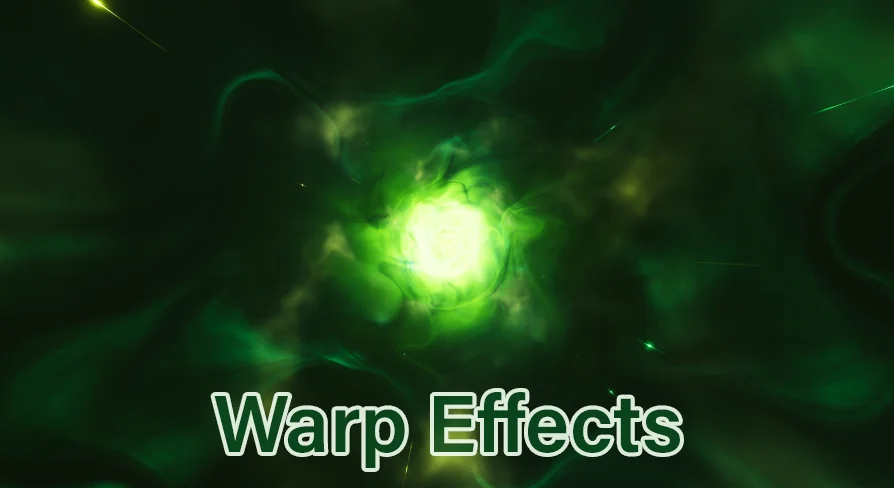
Distortion visuals alter how light, geometry, and space interact on screen. In real-time rendering, achieving convincing optical bending requires dedicated shader setups that can contract, expand, or twist visual elements dynamically. Warp Effect supplies a varied collection of warp behaviors engineered to manipulate screen space and object boundaries. Instead of locking projects into a single visual interpretation of spatial bending, the package gathers multiple warp types that address distinct motion profiles and visual intensities.
A warp effect operates by transforming visual data relative to an epicenter or directional vector. Depending on how the distortion is modulated, the result can simulate anything from violent dimensional rifts to subtle optical refractions. Having a variety of warp effects on hand allows technical artists and designers to establish consistent distortion mechanics across different gameplay events without relying on a uniform, repetitive visual asset.
Adjusting Warp Parameters Inside Blueprints
Controlling visual effects through game logic is essential for responsive interactive scenes. In this package, parameters of the warps can be tweaked directly within Blueprints. Exposing warp variables inside a Blueprint script connects the visual impact of the distortion to runtime events, animation timelines, and spatial positioning.
Blueprint-level control enables precise orchestration over when and how a warp manifests. If an effect needs to ramp up in intensity when an entity moves or when an interactive ability triggers, exposing those values within a Blueprint allows designers to drive parameters with curves, event ticks, or custom functions. By managing parameters in BP, artists avoid hardcoding visual changes into standalone assets. Instead, values like effect duration, scale factors, and trigger states can be tied into broader game systems, allowing the warp to respond instantly to gameplay variables.
Material Instance Tweaks and Shader Controls
While Blueprints govern the logic and triggering mechanisms, rendering behavior is handled through shader calculations. Warp Effect routes its visual adjustments through Material Instances, giving creators direct control over the underlying shader parameters without requiring recompilation cycles.
Material Instances allow rapid iteration over the look and feel of each warp. By adjusting the parameters exposed in the instance, artists can fine-tune distortion magnitude, edge falloff, color tinting, and texture displacement in real time. This separation between master shader logic and instance parameters keeps development workflows light. Teams can create numerous variants from a single base effect simply by establishing child instances with different parameter configurations. Whether an effect requires an intense, high-contrast bend or a faint heat-shimmer displacement, the adjustments are made directly in the material editor interface, speeding up look development across environments and characters.
Pairing Warp Effects with Character Appearance and Dissolve
Transitioning characters into or out of a scene requires careful visual alignment between mesh visibility and supplementary effects. Warp Effect includes compatibility with character appearance and dissolve mechanics, establishing a natural bridge between spatial distortion and character transitions.
When a character materializes on screen, standard fade-ins can look abrupt or disconnected from the world. Layering a warp effect over a character appearance sequence contextualizes the spawn event, suggesting that the character is stepping through bent space or coalescing from concentrated energy. Similarly, during dissolve sequences, coordinating the warp with the dissolution of the character mesh creates a cohesive breakdown effect. The visual tearing and bending of the warp accentuate the vanishing silhouette, masking hard mesh edges and blending the dissolve transition into the surrounding environment.
Adapting Across Fantasy, Space, Realistic, and Stylized Aesthetics
Visual style dictates how aggressive or expressive a distortion effect can be. Warp Effect accommodates multiple aesthetic categories, carrying tags for Fantasy, Space, Realistic, and Stylized visual treatments.
In fantasy settings, warp effects often serve as magical anomalies, spell impacts, or mystical portals. The parameter controls can be pushed toward vibrant colors, broad displacement waves, and sweeping visual signatures that signal arcane power. Space-themed scenarios demand a different visual profile, where warps represent gravitational lensing, faster-than-light jumps, or cosmic wormholes. In these contexts, deeper spatial pinching and optical distortion mimic the physical bending of light in a vacuum.
Realistic projects benefit from conservative parameter settings where the warp mimics real-world phenomena such as intense heat waves, physical shockwaves, or optical refraction through dense atmospheric layers. In contrast, stylized environments emphasize bold shapes, pronounced outlines, and exaggerated spatial squashing. Because the underlying Blueprints and Material Instances leave core variables open to adjustment, the package fits into stylized cell-shaded projects just as readily as it integrates into gritty, physically based scenes.
Implementation Considerations for Production Pipelines
Deploying a warp effect package effectively relies on clean integration between gameplay triggers and visual assets. Because this toolset provides parameter access in both Blueprints and Material Instances, technical artists can clearly divide asset responsibilities across a team. Gameplay programmers can interact with the exposed Blueprint variables to sync effect timings with state machines and physics components. Simultaneously, visual artists can independently iterate on the Material Instances to polish color balance, refraction depth, and visual clarity.
The inclusion of diverse warp styles and built-in compatibility with character appearance and dissolve states gives developers a solid foundation for handling spatial distortions. By centralizing warp controls across Blueprints and material parameters, the package supports fast adjustments, style adaptation, and seamless scene transitions throughout production.
 Transition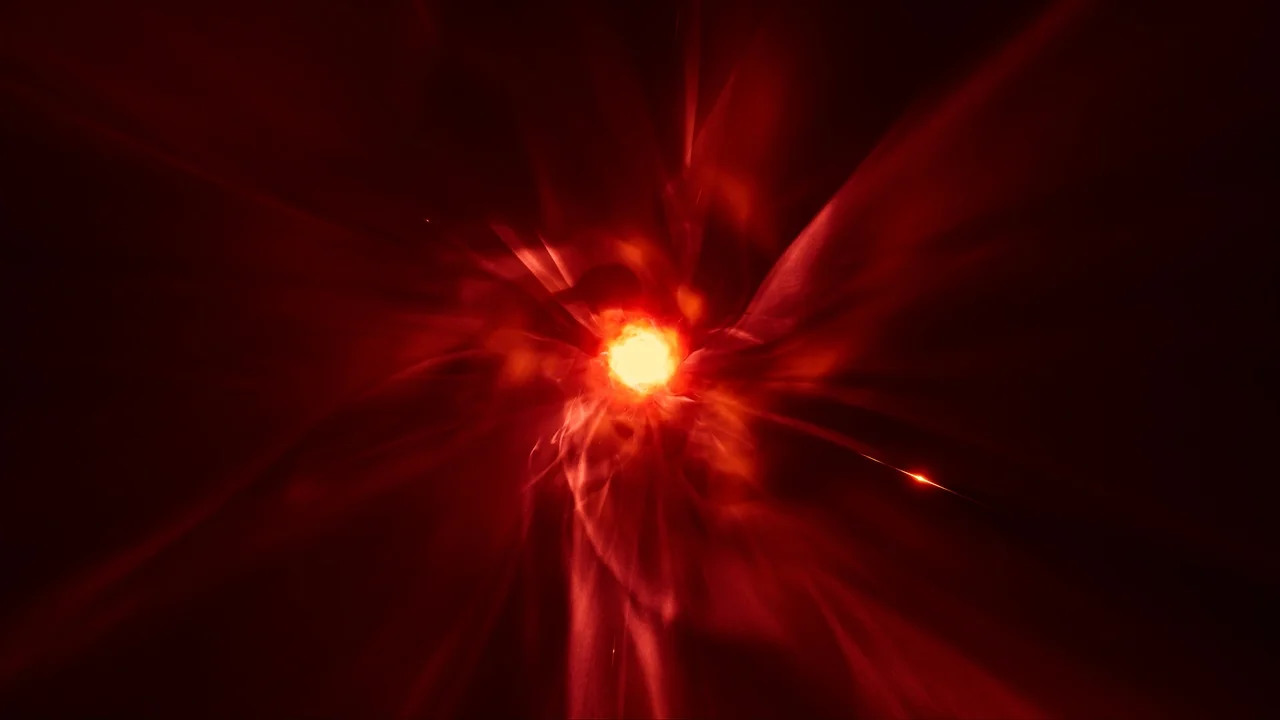
 Transition
 Transition
 Transition