Efficient Target Tracking with Universal MP Indicator
The Universal MP Indicator is a comprehensive plugin designed to track actors or specific positions within a game environment. This tool works in two distinct ways: on-screen and off-screen. Consequently, it provides a versatile solution for various gameplay needs. The developer optimized the entire system for high performance. Specifically, it does not require spawning actors in the world. This ensures that the game runs smoothly even with many active indicators.
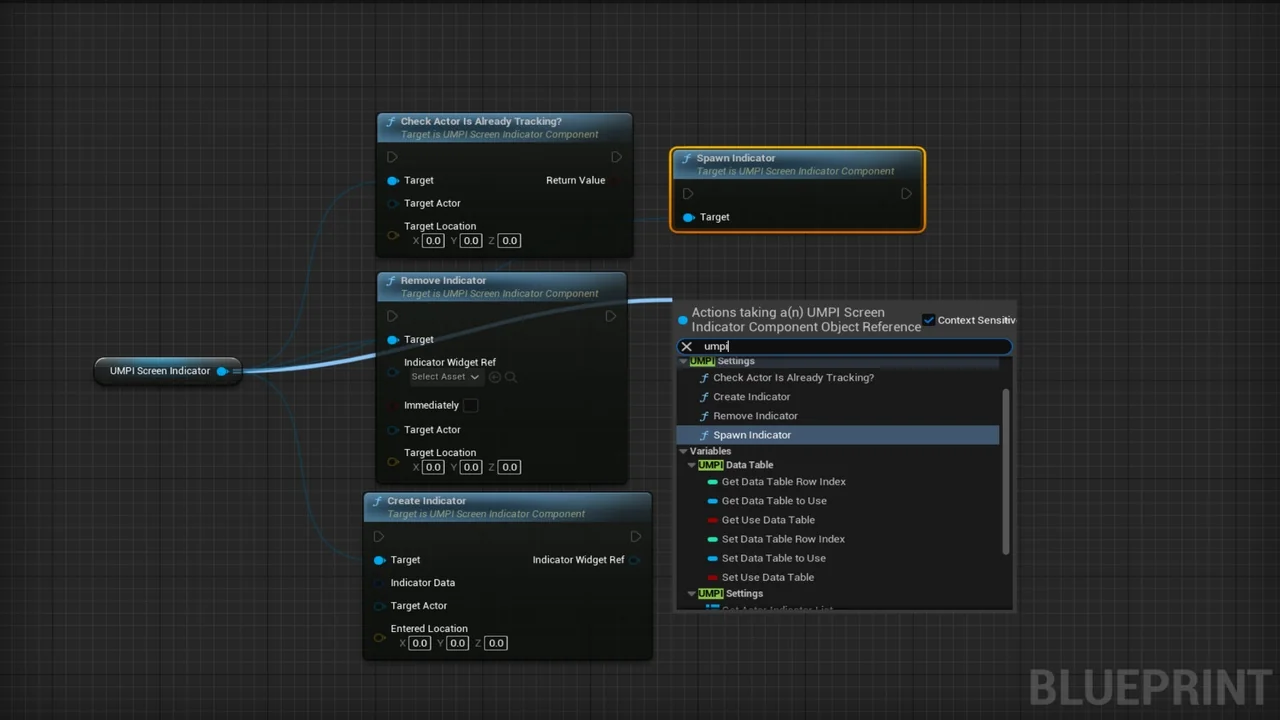
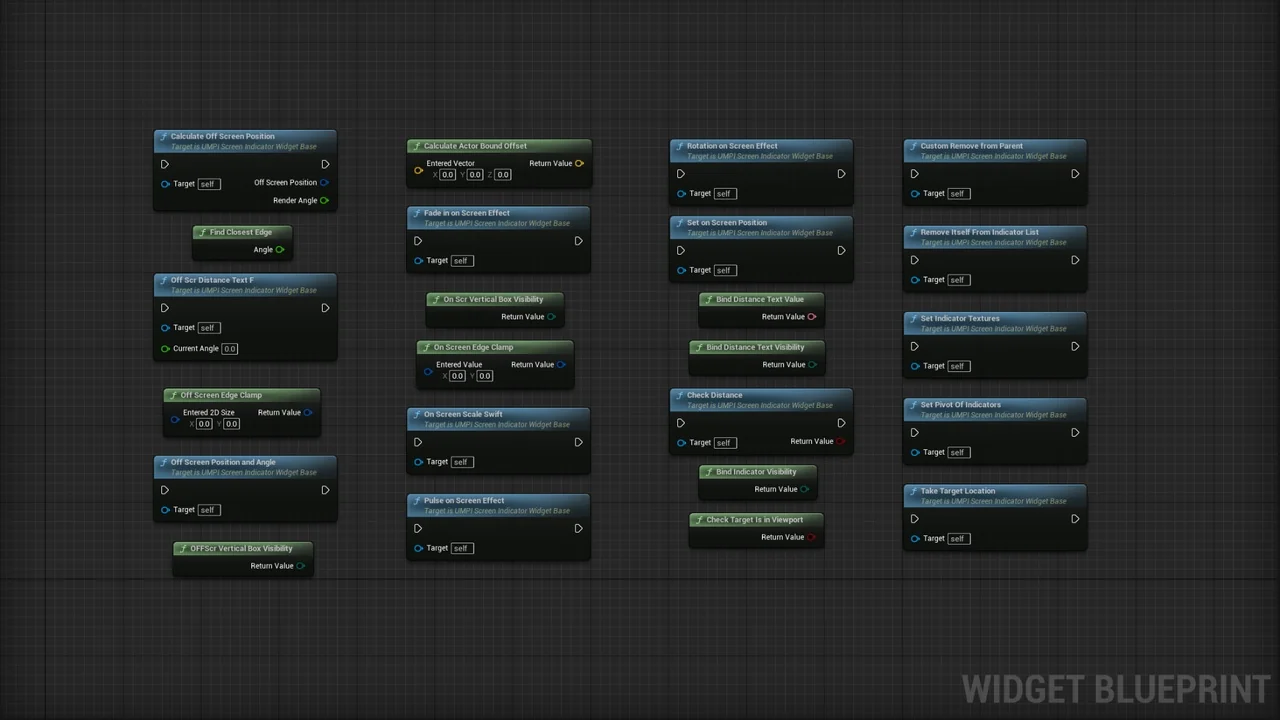
Everything in this plugin is written in C++ for direct efficiency. However, it remains simple to use with Blueprints. This makes it accessible for different development workflows. Users can apply the system to NPCs, enemies, or damage indicators. Additionally, it works as a general position or target marker. Because it is multiplatform, it can be integrated into projects targeting various devices.
Versatile On-Screen and Off-Screen Modes
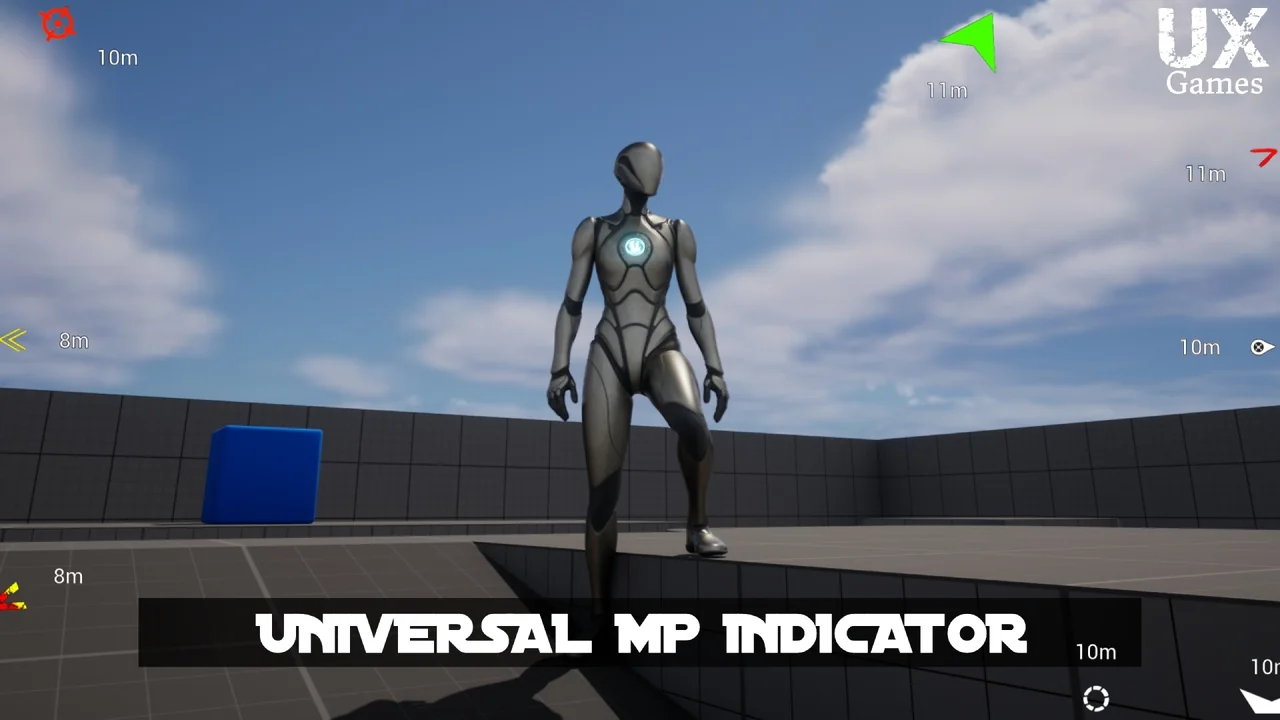
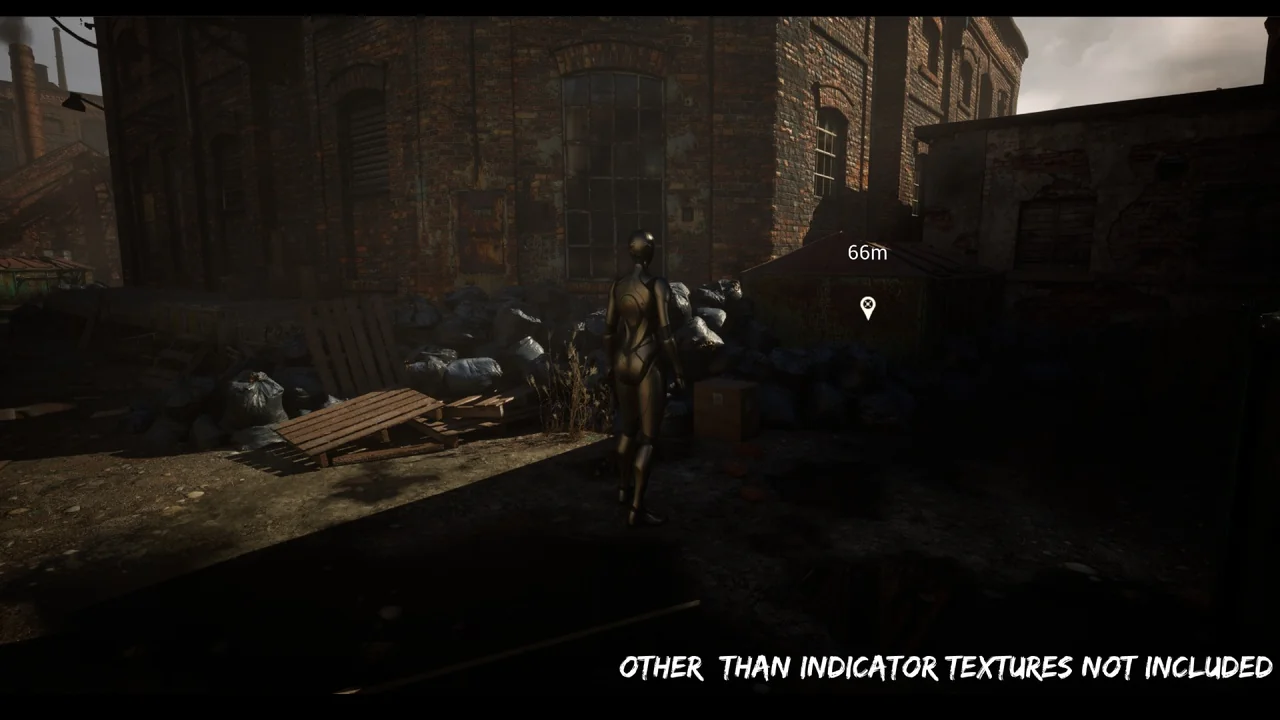
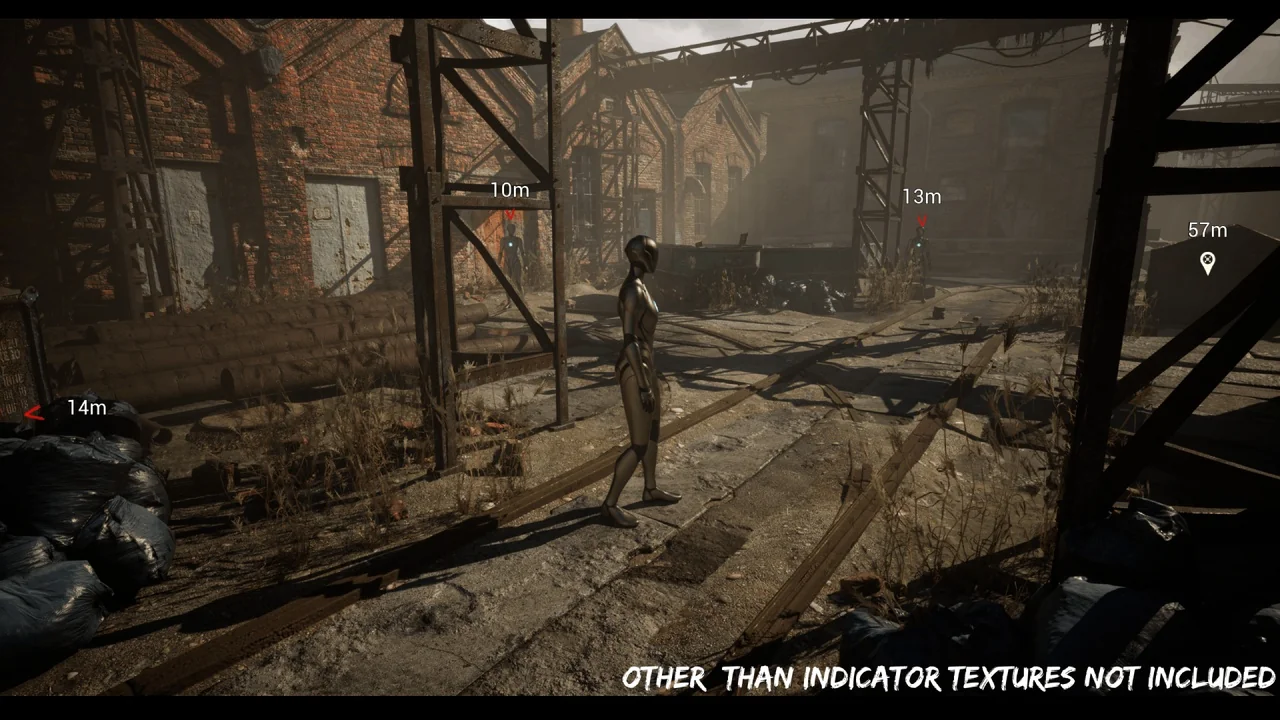
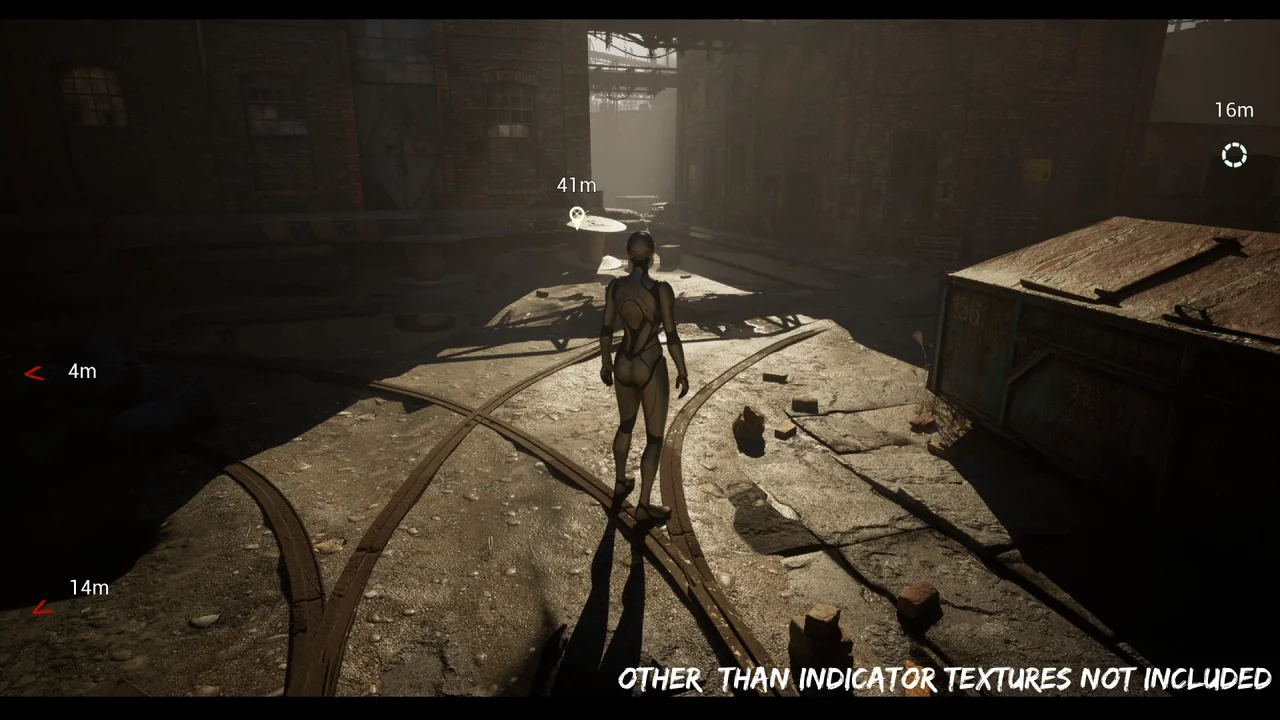
The system offers specialized methods for tracking targets that are not currently in the camera view. There are two primary off-screen modes: Circle and Screen Edge. Therefore, players can always maintain awareness of their objectives. When targets are visible, the widget-based system handles them in 2D screen space. This approach is highly optimized for modern game modes.
Moreover, the tool includes a Reach System and a Life Span feature. These allow for dynamic behavior based on player interaction. The distance-based visibility settings further enhance the user interface. Consequently, indicators can appear or disappear based on the player’s proximity to a target. This creates a cleaner and more professional HUD for the end user.
Extensive Customization and Visual Effects
Customization is a core feature of the Universal MP Indicator. Users can modify almost every visual aspect of the markers. This includes the following attributes:
- Customizable textures and UI materials.
- Adjustable size, pivot, and color.
- Dynamic scale, rotation, and opacity settings.
- Animated pulse and other visual effects.
The plugin also supports actor bound offsets. This allows the indicator to sit perfectly relative to the tracked object. Furthermore, the creator included a variety of demo indicators. These demos showcase both image-based and material-based markers. Therefore, developers have a strong starting point for their own custom designs.
Streamlined Workflow and Integration
Integrating the Universal MP Indicator into a project is straightforward. The plugin includes data table usage for managing different presets. Specifically, there are many demo data table presets available. This allows for quick iteration and testing of different indicator styles. Since it supports all game modes, it is a flexible addition to any toolkit.
In conclusion, this plugin provides a robust and optimized solution for target tracking. It combines the power of C++ with the ease of Blueprint integration. Whether you need an enemy tracker or a mission objective marker, this system offers the necessary tools. Its focus on optimization and customization makes it a valuable resource for any game developer.
Screenshots & Gallery



![[Blueprint] Web Communication Helper (Http / Websocket)](https://3dcghub.com/wp-content/uploads/2026/03/29dcf012-1c98-414b-8994-1d16b2f0978c-300x169.webp)