Direct Animation Inside the Unity Editor
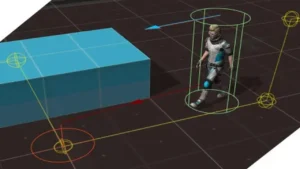
UMotion Pro serves as a comprehensive animation suite that allows developers to animate any type of 3D model without leaving the Unity environment. This integration is designed to reduce development time by allowing for immediate adjustments to character movement and object transformations. One of the primary advantages of this workflow is the ability to fine-tune animations while Unity is in play mode, providing a real-time feedback loop that is difficult to achieve when switching between external digital content creation tools and the game engine.
Critically, the tool produces standard Unity animation clips. This means that once an animation is created or modified, it does not require any additional run-time components to function. Because it relies on native Unity clips, there is no extra CPU overhead during gameplay, ensuring that the performance of the final build remains unaffected by the complexity of the animation editing process.
Advanced Kinematics and Control Systems
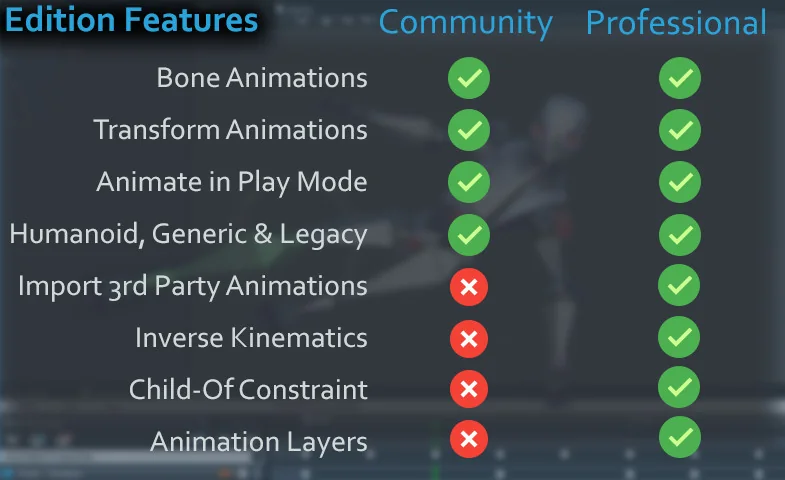
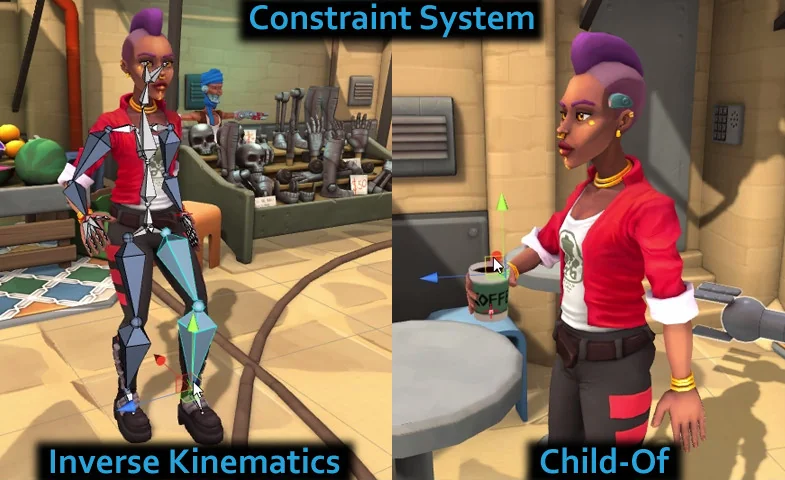
The technical core of the system includes a professional Inverse Kinematics (IK) solution. This system supports IK Pinning and FK/IK Blending, which are essential for creating grounded character movements or complex interactions between a character and the environment. These tools allow for precise control over limb placement and smooth transitions between procedural and manual movement.
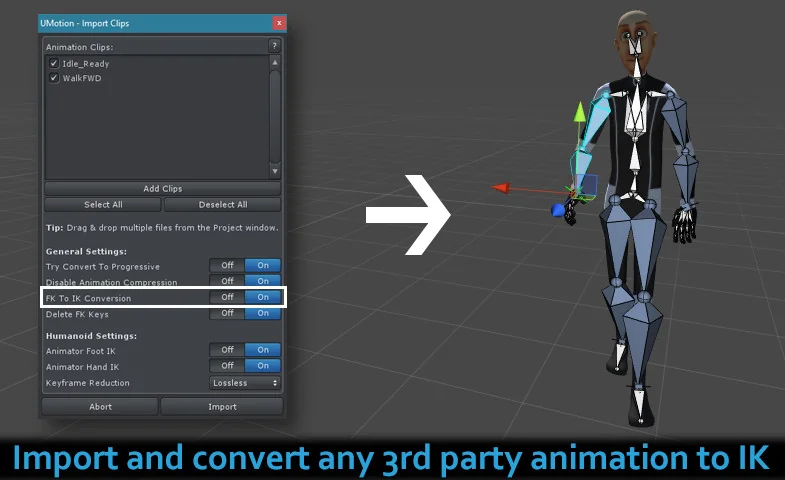
For developers working with existing assets, the software includes a feature to convert standard animations into an IK-ready setup. This allows users to edit animations that were originally created with Forward Kinematics as if they were built using the UMotion IK system. Additionally, the Child-Of Constraint provides the ability to change parenting relationships during the course of an animation, which is a necessary feature for tasks like picking up or dropping items.
Non-Destructive Workflow with Animation Layers
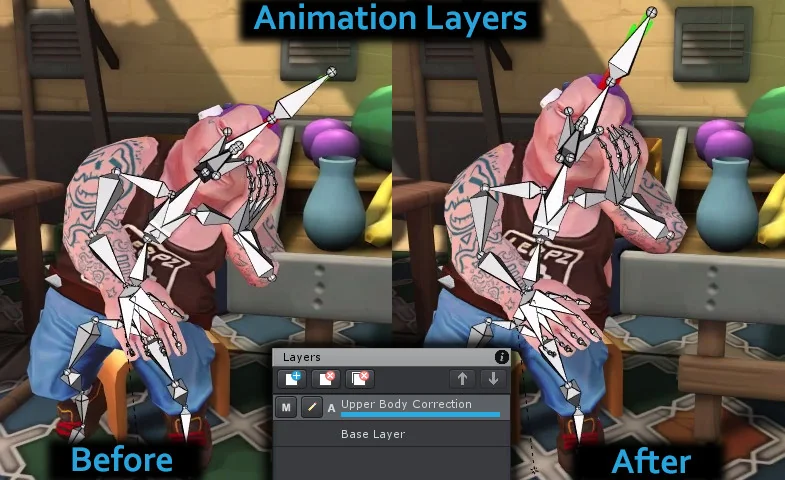
UMotion Pro introduces an Animation Layers system that supports both additive and override layers. This functionality is vital for modifying existing animations without permanently altering the original keyframes. By using layers, a developer can add secondary motion or specific character traits on top of a base animation clip, maintaining a non-destructive workflow that is easier to manage as project complexity grows.
The editor also integrates directly with the Unity Timeline. This integration allows for the direct editing of animation clips currently used within a Timeline sequence, streamlining the process of choreographing cinematic moments or complex scripted events. By editing directly on the timeline, developers can ensure that character movements are perfectly synchronized with other scene elements.
Importing and Exporting Animation Data
While the tool is built for internal use, it offers significant compatibility with external workflows. It supports the import of motion capture (mocap) data and third-party animations from the Unity Asset Store or other 3D modeling applications. When working with motion capture data, the developer recommends keeping clips under two minutes in length to maintain optimal editing performance.
On the export side, the software includes FBX Export functionality for Windows and Intel-based Mac OSX systems. This allows animations created or modified within Unity to be moved back into external 3D modeling applications for further refinement or use in other software. It is important to note that FBX export is currently not supported on Apple M1-based products.
Comprehensive Feature Set for Character Rigging
The editor supports Humanoid, Generic, and Legacy animation types, making it compatible with a wide range of rigging standards found in modern game development. It includes specialized features such as muscle groups for humanoid rigs and weighted tangents for fine-tuning the curves of an animation. Beyond bone and transform animations, the tool can also animate GameObject components, allowing for synchronized changes to scripts or visual elements alongside character movement.
Standard animation requirements like Root Motion and Animation Events are fully supported, ensuring that the animations created are ready for complex gameplay systems. The inclusion of these features allows for high-quality, professional results within a single interface. To assist with the learning curve, the developer provides an HTML-based manual modeled after Unity’s own documentation style, alongside chapter-based video tutorials that cover general, professional, and practical application scenarios.
When working with the editor, users can expect a workflow that prioritizes immediate visual results. By leveraging the built-in IK systems and the ability to edit in Play Mode, the process of refining character motion becomes a more iterative and integrated part of the scene-building process.
Visual Breakdown
Protected download
Access this resource
All resources are 100% manually reviewed to eliminate all risks.