"a19e0535960bd083"{"id":"8263","slug":"soa-cloudsmaker","title":"SOA CloudsMaker","category":"Forest \u0026 Jungle","engine":"4.26+,5.0+","assetVersion":"Engine version: 4.26+,5.0+","engineVersion":"4.26","tag":"Forest \u0026 Jungle","accent":"blue","visual":"city","summary":"Transform your digital environments with SOA CloudsMaker, a specialized tool for Unreal Engine. It offers advanced VDB support and customizable volumetric shaders for stunning, photorealistic skyboxes.","platform":"Unreal Engine","publishedAt":"2026-02-23T16:28:52.000Z","updatedAt":"2026-04-19T15:55:30.000Z","sourceNotes":[],"fileContents":[],"compatibility":["Unreal Engine","Engine version: 4.26+,5.0+"],"featuredImage":{"alt":"SOA CloudsMaker","src":"https://3dcghub.com/wp-content/uploads/2026/02/65f0b795-07d1-4935-a58f-dd78f1116139.webp"},"hasDownloadLink":true,"downloads":0,"terms":[{"taxonomy":"category","slug":"forest-and-jungle","name":"Forest \u0026 Jungle"},{"taxonomy":"post_tag","slug":"soa-cloudsmaker","name":"SOA CloudsMaker"},{"taxonomy":"post_tag","slug":"vdb-clouds","name":"VDB clouds"},{"taxonomy":"post_tag","slug":"volumetric-sky","name":"volumetric sky"}],"galleryImages":[{"src":"https://3dcghub.com/wp-content/uploads/2026/02/67df1e6af583_c21109e9-7d11-4630-b027-534d631f41bf.webp","alt":"SOA CloudsMaker"},{"src":"https://3dcghub.com/wp-content/uploads/2026/02/b76c72651fb2_bcaf0fe1-50d1-4f80-9d1e-39f6b8df81ea.webp","alt":"SOA CloudsMaker"},{"src":"https://3dcghub.com/wp-content/uploads/2026/02/eea6dfee131b_853e3eb3-9de1-4bac-82e6-aecc387b379a.webp","alt":"SOA CloudsMaker"},{"src":"https://3dcghub.com/wp-content/uploads/2026/02/4f6338e46a81_6ca84f10-69b0-4aa0-b52e-7589fd6c957e.webp","alt":"SOA CloudsMaker"},{"src":"https://3dcghub.com/wp-content/uploads/2026/02/6b110cf7daa7_101b57c0-d24d-4380-85d4-61a8372f2d7d.webp","alt":"SOA CloudsMaker"},{"src":"https://3dcghub.com/wp-content/uploads/2026/02/6c6884edcadb_a67e5697-811c-4321-960b-8b4ae85491a7.webp","alt":"SOA CloudsMaker"}],"accessPanel":{"kind":"resource","title":"Access this resource","eyebrow":"Free Download","message":"Log in or create a free account to start your download.","fileName":"SOA_CloudsMaker_v1_2.7z","safetyNote":"All resources are 100% manually reviewed to eliminate all risks.","actionLabel":"Download Free","resourceType":"Resource archive"},"contentHtml":"\u003ch2\u003eProfessional Sky Creation with SOA CloudsMaker\u003c/h2\u003e\n\u003cp\u003eSOA CloudsMaker is an advanced tool designed for Unreal Engine users who want to craft stunning, photorealistic sky environments. This resource leverages the power of volumetric rendering to provide artists with a highly customizable workflow. Consequently, creators can build immersive atmospheres that react dynamically to lighting and environmental changes. Whether you are working on a cinematic project or a large-scale game, this tool simplifies the complex process of cloud generation.\u003c/p\u003e\n\n\u003ch2\u003eAdvanced VDB Support and Features\u003c/h2\u003e\n\u003cp\u003eThe latest iteration of the tool introduces significant upgrades, specifically focusing on VDB (OpenVDB) integration. Developers can now use VDB textures within a dedicated Blueprint system to place specific cloud formations in their scenes. Moreover, the package includes seven high-quality VDB presets to help you get started immediately. Users also have the flexibility to import their own custom VDB files for unique artistic requirements. Therefore, you have total control over the shape and density of your sky elements.\u003c/p\u003e\n\n\u003cp\u003eIn addition to VDB support, the volumetric shader has been refined for better visual fidelity. The developer has rewritten the core plugin to ensure higher performance and lighter resource usage. For instance, useless textures and redundant features were removed to streamline the user experience. Meanwhile, a brand-new multichannel volume texture provides intricate details that enhance the realism of every cloud layer.\u003c/p\u003e\n\n\u003ch2\u003eDynamic Customization and Animation\u003c/h2\u003e\n\u003cp\u003eCustomization is a core strength of the SOA CloudsMaker system. Most visual parameters, such as size, contrast, bias, and offset, are now stored within a Material Parameter Collection. This design choice is particularly beneficial for technical artists. Specifically, it allows you to track these values directly within a Level Sequence. Consequently, creating animated weather transitions or time-lapse scenarios becomes a straightforward task.\u003c/p\u003e\n\n\u003ch3\u003eKey Technical Benefits:\u003c/h3\u003e\n\u003cul\u003e\n \u003cli\u003e\u003cstrong\u003eMulti-Layer Support:\u003c/strong\u003e Create complex skies with overlapping cloud layers for added depth.\u003c/li\u003e\n \u003cli\u003e\u003cstrong\u003eHeight Variations:\u003c/strong\u003e Adjust vertical profiles to add realistic differences under the cloud canopy.\u003c/li\u003e\n \u003cli\u003e\u003cstrong\u003ePlaceable Blueprints:\u003c/strong\u003e Position individual clouds exactly where they are needed in the 3D space.\u003c/li\u003e\n \u003cli\u003e\u003cstrong\u003ePerformance Optimization:\u003c/strong\u003e Includes debugging values to help monitor and maintain project performance.\u003c/li\u003e\n \u003cli\u003e\u003cstrong\u003eBroad Compatibility:\u003c/strong\u003e Supports various versions of Unreal Engine, from 4.26 up to the latest 5.5 release.\u003c/li\u003e\n\u003c/ul\u003e\n\n\u003ch2\u003eWorkflow Integration\u003c/h2\u003e\n\u003cp\u003eStarting a project with SOA CloudsMaker is designed to be intuitive. The resource includes test maps and presets that serve as a perfect foundation for new users. You can modify the shader by opening the material instances and adjusting the parameters in real-time. Furthermore, the quality settings are easily accessible within the Blueprint detail panel. This allows for quick iterations between high-fidelity cinematic renders and optimized gameplay performance.\u003c/p\u003e\n\n\u003ch2\u003eFinal Take\u003c/h2\u003e\n\u003cp\u003eSOA CloudsMaker remains a vital asset for any digital artist focusing on environmental storytelling. By combining ease of use with professional-grade volumetric features, it bridges the gap between complex technical setups and creative freedom. Finally, its consistent updates ensure that it stays compatible with the evolving landscape of modern game engines.\u003c/p\u003e\n\n\u003ch2\u003eExplore Similar Assets\u003c/h2\u003e\n\u003cul\u003e\n\u003cli\u003e\u003ca href=\"https://3dcghub.com/scifi-jungle-biome/\" title=\"Scifi Jungle Biome\"\u003eScifi Jungle Biome\u003c/a\u003e\u003c/li\u003e\n\u003cli\u003e\u003ca href=\"https://3dcghub.com/foliage-pack/\" title=\"Foliage Pack\"\u003eFoliage Pack\u003c/a\u003e\u003c/li\u003e\n\u003cli\u003e\u003ca href=\"https://3dcghub.com/colorado-nature-landscape/\" title=\"Colorado Nature Landscape\"\u003eColorado Nature Landscape\u003c/a\u003e\u003c/li\u003e\n\u003cli\u003e\u003ca href=\"https://3dcghub.com/grave-of-the-serpent-king/\" title=\"Grave Of The Serpent King\"\u003eGrave Of The Serpent King\u003c/a\u003e\u003c/li\u003e\n\u003cli\u003e\u003ca href=\"https://3dcghub.com/modular-concert-stage/\" title=\"Modular Concert Stage\"\u003eModular Concert Stage\u003c/a\u003e\u003c/li\u003e\n\u003c/ul\u003e","contentTextLength":3540,"navigation":{"current":2947,"total":4026,"previous":{"id":"8272","slug":"stylized-forest-pack-v2","title":"Stylized Forest Pack V2","category":"Forest \u0026 Jungle","platform":"Unreal Engine","updatedAt":"2026-04-19T15:55:30.000Z"},"next":{"id":"8362","slug":"twine-trees","title":"Twine Trees","category":"Forest \u0026 Jungle","platform":"Unreal Engine","updatedAt":"2026-04-19T15:55:29.000Z"}},"relatedResources":[{"id":"1001621","slug":"camp-in-the-tropic-forest","title":"Camp in the Tropic Forest","category":"Forest \u0026 Jungle","engine":"4.26+,5.0+","assetVersion":"","engineVersion":"Engine Version: 4.26+,5.0+","tag":"Forest \u0026 Jungle","accent":"blue","visual":"mech","summary":"Explore Camp in the Tropic Forest, a compact stylized environment collection designed for fantasy levels and compatible with 50 terrain materials.","platform":"Unreal Engine","publishedAt":"2026-10-13T01:53:26.798Z","updatedAt":"2026-10-13T01:53:26.798Z","sourceNotes":[],"fileContents":[],"compatibility":["Unreal Engine","Engine Version: 4.26+,5.0+"],"featuredImage":{"alt":"Camp in the Tropic Forest","src":"https://media.fab.com/image_previews/gallery_images/19d2eefd-80cc-4eb8-9315-bde8ed8a63fc/eb1cd14c-0c66-40db-be2c-e5a6ba509794.png"},"hasDownloadLink":true,"downloads":2},{"id":"1001735","slug":"lowpoly-style-woodlands-pack","title":"Lowpoly Style Woodlands Pack","category":"Forest \u0026 Jungle","engine":"4.26+,5.0+","assetVersion":"","engineVersion":"Engine Version: 4.26+,5.0+","tag":"Forest \u0026 Jungle","accent":"blue","visual":"mech","summary":"Construct stylized alpine landscapes and woodland camps using the Lowpoly Style Woodlands Pack, featuring unified material batching and modular nature assets.","platform":"Unreal Engine","publishedAt":"2026-10-20T02:40:02.803Z","updatedAt":"2026-10-20T02:40:02.803Z","sourceNotes":[],"fileContents":[],"compatibility":["Unreal Engine","Engine Version: 4.26+,5.0+"],"featuredImage":{"alt":"Lowpoly Style Woodlands Pack","src":"/wp-content/uploads/published/2026/10/066b0cf4ab99-f8e12b2e-0c2b-4e5d-9ccd-60d3246ca57a-d7f06bb336.webp"},"hasDownloadLink":true,"downloads":0},{"id":"1001668","slug":"stylized-forest-cave","title":"Stylized Forest Cave","category":"Forest \u0026 Jungle","engine":"4.20+,5.0+","assetVersion":"","engineVersion":"Engine Version: 4.20+,5.0+","tag":"Forest \u0026 Jungle","accent":"blue","visual":"mech","summary":"Explore Stylized Forest Cave, featuring simple landscape terrain, cave geometry, fantasy props, and compatibility with the Stylized Terrain Pack of 50 Materials","platform":"Unreal Engine","publishedAt":"2026-10-13T15:10:51.205Z","updatedAt":"2026-10-13T15:10:51.205Z","sourceNotes":[],"fileContents":[],"compatibility":["Unreal Engine","Engine Version: 4.20+,5.0+"],"featuredImage":{"alt":"Stylized Forest Cave","src":"/wp-content/uploads/published/2026/10/5d10bd76e713-41574d66-e077-40a6-85b2-5240bc197b46-a5a75e7023.webp"},"hasDownloadLink":true,"downloads":0}]}
Forest & Jungle
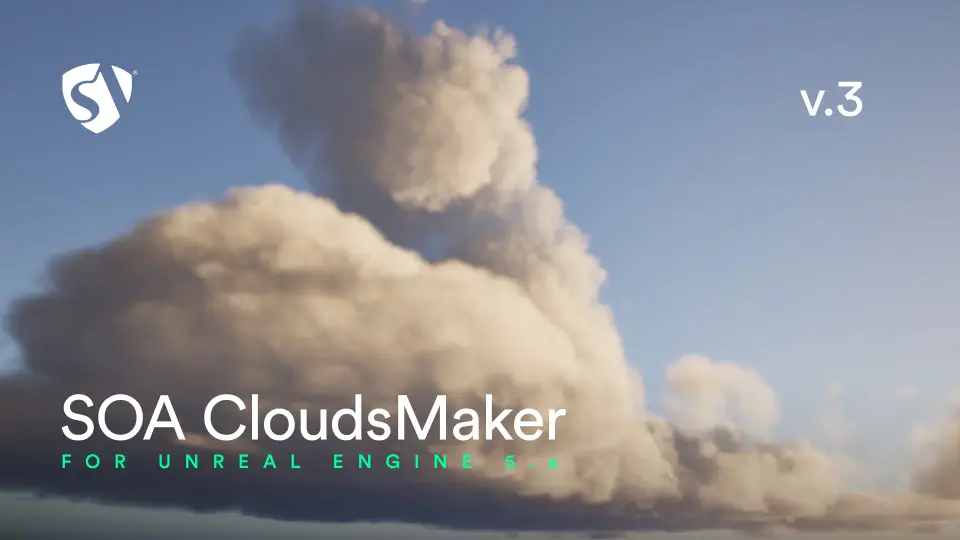
SOA CloudsMaker
Transform your digital environments with SOA CloudsMaker, a specialized tool for Unreal Engine. It offers advanced VDB support and customizable volumetric shaders for stunning, photorealistic skyboxes.
SOA CloudsMaker is an advanced tool designed for Unreal Engine users who want to craft stunning, photorealistic sky environments. This resource leverages the power of volumetric rendering to provide artists with a highly customizable workflow. Consequently, creators can build immersive atmospheres that react dynamically to lighting and environmental changes. Whether you are working on a cinematic project or a large-scale game, this tool simplifies the complex process of cloud generation.
Advanced VDB Support and Features
The latest iteration of the tool introduces significant upgrades, specifically focusing on VDB (OpenVDB) integration. Developers can now use VDB textures within a dedicated Blueprint system to place specific cloud formations in their scenes. Moreover, the package includes seven high-quality VDB presets to help you get started immediately. Users also have the flexibility to import their own custom VDB files for unique artistic requirements. Therefore, you have total control over the shape and density of your sky elements.
In addition to VDB support, the volumetric shader has been refined for better visual fidelity. The developer has rewritten the core plugin to ensure higher performance and lighter resource usage. For instance, useless textures and redundant features were removed to streamline the user experience. Meanwhile, a brand-new multichannel volume texture provides intricate details that enhance the realism of every cloud layer.
Dynamic Customization and Animation
Customization is a core strength of the SOA CloudsMaker system. Most visual parameters, such as size, contrast, bias, and offset, are now stored within a Material Parameter Collection. This design choice is particularly beneficial for technical artists. Specifically, it allows you to track these values directly within a Level Sequence. Consequently, creating animated weather transitions or time-lapse scenarios becomes a straightforward task.
Key Technical Benefits:
Multi-Layer Support: Create complex skies with overlapping cloud layers for added depth.
Height Variations: Adjust vertical profiles to add realistic differences under the cloud canopy.
Placeable Blueprints: Position individual clouds exactly where they are needed in the 3D space.
Performance Optimization: Includes debugging values to help monitor and maintain project performance.
Broad Compatibility: Supports various versions of Unreal Engine, from 4.26 up to the latest 5.5 release.
Workflow Integration
Starting a project with SOA CloudsMaker is designed to be intuitive. The resource includes test maps and presets that serve as a perfect foundation for new users. You can modify the shader by opening the material instances and adjusting the parameters in real-time. Furthermore, the quality settings are easily accessible within the Blueprint detail panel. This allows for quick iterations between high-fidelity cinematic renders and optimized gameplay performance.
Final Take
SOA CloudsMaker remains a vital asset for any digital artist focusing on environmental storytelling. By combining ease of use with professional-grade volumetric features, it bridges the gap between complex technical setups and creative freedom. Finally, its consistent updates ensure that it stays compatible with the evolving landscape of modern game engines.
 Forest & Jungle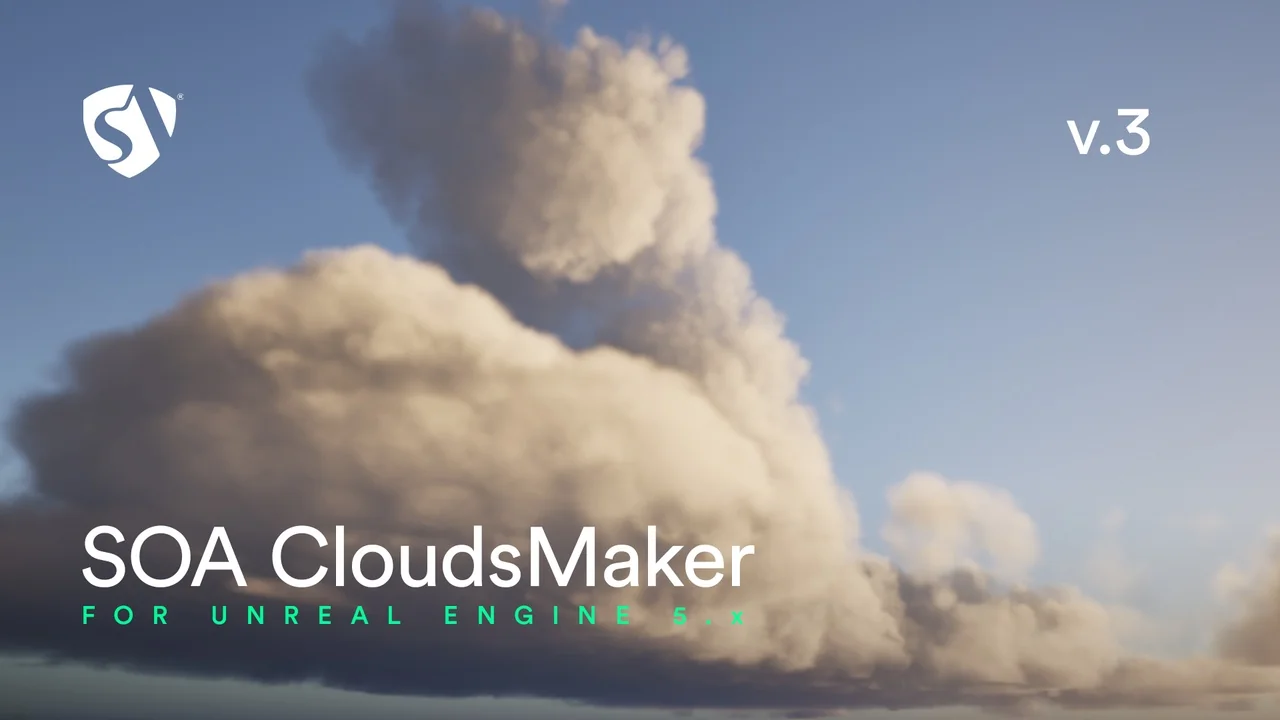
 Forest & Jungle
 Forest & Jungle
 Forest & Jungle