"efaa631e936fd3ee"{"id":"1002173","slug":"rapier-anim-set","title":"Rapier Anim Set","category":"Animations","engine":"1.23","assetVersion":"Original Unity version: 2020.3.12","engineVersion":"Asset Version: 1.23","tag":"Animations","accent":"cyan","visual":"animation","summary":"Explore the Rapier Anim Set for Unity, featuring over 113 dynamic keyframe humanoid animations, root motion variants, and specialized swordplay combos.","platform":"Unity","publishedAt":"2026-10-29T10:44:49.154Z","updatedAt":"2026-10-29T10:44:49.154Z","sourceNotes":[],"fileContents":[],"compatibility":["Unity","Original Unity version: 2020.3.12","Asset Version: 1.23"],"featuredImage":{"alt":"Rapier Anim Set","src":"/wp-content/uploads/published/2026/10/0b096d1aaf28-5e0318f8-98f3-4d20-9ee5-49494886a4b5-1280x720-stretch-5fd52c7b9d.webp"},"hasDownloadLink":true,"downloads":0,"terms":[{"taxonomy":"category","slug":"animations-3d-unity-2","name":"Animations"}],"galleryImages":[{"src":"/wp-content/uploads/published/2026/10/7d4799134f35-44b6c174-3365-4b00-ad23-c2b24716890d-scaled-ee223e8552.webp","alt":"Rapier Anim Set"},{"src":"/wp-content/uploads/published/2026/10/0439449bc188-b9a2ec93-d460-437d-9b70-42a3c7b0cb6c-scaled-c2b46e4725.webp","alt":"Rapier Anim Set"},{"src":"/wp-content/uploads/published/2026/10/1b7e1a39e0b4-1c86fb59-61b5-4469-a487-937ffcf5338b-scaled-21325e33d2.webp","alt":"Rapier Anim Set"},{"src":"/wp-content/uploads/published/2026/10/096b258e4cb5-51fbac17-2c82-46ad-803a-50893eb7dcc3-scaled-ced8f0ced9.webp","alt":"Rapier Anim Set"},{"src":"/wp-content/uploads/published/2026/10/34506f7e3e54-0514f9bc-6af6-4b58-b181-16a7590dd456-scaled-fb12433070.webp","alt":"Rapier Anim Set"},{"src":"/wp-content/uploads/published/2026/10/1dd257e5a0cd-2c7f6e14-ac23-4f02-934b-b4971f8c22fc-scaled-d4009bcc00.webp","alt":"Rapier Anim Set"},{"src":"/wp-content/uploads/published/2026/10/387290a0a8a6-97e81379-93a8-4b19-81de-4db34cb42c9c-scaled-ca2ad50dbd.webp","alt":"Rapier Anim Set"}],"accessPanel":{"kind":"resource","title":"Download this resource","eyebrow":"Free Download","message":"Log in or create a free account to start your download.","fileName":"Rapier Anim Set v1.23.7z","safetyNote":"Resources are manually reviewed before listing to improve quality and reduce obvious risks.","actionLabel":"Download Free","resourceType":"Resource archive"},"contentHtml":"\u003cp\u003eFast-paced fencing encounters, grand duels across castle courtyards, and agile dungeon skirmishes rely heavily on precise, directional weapon handling. In third-person action games, a rapier demands an entirely different kinetic presence than broadswords or greatswords. The weight transitions, thrust momentum, and evasive balance must reflect a lightweight, piercing blade. The Rapier Anim Set supplies the foundational motions required to establish this distinct fighting profile, shaping character controllers around light-footed footwork, rapid multi-hit combos, and decisive thrusting skills.\u003c/p\u003e \u003ch2\u003eCombat Archetypes for the Agile Swordsman\u003c/h2\u003e\n\u003cp\u003eCharacters centered around thrusting weapons often operate as agile duelists, noble knights, or dexterity-focused spellswords. Rather than wide sweeping arcs with long windup frames, a rapier moveset thrives on rapid linear engagements, lunges, and controlled disengagements. This collection provides the animation vocabulary for a hero capable of deploying quick stinger strikes and fluid swordplay without sacrificing defensive readiness.\u003c/p\u003e \u003cp\u003eBecause visual effects are not included in the package, each motion relies strictly on dynamic keyframe craftsmanship to convey impact, weight, and blade velocity. The physical extension of the character’s arm, the alignment of the torso during a forward lunge, and the recoil following a parry or strike provide clear visual cues for telegraphing gameplay windows. Developers can overlay custom particle effects, weapon trails, and spark emitters precisely where the blade tip accelerates without needing to strip away pre-baked effects.\u003c/p\u003e \u003ch2\u003eChoreographing Rapier Combos and Stinger Attacks\u003c/h2\u003e\n\u003cp\u003eOffensive sequences form the core of the package, which supplies over 113 animations overall. The combat moves are partitioned into distinct functional roles, allowing complex combo trees to branch according to player input:\u003c/p\u003e\n\u003cul\u003e \u003cli\u003e\u003cstrong\u003eAttack sequences:\u003c/strong\u003e 9 individual single-strike attacks intended for baseline pokes, feints, and opening thrusts.\u003c/li\u003e \u003cli\u003e\u003cstrong\u003eCombo strings:\u003c/strong\u003e 27 combo animations suited to chaining extended sequences, flurry strikes, and rhythmic multi-hit sequences.\u003c/li\u003e \u003cli\u003e\u003cstrong\u003eEnhancement and buffs:\u003c/strong\u003e 4 specialized buff animations, suited for weapon enchantments, combat stances, or active skill activations.\u003c/li\u003e \u003cli\u003e\u003cstrong\u003eReady states:\u003c/strong\u003e 3 equip and unequip transitions that handle weapon presentation and sheathing during peaceful exploration or tactical engagements.\u003c/li\u003e\n\u003c/ul\u003e \u003cp\u003eThe extensive combo pool offers sufficient variety to construct varied attack trees rather than forcing characters into a single repetitive three-hit cycle. You can map lighter, probing attacks into heavy finishing lunges, or route combo branches into specialized stinger techniques that drive through enemy defenses.\u003c/p\u003e \u003ch2\u003eRoot Motion Versus Inplace Navigation in Locomotion\u003c/h2\u003e\n\u003cp\u003eHandling movement during combat requires balancing visual realism against responsiveness. The asset addresses this by providing both root motion and inplace versions across its locomotion and maneuver assets. System designs that favor root motion can allow the animation’s baked displacement curves to govern character physics, producing natural body shifts when lunging or ducking away. Conversely, games reliant on character controller colliders, pathfinding agents, or strict input response curves can leverage the inplace variants and manage velocity programmatically.\u003c/p\u003e \u003cp\u003eThe movement and evasion catalog covers every axis of motion needed to pilot an agile combatant:\u003c/p\u003e\n\u003cul\u003e \u003cli\u003e\u003cstrong\u003eStandard traversal:\u003c/strong\u003e 18 movement animations covering directional walking, running, and strafing, supported by 2 idle states.\u003c/li\u003e \u003cli\u003e\u003cstrong\u003eAirborne mechanics:\u003c/strong\u003e 2 jump animations tailored to clear obstacles or initiate aerial maneuvers.\u003c/li\u003e \u003cli\u003e\u003cstrong\u003eEvasive movement:\u003c/strong\u003e 4 avoid animations and 2 dedicated dodge maneuvers for repositioning during incoming strikes.\u003c/li\u003e \u003cli\u003e\u003cstrong\u003eDefensive maneuvers:\u003c/strong\u003e 3 defense animations to manage guard poses, parry blocks, and deflection stances.\u003c/li\u003e\n\u003c/ul\u003e \u003cp\u003eIntegrating these complementary sets allows developers to configure seamless transitions from high-speed sprinting directly into an evasive slide or a forward-thrusting engagement.\u003c/p\u003e \u003ch2\u003eManaging Hit Reactions, Downed States, and Recovery Transitions\u003c/h2\u003e\n\u003cp\u003eA responsive combat system relies as much on taking damage as it does on delivering hits. Fluid combat breaks down if an agile duelist simply freezes or snaps unnaturally when interrupted. The asset incorporates an extensive matrix of physical response animations to build believable flinch trees and fail states:\u003c/p\u003e\n\u003cul\u003e \u003cli\u003e\u003cstrong\u003eImpact responses:\u003c/strong\u003e 9 distinct hit reactions handling varied impact intensities and angles of strike.\u003c/li\u003e \u003cli\u003e\u003cstrong\u003eSevere knockdowns:\u003c/strong\u003e 13 down animations capturing heavy impacts that displace the character completely onto the ground.\u003c/li\u003e \u003cli\u003e\u003cstrong\u003eRecovery frames:\u003c/strong\u003e 3 rise animations to animate the character standing up and regaining their combat stance.\u003c/li\u003e \u003cli\u003e\u003cstrong\u003eDefeat states:\u003c/strong\u003e 10 dead animations offering diverse collapse poses, ranging from sudden collapses to directional falls.\u003c/li\u003e\n\u003c/ul\u003e \u003cp\u003eHaving 13 separate down states and multiple rise options makes it possible to build layered knockdown mechanics. Instead of cycling through an identical falling animation during extended boss encounters or skirmishes against heavy enemies, state machines can pick context-appropriate responses based on the force and trajectory of incoming attacks.\u003c/p\u003e \u003ch2\u003eHumanoid Compatibility and Project Architecture in Unity\u003c/h2\u003e\n\u003cp\u003eBuilt for the Unity ecosystem, the package is structured as a standard unitypackage containing 275 individual assets across 214.8 MB. The motions are configured using the Unity Humanoid rig standard and include an initial T-pose to facilitate retargeting across custom avatars, modular armor rigs, and character models. Because the asset adheres to the Humanoid specification, remapping the keyframes from the default reference rig to proprietary fantasy characters requires minimal bone remapping.\u003c/p\u003e \u003cp\u003eThe package originated under Unity 2020.3.12 and carries official compatibility through Unity 2022.3.49. Incremental releases cleaned up legacy GUID conflicts, removed outdated project directories, updated naming conventions for clearer asset organization, and resolved console errors and warnings. When configuring the Unity Animator Controller, the standardized naming allows developers to quickly organize attacks, dodges, and hit reactions into structured blend trees and sub-state machines without spending setup time sorting ambiguous clips.\u003c/p\u003e\n\n\u003ch2\u003eExplore Similar Assets\u003c/h2\u003e\n\u003cul\u003e\n\u003cli\u003e\u003ca href=\"https://3dcghub.com/superhero-animset/\" title=\"superhero animset\"\u003esuperhero animset\u003c/a\u003e\u003c/li\u003e\n\u003cli\u003e\u003ca href=\"https://3dcghub.com/insane-gunner-animset/\" title=\"Insane Gunner AnimSet\"\u003eInsane Gunner AnimSet\u003c/a\u003e\u003c/li\u003e\n\u003cli\u003e\u003ca href=\"https://3dcghub.com/sorceress-warrior-mecanim-animation-pack/\" title=\"Sorceress Warrior Mecanim Animation Pack\"\u003eSorceress Warrior Mecanim Animation Pack\u003c/a\u003e\u003c/li\u003e\n\u003cli\u003e\u003ca href=\"https://3dcghub.com/paladin-anim-set/\" title=\"Paladin Anim Set\"\u003ePaladin Anim Set\u003c/a\u003e\u003c/li\u003e\n\u003cli\u003e\u003ca href=\"https://3dcghub.com/great-dualblade-animset/\" title=\"Great DualBlade AnimSet\"\u003eGreat DualBlade AnimSet\u003c/a\u003e\u003c/li\u003e\n\u003c/ul\u003e","contentTextLength":6481,"navigation":{"current":112,"total":4209,"previous":{"id":"1002174","slug":"robot-spider","title":"Robot Spider","category":"Characters \u0026 Creatures","platform":"Unreal Engine","updatedAt":"2026-10-29T10:54:47.040Z"},"next":{"id":"1002172","slug":"robot-bee","title":"Robot Bee","category":"Characters \u0026 Creatures","platform":"Unreal Engine","updatedAt":"2026-10-29T10:15:34.621Z"}},"relatedResources":[{"id":"18535","slug":"superhero-animset","title":"superhero animset","category":"Animations","engine":"Original Unity version: 2020.3.12","assetVersion":"Original Unity version: 2020.3.12","engineVersion":"Asset Version:1.0","tag":"Animations","accent":"cyan","visual":"animation","summary":"Enhance your project with the superhero animset, a collection of over 50 high-quality flying animations. Designed for powerful characters and flying bosses, this set includes both attacker and victim motions for seamless combat.","platform":"Unity","publishedAt":"2026-03-16T16:28:00.000Z","updatedAt":"2026-04-19T15:43:04.000Z","sourceNotes":[],"fileContents":[],"compatibility":["Unity","Original Unity version: 2020.3.12","Asset Version: 1.0"],"featuredImage":{"alt":"superhero animset","src":"https://3dcghub.com/wp-content/uploads/2026/03/c19f89917b7f_73d4eba9-d21a-4e80-b8ab-04f2efd0f603_1280x720_stretch.webp"},"hasDownloadLink":true,"downloads":3},{"id":"18482","slug":"insane-gunner-animset","title":"Insane Gunner AnimSet","category":"Animations","engine":"Original Unity version: 2020.3.12","assetVersion":"Original Unity version: 2020.3.12","engineVersion":"Asset Version:1.0","tag":"Animations","accent":"cyan","visual":"animation","summary":"Transform your project with the Insane Gunner AnimSet, a massive collection of 186+ animations designed for hyper action RPGs. This set provides everything needed for a main character to perform stylish, fast-paced combat.","platform":"Unity","publishedAt":"2026-03-16T16:11:17.000Z","updatedAt":"2026-04-19T15:43:05.000Z","sourceNotes":[],"fileContents":[],"compatibility":["Unity","Original Unity version: 2020.3.12","Asset Version: 1.0"],"featuredImage":{"alt":"Insane Gunner AnimSet","src":"https://3dcghub.com/wp-content/uploads/2026/03/8c877429c50a_1a052a6f-355f-497a-be0d-3fea7c694e51_1280x720_stretch.webp"},"hasDownloadLink":true,"downloads":7},{"id":"18527","slug":"sorceress-warrior-mecanim-animation-pack","title":"Sorceress Warrior Mecanim Animation Pack","category":"Animations","engine":"Original Unity version: 2022.3.61","assetVersion":"Original Unity version: 2022.3.61","engineVersion":"Asset Version:2.8.1","tag":"Animations","accent":"cyan","visual":"animation","summary":"Upgrade your project with the Sorceress Warrior Mecanim Animation Pack, featuring 54 high-quality animations and a fully functional character controller. This professional set is designed for seamless integration into Unity games.","platform":"Unity","publishedAt":"2026-03-16T16:27:37.000Z","updatedAt":"2026-04-19T15:43:04.000Z","sourceNotes":[],"fileContents":[],"compatibility":["Unity","Original Unity version: 2022.3.61","Asset Version: 2.8.1"],"featuredImage":{"alt":"Sorceress Warrior Mecanim Animation Pack","src":"https://3dcghub.com/wp-content/uploads/2026/03/64fded39cbc8_2d03ff3d-63d2-4990-a475-26e2f377fb2e_1280x720_stretch.webp"},"hasDownloadLink":true,"downloads":0}]}
Animations
Rapier Anim Set
Explore the Rapier Anim Set for Unity, featuring over 113 dynamic keyframe humanoid animations, root motion variants, and specialized swordplay combos.
Category:Unity,AnimationsPlatform: UnityOriginal Unity version: 2020.3.12Asset Version: 1.23Published: Oct 29, 2026
Animations
Resource overview
Fast-paced fencing encounters, grand duels across castle courtyards, and agile dungeon skirmishes rely heavily on precise, directional weapon handling. In third-person action games, a rapier demands an entirely different kinetic presence than broadswords or greatswords. The weight transitions, thrust momentum, and evasive balance must reflect a lightweight, piercing blade. The Rapier Anim Set supplies the foundational motions required to establish this distinct fighting profile, shaping character controllers around light-footed footwork, rapid multi-hit combos, and decisive thrusting skills.
Combat Archetypes for the Agile Swordsman
Characters centered around thrusting weapons often operate as agile duelists, noble knights, or dexterity-focused spellswords. Rather than wide sweeping arcs with long windup frames, a rapier moveset thrives on rapid linear engagements, lunges, and controlled disengagements. This collection provides the animation vocabulary for a hero capable of deploying quick stinger strikes and fluid swordplay without sacrificing defensive readiness.
Because visual effects are not included in the package, each motion relies strictly on dynamic keyframe craftsmanship to convey impact, weight, and blade velocity. The physical extension of the character’s arm, the alignment of the torso during a forward lunge, and the recoil following a parry or strike provide clear visual cues for telegraphing gameplay windows. Developers can overlay custom particle effects, weapon trails, and spark emitters precisely where the blade tip accelerates without needing to strip away pre-baked effects.
Choreographing Rapier Combos and Stinger Attacks
Offensive sequences form the core of the package, which supplies over 113 animations overall. The combat moves are partitioned into distinct functional roles, allowing complex combo trees to branch according to player input:
Attack sequences: 9 individual single-strike attacks intended for baseline pokes, feints, and opening thrusts.
Combo strings: 27 combo animations suited to chaining extended sequences, flurry strikes, and rhythmic multi-hit sequences.
Enhancement and buffs: 4 specialized buff animations, suited for weapon enchantments, combat stances, or active skill activations.
Ready states: 3 equip and unequip transitions that handle weapon presentation and sheathing during peaceful exploration or tactical engagements.
The extensive combo pool offers sufficient variety to construct varied attack trees rather than forcing characters into a single repetitive three-hit cycle. You can map lighter, probing attacks into heavy finishing lunges, or route combo branches into specialized stinger techniques that drive through enemy defenses.
Root Motion Versus Inplace Navigation in Locomotion
Handling movement during combat requires balancing visual realism against responsiveness. The asset addresses this by providing both root motion and inplace versions across its locomotion and maneuver assets. System designs that favor root motion can allow the animation’s baked displacement curves to govern character physics, producing natural body shifts when lunging or ducking away. Conversely, games reliant on character controller colliders, pathfinding agents, or strict input response curves can leverage the inplace variants and manage velocity programmatically.
The movement and evasion catalog covers every axis of motion needed to pilot an agile combatant:
Standard traversal: 18 movement animations covering directional walking, running, and strafing, supported by 2 idle states.
Airborne mechanics: 2 jump animations tailored to clear obstacles or initiate aerial maneuvers.
Evasive movement: 4 avoid animations and 2 dedicated dodge maneuvers for repositioning during incoming strikes.
Defensive maneuvers: 3 defense animations to manage guard poses, parry blocks, and deflection stances.
Integrating these complementary sets allows developers to configure seamless transitions from high-speed sprinting directly into an evasive slide or a forward-thrusting engagement.
Managing Hit Reactions, Downed States, and Recovery Transitions
A responsive combat system relies as much on taking damage as it does on delivering hits. Fluid combat breaks down if an agile duelist simply freezes or snaps unnaturally when interrupted. The asset incorporates an extensive matrix of physical response animations to build believable flinch trees and fail states:
Impact responses: 9 distinct hit reactions handling varied impact intensities and angles of strike.
Severe knockdowns: 13 down animations capturing heavy impacts that displace the character completely onto the ground.
Recovery frames: 3 rise animations to animate the character standing up and regaining their combat stance.
Defeat states: 10 dead animations offering diverse collapse poses, ranging from sudden collapses to directional falls.
Having 13 separate down states and multiple rise options makes it possible to build layered knockdown mechanics. Instead of cycling through an identical falling animation during extended boss encounters or skirmishes against heavy enemies, state machines can pick context-appropriate responses based on the force and trajectory of incoming attacks.
Humanoid Compatibility and Project Architecture in Unity
Built for the Unity ecosystem, the package is structured as a standard unitypackage containing 275 individual assets across 214.8 MB. The motions are configured using the Unity Humanoid rig standard and include an initial T-pose to facilitate retargeting across custom avatars, modular armor rigs, and character models. Because the asset adheres to the Humanoid specification, remapping the keyframes from the default reference rig to proprietary fantasy characters requires minimal bone remapping.
The package originated under Unity 2020.3.12 and carries official compatibility through Unity 2022.3.49. Incremental releases cleaned up legacy GUID conflicts, removed outdated project directories, updated naming conventions for clearer asset organization, and resolved console errors and warnings. When configuring the Unity Animator Controller, the standardized naming allows developers to quickly organize attacks, dodges, and hit reactions into structured blend trees and sub-state machines without spending setup time sorting ambiguous clips.
 Animations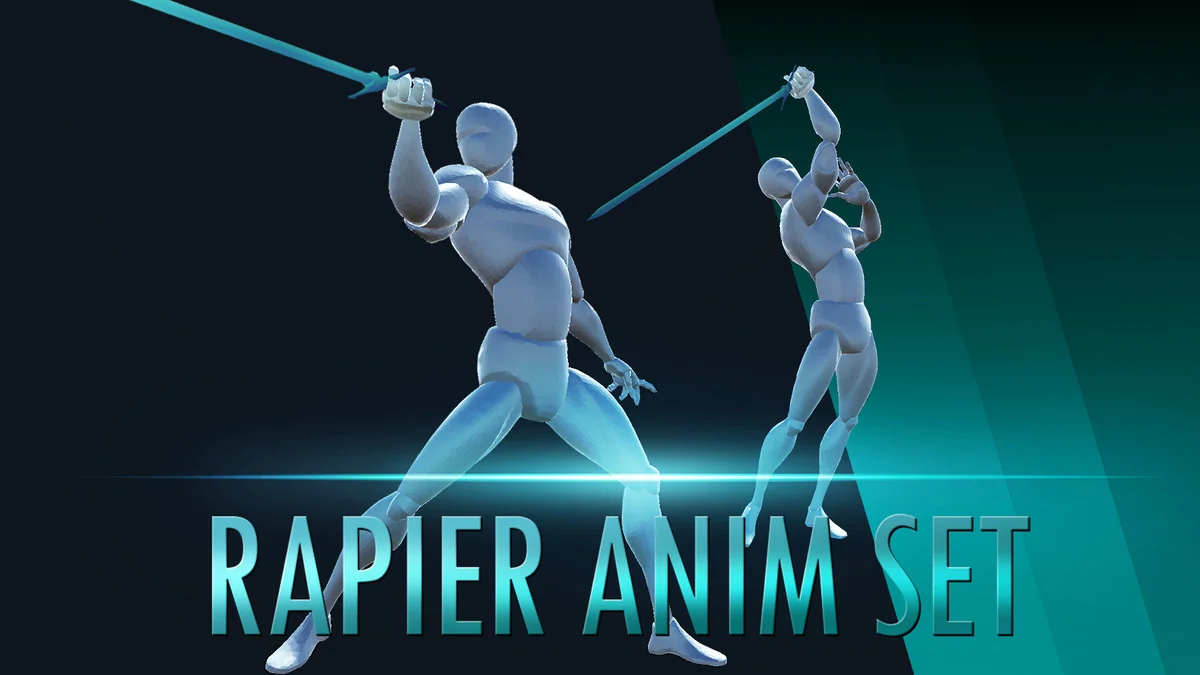
 Animations
 Animations
 Animations