"e94fea62df4e6e6d"{"id":"1000325","slug":"procedural-weapon-animation-system","title":"Procedural Weapon Animation System","category":"Animations","engine":"5.1+","assetVersion":"","engineVersion":"Engine Version: 5.1+","tag":"Animations","accent":"cyan","visual":"animation","summary":"A comprehensive Blueprint-driven solution for generating real-time, procedural first-person weapon behaviors, bypassing traditional animation assets entirely.","platform":"Unreal Engine","publishedAt":"2026-07-05T06:29:01.463Z","updatedAt":"2026-07-05T06:29:01.463Z","sourceNotes":[],"fileContents":[],"compatibility":["Unreal Engine","Engine Version: 5.1+"],"featuredImage":{"alt":"Procedural Weapon Animation System","src":"/wp-content/uploads/published/2026/07/9f307495e21f-1555efb9-5c34-44b3-a5af-72e73434e989-c60c779886.webp"},"hasDownloadLink":true,"pageviews":4,"terms":[{"taxonomy":"category","slug":"animations-game-systems","name":"Animations"}],"galleryImages":[{"src":"/wp-content/uploads/published/2026/07/507061f7cb82-27c9a8d9-95c7-47ff-8efc-1073094ca297-7a9c70552a.webp","alt":"Procedural Weapon Animation System"},{"src":"/wp-content/uploads/published/2026/07/3e34936acdbc-7470a3c4-4bad-4cf3-ae5c-50bbb250426c-520fc6de0a.webp","alt":"Procedural Weapon Animation System"},{"src":"/wp-content/uploads/published/2026/07/43dd17e01250-f6da1bdb-cb9a-4481-b4d3-cadcf43ad31d-8a0d8751b3.webp","alt":"Procedural Weapon Animation System"},{"src":"/wp-content/uploads/published/2026/07/d1efd9bb14f1-fd6407e8-1aee-481a-9d0f-32604a7e89f6-8468ea9ce4.webp","alt":"Procedural Weapon Animation System"},{"src":"/wp-content/uploads/published/2026/07/9cc0bd701e92-58f273ed-57b5-4acb-84a4-88c49e28cbb0-e96fb1d16a.webp","alt":"Procedural Weapon Animation System"},{"src":"/wp-content/uploads/published/2026/07/6c6b36055e33-ce924b9a-a1f1-43a0-8e83-e4224104a356-a756d619ec.webp","alt":"Procedural Weapon Animation System"},{"src":"/wp-content/uploads/published/2026/07/1b8b75eade7e-3bfa2ba9-caa9-4cc9-9049-9d3be966b7fb-818af090f6.webp","alt":"Procedural Weapon Animation System"},{"src":"/wp-content/uploads/published/2026/07/97faf24b7333-d6b69d9b-cf23-446b-98d3-87960846b1a8-1218bbb60c.webp","alt":"Procedural Weapon Animation System"},{"src":"/wp-content/uploads/published/2026/07/68b71c79a779-5182a79b-c61d-4fbe-a3df-1529e589adcd-9c2a86dd05.webp","alt":"Procedural Weapon Animation System"}],"accessPanel":{"kind":"resource","title":"Download this resource","eyebrow":"Free Download","message":"Log in or create a free account to start your download.","fileName":"Procedural Weapon Animation System.7z","safetyNote":"Resources are manually reviewed before listing to improve quality and reduce obvious risks.","actionLabel":"Download Free","resourceType":"Resource archive","sourceShortcode":"cryptomus_member"},"contentHtml":"\u003ch2\u003eBypassing Traditional Assets with the Procedural Weapon Animation System\u003c/h2\u003e\n\u003cp\u003eDeveloping first-person shooters traditionally requires extensive libraries of custom animation assets to handle every possible weapon state, movement, and transition. The Procedural Weapon Animation System (PWAS) shifts this workflow entirely into Blueprints, providing a complete solution for generating high-quality first-person weapon animations without relying on baked animation sequences.\u003c/p\u003e\n\u003cp\u003eInstead of playing static files, the system computes every mechanical effect procedurally in real-time. This includes generating realistic recoil, weapon sway, and ADS (Aim Down Sights) offsets. The real-time computation extends to character movement cycles, breathing simulation, camera kick, pose offsets, and physical weapon collision. Because the movements are generated live, the system allows for complex interactions that are normally difficult to blend, such as the ability to reload while actively aiming down sights. This approach provides technical artists, indie developers, and studios with a pathway to achieve a highly responsive weapon feel with minimal initial setup.\u003c/p\u003e\n\u003ch2\u003eSkeleton Compatibility and Left-Hand IK Adjustments\u003c/h2\u003e\n\u003cp\u003eIntegrating procedural systems often causes friction when dealing with different character skeleton hierarchies. To address this, the system is designed to accommodate multiple standard attachment workflows. It works seamlessly with weapons attached directly to the \u003ccode\u003eIk_hand_gun\u003c/code\u003e Bone, but it also fully supports setups where weapons are conventionally attached to the \u003ccode\u003eHand_r\u003c/code\u003e Bone. The package ships with fully set-up examples demonstrating both of these workflows.\u003c/p\u003e\n\u003cp\u003eRegardless of the chosen attachment method, both workflows feature full left-hand IK support driven by a combination of Two-Bone and FABRIK IK systems. This ensures the off-hand remains glued to the weapon mesh during procedural movements like extreme camera kicks or heavy recoil. Developers have direct control over customizable \u003ccode\u003eHand_r\u003c/code\u003e Offsets, precise weapon pose tuning for both location and rotation, and specific elbow placement adjustments to prevent unnatural arm twisting during extreme poses.\u003c/p\u003e\n\u003ch2\u003eBlueprint Integration and Socket Requirements\u003c/h2\u003e\n\u003cp\u003eImplementing the system into an existing project follows a straightforward, variable-driven Quick Start workflow. The process begins by adding the core Procedural Weapon Animation Component to the player character and setting up the included animation blueprint example. The procedural behavior is driven by preset data files rather than hardcoded logic.\u003c/p\u003e\n\u003cp\u003eInside the individual weapon Blueprint, developers add a variable of type \u003ccode\u003eDA_WeaponProceduralPreset\u003c/code\u003e. After duplicating a base preset to safely modify it, this preset is assigned to the variable. Once the weapon is attached to the \u003ccode\u003eIk_hand_gun\u003c/code\u003e Bone, developers can adjust the weapon pose offsets and hand positions to fit the specific 3D model.\u003c/p\u003e\n\u003cp\u003eFor the procedural math to align correctly, the weapon mesh itself must contain two specific sockets. First, a \u003ccode\u003eLeftHandIK\u003c/code\u003e Socket must be placed on the weapon to provide a target for the off-hand IK system. Second, a \u003ccode\u003eMuzzle\u003c/code\u003e Socket is required to calculate weapon collision accurately and to serve as an origin point for optional example bullets. Once these sockets are defined and the component is initialized, the weapon becomes fully procedural and ready for live gameplay.\u003c/p\u003e\n\u003ch2\u003eLive Tuning via the Editor-Only Preset Widget\u003c/h2\u003e\n\u003cp\u003eBecause the system computes weapon behavior mathematically, achieving the perfect feel for a specific firearm requires fine-tuning. The preset-based system governs the rules for recoil, sway, ADS, stance, and movement behavior across more than 300 editable parameters. Managing this volume of variables manually would be time-consuming, so the toolkit includes a live in-editor Preset Editing Widget.\u003c/p\u003e\n\u003cp\u003eThis widget allows developers to author and tune the procedural generation live while playing in the editor. Changes to parameters like camera kick or breathing depth can be previewed instantly, and custom presets can be saved and loaded directly through the interface. It is important to note that this live preset editor is strictly an editor-only tool meant for the authoring phase; it is completely excluded from packaged builds to maintain performance and project security.\u003c/p\u003e\n\u003ch2\u003eIncluded Weapon Blueprints and Project Settings\u003c/h2\u003e\n\u003cp\u003eTo demonstrate the system's flexibility across different fire rates and weapon weights, the package includes a prefab preset library tailored for common weapon classes. This is backed by fully configured Weapon Blueprints for a Pistol, Rifle, SMG, LMG, Shotgun, and Sniper. The 3D models utilized in these examples are created by D_U, and several demo maps are included to showcase how these weapons handle in real gameplay scenarios alongside their respective Animation Blueprints.\u003c/p\u003e\n\u003cp\u003eWhen integrating these examples into a new environment, a specific engine adjustment is required to ensure visual fidelity. Developers must navigate to their Project Settings and decrease the Near Clip Plane. Setting this value to 0.01 is recommended, as it prevents the weapon models from clipping through the camera lens when pulled close during ADS or heavy procedural recoil.\u003c/p\u003e\n\u003cp\u003eBecause the underlying logic relies on a complex web of interconnected parameters, future updates to the plugin may introduce new logic that alters how existing presets behave. Maintaining a strict project backup routine before applying any system updates ensures that highly tuned weapon behaviors are not accidentally overwritten or altered by new foundational math.\u003c/p\u003e\n\u003ch2\u003eTargeting FPS Subgenres and Rapid Prototyping\u003c/h2\u003e\n\u003cp\u003eThe flexibility of manipulating over 300 parameters per preset makes the system adaptable to a wide spectrum of shooter subgenres. Slower, heavier parameter configurations fit perfectly into tactical and realistic FPS projects or extraction shooters where weapon weight and sway are central mechanics. Conversely, tighter, more rigid settings can drive the fast-paced gunplay required for horror shooters or inventive sci-fi and fantasy weapon systems.\u003c/p\u003e\n\u003cp\u003eBeyond final production use, the ability to completely bypass the need for custom animation assets makes this system highly effective for rapid prototyping and iteration workflows. Developers can block out a playable, AAA-feeling weapon system using placeholder meshes in a matter of minutes, proving out the core gameplay loop long before final art and rigging are completed.\u003c/p\u003e\n\n\u003ch2\u003eMore From The Same Workflow\u003c/h2\u003e\n\u003cul\u003e\n\u003cli\u003e\u003ca href=\"https://3dcghub.com/procedural-fps-recoil-system/\" title=\"Procedural FPS Recoil System\"\u003eProcedural FPS Recoil System\u003c/a\u003e\u003c/li\u003e\n\u003cli\u003e\u003ca href=\"https://3dcghub.com/cinematic-car-rig-ccr/\" title=\"Cinematic Car Rig (CCR)\"\u003eCinematic Car Rig (CCR)\u003c/a\u003e\u003c/li\u003e\n\u003cli\u003e\u003ca href=\"https://3dcghub.com/global-world-optimization-framework-pro-max-high-performance-for-large-worlds/\" title=\"Global World Optimization Framework PRO MAX - High Performance for Large Worlds\"\u003eGlobal World Optimization Framework PRO MAX - High Performance for Large Worlds\u003c/a\u003e\u003c/li\u003e\n\u003cli\u003e\u003ca href=\"https://3dcghub.com/simple-procedural-walk/\" title=\"Simple Procedural Walk\"\u003eSimple Procedural Walk\u003c/a\u003e\u003c/li\u003e\n\u003cli\u003e\u003ca href=\"https://3dcghub.com/bodycam-fps-kit/\" title=\"BODYCAM FPS KIT\"\u003eBODYCAM FPS KIT\u003c/a\u003e\u003c/li\u003e\n\u003c/ul\u003e","contentTextLength":6674,"navigation":{"current":740,"total":2978,"previous":{"id":"1000326","slug":"realistic-gun-vfx-muzzle-flash-bullet-impact-ejections-gun-vfx-vfx","title":"Realistic Gun VFX (Muzzle Flash, Bullet Impact, Ejections, Gun VFX, VFX)","category":"Spells \u0026 Combat","platform":"Unreal Engine","updatedAt":"2026-07-05T06:37:35.328Z"},"next":{"id":"27443","slug":"procedural-mesh-blueprint","title":"Procedural Mesh Blueprint","category":"Procedural Systems","platform":"Unreal Engine","updatedAt":"2026-07-05T06:17:14.277Z"}},"relatedResources":[{"id":"1001011","slug":"procedural-turn-in-place-system","title":"Procedural Turn in Place System","category":"Animations","engine":"5.1+","assetVersion":"","engineVersion":"Engine Version: 5.1+","tag":"Animations","accent":"cyan","visual":"animation","summary":"IK-based turn-in-place for UE4/UE5 humanoids with auto foot projection, customizable curves, strafing set, Control Rig setup, and replication.","platform":"Unreal Engine","publishedAt":"2026-08-22T13:14:55.097Z","updatedAt":"2026-08-22T13:14:55.097Z","sourceNotes":[],"fileContents":[],"compatibility":["Unreal Engine","Engine Version: 5.1+"],"featuredImage":{"alt":"Procedural Turn in Place System","src":"/wp-content/uploads/published/2026/08/58b7c31ef80f-667a563c-7f44-4f12-b33a-40d2aeab67cf-3a9009c480.webp"},"hasDownloadLink":true,"pageviews":10},{"id":"15301","slug":"procedural-fps-recoil-system","title":"Procedural FPS Recoil System","category":"Procedural Systems","engine":"2025.3.0","assetVersion":"Engine version: 5.6 - 5.7","engineVersion":"Asset Version:2025.3.0","tag":"Procedural Systems","accent":"rose","visual":"audio","summary":"Improve your game's combat with the Procedural FPS Recoil System. This tool offers smooth, customizable recoil animations for any weapon type while saving memory and development time.","platform":"Unreal Engine","publishedAt":"2026-03-12T08:33:53.000Z","updatedAt":"2026-07-05T06:16:23.079Z","sourceNotes":[],"fileContents":[],"compatibility":["Unreal Engine","Engine version: 5.6 - 5.7","Asset Version:2025.3.0"],"featuredImage":{"alt":"Procedural FPS Recoil System","src":"https://3dcghub.com/wp-content/uploads/2026/03/7bb95269-1ed4-43fe-aaa3-4282f29a6582.webp"},"hasDownloadLink":true,"pageviews":19},{"id":"11305","slug":"cinematic-car-rig-ccr","title":"Cinematic Car Rig (CCR)","category":"Procedural Systems","engine":"5.1+","assetVersion":"Engine version: 5.1+","engineVersion":"Asset Version:2.1","tag":"Procedural Systems","accent":"rose","visual":"audio","summary":"The Cinematic Car Rig (CCR) offers a flexible and editable solution for automotive animation in Unreal Engine, moving beyond the limitations of physics-based simulations.","platform":"Unreal Engine","publishedAt":"2026-03-04T17:31:47.000Z","updatedAt":"2026-04-19T15:48:13.000Z","sourceNotes":[],"fileContents":[],"compatibility":["Unreal Engine","Engine version: 5.1+","Asset Version: 2.1"],"featuredImage":{"alt":"Cinematic Car Rig (CCR)","src":"https://3dcghub.com/wp-content/uploads/2026/03/952ef1e7-0b7d-46cc-a5da-45f69af1cdee-1.webp"},"hasDownloadLink":true,"pageviews":33}]}
Animations
Procedural Weapon Animation System
A comprehensive Blueprint-driven solution for generating real-time, procedural first-person weapon behaviors, bypassing traditional animation assets entirely.
Bypassing Traditional Assets with the Procedural Weapon Animation System
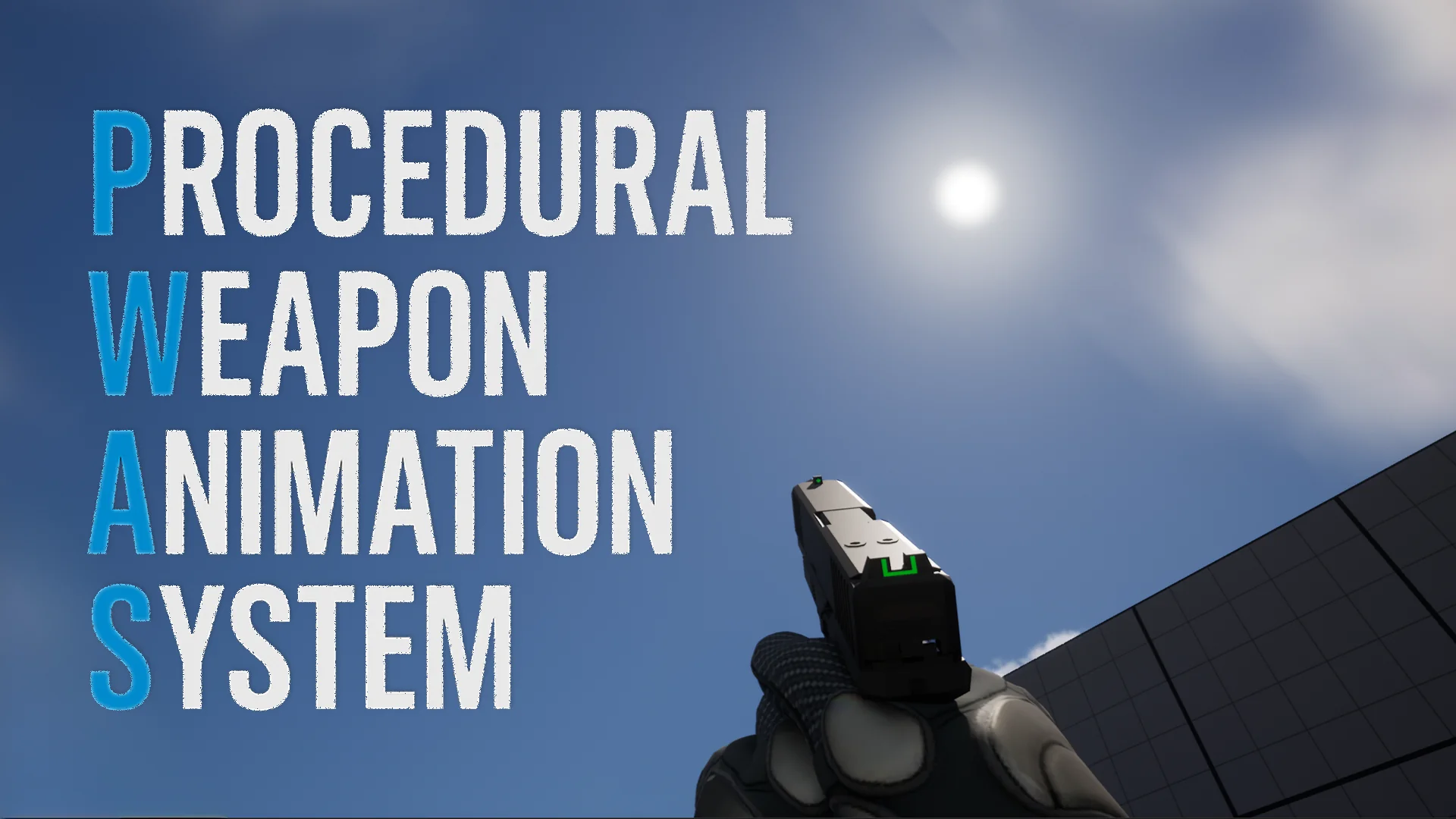
Developing first-person shooters traditionally requires extensive libraries of custom animation assets to handle every possible weapon state, movement, and transition. The Procedural Weapon Animation System (PWAS) shifts this workflow entirely into Blueprints, providing a complete solution for generating high-quality first-person weapon animations without relying on baked animation sequences.
Instead of playing static files, the system computes every mechanical effect procedurally in real-time. This includes generating realistic recoil, weapon sway, and ADS (Aim Down Sights) offsets. The real-time computation extends to character movement cycles, breathing simulation, camera kick, pose offsets, and physical weapon collision. Because the movements are generated live, the system allows for complex interactions that are normally difficult to blend, such as the ability to reload while actively aiming down sights. This approach provides technical artists, indie developers, and studios with a pathway to achieve a highly responsive weapon feel with minimal initial setup.
Skeleton Compatibility and Left-Hand IK Adjustments
Integrating procedural systems often causes friction when dealing with different character skeleton hierarchies. To address this, the system is designed to accommodate multiple standard attachment workflows. It works seamlessly with weapons attached directly to the Ik_hand_gun Bone, but it also fully supports setups where weapons are conventionally attached to the Hand_r Bone. The package ships with fully set-up examples demonstrating both of these workflows.
Regardless of the chosen attachment method, both workflows feature full left-hand IK support driven by a combination of Two-Bone and FABRIK IK systems. This ensures the off-hand remains glued to the weapon mesh during procedural movements like extreme camera kicks or heavy recoil. Developers have direct control over customizable Hand_r Offsets, precise weapon pose tuning for both location and rotation, and specific elbow placement adjustments to prevent unnatural arm twisting during extreme poses.
Blueprint Integration and Socket Requirements
Implementing the system into an existing project follows a straightforward, variable-driven Quick Start workflow. The process begins by adding the core Procedural Weapon Animation Component to the player character and setting up the included animation blueprint example. The procedural behavior is driven by preset data files rather than hardcoded logic.
Inside the individual weapon Blueprint, developers add a variable of type DA_WeaponProceduralPreset. After duplicating a base preset to safely modify it, this preset is assigned to the variable. Once the weapon is attached to the Ik_hand_gun Bone, developers can adjust the weapon pose offsets and hand positions to fit the specific 3D model.
For the procedural math to align correctly, the weapon mesh itself must contain two specific sockets. First, a LeftHandIK Socket must be placed on the weapon to provide a target for the off-hand IK system. Second, a Muzzle Socket is required to calculate weapon collision accurately and to serve as an origin point for optional example bullets. Once these sockets are defined and the component is initialized, the weapon becomes fully procedural and ready for live gameplay.
Live Tuning via the Editor-Only Preset Widget
Because the system computes weapon behavior mathematically, achieving the perfect feel for a specific firearm requires fine-tuning. The preset-based system governs the rules for recoil, sway, ADS, stance, and movement behavior across more than 300 editable parameters. Managing this volume of variables manually would be time-consuming, so the toolkit includes a live in-editor Preset Editing Widget.
This widget allows developers to author and tune the procedural generation live while playing in the editor. Changes to parameters like camera kick or breathing depth can be previewed instantly, and custom presets can be saved and loaded directly through the interface. It is important to note that this live preset editor is strictly an editor-only tool meant for the authoring phase; it is completely excluded from packaged builds to maintain performance and project security.
Included Weapon Blueprints and Project Settings
To demonstrate the system's flexibility across different fire rates and weapon weights, the package includes a prefab preset library tailored for common weapon classes. This is backed by fully configured Weapon Blueprints for a Pistol, Rifle, SMG, LMG, Shotgun, and Sniper. The 3D models utilized in these examples are created by D_U, and several demo maps are included to showcase how these weapons handle in real gameplay scenarios alongside their respective Animation Blueprints.
When integrating these examples into a new environment, a specific engine adjustment is required to ensure visual fidelity. Developers must navigate to their Project Settings and decrease the Near Clip Plane. Setting this value to 0.01 is recommended, as it prevents the weapon models from clipping through the camera lens when pulled close during ADS or heavy procedural recoil.
Because the underlying logic relies on a complex web of interconnected parameters, future updates to the plugin may introduce new logic that alters how existing presets behave. Maintaining a strict project backup routine before applying any system updates ensures that highly tuned weapon behaviors are not accidentally overwritten or altered by new foundational math.
Targeting FPS Subgenres and Rapid Prototyping
The flexibility of manipulating over 300 parameters per preset makes the system adaptable to a wide spectrum of shooter subgenres. Slower, heavier parameter configurations fit perfectly into tactical and realistic FPS projects or extraction shooters where weapon weight and sway are central mechanics. Conversely, tighter, more rigid settings can drive the fast-paced gunplay required for horror shooters or inventive sci-fi and fantasy weapon systems.
Beyond final production use, the ability to completely bypass the need for custom animation assets makes this system highly effective for rapid prototyping and iteration workflows. Developers can block out a playable, AAA-feeling weapon system using placeholder meshes in a matter of minutes, proving out the core gameplay loop long before final art and rigging are completed.
 Animations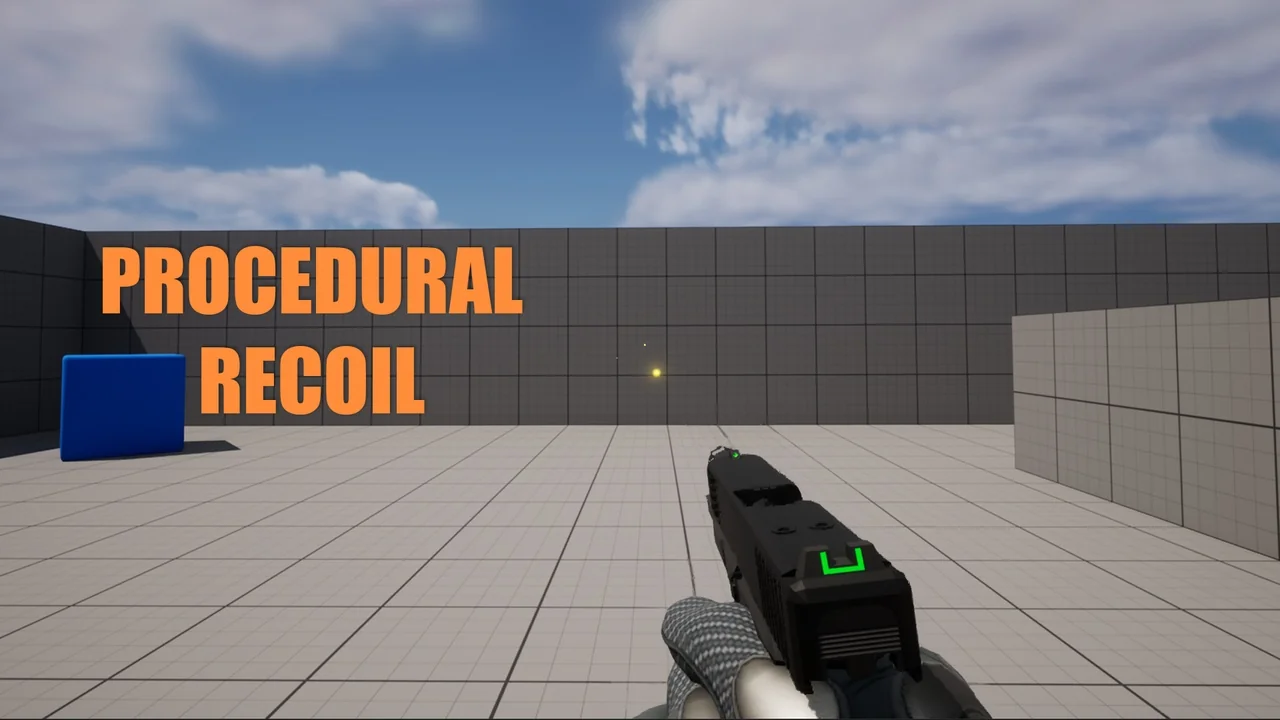
 Animations
 Procedural Systems
 Procedural Systems