High-Performance Mesh Conversion and Crowds
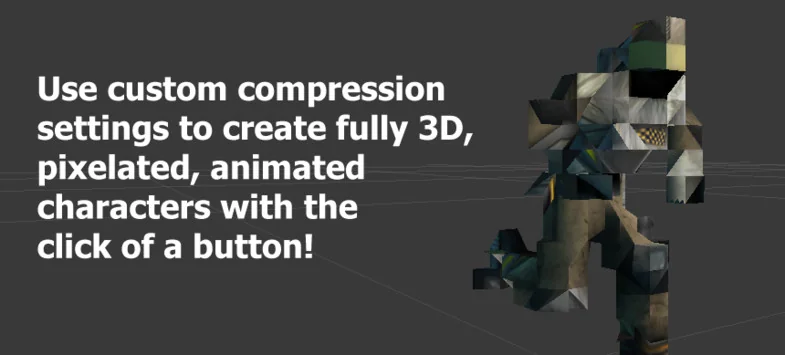
Mesh Animator is a specialized toolset designed to solve the performance bottlenecks associated with rendering large numbers of animated entities in Unity. By converting fully animated characters, vegetation, or any skinned mesh into optimized formats, the tool enables developers to increase the number of animated objects on screen by up to 100 times. This conversion process is designed to be accessible, often requiring only the click of a button to transform a standard skinned mesh into an instance-ready asset.
At its core, the package focuses on offloading the heavy lifting of animation from the CPU to the GPU. In standard workflows, skinned mesh renderers can become extremely taxing when used for hundreds of characters due to the overhead of bone transformations and draw calls. This toolset mitigates those issues by providing out-of-the-box GPU instancing support, allowing for massive crowds or dense environments without the typical performance penalties.
Snapshot and Shader Animated Modes
To ensure compatibility across different hardware and project requirements, the system operates using two distinct modes: Snapshot and Shader Animated. These modes allow the developer to tailor the optimization strategy based on the target platform and the specific needs of the scene.
The Shader Animated mode is primary for projects leveraging GPU instancing. This method is particularly effective for achieving unparalleled performance on modern hardware and the Universal Render Pipeline (URP). It allows the GPU to handle the animation data, which significantly reduces the work required by the CPU per frame. Recent updates to this mode have specifically addressed technical refinements, such as fixing crossfading issues within URP shaders to ensure smooth transitions between animation states.
Snapshot mode provides a versatile alternative for supporting legacy platforms and older GPUs. This mode is useful when targeting hardware that may not fully support advanced instancing techniques or when specific frame-looping logic is required. The developer has refined this mode to resolve errors related to looping frames, ensuring that animations remain consistent regardless of the playback duration. Together, these two modes ensure that the tool remains functional across a wide spectrum of Unity projects, from mobile applications to high-end desktop simulations.
Integration with Existing Mecanim Workflows
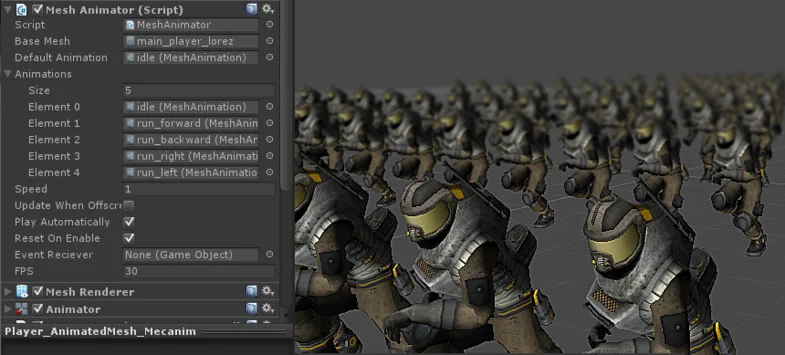
One of the most practical aspects of the package is its ability to integrate with existing Unity setups. Developers do not need to rewrite their animation controllers or discard existing logic. By attaching a specific script to the converted asset, the mesh can continue to be controlled using Mecanim. This preserves the familiarity of the Unity animation system while providing the performance benefits of a baked mesh.
In addition to standard animation playback, the tool supports custom animation events. This is a critical feature for developers who rely on specific triggers within an animation timeline—such as footstep sounds, particle spawns, or logic triggers—to sync with the visual movement of the character. Because these events are preserved through the conversion process, the transition from a standard skinned mesh to an optimized Mesh Animator asset does not break the underlying game logic.
Workflow and Asset Management
The baking process is designed to be streamlined, working with most assets without requiring extensive manual configuration. The included converter handles the transition from a standard skinned mesh to the optimized format quickly. This efficiency is particularly valuable for projects that feature a high variety of animated assets, such as a diverse crowd of pedestrians or a forest with multiple types of swaying vegetation.
The package is built with a focus on minimal CPU overhead, ensuring that even as the entity count rises, the main thread remains clear for other game systems like AI or physics. For developers who need to customize the system further or integrate it deeply into proprietary pipelines, the tool includes the full source code. This transparency allows for a better understanding of how the baking and instancing logic is handled under the hood.
Technical Suitability and Use Cases
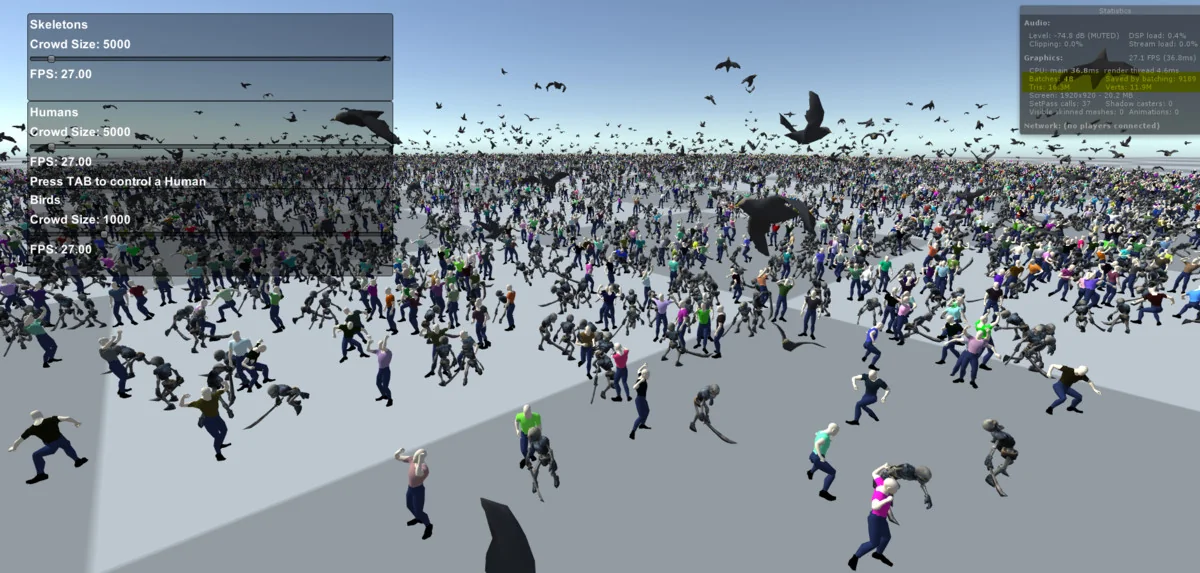
This toolset is primarily beneficial for projects where the sheer volume of animated objects is the main constraint. It is frequently applied in the development of crowd simulations, where hundreds or thousands of individual characters must move independently. It is also highly effective for environmental work, such as large-scale vegetation systems where trees and plants require subtle, per-instance animation without dragging down the frame rate.
Compatibility is focused on Unity 2019.4.13 and newer, with specific support for the Built-in render pipeline and the Universal Render Pipeline (URP). The asset package includes 143 individual assets and is delivered as a standard unitypackage file. Because it supports both modern instancing and legacy platforms, it serves as a flexible solution for developers aiming to maximize the visual density of their scenes without sacrificing performance on their target hardware.
Asset Gallery
Protected download
Access this resource
All resources are 100% manually reviewed to eliminate all risks.