Procedural Animation Logic for Biped Rigs
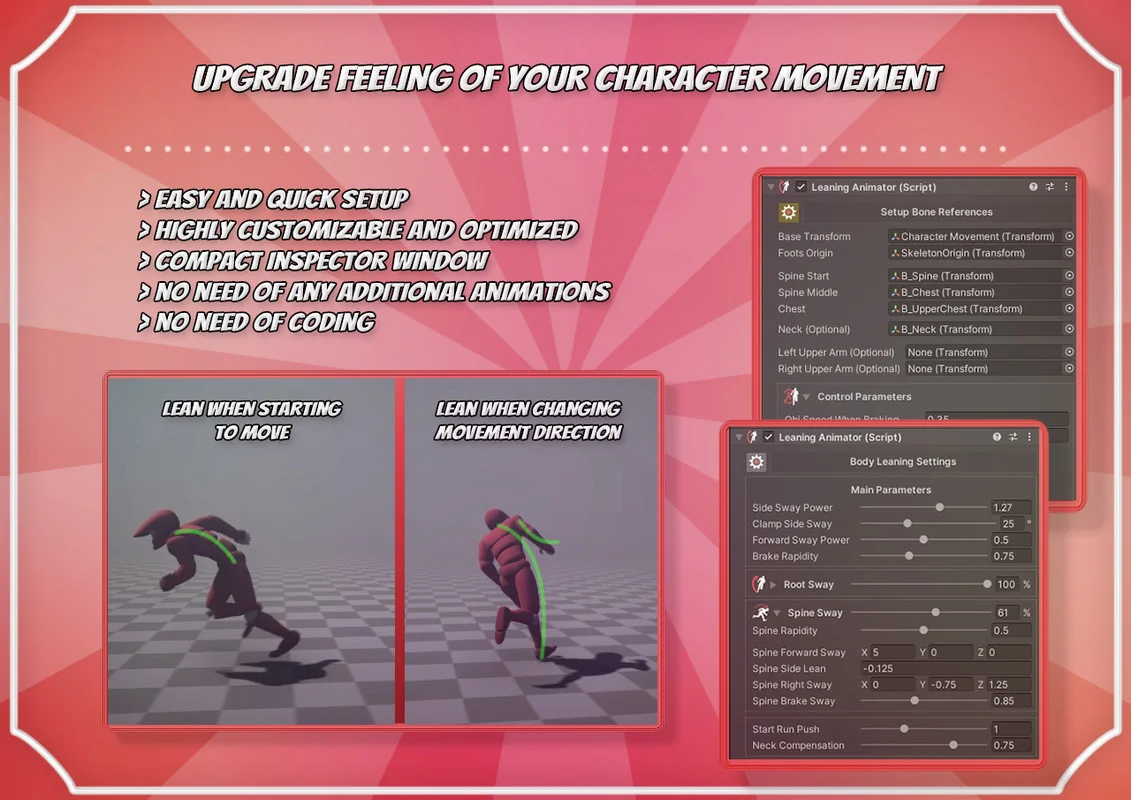
Leaning Animator is designed to enhance the physical presence of bipedal characters by applying procedural leaning algorithms during movement. Rather than relying on static animations, the system calculates adjustments for the whole object, spine bones, and arms dynamically. This approach aims to improve the visual weight and responsiveness of characters as they transition through different movement states.
The component is specialized for humanoidal characters but maintains a high degree of flexibility regarding underlying technical setups. It functions across various animation systems, including Humanoid, Generic, and Legacy types. This broad compatibility ensures that characters with non-standard bone structures or older animation workflows can still utilize procedural leaning without requiring a complete overhaul of their existing rigs.
Terrain Alignment and Balance Simulation
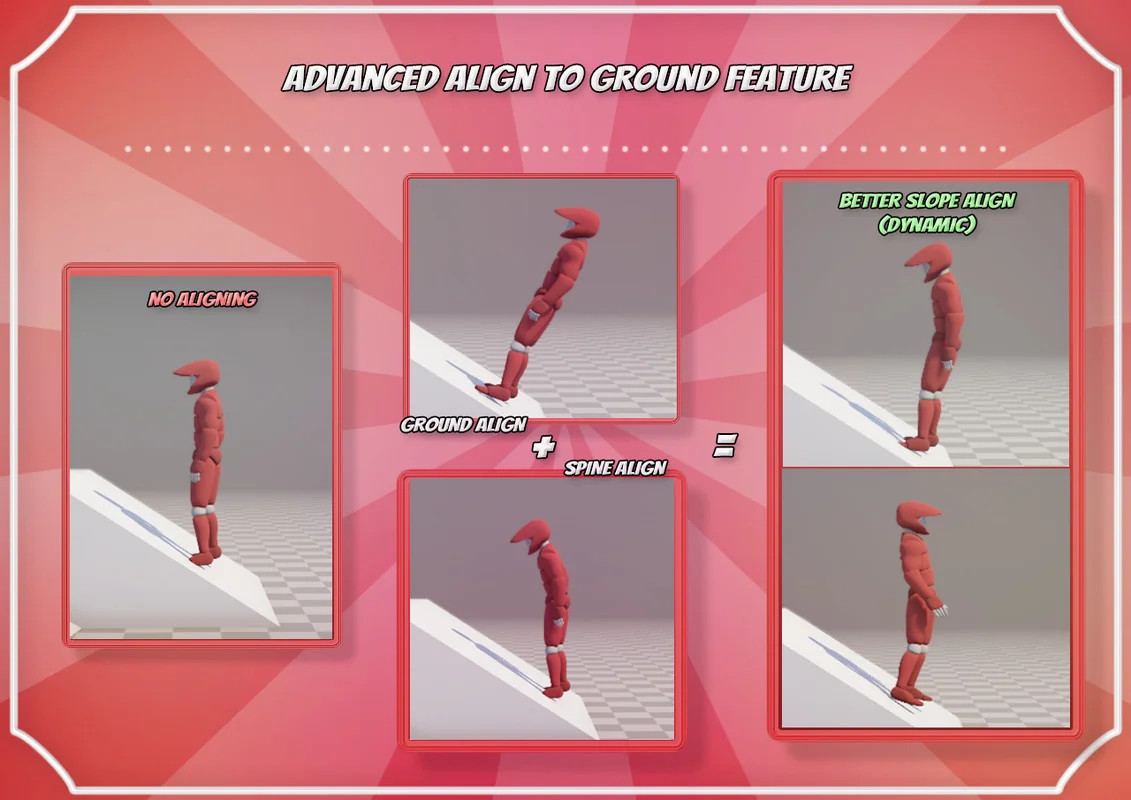
One of the primary functions of the system is its ground adjustment capability. This feature aligns the character model to the terrain by rotating the whole model in conjunction with specific spine rotation alignment. This process is intended to simulate a character finding their balance pose while traversing uneven ground, such as running up or down slopes or across tilted surfaces.
The ground alignment logic includes specific toggles and detection modes. For instance, users can enable or disable ground detection depending on the specific needs of their character controller. Recent updates to the system have addressed specific edge cases, such as ensuring ground alignment functions correctly even when manual ground detection is disabled, and adding support for upside-down orientations via a dedicated toggle in the settings.
Integration Across Skeleton Types and Render Pipelines
The system is built to be render-pipeline agnostic. It works across the Built-in Render Pipeline, LWRP, URP, HDRP, and custom pipelines. Because the package is not shader-related, the leaning effects are calculated at the transform and bone level, meaning the visual output is consistent regardless of the lighting or shading model used. For those utilizing the included demo scenes, materials may require a standard conversion to match the active pipeline, but the core script functionality remains unchanged.
Setup is intended to be efficient, often requiring only a few clicks to initialize the component on a character. The inspector window is designed to be compact, providing access to the necessary tweaks without overwhelming the user interface. For developers who require deeper customization, the package includes the full source code along with helpful classes, allowing for direct modification of the leaning logic or the integration of custom additive pose rotations.
Advanced Control and Runtime Implementation
Technical refinements in the latest versions have expanded how the animator interacts with character controllers. The system supports various animator property types for movement and grounding detection. Instead of being limited to boolean values, the animator can now read float and integer properties for ‘IsGrounded’ and ‘IsMoving’ parameters. This allows for threshold-based detection, where the leaning effect only triggers once a movement speed float exceeds a specific value.
For dynamic environments, the system supports runtime generation. By calling a reset method upon adding the component via script, developers can initialize the leaning logic on characters spawned during gameplay. This is complemented by specialized methods like User_AfterTeleport, which is designed to prevent the leaning algorithms from reacting to sudden, large-scale coordinate shifts. This ensures that when a character is moved instantly across a map, the procedural bones do not experience a ‘snapping’ or extreme leaning motion caused by the calculated velocity change.
Logic Refinement and System Parameters
Fine-tuning the visual output is managed through several blending and fading parameters. The ‘Fade Off Leaning Param’ allows for a seamless transition when turning the effect on or off, preventing jarring movements in the character’s posture. Additionally, the system includes an ‘Animate Physics’ update mode fix to ensure that characters using physics-based movement maintain synchronization with the procedural leaning calculations.
The inspector also features an ‘Advanced Features’ section which includes a ‘Reset On Ungrounded’ switch. This allows developers to define exactly how the character’s posture should behave the moment they leave the terrain, such as during a jump or a fall. These refinements are supported by a clean GUI that uses clarified category buttons to help navigate the setup and adjustment bookmarks efficiently.
Project Screenshots
Protected download
Access this resource
All resources are 100% manually reviewed to eliminate all risks.