"031373f479d9561a"{"id":"1000248","slug":"kai-locomotion-system","title":"Kai Locomotion System","category":"Animations","engine":"4.27,5.0 - 5.1,5.3","assetVersion":"Asset Version: 1.0 - 3.5","engineVersion":"Engine Version: 4.27,5.0 - 5.1,5.3","tag":"Animations","accent":"blue","visual":"animation","summary":"A technical breakdown of the Kai Locomotion System, detailing its custom movement component, Lyra-style masking, and template animation blueprints.","platform":"Unreal Engine","publishedAt":"2026-06-30T20:28:54.678Z","updatedAt":"2026-06-30T20:28:54.678Z","sourceNotes":[],"fileContents":[],"compatibility":["Unreal Engine","Asset Version: 1.0 - 3.5","Engine Version: 4.27,5.0 - 5.1,5.3"],"featuredImage":{"alt":"Kai Locomotion System","src":"/wp-content/uploads/published/2026/06/484b946efc9c-dfc6679c-82fd-48ef-b6c1-0ad85d6e3741-dc058b177f.webp"},"hasDownloadLink":true,"downloads":0,"terms":[{"taxonomy":"category","slug":"animations-tools-and-plugins","name":"Animations"}],"galleryImages":[{"src":"/wp-content/uploads/published/2026/06/3cec977a8858-d5ff1a66-64a4-4be8-a110-53ec1e98b474-47becac563.webp","alt":"Kai Locomotion System"},{"src":"/wp-content/uploads/published/2026/06/581ecaa6b8e6-a01f2eb7-0f77-4c5c-84e1-90ca2f9662af-62d17944da.webp","alt":"Kai Locomotion System"},{"src":"/wp-content/uploads/published/2026/06/ff24b0fb4880-c23f13c9-9710-45a6-a922-108121324bdb-b913e7fe21.webp","alt":"Kai Locomotion System"},{"src":"/wp-content/uploads/published/2026/06/784e6248ed51-97bac141-3949-4d04-a215-0322ee2c23f1-eb478a4983.webp","alt":"Kai Locomotion System"},{"src":"/wp-content/uploads/published/2026/06/f99e32ff1909-b94827bd-9e1a-4078-8952-9b8335b7c3d4-4c5d19cfb7.webp","alt":"Kai Locomotion System"},{"src":"/wp-content/uploads/published/2026/06/c4091a22124b-e95907d5-05a1-4af3-8cce-17b348e81d2d-5722fa8dc2.webp","alt":"Kai Locomotion System"},{"src":"/wp-content/uploads/published/2026/06/589d8987b214-984238f5-c4cc-4401-8239-c85909d4f19f-7f385ff12d.webp","alt":"Kai Locomotion System"},{"src":"/wp-content/uploads/published/2026/06/d2f5cf4eb57f-a83c7577-9108-4ac5-898f-e89a04ef70da-930125612d.webp","alt":"Kai Locomotion System"},{"src":"/wp-content/uploads/published/2026/06/6564b5ee3007-7e2c1bbf-5669-41f9-a437-f7c620117a34-0a8891d6f6.webp","alt":"Kai Locomotion System"},{"src":"/wp-content/uploads/published/2026/06/e6ec8390498d-1950b58f-d839-41be-91cd-42fb5b3190d7-30d6a2982b.webp","alt":"Kai Locomotion System"}],"accessPanel":{"kind":"resource","title":"Download this resource","eyebrow":"Free Download","message":"Log in or create a free account to start your download.","fileName":"Kai Locomotion System.7z","safetyNote":"Resources are manually reviewed before listing to improve quality and reduce obvious risks.","actionLabel":"Download Free","resourceType":"Resource archive"},"contentHtml":"\u003ch2\u003eStructuring Core Movement with the Kai Locomotion System\u003c/h2\u003e\n\u003cp\u003eDeveloping a robust, responsive character controller requires managing a vast network of animation states, blends, and transition rules. The Kai Locomotion System operates as a plug-and-play Animation Blueprint designed to handle this complex logic architecture out of the box. Rather than forcing developers to manually wire together complex state machines, the system centralizes its logic through a data-driven setup. Users simply fill a dedicated Data Asset with their chosen animation files. Once the Data Asset is populated, the system translates those references into high-quality locomotion in a matter of minutes, completely bypassing the need to alter or disrupt the existing movement logic of the player.\u003c/p\u003e\n\u003cp\u003eBecause the package functions strictly as a logical framework and code toolset, the animations seen in the demo video are not included. Developers must supply their own animation sequences. Once supplied, the blueprint natively supports three distinct gaits, allowing characters to smoothly transition between different speeds and movement intensities. This framework accommodates different types of transitions, ensuring that shifts in momentum and direction are handled procedurally without breaking the visual flow of the character's movement.\u003c/p\u003e\n\u003ch2\u003eTransition Requirements and Version Optimization\u003c/h2\u003e\n\u003cp\u003eTo accurately map a character's momentum and foot placement across a full range of motion, the system requires a specific baseline of animation inputs. For standard project setups, the required minimum transitions include four directional loops, four directional starts, and four directional stops. These core animations provide the foundational data necessary for the blueprint to calculate seamless directional shifts from a standstill, during continuous movement, and when coming to a halt.\u003c/p\u003e\n\u003cp\u003eHowever, the system's architecture has been heavily optimized for newer engine environments. For projects operating on version 5.5 and above, the baseline animation requirements are significantly reduced. In these environments, the system only requires an idle animation and four directional loops as the absolute minimum. This optimization drastically lightens the animation workload, allowing developers working in 5.5+ to achieve complex, blended locomotion with a fraction of the animation assets that would traditionally be required.\u003c/p\u003e\n\u003ch2\u003eThe Custom Character Movement Component\u003c/h2\u003e\n\u003cp\u003eStandard character locomotion often relies on rigid, capsule-driven rotation that can lead to unnatural foot sliding or robotic turning arcs. The V3 release of the Kai Locomotion System addresses this directly by implementing a Custom Character Movement Component (CMC). This specialized framework features a custom rotation implementation that actively extracts and utilizes rotation data directly from certain KLS animations. By driving the character's turn rate and facing direction through actual animation data rather than generic input vectors, the character remains visually grounded in its physical poses during complex maneuvers.\u003c/p\u003e\n\u003cp\u003eOn top of that, this custom CMC offers a predictively replicated custom movement speed. Predictive replication is a critical requirement for networked and multiplayer projects, ensuring that customized, non-standard movement speeds remain accurately synchronized between the server and connecting clients. Looking ahead, this specialized CMC is actively being built upon to support entirely new movement modes. The developer notes that physics-based sliding mechanics and Zelda-style climbing logic are currently in the works, both of which will utilize this custom component as their structural foundation.\u003c/p\u003e\n\u003ch2\u003eImplementing Lyra-Style Masking and Linked Animation Layers\u003c/h2\u003e\n\u003cp\u003eManaging complex upper-body actions—such as aiming a weapon, holding an item, or taking damage—while simultaneously navigating terrain requires an advanced layering approach. To handle this, the system utilizes Linked Animation Layers to seamlessly switch between the core locomotion sets and various masking sets. This architecture mirrors the dynamic, modular layered animation methodology seen in the Lyra starter game, allowing developers to swap out discrete blocks of movement logic on the fly without disrupting the underlying gait.\u003c/p\u003e\n\u003cp\u003eApplying these masks to the core locomotion sets is highly streamlined. Developers define their specific mask poses and assign detailed Body Part Mask weights directly within a Data Asset. Because these blending parameters are stored as centralized data rather than being hardcoded deep within an animation graph, the workflow allows for very fast iteration. Animators and programmers can continuously adjust numerical mask weights to get the exact right blends for their custom poses, instantly seeing the results of their tweaks without needing to recompile complex blueprints.\u003c/p\u003e\n\u003ch2\u003eScaling Projects with Template Animation Blueprints\u003c/h2\u003e\n\u003cp\u003eApplying a complex locomotion system across multiple characters with different proportions can often lead to severe project bloat. With the V3.5 release, the workflow for managing varied skeletal hierarchies was fundamentally overhauled through the usage of a Template Animation Blueprint. In older setups, transferring movement logic to a new character often meant manually duplicating Animation Blueprints and retargeting internal references.\u003c/p\u003e\n\u003cp\u003eThe template approach completely removes this bottleneck. Developers no longer need to make copies of animation blueprints for every new character model added to the game. Instead, they can simply create a child blueprint derived from any skeleton they want to use. This modular inheritance greatly simplifies the overarching animation system, ensuring that any updates made to the core locomotion logic are automatically propagated down to all child characters, drastically reducing maintenance time on projects with large character rosters.\u003c/p\u003e\n\u003ch2\u003eRequired Technical Framework\u003c/h2\u003e\n\u003cp\u003eUnder the hood, the Kai Locomotion System relies on specific engine features to process its advanced procedural adjustments and pose matching. The system requires the Control Rig Plugin to be activated in order to handle procedural skeletal corrections and dynamic adjustments. Alongside this, it also requires the Pose Search Plugin to be activated, which manages the complex selection and matching of animation data during runtime.\u003c/p\u003e\n\u003cp\u003eTo ensure a smooth setup process, both the Control Rig Plugin and the Pose Search Plugin are automatically activated when the system is integrated into a project. By automatically managing these dependencies, the system provides a robust, technically advanced foundation for developers who need high-end, replicated character movement logic driven entirely by modular data assets and template blueprints.\u003c/p\u003e\n\n\u003ch2\u003eRelated Resources Worth Checking\u003c/h2\u003e\n\u003cul\u003e\n\u003cli\u003e\u003ca href=\"https://3dcghub.com/ultimate-traversal-anims/\" title=\"Ultimate Traversal Anims\"\u003eUltimate Traversal Anims\u003c/a\u003e\u003c/li\u003e\n\u003cli\u003e\u003ca href=\"https://3dcghub.com/ghost-creature-anims/\" title=\"Ghost Creature Anims\"\u003eGhost Creature Anims\u003c/a\u003e\u003c/li\u003e\n\u003cli\u003e\u003ca href=\"https://3dcghub.com/climbing-ladder-pro-mocap-animation-pack/\" title=\"Climbing Ladder Pro - MoCap Animation Pack\"\u003eClimbing Ladder Pro - MoCap Animation Pack\u003c/a\u003e\u003c/li\u003e\n\u003cli\u003e\u003ca href=\"https://3dcghub.com/26-zombie-animations-starter-pack-with-blueprints/\" title=\"26 Zombie Animations Starter Pack With Blueprints\"\u003e26 Zombie Animations Starter Pack With Blueprints\u003c/a\u003e\u003c/li\u003e\n\u003cli\u003e\u003ca href=\"https://3dcghub.com/ledge-animation-set/\" title=\"Ledge Animation Set\"\u003eLedge Animation Set\u003c/a\u003e\u003c/li\u003e\n\u003c/ul\u003e","contentTextLength":6968,"navigation":{"current":1101,"total":3223,"previous":{"id":"1000249","slug":"modern-rpg-bundle-v7-0-1","title":"Modern RPG BUNDLE v7.0.1","category":"RPG","platform":"Unreal Engine","updatedAt":"2026-06-30T20:57:03.116Z"},"next":{"id":"1000247","slug":"gangs-pack-02","title":"Gangs Pack 02","category":"Characters \u0026 Creatures","platform":"Unreal Engine","updatedAt":"2026-06-30T20:20:49.361Z"}},"relatedResources":[{"id":"1001068","slug":"smart-locomotion","title":"Smart Locomotion","category":"Animations","engine":"5.2+","assetVersion":"","engineVersion":"Engine Version: 5.2+","tag":"Animations","accent":"blue","visual":"animation","summary":"Smart Locomotion is a multiplayer-ready movement template with FPS/TPS cameras, parkour, swimming, ladders, combat stances, Foot IK, and high-quality animations","platform":"Unreal Engine","publishedAt":"2026-09-03T16:46:08.418Z","updatedAt":"2026-09-03T16:46:08.418Z","sourceNotes":[],"fileContents":[],"compatibility":["Unreal Engine","Engine Version: 5.2+"],"featuredImage":{"alt":"Smart Locomotion","src":"/wp-content/uploads/published/2026/09/e88f36f8a02e-55b74ceb-8f2a-4af4-9e60-b34718f52e90-b86c5e3d03.webp"},"hasDownloadLink":true,"downloads":1},{"id":"1000862","slug":"package-deliveryman-anims","title":"Package Deliveryman Anims","category":"Locomotion / Gaits","engine":"4.26+,5.0+","assetVersion":"","engineVersion":"Engine Version: 4.26+,5.0+","tag":"Locomotion / Gaits","accent":"blue","visual":"animation","summary":"166 delivery animations with root motion ready for reuse, including carrying, overhead throws, backpack loading, and in-place rider clips. Version 1.1 adds 14 n","platform":"Unreal Engine","publishedAt":"2026-08-05T06:30:37.279Z","updatedAt":"2026-08-05T06:30:37.279Z","sourceNotes":[],"fileContents":[],"compatibility":["Unreal Engine","Engine Version: 4.26+,5.0+"],"featuredImage":{"alt":"Package Deliveryman Anims","src":"/wp-content/uploads/published/2026/08/ac1e088deaf4-202c8a54-d4b4-42ac-91f6-18af45586766-4b54e68a17.webp"},"hasDownloadLink":true,"downloads":1},{"id":"1000840","slug":"injured-animation-pack","title":"Injured Animation Pack","category":"Locomotion / Gaits","engine":"4.26+,5.0+","assetVersion":"","engineVersion":"Engine Version: 4.26+,5.0+","tag":"Locomotion / Gaits","accent":"blue","visual":"animation","summary":"Implement realistic wound progression and damaged movement states with twelve handmade animations rigged to the default Epic Skeleton, featuring an 8-way Blend","platform":"Unreal Engine","publishedAt":"2026-08-03T19:02:20.995Z","updatedAt":"2026-08-03T19:02:20.995Z","sourceNotes":[],"fileContents":[],"compatibility":["Unreal Engine","Engine Version: 4.26+,5.0+"],"featuredImage":{"alt":"Injured Animation Pack","src":"/wp-content/uploads/published/2026/08/16dff0785bf4-2f1f7991-4da7-47dc-8a1a-0a2c36ed67e2-9ab6bc82cf.webp"},"hasDownloadLink":true,"downloads":0}]}
Animations
Kai Locomotion System
A technical breakdown of the Kai Locomotion System, detailing its custom movement component, Lyra-style masking, and template animation blueprints.
Structuring Core Movement with the Kai Locomotion System
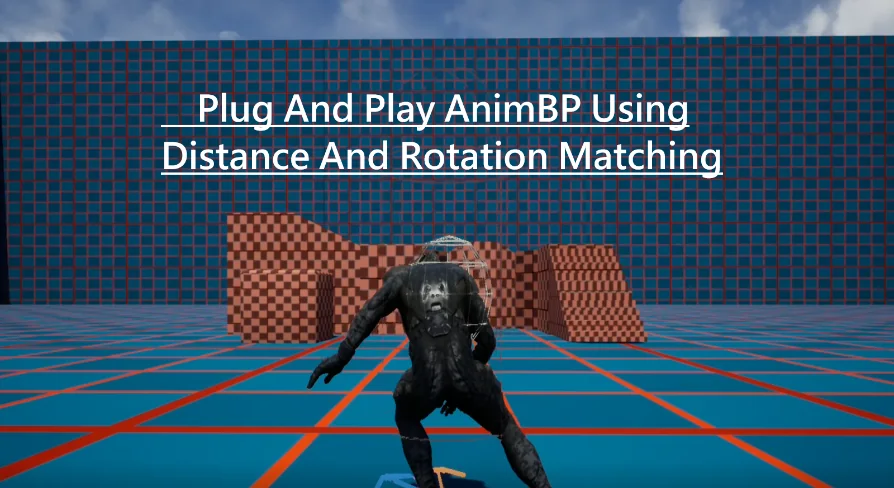
Developing a robust, responsive character controller requires managing a vast network of animation states, blends, and transition rules. The Kai Locomotion System operates as a plug-and-play Animation Blueprint designed to handle this complex logic architecture out of the box. Rather than forcing developers to manually wire together complex state machines, the system centralizes its logic through a data-driven setup. Users simply fill a dedicated Data Asset with their chosen animation files. Once the Data Asset is populated, the system translates those references into high-quality locomotion in a matter of minutes, completely bypassing the need to alter or disrupt the existing movement logic of the player.
Because the package functions strictly as a logical framework and code toolset, the animations seen in the demo video are not included. Developers must supply their own animation sequences. Once supplied, the blueprint natively supports three distinct gaits, allowing characters to smoothly transition between different speeds and movement intensities. This framework accommodates different types of transitions, ensuring that shifts in momentum and direction are handled procedurally without breaking the visual flow of the character's movement.
Transition Requirements and Version Optimization
To accurately map a character's momentum and foot placement across a full range of motion, the system requires a specific baseline of animation inputs. For standard project setups, the required minimum transitions include four directional loops, four directional starts, and four directional stops. These core animations provide the foundational data necessary for the blueprint to calculate seamless directional shifts from a standstill, during continuous movement, and when coming to a halt.
However, the system's architecture has been heavily optimized for newer engine environments. For projects operating on version 5.5 and above, the baseline animation requirements are significantly reduced. In these environments, the system only requires an idle animation and four directional loops as the absolute minimum. This optimization drastically lightens the animation workload, allowing developers working in 5.5+ to achieve complex, blended locomotion with a fraction of the animation assets that would traditionally be required.
The Custom Character Movement Component
Standard character locomotion often relies on rigid, capsule-driven rotation that can lead to unnatural foot sliding or robotic turning arcs. The V3 release of the Kai Locomotion System addresses this directly by implementing a Custom Character Movement Component (CMC). This specialized framework features a custom rotation implementation that actively extracts and utilizes rotation data directly from certain KLS animations. By driving the character's turn rate and facing direction through actual animation data rather than generic input vectors, the character remains visually grounded in its physical poses during complex maneuvers.
On top of that, this custom CMC offers a predictively replicated custom movement speed. Predictive replication is a critical requirement for networked and multiplayer projects, ensuring that customized, non-standard movement speeds remain accurately synchronized between the server and connecting clients. Looking ahead, this specialized CMC is actively being built upon to support entirely new movement modes. The developer notes that physics-based sliding mechanics and Zelda-style climbing logic are currently in the works, both of which will utilize this custom component as their structural foundation.
Implementing Lyra-Style Masking and Linked Animation Layers
Managing complex upper-body actions—such as aiming a weapon, holding an item, or taking damage—while simultaneously navigating terrain requires an advanced layering approach. To handle this, the system utilizes Linked Animation Layers to seamlessly switch between the core locomotion sets and various masking sets. This architecture mirrors the dynamic, modular layered animation methodology seen in the Lyra starter game, allowing developers to swap out discrete blocks of movement logic on the fly without disrupting the underlying gait.
Applying these masks to the core locomotion sets is highly streamlined. Developers define their specific mask poses and assign detailed Body Part Mask weights directly within a Data Asset. Because these blending parameters are stored as centralized data rather than being hardcoded deep within an animation graph, the workflow allows for very fast iteration. Animators and programmers can continuously adjust numerical mask weights to get the exact right blends for their custom poses, instantly seeing the results of their tweaks without needing to recompile complex blueprints.
Scaling Projects with Template Animation Blueprints
Applying a complex locomotion system across multiple characters with different proportions can often lead to severe project bloat. With the V3.5 release, the workflow for managing varied skeletal hierarchies was fundamentally overhauled through the usage of a Template Animation Blueprint. In older setups, transferring movement logic to a new character often meant manually duplicating Animation Blueprints and retargeting internal references.
The template approach completely removes this bottleneck. Developers no longer need to make copies of animation blueprints for every new character model added to the game. Instead, they can simply create a child blueprint derived from any skeleton they want to use. This modular inheritance greatly simplifies the overarching animation system, ensuring that any updates made to the core locomotion logic are automatically propagated down to all child characters, drastically reducing maintenance time on projects with large character rosters.
Required Technical Framework
Under the hood, the Kai Locomotion System relies on specific engine features to process its advanced procedural adjustments and pose matching. The system requires the Control Rig Plugin to be activated in order to handle procedural skeletal corrections and dynamic adjustments. Alongside this, it also requires the Pose Search Plugin to be activated, which manages the complex selection and matching of animation data during runtime.
To ensure a smooth setup process, both the Control Rig Plugin and the Pose Search Plugin are automatically activated when the system is integrated into a project. By automatically managing these dependencies, the system provides a robust, technically advanced foundation for developers who need high-end, replicated character movement logic driven entirely by modular data assets and template blueprints.
 Animations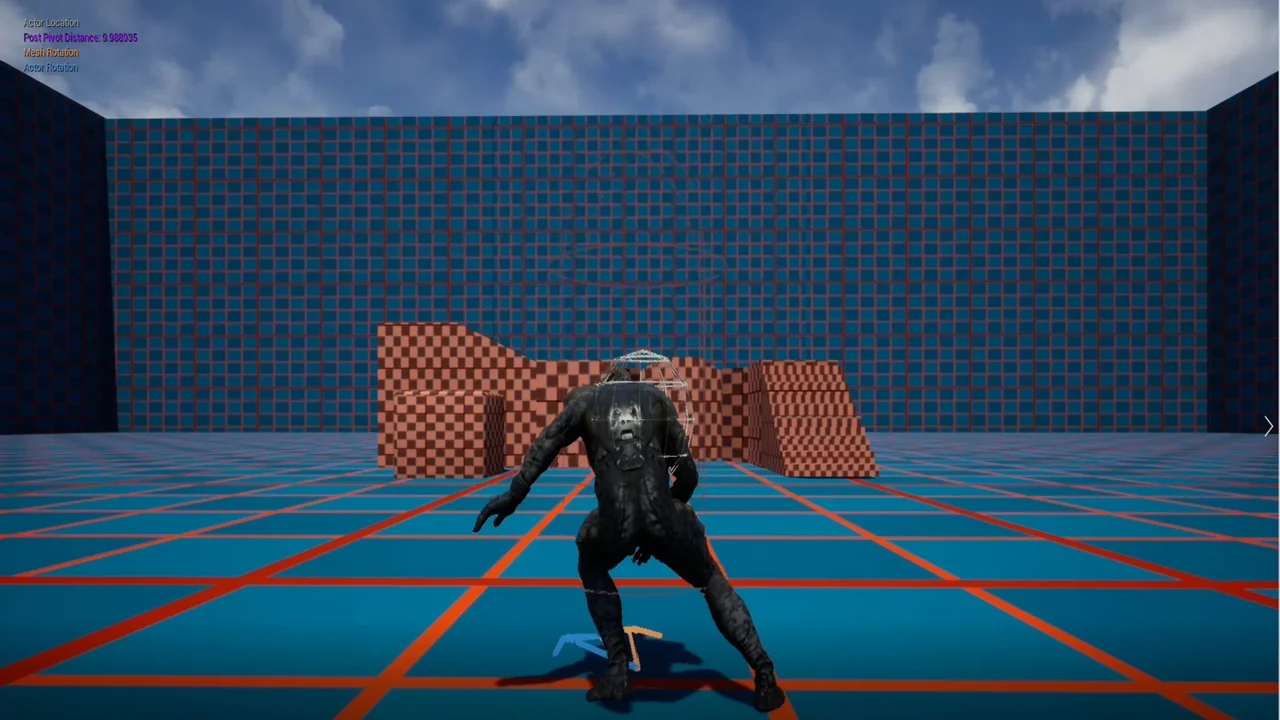
 Animations
 Locomotion / Gaits
 Locomotion / Gaits