"a19e0535960bd083"{"id":"1002056","slug":"hover-controller","title":"Hover Controller","category":"Vehicles \u0026 Transportation","engine":"4.26+,5.0+","assetVersion":"","engineVersion":"Engine Version: 4.26+,5.0+","tag":"Vehicles","accent":"blue","visual":"mech","summary":"A Blueprint actor component delivering drivable, replicated hovercraft mechanics, surface alignment, and Sticky Hover Mode for Unreal Engine projects.","platform":"Unreal Engine","publishedAt":"2026-10-26T15:13:04.821Z","updatedAt":"2026-10-26T15:13:04.821Z","sourceNotes":[],"fileContents":[],"compatibility":["Unreal Engine","Engine Version: 4.26+,5.0+"],"featuredImage":{"alt":"Hover Controller","src":"/wp-content/uploads/published/2026/10/511c31781f5f-cd2abea4-7cee-4888-b6f2-c764e1bb0d97-50be6d2a5b.webp"},"hasDownloadLink":true,"downloads":0,"terms":[{"taxonomy":"category","slug":"vehicles-and-transportation","name":"Vehicles \u0026 Transportation"}],"galleryImages":[{"src":"/wp-content/uploads/published/2026/10/37ebf397422d-c053135e-cb7e-496f-9fbd-6df83689a914-0c9c9b876d.webp","alt":"Hover Controller"},{"src":"/wp-content/uploads/published/2026/10/1d83206bc81f-9b62032a-140c-4b7a-aa81-cd504794935c-2b6639bb4b.webp","alt":"Hover Controller"},{"src":"/wp-content/uploads/published/2026/10/15c8fd1b97ec-fba4a7cc-7637-4eed-be67-37d48ea3d440-bb1e07b7b4.webp","alt":"Hover Controller"},{"src":"/wp-content/uploads/published/2026/10/c78afdd512c0-ea088bf7-b61b-45a2-a8a6-71c158c467bc-02690f6f1d.webp","alt":"Hover Controller"}],"accessPanel":{"kind":"resource","title":"Download this resource","eyebrow":"Free Download","message":"Log in or create a free account to start your download.","fileName":"Content.7z","safetyNote":"Resources are manually reviewed before listing to improve quality and reduce obvious risks.","actionLabel":"Download Free","resourceType":"Resource archive"},"contentHtml":"\u003ch2\u003eBlueprint Setup and Component Integration\u003c/h2\u003e\n\u003cp\u003eIntegrating hover mechanics into a custom project begins by adding the core Hover Controller actor component directly into an existing Blueprint. Rather than forcing creators to rewrite pawn movement logic from scratch, the system operates as a self-contained module that attaches to any parent actor. This architecture allows developers to convert arbitrary static meshes or skeletal meshes into drivable hover vehicles without restructuring class hierarchies.\u003c/p\u003e\n\u003cp\u003eThe parent Blueprint requires two fundamental elements to function: an active camera and designated hover sources. Setup hinges on clean component hierarchy and simple naming rules. Any component within the parent actor that contains the designated keyword in its name is automatically identified as a hover source. These hover sources define the physical contact points from which the actor measures elevation and interacts with terrain, removing the need for manual array registrations or hardcoded variable bindings inside the event graph.\u003c/p\u003e\n\u003cp\u003eBecause the foundation relies on standard component structures, developers can apply the controller to conventional hovercrafts, futuristic anti-gravity tanks, or unconventional fantasy concepts such as a floating mount. Once the component is added and the hover sources carry the required naming keyword, the actor is immediately recognized by the system as a drivable entity.\u003c/p\u003e \u003ch2\u003eSurface Alignment and Hover Sources\u003c/h2\u003e\n\u003cp\u003eSurface interaction is calculated dynamically relative to the ground beneath the vehicle. The Hover Controller monitors the hover sources distributed across the parent actor, continually adjusting elevation and vehicle posture. As the vehicle travels across uneven terrain, it automatically aligns its rotation to match the contours of the underlying surface, preventing harsh clipping or awkward visual disconnections on slopes and ridges.\u003c/p\u003e\n\u003cp\u003eWhen the vehicle leaves the ground entirely, such as after launching off an incline or dropping from a ledge, the system shifts into an airborne state. In the air, the component transitions out of ground-conforming rotation and automatically levels the actor along its horizontal axes. This automatic stabilization prevents the pawn from tumbling out of control while falling, ensuring that the vehicle maintains a level orientation until hover sources detect ground proximity once again.\u003c/p\u003e \u003ch2\u003eInput Handling and Dynamic State Switching\u003c/h2\u003e\n\u003cp\u003eVehicle handling can be fine-tuned across several configuration parameters within the Hover Controller component. Developers have access to multiple input options to dictate how player commands translate into acceleration, braking, turning, and drift. These adjustments govern the overall weight and responsiveness of the vehicle, making it possible to create heavy, industrial hover tanks that slide deliberately through turns, or agile, twitch-responsive racers that turn sharply with minimal drift.\u003c/p\u003e\n\u003cp\u003eA key capability of the component is runtime activation and deactivation. The controller can be disabled or re-enabled on the fly during gameplay, which facilitates multi-mode vehicle mechanics. For instance, an actor can utilize a flight-based controller while soaring through open airspace, then deactivate flight controls and activate the Hover Controller as it nears the ground to execute a seamless landing sequence. This modular switching mechanism allows developers to assemble hybrid or transforming vehicles by toggling between compatible movement components as gameplay states evolve.\u003c/p\u003e \u003ch2\u003eSurface Traversal with Sticky Hover Mode\u003c/h2\u003e\n\u003cp\u003eBeyond standard terrain gliding, the package includes Sticky Hover Mode, an alternative operational state that expands where the vehicle can travel. When this mode is engaged, the hover actor sticks to and orients itself along designated surfaces regardless of normal gravitational orientation. This allows vehicles to maintain their hovering distance while traversing steep inclines, vertical walls, or inverted paths without detaching or falling away.\u003c/p\u003e\n\u003cp\u003eSticky Hover Mode evaluates surface normals directly, overriding standard horizontal leveling in favor of continuous surface tracking. This mechanic extends the functionality of the Hover Controller into non-traditional racing tracks, magnetic rail segments, and multi-directional combat arenas where standard ground vehicles would lose traction and drift into open space.\u003c/p\u003e \u003ch2\u003eReplication and Included Art Assets\u003c/h2\u003e\n\u003cp\u003eThe system is built to support multiplayer environments, carrying full network replication out of the box so that vehicle transforms, inputs, and hover states stay synchronized across clients. In addition to the main Hover Controller component, the package provides a dedicated Camera Controller tailored to follow hover-style movement smoothly, damping aggressive rotations while keeping the vehicle centered in the player viewport.\u003c/p\u003e\n\u003cp\u003eA fully textured demo hovercraft asset is included to help teams verify functionality immediately after installation. The demo vehicle includes dedicated material setups, source textures, and mask maps, allowing developers to test color variations and surface treatments directly. For projects looking to combine vehicular movement with character propulsion mechanics, the controller also shares structural compatibility with the Sci-Fi Jetpacks Bundle, making it straightforward to maintain consistent movement logic across disparate player-controlled assets.\u003c/p\u003e\n\n\u003ch2\u003eMore From The Same Workflow\u003c/h2\u003e\n\u003cul\u003e\n\u003cli\u003e\u003ca href=\"https://3dcghub.com/hover-car-system/\" title=\"Hover Car System\"\u003eHover Car System\u003c/a\u003e\u003c/li\u003e\n\u003cli\u003e\u003ca href=\"https://3dcghub.com/hoverbike-system/\" title=\"Hoverbike System\"\u003eHoverbike System\u003c/a\u003e\u003c/li\u003e\n\u003cli\u003e\u003ca href=\"https://3dcghub.com/stellar-phoenix-shuttle-spaceship-with-controller/\" title=\"Stellar Phoenix Shuttle - Spaceship With Controller\"\u003eStellar Phoenix Shuttle - Spaceship With Controller\u003c/a\u003e\u003c/li\u003e\n\u003cli\u003e\u003ca href=\"https://3dcghub.com/drivable-vehicle-snowmobile/\" title=\"Drivable Vehicle : Snowmobile\"\u003eDrivable Vehicle : Snowmobile\u003c/a\u003e\u003c/li\u003e\n\u003cli\u003e\u003ca href=\"https://3dcghub.com/cycling/\" title=\"Cycling\"\u003eCycling\u003c/a\u003e\u003c/li\u003e\n\u003c/ul\u003e","contentTextLength":5581,"navigation":{"current":35,"total":4026,"previous":{"id":"1002057","slug":"hq-retro-school-bus","title":"HQ Retro School Bus","category":"Vehicles \u0026 Transportation","platform":"Unreal Engine","updatedAt":"2026-10-26T15:14:11.469Z"},"next":{"id":"1002055","slug":"hover-car-system","title":"Hover Car System","category":"Vehicles \u0026 Transportation","platform":"Unreal Engine","updatedAt":"2026-10-26T15:12:29.161Z"}},"relatedResources":[{"id":"1002055","slug":"hover-car-system","title":"Hover Car System","category":"Vehicles \u0026 Transportation","engine":"4.26+,5.0+","assetVersion":"","engineVersion":"Engine Version: 4.26+,5.0+","tag":"Vehicles","accent":"blue","visual":"mech","summary":"Explore the Hover Car System for Unreal Engine, featuring physically based hover mechanics, custom mesh integration, spline navigation, and AI control.","platform":"Unreal Engine","publishedAt":"2026-10-26T15:12:29.161Z","updatedAt":"2026-10-26T15:12:29.161Z","sourceNotes":[],"fileContents":[],"compatibility":["Unreal Engine","Engine Version: 4.26+,5.0+"],"featuredImage":{"alt":"Hover Car System","src":"/wp-content/uploads/published/2026/10/c480e8076fba-a61929d4-3dbc-46da-8590-475583a1f0c8-1ccfca2074.webp"},"hasDownloadLink":true,"downloads":0},{"id":"5131","slug":"hoverbike-system","title":"Hoverbike System","category":"Vehicles \u0026 Transportation","engine":"4.26+,5.0+","assetVersion":"Engine version: 4.26+,5.0+","engineVersion":"4.12","tag":"Vehicles","accent":"blue","visual":"city","summary":"Build futuristic racing games with the Hoverbike System for Unreal Engine. Includes advanced physics, modular materials, and a custom rider Blueprint framework.","platform":"Unreal Engine","publishedAt":"2026-02-14T17:49:31.000Z","updatedAt":"2026-04-19T15:57:01.000Z","sourceNotes":[],"fileContents":[],"compatibility":["Unreal Engine"],"featuredImage":{"alt":"Hoverbike System","src":"https://3dcghub.com/wp-content/uploads/2026/02/c6aeffca-45e5-4c56-add9-9b3ec46b75b6.webp"},"hasDownloadLink":true,"downloads":0},{"id":"5282","slug":"stellar-phoenix-shuttle-spaceship-with-controller","title":"Stellar Phoenix Shuttle - Spaceship With Controller","category":"Vehicles \u0026 Transportation","engine":"5.1+","assetVersion":"Engine version: 5.1+","engineVersion":"5.1","tag":"Vehicles","accent":"blue","visual":"animation","summary":"Discover the Stellar Phoenix Shuttle for Unreal Engine. A complete spaceship asset with a flight controller, PBR textures, and animated parts for game developer","platform":"Unreal Engine","publishedAt":"2026-02-15T14:03:31.000Z","updatedAt":"2026-04-19T15:56:59.000Z","sourceNotes":[],"fileContents":[],"compatibility":["Unreal Engine","Engine version: 5.1+"],"featuredImage":{"alt":"Stellar Phoenix Shuttle - Spaceship With Controller","src":"https://3dcghub.com/wp-content/uploads/2026/02/03140a6b-8a6a-472f-a68f-9db9fd7b3131.webp"},"hasDownloadLink":true,"downloads":0}]}
Vehicles
Hover Controller
A Blueprint actor component delivering drivable, replicated hovercraft mechanics, surface alignment, and Sticky Hover Mode for Unreal Engine projects.
Integrating hover mechanics into a custom project begins by adding the core Hover Controller actor component directly into an existing Blueprint. Rather than forcing creators to rewrite pawn movement logic from scratch, the system operates as a self-contained module that attaches to any parent actor. This architecture allows developers to convert arbitrary static meshes or skeletal meshes into drivable hover vehicles without restructuring class hierarchies.
The parent Blueprint requires two fundamental elements to function: an active camera and designated hover sources. Setup hinges on clean component hierarchy and simple naming rules. Any component within the parent actor that contains the designated keyword in its name is automatically identified as a hover source. These hover sources define the physical contact points from which the actor measures elevation and interacts with terrain, removing the need for manual array registrations or hardcoded variable bindings inside the event graph.
Because the foundation relies on standard component structures, developers can apply the controller to conventional hovercrafts, futuristic anti-gravity tanks, or unconventional fantasy concepts such as a floating mount. Once the component is added and the hover sources carry the required naming keyword, the actor is immediately recognized by the system as a drivable entity.
Surface Alignment and Hover Sources
Surface interaction is calculated dynamically relative to the ground beneath the vehicle. The Hover Controller monitors the hover sources distributed across the parent actor, continually adjusting elevation and vehicle posture. As the vehicle travels across uneven terrain, it automatically aligns its rotation to match the contours of the underlying surface, preventing harsh clipping or awkward visual disconnections on slopes and ridges.
When the vehicle leaves the ground entirely, such as after launching off an incline or dropping from a ledge, the system shifts into an airborne state. In the air, the component transitions out of ground-conforming rotation and automatically levels the actor along its horizontal axes. This automatic stabilization prevents the pawn from tumbling out of control while falling, ensuring that the vehicle maintains a level orientation until hover sources detect ground proximity once again.
Input Handling and Dynamic State Switching
Vehicle handling can be fine-tuned across several configuration parameters within the Hover Controller component. Developers have access to multiple input options to dictate how player commands translate into acceleration, braking, turning, and drift. These adjustments govern the overall weight and responsiveness of the vehicle, making it possible to create heavy, industrial hover tanks that slide deliberately through turns, or agile, twitch-responsive racers that turn sharply with minimal drift.
A key capability of the component is runtime activation and deactivation. The controller can be disabled or re-enabled on the fly during gameplay, which facilitates multi-mode vehicle mechanics. For instance, an actor can utilize a flight-based controller while soaring through open airspace, then deactivate flight controls and activate the Hover Controller as it nears the ground to execute a seamless landing sequence. This modular switching mechanism allows developers to assemble hybrid or transforming vehicles by toggling between compatible movement components as gameplay states evolve.
Surface Traversal with Sticky Hover Mode
Beyond standard terrain gliding, the package includes Sticky Hover Mode, an alternative operational state that expands where the vehicle can travel. When this mode is engaged, the hover actor sticks to and orients itself along designated surfaces regardless of normal gravitational orientation. This allows vehicles to maintain their hovering distance while traversing steep inclines, vertical walls, or inverted paths without detaching or falling away.
Sticky Hover Mode evaluates surface normals directly, overriding standard horizontal leveling in favor of continuous surface tracking. This mechanic extends the functionality of the Hover Controller into non-traditional racing tracks, magnetic rail segments, and multi-directional combat arenas where standard ground vehicles would lose traction and drift into open space.
Replication and Included Art Assets
The system is built to support multiplayer environments, carrying full network replication out of the box so that vehicle transforms, inputs, and hover states stay synchronized across clients. In addition to the main Hover Controller component, the package provides a dedicated Camera Controller tailored to follow hover-style movement smoothly, damping aggressive rotations while keeping the vehicle centered in the player viewport.
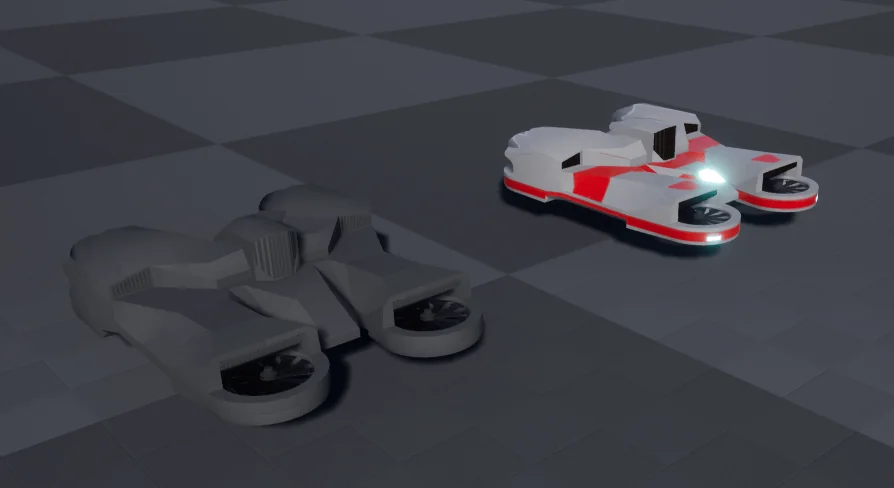
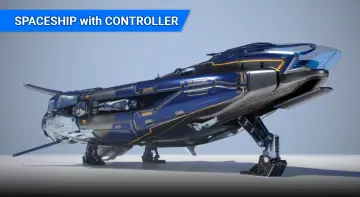
A fully textured demo hovercraft asset is included to help teams verify functionality immediately after installation. The demo vehicle includes dedicated material setups, source textures, and mask maps, allowing developers to test color variations and surface treatments directly. For projects looking to combine vehicular movement with character propulsion mechanics, the controller also shares structural compatibility with the Sci-Fi Jetpacks Bundle, making it straightforward to maintain consistent movement logic across disparate player-controlled assets.
 Vehicles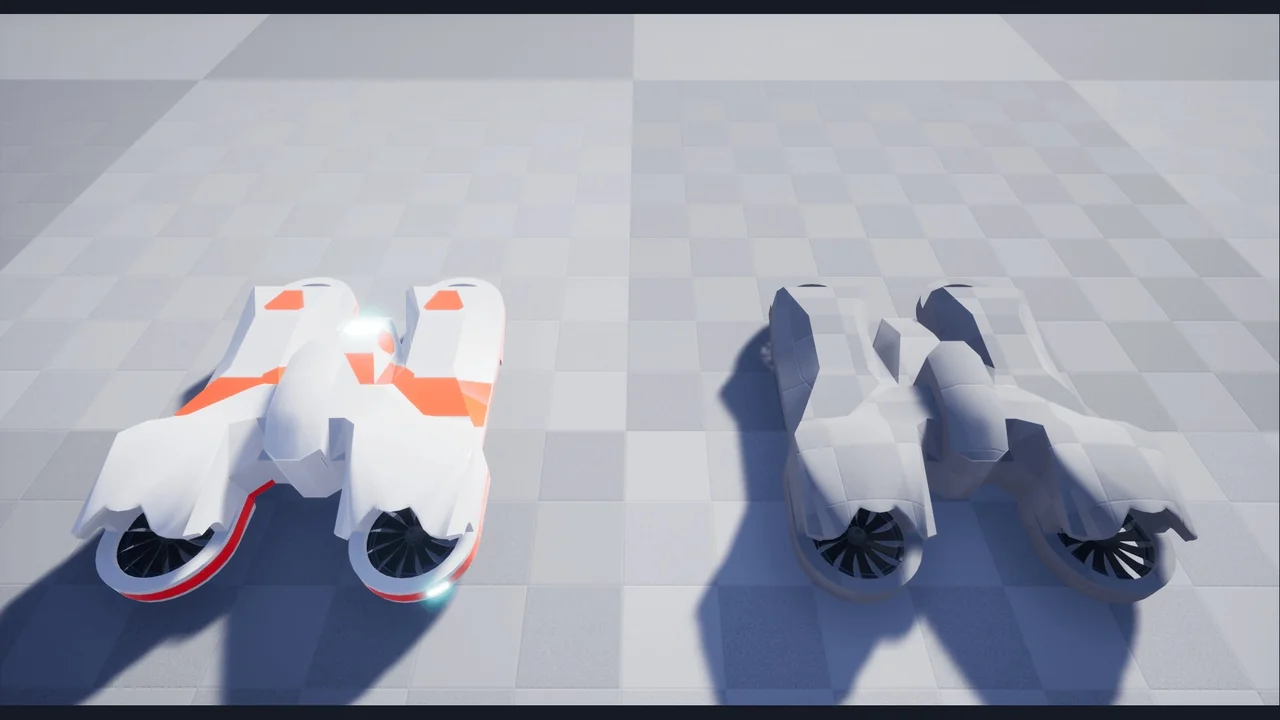
 Vehicles
 Vehicles
 Vehicles