"c14ff6bd758dadb1"{"id":"1000603","slug":"fluid-portal-vfx-pack","title":"Fluid Portal VFX Pack","category":"Shaders","engine":"5.3+","assetVersion":"","engineVersion":"Engine Version: 5.3+","tag":"Shaders","accent":"blue","visual":"mech","summary":"Interactive Fluid Portal VFX Pack with 14+ Niagara Fluids effects, customizable portal sets, materials, 4K textures, and a playable Win64 demo.","platform":"Unreal Engine","publishedAt":"2026-07-20T16:20:21.021Z","updatedAt":"2026-07-20T16:20:21.021Z","sourceNotes":[],"fileContents":[],"compatibility":["Unreal Engine","Engine Version: 5.3+"],"featuredImage":{"alt":"Fluid Portal VFX Pack","src":"/wp-content/uploads/published/2026/07/b656f5664f46-54ebd946-c6e0-452f-8bf1-e4b5f0c89b7b-2145f679bc.webp"},"hasDownloadLink":true,"downloads":1,"terms":[{"taxonomy":"category","slug":"shaders","name":"Shaders"}],"galleryImages":[{"src":"/wp-content/uploads/published/2026/07/b8a4ca63781c-6a8853a5-6475-4fd5-a863-f8fd41f0b27c-db432086fc.webp","alt":"Fluid Portal VFX Pack"},{"src":"/wp-content/uploads/published/2026/07/94bb857c37b1-ae5b2de5-7812-406d-b6d4-a6ed50f3cae7-090ef1755e.webp","alt":"Fluid Portal VFX Pack"},{"src":"/wp-content/uploads/published/2026/07/40c869fca2b6-20a421aa-caa9-4d3e-ba88-843c73bc2ec0-2f5ebfe8fa.webp","alt":"Fluid Portal VFX Pack"},{"src":"/wp-content/uploads/published/2026/07/3991e5026968-1f9b8887-da3a-4d6c-a617-4c4f8a1eae88-3bf3d8a2db.webp","alt":"Fluid Portal VFX Pack"},{"src":"/wp-content/uploads/published/2026/07/fbab6d23c997-62f0df0d-eb79-4ed4-9a7a-06ccce6a3f13-f18f705753.webp","alt":"Fluid Portal VFX Pack"},{"src":"/wp-content/uploads/published/2026/07/e8e0166f6bb9-422f1055-1bdc-47f7-b98a-511eb0f7933b-2d23534ddb.webp","alt":"Fluid Portal VFX Pack"},{"src":"/wp-content/uploads/published/2026/07/1afbcf3c090c-ac4c75d7-2717-41ef-83af-25710d2a184d-421eb361cc.webp","alt":"Fluid Portal VFX Pack"},{"src":"/wp-content/uploads/published/2026/07/e1eb79186fcf-8235028f-992c-49a6-87e4-47cd7393605a-19b72a1021.webp","alt":"Fluid Portal VFX Pack"},{"src":"/wp-content/uploads/published/2026/07/324259453cfa-4caf5ee3-560a-4024-9d53-e427561e3588-3059be637e.webp","alt":"Fluid Portal VFX Pack"},{"src":"/wp-content/uploads/published/2026/07/8360566dfa3c-17c8fc25-7556-4b7c-a820-2818ba7a6a30-afbf602818.webp","alt":"Fluid Portal VFX Pack"}],"accessPanel":{"kind":"resource","title":"Download this resource","eyebrow":"Free Download","message":"Log in or create a free account to start your download.","fileName":"FluidPortalVFX Pack.7z","safetyNote":"Resources are manually reviewed before listing to improve quality and reduce obvious risks.","actionLabel":"Download Free","resourceType":"Resource archive"},"contentHtml":"\u003cp\u003ePortals in Unreal Engine scenes do not have to rely on flat sprite sheets or static meshes. With fluid simulation driving the visual core, a swirling vortex can react to scene conditions and behave like living smoke or a teleport tunnel. The Fluid Portal VFX Pack approaches portals as interactive fluid phenomena rather than canned animations, giving designers a set of realistic effects that can be shaped and repurposed directly inside the engine.\u003c/p\u003e \u003ch2\u003eWhat the Fluid Portal VFX Pack ships with\u003c/h2\u003e \u003cp\u003eThe pack contains 14 or more realistic Fluid Portal VFX sets, each paired with 14 or more Niagara Fluids effects. These are not static props or looping clips; they are shaped by fluid simulation, meaning the motion of smoke, vortex, and wormhole-style effects emerges from the Niagara Fluids system rather than being baked into a flipbook. This approach allows the portals to feel like they occupy real space, with volumetric behavior that responds to the simulation parameters.\u003c/p\u003e \u003cp\u003eAlongside the fluid effects themselves, the pack includes four or more effect materials and material instances. These instances are where much of the day-to-day customization happens: rather than opening a material editor and rewiring logic, a technical artist or level designer can tweak instance parameters to alter the look of a portal without touching the base material graph. One or more effect textures round out the visual foundation, feeding into the materials and simulation to produce the final on-screen result.\u003c/p\u003e \u003ch2\u003ePortal model and texture foundation\u003c/h2\u003e \u003cp\u003eBeyond the effects and materials, the pack provides one or more portal model sets. Each model set includes one or more materials and three or more 4K textures. The 4K resolution matters here because portals are often framed as hero elements in a scene—the thing the player walks toward, peers into, or gets pulled through. High-resolution textures on the portal model itself help keep that hero element crisp, even when the camera is close and the fluid simulation is churning around the frame.\u003c/p\u003e \u003cp\u003eThe separation between the portal model and the fluid effects is worth noting. The model provides the physical anchor and surface detail, while the Niagara Fluids effects provide the dynamic, animated volume. Together, they form a complete portal set, but the granularity means a team can swap models, adjust textures, or reconfigure the fluid effect independently if a specific shot calls for it.\u003c/p\u003e \u003ch2\u003eCustomizing and creating new portal effect sets\u003c/h2\u003e \u003cp\u003eAll portal sets in the pack are customizable. This is a central design decision rather than an afterthought. Because the materials, instances, and fluid effects are exposed and parameterized, the pack functions as a starting library rather than a fixed output. Teams can take an existing portal set, adjust its material instance parameters, shift the fluid simulation settings, and arrive at a new portal effect set without building the simulation from scratch.\u003c/p\u003e \u003cp\u003eThis workflow is particularly relevant for projects that need multiple portal variants—a wormhole for one level, a smoke vortex for another, a teleport effect for a cutscene. Rather than commissioning a unique asset for each, a technical artist can clone a set, modify the exposed parameters, and iterate until the visual matches the scene's tone. The pack is structured to make that iteration loop fast.\u003c/p\u003e \u003cp\u003eFor teams working with Niagara Fluids, this kind of parameterized setup also serves as a practical reference. Seeing how the included effects are wired, how the materials interact with the simulation, and how the portal models are textured provides a working example of fluid-based VFX construction inside Unreal Engine. Designers learning the system can reverse-engineer the included sets to understand the relationship between fluid simulation, material logic, and final rendering.\u003c/p\u003e \u003ch2\u003eDemo, documentation, and technical requirements\u003c/h2\u003e \u003cp\u003eA playable Windows 64-bit demo is available, allowing teams to evaluate the effects in real time before integrating them into a project. This is a practical step; fluid simulations can behave differently depending on hardware and scene context, and having a standalone demo removes guesswork about how the portals perform under actual gameplay conditions rather than in a curated trailer.\u003c/p\u003e \u003cp\u003eDocumentation is included, and support is available through a Discord server. These resources cover setup and usage, including guidance on how to use fluid simulation. For teams new to Niagara Fluids, this documentation is a critical companion; fluid simulation has its own logic and parameter set, and the included docs help bridge the gap between installing the pack and getting usable results in a scene.\u003c/p\u003e \u003ch3\u003eNiagara Fluids Plugin and storage\u003c/h3\u003e \u003cp\u003eThe Niagara Fluids Plugin is required to use this pack. This is not optional; the effects depend on the plugin's simulation framework to function. Teams need to ensure the plugin is enabled in their project before attempting to use any of the included portal sets.\u003c/p\u003e \u003cp\u003eIn terms of storage, the pack requires approximately 558 MB of free space. This accounts for the fluid simulation assets, materials, 4K textures, and portal models. Teams working with tight project budgets or version control constraints should factor this footprint in when planning integration.\u003c/p\u003e \u003ch2\u003ePractical takeaway for implementation\u003c/h2\u003e \u003cp\u003eThe Fluid Portal VFX Pack is built for teams that need customizable, fluid-driven portal effects inside Unreal Engine and are already committed to the Niagara Fluids workflow. The combination of 14-plus simulated effect sets, parameterized material instances, 4K-portal textures, and a playable demo means the pack can be evaluated before integration and reshaped after import. The strongest concrete point for teams evaluating this asset is that all portal sets are customizable and can be used to easily create new portal effect sets, making the pack a working toolkit rather than a fixed loop of finished effects.\u003c/p\u003e\n\n\u003ch2\u003eMore From The Same Workflow\u003c/h2\u003e\n\u003cul\u003e\n\u003cli\u003e\u003ca href=\"https://3dcghub.com/wormhole-vfx-pack-sci-fi-version/\" title=\"Wormhole VFX Pack ( Sci-Fi Version )\"\u003eWormhole VFX Pack ( Sci-Fi Version )\u003c/a\u003e\u003c/li\u003e\n\u003cli\u003e\u003ca href=\"https://3dcghub.com/cube-vfx/\" title=\"Cube VFX\"\u003eCube VFX\u003c/a\u003e\u003c/li\u003e\n\u003cli\u003e\u003ca href=\"https://3dcghub.com/crystal-vfx-pack/\" title=\"Crystal VFX Pack\"\u003eCrystal VFX Pack\u003c/a\u003e\u003c/li\u003e\n\u003cli\u003e\u003ca href=\"https://3dcghub.com/post-process-pro-pack/\" title=\"Post Process Pro Pack\"\u003ePost Process Pro Pack\u003c/a\u003e\u003c/li\u003e\n\u003cli\u003e\u003ca href=\"https://3dcghub.com/energy-ball-vfx-pack/\" title=\"Energy Ball VFX Pack\"\u003eEnergy Ball VFX Pack\u003c/a\u003e\u003c/li\u003e\n\u003c/ul\u003e","contentTextLength":6051,"navigation":{"current":1258,"total":3719,"previous":{"id":"14013","slug":"flying-navigation-system","title":"Flying Navigation System","category":"Engine Tools","platform":"Unreal Engine","updatedAt":"2026-07-20T16:43:33.919Z"},"next":{"id":"1000602","slug":"fast-ai-plugin-multiplayer","title":"Fast AI Plugin (Multiplayer)","category":"Artificial Intelligence","platform":"Unreal Engine","updatedAt":"2026-07-20T15:37:11.434Z"}},"relatedResources":[{"id":"1000844","slug":"liquid-materials-vfx-pack","title":"LIQUID MATERIALS : VFX Pack","category":"Shaders","engine":"5.1+","assetVersion":"","engineVersion":"Engine Version: 5.1+","tag":"Shaders","accent":"blue","visual":"luts","summary":"LIQUID MATERIALS: VFX Pack provides 23 meshes, 13 glass materials, and 13 liquid materials with automatic Niagara-based real-time fluid animation for Unreal Eng","platform":"Unreal Engine","publishedAt":"2026-08-04T07:08:15.893Z","updatedAt":"2026-08-04T07:08:15.893Z","sourceNotes":[],"fileContents":[],"compatibility":["Unreal Engine","Engine Version: 5.1+"],"featuredImage":{"alt":"LIQUID MATERIALS : VFX Pack","src":"/wp-content/uploads/published/2026/08/031b6a53ab5b-856b12c0-66b3-4f90-9a63-103fd8b06400-4230560477.webp"},"hasDownloadLink":true,"downloads":2},{"id":"16000","slug":"wormhole-vfx-pack-sci-fi-version","title":"Wormhole VFX Pack ( Sci-Fi Version )","category":"Shaders","engine":"5.0+","assetVersion":"Engine version: 5.0+","engineVersion":"5.0","tag":"Shaders","accent":"blue","visual":"character","summary":"Create stunning interactive portals with the Wormhole VFX Pack ( Sci-Fi Version ). This asset includes over 18 Niagara systems and 30 materials for complete creative control.","platform":"Unreal Engine","publishedAt":"2026-03-12T13:43:37.000Z","updatedAt":"2026-04-19T15:44:38.000Z","sourceNotes":[],"fileContents":[],"compatibility":["Unreal Engine","Engine version: 5.0+"],"featuredImage":{"alt":"Wormhole VFX Pack ( Sci-Fi Version )","src":"https://3dcghub.com/wp-content/uploads/2026/03/1039889c-e092-49d2-a75e-2a8e0cf1c747.webp"},"hasDownloadLink":true,"downloads":0},{"id":"1001017","slug":"star-vfx-pack","title":"Star VFX Pack","category":"Shaders","engine":"5.0+","assetVersion":"","engineVersion":"Engine Version: 5.0+","tag":"Shaders","accent":"blue","visual":"mech","summary":"Customizable star VFX pack with 28+ Niagara systems, 45+ dynamic materials, 22+ textures, and 17+ models. Includes a Win64bit demo and Discord support.","platform":"Unreal Engine","publishedAt":"2026-08-22T16:14:20.964Z","updatedAt":"2026-08-22T16:14:20.964Z","sourceNotes":[],"fileContents":[],"compatibility":["Unreal Engine","Engine Version: 5.0+"],"featuredImage":{"alt":"Star VFX Pack","src":"/wp-content/uploads/published/2026/08/6c8b512b96a6-338ff890-24aa-4c23-9f1e-be692219540d-2d18fd0080.webp"},"hasDownloadLink":true,"downloads":0}]}
Shaders
Fluid Portal VFX Pack
Interactive Fluid Portal VFX Pack with 14+ Niagara Fluids effects, customizable portal sets, materials, 4K textures, and a playable Win64 demo.
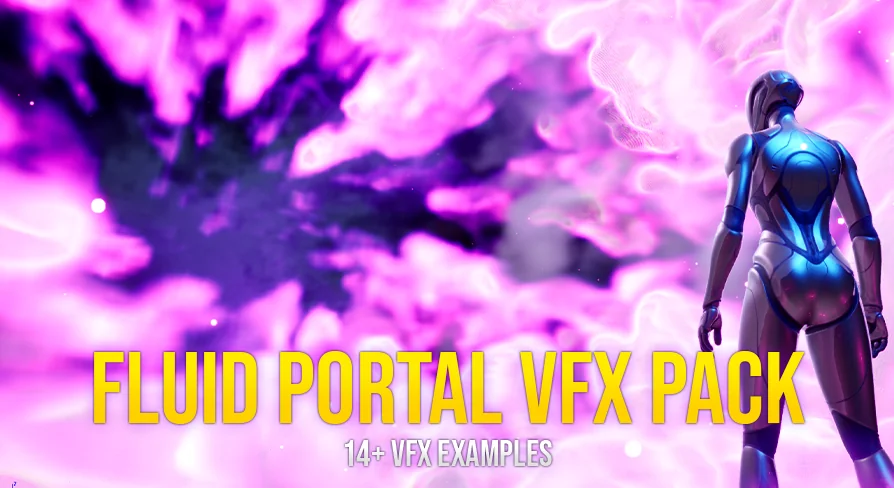
Portals in Unreal Engine scenes do not have to rely on flat sprite sheets or static meshes. With fluid simulation driving the visual core, a swirling vortex can react to scene conditions and behave like living smoke or a teleport tunnel. The Fluid Portal VFX Pack approaches portals as interactive fluid phenomena rather than canned animations, giving designers a set of realistic effects that can be shaped and repurposed directly inside the engine.
What the Fluid Portal VFX Pack ships with
The pack contains 14 or more realistic Fluid Portal VFX sets, each paired with 14 or more Niagara Fluids effects. These are not static props or looping clips; they are shaped by fluid simulation, meaning the motion of smoke, vortex, and wormhole-style effects emerges from the Niagara Fluids system rather than being baked into a flipbook. This approach allows the portals to feel like they occupy real space, with volumetric behavior that responds to the simulation parameters.
Alongside the fluid effects themselves, the pack includes four or more effect materials and material instances. These instances are where much of the day-to-day customization happens: rather than opening a material editor and rewiring logic, a technical artist or level designer can tweak instance parameters to alter the look of a portal without touching the base material graph. One or more effect textures round out the visual foundation, feeding into the materials and simulation to produce the final on-screen result.
Portal model and texture foundation
Beyond the effects and materials, the pack provides one or more portal model sets. Each model set includes one or more materials and three or more 4K textures. The 4K resolution matters here because portals are often framed as hero elements in a scene—the thing the player walks toward, peers into, or gets pulled through. High-resolution textures on the portal model itself help keep that hero element crisp, even when the camera is close and the fluid simulation is churning around the frame.
The separation between the portal model and the fluid effects is worth noting. The model provides the physical anchor and surface detail, while the Niagara Fluids effects provide the dynamic, animated volume. Together, they form a complete portal set, but the granularity means a team can swap models, adjust textures, or reconfigure the fluid effect independently if a specific shot calls for it.
Customizing and creating new portal effect sets
All portal sets in the pack are customizable. This is a central design decision rather than an afterthought. Because the materials, instances, and fluid effects are exposed and parameterized, the pack functions as a starting library rather than a fixed output. Teams can take an existing portal set, adjust its material instance parameters, shift the fluid simulation settings, and arrive at a new portal effect set without building the simulation from scratch.
This workflow is particularly relevant for projects that need multiple portal variants—a wormhole for one level, a smoke vortex for another, a teleport effect for a cutscene. Rather than commissioning a unique asset for each, a technical artist can clone a set, modify the exposed parameters, and iterate until the visual matches the scene's tone. The pack is structured to make that iteration loop fast.
For teams working with Niagara Fluids, this kind of parameterized setup also serves as a practical reference. Seeing how the included effects are wired, how the materials interact with the simulation, and how the portal models are textured provides a working example of fluid-based VFX construction inside Unreal Engine. Designers learning the system can reverse-engineer the included sets to understand the relationship between fluid simulation, material logic, and final rendering.
Demo, documentation, and technical requirements
A playable Windows 64-bit demo is available, allowing teams to evaluate the effects in real time before integrating them into a project. This is a practical step; fluid simulations can behave differently depending on hardware and scene context, and having a standalone demo removes guesswork about how the portals perform under actual gameplay conditions rather than in a curated trailer.
Documentation is included, and support is available through a Discord server. These resources cover setup and usage, including guidance on how to use fluid simulation. For teams new to Niagara Fluids, this documentation is a critical companion; fluid simulation has its own logic and parameter set, and the included docs help bridge the gap between installing the pack and getting usable results in a scene.
Niagara Fluids Plugin and storage
The Niagara Fluids Plugin is required to use this pack. This is not optional; the effects depend on the plugin's simulation framework to function. Teams need to ensure the plugin is enabled in their project before attempting to use any of the included portal sets.
In terms of storage, the pack requires approximately 558 MB of free space. This accounts for the fluid simulation assets, materials, 4K textures, and portal models. Teams working with tight project budgets or version control constraints should factor this footprint in when planning integration.
Practical takeaway for implementation
The Fluid Portal VFX Pack is built for teams that need customizable, fluid-driven portal effects inside Unreal Engine and are already committed to the Niagara Fluids workflow. The combination of 14-plus simulated effect sets, parameterized material instances, 4K-portal textures, and a playable demo means the pack can be evaluated before integration and reshaped after import. The strongest concrete point for teams evaluating this asset is that all portal sets are customizable and can be used to easily create new portal effect sets, making the pack a working toolkit rather than a fixed loop of finished effects.
 Shaders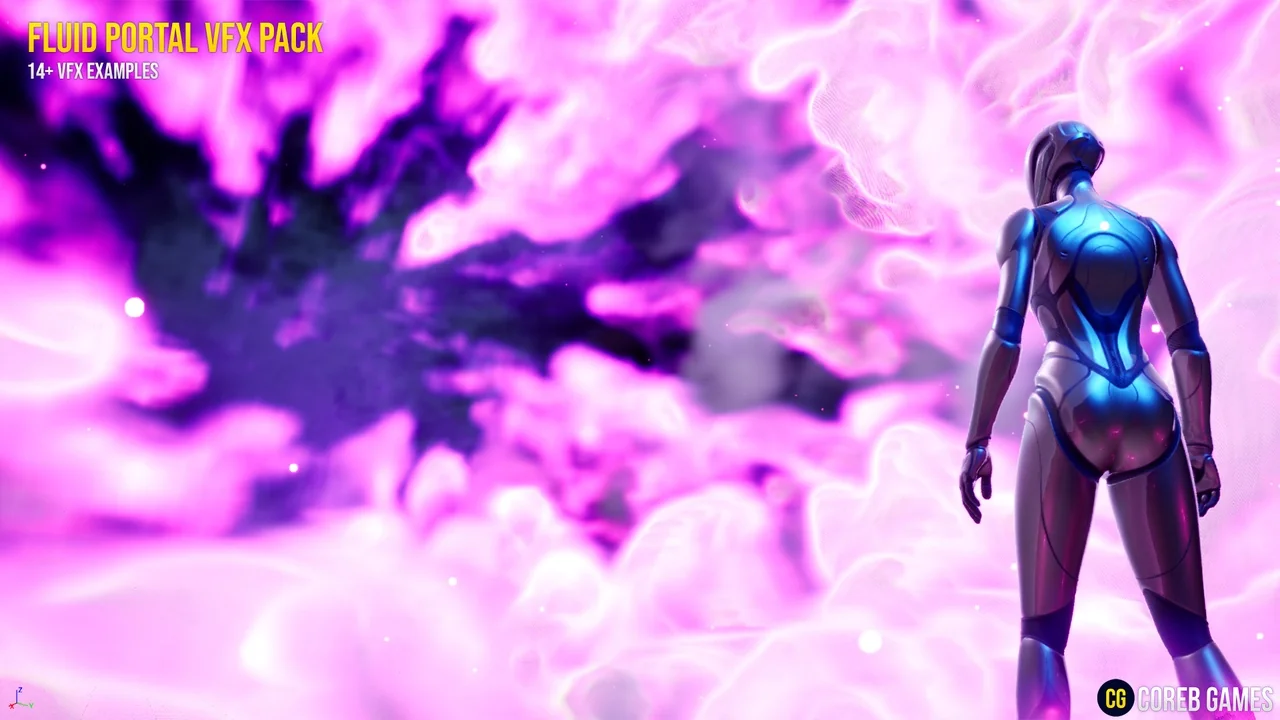
 Shaders
 Shaders
 Shaders