"7aa4acc705f0d80b"{"id":"1001136","slug":"eastern-iceland-landscape","title":"Eastern Iceland Landscape","category":"Mountain","engine":"4.26+,5.0+","assetVersion":"","engineVersion":"Engine Version: 4.26+,5.0+","tag":"Mountain","accent":"blue","visual":"city","summary":"A 64 square kilometer terrain with 1x1 m vertex density, volumetric 3D clouds, dynamic cloud shadows, and layered material controls for realistic outdoor scenes","platform":"Unreal Engine","publishedAt":"2026-09-09T03:20:31.567Z","updatedAt":"2026-09-09T03:20:31.567Z","sourceNotes":[],"fileContents":[],"compatibility":["Unreal Engine","Engine Version: 4.26+,5.0+"],"featuredImage":{"alt":"Eastern Iceland Landscape","src":"/wp-content/uploads/published/2026/09/ffd4b4699908-7793c3ec-35c9-4cc6-b06d-962d5f6ccb4e-89f3513491.webp"},"hasDownloadLink":true,"downloads":1,"terms":[{"taxonomy":"category","slug":"mountain","name":"Mountain"}],"galleryImages":[{"src":"/wp-content/uploads/published/2026/09/6abf8f5d158c-a5a18ac3-c260-4456-a0ab-af244df3c454-4527294999.webp","alt":"Eastern Iceland Landscape"},{"src":"/wp-content/uploads/published/2026/09/a3e2037b0103-e4e7e6b7-d9f1-4c84-91b8-25a6fc6f82a0-bf68d9eead.webp","alt":"Eastern Iceland Landscape"},{"src":"/wp-content/uploads/published/2026/09/2403bc1cc9be-dee7fb90-7a63-492c-9c52-d209e331b0ff-3740489078.webp","alt":"Eastern Iceland Landscape"},{"src":"/wp-content/uploads/published/2026/09/9458753ef562-258ed4b9-7688-492e-80e7-f9fa1010734a-590a05349b.webp","alt":"Eastern Iceland Landscape"},{"src":"/wp-content/uploads/published/2026/09/8a246788cb18-0ac24d31-8637-47dd-be94-1c2f72961cec-631f52be2f.webp","alt":"Eastern Iceland Landscape"},{"src":"/wp-content/uploads/published/2026/09/2d07b995ae19-2d914e40-0dde-4e8e-a430-44b33257967d-ec95db29ad.webp","alt":"Eastern Iceland Landscape"},{"src":"/wp-content/uploads/published/2026/09/61494f59bd1f-807ac69e-e952-414f-b81e-1b7d0d5712ff-6f530f4b40.webp","alt":"Eastern Iceland Landscape"},{"src":"/wp-content/uploads/published/2026/09/5f3239a4a3ab-fa682bd2-9f3b-4b26-a678-c5bf21a03e13-e27ce38d4b.webp","alt":"Eastern Iceland Landscape"},{"src":"/wp-content/uploads/published/2026/09/463d520770d3-07859f83-8abb-482e-8838-f340b6bc5b86-35612dc73a.webp","alt":"Eastern Iceland Landscape"}],"accessPanel":{"kind":"resource","title":"Download this resource","eyebrow":"Free Download","message":"Log in or create a free account to start your download.","fileName":"EasternIcelandLandscape.7z","safetyNote":"Resources are manually reviewed before listing to improve quality and reduce obvious risks.","actionLabel":"Download Free","resourceType":"Resource archive"},"contentHtml":"\u003cp\u003eA natural setting rarely reads as believable unless both the ground and the sky carry detail. Eastern Iceland Landscape is based on that combination: a 64-square-kilometer terrain area with a dense vertex grid and a cloud system that actually exists in three dimensions.\u003c/p\u003e \u003ch2\u003eA 64 km² terrain grid made for wide staging\u003c/h2\u003e\n\u003cp\u003eSize alone gives this landscape a distinct advantage. With 64 square kilometers of land to work with, a scene can hold long sightlines, broad valleys, and enough clearance for flying cameras or vehicle movement. The surface is not just a low-resolution placeholder either; the vertex density is set to 1x1 meters, so the terrain can hold subtle elevation changes and natural contouring across a very large area.\u003c/p\u003e\n\u003cp\u003eThe package also includes a background mesh, which helps frame the landscape in the distance. When a camera is positioned on a hill, the terrain does not need to terminate at a flat, lifeless edge. Instead, that far-off background geometry gives the eye something to settle on before it hits the horizon.\u003c/p\u003e \u003ch2\u003eVolumetric clouds that let you walk through the sky\u003c/h2\u003e\n\u003cp\u003eOlder open-world landscapes often fake clouds with 2D mist planes or rotating camera-facing cards. Eastern Iceland Landscape moved away from that setup in a September 2021 update. The 2D cloud and mist planes were removed, and actual 3D clouds were added, using a customized volumetric material.\u003c/p\u003e\n\u003cp\u003eFor gameplay, this is a meaningful shift. The clouds can be flown through or stood inside. They no longer disappear when the player approaches, and they do not need to rotate toward the camera. That makes them useful for level designs where the action is carried out on bluffs, cliffs, or high ridges with cloud cover drifting at eye level.\u003c/p\u003e\n\u003cp\u003eThere is a setup requirement: the Volumetrics plugin must be enabled, and the editor needs to be restarted before the new cloud material kicks in. A later update from September 2022 also mentions that the volumetric clouds appear slightly different in the UE5.0 version of the resource. That is typical for a feature tied closely to engine renderer changes, but worth respecting when switching between engine branches.\u003c/p\u003e \u003ch2\u003eLayer blending and paint-driven terrain shaping\u003c/h2\u003e\n\u003cp\u003eThe terrain does not rely on a single flat texture. Heightmap-based layer blending lets the surface transition naturally by using elevation and slope data, which keeps the boundary between different material types from looking like a sharp painter line. Landscape paint layers are also available, so an artist can directly brush in variation where a specific strip of exposed earth or vegetation needs to be emphasized.\u003c/p\u003e\n\u003cp\u003eSince the whole terrain spans kilometers, having these painter-based tools means you can adjust a riverbed, add a bare hilltop, or create texture variation that is localized rather than global. It fits well into a level-design workflow where surface materials and visual storytelling are woven together.\u003c/p\u003e \u003ch2\u003eA material graph with hard-to-find controls\u003c/h2\u003e\n\u003cp\u003eBehind the straightforward terrain and paint layers, the package carries a long list of custom plug-and-play functions. These are designed to be inserted into your own master material graph, providing starting points for different shading and texture behaviors:\u003c/p\u003e\n\u003cul\u003e\n\u003cli\u003eDistance Roughness\u003c/li\u003e\n\u003cli\u003eHeightmap AO\u003c/li\u003e\n\u003cli\u003eDistance Fade\u003c/li\u003e\n\u003cli\u003eDisplacement\u003c/li\u003e\n\u003cli\u003eCloud Panner\u003c/li\u003e\n\u003cli\u003eWorld Normal\u003c/li\u003e\n\u003cli\u003eTessellation\u003c/li\u003e\n\u003cli\u003eMaterial AO\u003c/li\u003e\n\u003cli\u003eSpecRough\u003c/li\u003e\n\u003cli\u003eWorld UV\u003c/li\u003e\n\u003cli\u003eColorizer\u003c/li\u003e\n\u003cli\u003eMesh UV\u003c/li\u003e\n\u003cli\u003eNormalB\u003c/li\u003e\n\u003cli\u003eModifier\u003c/li\u003e\n\u003cli\u003eDetail\u003c/li\u003e\n\u003cli\u003eColor\u003c/li\u003e\n\u003c/ul\u003e\n\u003cp\u003eWhat matters here is that these are not hidden black-box functions. They are exposed building blocks, allowing a technical artist to feed them into a variety of material layouts. A function like Distance Fade is useful for hiding faraway detail without popping; Displacement and Tessellation are there for those who want physical height variation; World UV and Mesh UV give flexibility in how textures tile or wrap across the terrain. The Colorizer function can be used to adjust base tints across large areas, which is a direct way to match a specific lighting scenario.\u003c/p\u003e \u003ch2\u003eDynamic cloud shadows keep light alive\u003c/h2\u003e\n\u003cp\u003eClouds are not just visual geometry in this package. They are linked to lighting through dynamic cloud shadows. As the 3D cloud layers move overhead, shadow shapes drift across the terrain and change with the cloud structure. That movement adds temporal variety to a scene, so a static shot of the landscape can still feel alive as light patches slide across slopes.\u003c/p\u003e\n\u003cp\u003eFor a flythrough or time-lapse sequence, the interactivity between the cloud panner and shadow layer can make the entire environment feel like part of a living weather system. Combined with the volumetric cloud material and the ability to walk through clouds, this setup gives directors and environment artists a unified toolset for shaping the mood of a whole area.\u003c/p\u003e \u003ch2\u003eDistant displacement and practical player considerations\u003c/h2\u003e\n\u003cp\u003eA feature labeled [New] Distant Displacement is included, and its tessellation multiplier is set to 0. This indicates a deliberate separation between near and far terrain detail. When you are close to the ground, the landscape tessellation can apply to sculpt out stones, ruts, or uneven soil. When the camera pulls back, that detail is no longer needed, so the multiplier drops to 0 to avoid work that would be wasted at distance.\u003c/p\u003e\n\u003cp\u003eStill, the performance implications deserve attention. The volumetric clouds, high vertex density, and possible displacement are not cheap. The asset notes that performance may not be optimal on older hardware. If you are building for current-generation systems or a high-end PC, this may not be a concern, but teams targeting lower-end devices should rely on material instance parameters to pull back the visual load until the scene runs smoothly.\u003c/p\u003e\n\u003cp\u003eIn the end, Eastern Iceland Landscape is a fit for those who need a large, flexible natural surface for an outdoor level or cinematic environment. Its real hook is not just the size but the control built into the material graph, along with a cloud approach that disappears the usual flat-plane tell-tale signs. For an environment artist who wants to shape both ground and sky in one place, this package offers a foundation that is easier to adapt than to build from nothing.\u003c/p\u003e\n\n\u003ch2\u003eExplore Similar Assets\u003c/h2\u003e\n\u003cul\u003e\n\u003cli\u003e\u003ca href=\"https://3dcghub.com/arctic-base/\" title=\"Arctic Base\"\u003eArctic Base\u003c/a\u003e\u003c/li\u003e\n\u003cli\u003e\u003ca href=\"https://3dcghub.com/brushify-cliffs-pack/\" title=\"Brushify - Cliffs Pack\"\u003eBrushify - Cliffs Pack\u003c/a\u003e\u003c/li\u003e\n\u003cli\u003e\u003ca href=\"https://3dcghub.com/spring-landscape/\" title=\"Spring Landscape\"\u003eSpring Landscape\u003c/a\u003e\u003c/li\u003e\n\u003cli\u003e\u003ca href=\"https://3dcghub.com/brushify-volcano-pack/\" title=\"Brushify Volcano Pack\"\u003eBrushify Volcano Pack\u003c/a\u003e\u003c/li\u003e\n\u003cli\u003e\u003ca href=\"https://3dcghub.com/brushify-moorlands-pack/\" title=\"Brushify - Moorlands Pack\"\u003eBrushify - Moorlands Pack\u003c/a\u003e\u003c/li\u003e\n\u003c/ul\u003e","contentTextLength":6275,"navigation":{"current":905,"total":3925,"previous":{"id":"1001137","slug":"elvish-forest","title":"Elvish Forest","category":"Fantasy","platform":"Unreal Engine","updatedAt":"2026-09-09T03:27:15.273Z"},"next":{"id":"1001135","slug":"circle-of-the-sun","title":"Circle of the Sun","category":"Forest \u0026 Jungle","platform":"Unreal Engine","updatedAt":"2026-09-09T03:07:57.641Z"}},"relatedResources":[{"id":"1000562","slug":"arctic-base","title":"Arctic Base","category":"Mountain","engine":"4.26+,5.0+","assetVersion":"","engineVersion":"Engine Version: 4.26+,5.0+","tag":"Mountain","accent":"blue","visual":"mech","summary":"Arctic Base is a polar station environment pack with buildings, props, landscape, and water materials across Unreal Engine versions from 4.19 to 5.8.","platform":"Unreal Engine","publishedAt":"2026-07-16T05:00:29.747Z","updatedAt":"2026-07-16T05:00:29.747Z","sourceNotes":[],"fileContents":[],"compatibility":["Unreal Engine","Engine Version: 4.26+,5.0+"],"featuredImage":{"alt":"Arctic Base","src":"/wp-content/uploads/published/2026/07/b73e66f11064-912225d2-ed0b-4150-a5c3-a003ea26c179-8381e0955a.webp"},"hasDownloadLink":true,"downloads":0},{"id":"1001396","slug":"brushify-floating-islands","title":"Brushify - Floating Islands","category":"Mountain","engine":"4.26+,5.0+","assetVersion":"","engineVersion":"Engine Version: 4.26+,5.0+","tag":"Mountain","accent":"blue","visual":"mech","summary":"Build suspended fantasy and alien terrains in Unreal Engine 5 using Brushify - Floating Islands, featuring modular prefabs and an auto landscape material.","platform":"Unreal Engine","publishedAt":"2026-10-04T17:50:49.947Z","updatedAt":"2026-10-04T17:50:49.947Z","sourceNotes":[],"fileContents":[],"compatibility":["Unreal Engine","Engine Version: 4.26+,5.0+"],"featuredImage":{"alt":"Brushify - Floating Islands","src":"/wp-content/uploads/published/2026/10/97bf9d1cfb82-0c60deb5-50e3-43cf-ba20-c0da89d406a6-4050f9c2e1.webp"},"hasDownloadLink":true,"downloads":1},{"id":"1000940","slug":"brushify-cliffs-pack","title":"Brushify - Cliffs Pack","category":"Mountain","engine":"4.26+,5.0+","assetVersion":"","engineVersion":"Engine Version: 4.26+,5.0+","tag":"Mountain","accent":"blue","visual":"mech","summary":"Modular cliff meshes, a ready-made UE5 level, and a landscape auto material with 11 biomes. Nanite and Lumen compatible, updated for UE 5.4.","platform":"Unreal Engine","publishedAt":"2026-08-10T03:37:26.959Z","updatedAt":"2026-08-10T03:37:26.959Z","sourceNotes":[],"fileContents":[],"compatibility":["Unreal Engine","Engine Version: 4.26+,5.0+"],"featuredImage":{"alt":"Brushify - Cliffs Pack","src":"/wp-content/uploads/published/2026/08/fe870353c1f3-7dce15fb-52a6-4abc-b664-addba31eee03-1f036ffba2.webp"},"hasDownloadLink":true,"downloads":1}]}
Mountain
Eastern Iceland Landscape
A 64 square kilometer terrain with 1x1 m vertex density, volumetric 3D clouds, dynamic cloud shadows, and layered material controls for realistic outdoor scenes
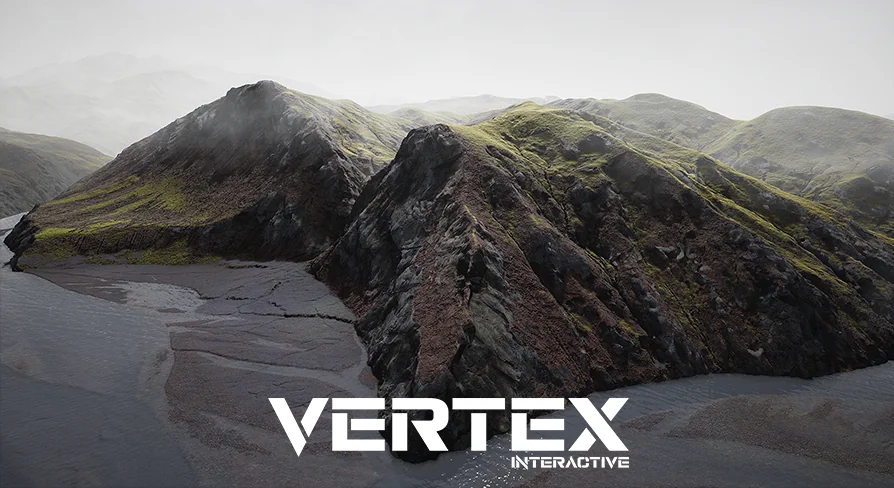
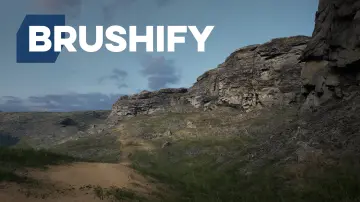
A natural setting rarely reads as believable unless both the ground and the sky carry detail. Eastern Iceland Landscape is based on that combination: a 64-square-kilometer terrain area with a dense vertex grid and a cloud system that actually exists in three dimensions.
A 64 km² terrain grid made for wide staging
Size alone gives this landscape a distinct advantage. With 64 square kilometers of land to work with, a scene can hold long sightlines, broad valleys, and enough clearance for flying cameras or vehicle movement. The surface is not just a low-resolution placeholder either; the vertex density is set to 1x1 meters, so the terrain can hold subtle elevation changes and natural contouring across a very large area.
The package also includes a background mesh, which helps frame the landscape in the distance. When a camera is positioned on a hill, the terrain does not need to terminate at a flat, lifeless edge. Instead, that far-off background geometry gives the eye something to settle on before it hits the horizon.
Volumetric clouds that let you walk through the sky
Older open-world landscapes often fake clouds with 2D mist planes or rotating camera-facing cards. Eastern Iceland Landscape moved away from that setup in a September 2021 update. The 2D cloud and mist planes were removed, and actual 3D clouds were added, using a customized volumetric material.
For gameplay, this is a meaningful shift. The clouds can be flown through or stood inside. They no longer disappear when the player approaches, and they do not need to rotate toward the camera. That makes them useful for level designs where the action is carried out on bluffs, cliffs, or high ridges with cloud cover drifting at eye level.
There is a setup requirement: the Volumetrics plugin must be enabled, and the editor needs to be restarted before the new cloud material kicks in. A later update from September 2022 also mentions that the volumetric clouds appear slightly different in the UE5.0 version of the resource. That is typical for a feature tied closely to engine renderer changes, but worth respecting when switching between engine branches.
Layer blending and paint-driven terrain shaping
The terrain does not rely on a single flat texture. Heightmap-based layer blending lets the surface transition naturally by using elevation and slope data, which keeps the boundary between different material types from looking like a sharp painter line. Landscape paint layers are also available, so an artist can directly brush in variation where a specific strip of exposed earth or vegetation needs to be emphasized.
Since the whole terrain spans kilometers, having these painter-based tools means you can adjust a riverbed, add a bare hilltop, or create texture variation that is localized rather than global. It fits well into a level-design workflow where surface materials and visual storytelling are woven together.
A material graph with hard-to-find controls
Behind the straightforward terrain and paint layers, the package carries a long list of custom plug-and-play functions. These are designed to be inserted into your own master material graph, providing starting points for different shading and texture behaviors:
Distance Roughness
Heightmap AO
Distance Fade
Displacement
Cloud Panner
World Normal
Tessellation
Material AO
SpecRough
World UV
Colorizer
Mesh UV
NormalB
Modifier
Detail
Color
What matters here is that these are not hidden black-box functions. They are exposed building blocks, allowing a technical artist to feed them into a variety of material layouts. A function like Distance Fade is useful for hiding faraway detail without popping; Displacement and Tessellation are there for those who want physical height variation; World UV and Mesh UV give flexibility in how textures tile or wrap across the terrain. The Colorizer function can be used to adjust base tints across large areas, which is a direct way to match a specific lighting scenario.
Dynamic cloud shadows keep light alive
Clouds are not just visual geometry in this package. They are linked to lighting through dynamic cloud shadows. As the 3D cloud layers move overhead, shadow shapes drift across the terrain and change with the cloud structure. That movement adds temporal variety to a scene, so a static shot of the landscape can still feel alive as light patches slide across slopes.
For a flythrough or time-lapse sequence, the interactivity between the cloud panner and shadow layer can make the entire environment feel like part of a living weather system. Combined with the volumetric cloud material and the ability to walk through clouds, this setup gives directors and environment artists a unified toolset for shaping the mood of a whole area.
Distant displacement and practical player considerations
A feature labeled [New] Distant Displacement is included, and its tessellation multiplier is set to 0. This indicates a deliberate separation between near and far terrain detail. When you are close to the ground, the landscape tessellation can apply to sculpt out stones, ruts, or uneven soil. When the camera pulls back, that detail is no longer needed, so the multiplier drops to 0 to avoid work that would be wasted at distance.
Still, the performance implications deserve attention. The volumetric clouds, high vertex density, and possible displacement are not cheap. The asset notes that performance may not be optimal on older hardware. If you are building for current-generation systems or a high-end PC, this may not be a concern, but teams targeting lower-end devices should rely on material instance parameters to pull back the visual load until the scene runs smoothly.
In the end, Eastern Iceland Landscape is a fit for those who need a large, flexible natural surface for an outdoor level or cinematic environment. Its real hook is not just the size but the control built into the material graph, along with a cloud approach that disappears the usual flat-plane tell-tale signs. For an environment artist who wants to shape both ground and sky in one place, this package offers a foundation that is easier to adapt than to build from nothing.
 Mountain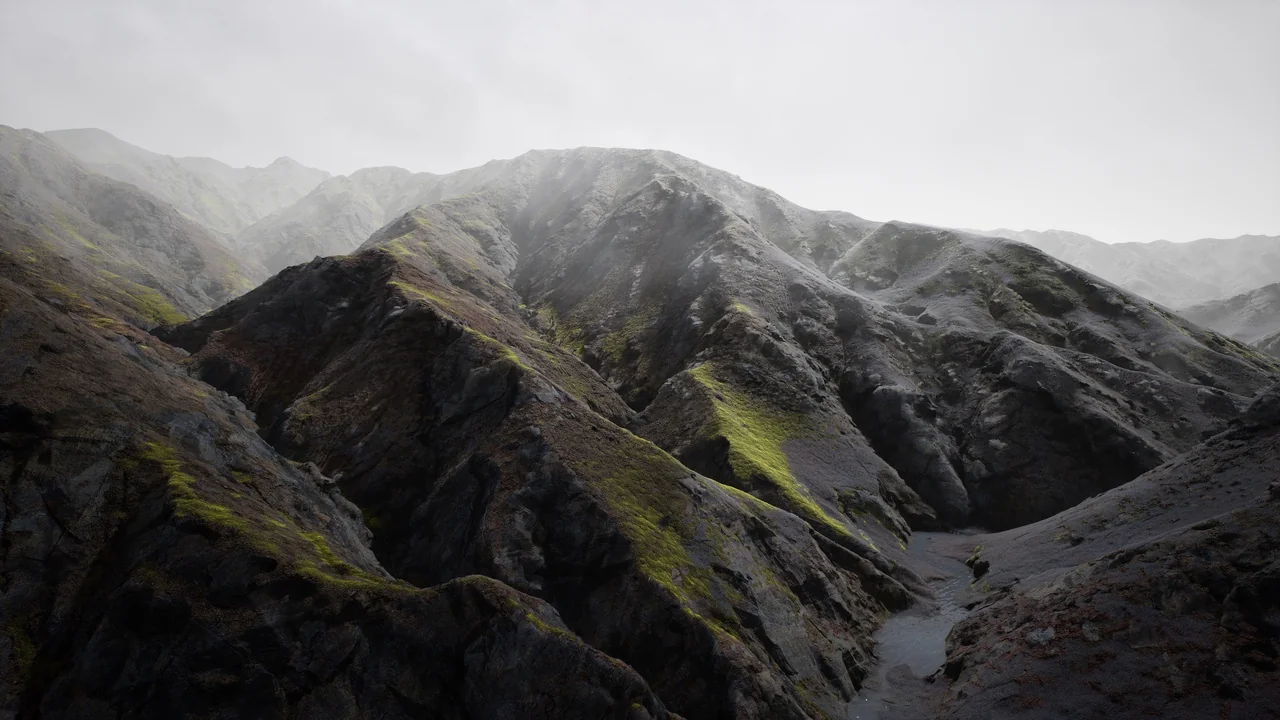
 Mountain
 Mountain
 Mountain