"c14ff6bd758dadb1"{"id":"1000563","slug":"assassin-spell-vfx-pack","title":"Assassin Spell VFX Pack","category":"Spells \u0026 Combat","engine":"4.26+,5.0+","assetVersion":"","engineVersion":"Engine Version: 4.26+,5.0+","tag":"Spells \u0026 Combat","accent":"blue","visual":"mech","summary":"A 15-effect Niagara and Cascade VFX pack for Unreal Engine covering assassin spell attacks, with customizable colors and extensive user parameters.","platform":"Unreal Engine","publishedAt":"2026-07-16T05:04:58.240Z","updatedAt":"2026-07-16T05:04:58.240Z","sourceNotes":[],"fileContents":[],"compatibility":["Unreal Engine","Engine Version: 4.26+,5.0+"],"featuredImage":{"alt":"Assassin Spell VFX Pack","src":"/wp-content/uploads/published/2026/07/62bc07001367-f5caa097-5fd0-49ab-bf03-e8835aa5f80e-439284ef5d.webp"},"hasDownloadLink":true,"downloads":3,"terms":[{"taxonomy":"category","slug":"spells-and-combat","name":"Spells \u0026 Combat"}],"galleryImages":[{"src":"/wp-content/uploads/published/2026/07/d0600e07ba04-99291a4e-110c-469c-9a4f-f842a592ff20-820befd512.webp","alt":"Assassin Spell VFX Pack"},{"src":"/wp-content/uploads/published/2026/07/1e2820f9546d-4fd572b5-8e44-4f5e-8a2c-83b544051e2a-b2ac377134.webp","alt":"Assassin Spell VFX Pack"},{"src":"/wp-content/uploads/published/2026/07/5732b998eade-a3c120f5-c052-4e70-8778-6288797f507a-c98a5c2abb.webp","alt":"Assassin Spell VFX Pack"},{"src":"/wp-content/uploads/published/2026/07/3f84e72cf9a4-e63ea77a-fef8-410c-82ee-0c4247646891-49ea3bb209.webp","alt":"Assassin Spell VFX Pack"},{"src":"/wp-content/uploads/published/2026/07/d085ddff1477-be39882a-6774-4543-a8aa-df938d48dfc0-bfe00fcc0c.webp","alt":"Assassin Spell VFX Pack"},{"src":"/wp-content/uploads/published/2026/07/f29740c148b2-e0f5fbee-0ad4-44fc-9ae0-9353db884519-a4871fc490.webp","alt":"Assassin Spell VFX Pack"},{"src":"/wp-content/uploads/published/2026/07/34c45e401f1b-a008b8a7-fbdc-459c-a7e3-83b1cd86c981-bcd868bee0.webp","alt":"Assassin Spell VFX Pack"},{"src":"/wp-content/uploads/published/2026/07/2d9adc913326-ed69d20e-8f4a-47c6-8344-046ee0e277fa-d65f1c793e.webp","alt":"Assassin Spell VFX Pack"},{"src":"/wp-content/uploads/published/2026/07/bf35b0c046c0-8a91cb74-2fb6-4fc7-92c3-733cda0a563e-15bc3501b2.webp","alt":"Assassin Spell VFX Pack"},{"src":"/wp-content/uploads/published/2026/07/c36adf85b315-ecf43389-9596-4ded-bb9d-2c69a7a58382-d11fd7435d.webp","alt":"Assassin Spell VFX Pack"}],"accessPanel":{"kind":"resource","title":"Download this resource","eyebrow":"Free Download","message":"Log in or create a free account to start your download.","fileName":"Content.7z","safetyNote":"Resources are manually reviewed before listing to improve quality and reduce obvious risks.","actionLabel":"Download Free","resourceType":"Resource archive"},"contentHtml":"\u003cp\u003eThe Assassin Spell VFX Pack ships with fifteen visual effects oriented around close-quarters magic and blade combat. Fourteen of these effects are built in Unreal Engine's Niagara particle system, while the remaining one — a trail effect — uses the older Cascade particle system. The pack covers the visual language of an assassin spellcaster: slashes, impacts, hits, smoke bursts, blood, dagger traces, and projectile effects. A separated shuriken projectile is included as a standalone element so it can be dropped into gameplay or cinematics without needing to be extracted from a larger composite effect.\u003c/p\u003e \u003ch2\u003eFifteen Effects Anchored in Niagara and One Cascade Trail\u003c/h2\u003e \u003cp\u003eFourteen of the fifteen effects use Niagara, which gives artists access to Update's extensive user parameter system. These parameters have been added to every Niagara VFX in the pack, exposing controls that let developers adjust behavior and appearance directly through the emitter interface without opening the base modules. The single Cascade-based trail effect rounds out the set, providing a trail solution that some teams may still rely on for specific weapon or projectile setups.\u003c/p\u003e \u003cp\u003eThe separation of the shuriken projectile into its own usable component reflects a practical design choice. Instead of bundling the projectile into a larger attack sequence, the creator isolated it so that a developer implementing a throwing-star attack can bring it into a scene, attach it to a movement component, and have the visual logic ready without deconstructing a composite effect. This matters for action gameplay where projectile spells and melee slashes often need to be independent systems.\u003c/p\u003e \u003ch2\u003eCustomizing Assassin Spell Colors Without Quality Loss\u003c/h2\u003e \u003cp\u003eEvery effect in the pack can be recolored to match a specific project concept. The material system driving the VFX is built so that color changes do not cause visual degradation — the quality of the effect holds up when an artist shifts from a default crimson blood tone to a dark purple arcane slash, or from a neutral smoke plume to a green poisoned variant. This is tied to how the materials are constructed: rather than baking color into opaque textures or fixed gradient lookups, the materials expose tint controls that feed through the particle system.\u003c/p\u003e \u003cp\u003eFor an assassin-themed character, color identity often defines the class. A shadow assassin might call for deep violet and black smoke, while a blood mage variant leans into saturated reds and oranges. Because the pack supports color customization across all fifteen effects, a single purchase can serve multiple character builds or enemy archetypes within the same project. An assassination boss fight could use one palette, while a playable assassin class uses another — both pulling from the same set of base effects.\u003c/p\u003e \u003cp\u003eThe tag set attached to the pack — Blood, Dagger, Slash, Spell, Assassin, Impact, Smoke, Magic, Hit — maps directly to the situations these effects are built to cover. A dagger slash produces a blade trace with a smoke follow-through. A spell impact creates a hit burst. A shuriken projectile leaves a trail and produces a landing effect. These are the moment-to-moment visual beats of an assassin character: the wind-up, the strike, the impact on a target, and the dissipation.\u003c/p\u003e \u003ch2\u003eAttaching VFX to Animations from Mixamo\u003c/h2\u003e \u003cp\u003eThe pack contains only visual effects. No characters or animations are included. The creator explicitly notes that any characters and animations shown in promotional video content are not part of the package — only the VFX itself ships. For developers who need character motion to test or showcase the effects, the recommendation is to download animations from Mixamo at no cost. Mixamo provides a library of motion-captured animations that can be retargeted to standard Unreal Engine skeletons, making it possible to set up attack sequences, dodge rolls, and hit reactions that the VFX can be timed against.\u003c/p\u003e \u003cp\u003eThis workflow — free Mixamo animations driving the timing for purchased VFX — is a common pipeline for indie and solo developers building action combat prototypes. The assassin spell effects in this pack are designed to slot into that workflow. A slash effect can be synced to the release frame of a dagger swing animation. An impact effect can be triggered by a hit event from the animation notify. A projectile can be spawned at the moment a throwing animation reaches its release point. Because the shuriken projectile is already separated, the spawn logic becomes simpler: attach the projectile to the spawning socket, apply velocity, and let the built-in trail and impact visuals handle the rest.\u003c/p\u003e \u003ch2\u003eHow the Effects Map to Assassin Combat Beats\u003c/h2\u003e \u003cp\u003eThe tag structure suggests a specific rhythm of combat. Dagger and Slash effects cover the aggressive close-range strikes that define an assassin's melee presence. Spell and Magic effects extend that into the supernatural — enchanted blade trails, arcane burst hits, and magical propulsion for projectiles. Impact and Hit effects cover the moment of contact, whether a blade meets flesh or a shuriken finds its target. Blood and Smoke effects provide the aftermath: the visceral confirmation of a successful strike and the atmospheric dissipation that lets the assassin vanish from the scene.\u003c/p\u003e \u003cp\u003eThis beat structure — strike, impact, aftermath — is what makes the pack useful beyond a single ability. A developer building an assassin character with a light attack, heavy attack, dodge, and ranged throw can assign different effects from the pack to each action. The light attack might use a quick slash with minimal smoke. The heavy attack could layer a larger slash with a smoke burst on impact. The ranged throw uses the separated shuriken projectile with its trail. The dodge could trigger a smoke puff that masks the character's movement. Fifteen effects cover this range without requiring additional VFX assets.\u003c/p\u003e \u003ch2\u003eExtensive User Parameters in Niagara\u003c/h2\u003e \u003cp\u003eThe update that added extensive user parameters to all Niagara VFX is a pipeline consideration for any team using this pack. In Niagara, user parameters are exposed variables that artists and designers can adjust without diving into the emitter stack. This means a technical artist can hand the pack to a gameplay programmer or a level designer, and that person can tune effect scale, duration, color intensity, spawn rates, and other exposed values directly from the details panel of the VFX asset.\u003c/p\u003e \u003cp\u003eFor combat-heavy games where effect tuning happens late in development — often during playtesting when attack timing and visual readability need adjustment — having user parameters already set up saves the step of opening each emitter and manually exposing variables. The effects arrive with that work done. A designer who finds that a slash effect lingers too long after the animation ends can shorten the duration through a user parameter. If an impact effect feels too large for a fast dagger hit, the scale can be pulled back without touching the material or particle modules.\u003c/p\u003e \u003cp\u003eThis parameter exposure also supports the color customization mentioned earlier. Tint controls feed through the same user-facing system, so adjusting color is not a separate technical task from adjusting scale or timing. The two live in the same parameter space, which streamlines the iteration loop when matching an effect to a specific character build or scene lighting condition.\u003c/p\u003e \u003ch2\u003eUnreal Engine Version Spread and Integration\u003c/h2\u003e \u003cp\u003eThe pack is compatible with Unreal Engine 4.26 and 4.27, as well as the full range of version 5 releases from 5.0 through 5.8. This spread covers the transition period from Cascade to Niagara as the default particle system and extends into the current Unreal Engine 5 ecosystem. Projects still on late Unreal Engine 4 releases can integrate the pack without a forced engine upgrade, while teams on any 5.x version can drop it in directly.\u003c/p\u003e \u003cp\u003eThe mix of Niagara and Cascade within the pack reflects a reality of effect production: some trail effects built in Cascade still perform well and integrate cleanly, and migrating them to Niagara is not always necessary. The fourteen Niagara effects carry the bulk of the visual work, while the one Cascade trail effect handles a specific trailing need. In Unreal Engine 5, both systems coexist, and the pack takes advantage of that without forcing a full Niagara rewrite of every effect.\u003c/p\u003e \u003cp\u003eFor a project building an assassin character class, the pack provides the core effect set: melee slash visuals, projectile logic, impact bursts, smoke for stealth transitions, and blood for hit confirmation. The color customization keeps the effects adaptable to different character themes, the user parameters keep them tunable during playtesting, and the version compatibility keeps them portable across engine upgrades. Characters and animations need to be sourced separately — Mixamo is the suggested route — but the visual effects themselves arrive ready to attach, recolor, and tune.\u003c/p\u003e\n\n\u003ch2\u003eMore From The Same Workflow\u003c/h2\u003e\n\u003cul\u003e\n\u003cli\u003e\u003ca href=\"https://3dcghub.com/skills-vfx/\" title=\"Skills VFX\"\u003eSkills VFX\u003c/a\u003e\u003c/li\u003e\n\u003cli\u003e\u003ca href=\"https://3dcghub.com/magical-staff-auras-vfx-pack/\" title=\"Magical Staff Auras VFX Pack\"\u003eMagical Staff Auras VFX Pack\u003c/a\u003e\u003c/li\u003e\n\u003cli\u003e\u003ca href=\"https://3dcghub.com/skill-set-vfx/\" title=\"Skill Set VFX\"\u003eSkill Set VFX\u003c/a\u003e\u003c/li\u003e\n\u003cli\u003e\u003ca href=\"https://3dcghub.com/magic-rune-vfx/\" title=\"Magic Rune VFX\"\u003eMagic Rune VFX\u003c/a\u003e\u003c/li\u003e\n\u003cli\u003e\u003ca href=\"https://3dcghub.com/stylized-vfx-air-strikes/\" title=\"Stylized VFX - Air Strikes\"\u003eStylized VFX - Air Strikes\u003c/a\u003e\u003c/li\u003e\n\u003c/ul\u003e","contentTextLength":9069,"navigation":{"current":1300,"total":3719,"previous":{"id":"1000564","slug":"bacon-combo-graph","title":"Bacon Combo Graph","category":"Game Mechanics","platform":"Unreal Engine","updatedAt":"2026-07-16T05:12:09.313Z"},"next":{"id":"1000562","slug":"arctic-base","title":"Arctic Base","category":"Mountain","platform":"Unreal Engine","updatedAt":"2026-07-16T05:00:29.747Z"}},"relatedResources":[{"id":"1001395","slug":"vehicle-nitro-vfx-pack","title":"Vehicle Nitro VFX Pack","category":"Spells \u0026 Combat","engine":"4.26+,5.0+","assetVersion":"","engineVersion":"Engine Version: 4.26+,5.0+","tag":"Spells \u0026 Combat","accent":"blue","visual":"mech","summary":"Examine the Vehicle Nitro VFX Pack, featuring 20 Niagara vehicle effects, realistic and futuristic nitro types, start line VFX, and CPU emitter setups.","platform":"Unreal Engine","publishedAt":"2026-10-04T17:18:18.184Z","updatedAt":"2026-10-04T17:18:18.184Z","sourceNotes":[],"fileContents":[],"compatibility":["Unreal Engine","Engine Version: 4.26+,5.0+"],"featuredImage":{"alt":"Vehicle Nitro VFX Pack","src":"/wp-content/uploads/published/2026/10/15158a376d9c-c4fa654d-e9b4-4955-9aec-862413790780-883c342b00.webp"},"hasDownloadLink":true,"downloads":1},{"id":"1000893","slug":"stylized-swordslinger-skill-set-niagara-vfx","title":"Stylized Swordslinger Skill Set (Niagara Vfx)","category":"Spells \u0026 Combat","engine":"4.26+,5.0+","assetVersion":"","engineVersion":"Engine Version: 4.26+,5.0+","tag":"Spells \u0026 Combat","accent":"blue","visual":"mech","summary":"A Niagara VFX pack with 20 total effects for stylized sword combat: low and high level attacks, buffs, auras, hits, and trails. Built for anime-inspired swordsl","platform":"Unreal Engine","publishedAt":"2026-08-06T04:40:43.645Z","updatedAt":"2026-08-06T04:40:43.645Z","sourceNotes":[],"fileContents":[],"compatibility":["Unreal Engine","Engine Version: 4.26+,5.0+"],"featuredImage":{"alt":"Stylized Swordslinger Skill Set (Niagara Vfx)","src":"/wp-content/uploads/published/2026/08/2d97056246fe-6f85de2b-2b7d-4a74-b031-2e2c06d9adae-ee9baed368.webp"},"hasDownloadLink":true,"downloads":14},{"id":"1001099","slug":"ice-element-spell-vfx-pack","title":"Ice Element - Spell VFX Pack","category":"Spells \u0026 Combat","engine":"4.26+,5.0+","assetVersion":"","engineVersion":"Engine Version: 4.26+,5.0+","tag":"Spells \u0026 Combat","accent":"blue","visual":"mech","summary":"31 Niagara ice spell VFX with GPU performance after the May 2025 update, user parameters and LODs on every effect, plus an Ice Wall preview.","platform":"Unreal Engine","publishedAt":"2026-09-06T02:56:33.695Z","updatedAt":"2026-09-06T02:56:33.695Z","sourceNotes":[],"fileContents":[],"compatibility":["Unreal Engine","Engine Version: 4.26+,5.0+"],"featuredImage":{"alt":"Ice Element - Spell VFX Pack","src":"/wp-content/uploads/published/2026/09/0a7153ade299-4e9b015a-7055-4411-b127-3401b30d9a09-6cc4f8ca9e.webp"},"hasDownloadLink":true,"downloads":3}]}
Spells & Combat
Assassin Spell VFX Pack
A 15-effect Niagara and Cascade VFX pack for Unreal Engine covering assassin spell attacks, with customizable colors and extensive user parameters.
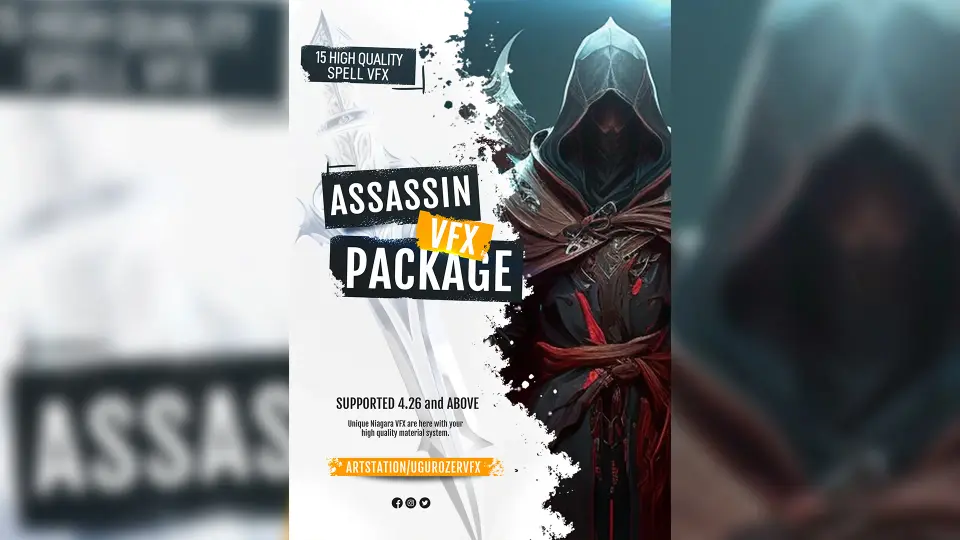
The Assassin Spell VFX Pack ships with fifteen visual effects oriented around close-quarters magic and blade combat. Fourteen of these effects are built in Unreal Engine's Niagara particle system, while the remaining one — a trail effect — uses the older Cascade particle system. The pack covers the visual language of an assassin spellcaster: slashes, impacts, hits, smoke bursts, blood, dagger traces, and projectile effects. A separated shuriken projectile is included as a standalone element so it can be dropped into gameplay or cinematics without needing to be extracted from a larger composite effect.
Fifteen Effects Anchored in Niagara and One Cascade Trail
Fourteen of the fifteen effects use Niagara, which gives artists access to Update's extensive user parameter system. These parameters have been added to every Niagara VFX in the pack, exposing controls that let developers adjust behavior and appearance directly through the emitter interface without opening the base modules. The single Cascade-based trail effect rounds out the set, providing a trail solution that some teams may still rely on for specific weapon or projectile setups.
The separation of the shuriken projectile into its own usable component reflects a practical design choice. Instead of bundling the projectile into a larger attack sequence, the creator isolated it so that a developer implementing a throwing-star attack can bring it into a scene, attach it to a movement component, and have the visual logic ready without deconstructing a composite effect. This matters for action gameplay where projectile spells and melee slashes often need to be independent systems.
Customizing Assassin Spell Colors Without Quality Loss
Every effect in the pack can be recolored to match a specific project concept. The material system driving the VFX is built so that color changes do not cause visual degradation — the quality of the effect holds up when an artist shifts from a default crimson blood tone to a dark purple arcane slash, or from a neutral smoke plume to a green poisoned variant. This is tied to how the materials are constructed: rather than baking color into opaque textures or fixed gradient lookups, the materials expose tint controls that feed through the particle system.
For an assassin-themed character, color identity often defines the class. A shadow assassin might call for deep violet and black smoke, while a blood mage variant leans into saturated reds and oranges. Because the pack supports color customization across all fifteen effects, a single purchase can serve multiple character builds or enemy archetypes within the same project. An assassination boss fight could use one palette, while a playable assassin class uses another — both pulling from the same set of base effects.
The tag set attached to the pack — Blood, Dagger, Slash, Spell, Assassin, Impact, Smoke, Magic, Hit — maps directly to the situations these effects are built to cover. A dagger slash produces a blade trace with a smoke follow-through. A spell impact creates a hit burst. A shuriken projectile leaves a trail and produces a landing effect. These are the moment-to-moment visual beats of an assassin character: the wind-up, the strike, the impact on a target, and the dissipation.
Attaching VFX to Animations from Mixamo
The pack contains only visual effects. No characters or animations are included. The creator explicitly notes that any characters and animations shown in promotional video content are not part of the package — only the VFX itself ships. For developers who need character motion to test or showcase the effects, the recommendation is to download animations from Mixamo at no cost. Mixamo provides a library of motion-captured animations that can be retargeted to standard Unreal Engine skeletons, making it possible to set up attack sequences, dodge rolls, and hit reactions that the VFX can be timed against.
This workflow — free Mixamo animations driving the timing for purchased VFX — is a common pipeline for indie and solo developers building action combat prototypes. The assassin spell effects in this pack are designed to slot into that workflow. A slash effect can be synced to the release frame of a dagger swing animation. An impact effect can be triggered by a hit event from the animation notify. A projectile can be spawned at the moment a throwing animation reaches its release point. Because the shuriken projectile is already separated, the spawn logic becomes simpler: attach the projectile to the spawning socket, apply velocity, and let the built-in trail and impact visuals handle the rest.
How the Effects Map to Assassin Combat Beats
The tag structure suggests a specific rhythm of combat. Dagger and Slash effects cover the aggressive close-range strikes that define an assassin's melee presence. Spell and Magic effects extend that into the supernatural — enchanted blade trails, arcane burst hits, and magical propulsion for projectiles. Impact and Hit effects cover the moment of contact, whether a blade meets flesh or a shuriken finds its target. Blood and Smoke effects provide the aftermath: the visceral confirmation of a successful strike and the atmospheric dissipation that lets the assassin vanish from the scene.
This beat structure — strike, impact, aftermath — is what makes the pack useful beyond a single ability. A developer building an assassin character with a light attack, heavy attack, dodge, and ranged throw can assign different effects from the pack to each action. The light attack might use a quick slash with minimal smoke. The heavy attack could layer a larger slash with a smoke burst on impact. The ranged throw uses the separated shuriken projectile with its trail. The dodge could trigger a smoke puff that masks the character's movement. Fifteen effects cover this range without requiring additional VFX assets.
Extensive User Parameters in Niagara
The update that added extensive user parameters to all Niagara VFX is a pipeline consideration for any team using this pack. In Niagara, user parameters are exposed variables that artists and designers can adjust without diving into the emitter stack. This means a technical artist can hand the pack to a gameplay programmer or a level designer, and that person can tune effect scale, duration, color intensity, spawn rates, and other exposed values directly from the details panel of the VFX asset.
For combat-heavy games where effect tuning happens late in development — often during playtesting when attack timing and visual readability need adjustment — having user parameters already set up saves the step of opening each emitter and manually exposing variables. The effects arrive with that work done. A designer who finds that a slash effect lingers too long after the animation ends can shorten the duration through a user parameter. If an impact effect feels too large for a fast dagger hit, the scale can be pulled back without touching the material or particle modules.
This parameter exposure also supports the color customization mentioned earlier. Tint controls feed through the same user-facing system, so adjusting color is not a separate technical task from adjusting scale or timing. The two live in the same parameter space, which streamlines the iteration loop when matching an effect to a specific character build or scene lighting condition.
Unreal Engine Version Spread and Integration
The pack is compatible with Unreal Engine 4.26 and 4.27, as well as the full range of version 5 releases from 5.0 through 5.8. This spread covers the transition period from Cascade to Niagara as the default particle system and extends into the current Unreal Engine 5 ecosystem. Projects still on late Unreal Engine 4 releases can integrate the pack without a forced engine upgrade, while teams on any 5.x version can drop it in directly.
The mix of Niagara and Cascade within the pack reflects a reality of effect production: some trail effects built in Cascade still perform well and integrate cleanly, and migrating them to Niagara is not always necessary. The fourteen Niagara effects carry the bulk of the visual work, while the one Cascade trail effect handles a specific trailing need. In Unreal Engine 5, both systems coexist, and the pack takes advantage of that without forcing a full Niagara rewrite of every effect.
For a project building an assassin character class, the pack provides the core effect set: melee slash visuals, projectile logic, impact bursts, smoke for stealth transitions, and blood for hit confirmation. The color customization keeps the effects adaptable to different character themes, the user parameters keep them tunable during playtesting, and the version compatibility keeps them portable across engine upgrades. Characters and animations need to be sourced separately — Mixamo is the suggested route — but the visual effects themselves arrive ready to attach, recolor, and tune.
 Spells & Combat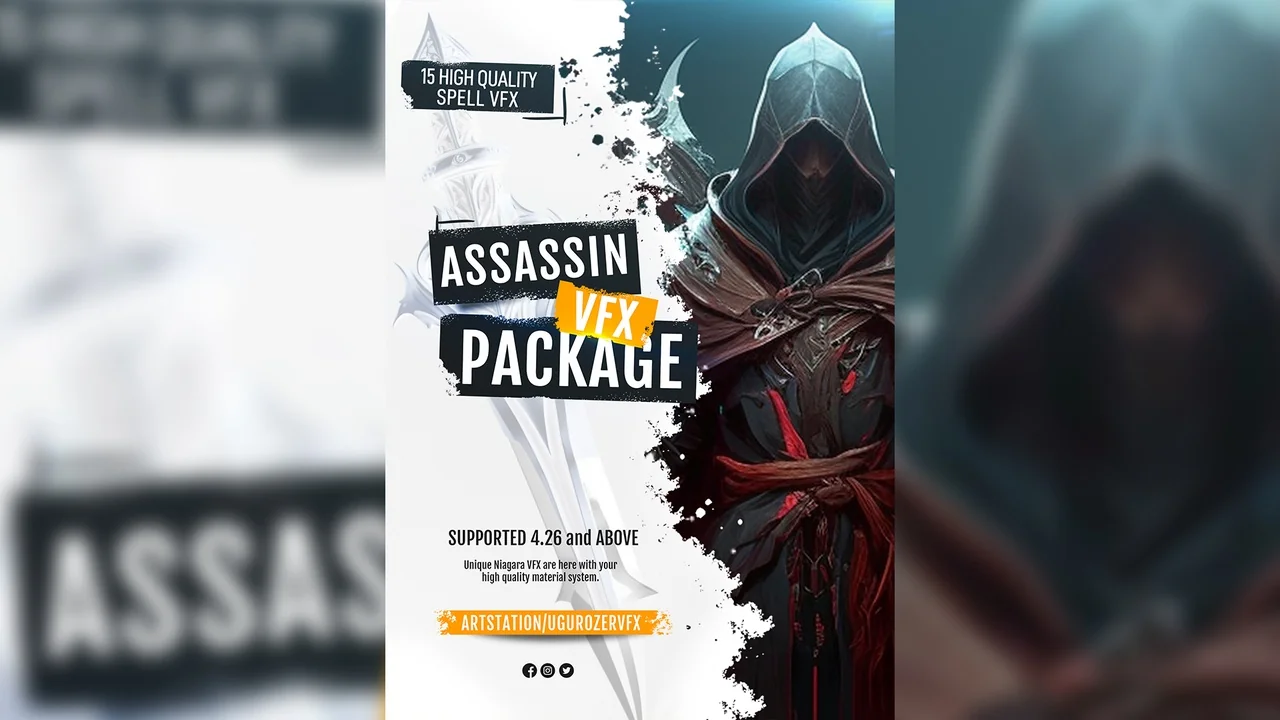
 Spells & Combat
 Spells & Combat
 Spells & Combat