Sprites, UI, and particles in one workflow
All In 1 Sprite Shader is set up for the parts of a Unity project that need visual impact without a heavy setup. It can be applied to sprites, UI elements, and particles, which makes it useful anywhere a simple asset needs to carry more of the sceneâs look. Rather than treating each element as a separate special case, the shader gives those pieces the same flexible effect system.
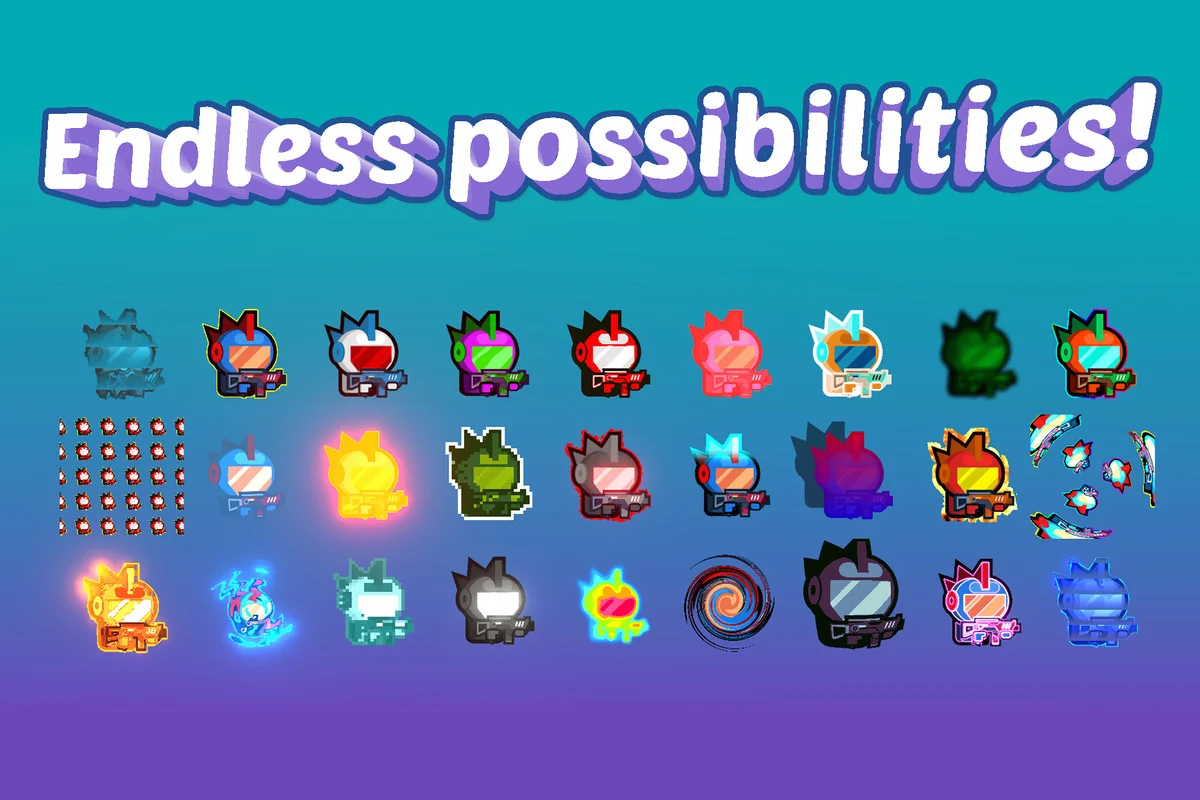
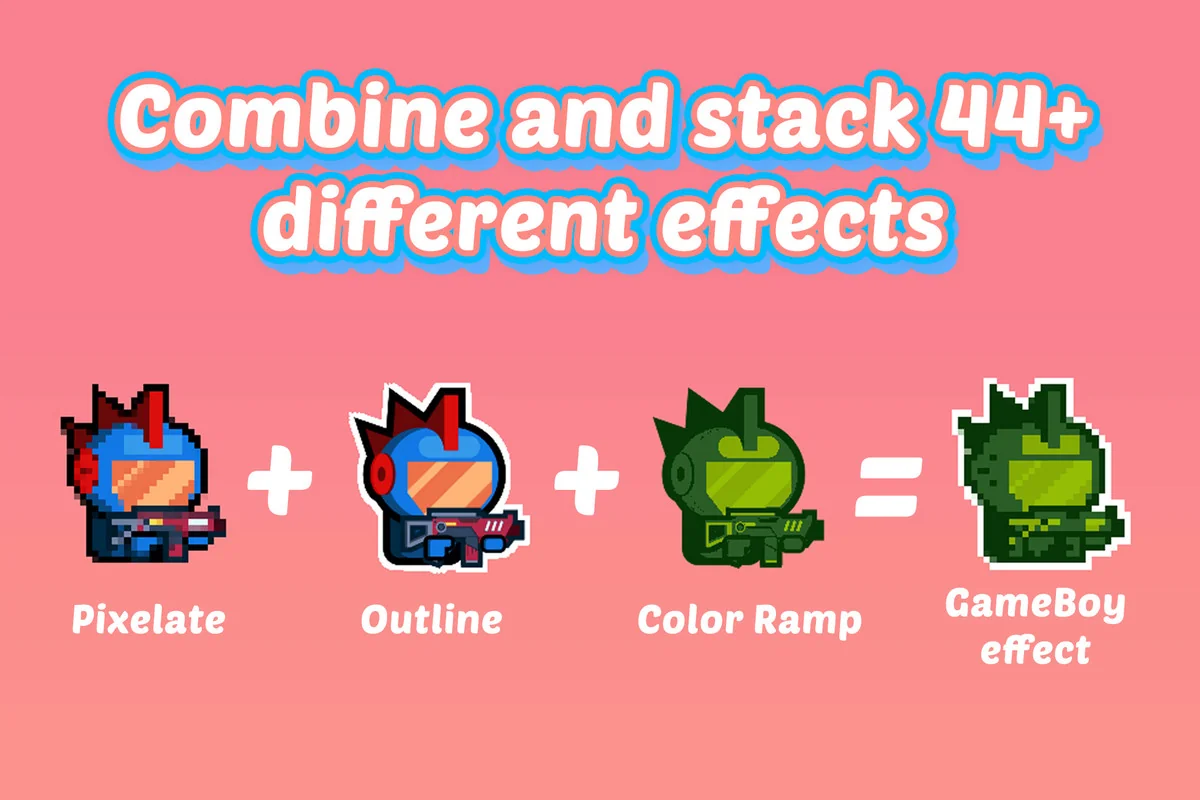
The center of that workflow is the ability to stack and combine 46+ completely different effects. That matters when a sprite is more than a flat image. A character frame, a HUD element, or a particle accent can be pushed in different directions by combining effects instead of rebuilding the material setup each time. The asset is meant to speed up that process and keep the work focused on visuals instead of shader overhead.
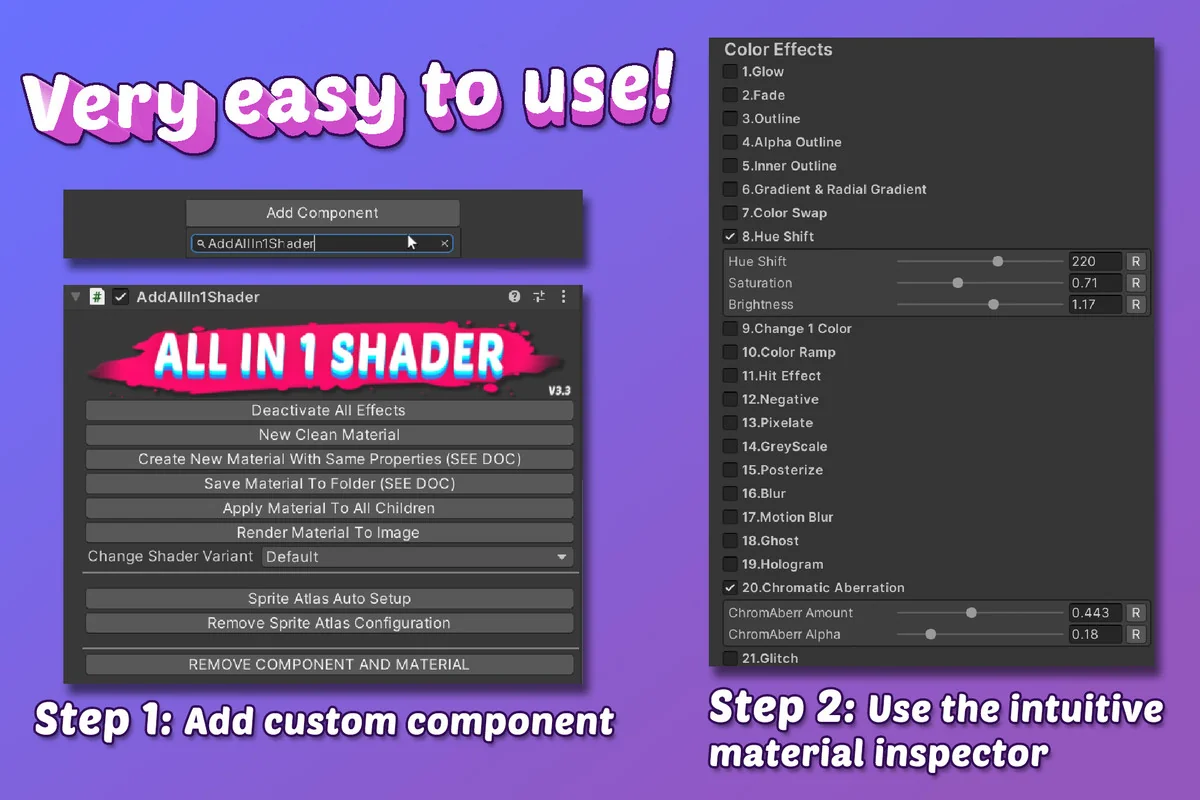
There is also a strong emphasis on quick iteration. The setup is described as a 2 click workflow, and the shader is meant to work immediately on a range of renderers and UI graphics. In practice, that places the package in a useful spot for projects where artists and developers want to test visual ideas quickly and keep moving.
Effects that scale from a single sprite to a whole scene element
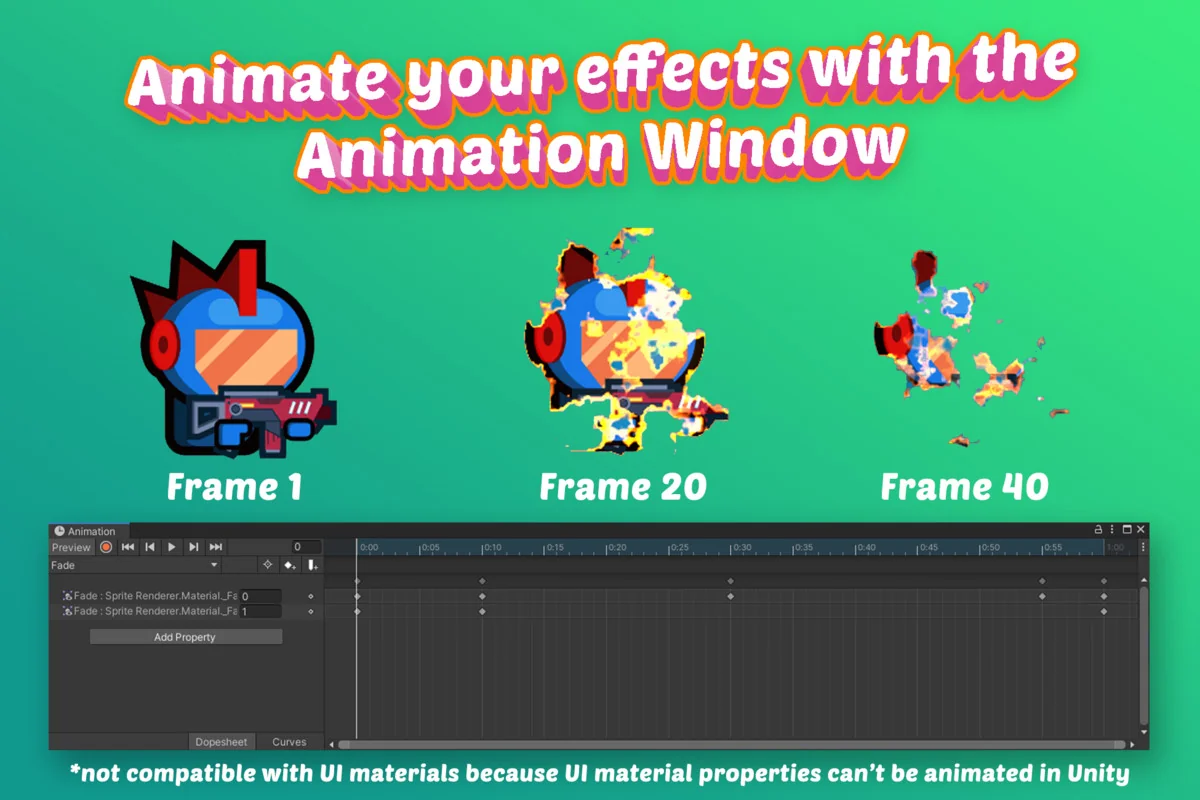
The most practical way to think about this shader is as a system for turning one sprite into many different looks. The package highlights an interactive browser-playable demo, and that makes sense for something built around combinations. A single image can become the starting point for different sprite treatments, animated interface pieces, and effect-driven particles, all from the same shader family.
That flexibility is reinforced by the included tools and controls. The custom Material Inspector gives direct access to rendering options such as blending, culling, ZTest, ZWrite, and Fog. If a project needs tighter control over how the effect appears in a particular scene, those settings are available without leaving the shader workflow. Everything can also be accessed and modified via script, which keeps it usable in setups that rely on code-driven changes.
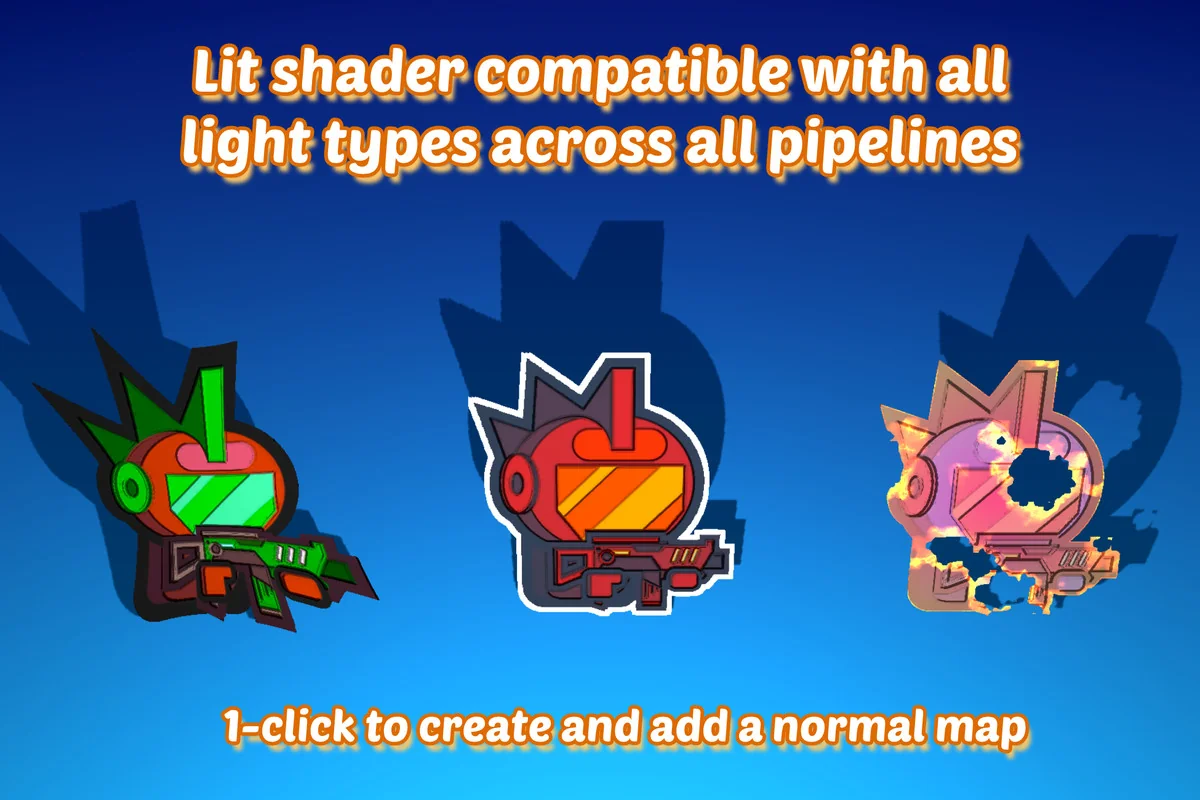
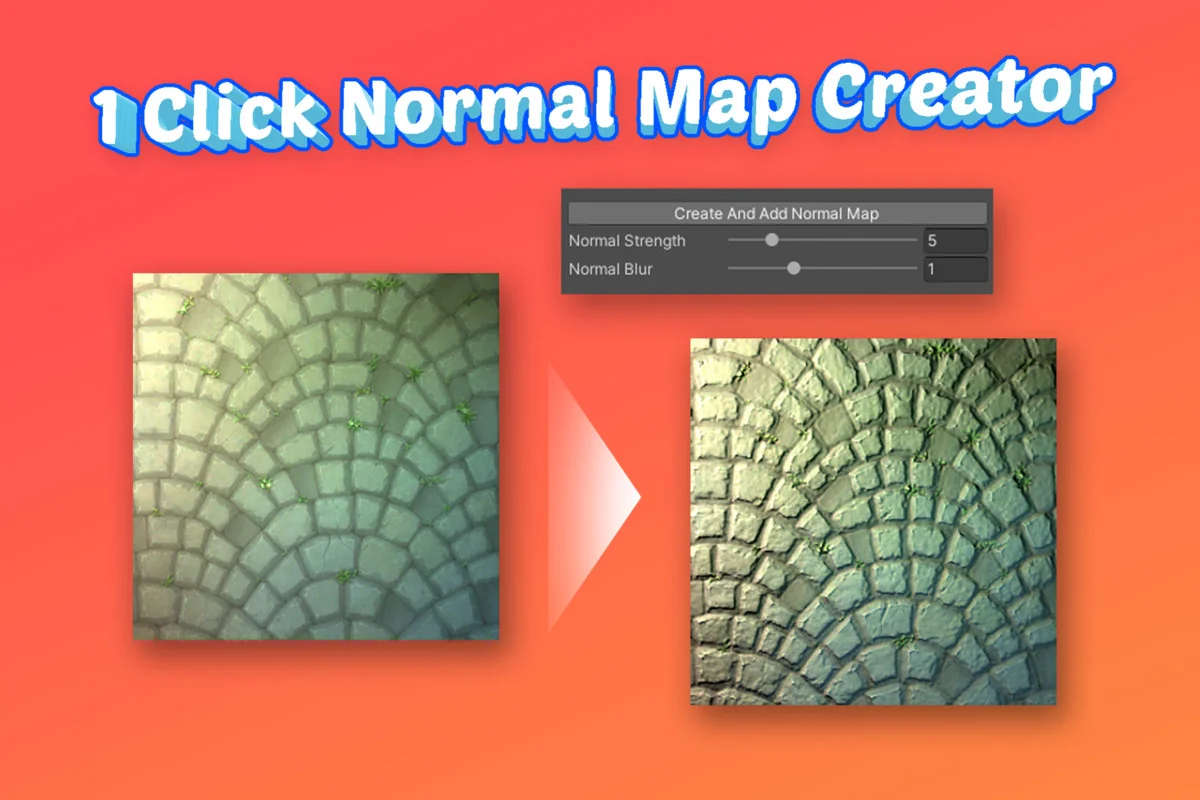
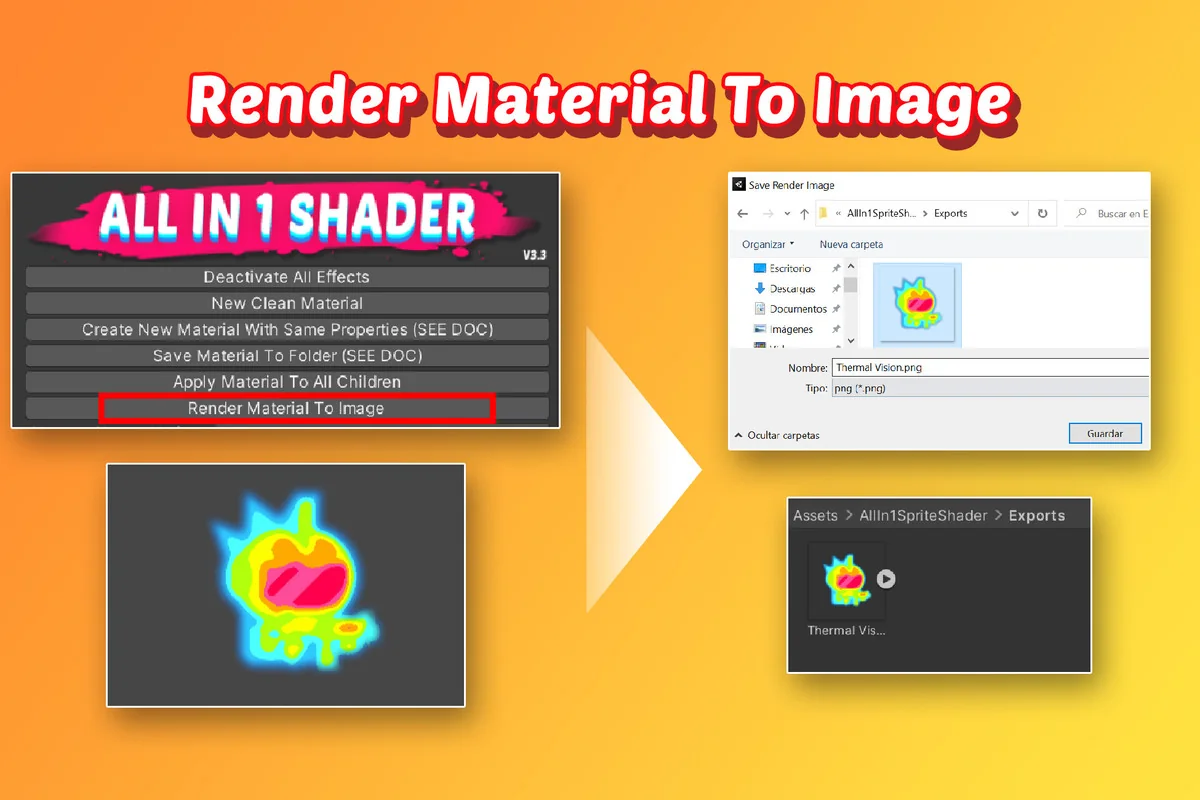
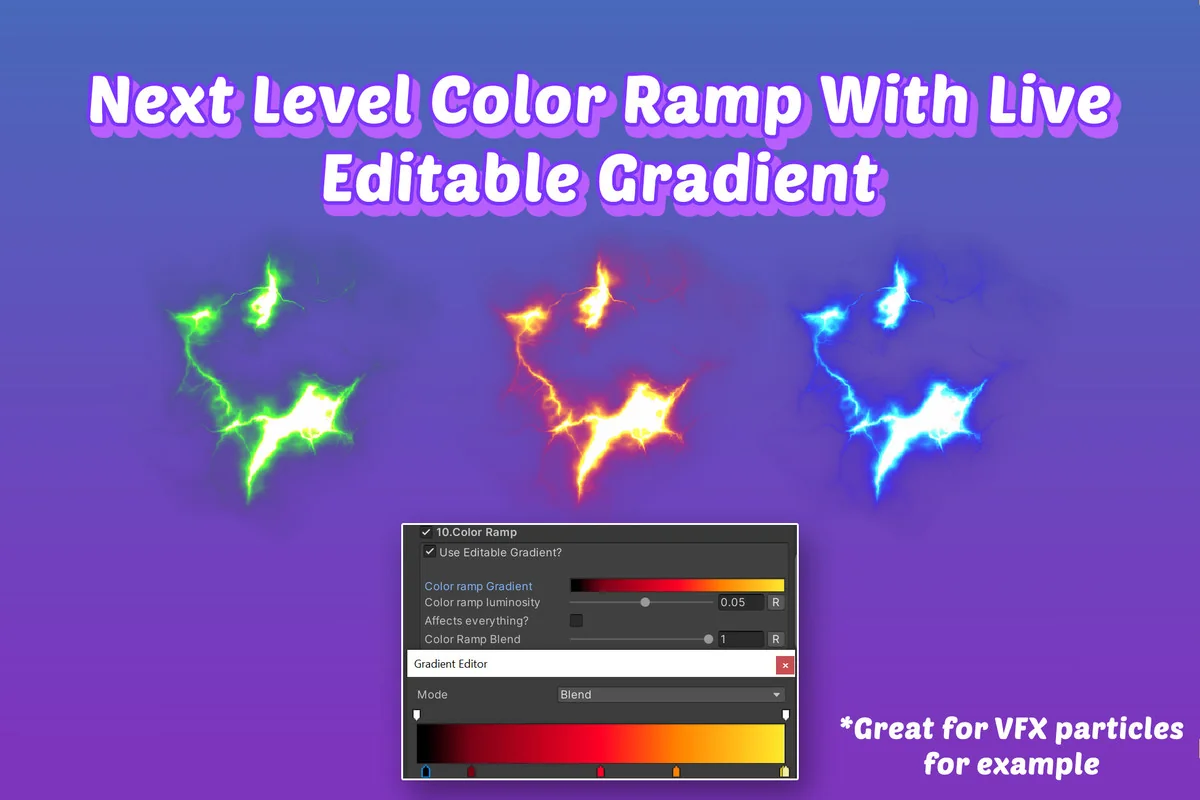
There are extra tools for creating normal maps and gradients, and results can be baked into an exportable texture. Those additions make the shader feel less like a single effect slot and more like a small visual toolbox that supports both experimentation and finishing work.
Render pipeline and renderer coverage
Compatibility is one of the clearest parts of the package. It works out of the box with all render pipelines: Built-in, URP, and HDRP. That helps keep the shader relevant across different project setups, rather than tying it to one narrow rendering path.
- Works with Built-in, URP, and HDRP
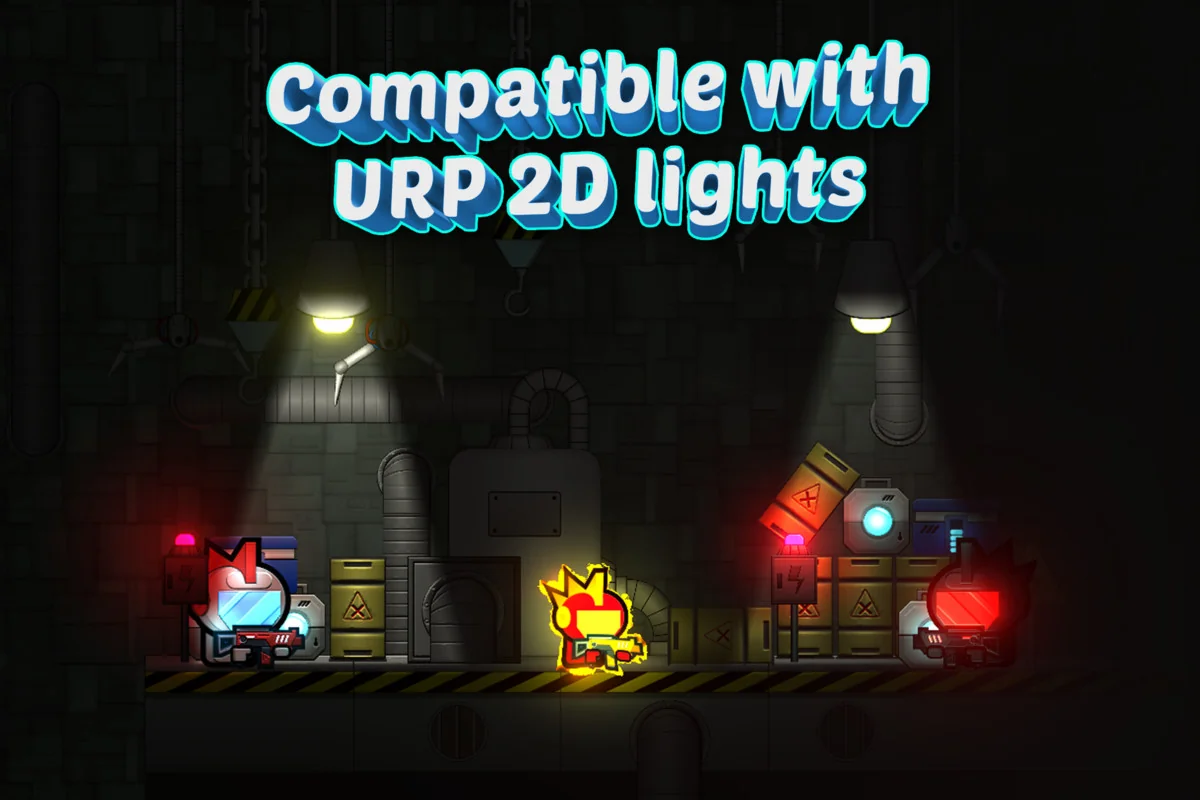
- URP 2D Renderer Lights support
- 3D Light support across all render pipelines
- 2 click setup for any Renderer, including Sprite, Particles, Tilemap, and Sprite Shape
- 2 click setup for any UI Graphic
That range means the shader is not limited to one type of asset. It can follow a project from sprite art to particles to tilemaps and sprite shape elements, while also staying usable on UI graphics. For projects that mix 2D and 3D lighting cues, the support for 3D Light types across all render pipelines gives the shader a wider range than a basic sprite material setup.
Mobile performance is also part of the packageâs identity. The shaders are hand written, profiled, and optimized line by line, and only enabled effects cost performance. The package also supports Sprite Atlas and automatic draw call batching, which makes it better suited to projects that care about keeping rendering organized while still layering on effects.
What comes with the workflow after setup
Once the shader is in place, the package keeps offering ways to tune and reuse the same effect system. The documentation is described as extensive and complete, and there are short video tutorials included as well. That combination matters for a shader package, because the value is often in understanding how to combine effects cleanly rather than just dropping in a preset look.
There are also demo materials included, along with the browser-playable interactive demo. Those examples make it easier to see how the same shader behaves across different contexts, especially when effects are stacked rather than used alone. The package is clearly meant to be explored as a visual system, not just installed and forgotten.
Support for Unity 2D Animation and Spine extends that idea further. Effects are applied to each sub-sprite of the skeleton separately, without any custom setup, although only effects that change the color will look as expected. That detail makes the shader more practical for animated character work where the skeleton is made up of multiple pieces and the visual changes need to follow those pieces directly.
For developers and artists who want a single sprite shader workflow that reaches sprites, UI, particles, tilemaps, and animated skeletons, All In 1 Sprite Shader keeps the focus on fast setup and layered visual control. It fits best in projects where the team wants to move quickly, test combinations freely, and keep the rendering side flexible across different Unity pipelines and renderer types.
Visual Breakdown
Protected download
Access this resource
All resources are 100% manually reviewed to eliminate all risks.