"7066dd76da796369"{"id":"13658","slug":"advanced-control-flow","title":"Advanced Control Flow","category":"Engine Tools","engine":"5.6","assetVersion":"Engine version: 5.6","engineVersion":"Asset Version:1.7.0","tag":"Engine Tools","accent":"blue","visual":"mech","summary":"Streamline your Unreal Engine logic with Advanced Control Flow. This plugin replaces messy stacked branch nodes with a single, efficient MultiBranch solution for complex if-elseif-else statements.","platform":"Unreal Engine","publishedAt":"2026-03-11T09:31:18.000Z","updatedAt":"2026-04-19T15:46:24.000Z","sourceNotes":[],"fileContents":[],"compatibility":["Unreal Engine","Engine version: 5.6","Asset Version: 1.7.0"],"featuredImage":{"alt":"Advanced Control Flow","src":"https://3dcghub.com/wp-content/uploads/2026/03/4349d5b2-d0f2-440c-afc3-b634c52c02a9.webp"},"hasDownloadLink":true,"downloads":0,"terms":[{"taxonomy":"category","slug":"engine-tools-tools-and-plugins","name":"Engine Tools"},{"taxonomy":"post_tag","slug":"blueprint","name":"Blueprint"},{"taxonomy":"post_tag","slug":"blueprint-nodes","name":"Blueprint Nodes"},{"taxonomy":"post_tag","slug":"control-flow","name":"Control Flow"},{"taxonomy":"post_tag","slug":"plugins","name":"Plugins"},{"taxonomy":"post_tag","slug":"tools","name":"Tools"},{"taxonomy":"post_tag","slug":"unreal-engine-5","name":"Unreal Engine 5"}],"galleryImages":[{"src":"https://3dcghub.com/wp-content/uploads/2026/03/6a09cd4a29b5_86d09976-a288-4bad-b81a-04332393e504.webp","alt":"Advanced Control Flow"},{"src":"https://3dcghub.com/wp-content/uploads/2026/03/81dbbd473a3c_8cc17cf3-a345-48f5-8c82-d48727cf2f39.webp","alt":"Advanced Control Flow"},{"src":"https://3dcghub.com/wp-content/uploads/2026/03/d18fda9c88e5_5f0a149e-446e-4e34-9bec-7aa1d5e08308.webp","alt":"Advanced Control Flow"},{"src":"https://3dcghub.com/wp-content/uploads/2026/03/4d74e84e6ea1_04c7bef9-ff95-4dd2-856c-b15ece967ee0.webp","alt":"Advanced Control Flow"}],"accessPanel":{"kind":"resource","title":"Access this resource","eyebrow":"Free Download","message":"Log in or create a free account to start your download.","fileName":"AdvancedControlFlow 5.6,V1.7.0.7z","safetyNote":"All resources are 100% manually reviewed to eliminate all risks.","actionLabel":"Download Free","resourceType":"Resource archive"},"contentHtml":"\u003ch2\u003eOptimize Blueprint Logic with Advanced Control Flow\u003c/h2\u003e\u003cp\u003eAdvanced Control Flow is a specialized Unreal Engine plugin that introduces custom Blueprint nodes. These nodes are specifically designed to help developers manage complex control flows more effectively. By integrating these tools, creators can move away from cluttered graphs and embrace a more organized visual scripting environment.\u003c/p\u003e\u003cp\u003eThe primary purpose of this plugin is to simplify the implementation of complex logic structures. Specifically, it targets the common need for if-elseif-else statements. Consequently, developers can spend less time managing node connections and more time focusing on core gameplay mechanics.\u003c/p\u003e\u003ch2\u003eSolving the Problem of Branch Stacking\u003c/h2\u003e\u003cp\u003eIn the vanilla version of Unreal Engine, realizing an if-elseif-else statement requires a specific workflow. You must stack multiple branch nodes to check various conditions in sequence. This often leads to long, hard-to-read chains of nodes that complicate the debugging process.\u003c/p\u003e\u003cp\u003eHowever, the Advanced Control Flow plugin offers a much cleaner alternative. By using the MultiBranch node, you can handle multiple conditions within a single node. This approach significantly reduces the visual clutter in your Blueprint graphs. Therefore, your project remains professional and easy to maintain as it grows in complexity.\u003c/p\u003e\u003ch2\u003eKey Features and Specialized Nodes\u003c/h2\u003e\u003cp\u003eThe plugin focuses on providing high-utility nodes for logic management. Beyond the initial release features, the creator has continued to expand the toolset. For instance, version 1.2.0 introduced the Multi-Conditional Select node to further enhance developer options.\u003c/p\u003e\u003cul\u003e\u003cli\u003e\u003cstrong\u003eMultiBranch Node:\u003c/strong\u003e Consolidates multiple if-else checks into one organized node.\u003c/li\u003e\u003cli\u003e\u003cstrong\u003eMulti-Conditional Select:\u003c/strong\u003e Adds advanced selection logic based on various conditions.\u003c/li\u003e\u003cli\u003e\u003cstrong\u003eClean Graph Management:\u003c/strong\u003e Eliminates the need for stacking repetitive branch nodes.\u003c/li\u003e\u003c/ul\u003e\u003cp\u003eBeyond that, the developer has consistently updated the plugin to ensure stability. Many versions, including 1.1.1 and 1.6.0, focused specifically on bug fixes. As a result, the tool provides a reliable experience for developers working on production-ready projects.\u003c/p\u003e\u003ch2\u003eExtensive Engine Compatibility\u003c/h2\u003e\u003cp\u003eOne of the most significant benefits of this resource is its broad compatibility. The plugin supports a wide range of Unreal Engine versions, ensuring that both legacy and cutting-edge projects can benefit from its features. It offers support for the following versions:\u003c/p\u003e\u003cul\u003e\u003cli\u003e\u003cstrong\u003eUnreal Engine 4:\u003c/strong\u003e Versions 4.26 and 4.27 are fully supported.\u003c/li\u003e\u003cli\u003e\u003cstrong\u003eUnreal Engine 5:\u003c/strong\u003e Compatibility extends from version 5.1 all the way to 5.7.\u003c/li\u003e\u003c/ul\u003e\u003cp\u003eBecause the plugin is updated regularly, it remains compatible with the latest engine advancements. For example, support for Unreal Engine 5.7 was added in late 2025. This commitment to updates ensures that your logic workflow stays consistent across different engine iterations.\u003c/p\u003e\u003ch2\u003eBest Fit\u003c/h2\u003e\u003cp\u003eFor teams considering it, Advanced Control Flow is an essential utility for any Unreal Engine developer using Blueprints. It effectively solves the issue of messy branch stacking by providing streamlined, custom nodes. Ultimately, this plugin helps maintain clean, readable, and efficient code structures for projects of any size.\u003c/p\u003e\n\n\u003ch2\u003eRelated Resources Worth Checking\u003c/h2\u003e\n\u003cul\u003e\n\u003cli\u003e\u003ca href=\"https://3dcghub.com/cooled-flowing-lava/\" title=\"Cooled \u0026amp;amp; Flowing Lava\"\u003eCooled \u0026amp; Flowing Lava\u003c/a\u003e\u003c/li\u003e\n\u003cli\u003e\u003ca href=\"https://3dcghub.com/rain-water-drop-flow-material-fx-system/\" title=\"Rain – Water Drop – Flow Material \u0026amp;amp; FX System\"\u003eRain – Water Drop – Flow Material \u0026amp; FX System\u003c/a\u003e\u003c/li\u003e\n\u003cli\u003e\u003ca href=\"https://3dcghub.com/traffic-control-system/\" title=\"Traffic Control System\"\u003eTraffic Control System\u003c/a\u003e\u003c/li\u003e\n\u003cli\u003e\u003ca href=\"https://3dcghub.com/freeflow-combat/\" title=\"Freeflow Combat\"\u003eFreeflow Combat\u003c/a\u003e\u003c/li\u003e\n\u003cli\u003e\u003ca href=\"https://3dcghub.com/indian-leopard-control-rig/\" title=\"Indian Leopard Control Rig\"\u003eIndian Leopard Control Rig\u003c/a\u003e\u003c/li\u003e\n\u003c/ul\u003e","contentTextLength":3425,"navigation":{"current":3355,"total":4016,"previous":{"id":"13676","slug":"android-native-goodies","title":"Android Native Goodies","category":"Engine Tools","platform":"Unreal Engine","updatedAt":"2026-04-19T15:46:24.000Z"},"next":{"id":"13651","slug":"able-ability-system","title":"Able Ability System","category":"Engine Tools","platform":"Unreal Engine","updatedAt":"2026-04-19T15:46:24.000Z"}},"relatedResources":[{"id":"14164","slug":"map-function-library","title":"Map Function Library","category":"Engine Tools","engine":"5.2 - 5.4","assetVersion":"Engine version: 5.2 - 5.4","engineVersion":"5.4","tag":"Engine Tools","accent":"blue","visual":"audio","summary":"The Map Function Library plugin introduces specialized nodes to streamline map operations in Unreal Engine. It offers tools for easier iteration, index-based interaction, and efficient data merging.","platform":"Unreal Engine","publishedAt":"2026-03-11T16:02:19.000Z","updatedAt":"2026-04-19T15:45:52.000Z","sourceNotes":[],"fileContents":[],"compatibility":["Unreal Engine","Engine version: 5.2 - 5.4"],"featuredImage":{"alt":"Map Function Library","src":"https://3dcghub.com/wp-content/uploads/2026/03/8886ea98-8340-4a7c-b79c-39a8d9a5ce48.webp"},"hasDownloadLink":true,"downloads":0},{"id":"13982","slug":"externaltextureplugin","title":"ExternalTexturePlugin","category":"Engine Tools","engine":"5.0 - 5.8","assetVersion":"Asset Version:1.0.1 - 1.0.2","engineVersion":"Engine version: 5.0 - 5.8","tag":"Engine Tools","accent":"blue","visual":"luts","summary":"The ExternalTexturePlugin provides a seamless way to integrate local and network-based images into your project at runtime using Blueprints. It supports standard formats like JPG, PNG, TGA, and BMP.","platform":"Unreal Engine","publishedAt":"2026-03-11T10:54:44.000Z","updatedAt":"2026-09-29T09:03:01.541Z","sourceNotes":[],"fileContents":[],"compatibility":["Unreal Engine","Asset Version:1.0.1 - 1.0.2","Engine version: 5.0 - 5.8"],"featuredImage":{"alt":"ExternalTexturePlugin","src":"https://3dcghub.com/wp-content/uploads/2026/03/cf5764e9-fff8-49cf-b24b-274e326c864f.webp"},"hasDownloadLink":true,"downloads":1},{"id":"14687","slug":"uasset-browser","title":"UAsset Browser","category":"Engine Tools","engine":"5.6 - 5.7","assetVersion":"Engine version: 5.6 - 5.7","engineVersion":"Asset Version:1.3.4","tag":"Engine Tools","accent":"blue","visual":"luts","summary":"The UAsset Browser provides a streamlined way to manage external content by offering thumbnail previews, dependency graphs, and advanced metadata filtering for project assets.","platform":"Unreal Engine","publishedAt":"2026-03-11T19:00:50.000Z","updatedAt":"2026-04-19T15:45:42.000Z","sourceNotes":[],"fileContents":[],"compatibility":["Unreal Engine","Engine version: 5.6 - 5.7","Asset Version: 1.3.4"],"featuredImage":{"alt":"UAsset Browser","src":"https://3dcghub.com/wp-content/uploads/2026/03/26174904-e233-4509-9bed-c5b7cef34bf9.webp"},"hasDownloadLink":true,"downloads":1}]}
Engine Tools
Advanced Control Flow
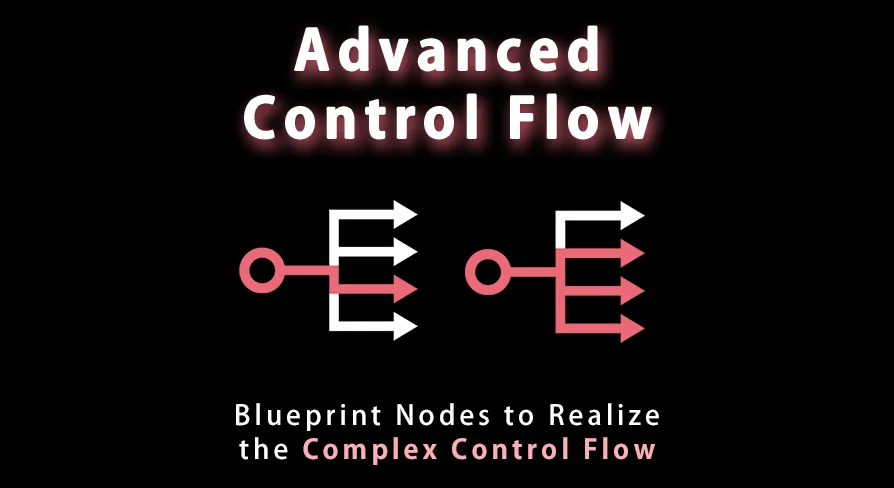
Streamline your Unreal Engine logic with Advanced Control Flow. This plugin replaces messy stacked branch nodes with a single, efficient MultiBranch solution for complex if-elseif-else statements.
Optimize Blueprint Logic with Advanced Control Flow
Advanced Control Flow is a specialized Unreal Engine plugin that introduces custom Blueprint nodes. These nodes are specifically designed to help developers manage complex control flows more effectively. By integrating these tools, creators can move away from cluttered graphs and embrace a more organized visual scripting environment.
The primary purpose of this plugin is to simplify the implementation of complex logic structures. Specifically, it targets the common need for if-elseif-else statements. Consequently, developers can spend less time managing node connections and more time focusing on core gameplay mechanics.
Solving the Problem of Branch Stacking
In the vanilla version of Unreal Engine, realizing an if-elseif-else statement requires a specific workflow. You must stack multiple branch nodes to check various conditions in sequence. This often leads to long, hard-to-read chains of nodes that complicate the debugging process.
However, the Advanced Control Flow plugin offers a much cleaner alternative. By using the MultiBranch node, you can handle multiple conditions within a single node. This approach significantly reduces the visual clutter in your Blueprint graphs. Therefore, your project remains professional and easy to maintain as it grows in complexity.
Key Features and Specialized Nodes
The plugin focuses on providing high-utility nodes for logic management. Beyond the initial release features, the creator has continued to expand the toolset. For instance, version 1.2.0 introduced the Multi-Conditional Select node to further enhance developer options.
MultiBranch Node: Consolidates multiple if-else checks into one organized node.
Multi-Conditional Select: Adds advanced selection logic based on various conditions.
Clean Graph Management: Eliminates the need for stacking repetitive branch nodes.
Beyond that, the developer has consistently updated the plugin to ensure stability. Many versions, including 1.1.1 and 1.6.0, focused specifically on bug fixes. As a result, the tool provides a reliable experience for developers working on production-ready projects.
Extensive Engine Compatibility
One of the most significant benefits of this resource is its broad compatibility. The plugin supports a wide range of Unreal Engine versions, ensuring that both legacy and cutting-edge projects can benefit from its features. It offers support for the following versions:
Unreal Engine 4: Versions 4.26 and 4.27 are fully supported.
Unreal Engine 5: Compatibility extends from version 5.1 all the way to 5.7.
Because the plugin is updated regularly, it remains compatible with the latest engine advancements. For example, support for Unreal Engine 5.7 was added in late 2025. This commitment to updates ensures that your logic workflow stays consistent across different engine iterations.
Best Fit
For teams considering it, Advanced Control Flow is an essential utility for any Unreal Engine developer using Blueprints. It effectively solves the issue of messy branch stacking by providing streamlined, custom nodes. Ultimately, this plugin helps maintain clean, readable, and efficient code structures for projects of any size.
 Engine Tools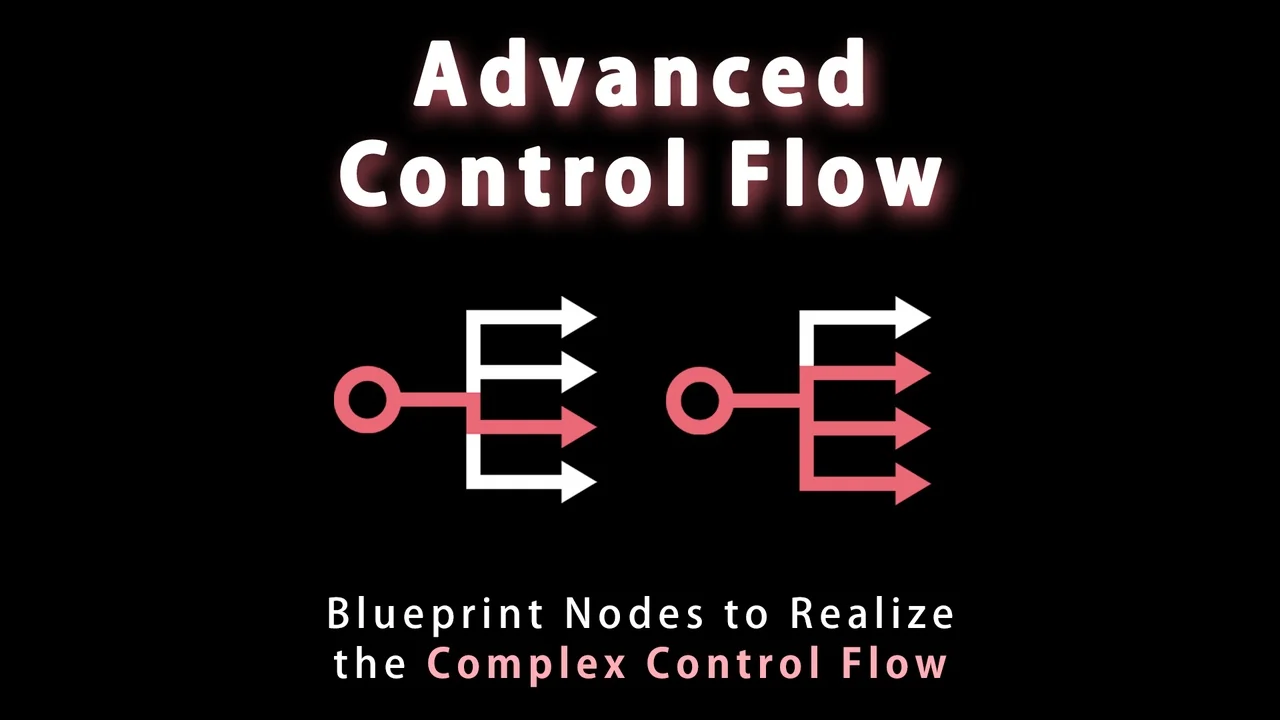
 Engine Tools
 Engine Tools
 Engine Tools