"7e6fc58c410f2894"{"id":"23725","slug":"3d-games-effects-bundle-1","title":"3D Games Effects Bundle 1","category":"Particles","engine":"Original Unity version: 2020.3.16","assetVersion":"Original Unity version: 2020.3.16","engineVersion":"Asset Version:1.6","tag":"Particles","accent":"cyan","visual":"city","summary":"3D Games Effects Bundle 1 brings 97 sprite-sheet animations into one Unity package, with six volumes and a small showroom level included. It fits HUD work, 2D and 3D games, mobile projects, VR, and other scenes that need direct visual impact without particl...","platform":"Unity","publishedAt":"2026-04-11T16:49:35.000Z","updatedAt":"2026-04-19T15:35:12.000Z","sourceNotes":[],"fileContents":[],"compatibility":["Unity","Original Unity version: 2020.3.16","Asset Version: 1.6"],"featuredImage":{"alt":"3D Games Effects Bundle 1","src":"https://3dcghub.com/wp-content/uploads/2026/04/dcdac1791029_32db77c9-71f3-4100-b67e-706f8c9a8fe0_1280x720_stretch.webp"},"hasDownloadLink":true,"downloads":0,"terms":[{"taxonomy":"category","slug":"particles","name":"Particles"},{"taxonomy":"post_tag","slug":"ui","name":"UI"},{"taxonomy":"post_tag","slug":"unity","name":"Unity"},{"taxonomy":"post_tag","slug":"vfx","name":"VFX"}],"galleryImages":[{"src":"https://3dcghub.com/wp-content/uploads/2026/04/f7ebe21c8c6f_c833feb0-4a43-43bb-bfc8-ec35cb24e1f6_scaled.webp","alt":"3D Games Effects Bundle 1"},{"src":"https://3dcghub.com/wp-content/uploads/2026/04/91b756c66821_dbee042c-1ccc-4e30-be9e-3b522eb6ec75_scaled.webp","alt":"3D Games Effects Bundle 1"},{"src":"https://3dcghub.com/wp-content/uploads/2026/04/d5cca31fcb66_3824febc-74d9-46a6-8372-6298dd33c1ce_scaled.webp","alt":"3D Games Effects Bundle 1"},{"src":"https://3dcghub.com/wp-content/uploads/2026/04/b40f47ece8b3_95259668-2625-42a6-b3ea-6209f9deba78_scaled.webp","alt":"3D Games Effects Bundle 1"}],"accessPanel":{"kind":"resource","title":"Access this resource","eyebrow":"Free Download","message":"Log in or create a free account to start your download.","fileName":"3D Games Effects Bundle 1 1.6.7z","safetyNote":"All resources are 100% manually reviewed to eliminate all risks.","actionLabel":"Download Free","resourceType":"Resource archive"},"contentHtml":"\u003ch2\u003eQuick motion for gameplay, HUD, and world space\u003c/h2\u003e\u003cp\u003e3D Games Effects Bundle 1 focuses on animated sprite sheets rather than particle systems, so the motion stays direct and easy to place. That makes it a practical fit when a scene needs a burst of visual energy over gameplay, a UI accent on a HUD, or a compact effect that sits cleanly inside a 3D environment. It is also listed for 2D games, mobile games, and VR, which gives the set a wide range of uses without changing its core format.\u003c/p\u003e\u003cp\u003eThe resource is described as a varied pack, and that variety is what makes it useful in day-to-day production. Instead of one narrowly defined effect, it offers a library of sprite-sheet animations that can be dropped into different kinds of moments: action beats, interface feedback, environmental accents, or short animated callouts. Because these are frames in a spritesheet, the focus stays on timing, placement, and layering rather than on particle behavior.\u003c/p\u003e\u003cp\u003eThat approach can be helpful in scenes where clarity matters. A sprite-sheet effect can be kept small and readable, or scaled up when a moment needs more visual force. The packâs emphasis on animated frames also means it can work as a controlled visual layer in projects that want effects without custom shader work.\u003c/p\u003e\u003ch2\u003eSix volumes gathered into one set\u003c/h2\u003e\u003cp\u003eThe bundle combines six packs into a single package:\u003c/p\u003e\u003cul\u003e\u003cli\u003e3D Games Effects Volume 1\u003c/li\u003e\u003cli\u003e3D Games Effects Volume 2\u003c/li\u003e\u003cli\u003e3D Games Effects Volume 3\u003c/li\u003e\u003cli\u003e3D Games Effects Volume 4\u003c/li\u003e\u003cli\u003e3D Games Effects Volume 5\u003c/li\u003e\u003cli\u003e3D Games Effects Volume 6\u003c/li\u003e\u003c/ul\u003e\u003cp\u003eAlongside those volumes, the package includes 97 high quality sprite-sheet animations and a small showroom level. That showroom gives the effects a place to be seen in context, which is useful when checking how the frames read inside a scene. A note attached to the asset explains that the environments shown in earlier videos were from an older version, and a new showroom was added later to replace it.\u003c/p\u003e\u003cp\u003eHaving six volumes in one set gives the bundle a broad internal mix without splitting it across separate assets. For a developer assembling effects for a project, that can make it easier to pull animation frames from one library and use them across several types of moments. The set stays centered on sprite-sheet animation, but the range inside it is wide enough to support different scene needs.\u003c/p\u003e\u003ch2\u003eHow the animations are organized\u003c/h2\u003e\u003cp\u003eThe texture setup is specific: 4096x4096 textures, 32-64 frames, and PNG transparency. Those details point to a spritesheet workflow where each animation is already prepared as a frame sequence rather than as a particle simulation. The asset also states clearly that these are not particles.\u003c/p\u003e\u003cp\u003eThat matters for production. A particle effect can be useful when a scene needs simulation-driven movement, but a sprite-sheet animation gives more direct control over what appears and when. In a HUD, that might mean a cleaner visual pulse or flare. In a 2D game, it can help keep the effect crisp against simpler backgrounds. In 3D scenes, the same animation can be used as a layered accent without needing the effect to behave like a system of particles.\u003c/p\u003e\u003cp\u003eThe pack is presented as a collection of high quality animations, so it can serve as a reusable library rather than a single-purpose effect. Since the frames are already arranged in sprite sheets, the work shifts toward choosing where each animation belongs in the project and how it fits with the surrounding scene composition.\u003c/p\u003e\u003ch2\u003eUnity notes and pipeline details\u003c/h2\u003e\u003cp\u003eThe technical side is straightforward. The package type is unitypackage, the category is Particles, and the asset count is 392. The file size is 1.1 GB. The original Unity version is 2020.3.16, and compatibility is shown for 2020.3.16f1 Built-in. Custom shaders are not included.\u003c/p\u003e\u003cp\u003eRelease information also points to a maintained Unity workflow. The latest version is 1.6, with the latest release dated Oct 09, 2021. The first publication date is Jul 20, 2016. Release notes mention Unity 2020 checking and fixes, along with the new showroom.\u003c/p\u003e\u003cp\u003eFor projects that want a large sprite-sheet effect library inside Unity, this bundle keeps the focus on direct visual motion and scene-ready animation frames. It fits best when the project needs effects that are easy to place across gameplay, HUDs, 2D setups, 3D scenes, mobile screens, or VR spaces.\u003c/p\u003e\u003c/h2\u003e\n\n\u003ch2\u003eContinue Browsing Similar Packs\u003c/h2\u003e\n\u003cul\u003e\n\u003cli\u003e\u003ca href=\"https://3dcghub.com/toolkit-for-unity-physics-2026/\" title=\"Toolkit for Unity Physics 2026\"\u003eToolkit for Unity Physics 2026\u003c/a\u003e\u003c/li\u003e\n\u003cli\u003e\u003ca href=\"https://3dcghub.com/opencv-for-unity/\" title=\"OpenCV for Unity\"\u003eOpenCV for Unity\u003c/a\u003e\u003c/li\u003e\n\u003cli\u003e\u003ca href=\"https://3dcghub.com/exporter-for-unreal-to-for-unity-2026/\" title=\"Exporter for Unreal to/for Unity 2026\"\u003eExporter for Unreal to/for Unity 2026\u003c/a\u003e\u003c/li\u003e\n\u003cli\u003e\u003ca href=\"https://3dcghub.com/dialogue-system-for-unity/\" title=\"Dialogue System for Unity\"\u003eDialogue System for Unity\u003c/a\u003e\u003c/li\u003e\n\u003cli\u003e\u003ca href=\"https://3dcghub.com/ambient-sounds-interactive-soundscapes-for-unity-6/\" title=\"Ambient Sounds – Interactive Soundscapes for Unity 6\"\u003eAmbient Sounds – Interactive Soundscapes for Unity 6\u003c/a\u003e\u003c/li\u003e\n\u003c/ul\u003e\n\n\u003ch2\u003eAsset Gallery\u003c/h2\u003e","contentTextLength":4531,"navigation":{"current":3564,"total":3618,"previous":{"id":"23733","slug":"blood-effects-pack","title":"Blood Effects Pack","category":"Particles","platform":"Unity","updatedAt":"2026-04-19T15:35:12.000Z"},"next":{"id":"23766","slug":"cyber-effects-tunnels","title":"Cyber Effects - Tunnels","category":"Particles","platform":"Unity","updatedAt":"2026-04-19T15:35:11.000Z"}},"relatedResources":[{"id":"23993","slug":"sword-slashes-pro","title":"Sword slashes PRO","category":"Particles","engine":"Original Unity version: 2020.3.18","assetVersion":"Original Unity version: 2020.3.18","engineVersion":"Asset Version:2.3.3","tag":"Particles","accent":"cyan","visual":"character","summary":"Sword Slashes PRO brings separate sword-slash particle effects into Unity rather than tying the motion to the blade itself. It includes 22 unique slash effects, 11 combo skills, and support across BiRP, URP, and HDRP.","platform":"Unity","publishedAt":"2026-04-12T09:19:31.000Z","updatedAt":"2026-04-19T15:35:03.000Z","sourceNotes":[],"fileContents":[],"compatibility":["Unity","Original Unity version: 2020.3.18","Asset Version: 2.3.3"],"featuredImage":{"alt":"Sword slashes PRO","src":"https://3dcghub.com/wp-content/uploads/2026/04/45960f043abe_e9f18a17-c835-4c9d-993f-1c6f56cb347b_1280x720_stretch.webp"},"hasDownloadLink":true,"downloads":6},{"id":"23943","slug":"rpg-vfx-bundle","title":"RPG VFX Bundle","category":"Spells","engine":"Original Unity version: 2020.3.18","assetVersion":"Original Unity version: 2020.3.18","engineVersion":"Asset Version:5.2.2","tag":"Spells","accent":"cyan","visual":"luts","summary":"RPG VFX Bundle gathers magic arrows, shields, spells, projectiles, lasers, and track markers for combat scenes in RPG and top-down projects. It also includes custom shaders, textures, and a script for changing effect colors in one click.","platform":"Unity","publishedAt":"2026-04-12T09:07:13.000Z","updatedAt":"2026-04-19T15:35:04.000Z","sourceNotes":[],"fileContents":[],"compatibility":["Unity","Original Unity version: 2020.3.18","Asset Version: 5.2.2"],"featuredImage":{"alt":"RPG VFX Bundle","src":"https://3dcghub.com/wp-content/uploads/2026/04/02d6efcdc9ff_573c3286-e2e6-401f-85ff-4797c8243157_1280x720_stretch.webp"},"hasDownloadLink":true,"downloads":1},{"id":"23733","slug":"blood-effects-pack","title":"Blood Effects Pack","category":"Particles","engine":"Original Unity version: 2022.3.62","assetVersion":"Original Unity version: 2022.3.62","engineVersion":"Asset Version:5.1.1","tag":"Particles","accent":"cyan","visual":"mech","summary":"Blood Effects Pack gives action, horror, and stylized projects a set of blood splashes, decals, dripping effects, gut visuals, and screen overlays. It works across Built-in RP, URP, HDRP, and mobile-friendly workflows, with modular prefabs and texture sets...","platform":"Unity","publishedAt":"2026-04-11T16:49:48.000Z","updatedAt":"2026-04-19T15:35:12.000Z","sourceNotes":[],"fileContents":[],"compatibility":["Unity","Original Unity version: 2022.3.62","Asset Version: 5.1.1"],"featuredImage":{"alt":"Blood Effects Pack","src":"https://3dcghub.com/wp-content/uploads/2026/04/664965335742_66b08ab1-31ae-451a-b16f-5543d0ef0230_1280x720_stretch.webp"},"hasDownloadLink":true,"downloads":6}]}
Particles
3D Games Effects Bundle 1
3D Games Effects Bundle 1 brings 97 sprite-sheet animations into one Unity package, with six volumes and a small showroom level included. It fits HUD work, 2D and 3D games, mobile projects, VR, and other scenes that need direct visual impact without particl...
3D Games Effects Bundle 1 focuses on animated sprite sheets rather than particle systems, so the motion stays direct and easy to place. That makes it a practical fit when a scene needs a burst of visual energy over gameplay, a UI accent on a HUD, or a compact effect that sits cleanly inside a 3D environment. It is also listed for 2D games, mobile games, and VR, which gives the set a wide range of uses without changing its core format.
The resource is described as a varied pack, and that variety is what makes it useful in day-to-day production. Instead of one narrowly defined effect, it offers a library of sprite-sheet animations that can be dropped into different kinds of moments: action beats, interface feedback, environmental accents, or short animated callouts. Because these are frames in a spritesheet, the focus stays on timing, placement, and layering rather than on particle behavior.
That approach can be helpful in scenes where clarity matters. A sprite-sheet effect can be kept small and readable, or scaled up when a moment needs more visual force. The packâs emphasis on animated frames also means it can work as a controlled visual layer in projects that want effects without custom shader work.
Six volumes gathered into one set
The bundle combines six packs into a single package:
3D Games Effects Volume 1
3D Games Effects Volume 2
3D Games Effects Volume 3
3D Games Effects Volume 4
3D Games Effects Volume 5
3D Games Effects Volume 6
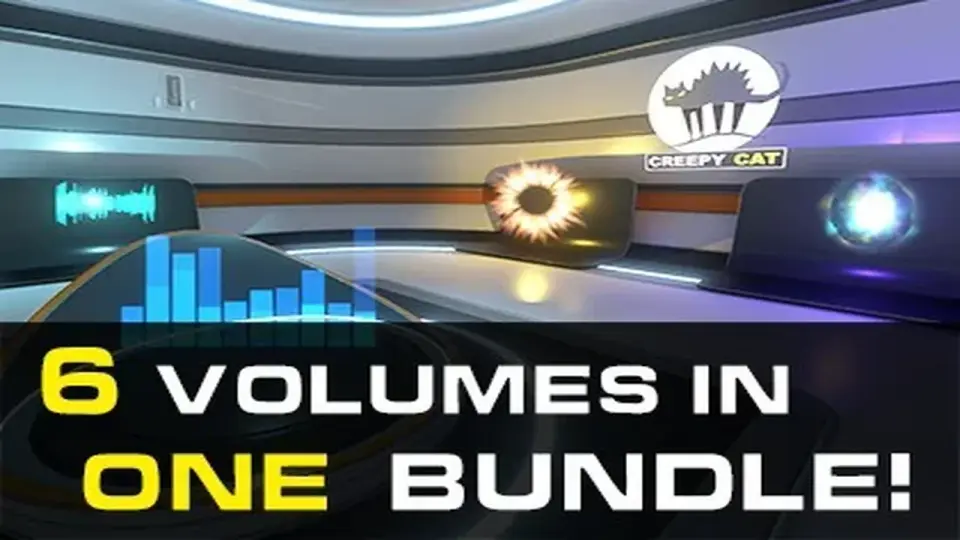
Alongside those volumes, the package includes 97 high quality sprite-sheet animations and a small showroom level. That showroom gives the effects a place to be seen in context, which is useful when checking how the frames read inside a scene. A note attached to the asset explains that the environments shown in earlier videos were from an older version, and a new showroom was added later to replace it.
Having six volumes in one set gives the bundle a broad internal mix without splitting it across separate assets. For a developer assembling effects for a project, that can make it easier to pull animation frames from one library and use them across several types of moments. The set stays centered on sprite-sheet animation, but the range inside it is wide enough to support different scene needs.
How the animations are organized
The texture setup is specific: 4096x4096 textures, 32-64 frames, and PNG transparency. Those details point to a spritesheet workflow where each animation is already prepared as a frame sequence rather than as a particle simulation. The asset also states clearly that these are not particles.
That matters for production. A particle effect can be useful when a scene needs simulation-driven movement, but a sprite-sheet animation gives more direct control over what appears and when. In a HUD, that might mean a cleaner visual pulse or flare. In a 2D game, it can help keep the effect crisp against simpler backgrounds. In 3D scenes, the same animation can be used as a layered accent without needing the effect to behave like a system of particles.
The pack is presented as a collection of high quality animations, so it can serve as a reusable library rather than a single-purpose effect. Since the frames are already arranged in sprite sheets, the work shifts toward choosing where each animation belongs in the project and how it fits with the surrounding scene composition.
Unity notes and pipeline details
The technical side is straightforward. The package type is unitypackage, the category is Particles, and the asset count is 392. The file size is 1.1 GB. The original Unity version is 2020.3.16, and compatibility is shown for 2020.3.16f1 Built-in. Custom shaders are not included.
Release information also points to a maintained Unity workflow. The latest version is 1.6, with the latest release dated Oct 09, 2021. The first publication date is Jul 20, 2016. Release notes mention Unity 2020 checking and fixes, along with the new showroom.
For projects that want a large sprite-sheet effect library inside Unity, this bundle keeps the focus on direct visual motion and scene-ready animation frames. It fits best when the project needs effects that are easy to place across gameplay, HUDs, 2D setups, 3D scenes, mobile screens, or VR spaces.
 Particles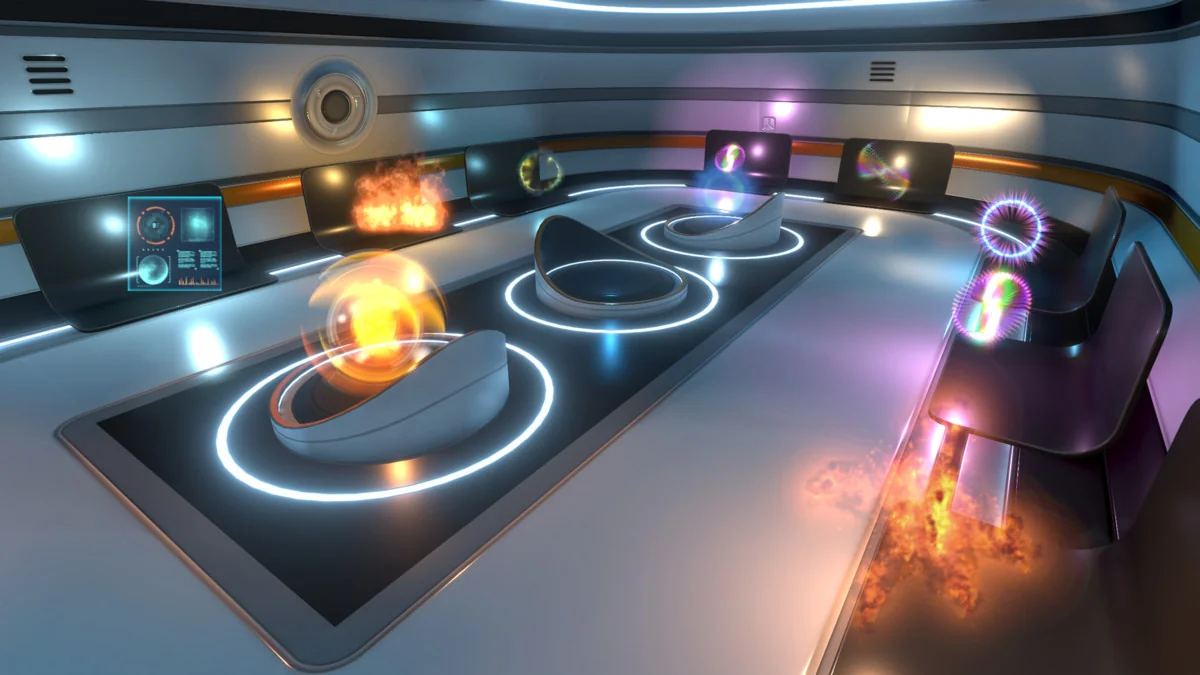
 Particles
 Spells
 Particles