

Maintainer
Keep your project in a good shape with these Maintainer features:• find & fix project problems• find & remove unused assets• find assets references and hierarchy references Searches your project for different issues like missing scripts, missing references, duplicate components, invalid layers, and much more. Allows getting rid of some
Support package for Hovl Studio assets
This package provides URP and HDRP support for Hovl Studio assets (And possible future new Render Pipelines). This asset is FREE if you have one of Hovl Studio assets. The editor replaces shaders that works only with standard render pipeline to custom pipelines in all materials. Click here to view the full
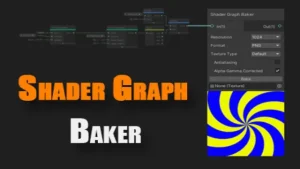
Shader Graph Baker
Editor and runtime tool for baking Shader Graph nodes into a common texture file(s). Useful for creating procedural, gradient, noise or custom effect textures, generating normal and other types of maps, optimizing shader by replacing a complex set of static nodes with just a texture, creating frame atlases, generating image sequences, Texture2DArray and Texture3D assets. Click here to view

Play Mode Save
This tool allows you to save changes made in play mode. Features How to use: Click here to view the full details of the resource.:URL Click the button below to download. Download:
Figma Converter for Unity
An asset that automatically converts the layout from Figma to Unity Canvas. With this asset, you can transfer your layout from Figma to Unity in one click! ALL ASSETS FROM THE DEPENDENCIES TAB ARE OPTIONAL The asset requires the free “com.unity.nuget.newtonsoft-json” package to function. Information on how to install it can be found in the asset’s manual.
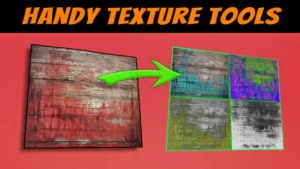
F Texture Tools
F Texture Tools is a pack of handy texture editing windows for use within the Unity Editor. With these tools, you can quickly adjust any image in the project to fit your needs. If you previously owned Seamless Texture Generator (now deprecated), you can upgrade to F Texture Tools for
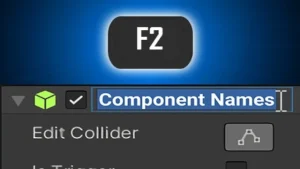
Component Names
Component Names integrates seamlessly with the Inspector and makes it possible to rename components. Ever had trouble distinguishing multiple colliders on the same GameObject from each other? Ever wished you could rename that generic “Event Trigger” component to something a little more descriptive like “On Click Open Settings“? What if
Editor Console Pro
Editor Console Pro is a powerful replacement for Unity’s editor console. Using Console Pro you can: – Use a search field to filter all entries by text, file name, class, GameObject name on the fly.– Search and filter using Regular Expressions.– Create custom filter groups with their own colors, icons,
Asset Cleaner PRO – Clean | Find References
✨ Have you dreamed of keeping your project always clean and well-organized?⭐ Automatically seeing the useless and useful in your project, in real-time?⭐ Safely removing unused files, and figuring out where others are being utilized? Yes? Then you can rely on the powerful yet seamless helper, Asset Cleaner PRO! Feature 1 – Project
Semantic Color Palette
A semantic color management system for Unity: organize your colors in meaningful palettes and assign them to all kind of “colorable” components. No more updating color values in multiple places! How does this system work in practice? There are three core elements that work together to achieve its design goals:

Texture Adjustments
Texture Adjustments is a texture editing and manipulation software, allowing users to crop, resize, adjust, pack, generate and modify textures inside editor and runtime using GPU accelerated methods. Texture Adjustments includes a big library of filters and adjustments that can be used individually or mixed together in any combination and any number, allowing creating unlimited texture
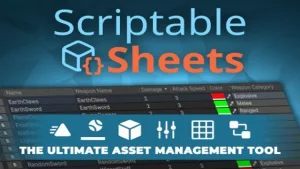
Scriptable Sheets
View your Unity assets in a whole new way. Scriptable Sheets revolutionizes Unity by integrating spreadsheet-like views for all your assets, boosting productivity and simplifying data management. Click here to view the full details of the resource.:URL Click the button below to download. Download: