"6ac84fdb0bd06614"{"id":"1000922","slug":"open-world-ai-multiplayer-spawn-system","title":"Open World AI Multiplayer Spawn System","category":"Gameplay Features","engine":"4.26+,5.0+","assetVersion":"","engineVersion":"Engine Version: 4.26+,5.0+","tag":"Gameplay Features","accent":"blue","visual":"mech","summary":"A server-side Blueprint spawn system for open-world multiplayer games, with roaming, stationary, and path AI, friendly or zombie variants.","platform":"Unreal Engine","publishedAt":"2026-08-08T05:05:40.195Z","updatedAt":"2026-08-08T05:05:40.195Z","sourceNotes":[],"fileContents":[],"compatibility":["Unreal Engine","Engine Version: 4.26+,5.0+"],"featuredImage":{"alt":"Open World AI Multiplayer Spawn System","src":"/wp-content/uploads/published/2026/08/c4917032d21c-cb7e3ead-ba0b-445c-8608-4fe8a4722c7e-d50d7d81fc.webp"},"hasDownloadLink":true,"downloads":1,"terms":[{"taxonomy":"category","slug":"gameplay-features","name":"Gameplay Features"}],"galleryImages":[{"src":"/wp-content/uploads/published/2026/08/b720c7d394f1-99890e80-2606-4d25-8264-e0260c964aa2-12a2c6d0cf.webp","alt":"Open World AI Multiplayer Spawn System"},{"src":"/wp-content/uploads/published/2026/08/826d0c0fba43-09bd3548-0962-4105-bfa6-c88410a9c117-2cb7fe19b1.webp","alt":"Open World AI Multiplayer Spawn System"},{"src":"/wp-content/uploads/published/2026/08/acb486494594-9ad9dc57-4580-4847-8677-5d8e67818209-d43d519eb9.webp","alt":"Open World AI Multiplayer Spawn System"},{"src":"/wp-content/uploads/published/2026/08/496e4010bb5d-6dccb6a1-9a48-4885-9b8a-4ceaf7eeb983-b3546d88f7.webp","alt":"Open World AI Multiplayer Spawn System"},{"src":"/wp-content/uploads/published/2026/08/6b4bc5390bf6-bc91bbfa-1132-487f-aa96-7c2e5d02af39-a719145b76.webp","alt":"Open World AI Multiplayer Spawn System"},{"src":"/wp-content/uploads/published/2026/08/ad4b3477cee6-fd23562c-1c5e-4cb3-b683-37b266529e6b-1054eb7b0b.webp","alt":"Open World AI Multiplayer Spawn System"},{"src":"/wp-content/uploads/published/2026/08/3566e5fe2ce4-09732dff-68be-4d8f-b24d-fc5e9ee431b7-8b82cd5ca8.webp","alt":"Open World AI Multiplayer Spawn System"}],"accessPanel":{"kind":"resource","title":"Download this resource","eyebrow":"Free Download","message":"Log in or create a free account to start your download.","fileName":"OpenWorldAIMultiplayerSpa.7z","safetyNote":"Resources are manually reviewed before listing to improve quality and reduce obvious risks.","actionLabel":"Download Free","resourceType":"Resource archive"},"contentHtml":"\u003cp\u003eThe \u003cem\u003eOpen World AI Spawn System\u003c/em\u003e takes a familiar Single-Player concept and reworks it for Multiplayer. Instead of letting every Client handle its own AI population, the system offloads all spawn and despawn logic to the Server. Clients receive no extra work, which matters when you have a large Map with many AI that need to appear and disappear based on player presence.\u003c/p\u003e\n\n\u003cp\u003eThe package is built entirely in \u003ccode\u003eBlueprints\u003c/code\u003e, keeping the logic readable and easy to expand. It ships with a set of demonstration AI meant to show how the system can drive different behaviors, but the core spawn system is intentionally generic so you can connect it to your own \u003ccode\u003eAI Classes\u003c/code\u003e.\u003c/p\u003e\n\n\u003ch2\u003eServer-Side Logic Keeps Clients Clean\u003c/h2\u003e\n\n\u003cp\u003eIn most Open World Multiplayer projects, AI that exists when no 1 is around is wasted network and processing overhead. This system addresses that by tying AI presence directly to player proximity. When there are no players in an area, there is no AI in that area. The \u003ccode\u003eSpawn Manager\u003c/code\u003e handles the creation and cleanup automatically, so you do not have to write your own distance checks or lifecycle management.\u003c/p\u003e\n\n\u003cp\u003eBecause the logic sits on the Server, all Clients just see the AI that the Server chooses to spawn. This avoids desync issues where 1 player sees an AI that another 1 does not. It also means that the Client does not need to track dormant or inactive AI, which can be a meaningful performance gain on bigger Levels.\u003c/p\u003e\n\n\u003ch2\u003e3 Demonstration AI Types and a Path System\u003c/h2\u003e\n\n\u003cp\u003eThe included AI are more than empty placeholders. They show concrete ways to apply the spawn system to common Open World roles.\u003c/p\u003e\n\n\u003cul\u003e\n \u003cli\u003e\u003cstrong\u003e\u003ccode\u003eRoaming AI\u003c/code\u003e:\u003c/strong\u003e Walk around to random locations within a set area. This works for creatures, guards, or any Non-Player Character (NPC) that should patrol without a fixed route.\u003c/li\u003e\n \u003cli\u003e\u003cstrong\u003e\u003ccode\u003eStationary AI\u003c/code\u003e:\u003c/strong\u003e Stay in 1 place, with vendors given as the example. This is useful for Non-Player Characters (NPCs) that should be present only when a player is near a shop or quest hub.\u003c/li\u003e\n \u003cli\u003e\u003cstrong\u003e\u003ccode\u003ePath AI\u003c/code\u003e:\u003c/strong\u003e Come with an easy-to-use \u003ccode\u003ePath System\u003c/code\u003e. You can set up AI paths in a matter of seconds, which suits patrol routes, escort sequences, or scripted movement across the world.\u003c/li\u003e\n\u003c/ul\u003e\n\n\u003cp\u003eThe \u003ccode\u003ePath System\u003c/code\u003e is bundled directly into the package, so you do not need a separate tool. It is designed to be fast to place and quick to adjust, matching the overall goal of saving setup time when populating a large world.\u003c/p\u003e\n\n\u003ch2\u003eFriendly or Zombie: 1 Global Switch\u003c/h2\u003e\n\n\u003cp\u003eEvery AI type can be set to friendly or zombie behavior. This is likely a simple faction or behavior flag, but it is a powerful 1. You can use the same \u003ccode\u003eRoaming AI\u003c/code\u003e as a friendly villager in 1 area and as a zombie in another, without building separate \u003ccode\u003eAI Controllers\u003c/code\u003e. The \u003ccode\u003eStationary AI\u003c/code\u003e could be a neutral vendor or a zombie that stands in a Trigger Zone. The \u003ccode\u003ePath AI\u003c/code\u003e could be a friendly patrol guard or a zombie following a set trail.\u003c/p\u003e\n\n\u003cp\u003eThis flexibility makes the package useful for survival games, zombie shooters, or any project that needs both neutral and hostile Non-Player Characters (NPCs) sharing the same underlying spawn logic.\u003c/p\u003e\n\n\u003ch2\u003eGroup Spawning and Randomization\u003c/h2\u003e\n\n\u003cp\u003eThe system allows you to spawn different groups of AI and adds randomization to the process. Instead of placing each AI individually, you can define a group and let the Spawner handle variety. Randomization can affect which AI types appear, where they appear, or how many appear at a time. The exact parameters are not locked down, but the system is structured to support this kind of variation without custom code.\u003c/p\u003e\n\n\u003cp\u003eFor an Open World, this is where the time savings really show. You can set up a handful of Spawn Points and let randomization fill the world with encounters. When players leave, the Server removes the AI, so the world only exists in full detail when someone is actually looking at it.\u003c/p\u003e\n\n\u003ch2\u003eBlueprint Accessibility for Faster Iteration\u003c/h2\u003e\n\n\u003cp\u003eBecause everything is made in \u003ccode\u003eBlueprints\u003c/code\u003e, the system is easy to read and extend. You can open the spawn logic, follow the flow, and adapt it to your own \u003ccode\u003eAI Classes\u003c/code\u003e. The demonstration AI are also done in \u003ccode\u003eBlueprint\u003c/code\u003e, so they serve as working examples rather than opaque compiled code.\u003c/p\u003e\n\n\u003cp\u003eThis is a practical advantage for small teams or solo developers who want to ship a Multiplayer Open World without writing complex C++ networking logic. The heavy lifting is already handled Server-Side, and the \u003ccode\u003eBlueprint\u003c/code\u003e layer gives you a clear path to custom behavior.\u003c/p\u003e\n\n\u003ch2\u003ePractical Notes for Single-Player Projects\u003c/h2\u003e\n\n\u003cp\u003eThe developer points out that if you are working on a Single-Player Open World game, you should look for the Single-Player pack instead. That version is likely tuned for Client-Side-only spawning, which is a different workflow. This Multiplayer rework is specifically for projects that need Server Authority over AI presence.\u003c/p\u003e\n\n\u003cp\u003eThe playable demo uses smaller spawn distances intentionally, so you can actually see AI appear and despawn without running across the whole Map. The demo also expects hosting and joining to happen on the same computer, which is a common setup for testing Multiplayer spawn behavior in development.\u003c/p\u003e\n\n\u003cp\u003eFor anyone building a Multiplayer Open World with AI-driven encounters, this system is set up to handle the core spawn and despawn problem directly. It gives you 3 working AI behaviors, a simple path tool, friendly or zombie variants, and a Server-Side architecture that keeps Clients free of extra spawn logic.\u003c/p\u003e\n\n\u003ch2\u003eMore From The Same Workflow\u003c/h2\u003e\n\u003cul\u003e\n\u003cli\u003e\u003ca href=\"https://3dcghub.com/smart-ai/\" title=\"Smart AI\"\u003eSmart AI\u003c/a\u003e\u003c/li\u003e\n\u003cli\u003e\u003ca href=\"https://3dcghub.com/universal-shooting-game-template-and-framework/\" title=\"Universal Shooting Game Template and Framework\"\u003eUniversal Shooting Game Template and Framework\u003c/a\u003e\u003c/li\u003e\n\u003cli\u003e\u003ca href=\"https://3dcghub.com/dynamic-ai-system/\" title=\"Dynamic AI System\"\u003eDynamic AI System\u003c/a\u003e\u003c/li\u003e\n\u003cli\u003e\u003ca href=\"https://3dcghub.com/monster-ai-kit/\" title=\"Monster Ai Kit\"\u003eMonster Ai Kit\u003c/a\u003e\u003c/li\u003e\n\u003cli\u003e\u003ca href=\"https://3dcghub.com/visai-companion-modern-ai-framework/\" title=\"VisAI - Companion - Modern AI Framework\"\u003eVisAI - Companion - Modern AI Framework\u003c/a\u003e\u003c/li\u003e\n\u003c/ul\u003e","contentTextLength":5500,"navigation":{"current":338,"total":3181,"previous":{"id":"1000923","slug":"paladin-anim-set","title":"Paladin Anim Set","category":"Combat","platform":"Unreal Engine","updatedAt":"2026-08-08T05:09:47.001Z"},"next":{"id":"1000921","slug":"modular-warehouse","title":"Modular Warehouse","category":"Industrial","platform":"Unreal Engine","updatedAt":"2026-08-08T05:02:23.056Z"}},"relatedResources":[{"id":"11105","slug":"smart-ai","title":"Smart AI","category":"Gameplay Features","engine":"4.27,5.0+","assetVersion":"Engine version: 4.27,5.0+","engineVersion":"4.26","tag":"Gameplay Features","accent":"blue","visual":"city","summary":"Enhance your project with Smart AI, a versatile system offering 15 unique behaviors and full multiplayer support. It includes melee and ranged combat, specialized AI types, and advanced optimization tools.","platform":"Unreal Engine","publishedAt":"2026-03-03T16:56:50.000Z","updatedAt":"2026-04-19T15:49:49.000Z","sourceNotes":[],"fileContents":[],"compatibility":["Unreal Engine","Engine version: 4.27,5.0+"],"featuredImage":{"alt":"Smart AI","src":"https://3dcghub.com/wp-content/uploads/2026/03/3e6175a6-1ad0-4a6a-aa6a-a60785237185.webp"},"hasDownloadLink":true,"downloads":1},{"id":"11176","slug":"universal-shooting-game-template-and-framework","title":"Universal Shooting Game Template and Framework","category":"Gameplay Features","engine":"5.1+","assetVersion":"Engine version: 5.1+","engineVersion":"5.1","tag":"Gameplay Features","accent":"blue","visual":"character","summary":"A comprehensive, blueprint-only framework designed for creating shooting games with independent modules and multiplayer support. It features integrated AI, weapon systems, and character customization tools.","platform":"Unreal Engine","publishedAt":"2026-03-03T17:04:56.000Z","updatedAt":"2026-04-19T15:48:15.000Z","sourceNotes":[],"fileContents":[],"compatibility":["Unreal Engine","Engine version: 5.1+"],"featuredImage":{"alt":"Universal Shooting Game Template and Framework","src":"https://3dcghub.com/wp-content/uploads/2026/03/809586c9-06d5-4b25-8d10-adc2975bbd96.webp"},"hasDownloadLink":true,"downloads":0},{"id":"13862","slug":"dynamic-ai-system","title":"Dynamic AI System","category":"Engine Tools","engine":"4.26 - 5.8","assetVersion":"Asset Version: 1.0","engineVersion":"Engine version: 4.26 - 5.8","tag":"Engine Tools","accent":"blue","visual":"city","summary":"Enhance your game with the Dynamic AI System, a scalable solution for managing complex NPC behaviors and movement paths. This tool allows characters to react to world changes and perform specific actions effortlessly.","platform":"Unreal Engine","publishedAt":"2026-03-11T10:28:11.000Z","updatedAt":"2026-08-27T11:07:36.100Z","sourceNotes":[],"fileContents":[],"compatibility":["Unreal Engine","Asset Version: 1.0","Engine version: 4.26 - 5.8"],"featuredImage":{"alt":"Dynamic AI System","src":"https://3dcghub.com/wp-content/uploads/2026/03/2aac77c2-7e98-497e-8922-45b7233bb3c1.webp"},"hasDownloadLink":true,"downloads":2}]}
Gameplay Features
Open World AI Multiplayer Spawn System
A server-side Blueprint spawn system for open-world multiplayer games, with roaming, stationary, and path AI, friendly or zombie variants.
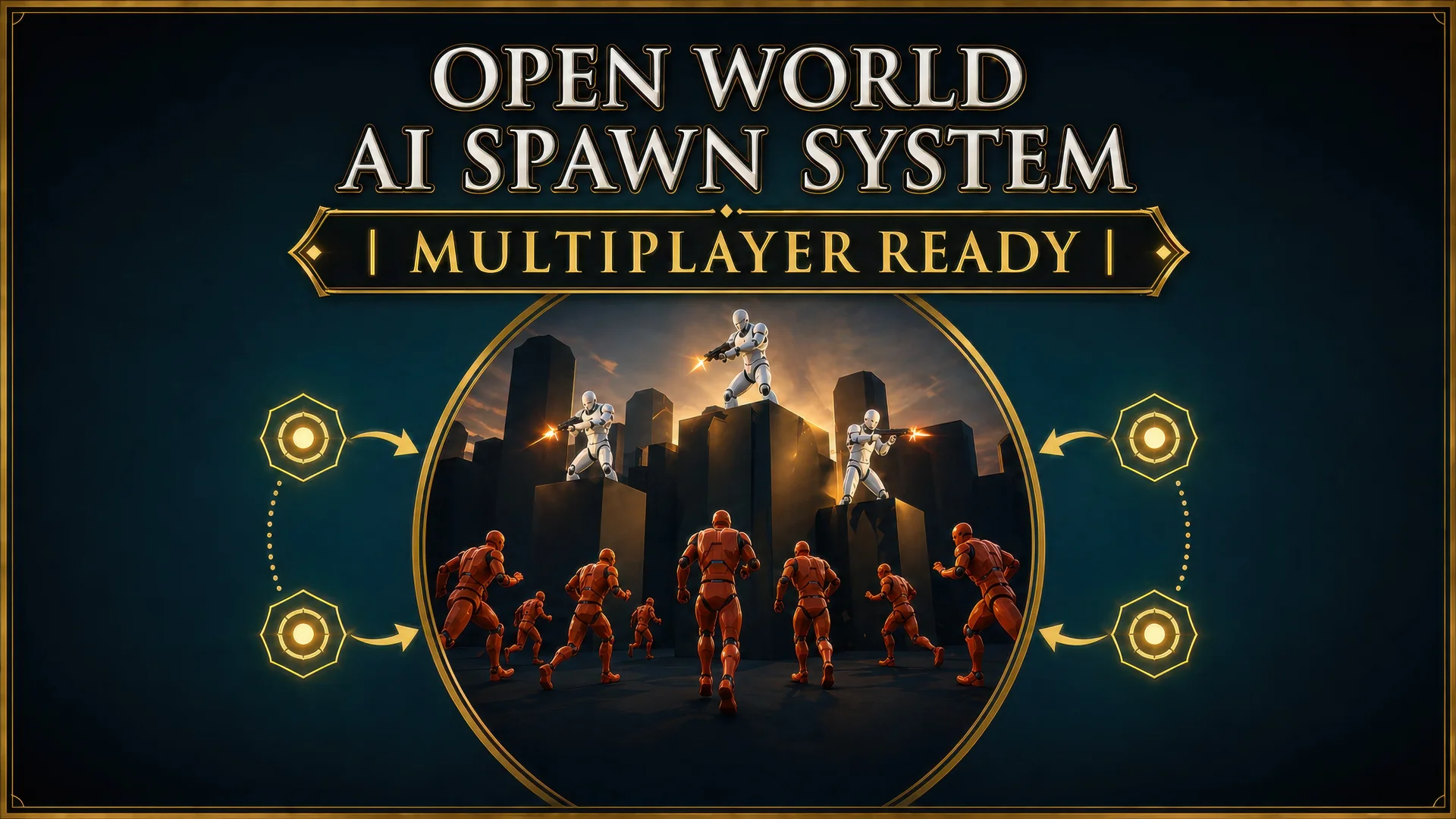
The Open World AI Spawn System takes a familiar Single-Player concept and reworks it for Multiplayer. Instead of letting every Client handle its own AI population, the system offloads all spawn and despawn logic to the Server. Clients receive no extra work, which matters when you have a large Map with many AI that need to appear and disappear based on player presence.
The package is built entirely in Blueprints, keeping the logic readable and easy to expand. It ships with a set of demonstration AI meant to show how the system can drive different behaviors, but the core spawn system is intentionally generic so you can connect it to your own AI Classes.
Server-Side Logic Keeps Clients Clean
In most Open World Multiplayer projects, AI that exists when no 1 is around is wasted network and processing overhead. This system addresses that by tying AI presence directly to player proximity. When there are no players in an area, there is no AI in that area. The Spawn Manager handles the creation and cleanup automatically, so you do not have to write your own distance checks or lifecycle management.
Because the logic sits on the Server, all Clients just see the AI that the Server chooses to spawn. This avoids desync issues where 1 player sees an AI that another 1 does not. It also means that the Client does not need to track dormant or inactive AI, which can be a meaningful performance gain on bigger Levels.
3 Demonstration AI Types and a Path System
The included AI are more than empty placeholders. They show concrete ways to apply the spawn system to common Open World roles.
Roaming AI: Walk around to random locations within a set area. This works for creatures, guards, or any Non-Player Character (NPC) that should patrol without a fixed route.
Stationary AI: Stay in 1 place, with vendors given as the example. This is useful for Non-Player Characters (NPCs) that should be present only when a player is near a shop or quest hub.
Path AI: Come with an easy-to-use Path System. You can set up AI paths in a matter of seconds, which suits patrol routes, escort sequences, or scripted movement across the world.
The Path System is bundled directly into the package, so you do not need a separate tool. It is designed to be fast to place and quick to adjust, matching the overall goal of saving setup time when populating a large world.
Friendly or Zombie: 1 Global Switch
Every AI type can be set to friendly or zombie behavior. This is likely a simple faction or behavior flag, but it is a powerful 1. You can use the same Roaming AI as a friendly villager in 1 area and as a zombie in another, without building separate AI Controllers. The Stationary AI could be a neutral vendor or a zombie that stands in a Trigger Zone. The Path AI could be a friendly patrol guard or a zombie following a set trail.
This flexibility makes the package useful for survival games, zombie shooters, or any project that needs both neutral and hostile Non-Player Characters (NPCs) sharing the same underlying spawn logic.
Group Spawning and Randomization
The system allows you to spawn different groups of AI and adds randomization to the process. Instead of placing each AI individually, you can define a group and let the Spawner handle variety. Randomization can affect which AI types appear, where they appear, or how many appear at a time. The exact parameters are not locked down, but the system is structured to support this kind of variation without custom code.
For an Open World, this is where the time savings really show. You can set up a handful of Spawn Points and let randomization fill the world with encounters. When players leave, the Server removes the AI, so the world only exists in full detail when someone is actually looking at it.
Blueprint Accessibility for Faster Iteration
Because everything is made in Blueprints, the system is easy to read and extend. You can open the spawn logic, follow the flow, and adapt it to your own AI Classes. The demonstration AI are also done in Blueprint, so they serve as working examples rather than opaque compiled code.
This is a practical advantage for small teams or solo developers who want to ship a Multiplayer Open World without writing complex C++ networking logic. The heavy lifting is already handled Server-Side, and the Blueprint layer gives you a clear path to custom behavior.
Practical Notes for Single-Player Projects
The developer points out that if you are working on a Single-Player Open World game, you should look for the Single-Player pack instead. That version is likely tuned for Client-Side-only spawning, which is a different workflow. This Multiplayer rework is specifically for projects that need Server Authority over AI presence.
The playable demo uses smaller spawn distances intentionally, so you can actually see AI appear and despawn without running across the whole Map. The demo also expects hosting and joining to happen on the same computer, which is a common setup for testing Multiplayer spawn behavior in development.
For anyone building a Multiplayer Open World with AI-driven encounters, this system is set up to handle the core spawn and despawn problem directly. It gives you 3 working AI behaviors, a simple path tool, friendly or zombie variants, and a Server-Side architecture that keeps Clients free of extra spawn logic.
 Gameplay Features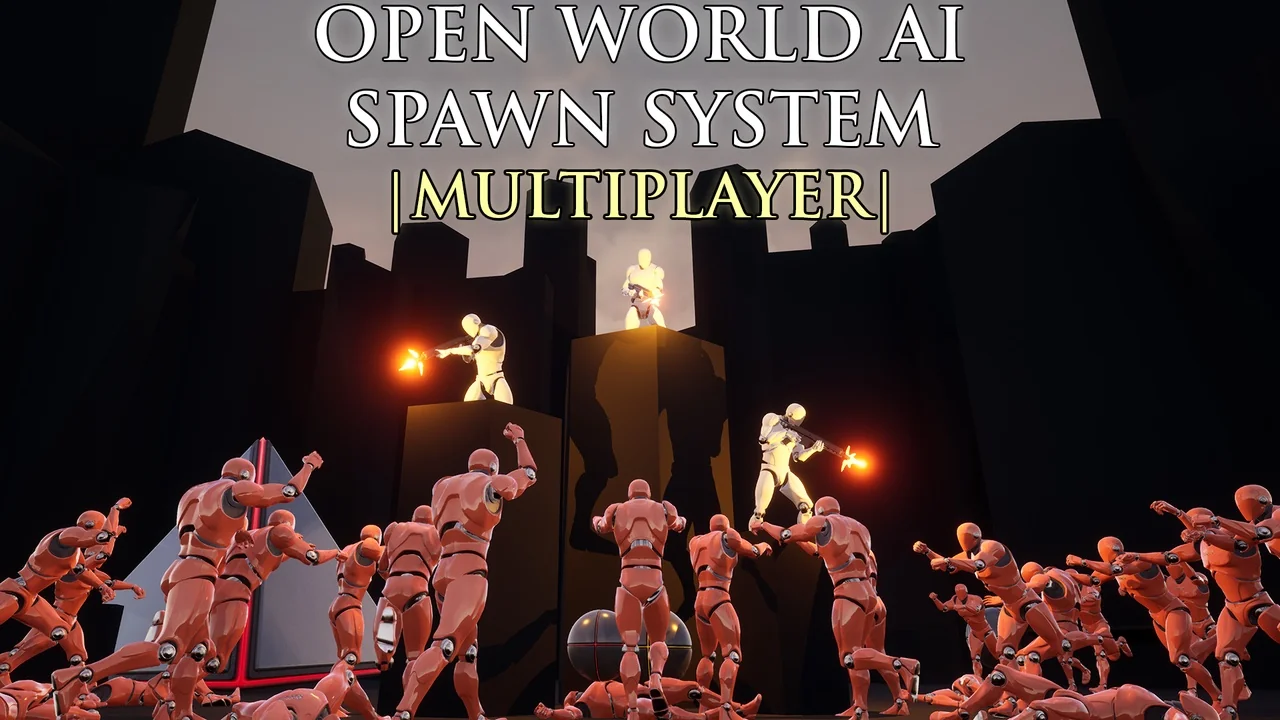
 Gameplay Features
 Gameplay Features
 Engine Tools