Three graph modules at the center
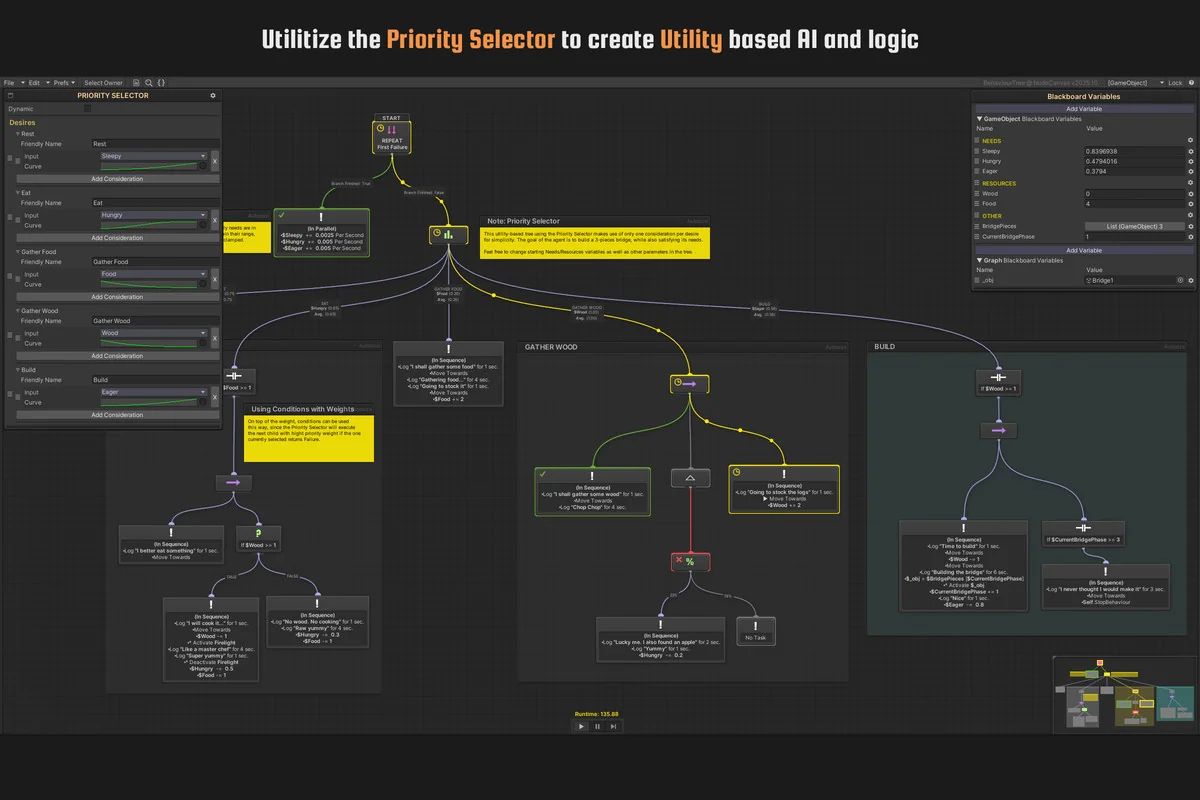
NodeCanvas is built around three separate graph modules: Behaviour Trees, State Machines, and Dialogue Trees. Each one is fully featured, and the modules can be used interchangeably, so the same project is not locked into a single style of logic. That gives Unity projects room to handle AI behaviour, state-driven systems, and dialogue flow with the same visual framework.
The package is framed as a complete visual behaviour authoring solution for Unity, with a focus on advanced AI behaviours and logic. Its structure is not limited to one narrow workflow. Instead, it gives projects a way to move between behaviour trees, state machines, and dialogue trees while keeping the system coherent across those different needs.
That flexibility matters in projects where one system is not enough. A game can use behaviour trees for agent decision-making, state machines for clear state changes, and dialogue trees for conversation logic without leaving the same overall toolset.
Behaviour trees, state machines, and dialogue trees in practice
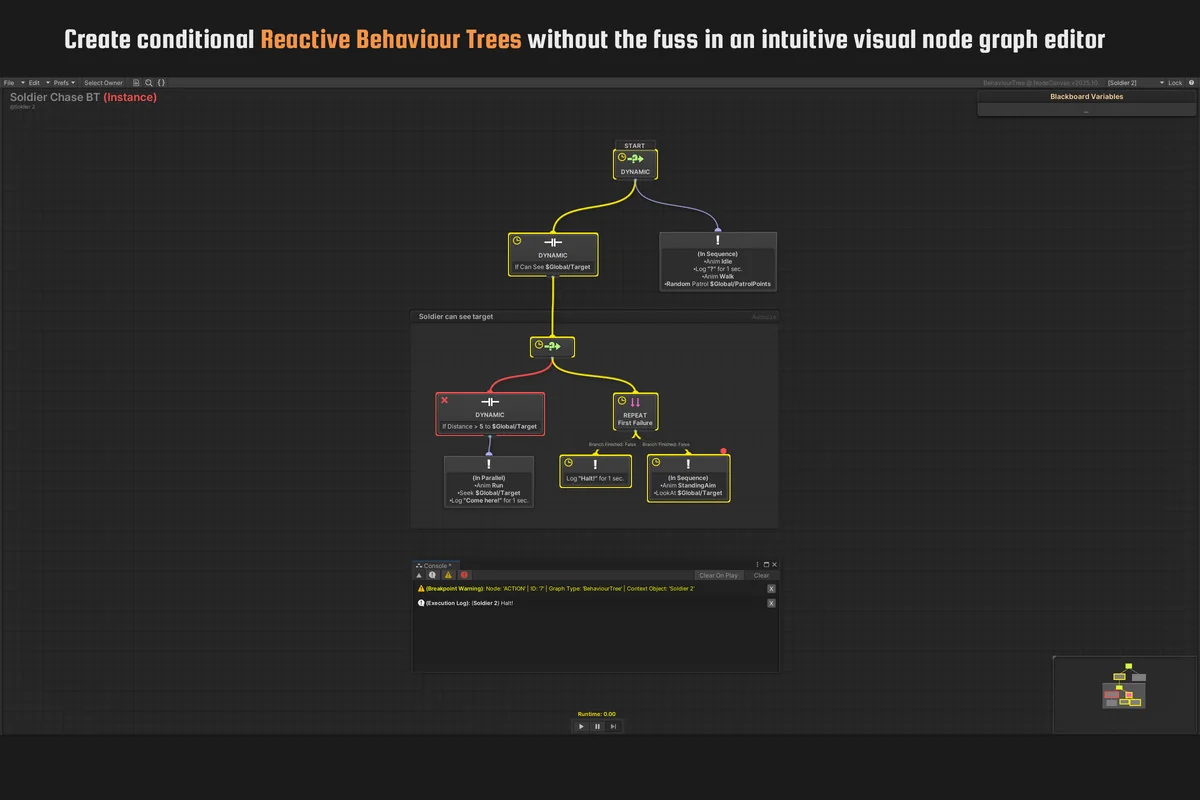
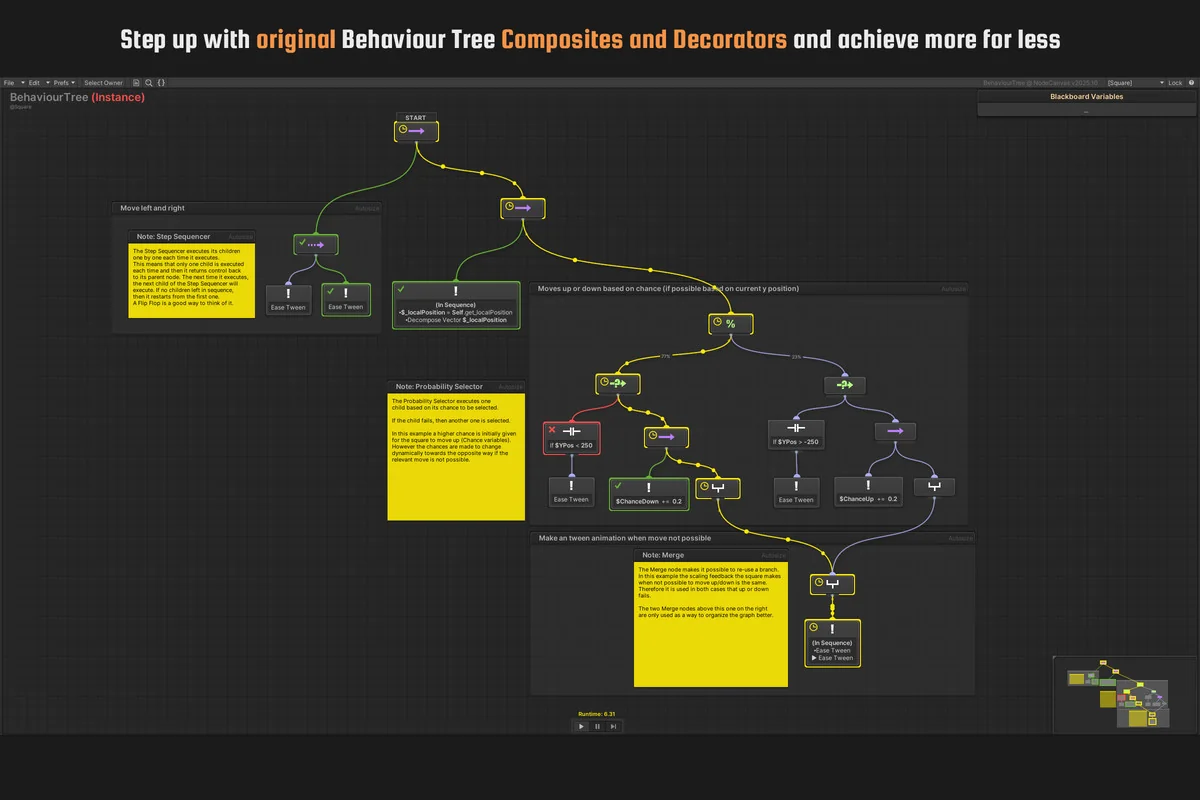
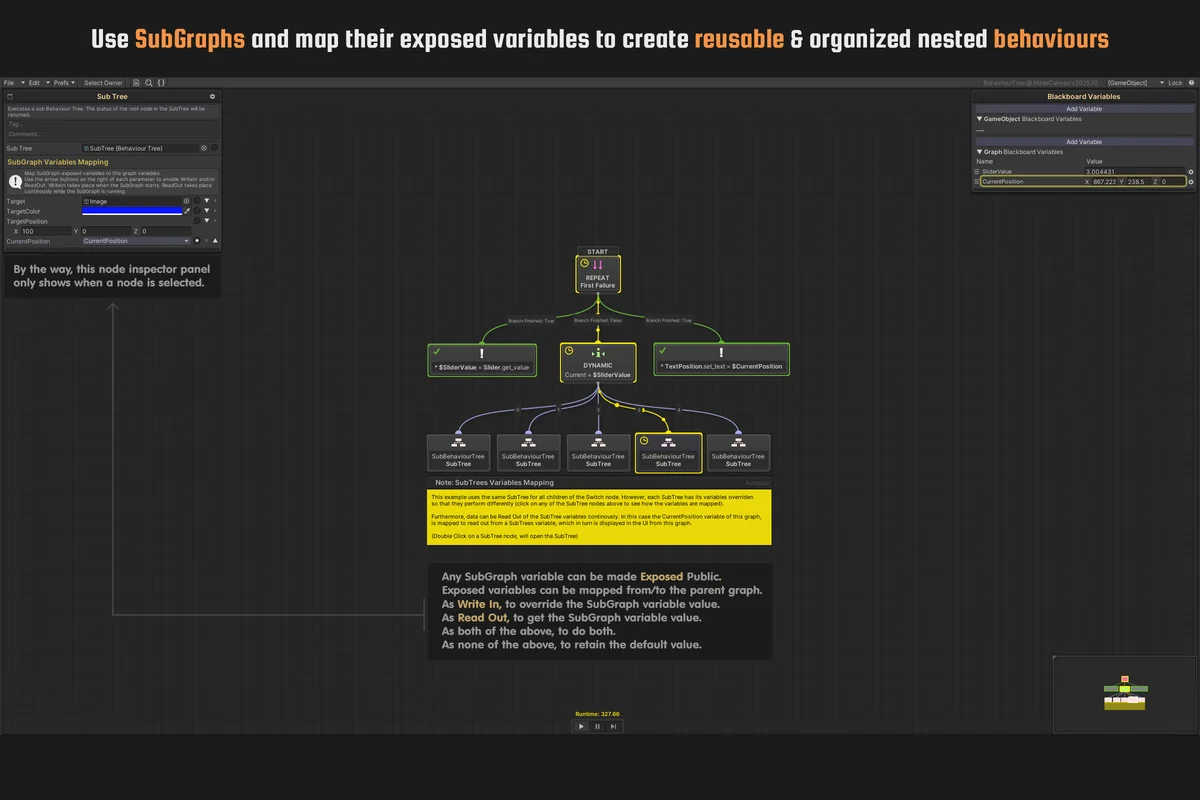
The behaviour side includes reactive behaviour tree evaluation and reusable behaviour graphs across any number of agents. Subgraphs are supported across all three modules, including Behaviour Sub-Trees, Sub-State Machines, and Sub-Dialogue Trees. The package also supports subgraph variable parametrization and mapping, which helps connect nested pieces of logic without treating each graph as a dead end.
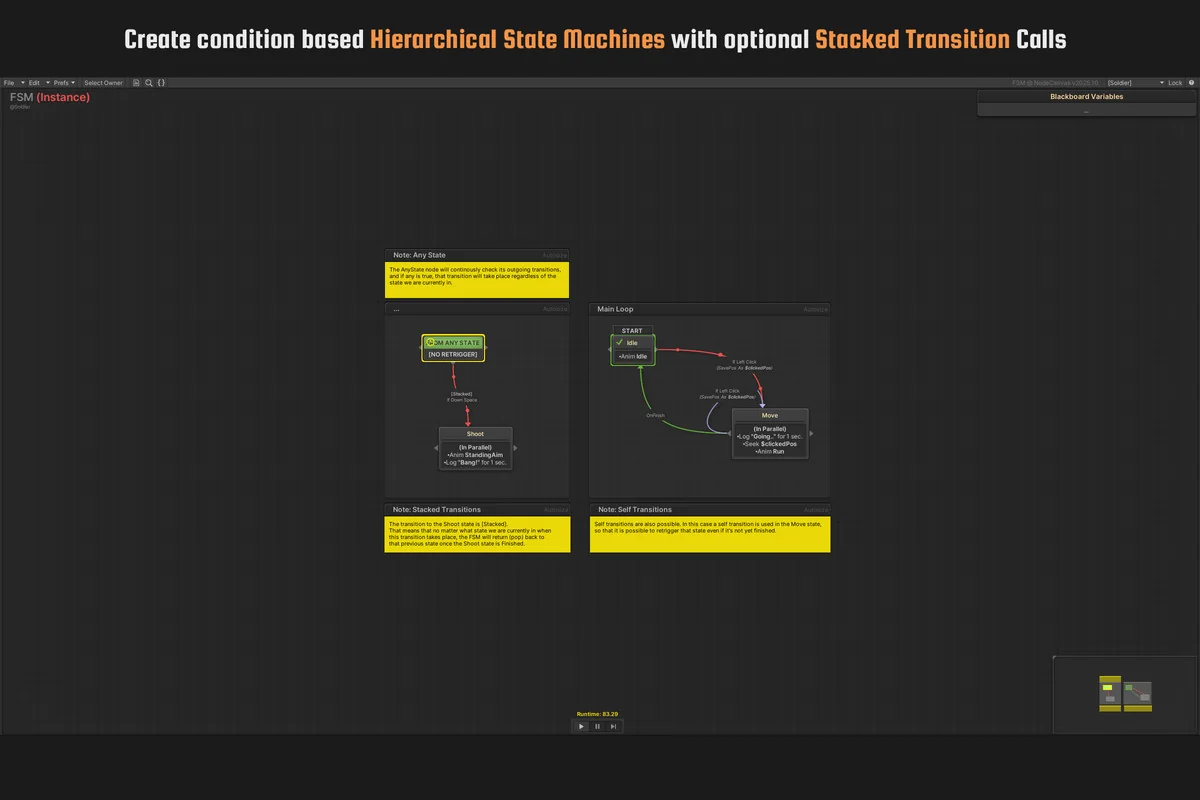
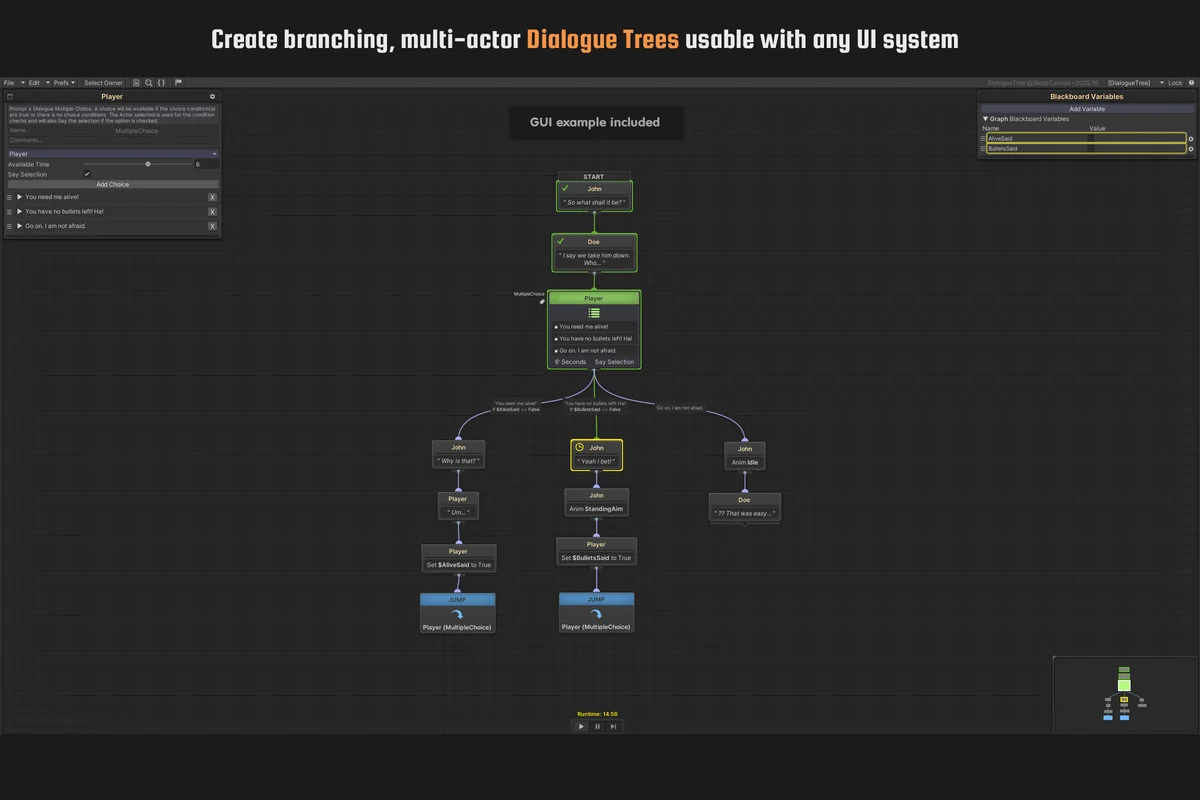
For state logic, the framework includes stack-based FSM transitions. That makes the state machine module part of the same broader authoring system instead of a separate add-on. Dialogue handling goes beyond simple branching text by supporting multi-actor dialogue trees with localization support, which places conversations inside the same visual structure as the rest of the game logic.
Those pieces point to a workflow aimed at projects with layered logic. An AI agent can rely on the behaviour tree module, a character or system can move through state changes, and dialogue can be handled in a dedicated tree without changing tools between each part of the game.
The visual editor and graph tools
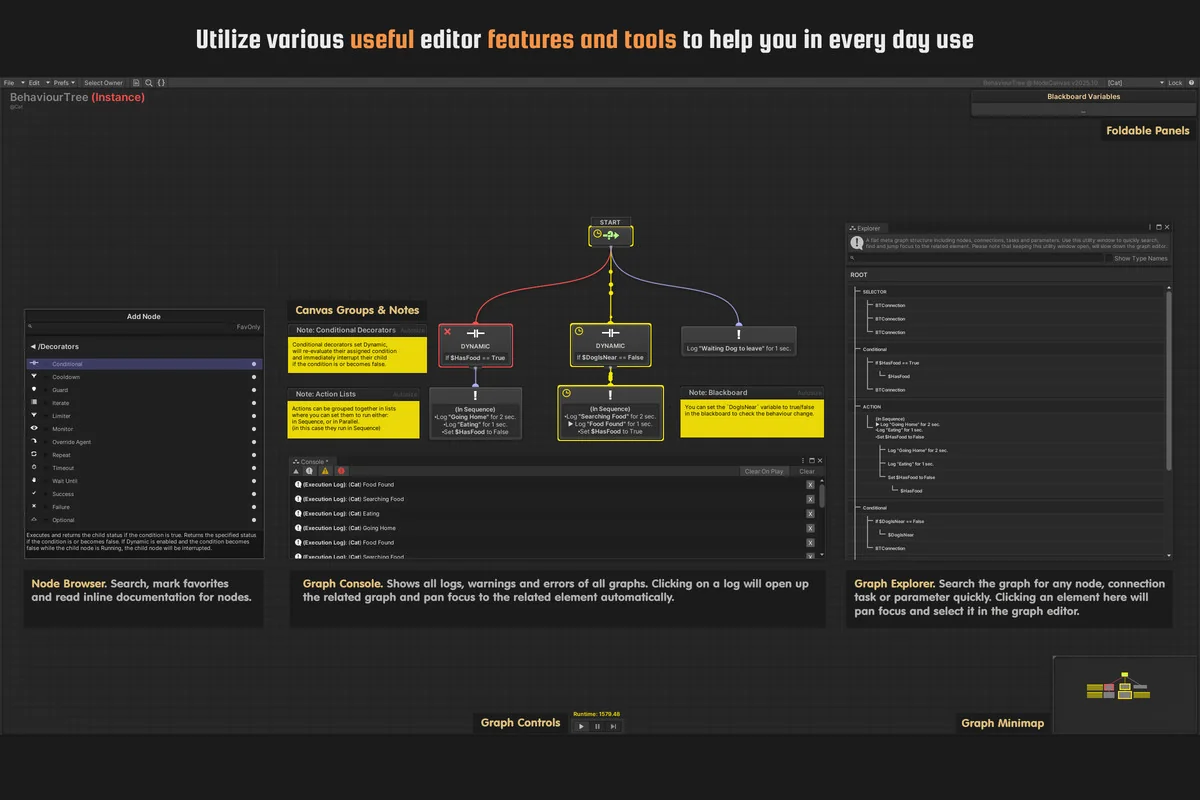
NodeCanvas includes a visual node editor with the kinds of tools expected in a production workflow. The editor supports full undo and redo, zoom in and out, a minimap, multi-selection, duplication, copy and paste, import and export, groups, and comments. These are practical editing tools rather than cosmetic additions, and they support larger graphs that need to stay readable while they grow.
Several browser and navigation tools help keep the graphs manageable. The Node/Task Browser allows searching, favoriting, and reading built-in documentation. The Graph Explorer is meant for searching and finding nodes, tasks, and parameters inside the graph itself. The Graph Minimap helps with navigation, while the Graph Console can locate log source nodes with a mouse click.
There is also Graph Refactor for batch refactoring missing nodes, tasks, and reflection references. Combined with the Preferred Types Configurator, which lets the project tailor type-related menus, the package gives users ways to keep large graphs organized instead of forcing them to stay static.
Blackboard variables and reusable logic
Variables are handled through blackboard systems that span Graph, GameObject, Asset, and Scene Global Blackboard Variables. Blackboard Variables Parenting is included, along with Data Bound Variables using instance or static properties and fields. The package also supports auto-converting variable data into linked parameter types, which helps connect data into the logic graph.
Prefab Overridable Variables support is also included, and all variable types are supported out of the box. That gives the system a broad data layer for projects that need logic to react to values across graphs, objects, scenes, and assets. It is set up to keep variables visible and connected rather than buried in separate custom systems.
Reusable behaviour graphs are another major part of the structure. A graph can be used across any number of agents, so the same behaviour does not need to be rebuilt every time it is needed. That fits projects where multiple characters or systems share similar decision-making but still need room for their own data.
Runtime debugging and working with existing code
NodeCanvas includes colorful and informative runtime visual debugging, Live Runtime Editing, and optimized reflection tasks that automatically integrate an existing code API. Those tools make the package useful not only for building logic, but also for checking and adjusting it while the project is running.
Custom Events and asset-based Signal Events are supported with any number of parameters. The API is described as clean and well documented, and the package can be extended with custom Actions and Conditions. That leaves room for projects that need to connect the visual workflow to their own code and systems instead of staying inside fixed templates.
This combination of runtime visibility and extensibility makes the package fit projects that need to shape logic as they go. It is not only about laying out nodes; it is also about finding issues, adjusting graphs live, and tying the visual setup to existing code paths.
Projects it fits best
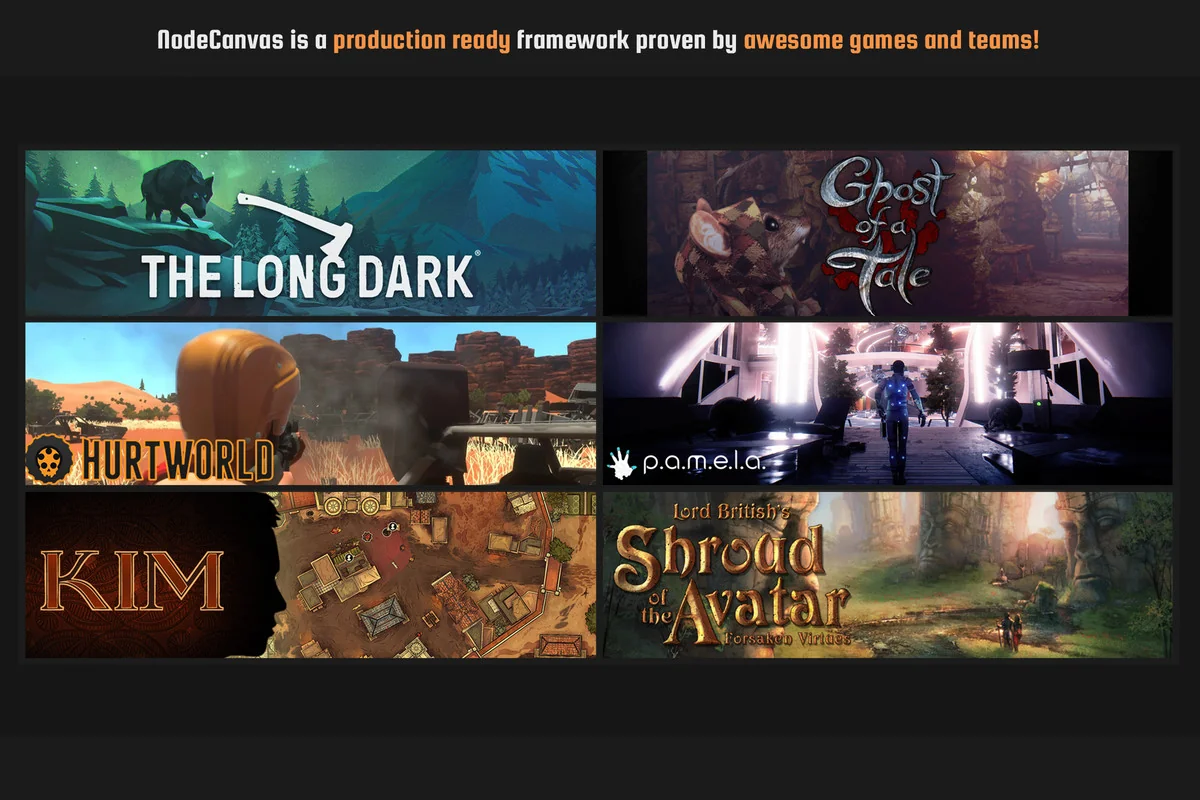
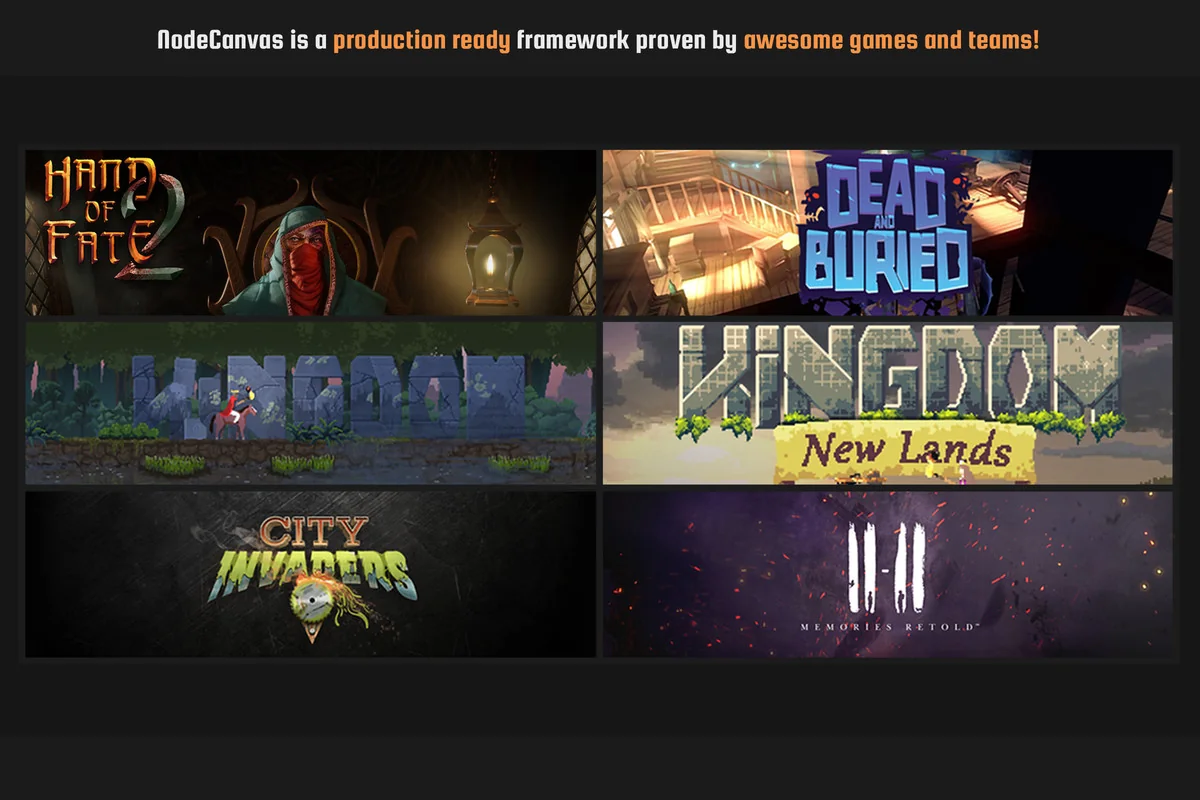
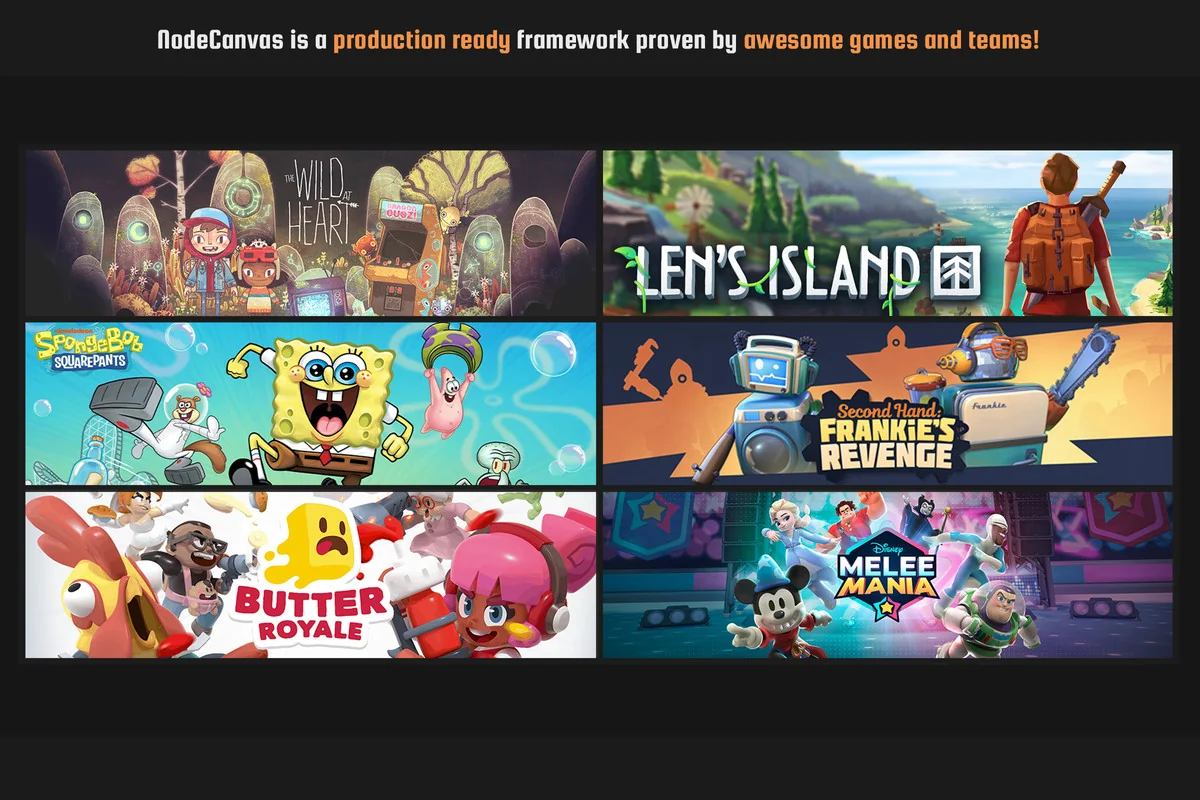
NodeCanvas is presented as a production-ready framework, and it has been actively developed since 2014. It has also been used in games including The Long Dark, Hand of Fate 2, Hurtworld, Len’s Island, Ghost of a Tale, P.A.M.E.L.A, The Wild at Heart, Kim, and Kingdom.
That background points toward projects that need organized AI behaviour, state handling, and dialogue in Unity without separating those systems into unrelated tools. Games with multiple agents, dialogue-heavy scenes, or logic that needs to be edited during development are the clearest match.
For Unity teams that want behaviour trees, state machines, dialogue trees, blackboard variables, and runtime debugging in one visual package, NodeCanvas is set up to handle those parts as a single workflow.
Asset Gallery
Protected download
Access this resource
All resources are 100% manually reviewed to eliminate all risks.